Questions & Answers
- Model:
- LG CM4590
- |
- SKU:
- 6333918
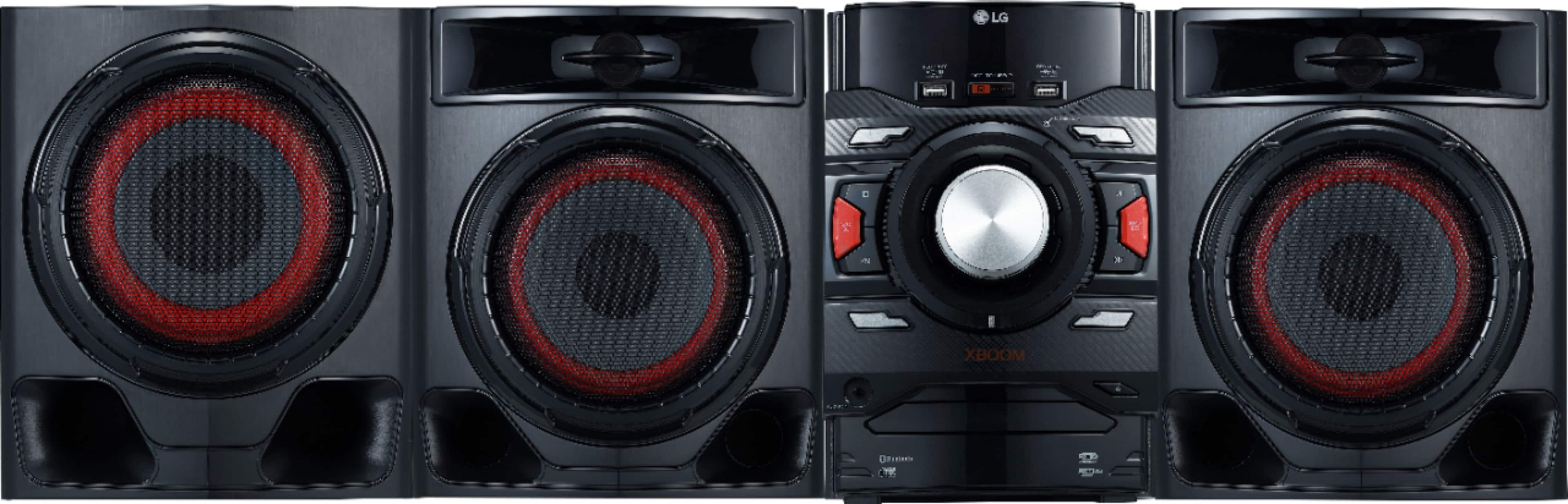
Q: QuestionTwo additional questions... How do I get the demo scroll to stop and not come back? What's with the randomly blinking red lights around the central knob?
Asked by Lawdawg.
- A:Answer In the power off state, press DEMO on the unit once. The unit will power on and display the each of functions in the display window. To cancel the DEMO function, press DEMO on the unit once more. If you're in need of some guidance with using your audio system, please head to our support page at @LGUSSupport on Twitter or shoot us a private message on Facebook at https://www.facebook.com/LGUSA/ so a specialist can help out. ^CP
Answered by LG Digital Customer Care

Q: QuestionHow many cds does it hold at one time
Asked by Anonymous.
- A:Answer This is a single disc unit. ^CP
Answered by LG Digital Customer Care

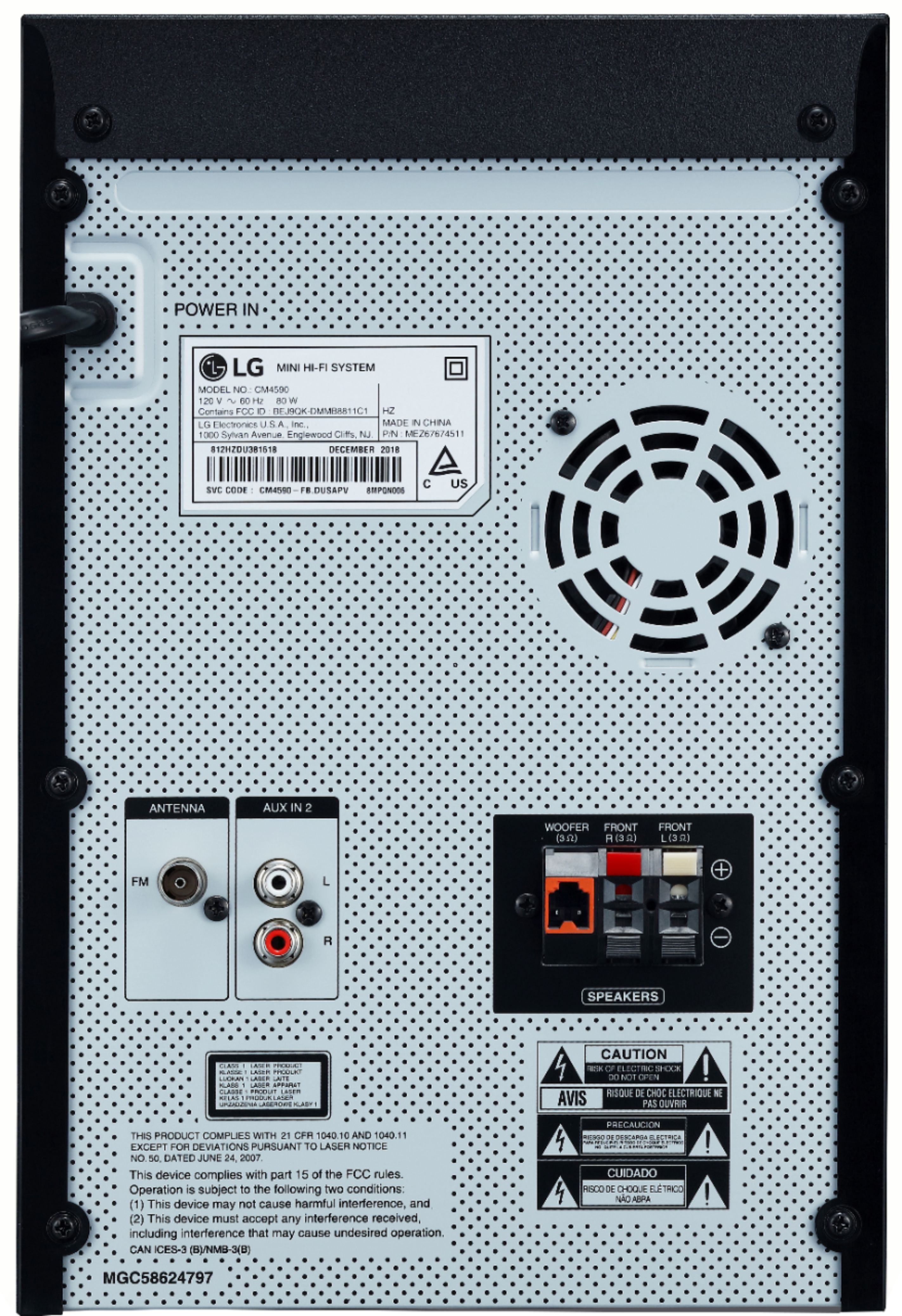
Q: QuestionDoes it come with the antenna
Asked by Rosie.
- A:Answer Yes, this system comes with a very long antenna.
Answered by David
Q: QuestionCan you use head phones
Asked by Shay.
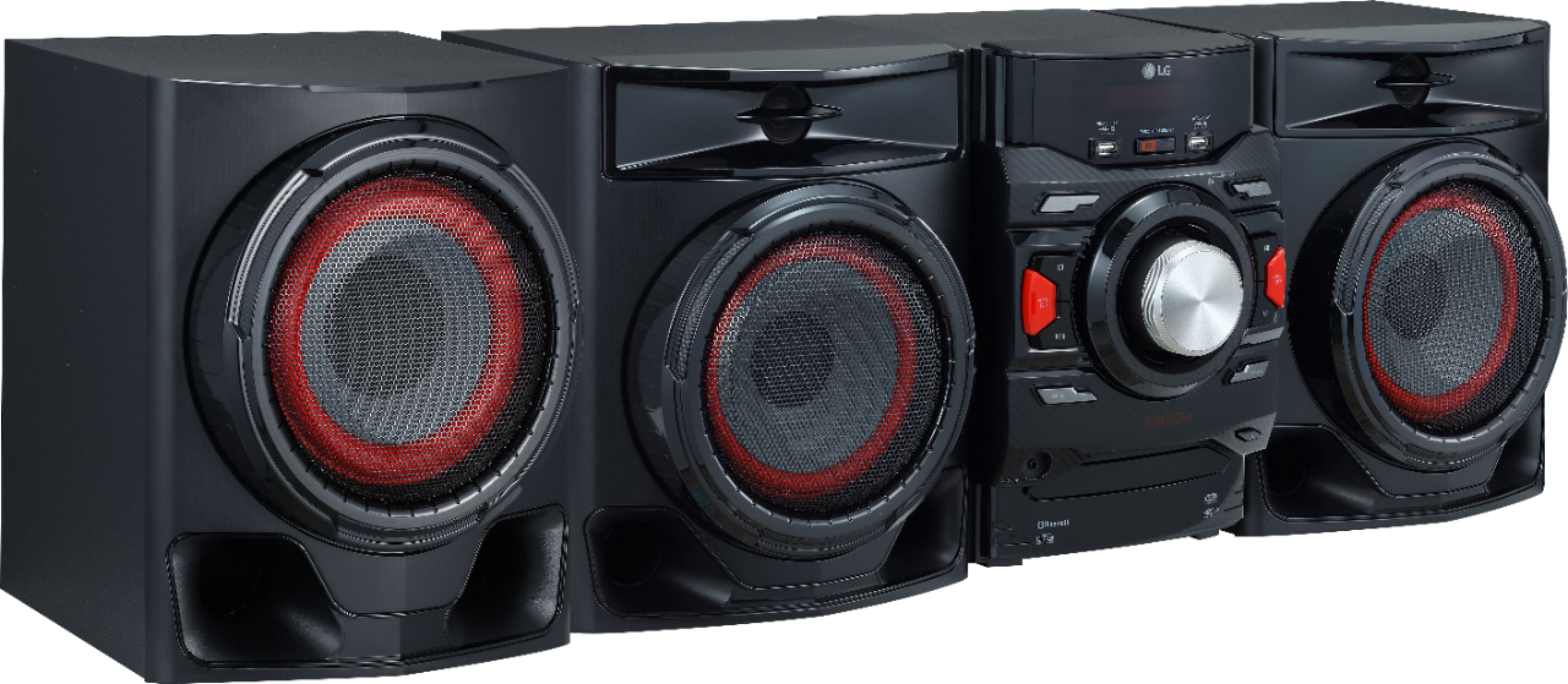
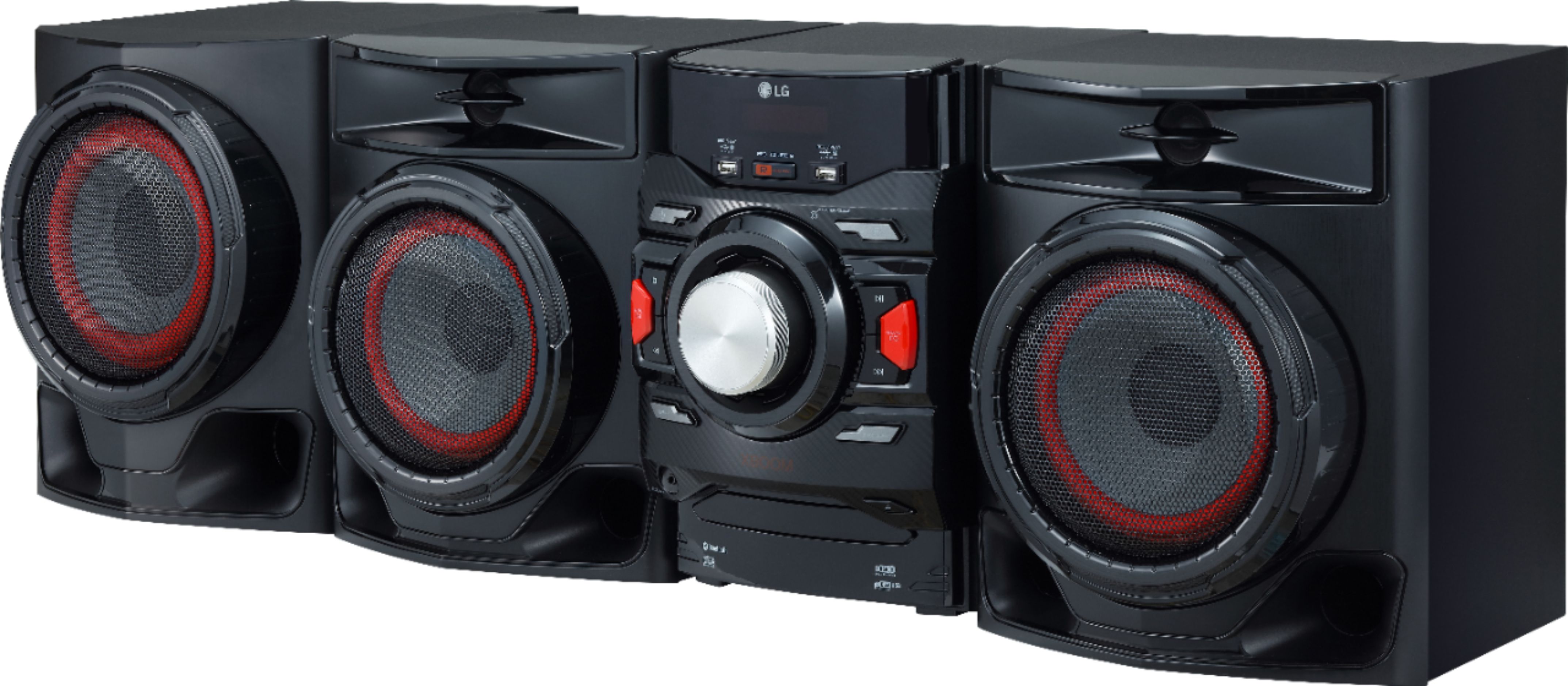
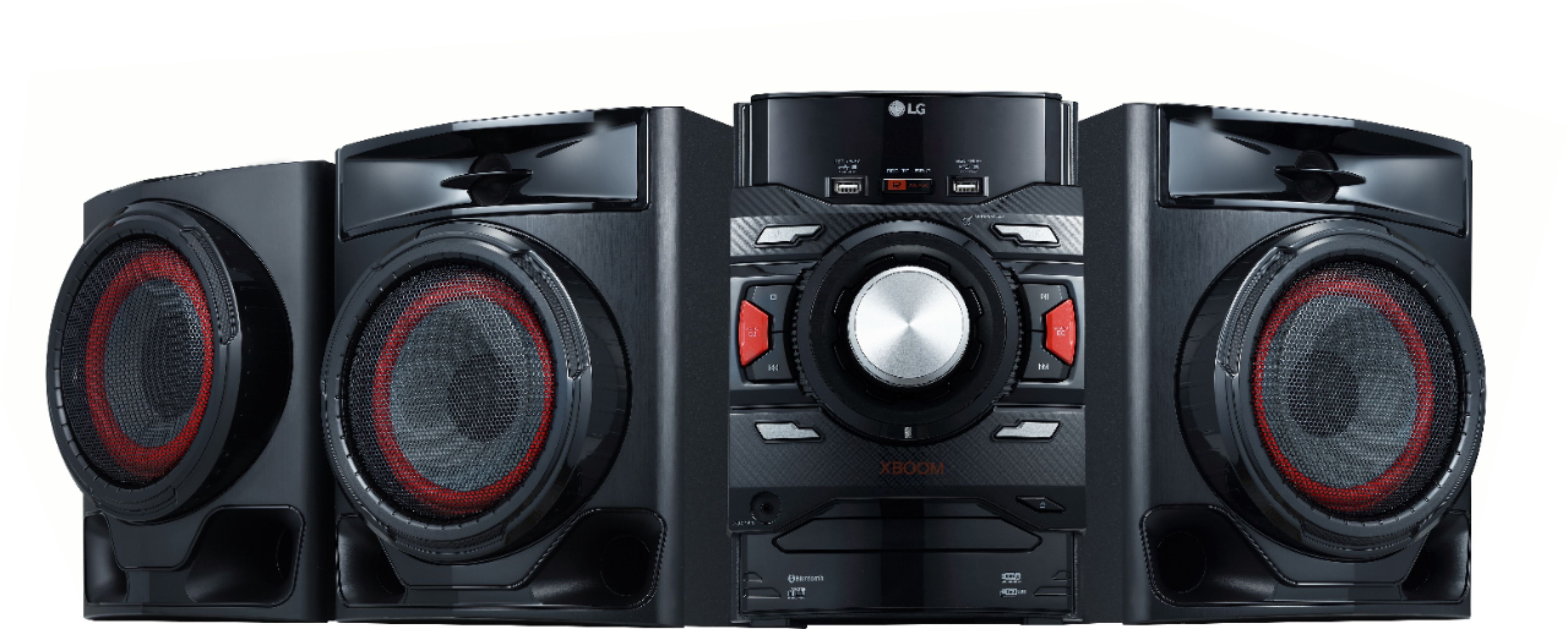
- A:Answer No, there is not a headphone jack. But this is an awesome stereo set, with CD player, AM/FM, AUX and Bluetooth for inputs. I love the super bass sound.
Answered by David
Q: Questionis this system compatible with the wireless BOSE headphones?
Asked by JBail.
- A:Answer No, headphones cannot be connected to this audio system. ^CP
Answered by LG Digital Customer Care

Q: QuestionCan you connect a turntable to this system?
Asked by EMO1.
- A:Answer The CM4590 features a AUX In (3.5mm) that may be able to be used with turntables. ^CP
Answered by LG Digital Customer Care

Q: QuestionCan you hook it to your smart tv?
Asked by Anonymous.
- A:Answer Simply link your LG audio product with your compatible LG HDTV wirelessly via Bluetooth®, reducing the cable clutter behind/beneath your television. It also features 3.5mm input as well as AUX in (L/R) for connecting to external devices such as a compatible TV. If you have additional concerns or questions, you can contact our Customer Support by any of the below options: Phone: 1-800-243-0000 Live Chat: https://www.lg.com/us/support/chatbot Email: https://www.lg.com/us/support/email-appointment Facebook Messenger: https://www.facebook.com/LGUSA/ Twitter: @LGUSSupport The LG Community Forum is also a great resource for getting help from other LG customers: https://lgcommunity.us.com/ ^CP
Answered by LG Digital Customer Care

Q: QuestionCan this be hook to tv to play movies on
Asked by Kingme238.
- A:Answer YES
Answered by GamePS2
Q: QuestionCan I connect this system to my tv... I have a projector that I use to watch my xfiniti cable through it?
Asked by Lboogie.
- A:Answer Yes u can.
Answered by GamePS2
Q: QuestionCan my T.V. play surround sound on it?
Asked by Serenity.
- A:Answer We would need further information about your TV. Please reach out to a specialist via Twitter @LGUSSupport, Facebook https://www.facebook.com/LGUSA/ ^CP
Answered by LG Digital Customer Care

Q: QuestionI have two regular headphones and how should I connect them to the stereo?
Asked by JAY.
- A:Answer Headphones cannot be connected to the speaker system. We apologize for the inconvenience. ^CP
Answered by LG Digital Customer Care

Q: QuestionI have the LG 700 watt I asked boom I was just wondering is there anything I could buy 2 to boost the volume and make it louder
Asked by Jeffro.
- A:Answer No, we do not produce additional speakers to add to this audio system. If you are in need of guidance with using the audio system, you can contact our Customer Support by any of the below options: Phone: 1-800-243-0000 LiveChat: https://www.lg.com/us/support/chatbot Email: https://www.lg.com/us/support/email-appointment Facebook Messenger: https://www.facebook.com/LGUSA/ Twitter: @LGUSSupport The LG Community Forum is also a great resource for getting help from other LG customers: https://lgcommunity.us.com/
Answered by LG Digital Customer Care

Q: QuestionDoes it have a headphone jack
Asked by Jimcoop.
- A:Answer No, it does not have a headphone jack.
Answered by CommunityAnswer
Q: QuestionDoes it come with Am / FM radio?
Asked by T.
- A:Answer It only has FM ,i think But i can dig FM for awhile, I can AUX Through my phone for AM through a pandora or IHeart,Tune In radip app
Answered by Lefty
Q: QuestionMy Bluetooth does not connect to my phone, what can I do to fix this?
Asked by layla.
- A:Answer Scroll your XBOOM to (BT) on the XBOOM'S screen you do this by hitting (F) On it's remote. Then hit you're blue tooth to Scan,
Answered by Lefty
Q: QuestionDoes it have a remote
Asked by Mo.
- A:Answer Yes ,look in your box it came in ,we took what we thought was everything out, and the remote was hidden under the Styrofoams packing.
Answered by Lefty
Q: QuestionIs this stereo capable of use in cafe or outdoor use for entertainment. Will it have enough volume?
Asked by Anonymous.
- A:Answer DON'T let it get Wet , But- oh Yes , This thing CRANKS !
Answered by Lefty
Q: QuestionDoes it have ability to hook up to kerioki mic
Asked by Bunny.
- A:Answer No, a microphone cannot be connected to this stereo system. ^CP
Answered by LG Digital Customer Care

Q: QuestionWill this transmit to bluetooth speakers?
Asked by Anonymous.
- A:Answer This unit does feature bluetooth for connecting to your mobile devices such as a phone or tablet. ^CP
Answered by LG Digital Customer Care

Best-selling radios
- $11.11$11.11The price was $17.99
- $19.99$19.99The price was $29.99
- $24.95$24.95The price was $32.99
- $19.99$19.99The price was $23.99
- $48.49$48.49The price was $60.01
- $40.00$40.00The price was $45.99