“is anyone having a problem with the silence button on the top left of case ? This button works fine without case but slides to the right when case is on thus uncovering the orange slot '' Vibrate''”
Answer This Question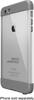
1-8 of 8 Answers
I did too but I just fiddled around with it and got it to work flawless
Sorry, there was a problem. Please try again later.I did have that issue with the iPhone 5 case, but the 6+ case seems to work better in that regard.
Sorry, there was a problem. Please try again later.No
Sorry, there was a problem. Please try again later.No
Sorry, there was a problem. Please try again later.The way I fixed is put the first side of the buttons
Sorry, there was a problem. Please try again later.Not at all.
Sorry, there was a problem. Please try again later.If you require support for a LifeProof product, we recommend contacting our USA based customer service team at https://www.lifeproof.com/en-us/support This page allows you to contact support by phone or chat 24/7.
Sorry, there was a problem. Please try again later.I experienced on a replacement case, but not on my original case purchased, it seems as though the phone does not sit properly in the case so the button does not align with the switch, when I push down on the back of the case and then move the switch it works fine
Sorry, there was a problem. Please try again later.