“I cannot install the sw on my corparate laptop. What functions does the device have without the SW? How does the pointer look like? I would like to use it in presentations which are also shown via Skype”
Answer This Question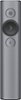
1-6 of 6 Answers
Quick update to this one - there is now software called Logitech Sptlight Lite, which is made specifically for installing on laptops without admin permissions.
Sorry, there was a problem. Please try again later.I used this on a sales reps laptop that was also a corporate issue. The control panel was locked down, like most company issue laptops. Since this was the case, it kept on saying the software was not installed successfully. So, unlike regular slide advancers, this one seems to need to load an actual program, so corporate laptops may prevent that from happening. To answer your question, I could not get it to work at all. So no functionality.
Sorry, there was a problem. Please try again later.I bought this as well and ended up returning it because of this issue. If you cannot install the software (which most corporations will not allow you to do at work) then you lose all the special functionalities of the remote (what you essentially paid all that money for). It essentially becomes a very expensive remote to move backwards and forwards throughout a presentation. The software is amazing when you are able to install it, but alas most are unable to in their work environments. I personally returned it and bought the Logitech R800 that has a green laser pointer. A lot cheaper and no software hassles.
I would recommend:
Sorry, there was a problem. Please try again later.Need system admin permission.
Sorry, there was a problem. Please try again later.Without a software just a clicker
Sorry, there was a problem. Please try again later.The app allows each key to be customized. For example the size of the circle highlight, whether it is a solid or transparent border, change the next/back button in other functions like scroll, blank screen, etc. Without the app, it can only highlight, go forward and go back. The pointer is circular with a transparent border.
Sorry, there was a problem. Please try again later.

