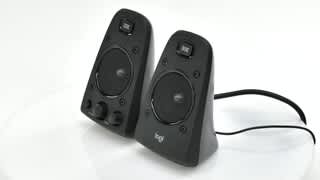
A:AnswerThe Logitech Z623 operates on standard AC power, which varies by region (e.g., 120V in North America, 220-240V in Europe).
While the specifications you provided detail the power output (RMS), sound pressure level (SPL), frequency response, and input impedance, they do not directly list the operating voltage. The device is designed to be plugged into a standard wall outlet.
Please refer to the power supply label on the back of the Z623 unit for the specific voltage requirements for your region.
A:AnswerNo. The subwoofer is controlled from the right satellite speaker using a non-standard connector. This makes it functionally impossible to use the individual components separately.
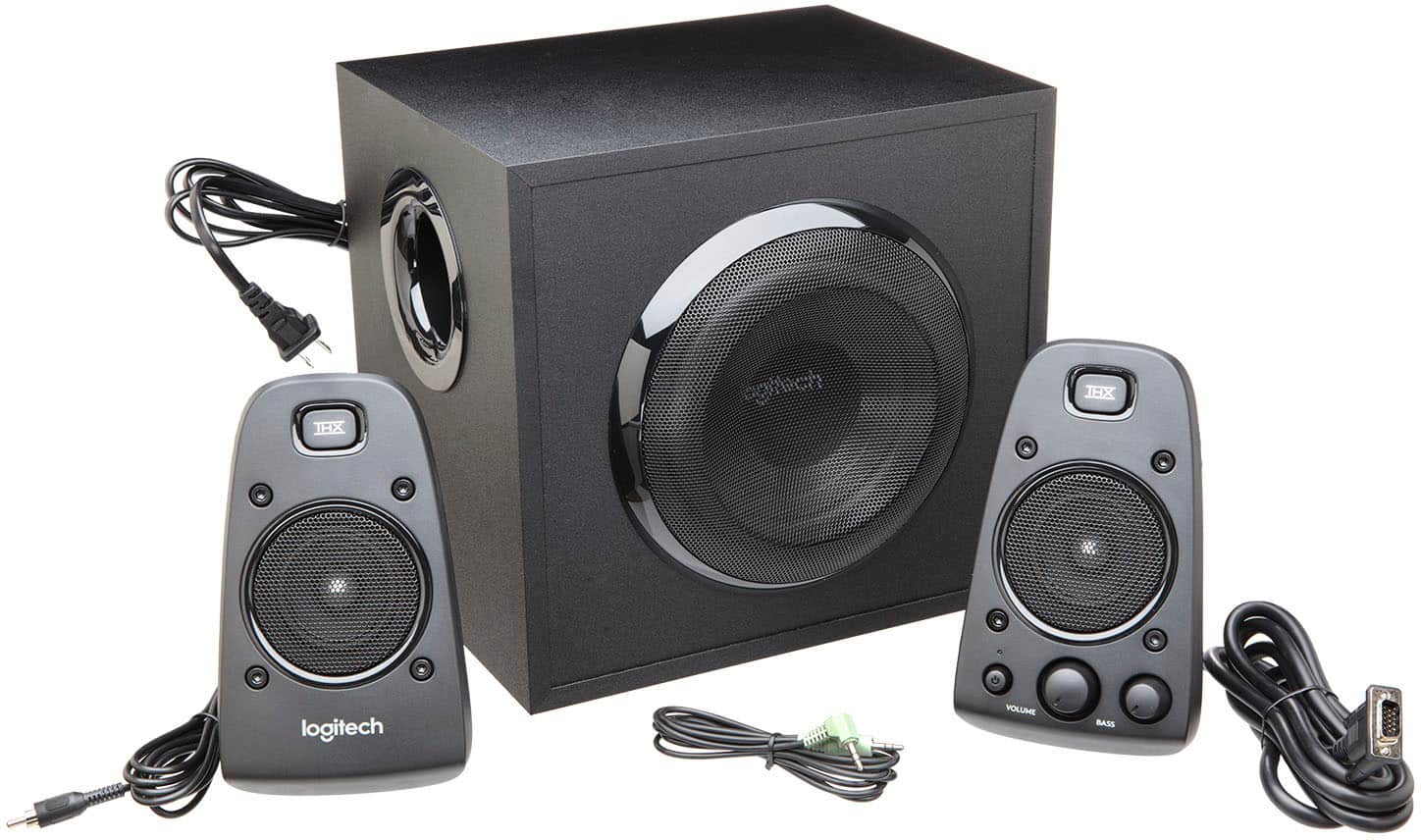
A:AnswerHello, The answer to your first question the Z623 2.1 Speaker Systems satellite cable lengths are 1.95m to the left, and 1.85m to the right, so about 6 feet on each side. And to answer your second question, a 3.5 mm audio input cable is included. Here's a link a Getting Started PDF that will give you more details and help with setup: https://www.logitech.com/assets/65737/mojo-z623-web-qsg.pdf.
A:AnswerHello, the Z623 can connect to your TV if it has a AUX port. There is an AUX cord included in the packaging. The satellites do not feature any direct support for mounting brackets.
A:AnswerHello,
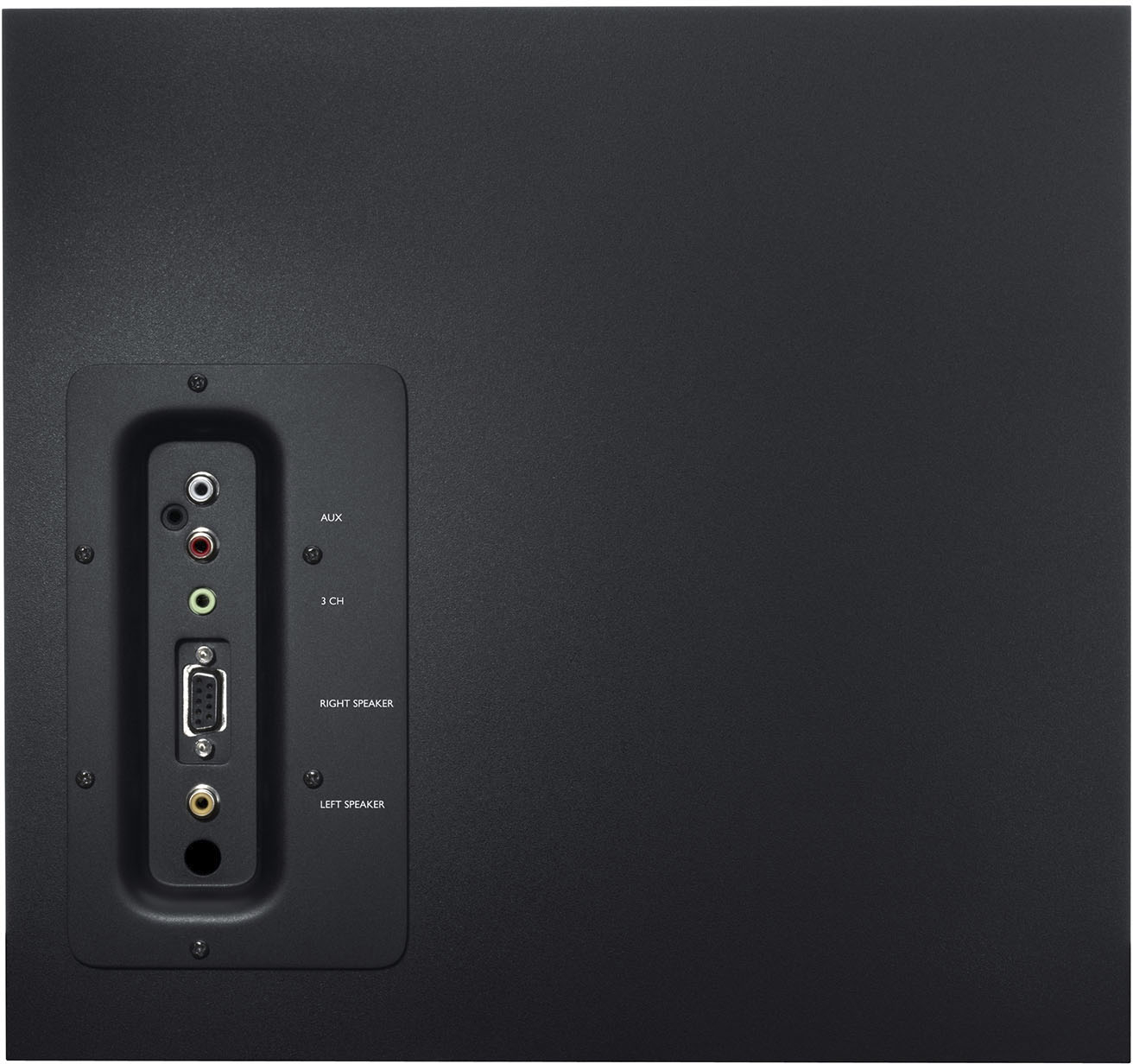
Yes, the Logitech Z623 2.1 Speaker System can be used as an audio output for a FM Stereo/AM-FM receiver. The Z623 2.1 Speaker System supports multiple inputs simultaneously including 3.5 mm and RCA inputs. The exact connection will vary depending on your FM Stereo/AM-FM receiver. I have attached a link to the “Getting Started” support page for the Z623 for your reference. For further assistance, please visit the Logitech support website.
Best regards,
John at Logitech
https://support.logi.com/hc/en-us/articles/360024157434--Getting-Started-Speaker-System-Z623
A:AnswerYou play the speakers on both green and aux jack. However in the aux jack I had a low humming sound coming from the speakers. Which I did not have when I plugged it into the green jack.
I hope that answered your question.
A:AnswerI was asking the same question. I recently purchased a new IMac desktop. I love it more than I can say! I had Logitech speakers that I thought were good. They easily connected to the Mac via the 3.5 jack There are 4 USB ports as well if the speakers connect that way or via Bluetooth or wifi. They make it easy.
A:AnswerDepending on what audio output you’re running on the stereo it’ll work. They’re powered speakers so the audio inputs are just rca, optical and a headphone jack. I have it hooked up to my pc and a 5 disk cd player and both work.
A:AnswerHi Davey, yes they will! The Z623 connects via a standard **3.5mm headphone jack**. Since the MacBook Pro M4 still includes a high-impedance headphone port, you can plug them directly in for great sound without needing any extra adapters.
A:AnswerYes they are 100% compatible with Sonys PlayStation 5. I will say though that these speakers don’t have an optical port for a TV so the only way that you will only be able to use these speakers are that if you plug an auxiliary from the TV to the speakers, or if you have a Monitor, you would have to do it from the controller to the speakers
A:AnswerThe ranking and rating of an audio system (like being rated #2) can depend on various factors, such as sound quality, build, features, and value for money, often determined through expert reviews and user feedback.
In terms of a 1-10 scale, many Logitech Z623 users rate it between 8 to 9 out of 10 for its excellent sound quality, deep bass, and robust performance, especially for the price range. The THX certification also adds value, indicating that it meets certain sound quality standards. However, it might rank slightly lower (around 7 to 8) compared to other systems with advanced features like wireless connectivity or surround sound capabilities.
A:AnswerYes, you can connect your TV's Toslink (optical) audio output to the RCA input on your Logitech Z623 speakers, but you’ll need a digital-to-analog audio converter. Toslink is a digital signal, while RCA is analog, so the converter is necessary to convert the digital audio from the TV into an analog signal that the Z623 can accept.
Here’s how you can set it up:
Get a Digital-to-Analog Audio Converter: Make sure it has a Toslink (optical) input and RCA output.
Connect the Toslink Cable: Connect one end of the Toslink cable to your TV's optical audio output and the other end to the converter’s Toslink input.
Connect RCA Cables to Z623: Use RCA cables to connect the converter’s output to the RCA input on your Z623.
Power On and Set Up: Power on the converter and select the optical output on your TV’s audio settings if necessary. Adjust the volume on the Z623 as needed.