A:AnswerHi Frank,
If you purchased this product on sale, you'll be charged the full price for your renewal. However, if you find a deal on a prepaid subscription you can add it to your Microsoft account to begin when your subscription ends!
Best,
Tom
Microsoft Office Team
A:AnswerYes, I did that earlier this year through the Geek Squad. They gave me a pro-rated credit for the remainder of my single-user subscription and then started my new family subscription.
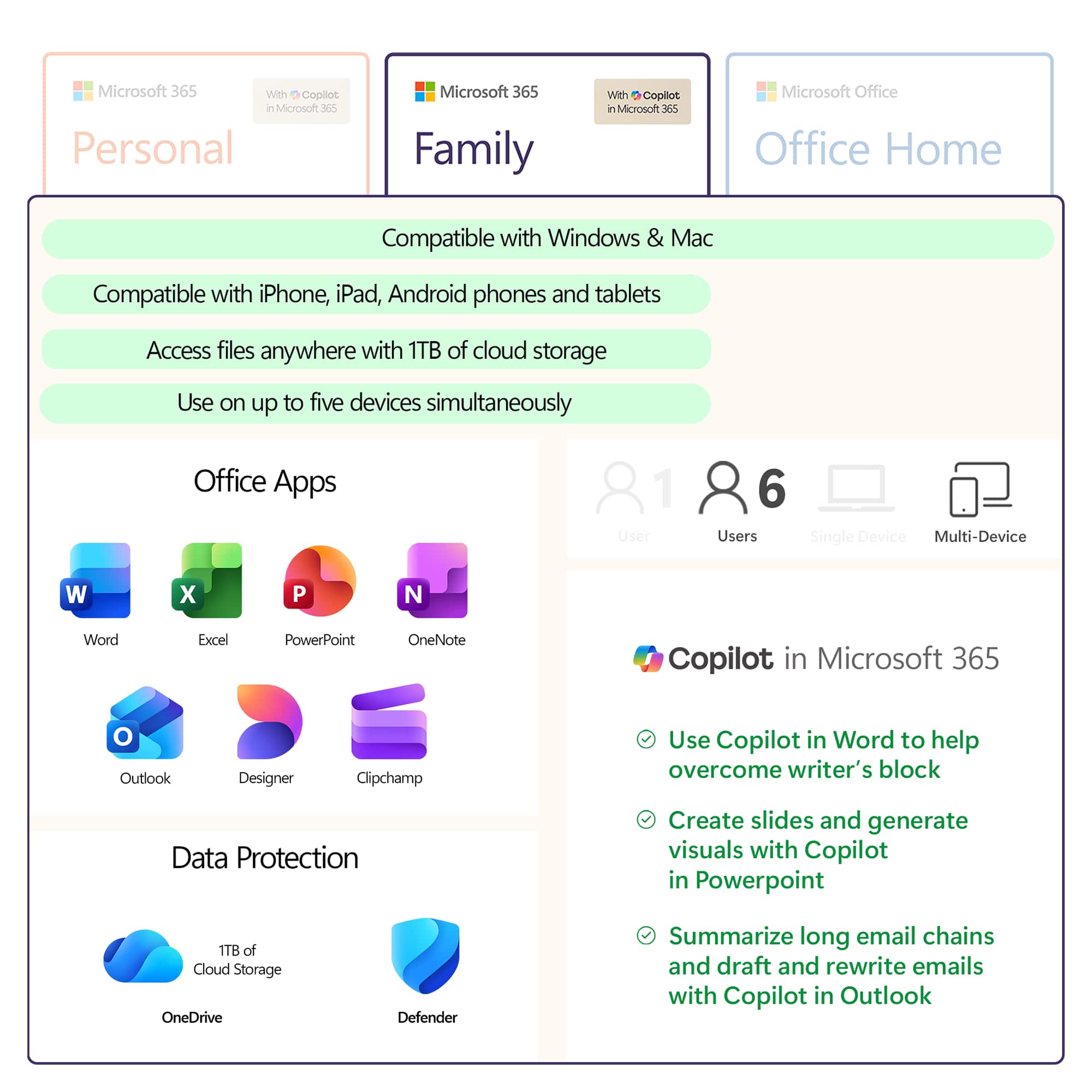
A:AnswerMicrosoft 365 Personal and Family subscriptions have all the productivity benefits of Office 365 but with a host of new experiences and value. The core Office apps people know, and love are included along with new experiences and value like Microsoft Editor, a robust partner benefit program and more. Over time, we will continue to add more productivity and protection benefits from across Microsoft to Microsoft 365 Personal and Family subscriptions.
A:Answerthe link to make this product work with a chromebook is a link to BING, not a proceedure to install programs on Chromebook. I wanted to install the programs and pay the money but BING just stopped the process.
A:AnswerOffice 365 is compatible with Mac OS X. If your device is running the compatible OS then you can run this version of Office. Your files will be automatically upgraded to the newest version when you open them in Office 365.
A:AnswerI would ask geek squad this question. Regardless, buy your next subscription from some other vendor and you won't have that problem from that point on.
A:AnswerYour Office 365 subscription will automatically be upgraded to Microsoft 365, so the only switch you will need to make is to upgrade to Microsoft 365 Family. You can do that by purchasing a copy of it and redeeming it to your existing account.
Here's what it would look like.
Current subscription: You have 6 months left on your Microsoft 365 Personal subscription.
New subscription: You buy a 12-month subscription to Microsoft 365 Family using the same Microsoft account as your Microsoft 365 Personal subscription.
Result: Your subscription is converted to Microsoft 365 Family and will renew in 18 months, not 12.
A:AnswerRenewal, like in a magazine subscription. Renewal means that this is a one year subscription. Before the year is up you will get a renewal notice via email notifying you that on a specific date there will be a charge for the next year. You will have options such as renew, do not renew, or cancel.
If renewed you will be given a one-year access to the newest version of the software and have continued use of existing documents with out any problems.
If not renewed your access to the program will end. Your documents will still be available if you use something else or purchase the full software.
A:AnswerTo convert your Microsoft 365 Personal into a Microsoft 365 Family account all you do is redeem this product key to your existing account. It will upgrade the remainder of your time to Microsoft 365 Family as well as add 1 year to your subscription time.