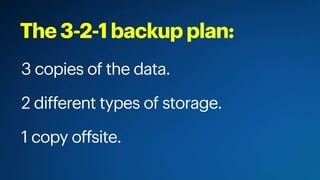
A:AnswerThe idea with this product is to continue its use which is why it is on automatic renewal. The major difference between this and the disk version is that with the subscription, you get automatic updates. This means ongoing improved functionality. You could lose your data if you stop the subscription especially in Outlook. Make sure to back up all your important data into the cloud so if anything happens to your computer, your data is still saved. I also use an external hard drive for redundancy (extra backup).
A:AnswerIt works fine, and I needed it. the advantage I think is paying for it each year, the next years' will be better and updated, rather than buying for it all at once.
A:AnswerI don’t think you can get a refund on anything but the computer. Just like any other card you purchase it has to be unused for them to resale. Once you put it on the computer it became used.
A:AnswerIt does require a bit of space of your hard drive. Here's a list of the requirements for Office 365:
Computer and processor Windows: 1.6 gigahertz (GHz) or faster, 2-core.
macOS: Intel processor.
Memory Windows: 4GB RAM; 2 GB RAM (32-bit).
macOS: 4 GB RAM.
Hard disk Windows: 4.0 GB of available disk space.
macOS: 10 GB of available disk space. HFS+ hard disk format (also known as Mac OS Extended) or APFS.
Display Windows: 1280 x 768 screen resolution (32-bit requires hardware acceleration for 4K and higher).
macOS: 1280 x 800 screen resolution.
Graphics Windows: Graphics hardware acceleration requires DirectX 9 or later, with WDDM 2.0 or higher for Windows 10 (or WDDM 1.3 or higher for Windows 10 Fall Creators Update).
macOS: No graphics requirements.
Operating system Windows: Windows 10, Windows 8.1, Windows 7 Service Pack 1, Windows Server 2016, Windows Server 2012 R2, Windows Server 2012, or Windows Server 2008 R2.
macOS: Office for Mac is supported on the three most recent versions of macOS. As new major versions of macOS are made generally available, Microsoft will drop support for the oldest version and support the newest and previous two versions of macOS.
Product functionality and feature availability may vary on older systems. For the best experience, use the latest version of any operating system specified above.
Browser The current version of Microsoft Edge, Internet Explorer, Safari, Chrome, or Firefox. Get more details.
.NET version Windows: Some features may require .NET 3.5 or 4.6 and higher to also be installed.
A:AnswerYes, as long as printer drivers (that are included with your printer or via download from the printer manufacturer's website) are properly installed, you may use a printer with the compute to print your Microsoft documents.
A:AnswerYour product key will either be mailed to you on a physical card or, you'll receive it electronically. If you experience any issues with your product key, please follow this link for assistance: https://support.office.com/en-US/article/using-product-keys-with-office-12a5763a-d45c-4685-8c95-a44500213759
A:AnswerYou can download it but you have to purchase it first (subscription only). When you try and download it, it will ask for a code that is only available after purchase. Once you have the code, you just follow instructions on the card you get with the code. I ran into a few glitches but when I called Microsoft, they were extremely helpful. Highly recommend this product and Microsoft support for it.