A:AnswerYes, it will. You will be able to reinstall it by logging into your Microsoft Account on the new device and navigating to your subscriptions. There you will see the option to install it.
A:AnswerYes, it will. You will be able to reinstall it by logging into your Microsoft Account on the new device and navigating to your subscriptions. There you will see the option to install it.
A:AnswerThat depends. If you happen to work for a company or go to a school that uses Microsoft 365 and has online outlook and such for its email, you can get the programs from there. I have worked for colleges and high schools that have this available to employees and students.
If you do not have access and you want to do full feature things with any Microsoft Office product including Word, then yes. There are other options, like Google Docs. So it depends on the end product you are looking for.
In the past, when you bought a computer, you'd either pay to have Microsoft Office installed on it or not. The cost was just as high and in 4 years the version of Word would be old and you didn't get free upgrades. When you subscribe, you do get free upgrades as long as you are under a subscription. Totally worth it for me as both a teacher and a student.
A:AnswerThis is the full version, works perfect. Usually when you get it separate it always cost more, not to mention that you always need something from the other programs when you less expected.
A:AnswerIn my opinion, if you really use the program a lot, is always worth going legit. You can upgrade or download any template you don't
have, also do all keep program up to date. Also, as a parent we have to set a good example.
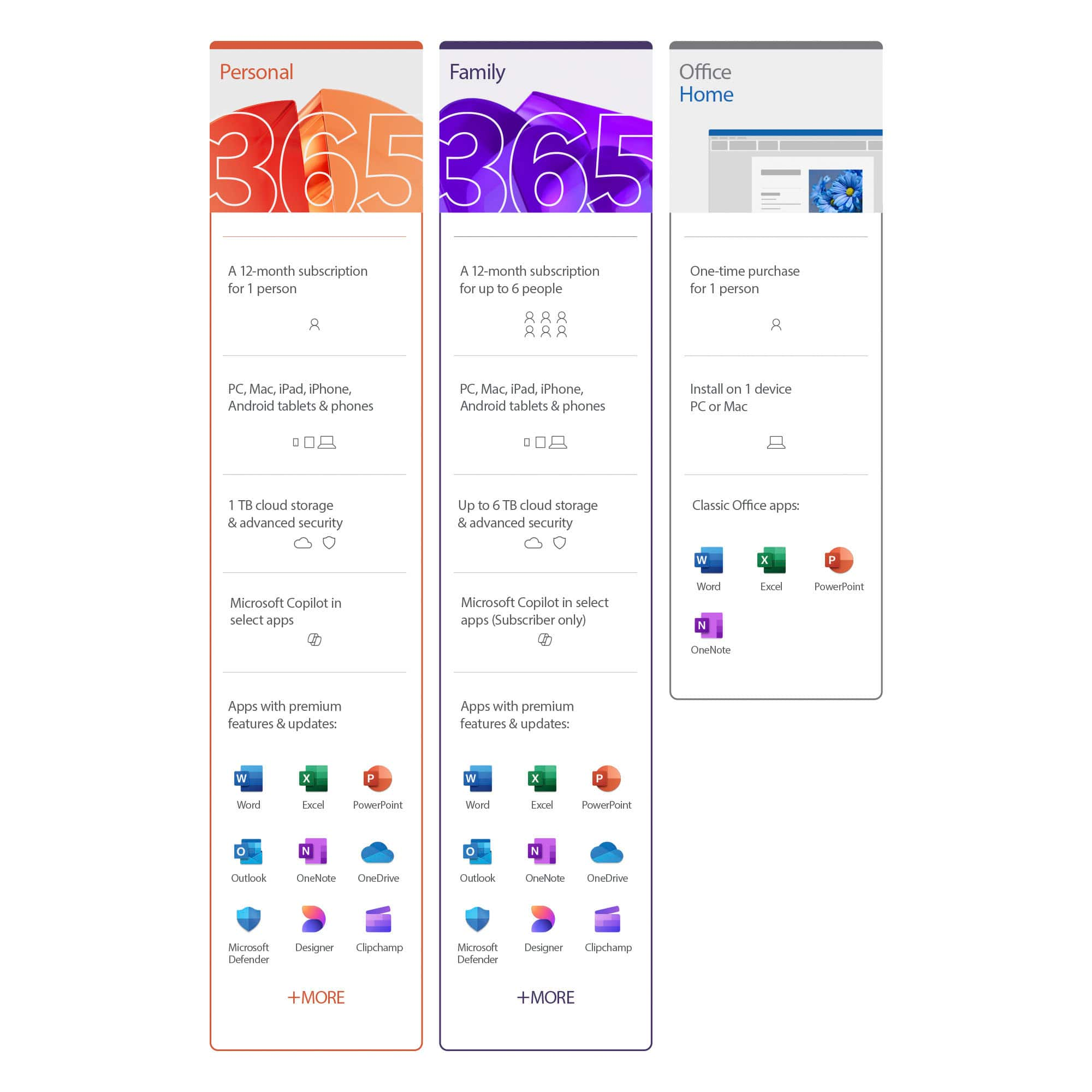
A:AnswerMicrosoft 365 Personal will always be up to date with the latest version of Office. It has a subscription. Office Home and Student 2019 will always be the Office 2019 version, but it does not have a subscription. Either one would be great for you.