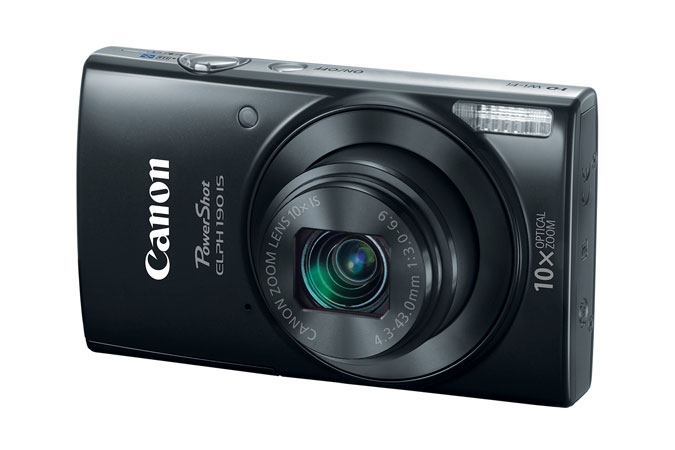
A:AnswerI don't own an imac, so I can't really say for sure. However, everything indicates it should. for better answers go to this website https://www.usa.canon.com/internet/portal/us/home/support/self-help-center/Mac-OSX-Compatibility Canon is willing to help.
A:AnswerHard to say, my completely charged battery was dead in two days and I only took a dozen still images!! So,,,, no pics on a week long skiing trip to Colorado.
A:AnswerI used it to vlog. Hard to tell if you are in focus if your doing self vlogging, but if you use it for shooting other stuff it is good. Small and light weight to hold in your hand. It has no self finder. Wind can over power the mic. Good for starting to vlog, but you will upgrade later. Videos are recorded at 720...so not full HD video.
A:AnswerShould work with any cellphone, with Wi-Fi, or Bluetooth. I just got an iPhone 6 today, no time to test it yet. I do not use instant messages for my work. I will not use it for video. I always edit my photos in Photoshop (I do not like the light version) before archiving. These old records are often not very sharp, the viewer projection lens does not have a very flat field, so you might have to manually focus each record on the exact entry needed to archive, and manually improve the contrast on each record, maybe apply the sharpen tool also. I also need to learn to read genealogy records hand-written in Latin, Russian, or Polish. No problem. Ha ha. Personally I would prefer to use a 55mm Micro-NIkkor lens at 1:1 magnification for best results. My next project, I already have built a special viewer for copying 35mm slides that will work perfectly. The sharpness will be excellent and the image will not have the bright hot-spot in the center of the view, caused by the projection system.