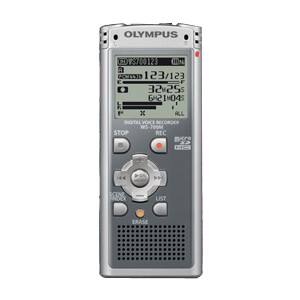
A:AnswerRecord and play back in all three of the standard high-function formats: MP3, WMA and PCM. All of these format do not require special software to function.
A:AnswerThe recorder does not require software. Once connected the recorder will show as a removable storage device. You can drag and drop the files needed onto your computer.
A:AnswerYes, yes and yes.
The WS-700M has a Segment Repeat function that will allow you to repeat a portion of a recording as you described.
The WS-700M can record files in your choice of three formats: PCM (.wav), MP3 or WMA. The FIle Divide function is available when using either the PCM or MP3 format, but it is not available when using the WMA format.
Using the Erase function, you can delete a single file or all of the files in a particular folder. Using the Format function, you can delete all files on the device.
A:AnswerAgain I suggest using the LS-100. There are some function in unit for basic editing, although what you are speaking of may be best handle but software in the computer.
A:AnswerConnecting a DVR to a board can damage the unit because of the excess voltage. So, I suggest considering the LS-100, when available. This recorder will offer many features you will find useful for this situation.
A:AnswerPress and hold the MENU button for 2 seconds to enter the menu. Select the option for RECMODE. This is the menu setting for the different formats. If you are unable to change these values, you may have activated a conflicting setting.