“How do you access other folders when no menu option exists to select a different folder for recording?”
Answer This Question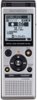
1-2 of 2 Answers
Use the FOLDER/INDEX BUTTON SEE Pages 19-20 of manual available at this link https://learnandsupport.getolympus.com/sites/default/files/media/files/2018/04/WS852_WS853_EN.pdf
Sorry, there was a problem. Please try again later.You can push the button on the bottom on the right side. Keep pushing the button however you must label each folder.comes with 5 folders.
Sorry, there was a problem. Please try again later.
