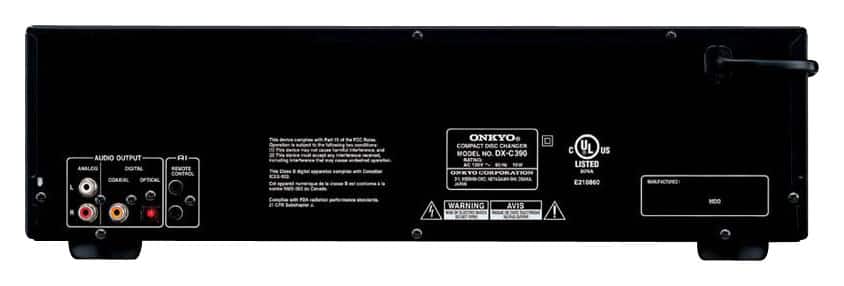
A:AnswerBoth via analog (the RCA output jacks) and the digital (fiber best if your AV receiver has digital input) the systems will work together well for the strictly audio aspect.
Remember since your receiver has many listening modes you will need to select the one that sounds most natural for your CDs. For me it was “stereo,” but some may have other personal preference.
Additionally since you are connecting to an Onkyo receiver the remote interconnection (an additional wire required between the two units) may work, but I recommend reading the manual for both first on that aspect.
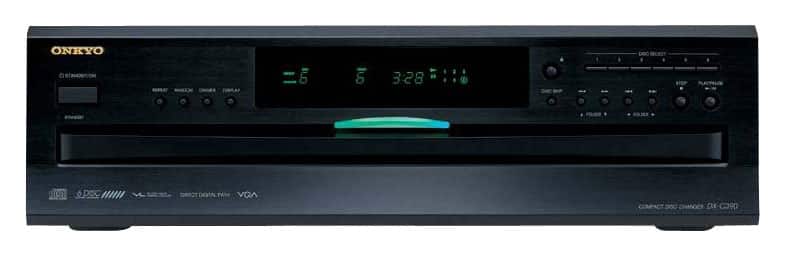
A:AnswerIt's 17 and 1/8" wide, 16 and 1/4" deep and about 4.5" high. I was still able to get it into a small corner because of the way the feet are laid out on the bottom. At first I thought it wasn't going to fit because it is a lot bigger than my amp but it worked out fine.
A:AnswerDirectly, no because the only output is stereo audio plug. It would have to be connected to a sound bar via a subwoofer or direct to stereo connection on an external amplifier or television with those connections.
A:AnswerYes as long as there is a stereo input jack connected to another external source such as a television, subwoofer or amplifier connected to the sound bar.
A:AnswerI don't think so, at least if it does, it's not spelled out on the control panel. I haven't really read the manual yet though so it's possible it can.