A:AnswerIt’s like any antenna you buy. Most tv antennas pick up channels 20-50 miles. When you see antenna that says- over 100 miles/ that not true! Tv towers are only allowed to transmit so far. Check your area and see what you can get. Apps in App Store are available.
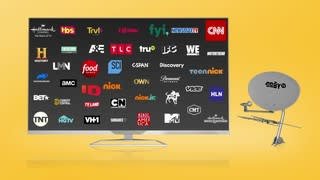
A:AnswerThey print the channel packages on the box. that would be what you receive depending on the package you pick. You can also look it up online at orby tv channel line up.
A:AnswerIf you got antenna already, orby will use that antenna, if you want.
Go to orbytv.com and see the channel lists.
The tv antenna is free with satellite install. So price is the same, with or without.
A:AnswerNo Wifi is needed and their top package runs $50 . If you want extra channels on top of the Package like Epics, Starz, Cinemax or HBO these are
premium Channels and be added on to the $50 monthly charge. Epic runs $6 (4 channels) , Starz runs $9 (4 channels) , Cinemax runs $12 (4 Channels),
HBO runs $18 (4 channels)
So your best package runs $50 a month then just add on the prices for the premium channels you want.
Hope this helps out.
A:AnswerI know Spence had a question is Orby TV in HD. The answer to that question yes there are lots of Channels in HD with some in standard
definition..
I hope this helps out some.
Thanks