“Does this mouse has a disable key to disable the 12 programmable keys if I do not need them?”
Answer This Question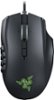
1-10 of 10 Answers
No I don't think so.
Sorry, there was a problem. Please try again later.Yes, it's in the free program provided by razer. However if your not going to use those it's pretty much pointless to get.
Sorry, there was a problem. Please try again later.Yes you can. Using the side panel view, select the key and pick disable from the list. All the keys are programmable including disable.
Sorry, there was a problem. Please try again later.Yes, you can easily set a profile on this mouse to have them disabled.
Sorry, there was a problem. Please try again later.There isn't a dedicated button to disable the programmable buttons, but you could very easily make a profile where the buttons are disabled, and map a a button to switch to that profile.
Sorry, there was a problem. Please try again later.Yes. The mouse will urge you to download the software that comes with it (Razer Synapse), and in there you can disable any button or key on the mouse you desire. I currently have the DPI adjustable buttons disabled since they were constantly changing my DPI when I was scrolling or playing.
Sorry, there was a problem. Please try again later.Yes, you can assign the button to do nothing.
Sorry, there was a problem. Please try again later.I do believe you can go know yeah razer program and disable the side keys. (Just unassigned them)
Sorry, there was a problem. Please try again later.I do not believe that it does.
Sorry, there was a problem. Please try again later.This mouse does not have 12 programmable keys
Sorry, there was a problem. Please try again later.