“How do I select the FM channel? Nothing happens when I press the FM Frequency up/dn buttons.”
Answer This Question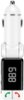
1-9 of 9 Answers
You have to hold one of the buttons down until the fm channel blinks, then you can adjust with up/down.
Sorry, there was a problem. Please try again later.Thank you for your question. To change the station on the FM Transmitter, please press and hold the red phone button until the display blinks. You can then use the volume keys to change the station. Please feel free to contact tech@bracketron.com, if you have any questions. Thanks, Bracketron Support
Sorry, there was a problem. Please try again later.Hold down the red (end) phone button until it blinks then push the (+) (-) buttons on side for up and down to turn to match your station on the radio.
Sorry, there was a problem. Please try again later.I could not do that either
Sorry, there was a problem. Please try again later.You have to tune your car radio to FM 87.7 or the frequency displayed on the channel.
Sorry, there was a problem. Please try again later.Match the radio station example I use 87.7 then I match the same on the FM Transmitter then it works.
Sorry, there was a problem. Please try again later.You will select from car radio not from device.
Sorry, there was a problem. Please try again later.You have to look at the number that is on your plugin then turn your FM frequency to that number.
Sorry, there was a problem. Please try again later.It isn't too obvious. The buttons on the side are mainly designed for volume. To adjust the FM station, press and hold the green call button for a few seconds and it will start flashing and go into station select mode.
Sorry, there was a problem. Please try again later.
