A:AnswerMy original question was "Someone said you can power a TV on and off and adjust volume with the remote. How do you do that? I can't figure it out. ' and CBerk replied that it works with an ARC connection.
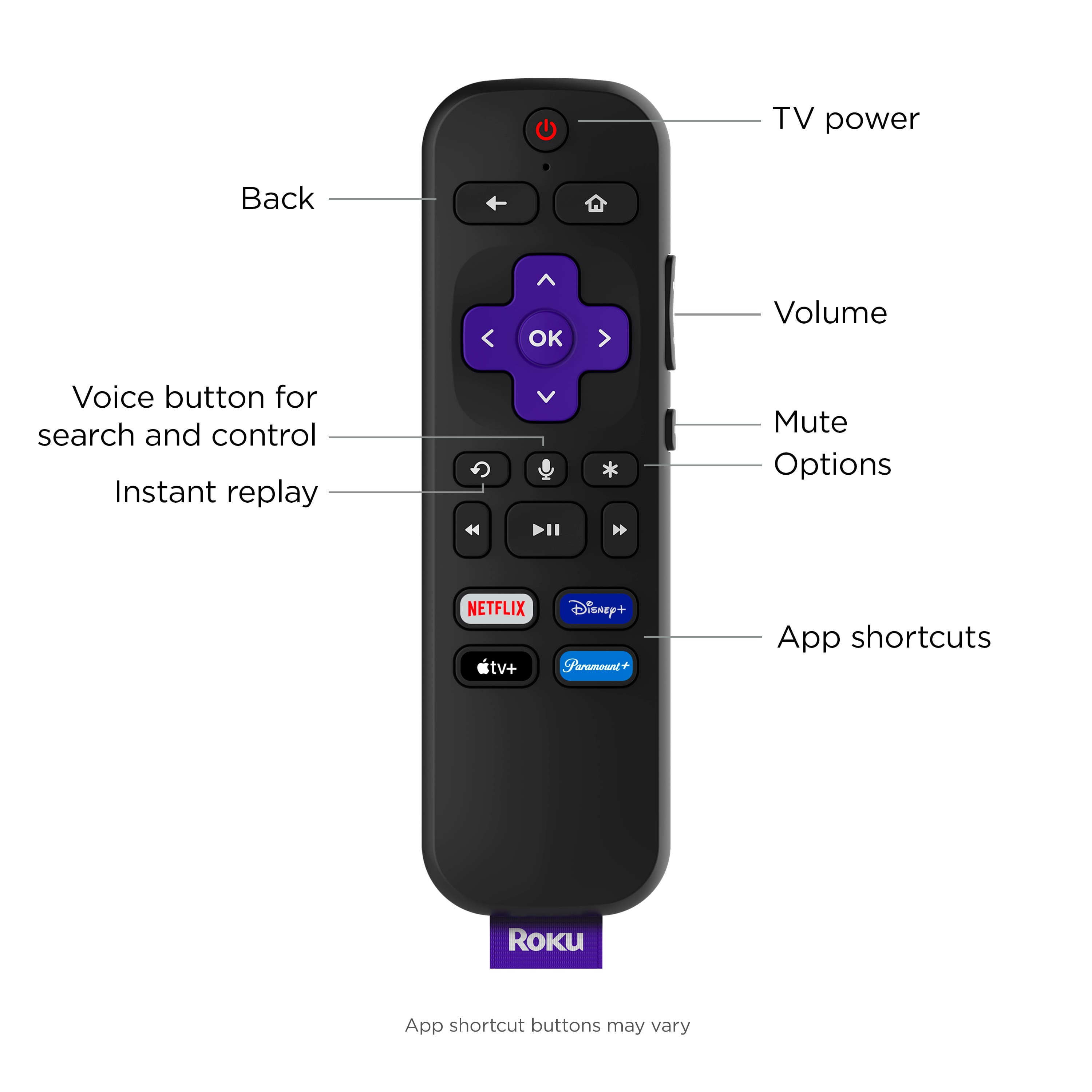
I don't think my TV has the option for an ARC connection. Can I still adjust the volume? If so, where on the remote is the volume adjustment? The one I received with the Streambar doesn't have an obvious volume control.
Thank you!
Rofur
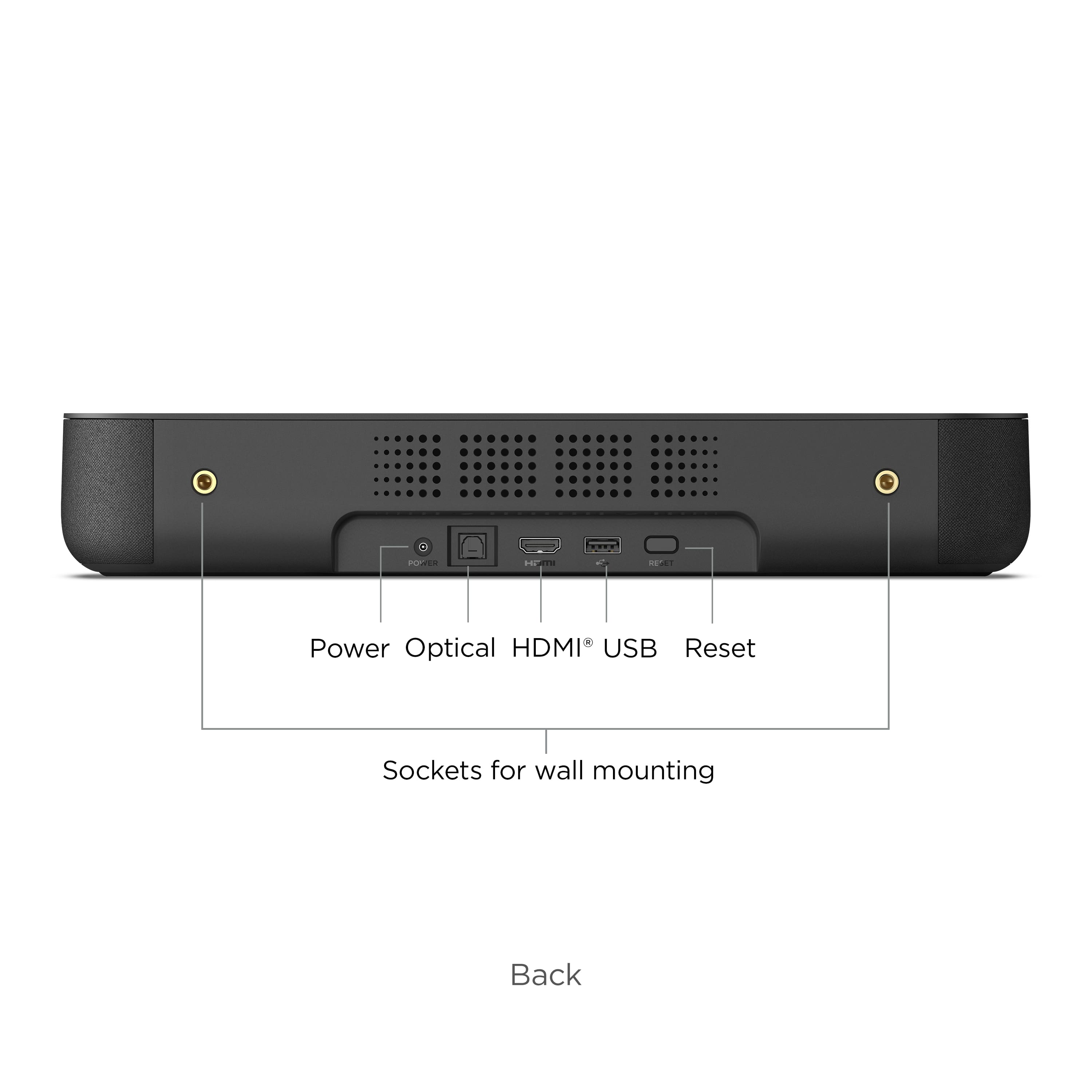
A:AnswerHello Spicy! To connect a DVD player to stream audio with a Roku Streambar, you can follow these steps. 1. Connect the DVD player to the Roku Streambar. Locate the HDMI input on your Streambar. The HDMI-ARC is the preferred choice. Connect one end of an HDMI cable to the HDMI output of your DVD player. Connect the other end of the HDMI cable to the HDMI input on your Roku Streambar. 2. Power On and Set Input. Power on your DVD player and your Roku Streambar. Use your Roku Streambar remote to change the input source to the HDMI port where the DVD player is connected. This may be labeled HDMI 1, HDMI2, etc. 3. Audio Settings. Depending on your setup, you may need to adjust the audio settings on your Roku Streambar. Go to the Roku settings menu, and make sure it's configured to receive audio through the HDMI input where the DVD player is connected. 4. Playback. Start playing a DVD in your DVD player. The audio and video should now be routed through your Roku Streambar and displayed on your TV. Please note that the Roku Streambar is primarily designed for Streaming audio and video from streaming services, so the DVD player is an external source. Make sure your TV and Streambar are set up correctly to accept the HDMI input from your DVD player for both audio and video.