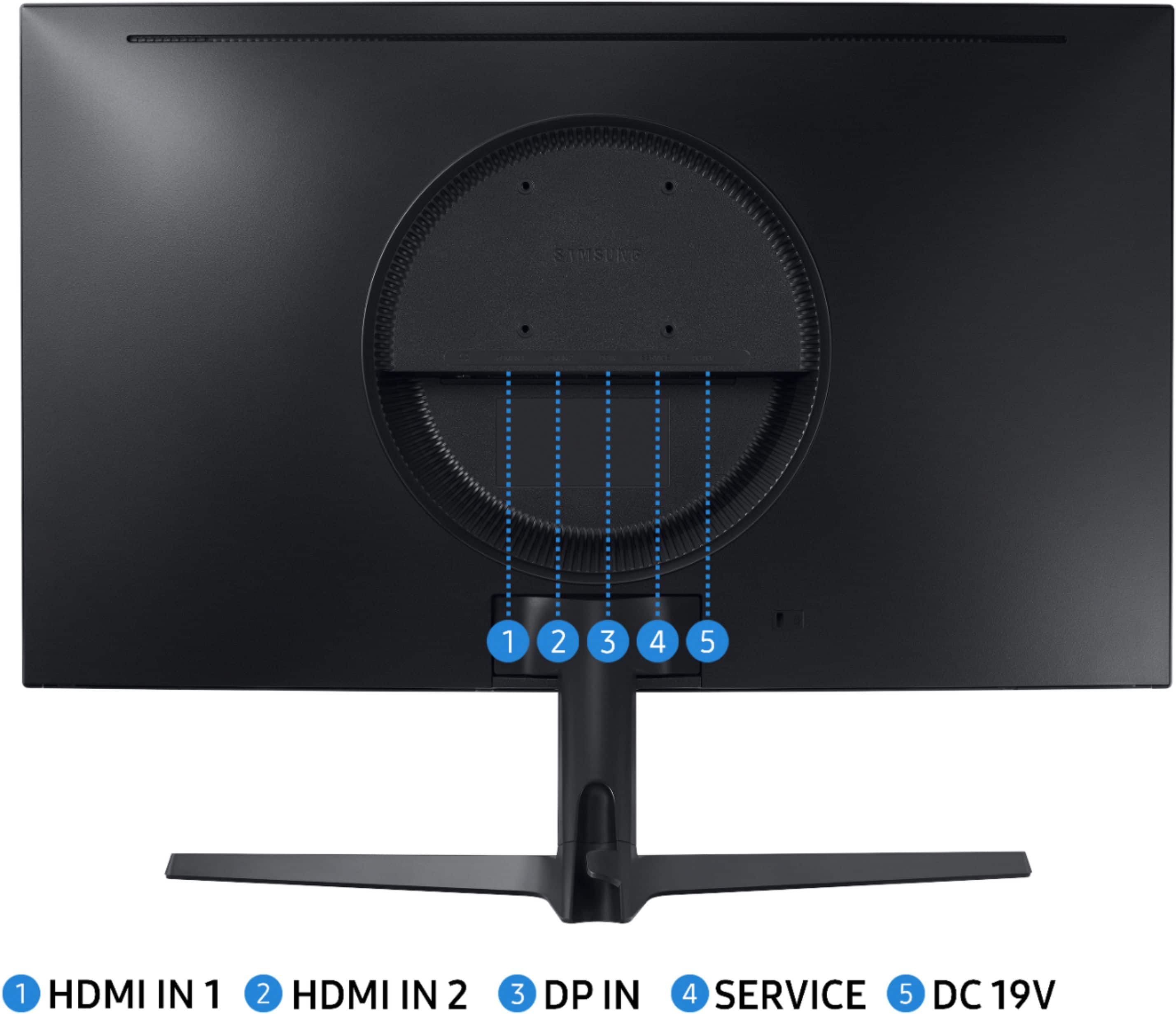
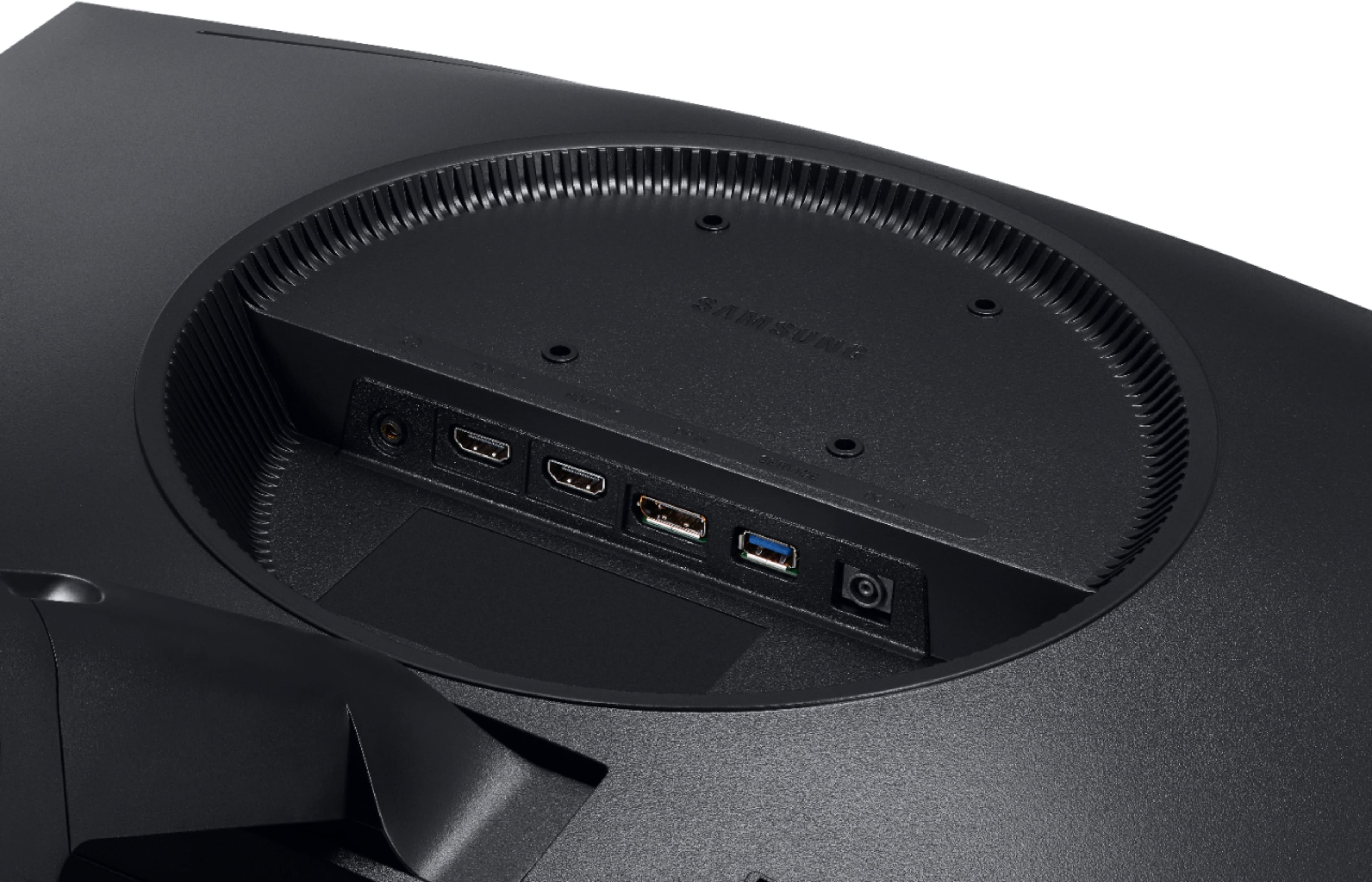
A:AnswerThis monitor has its own power adaptor that goes from 110v AC to 19v DC @ 1.58 amps.
It is not like most other monitors where the power supply is built into the unit and you use a standard PC power cord to connect it to the mains power.
I am sure you could find the proper adapter to run it on 220v, but it is not included in the North American version.
Hope this helps!
A:AnswerNo camera unless you have a separate camera to put on it but you can join zoom with out a picture of you. My daughter just uses her laptop if she has a zoom meeting
A:AnswerI don't work for Best Buy, but I would think that if it is defective out of the package, you would be able to bring it back to the store for an exchange.
It does come with a 1 year manufacturer's warranty and you can buy a Geek Squad 4 year (i believe) warranty that covers more than the manufacturer's warranty does. I believe they offered the GeekSquad warranty to me for an additional 35 dollars at time of purchase (I did not opt to buy the GeekSquad warranty because I just didn't have the money at the time).
A:AnswerIt has a regular headphone jack but based on my little knowledge from just 5 days of usage, I still have not been able to use my headphones with the built in mic, you can head audio and all that just that mic is unsuable. Again, I might have not figured it out yet so If your going to buy this consider talking to an employer
A:AnswerYes, do not use the USB outlets, I found that out the hard way. The USB outlets won’t have a good enough picture like what the display port does
A:AnswerYo do not listen to these idiots. Get a 60 hz monitor if you’re using a ps4/Xbox. Both consoles have a 60fps cap and cannot get anything over 60 FPS. Save yourself money and only get a 144 hz or 240hz monitor if you have a gaming pc that can handle those frames
A:AnswerIf you mean is it a complete all in 1 pc? Then no. However if you are asking if you can plug a console into it then yes you can game like that but it will not take advantage of 240hz refresh rate.
A:AnswerHard to say as manufacturers seem to hide what version of HDMI they've made you pay for. Bad enough they're all behind the times on Displayport, still running 1.2 in a 2.0 world.
A:AnswerHello so basically under the monitor is a black button you click it and then go to the settings then go to onscreen display and there should be a language change it to English.