A:AnswerHi Carolyn! The AU8000 utilizes a standard two prong AC power cable. When extending the length, we recommend using a surge protection device to extend the reach of the outlet while also providing additional protection for the TV.
^Tim
A:AnswerHi Willow! This model does not have built in Roku; however, Samsung TVs use a Tizen operating system which has a built-in App Store allowing you to choose from and download hundreds of apps such as the Roku Channel, Discovery+, HBO Max, and many more. We are continuously adding more premium content and new services to our Smart TV platform. Should you wish to connect an external streaming device, this model supports HDMI for compatibility with a wide range of streaming solutions and will have no issues with your Roku device.
^Tim
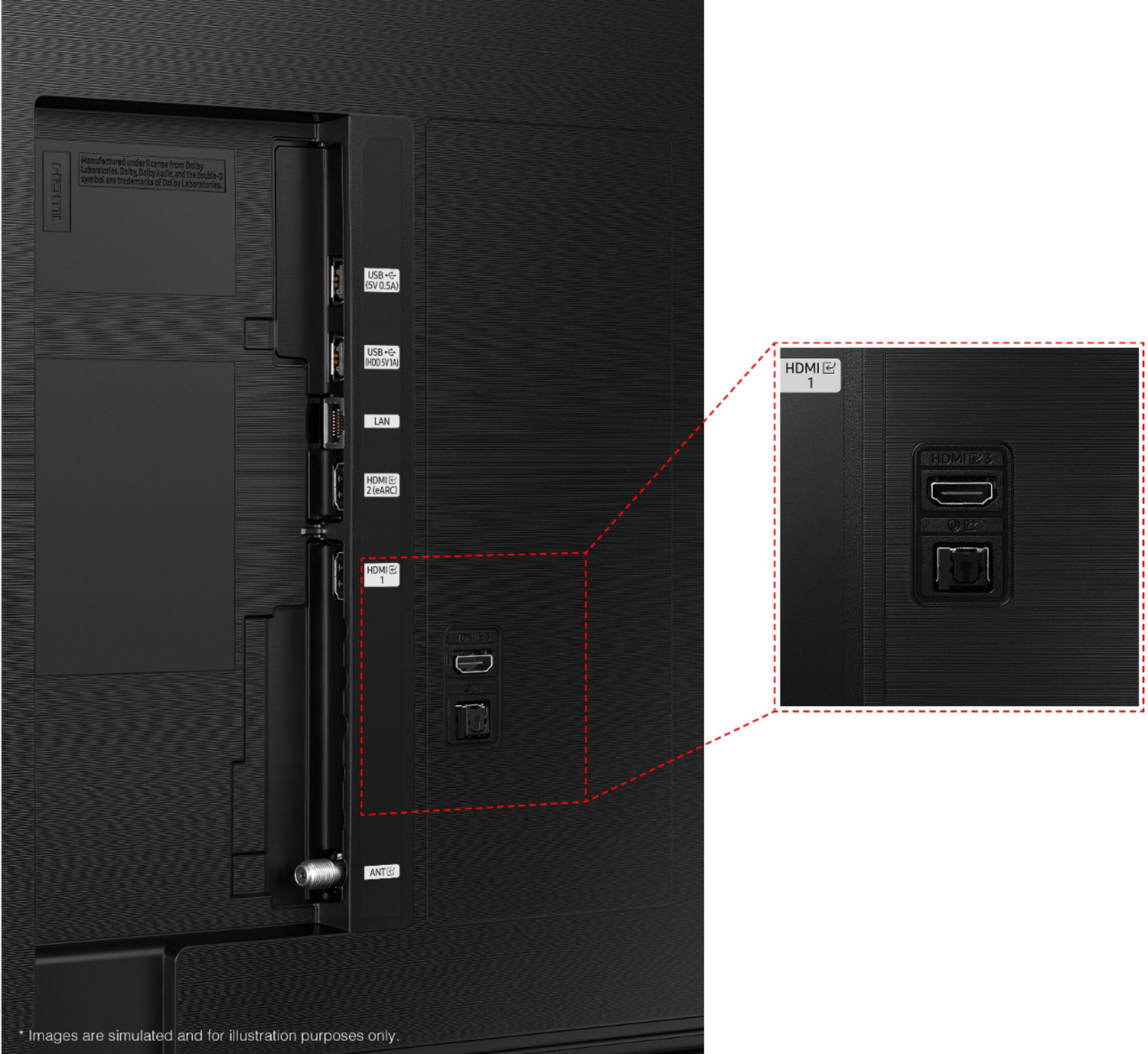
A:AnswerTry connecting an HDMI cable from the soundbar to the TV into the ARC port. If opitcal, then you have to select that option in the sound bar. The ARC will give you better volume control
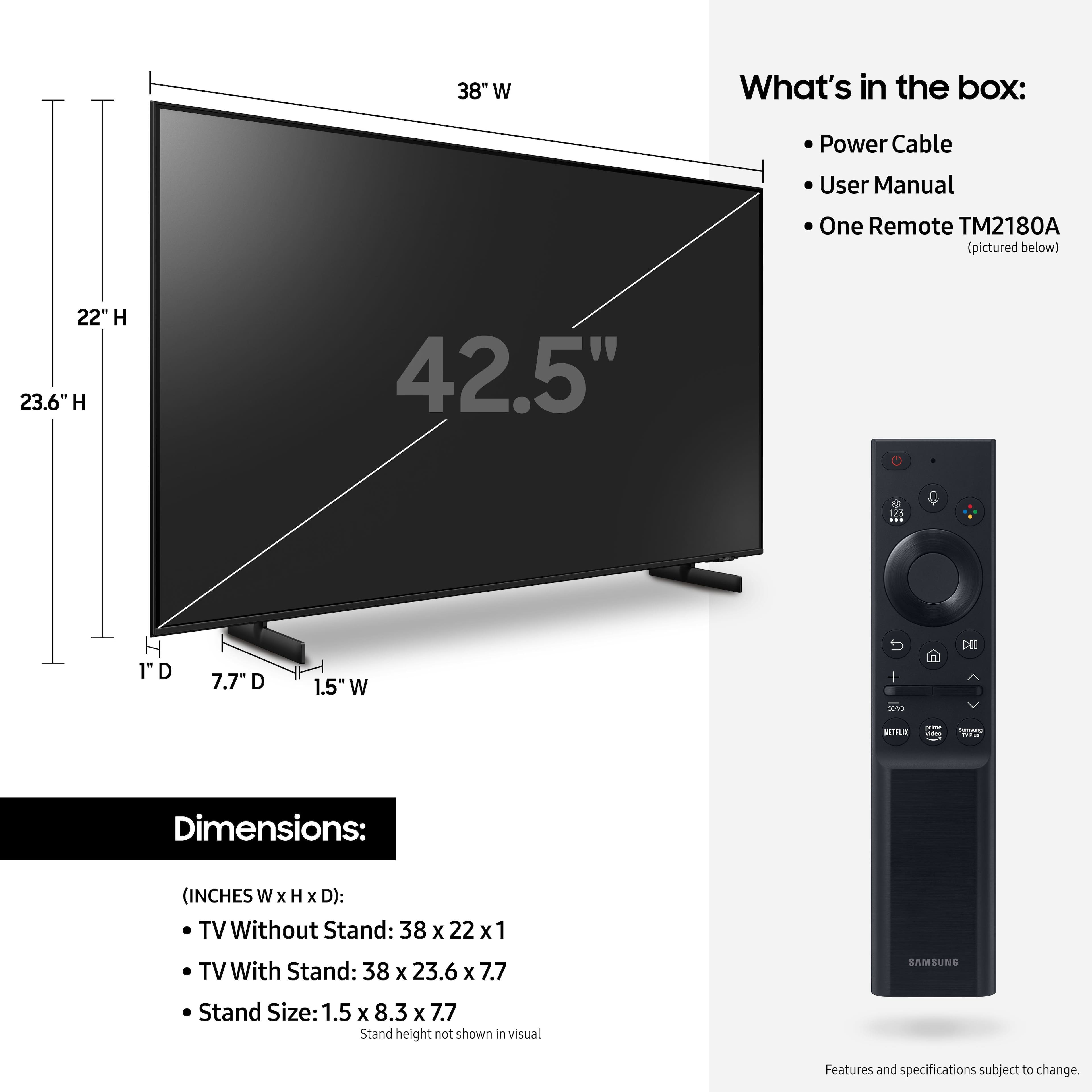
A:AnswerHi Dslathime! Should you wish to use something other than the included feet to support the TV, the AU8000 features a 200 x 200 VESA mounting pattern. This allows you to use universal stand solutions like the center stand option by Insignia found at the following link from Best Buy: https://www.bestbuy.com/site/insignia-tv-stand-for-most-flat-panel-tvs-up-to-65-black/6389372.p?skuId=6389372
^Tim
A:AnswerHi Tennessee! I am very sorry to hear you are experiencing issues with the Bluetooth connection to your headphones. To pair Bluetooth headphones, grab the TV remote and navigate to Home > Settings > Sound > Sound Output > Bluetooth Speaker List. Once the Bluetooth Speaker List option haas been selected, the TV will search for available devices that are in their Bluetooth pairing mode. If your device is not discovered, please make sure it is pairing mode and try again. Should you need additional assistance with this, please contact us at 1-800-SAMSUNG (ask for TVs), available 8AM - 12AM EST, 7 days a week, or Chat with us on Samsung.com: https://www.samsung.com/us/support/contact/
^Tim
A:AnswerI watch this TV diagonally from my dinner table and the picture quality is clear and bright despite me being at an odd angle in a fully lit room. The picture only gets clearer and brighter when I watch it forward facing in the dark. It is also incredibly good at combating glare from other light sources.
A:AnswerHi Bill! To use the YouTube TV app on the AU8000 you will need to download the app from the App Store. Press the Home button on your remote and navigate to APPS using the left or right directional pad. Select APPS, then use the search feature to find the apps you would like to download and install; like YouTube TV.
^Tim
A:AnswerI’m not sure what you consider next gen. It qualifies for everything that you would want/need in a TV. Accepts 4K video, has WiFi and Bluetooth. There are many apps that you can get directly to it as well, Netflix, Hulu, YouTube, etc. The speakers in these thin sets now are small so consider adding a sound bar, I added a Samsung sound bar using optical cable. It only has 2 HDMI ports, I would prefer 3.
A:AnswerHi Joe! Great question; you can disable the voice assistant feature by going to Settings > General > Voice > Bixby Voice Settings > Voice Response > Off. Then open Voice Wake-Up Settings and set to OFF. You can also disable Alexa and Google Assistant.
^Tim
A:AnswerHi Rollo! Yes, you can turn Closed Captions on/off and change the settings such as font color, background color, size, position, language, etc. by going to: Settings > General > Accessibility > Caption Settings.
^Tim
A:AnswerHi! The 43" AU8000 features a 200 x 200 VESA pattern for compatibility with a wide range of universal mounting solutions. You can check out a list mounting solutions available for purchase from Best Buy at the following link: https://www.bestbuy.com/site/searchpage.jsp?_dyncharset=UTF-8&browsedCategory=abcat0106004&id=pcat17071&iht=n&ks=960&list=y&qp=tvmountsize_facet%3DTV%20Size%20Compatibility~33%22%20-%2044%22&sc=Global&st=categoryid%24abcat0106004&type=page&usc=All%20Categories
^Tim