A:AnswerHi mmm122222! Yes, the AU8000 features a sleep timer. You can set the Sleep Timer to turn off after a set period of time. Additionally, you can enable Auto Power Off to have the TV turn itself off if there has been no activity for a set period of time. This is one of your TV’s energy efficiency functions.
^Tim
A:AnswerHi JeffG! If you are experiencing slow response time, please try Device Care option under the Support Menu. Go to Settings > Support > Device Care > Start Device Care
This service checks memory and frees up unused cached memory and closes background apps. Please also make sure you have the latest firmware version. Should you still experience issues, please reach out to Samsung Support at: 1-800-SAMSUNG (ask for TVs), available 8AM - 12AM EST, 7 days a week, or Chat with us on Samsung.com.
^Tim
A:Answernick - I’m sorry to see that you are having difficulties with connecting your receiver to the AU8000.
So that we can better troubleshoot towards a solution, please reach out to Samsung Support at: 1-800-SAMSUNG (ask for TVs), available 8AM - 12AM EST, 7 days a week, or Chat with us on Samsung.com: https://www.samsung.com/us/support/contact/ ^Gina
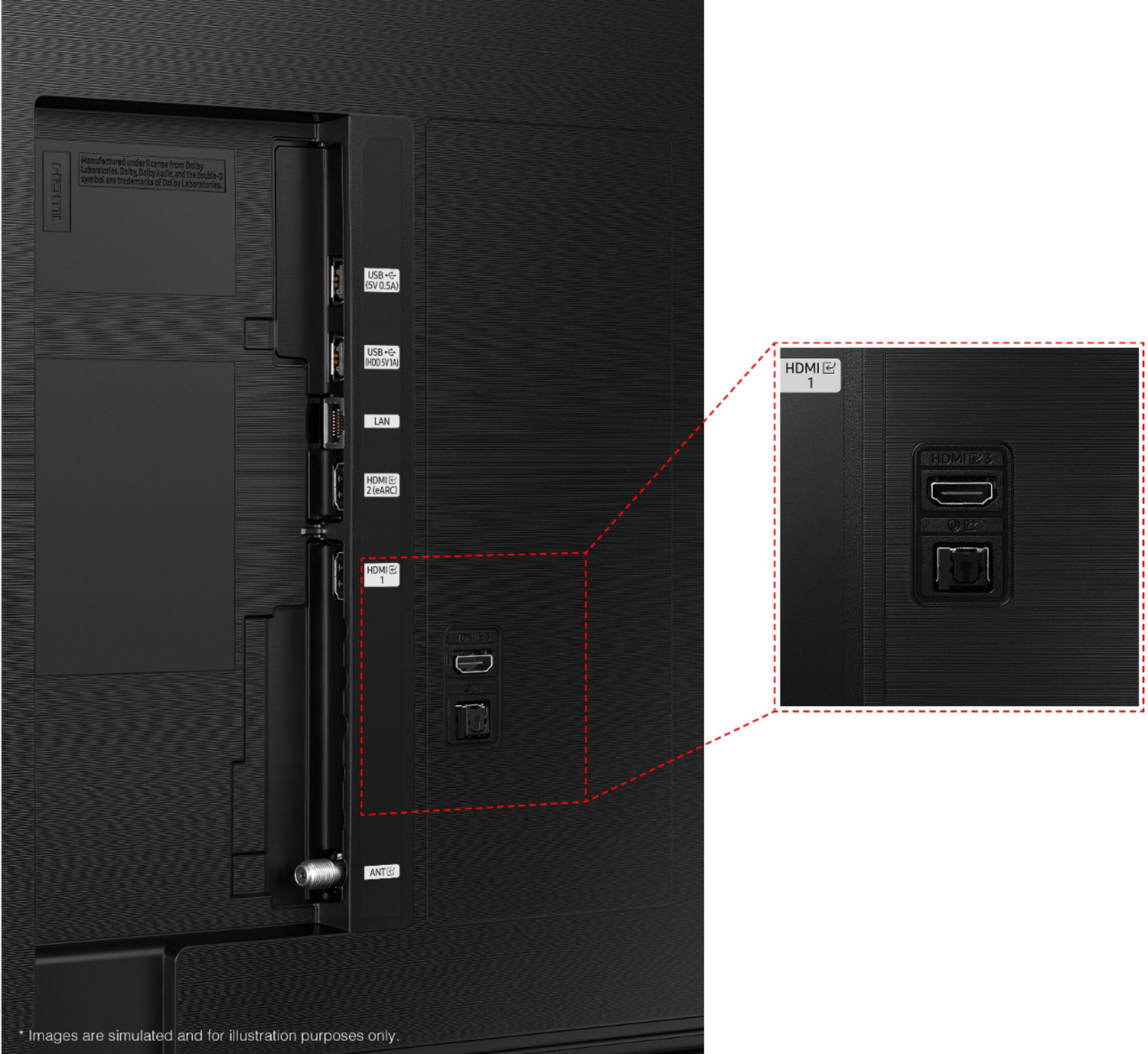
A:AnswerHi Eddie! The download and streaming speed of the TV depends on the speed and connection strength of the internet you provide it. For the best connection and fastest speeds, utilize the LAN port on the back of the TV to hardwire to the internet. ^Tim
A:AnswerHy Ksyl! Samsung features a wide range of soundbars all with their different benefits. The AU8000 pairs great with our A series line of soundbars. To get the most out of the TV you can take advantage of Q Symphony when you pair your TV with a Q series soundbar from Samsung. Q Symphony allows your TV speakers and soundbar to work together giving you a more immersive experience than with just a soundbar. Check out the list of Samsung soundbars at the following link from Best Buy: https://www.bestbuy.com/site/searchpage.jsp?_dyncharset=UTF-8&browsedCategory=abcat0205007&id=pcat17071&iht=n&ks=960&list=y&qp=brand_facet%3DBrand~Samsung&sc=Global&st=categoryid%24abcat0205007&type=page&usc=All%20Categories
^Tim
A:AnswerIt only has an optical audio output. If your stereo doesn't have optical, your have to buy an optical-to-analog audio adapter. They're under $20 to purchase online.
A:AnswerHi Dart! You cannot use the built in voice assistant on the TV to power on the TV. The voice control becomes active once the TV is powered on. ^Tim