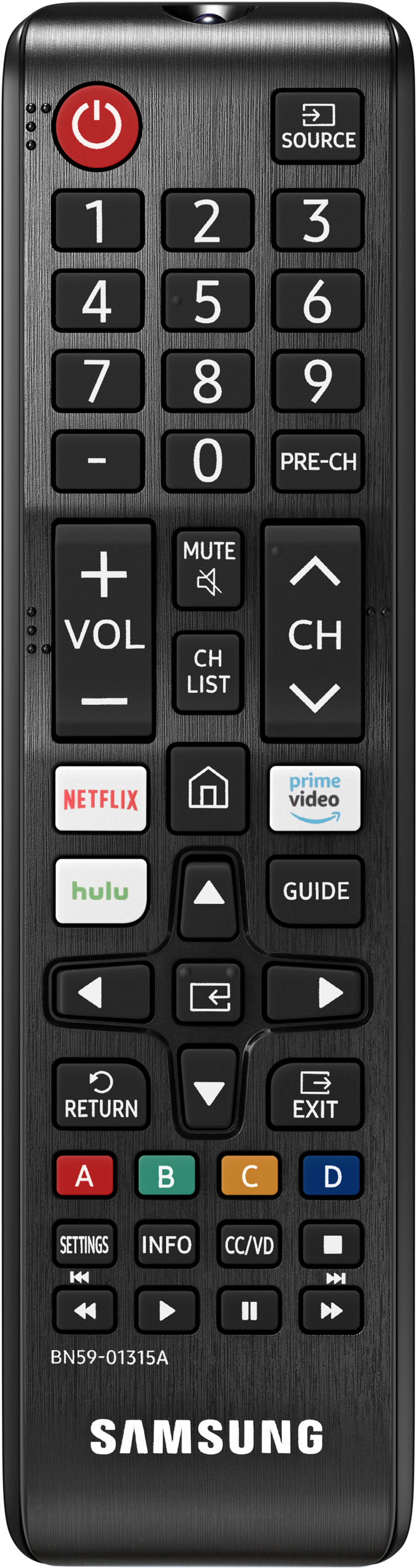
A:AnswerHi PATRICK, the ATT TV app is available in the built-in App Store. You can choose what your TV does when you turn it on by going to Settings > General > Smart Features. When you set Autorun Smart Hub to on, the TV displays the Home Screen automatically when you turn the TV on. If Autorun Last App is set to on, the last used app is automatically run when you turn on the TV. You can turn this function on or off. ^Val
A:AnswerHi Randy, there is an optical output on the TU7000, and you can utilize a Digital-to-Analog Converter to connect an older stereo system. Check out this converter at Best Buy: https://www.bestbuy.com/site/insignia-optical-coaxial-digital-to-analog-converter-black/4226000.p?skuId=4226000 ^Val
A:AnswerHi Mona, this TV is intended for indoor use. Our Terrace TVs are designed to be used outdoors. For more information on the Terrace Series, please visit
https://www.bestbuy.com/site/tvs/all-flat-screen-tvs/abcat0101001.c?id=abcat0101001&qp=brand_facet%3DBrand~Samsung%5Etelevisiontype_facet%3DTelevision%20Type~Outdoor
^Val
A:AnswerHi TJ, you can connect your gaming consoles and DVD player to your TU7000 TV by using HDMI connections. For more information on how to connect various devices, you can go to Source > Connection Guide on your TV. ^Val
A:AnswerHi Kateg! UHD stands for Ultra High Definition, or 4K. This is the resolution of the TU7000 which gives you crystal clear detail for all of your content. Samsung TVs feature a user friendly smart system built in called Tizen which allows you to access all of your favorite streaming content, a built in web browser, free TV with Samsung TV Plus, and a wide range of other great smart features. ^Tim
A:AnswerHi there, I am very sorry that you are having an issue with your TV. The TU7000 can have Alexa turn the TV on and off (as you are doing), operate volume and change channel. The TU8000 and up are the models with the voice remote and they have Alexa Built In so you can access many more features. If you want to talk directly to the TV via Alexa then you would need to upgrade to the TU8000 or above. ^Jeremy
A:AnswerHello Pooh,
No, the 50TU7000 does not have anti-glare technology. For an Outdoor TV, please check out the Terrace TV at Best Buy. https://www.bestbuy.com/site/samsung-the-terrace-series-55-class-led-outdoor-partial-sun-4k-uhd-smart-tizen-tv/6420351.p?skuId=6420351
^Cristian
A:AnswerHi Carlos, I'm sorry you are having an issue connecting this TV using Apple AirPlay 2. If you need to adjust or check some of your AirPlay 2 settings, you can do it directly on your TV. Just navigate to Settings, select General, and then select Apple AirPlay Settings. You will find the following options: AirPlay: Selecting this option will turn the AirPlay feature on and off. Require Code: You have the option to require a passcode the first time you connect your iPhone, every time you connect your Apple device, or to create your own passcode. From this menu you can also select Reset Paired Devices which will clear all Apple devices from the TV's memory. Subtitles and Captioning and
AirPlay: Here you can find the AirPlay version that is currently running. If you are still having issues, Please reach out to Samsung Support via any of these options:
Phone: 1-800-SAMSUNG
Available 8 AM - 12 AM EST 7 days a week
LiveChat or Text: https://www.samsung.com/us/support/contact/
Facebook Messenger: https://www.facebook.com/samsungsupport
Twitter: https://twitter.com/SamsungSupport
The Samsung TV Community is also a great resource for getting help from Samsung moderators and customers: https://us.community.samsung.com/ ^Jeremy
A:AnswerHi P, your best bet would be to plug the sound bar into the TV's optical port. If your sound bar doesn't have that you'll need an HDMI splitter or an upgrade to the TU8000 with 3 HDMI's. Check it out here: https://www.bestbuy.com/site/samsung-55-class-8-series-led-4k-uhd-smart-tizen-tv/6401746.p?skuId=6401746. Thanks, ^scott
A:AnswerHi there! The TU7000 features 2 HDMI ports. You can connect a soundbar to the TU7000 via HDMI or Optical cables, or wirelessly via Bluetooth if your soundbar is Bluetooth enabled. ^Gina
A:AnswerHi Jordan! Thank you for considering this TV for your gaming. The TU7000 has 2 HDMI ports that each support HDR10+ and Auto Low Latency Mode (ALLM/Auto Game Mode). The “HDMI In 2” port also supports eARC.
However, if you are looking to game at 4K@120fps (FRL), take a look at Samsung QLED Q70T Series and up. These series in 55"" and larger offer 4K@120fps on HDMI 4, as well as have Variable Refresh Rate (VRR) and FreeSync. If we can further help, please call us at 1-800-SAMSUNG. ^Gina
A:AnswerHi Seamus! Yes, and thank you for considering this TV for your gaming! The TU7000 has 2 HDMI ports that each support HDR10+ and Auto Low Latency Mode (ALLM/Auto Game Mode). The “HDMI In 2” port also supports eARC.
However, if you are looking to game at 4K@120fps (FRL), take a look at Samsung QLED Q70T Series and up. These series in 55" and larger offer 4K@120fps on HDMI 4, as well as have Variable Refresh Rate (VRR) and FreeSync. If we can further help, please call us at 1-800-SAMSUNG.
Check out the 55Q70T at the following link from Best Buy: https://www.bestbuy.com/site/samsung-55-class-q70t-series-qled-4k-uhd-smart-tizen-tv/6402398.p?skuId=6402398
^Tim