A:AnswerHello Juan! the 55TU7000 does not come with a wall mount, but this is one that will work: https://www.bestbuy.com/site/sanus-premium-series-advanced-tilt-tv-wall-mount-for-most-42-90-tvs-extends-5-75-black/5463301.p?skuId=5463301 ^Celina
A:AnswerHi Lori! Yes, the Spectrum app is available on the TU7000. You can find the app for download through the built in app store using the search feature. ^Tim
A:AnswerHi there, the TU7000 will need to be connected to the Internet to utilize any Smart features such as any built-in Apps. If you are utilizing an external cable box, you do not need Internet connectivity. ^Scott
A:AnswerIf you’re planning to connect wireless Bluetooth speakers to the tv, then yes. As far as anything else I’ve personally never tried it out but I’m sure with Bluetooth connectivity, there are plenty other uses.
A:AnswerHi There,
The Samsung 7 series is a smart TV all by itself. There is no need to add extra devices to access apps like Netflix, Amazon Prime, or Hulu. ^Scott
A:AnswerHello jo8347,
For a moving motor home, I would recommend mounting the TV. Most wall mounts lock in the TV to the wall mount, offering better security while moving around. Please check out Best Buy for wall mounts.
https://www.bestbuy.com/site/searchpage.jsp?st=TV+wall+mounts&_dyncharset=UTF-8&_dynSessConf=&id=pcat17071&type=page&sc=Global&cp=1&nrp=&sp=&qp=&list=n&af=true&iht=y&usc=All+Categories&ks=960&keys=keys
^Cristian
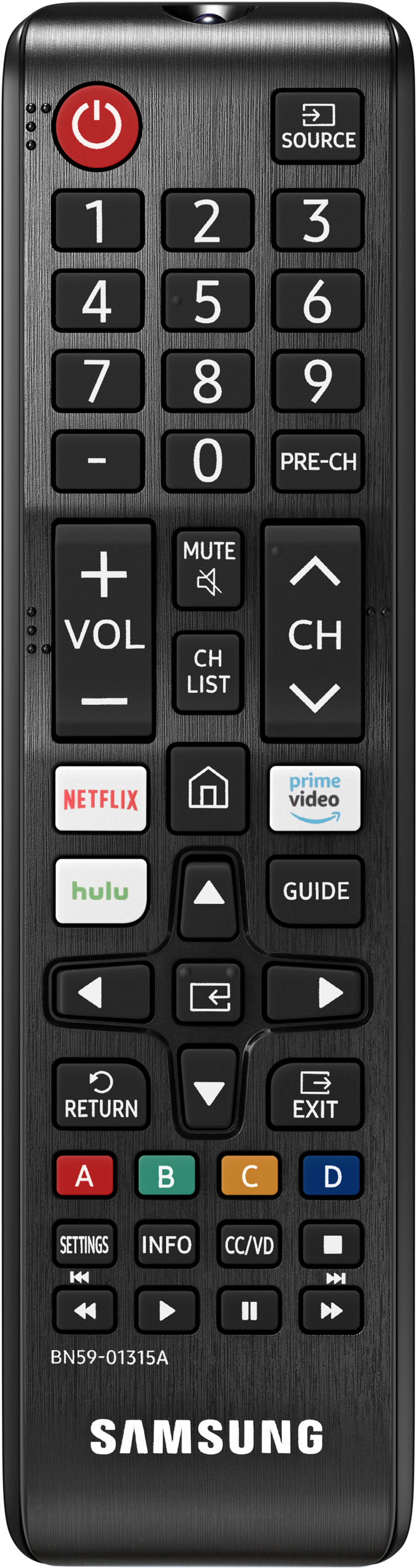
A:AnswerHi billt! The 50TU7000 does not feature RCA connections however it does have a built in Bluetooth transmitter to pair your wireless headphones direct to the TV without the need for another device. Refer to your headphone's user manual for how to pair. Once paired to the TV, press HOME on the TU7000 remote. Then go to Settings > Sound > Sound Output > Bluetooth Speaker List. Choose the headphones you wish to use for sound output and you are ready to go! ^Tim
A:AnswerHello ROrange- Yes, The Samsung TU7000 offers both TV and Bluetooth device audio simultaneously . When this function is active, you can set the volume of the Bluetooth headphones higher than the volume of the TV speaker. First, make sure your Bluetooth headphones are paired. Press HOME on your TU7000 remote. Then go to Settings > General > Accessibility > Multi-output Audio. Find the device you'd like to pair. Check out some Bluetooth compatible headphones here: https://www.bestbuy.com/site/searchpage.jsp?_dyncharset=UTF-8&id=pcat17071&iht=y&keys=keys&ks=960&list=n&qp=features_facet%3DFeatures~Bluetooth%20Built-In&sc=Global&st=bluetooth%20headphones&type=page&usc=All%20Categories ^Cris
A:AnswerHello - Open Box TVs are sometimes returned TVs; perhaps because of buyer remorse, too big for the space, too small for space, they changed their mind, or just wanted to upgrade. It can also be a televison that was used for display purposes. Geek Squad checks them out beore they are offered up for sale. Many consumers find them to be a great value, while others prefer to have a brand new TV. Please check with your local Best Buy regarding their policies for open box. ^Cris
A:AnswerThe stand that comes with the TV just snaps into slots on the bottom of the TV. No tools required.
For third party stands and wall mounts, M8 size screws will work, but you'll likely need somewhat longer screws like 1.25in, which might not be what comes with the third party stand.