A:AnswerRula - While Roku OS is not featured on Samsung TVs, they do feature a built-in App Store that allows you to choose from and install hundreds of available apps - no external streaming device necessary.
~ Samsung Specialist
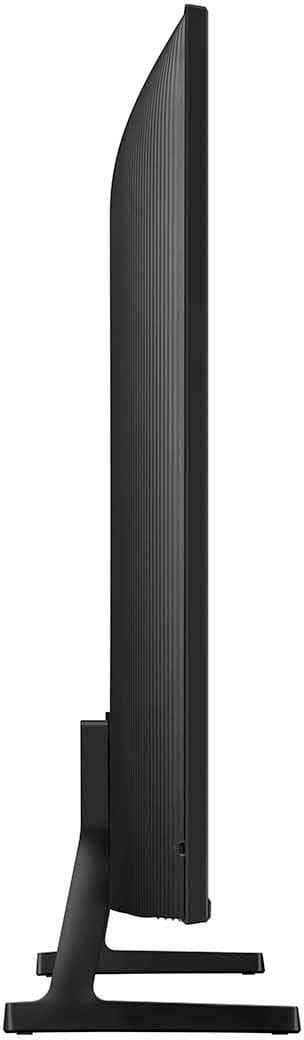
A:AnswerThere isn’t much when it comes to the back of the TV. There is an Ethernet port, USB port, 2 ports for HDMI, and a place to screw in an antenna or cable.
A:AnswerKevin - Please give us the opportunity to better assist with this by reaching Samsung Support at: 1-800-SAMSUNG, 8AM - 12AM EST, 7 days a week, or Chat with us on Samsung.com: https://www.samsung.com/us/support/contact/
~ Samsung Specialist
A:AnswerHi App,
The DU6900 comes with a built-in app store with hundreds of apps available for download. You can find more information out here: https://www.samsung.com/us/tvs/smart-tv/samsung-tv-plus-and-smart-hub/.
Apple Airplay is also an available feature.
~Samsung Advisor
A:AnswerHi Nomo,
The DU6900 has a built-in ATSC 1.0/ClearQAM tuner; when stepping up to the QN90D Neo QLED or S90D OLED, you’ll gain a built-in ATSC 3.0 tuner for receiving digital broadcasts.
~Samsung Advisor
A:AnswerHi Nikki,
While not every app is available, the DU6900 TV does offer a built-in app store with hundreds of apps including Hulu+ available for download.
~Samsung Advisor
A:AnswerHi YouTubeScreenDark,
Please try the following troubleshooting steps:
1. Confirm that the TV is set to the same source as the external device.
For instance, if your cable box is connected to HDMI 1, set the TV source to HDMI 1. If the TV is set to the correct source but there is still no image, unplug and reconnect the AV connections one cable at a time from both ends of each cable. If there's any damage to the cable, it will need to be replaced.
2. Test the HDMI cable.
The test is designed for HDMI cords less than 6 feet long and may not give accurate results on longer cords.
To perform the test, make sure the TV's source is still on the HDMI setting for the cable you want to test, and then navigate to Settings > Support > Self Diagnosis > Signal Information > HDMI Cable Test > Start Test. If the test says the cable is bad, replace the cable. Service is not required.
If you continue to have issues, please reach out to us at 1-800-SAMSUNG, 8 AM - 12 AM EST, seven days a week. Our LiveChat agents are also available by clicking on the ‘Support’ link on our website.
~ Samsung Advisor