A:AnswerHi Mike,
Yes, you can cast from your Android phone via Smart View or Airplay on Apple devices. You will need to use Screen Sharing or Easy Connection when using a laptop.
~Samsung Advisor
A:AnswerHi Scott,
No, the U7900 TV features built-in Wi-Fi 5 (802.11AC), allowing you to connect to both 2.5GHz and 5GHz Wi-Fi bands.
~ Samsung Advisor
A:AnswerNo AV inputs on the U7900. There are 2 HDMI ports and 1 USB port. (That wasn't enough ports for me, so I am in the process of returning my U7900.)
A:AnswerHi marrayd,
Samsung's One UI Tizen is the latest evolution of the Tizen operating system, introduced in Samsung's 2025 Smart TVs. This interface offers a more personalized and user-friendly experience, aligning the TV's interface with the familiar design language found on Samsung's smartphones and tablets.
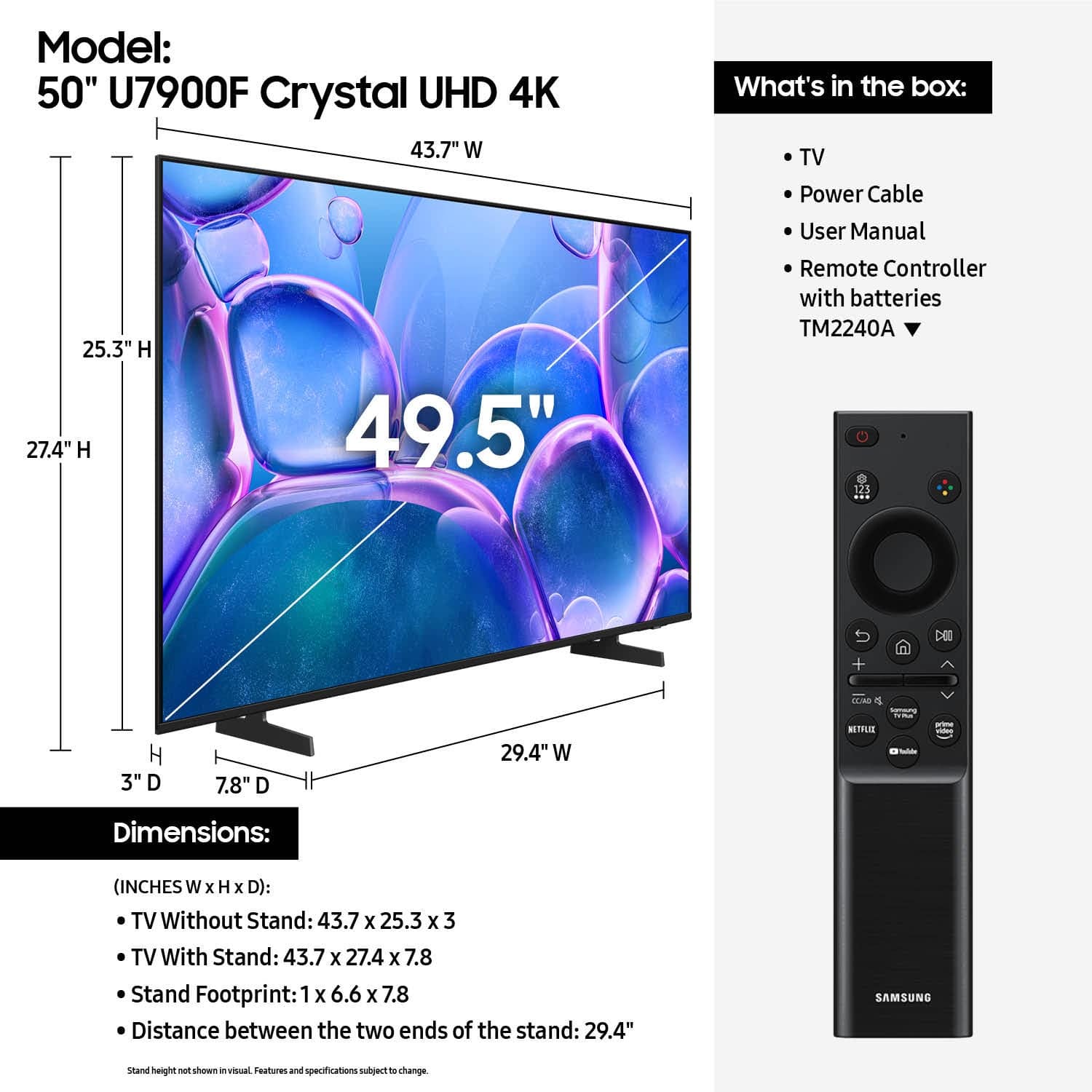
The remote is a simple remote with few buttons, so it may not be what you are looking for. However, you can use a universal third-party remote!
~Samsung Advisor
A:AnswerHi Panick,
The power cable is 5' long. There are alternatives available for purchase: https://www.bestbuy.com/site/rocketfish-8-ft-polarized-braided-power-cord-black/6617964.p?skuId=6617964
~Samsung Advisor
A:AnswerHi Curious,
Tizen is the smart operating system built into Samsung TVs. It powers the TV’s interface, giving you quick access to streaming apps, free live channels through Samsung TV Plus, personalized recommendations, and advanced features like Samsung Knox Security.
~Samsung Advisor
A:AnswerHi Sl,
The 50" U7900 TV uses a 200x200mm VESA Pattern. We also have a guide on our website to help you: https://www.samsung.com/us/support/answer/ANS00038091/
~Samsung Advisor
A:AnswerHi Warranty,
Samsung stands behind the quality and performance of our TVs with a limited 1-year manufacturer’s warranty when purchased brand-new from an authorized dealer.
~Samsung Advisor