A:AnswerHi Robin, On the remote, there is a Samsung TV button, which provides local and network stations and more. We subscribe to You Tube TV as well, which is accessed thru the Home button on the remote as an App. Further, there is a Netflix and Amazon Prime button for quick access to their shows, too. This is our second Samsung TV and we are very content with both.
A:AnswerYes it will. There is an on screen input selection and it automatically recognizes which source you’re using based on which equipment is turned on.
A:AnswerDifference between neo qled and qled is the backlighting type. Qled uses led. Neo qled uses mini led which allows for substantially better blacks and contrast ratio. Difference is night and day.
A:AnswerAzad - While 2 HDMI inputs cannot be viewed at the same time, Multi View provides you with different possibilities for splitting screens and viewing several types of content at the same time. For example on the left screen: You can play Samsung TV Plus, TV apps, HDMI devices, Antenna or Cable, or USB devices. On the right screen: You can screen mirror, use AirPlay, cast from an app, or cast from an IoT camera. ^Gina
A:AnswerHi DoubleD - The 65" QN85A TV features a larger VESA pattern than 55" models (400mm x 300mm for 65", 200mm x 200mm for 55"); if the wall mount you are utilizing can support this VESA pattern, you can use it to mount the 65" TV. ^Gina
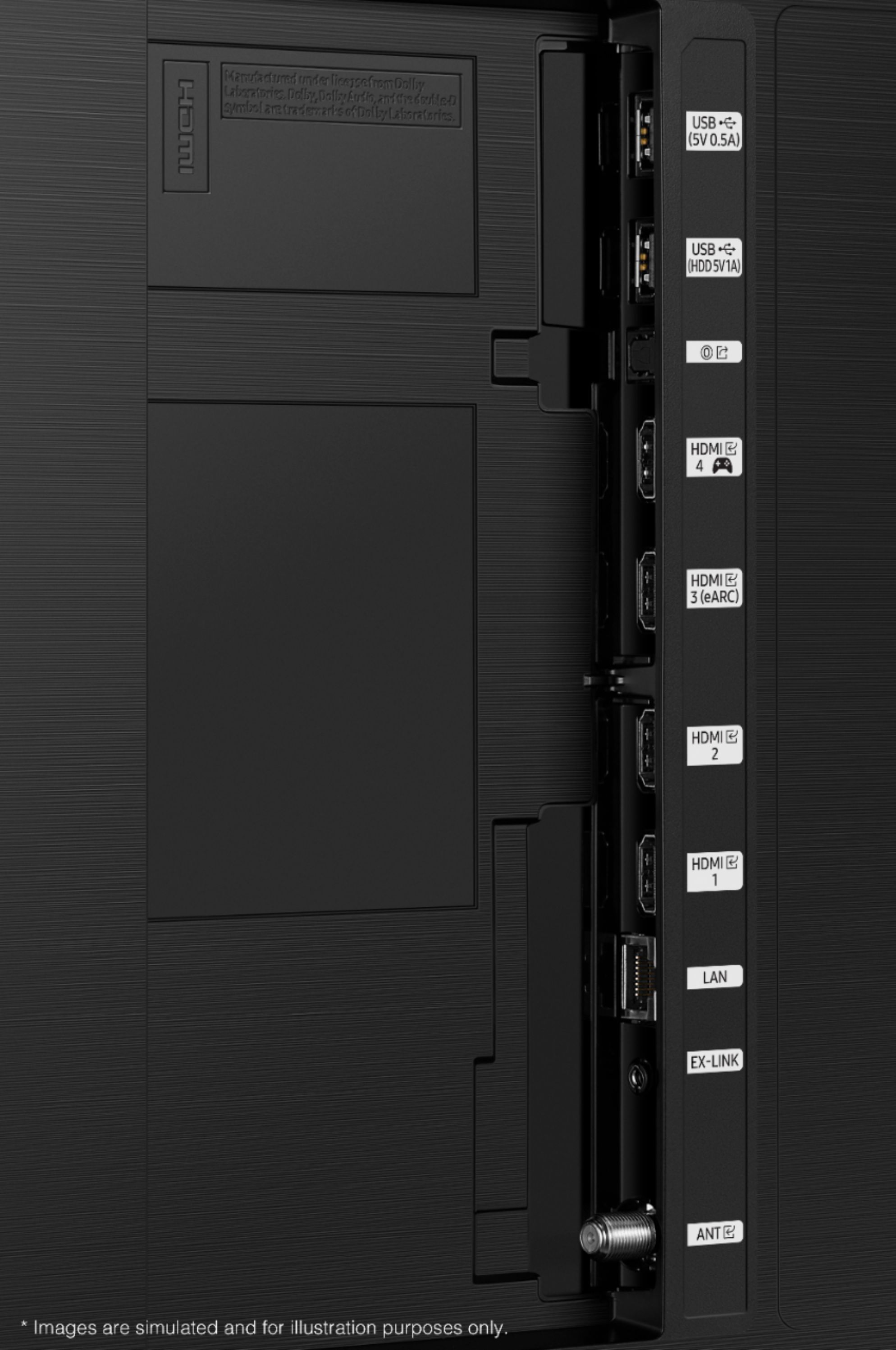
A:AnswerGJC48 - The QN85A TV features HDMI and Optical ports, as well as Bluetooth and Wi-Fi connectivity. If your soundbar features any of these connection types, you sure can utilize it with this TV. ^Gina