“Why will my hp all in one printer not read this card? I purchased the Samsung 32gb micro SD card & adapter the other day to transfer the picture from my Galaxy S5 to my computer. In the past I have been able to down load pictures off my camera's sd card from this printer, so i know it works. Now when i use my new 32gb Samsung sd card and adapter in the same port on the printer a window pops up saying location is not available. Anyone know how i can fix this problem???”
Answer This Question
1-6 of 6 Answers
Is it a dead card? Mine died, also did you try testing the port? To see if that still works?
Sorry, there was a problem. Please try again later.Make sure the Adapter isn't in lock mode. Also sometimes it has to be fitted in just right to get the adapter to read the small SD card.
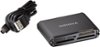
Sorry, there was a problem. Please try again later.I had this same issue with my older Muti/SD card reader. It refused to recognize the card - I almost returned the card until I found out these larger/faster cards can't be read with older equipment. In my case, I had to purchase a new card reader.
Sorry, there was a problem. Please try again later.Hmmmm, have you checked with HP?if it were me, that's what I would do
Sorry, there was a problem. Please try again later.If your printer is older, it may not have the capacity for a 32 gb card. Check your printer manual. You may need to buy a 4 dollar card reader
I would recommend:
Sorry, there was a problem. Please try again later.Plug your charge cable into your computer and you can transfer photos that way and it's faster than going through your printer. I do it all the time when I want to move pictures or mp3.
Sorry, there was a problem. Please try again later.