“How do you manage music folders on this player? When plugged in to my pc, not all of the music on the player is displayed.”
Answer This Question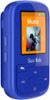
1-1 of 1 Answer
To manage folders on the Sandisk Clip Sport Plus MP3 player, I use Windows PC File Explorer. I first create 3 separate folders on my PC; e.g., "AudioBook," "Music," and "Podcast." And then I copy audio book, music, and/or podcast files to the 3 separate PC folders. And then... A) Copy the PC's Audiobook folder to "Audiobooks" folder on Sandisk Clip B) Copy the PC's Podcasts folder to the "Podcasts" folder on Sandisk Clip C) Copy the PC's Music folder to the "Music" folder on Sandisk Clip I use File Explorer to do this or use the download feature in my public library to "Download" audio books to my PC which pops up "Overdrive for Windows." I use "Transfer" to copy to the Sandisk Clip. File Explorer shows the directory structure of the Sandisk Clip which appears as drive "H" (can vary PC to PC) and looks like: "H:\Audible" <<--- Audible book files here "H:\Audiobooks" <<--- Audio book files (.mp4) here "H:\Music" <<--- Music files (.mp3) here "H:\Playlists" <<--- I have never played with this... "H:\Podcasts" <<--- Podcast files (.mp3) here
Sorry, there was a problem. Please try again later.

