“I have an Android (S23). I cannot find my Sonos Roam battery percentage in my bluetooth Display settings. If i to go to the Sonos app, it wants to only detect my home system. I'm sure this is a simple answer...just can't find it!”
Answer This Question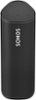
1-1 of 1 Answer
To check the battery percentage of your Sonos Roam when using an Android device, you'll need to use the Sonos app rather than the Bluetooth settings. Here's how you can find the battery percentage for your Sonos Roam: Steps to Check Battery Percentage on Sonos Roam: Open the Sonos App: Launch the Sonos app on your Android device. Select the Sonos Roam: Make sure your Sonos Roam is turned on and connected to the same Wi-Fi network as your Android device. In the Sonos app, you should see a list of your Sonos devices. Tap on your Sonos Roam. View Battery Status: Once you've selected the Roam, you should see the battery percentage displayed on the main control screen for the speaker. It’s usually shown near the top or alongside the volume controls. I hope this helps!
Sorry, there was a problem. Please try again later.