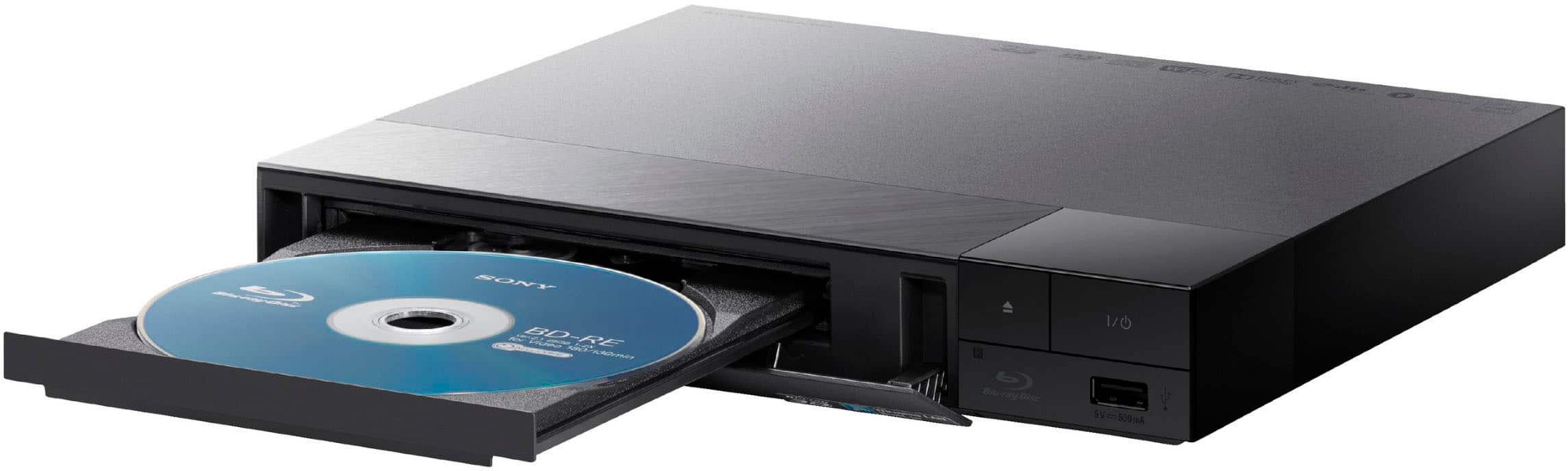
A:AnswerThank you for contacting Sony, Poppersgalore03.
The BDP-S1700U comes with the RMT-VB500U remote control. A silicone cover is a great idea to keep it protected!
We appreciate your interest in Sony products. Should you require any further assistance, please don't hesitate to reach out for support here:
https://us.esupport.sony.com/support/s/support-contact?language=en_US&category=bd
Best regards,
Gus, Sony North America Customer Support
A:AnswerHi FunkyShoes,
Yes, the BDP-S1700 is fully compatible with standard audio CDs. In addition to Blu-ray and DVD playback, it supports CD-DA (audio CD), CD-R, and CD-RW formats, making it a versatile option for enjoying your physical music collection alongside your favorite movies.
Thanks for choosing Sony.
Best regards, Eliab
A:AnswerThank you for contacting Sony.
The supported DVD formats are limited to DVD-ROM, DVD-R/DVD-RW, and DVD+R/DVD+RW. Since DVD DL is not included in the list of playable discs for this specific unit, we cannot guarantee compatibility for that format.
Additionally, please note that while the player supports standard DVD audio, the specifications list the audio material side of DualDiscs as a format that cannot be played. For the best experience, we recommend using the standard DVD and Blu-ray formats officially listed in your manual, and ensuring that any recordable discs have been correctly finalized.
We appreciate your interest in Sony products. Should you require any further assistance, please don't hesitate to reach out for support here:
https://us.esupport.sony.com/support/s/support-contact?language=en_US&category=bd
Best regards,
Gus, Sony North America Customer Support
A:AnswerHi there,
Most computer HDMI ports are output-only, meaning they cannot receive a signal from a Blu-ray player; however, if your computer has an HDMI-In port or you use a video capture card, it may work. For a standard setup, we recommend connecting the player directly to a monitor or TV for the best performance.
Thanks for choosing Sony.
Best regards, Eliab
A:AnswerThank you for contacting Sony.
The BDP-S1700/U can connect to a home network only via a wired Ethernet port (it does not support Wi-Fi), and this connection is strictly for performing essential Software Updates and accessing the BD-Live™ Service.
We appreciate your interest in Sony products. Should you require any further assistance, please don't hesitate to reach out for support here:
https://us.esupport.sony.com/support/s/support-contact?language=en_US&category=bd
Best regards,
Gus, Sony North America Customer Support
A:AnswerHI Floyds,
The BDP-S1700U Blu-ray Player is designed to play standard Blu-ray Discs, DVDs, and CDs, but it does not support the playback of DVD-Audio discs. Furthermore, according to specifications, this model does not support Super Audio CD (SACD) playback of the high-resolution layer, though it will play the standard CD layer of hybrid SACDs. Regarding connectivity, the audio signal will come out through the HDMI port, which is the primary digital output for both video and high-quality audio formats like Dolby TrueHD and DTS-HD Master Audio.
Thanks for choosing Sony.
Best regards,
Eliab
A:AnswerHi Ginger,
Yes, the Sony BDPS1700U Blu-ray player can be used with any Roku TV or any modern TV with an HDMI port. You simply connect the player to one of your TV's available HDMI inputs using the included cable, and then select that HDMI input (Source) on your Roku TV to watch your discs.
Thanks for choosing Sony.
Best regards,
Eliab
A:AnswerHi Bruce,
That is an excellent pre-sales question. Based on the official product specifications, the Sony BDPS1700U Blu-ray player has one HDMI Output and one Coaxial Digital Audio Output. The HDMI port on this player is designed only to output the audio and video signal from the disc; it does not support ARC (Audio Return Channel) or eARC functionality, as those technologies are typically found on a TV's HDMI input to receive audio back from a connected sound system. Therefore, the player is not able to utilize an ARC/eARC connection to your Sonos system.
Thanks for choosing Sony.
Best regards, Eliab
A:AnswerHi Mac,
Thank you for your question!
The Sony BDP-S1700U is a Blu-ray Disc player and does not have a recording function or capability. It is designed only for playback.
Thank you for considering Sony products!
Regards,
Dominick
A:AnswerHello there,
Thank you for considering Sony products!
We appreciate your inquiry regarding the Sony BDPS1700U Blu-ray Player. We can confirm that the BDPS1700U includes a remote control, specifically the RMT-VB500U model. This remote is designed to provide full operational control of the BDPS1700U, allowing you to easily navigate menus, control playback, and access various features from the comfort of your seat.
For detailed specifications and additional information about this model, please visit the official Sony product page:
https://electronics.sony.com/tv-video/blu-ray-dvd-players/all-blu-ray/p/bdps1700u
Best regards,
-Fred
A:AnswerHi Elaine,
The Sony BDPS1700U is designed to play standard music CDs; you simply load the disc into the tray just like a Blu-ray or DVD. To get the audio and video signal from the player to your TV or sound system, you must use a cable: the included HDMI cable connects the player to your TV for both picture and high-quality sound. However, please note that the BDP-S1700U does not have built-in Bluetooth for wirelessly connecting to headphones or speakers.
Thanks for choosing Sony.
Best regards, Eliab
A:AnswerThank you for contacting Sony, Elaine.
We are happy to confirm that you can absolutely use the BDP-S1700/U Blu-ray player with any "Smart TV," just as you would with a standard television. The player is designed to send the video and audio signal to your TV.
To connect the Blu-ray player to your TV, you will need a standard HDMI cable. The BDP-S1700/U uses the HDMI connection for the highest quality digital video and audio transfer. No special or proprietary cables are required.
We appreciate your interest in Sony products. Should you require any further assistance, please don't hesitate to reach out for support here:
https://us.esupport.sony.com/support/s/support-contact?language=en_US&category=bd
Best regards,
Gus, Sony North America Customer Support
A:AnswerHi BamBee,
Thank you for your question! Yes, the Sony BDP-S1700U Blu-ray player has the capability to play and listen to audio CDs.
It is fully compatible with standard audio discs and several common CD formats, including:
CD-DA
CD-R
CD-RW
Thank you for considering Sony products!
Regards,
Dominick
A:AnswerThank you for contacting Sony, SpikerWL.
Yes, the BDP-S1700/U Blu-ray player is capable of playing .dsf audio files from a connected USB drive.
For detailed information, you may check:
https://www.sony.com/electronics/support/res/manuals/4579/f2b13b14d596d6574a73a689b5d4b0dc/45796631M.pdf
We appreciate your interest in Sony products. Should you require any further assistance, please don't hesitate to reach out for support here:
https://us.esupport.sony.com/support/s/support-contact?language=en_US&category=bd
Best regards,
Gus, Sony North America Customer Support
A:AnswerHello network,
Thank you for your interest in Sony products!
The Sony BDPS1700U Blu-ray Disc Player can be connected to your home network using a wired Ethernet connection. This enables access to online services such as internet radio and streaming movies through the BRAVIA Entertainment Network. Please note that this model does not support wireless connectivity.
For detailed setup instructions, please refer to page 15 of the operating manual available here:
https://www.sony.com/electronics/support/res/manuals/5043/9bf387fdef45845189a891b85b87783b/50433041M.pdf
Best regards,
-Fred
A:AnswerHi Larry,
Thank you for question! Yes, the Sony BDP-S1700U does support gapless CD playback.
However, to ensure a consistently smooth performance without interruptions between tracks, it's essential that the CDs you play are in good condition. This means they should be clean, free of dirt, fingerprints, deep scratches, or other damage. Any physical flaw on the disc can cause the player to briefly hesitate or buffer while reading, which can interrupt the seamless, gapless transition between songs.
We appreciate you considering Sony!
Regards,
Dominick
A:AnswerAmazon probably has the widest range of DVDs. HOWEVER, you have to look in specifications to see what region it is (US is region 1) or if all regions.