“Can you watch movies saved to it from the computer if you plug it into a smart tv?”
Answer This Question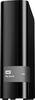
1-5 of 5 Answers
Yes I used it on a Roku 3. But I would suggest a different drive mine failed after less than 6 months. Now I have to rip my DVDs to a new hard drive I do not recommend.
Sorry, there was a problem. Please try again later.I have young children that love to watch their DVDs. Since the children are young their touching the DVDs in any way usually results in damaged DVDs. To avoid the damage to the DVDs we copy the DVD to the hard drive and place the original DVD up on a shelf for safe keeping. This is perfectly legal as we own the original DVD and are in no way providing the copied material to any other parties. We store these files on this WD hard drive and play them through the WD Media Player. I cannot answer as to if the files would play directly from this hard drive to the smart TV without a media player in between. I can tell you that I have hooked up other portable hard drives to my smart TV USB input and the files did play. The real question may be not only with the hard drive but also with the specific model of smart TV you have.
Sorry, there was a problem. Please try again later.it is just an external drive -- if I map my windows media player to it, I can watch right off of it; but typically the external drive is backup for me and I pull movies forward to the pc to watch -- seems faster direct from the pc
Sorry, there was a problem. Please try again later.That depends on the format in which the video was recorded and what formats your TV is capable of playing. Sorry, for the vagueness, but that's the reality.
Sorry, there was a problem. Please try again later.Theoretically yes. If your tv has a usb port and you intall the wd drivers nto it. It should act like a storage extention to your tv, similar to the way your dvd uses its harddrive. External hds are made to be portable so you can take it from one device and use it on another unlike internal hds which mostlikely will not run if you plug it into another machine. Another solution would be to leav3 it plugged into your computer and purchas the chromecast and use it thatway.
I would recommend:
Sorry, there was a problem. Please try again later.
