Customer Ratings & Reviews


- Model:
- 910-005270
- SKU:
- 6265132
Rating by feature
- Value
Rating 4.5 out of 5 stars
- Quality
Rating 4.8 out of 5 stars
- Ease of Use
Rating 4.8 out of 5 stars
Customers are saying
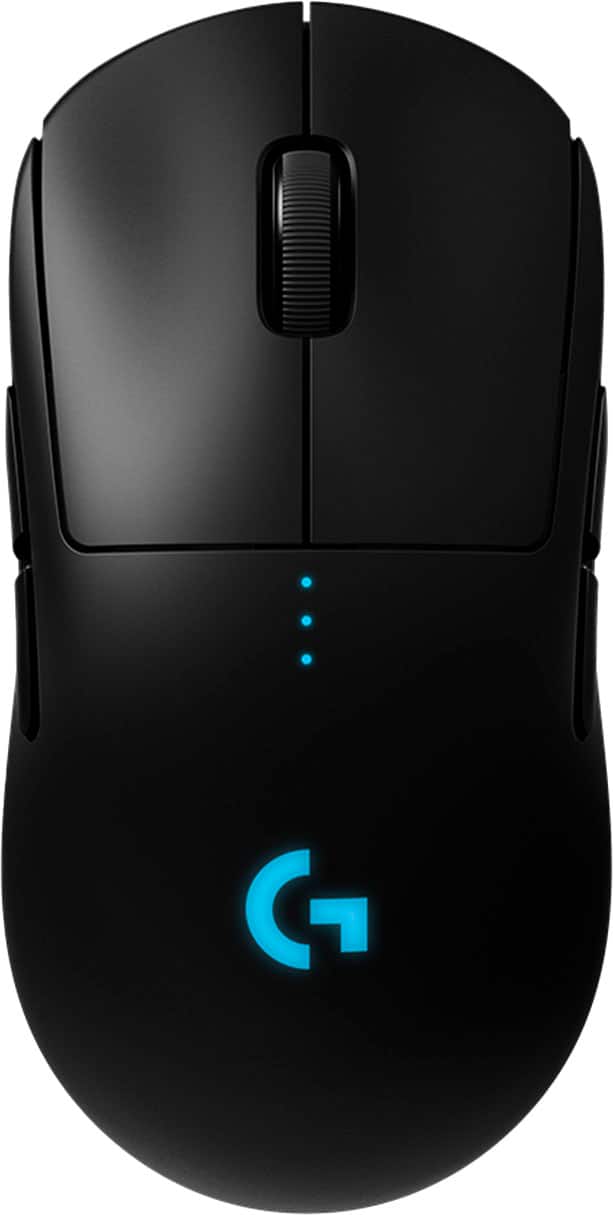
Customers are impressed with the PRO Lightweight Wireless Optical Ambidextrous Gaming Mouse with RGB Lighting, particularly its lightweight design, excellent battery life, and reliable wireless connectivity. Users appreciate its ease of use, responsiveness, and accuracy, highlighting the quality sensor and response time. Some find the price a bit high, and others note the size may be better suited for medium-sized hands, while a few have minor concerns about the side buttons and scroll wheel. Overall, the mouse's performance and features, including the RGB lighting, contribute to a positive user experience.
This summary was generated by AI based on customer reviews.
- Pros mentioned:Responsiveness, Weight

Incredible performance, minimalist simplicity
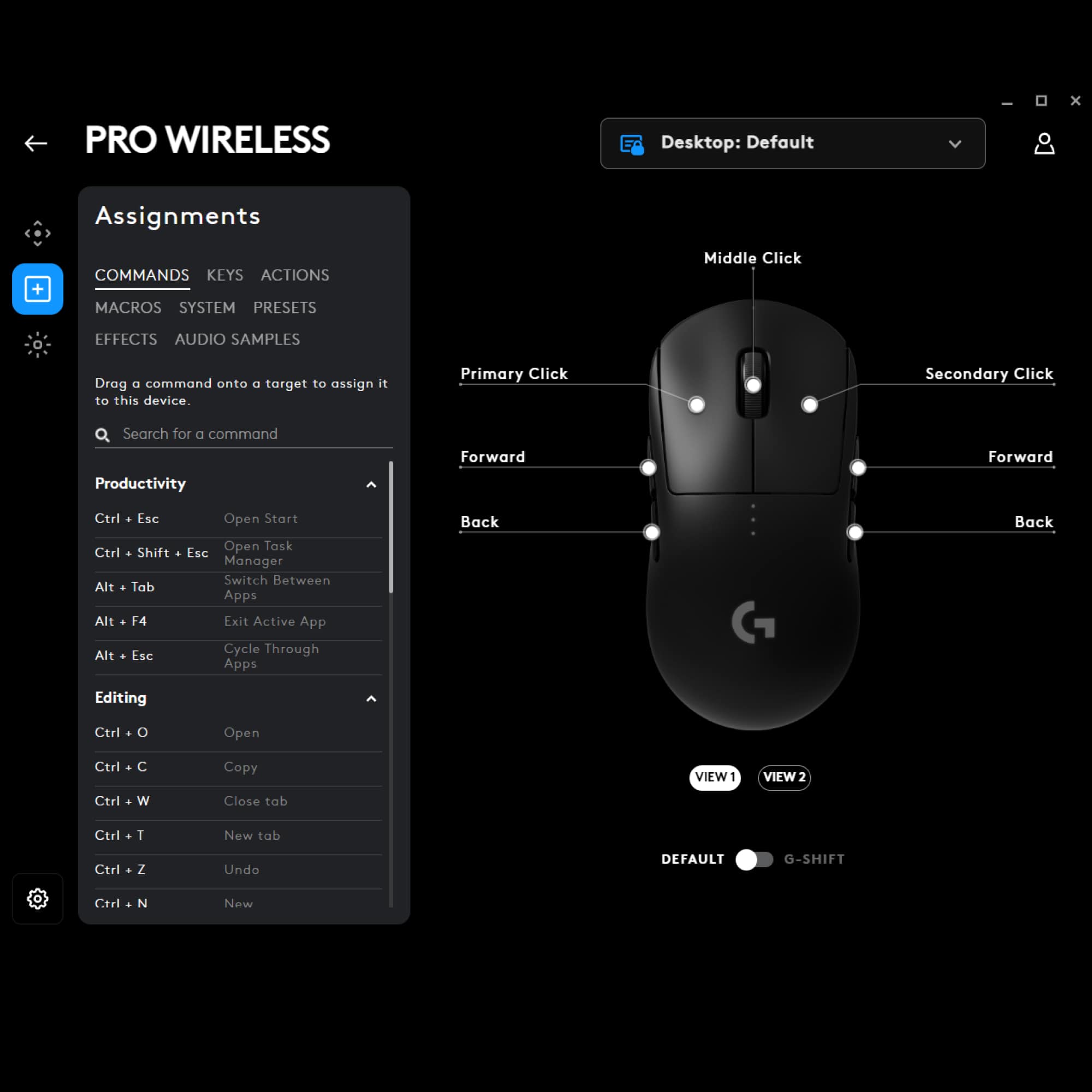
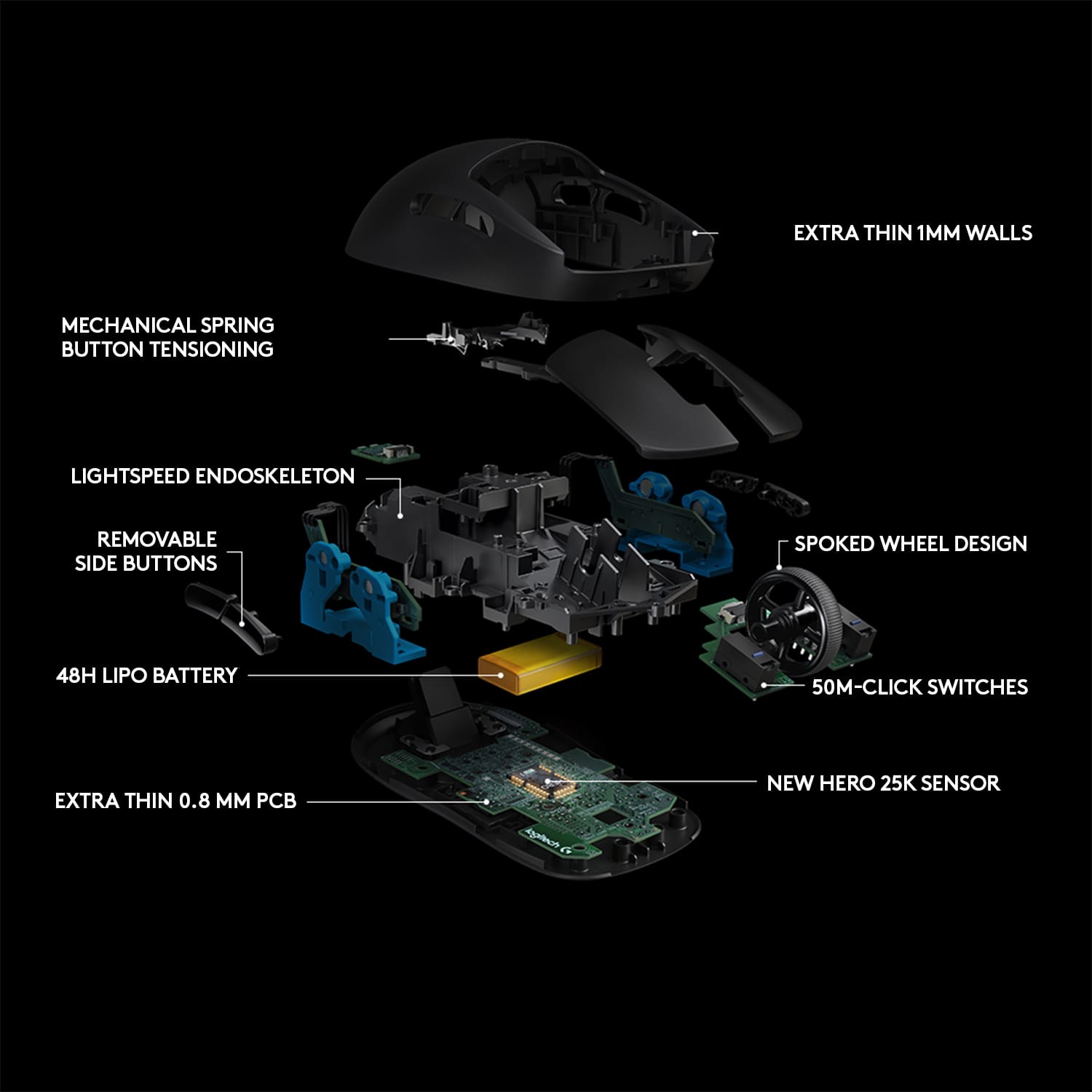
|Posted .This reviewer received promo considerations or sweepstakes entry for writing a review.First -- this is not a rehash of your previous gaming mouse. It's very different in approach. When I pulled it out of the box, I thought, "wow this is light! I'm gonna hate this!" Then, "hey, this thing isn't hand-shaped!" So -- if you really really want a mouse that feels substantial and that conforms to your hand, this isn't it. That aside -- I decided to get over it and try something new. Again, features-wise this is really simple. It's got 2 very subtle buttons on each side and a clickable scoll wheel. The buttons are completely configurable, and you can even remove buttons and replace them with blanks that are supplied, so you can have anywhere between zero and 4 buttons. Also, the receiver is proprietary. No bluetooth, no unifying receiver, so this isn't nearly as versatile as the pro and travelling mouses I use. So, I tested it out on a few games. I'm a pretty simple gamer, so I tested it out on Borderlands 2, Skyrim, Elder Scrolls Online, Torchlight 2, and Bendy and the Ink Machine. The mouse is FAST! Incredibly responsive, and it just flies with the light weight. So -- great gaming mouse, once you get over the minimalist approach.
I would recommend this to a friend Developed Double Click
||Posted . Owned for 11 months when reviewed.This reviewer received promo considerations or sweepstakes entry for writing a review.Developed the notorious double click issue after only a year of owning. Had to warranty it. Unacceptable QA on what was a $150 mouse.
I would recommend this to a friendBrand response from Logitech
Posted .Hi Jake, Very sorry to hear about the double click issue that you experienced with the G PRO Wireless Gaming Mouse. Glad to hear that you were apparently taken care of and were able to take advantage of the 2-year limited warranty. Hopefully, this new one won't have that same issue and that your view of Logitech gaming will have changed for the better. Thank you for choosing Logitech. - Richard from Logitech
- Pros mentioned:Battery life, Weight
Best mouse i have ever used. Logitech nailed it
Posted .This reviewer received promo considerations or sweepstakes entry for writing a review.This is the best mouse on the market. Logitech really nailed this product with its all-round performance. Its been almost 1 year and this mouse still gives 20-25 hours of solid battery life. I have to only charge this mouse every 3-7 days with heavy use. I have had gone 10 days without recharging the mouse with almost 3-6 hours of everyday use. Very light and good for tracking and flicking for fps gamers. It does have 0 to none latency from other high end wired mouse. Great for other games like Apex, Warzone and there is no latency. This is the best mouse i have ever used in my entire life for its lightweight, compatibility, battery life and performance. Its ergonomics and design has made it that even after hours of use i feel no pain in my hands or fingers like other mouse. Its lightweight and buttons really make a difference. The only feedback i have to give is the older/first batch of these mouse had an issue where there was some spacing issue with your buttons will start double clicking. They fixed it with the newer batches so do make sure you do not end up with one of those older version of this product because i had to exchange it due to that issue. Please use Google to make sure you are buying the newer model of this mouse.
I would recommend this to a friend Don’t waste your $$
||Posted . Owned for 1 month when reviewed.This reviewer received promo considerations or sweepstakes entry for writing a review.As an avid gamer, I’m disgusted. The wheel broke within a week of use. A $20 Logitech would have been a better investment.
No, I would not recommend this to a friendBrand response from Logitech
Posted .Hi Jree, we're sorry to see you're having some durability related issues with your G PRO Wireless Gaming Mouse. If you haven't already, please contact your local Best Buy to see how they can assist you with getting a replacement G PRO Wireless. Also you do have a 2 year limited warranty from Logitech that can be used to have a replacement sent out to you. We do apologize for the inconvenience this has caused you.
- Pros mentioned:WeightCons mentioned:Price
Super Lightweight and Accurate Gaming Mouse
|Posted .This reviewer received promo considerations or sweepstakes entry for writing a review.The Logitech G Pro Wireless is a mouse that is made for pro gamers. It doesn’t have a lot of flashy features other than the RGB G logo and DPI indicator. It is ridiculously lightweight, and the lack of any cord tethered to it only makes it better. It glides across my mousepad with ease and the buttons have a very satisfying click to them. There are four additional buttons, two on the left and the right, which can be swapped out for dummy buttons if you’d prefer to have less buttons or none at all. The DPI cycle switch is uniquely located on the bottom of the mouse which could be a good or bad thing depending on the gamer. Some might appreciate that they won’t accidentally hit it during a gaming session while others might not like the fact that they can’t easily change DPI on the fly. However, for the latter, you can assign one of those buttons as a DPI switch if you’d like using the G Hub software. I played a few rounds of Everspace with this mouse and immediately could appreciate the better sense of precision and control that I felt as I maneuvered my spacecraft exploring and fighting baddies. With the higher DPIs you barely have to move the mouse to guide the spacecraft. Make sure that when you first start using the mouse you plug it into the system first and allow the G Hub software to sync and update the mouse. G Hub is the new software which will eventually replace the Logitech Gaming Software Pros: Incredibly Light Ambidextrous Up to 16000 DPI PowerPlay compatible DPI Switch On Bottom 1ms Lightspeed technology Cons: Pricey The only downside really is the price. However, if that doesn’t bother you and you are looking for a no-frills accurate and lightweight pro level mouse, this may be the one.
I would recommend this to a friend Great mouse ruined
||Posted . Owned for 10 months when reviewed.This reviewer received promo considerations or sweepstakes entry for writing a review.I really love this mouse but it has this awful double clicking issue cant recommend this mouse because of it
No, I would not recommend this to a friendBrand response from Logitech
Posted .Hey there, I'm sorry to hear that you had some issues with your G PRO wireless mouse. The double clicking issue can be caused by a buildup of dust and dirt on the switches inside the mouse, so I would recommend using a can on compressed air to spray out the inside of the mouse if possible. If you're still having the issue, I would recommend contacting us via our support site to take advantage of the G PRO Wireless' warranty.
- Pros mentioned:Battery life, Responsiveness
Superb gaming mouse!
|Posted .This reviewer received promo considerations or sweepstakes entry for writing a review.I was skeptical with this mouse because of it being wireless but it’s very responsive and is an overall very solid gaming mouse! It is rechargeable and of course the buttons are customizable so that you can set it up to use with your games. I like that I was able to assign the key for actions in my games. That included software makes it easy to configure and customize to your needs. Battery life is pretty good and can be extended if you turn down the lighting effects or you can use and charge the mouse by plugging it in. Yes you can use it while it is charging so you don’t have to wait for it to charge to be able to use it. The best part is that include cable makes this pretty easy so that you can change it on the fly. The other cool thing with this mouse is the sensitivity where it can detect very precise movement and does so very responsively. Logitech has always been my favorite choice for mice and keyboards due to the high quality and ease of use. This one is definitely no exception to that and it’s an excellent choice for gaming. Note that the color LEDs can be coordinated with other logitech products gaming keyboards but if you have other brands you will have to configure each independently. I do like the software that logitech uses over other competing brands because it seems easier to use and less resource intensive. Highly recommend this mouse for its good quality. The only thing that I wish that it had the ability to add weight to it so that it could be a little heavier but that is just a personal preference.
I would recommend this to a friend Wrong color
||Posted . Owned for 3 weeks when reviewed.This reviewer received promo considerations or sweepstakes entry for writing a review.Sent different color twice no as shown in the picture
I would recommend this to a friendDead dongle
||Posted . Owned for 2 months when reviewed.This reviewer received promo considerations or sweepstakes entry for writing a review.Dongle stopped working in less than 2 month not impressed with all they hype behind this mouse.
No, I would not recommend this to a friendBrand response from Logitech
Posted .Hello, Memeweaver. I'm sorry to hear that your G Pro's dongle stopped working! I would recommend reaching out to our support team here https://support.logi.com/hc/en-us/requests/new?ticket_form_id=360000621393 to file a warranty claim. The G Pro has a 1-year limited hardware warranty. Thank you so much for this feedback! I will be passing this along. - Maggie from Logitech G
- Pros mentioned:Battery life, WeightCons mentioned:Price
Lightweight and responsive.
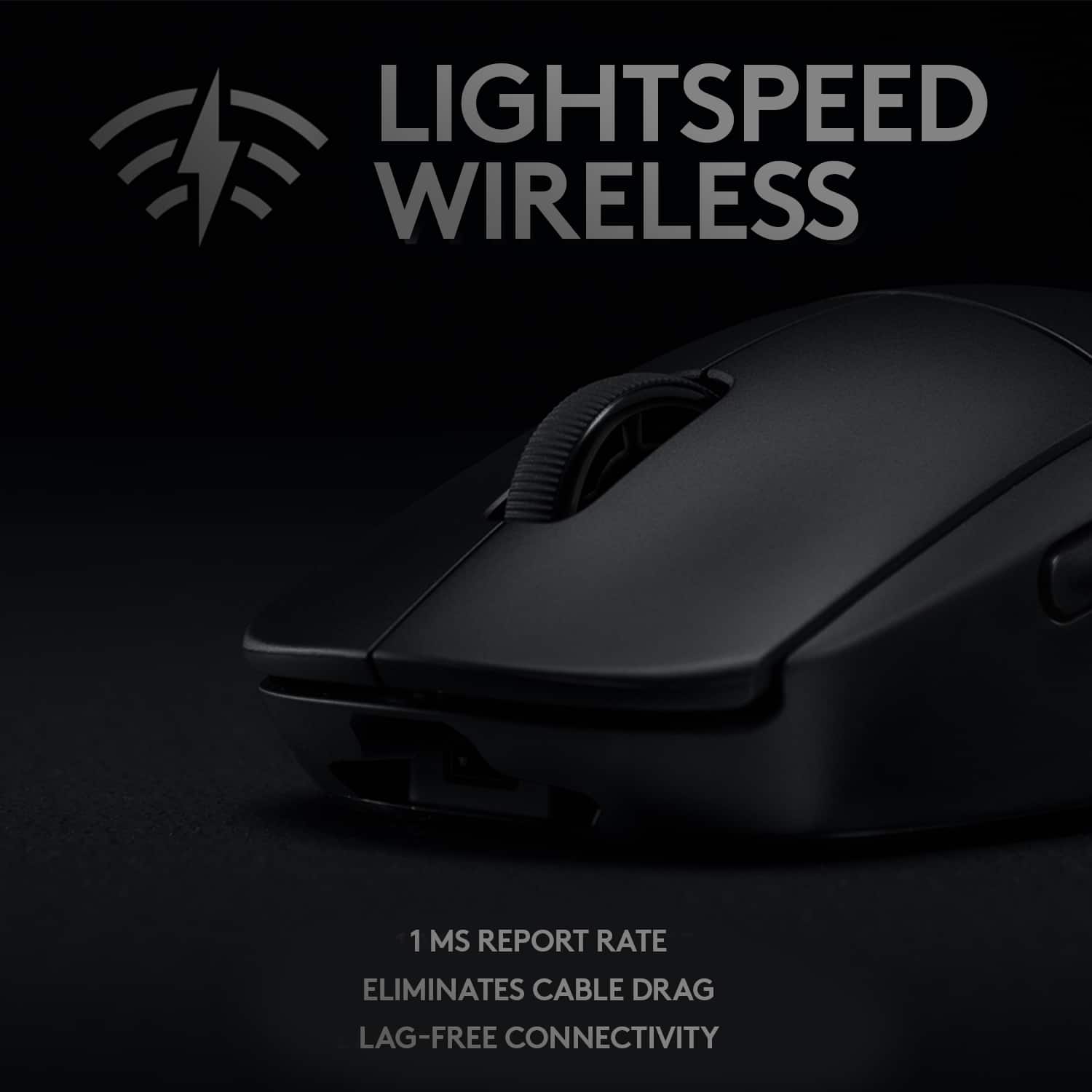
|Posted .This reviewer received promo considerations or sweepstakes entry for writing a review.The Logitech - G PRO Wireless Optical Gaming Mouse is a must have for any true gamer. It is lightweight and very responsive. The fact that it is rechargeable makes it that much greater, being that you don't have to go around shopping for batteries anymore. Slap the USB receiver into your computer and game-time! I would definitely turn off the lighting effect to conserve the energy for a longer play time. The only con that I see with the Logitech - G PRO Wireless Optical Gaming Mouse is the price. I can see a true gamer buying this product, but for average office use or home use, I don't think it would be worth it. If you are a gamer, buy it! I recommend it.
I would recommend this to a friend - Pros mentioned:Battery life
Not as nice as I had hoped but still awesome
|Posted .This reviewer received promo considerations or sweepstakes entry for writing a review.This is definitely a really nice mouse. Super accurate and fast but just doesn't feel right in my hand. Maybe I'm just too used to larger, more ergonomic mice but this one just doesn't do it for me. First, the app didn't report the charging accurately never going past 48%. Waited 2 days before Googleing the issue to see it was just the app. After a couple reboots, it showed 52 hours remaining so it really was fully charged. In fact, I haven't needed to charge it since then and 2 weeks later, it still shows 27 hours. So it definitely has great battery life. I know this mouse is made for both left and right handed people but the buttons on the right side (I am right handed), really bother me the way my middle finger rests on the side. I know I can take it apart and remove the buttons but that will leave holes in it. No offense to left handers and I guess I now know how they feel with every other mouse :) I really want to love this mouse because I know it's a great one, and I am using it and little by little getting used to it but as of right now I still prefer the G700s and the G603 I was using before getting this one. Still giving it 5 stars because it is awesome, there's nothing wrong with it and the things that matter to me probably wouldn't matter to most but I did want to note them/ I love the RGB too. Looks really cool sitting on my desk at night
I would recommend this to a friend - Pros mentioned:Weight
Exceptional Value and Performance: Logitech G Pro
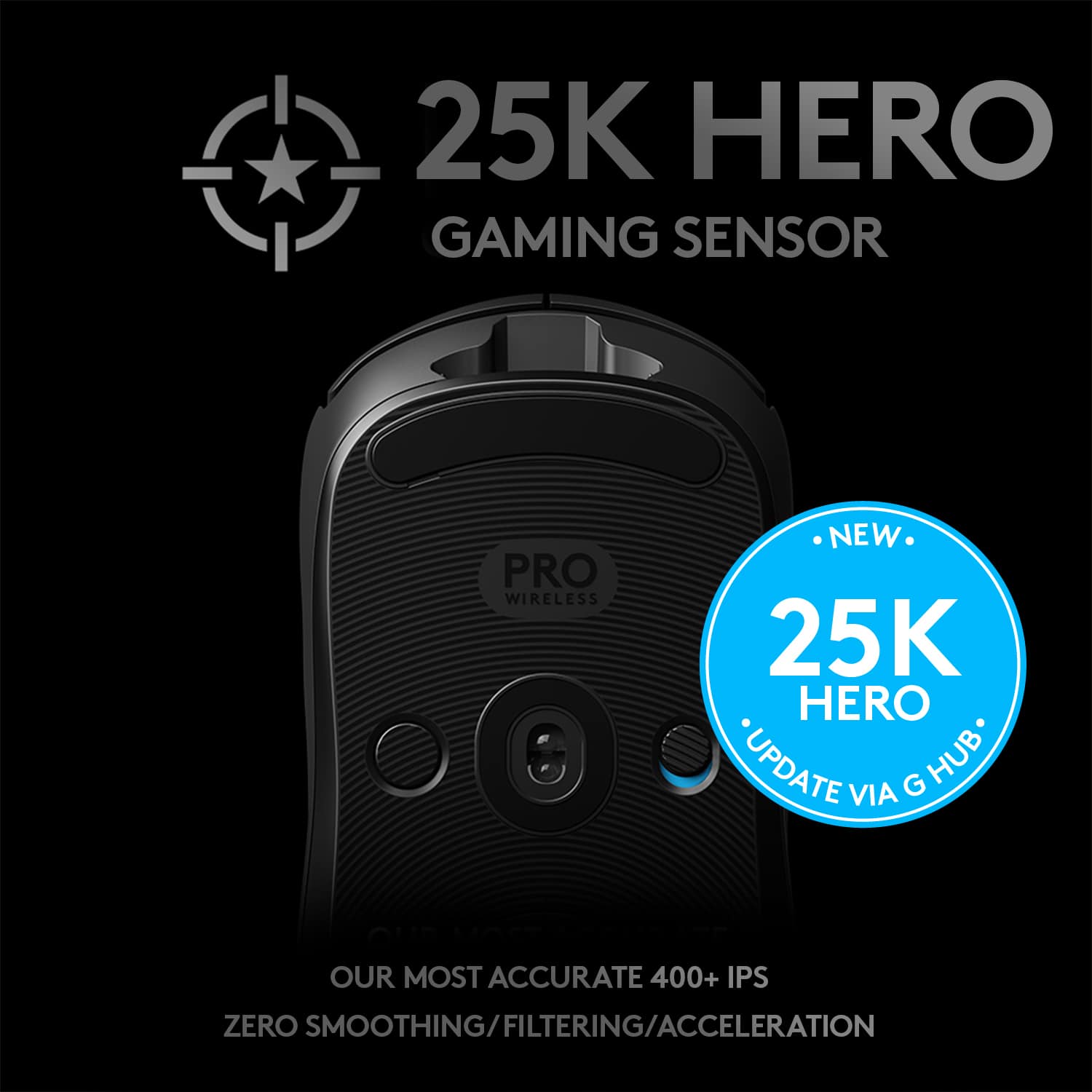
Posted .This reviewer received promo considerations or sweepstakes entry for writing a review.I recently had the pleasure of using the Logitech G Pro Mouse, and I must say, it has truly exceeded my expectations in every way. As a budget-conscious gamer, I'm always on the lookout for peripherals that strike a perfect balance between price and performance. The Logitech G Pro Mouse not only nails that balance but goes above and beyond to provide an exceptional gaming experience. Design and Build Quality: The first thing that caught my attention was the sleek and minimalist design of the G Pro Mouse. Its ambidextrous shape is not only comfortable but also versatile, catering to both right and left-handed users. The matte finish on the mouse's surface not only feels great to the touch but also minimizes fingerprint smudges, maintaining its clean look even during intense gaming sessions. The build quality is top-notch, exhibiting Logitech's renowned attention to detail and durability. Performance: When it comes to gaming mice, performance is paramount, and the Logitech G Pro Mouse certainly delivers in this department. Equipped with Logitech's HERO sensor, the mouse boasts impeccable tracking accuracy and a wide range of DPI settings. Whether I was engaging in fast-paced FPS battles or precise strategic maneuvers in MOBAs, the G Pro Mouse never missed a beat. The lightweight design and low-friction feet allowed for effortless gliding, ensuring that my movements translated seamlessly on-screen. Customizability: Despite its budget-friendly price tag, the G Pro Mouse doesn't compromise on customization options. With six programmable buttons and customizable DPI settings ranging from pixel-perfect accuracy to swift cursor movement, I was able to fine-tune the mouse to my preferred gaming style. Logitech's G HUB software simplified the process, allowing me to create multiple profiles for different games and applications effortlessly. Durability: Having used the Logitech G Pro Mouse extensively for both gaming and general computer tasks, I was impressed by its durability. The Omron switches used for the primary buttons felt satisfyingly tactile and demonstrated their durability with consistent responsiveness. The overall construction of the mouse felt robust, and there were no signs of wear and tear even after months of use. Price-to-Performance Ratio: Perhaps the most impressive aspect of the Logitech G Pro Mouse is its price-to-performance ratio. With its features and performance, you'd expect the mouse to come with a premium price tag. However, Logitech has managed to offer this exceptional piece of hardware at a price that won't break the bank, making it an incredible value for budget-conscious gamers. Conclusion: In conclusion, the Logitech G Pro Mouse has far exceeded my expectations in terms of design, performance, customization, and durability. Its ambidextrous design, precise tracking, and customization options make it an excellent choice for gamers of all genres. The fact that it does all this without burning a hole in your wallet makes it an absolute steal. If you're in the market for a gaming mouse that offers outstanding value and performance, I wholeheartedly recommend the Logitech G Pro Mouse. It's a true game-changer in its price range.
I would recommend this to a friend - Pros mentioned:Battery life, Responsiveness
Comfortable and responsive.
|Posted .This reviewer received promo considerations or sweepstakes entry for writing a review.Ive been using the Logitech wireless gaming mouse for several days now and really like it so far. It is very comfortable to use, no fatigue and very responsive. It is easy to set to your preferences and can be customized to suit just about anyone. I use for gaming and for everyday computing which it is perfect for. Once I got it set up correctly it has been a perfect for me. When it first arrived I was a bit dissapointed in the included documentation, it really wasnt all that helpful, but the inofrmation is easliy obtained online and at the Logitech site. When it frst arrived I charged it for about two hours. I actually ahd to leave it so I dont know how long it actually took to charge. But I have been using it daily for 4 days and it is still charged and going strong. I havent had it long enough to know how long the charge will last in real world testing. I never turn off my mouse so I may not get as much run time as those who do. Id like to come back and update after the first recharge. My son who is a nonstop gamer has used this and absolutely loves it, even better that the expensive big brand wired mouse. There appearr to be no lag that I can tell and the buttons are very responsive for me. Overall I like this mouse and would recommend it to anyone looking for a wireless mouse.
I would recommend this to a friend Double Click issue
||Posted . Owned for 5 months when reviewed.This reviewer received promo considerations or sweepstakes entry for writing a review.It started double clicking after less than half year.
No, I would not recommend this to a friendBrand response from Logitech
Posted .Hey there, I'm sorry to hear that your G PRO Wireless mouse started having some double clicking issues. I would recommend blowing out the inside of your mouse with a can of compressed air, as well as navigating to your computers double click options and lowering the sensitivity.
Bad mouse 1 and 2
||Posted . Owned for 1 week when reviewed.This reviewer received promo considerations or sweepstakes entry for writing a review.I have had this mouse since 5/19/20 and the left and right click have become double click.
No, I would not recommend this to a friendBrand response from Logitech
Posted .Hello Dawson. We're sorry to hear that you're having double clicking issues. If you haven't already, I would recommend going into the mouse properties settings on your computer and, under the buttons tab, adjust the double click speed. If that doesn't work, that most likely means that it's a hardware issue. In that case, I would recommend reaching out to Logitech Support so they can troubleshoot the problem. We hope this helps. - Logitech
Mouse
||Posted . Owned for 1 month when reviewed.This reviewer received promo considerations or sweepstakes entry for writing a review.Wasn’t a huge fan worker as It should but flimsy broke easy
No, I would not recommend this to a friendBrand response from Logitech
Posted .Hello, Austin! I'm sorry to hear your G Pro wireless broke easily! I would recommend reaching out to our support team here https://support.logi.com/hc/en-us/requests/new?ticket_form_id=360000621393 to file a warranty claim. The G Pro wireless has a 2-year limited hardware warranty. Thank you for the feedback! I will be passing this along. - Maggie from Logitech G
- Pros mentioned:Weight
Perfect for Casual and Hardcore Gaming
|Posted .This reviewer received promo considerations or sweepstakes entry for writing a review.When PC gaming I tend to stick to a wired mouse. I have always preferred precision and response time to the convenience of going wireless. This is the first wireless mouse that has convinced me to "cut the cord". Besides the excellent precision, the size and weight are perfect for me. I have medium sized hands and this mouse provides a comfortable fit. Logitech advertises that they have decreased the weight of the rechargeable battery for this model which has helped make it lighter overall and easier to glide along your mousepad. Keep in mind that some folks may prefer a heavier mouse so you can "feel" the movement more, but it's up to you and your gaming style. Other nice features are the cool LED lighting, the side buttons that you can add or remove, and the easy to use Logitech software that allow you to customize the mouse to use exactly how you like (programming macros, etc). If you want to game at the highest level, give this mouse a shot. The response time will really make a difference in any game that requires quick reactions and precision accuracy. It's definitely worth the price tag.
I would recommend this to a friend - Pros mentioned:Battery life, Weight
Excellent Choice
|Posted .This reviewer received promo considerations or sweepstakes entry for writing a review.Logitech is my go-to brand for computer mice. This model is no exception to this rule. The unit feels very lightweight – much lighter than my traditional, battery operated model. The ergonomic design is comfortable, and the battery life is quite robust. It was partially charged out of the box, and it lasted about a day and a half before I needed to charge it again. It has a LED display showing the charging progress, and I get a message on my computer when it needs to be plugged in. The unit glides like a dream while I’m using it. I’ve never had a mouse that moved this smoothly. You can use this with the Logitech Gaming Software, downloadable from the Logitech website. You can set up to 5 profiles for the unit, with settings like sensitivity rates and report rates. It gives you the flexibility to enable or disable the buttons on the unit. Want to know which buttons you use the most? Use the Key Press Heat Map option to give you stats on how you use the buttons. For a casual gamer like myself, it’s almost too many options. If you are a hardcore gamer, this is the mouse for you.
I would recommend this to a friend - Pros mentioned:Battery life, Weight
Excellence in mouse form.
Posted .This reviewer received promo considerations or sweepstakes entry for writing a review.Everything about this mouse is top tier. Great shape, phenomenal battery life, extremely light weight, excellent clicks, perfect sensor. Top shelf craftmanship that only a master like Logitech can deliver. Search over for the perfect FPS mouse. I purchased mine directly from Logitech before Best Buy offered them.
I would recommend this to a friend - Pros mentioned:Battery life
Might Be The Best
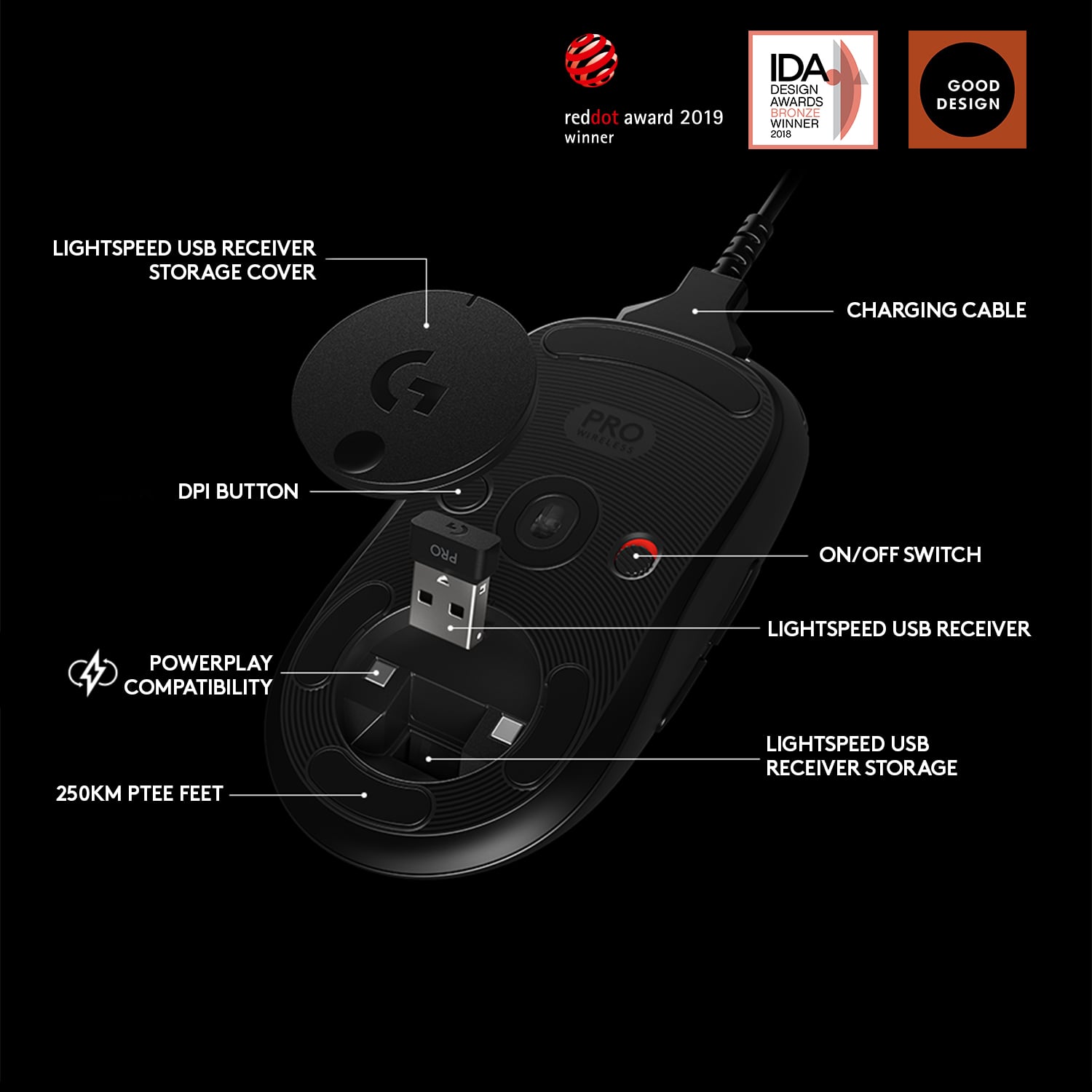
|Posted .This reviewer received promo considerations or sweepstakes entry for writing a review.There is nothing I can say bad about this mouse. Let me hit some personal highlights. - Compatible with Logitech PowerPlay charging system - Truly Ambidextrous - Flawless wireless communication - Wired or wireless - Great battery life - Perfect length and width for most any grip type - Adjustable weight (Using my G703 weights, not included) Let me get better in depth with my highlights. I have a Logitech G703 I purchased the PowerPlay mat for use with it. I was hoping for compatibility and was not disappointed. Being able to charge wireless while using the mouse is a great feature if you are willing to drop a few extra $$$ on it. Occasionally I will switch hands when using the mouse. There are a few games that I have that I prefer using the arrow keys right handed and need the mouse less than usual, so I will switch hands and not miss a beat. The wired setup is a good lightweight wire. It is rubber coated and the same cable that comes with the PowerPlay, G703 and G903. The support they use in wired mode almost makes you feel like there is no drag from the cable. The dongle, extension adapter and other peripheral pieces for the mouse are the same as the other G series. The nice addition over the G703, there is a slot in the weight/charger cover that holds the dongle. Similar to the same setup for most other Logitech mice and how they store their adapters. Wireless is flawless. Not a skip or delay. Range is well over 20 feet, I was about 25 feel away and had no issues controlling the action. So far I have not been able to make much of a dent in the battery usage wirelessly without the PowerPlay. I am going to guess there are days worth of charge. This mouse feels great in hand. You can feel the quality. it is the right length for almost any hand and grip style. I generally will use a fingertip grip with my right hand. I never get the feel of the mouse against my palm. I do have long fingers and large hands (XXL) but the mold is perfect for almost any sized hand with a fingertip grip. My left hand, I use more of a palm grip, and it is a perfect feel there as well. The buttons are evenly spaced on both sides so they are right where you expect left or right handed. Though I never use a claw grip, mimicking it even feels good, but my fingers cramp when I try using that grip for too long. If I have one complaint, some people like a heavier mouse. Since I also have a G703, I snagged the mouse weight from that mouse and it fits as expected here. I was surprised the weight was not included, unless it was hidden in the packaging which I am sure it wasn't. The wight doesn't seem as important with this mouse because of the feel and great glide. You don't notice the heft at all. One thing I did notice, they added a slider on the bottom of the mouse closest to your palm. This had been one of my gripes with nearly every mouse I have ever had. Unless it had a large glide area at the bottom of the mouse, that slide almost inevitably would wear itself out in a few months. This is a much larger glider that I think should last until I decide for a G Pro 2. :D I can't think of a mouse I would recommend over this mouse. It has all the check marks I look for. Has a great feel and is ambidextrous. I would still recommend taking it for a test drive in a Best Buy store, but I can't see anyone not liking the design of this mouse. It is a great step forward from the G703. It is hard to believe just a few years ago I could not stand Logitech mice. I always felt their mice were over designed that had too many niche design elements. They never felt good in my hand unless they were and ambidextrous design. Logitech has changed my mind over the last few years. Well done.
I would recommend this to a friend