Customer Ratings & Reviews







- Model:
- M22f
- SKU:
- 6455487
Rating by feature
- Display Quality
Rating 4.8 out of 5 stars
- Ease of Use
Rating 4.8 out of 5 stars
- Features
Rating 4.6 out of 5 stars
Customers are saying
Customers are enthusiastic about the 21.5" IPS LED Full HD FreeSync Monitor, highlighting its ideal screen size, ease of use, and affordable price. Many appreciate its premium design and lightweight build, as well as its resolution capabilities. Some customers noted the absence of built-in speakers and VESA mount compatibility, while others mentioned the refresh rate.
This summary was generated by AI based on customer reviews.
CandyC
||Posted . Owned for 3 weeks when reviewed.This reviewer received promo considerations or sweepstakes entry for writing a review.Best purchase just what i needec and salesman that assisted was awesome with my needs
I would recommend this to a friendScreen is flikering with colors
||Posted . Owned for 6 months when reviewed.This reviewer received promo considerations or sweepstakes entry for writing a review.Screen is flickering with colors after 6 months of purchase. Not expected this from HP.
No, I would not recommend this to a friendNot GOOD!!!
||Posted . Owned for 4 months when reviewed.This reviewer received promo considerations or sweepstakes entry for writing a review.Lasted 3 months, screen started shorting out. Static flooding screen.
No, I would not recommend this to a friendWrong for the PC I have.
||Posted . Owned for 3 weeks when reviewed.This reviewer received promo considerations or sweepstakes entry for writing a review.After 6 trips to the store to find what I needed to make this work, I still had to return everything and start all over. Different connectors , plugs and so on..
No, I would not recommend this to a friendDefective product
||Posted .This reviewer received promo considerations or sweepstakes entry for writing a review.This item was defective and caused me many diagnostic problems.
No, I would not recommend this to a friendget a clue
||Posted . Owned for 1 month when reviewed.This reviewer received promo considerations or sweepstakes entry for writing a review.Did not purchase don't know why you are adding this
I would recommend this to a friendNot a great buy
||Posted . Owned for 1 month when reviewed.This reviewer received promo considerations or sweepstakes entry for writing a review.Will not turn on 5 months after purchase. Pretty disappointed.
No, I would not recommend this to a friend- Pros mentioned:WeightCons mentioned:Speakers, Vesa mount

Great Color Accuracy, Lightweight, Slim Bezel
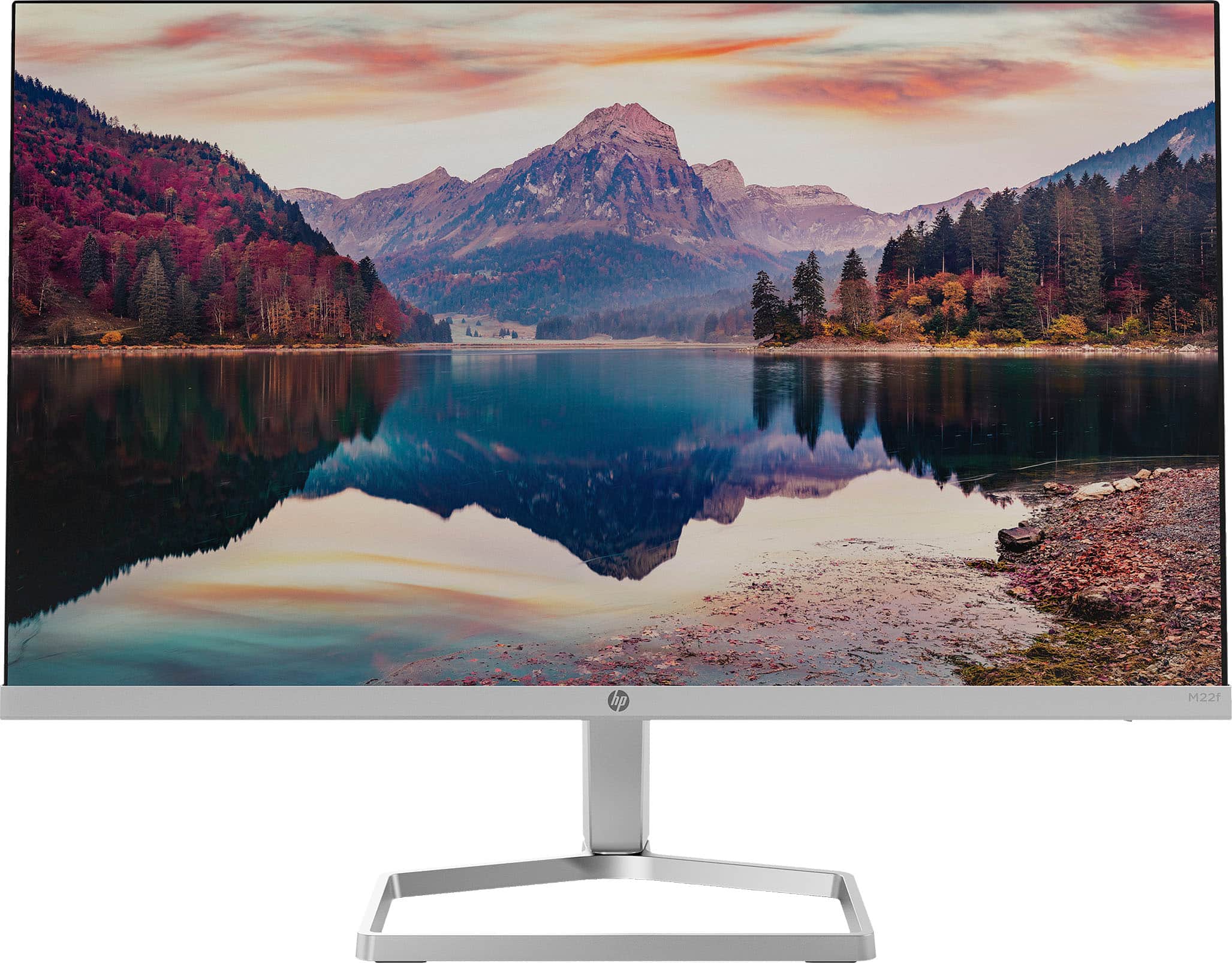
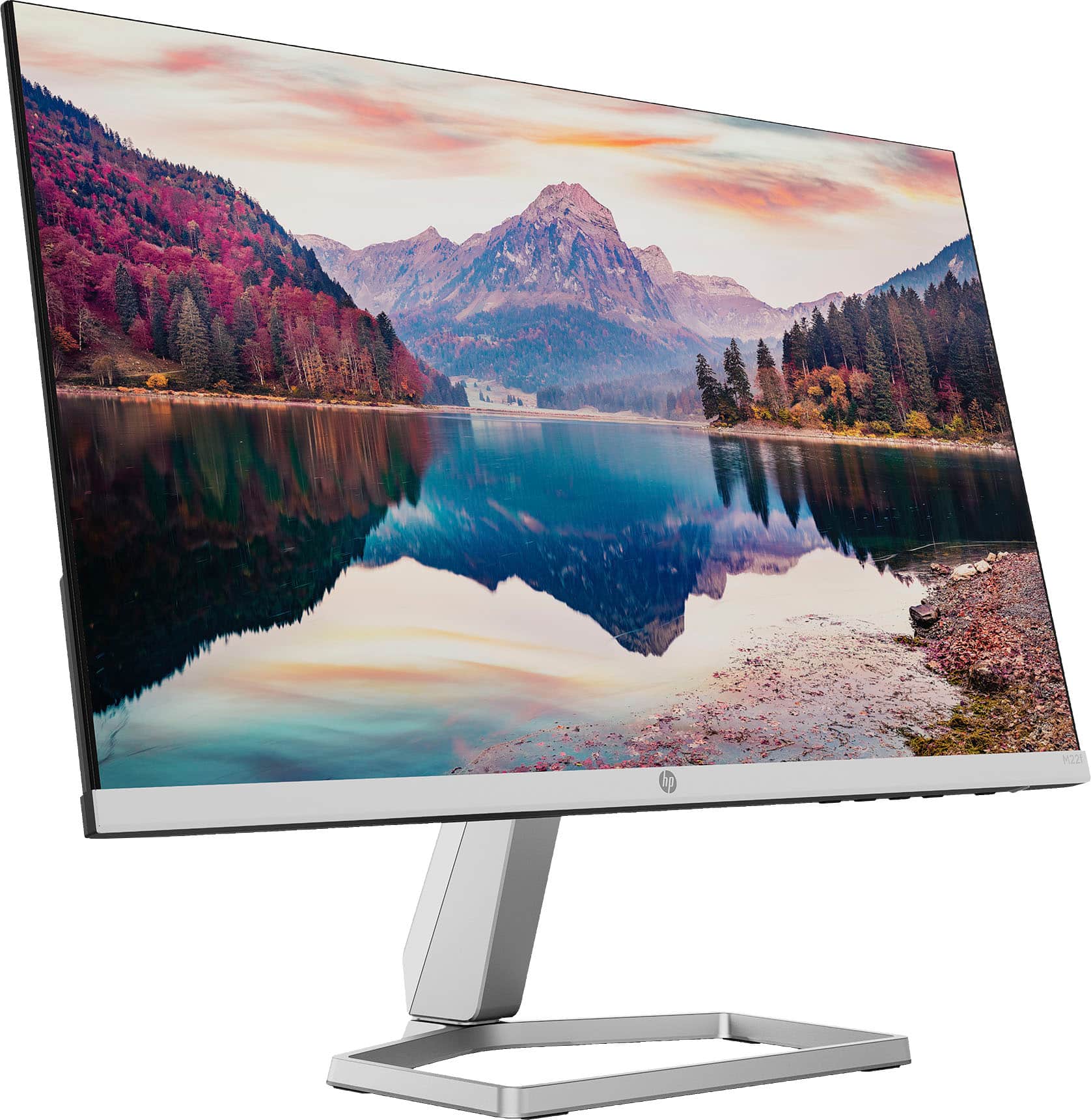
|Posted .This reviewer received promo considerations or sweepstakes entry for writing a review.I really love this HP IPS 1080 monitor. The color accuracy is noticeably good. HP has something called "EyeSafe" which in English means it has low blue light. In all-day use, I've found it comfortable. Design-wise, the monitor has very thin bezels and is super lightweight. The stand is not height adjustable and there's no VESA mount but if you're keen and have access to a 3D printer, you can 3D print a VESA adapter. Other things to know. HP included an HMDI cable in the box. The AC power is brick style. There's no audio/speakers but it does support AMD FreeSync.
I would recommend this to a friend - Pros mentioned:Screen size
Beautiful, Nifty Monitor, but...
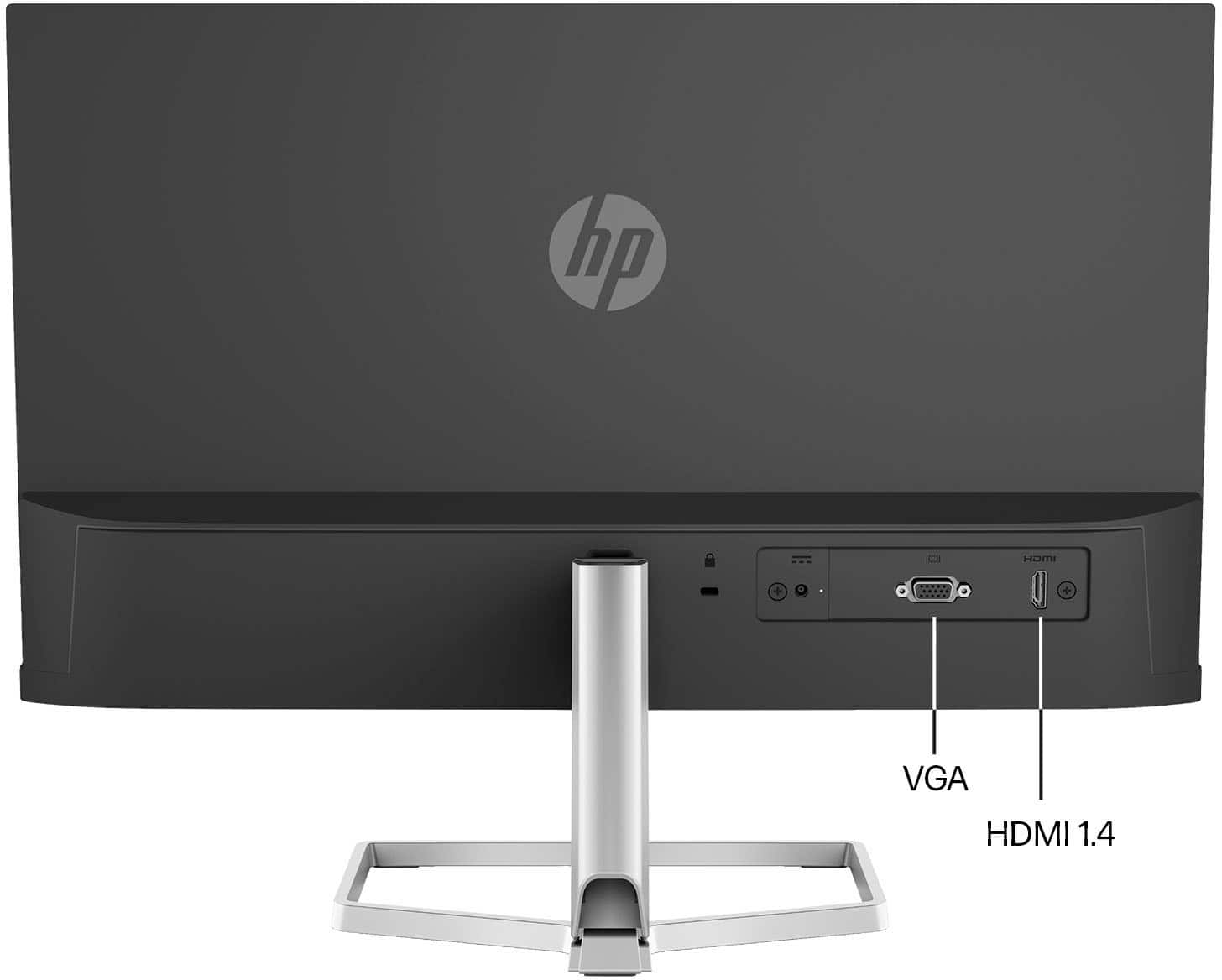
Posted .This reviewer received promo considerations or sweepstakes entry for writing a review....if you are considering this model, disregard the "Highlights" section on the Best Buy website where it says "Source device will need to have an HDMI connection". That is extremely misleading. Click on "Show Full Specs" instead and also trust the pictures which clearly indicate this monitor also has a VGA connection in addition to the HDMI. And yes, although the monitor includes a HDMI cable, your PC does not need to have a HDMI connection. If your PC does not have a HDMI connection, all you need is a VGA cable (not included with the monitor). I am using one from my previous ViewSonic monitor right now as I type this and the image is perfect 1920x1080 HD. It amazes me they couldn't quite get those Highlights to be 100% accurate, but I guess nobody is perfect. One more thing: the website did not even indicate these were available at the Mira Mesa, San Diego location. I walked right in and there were three available and I walked out happy. I hope this helps.
I would recommend this to a friend - Pros mentioned:Screen sizeCons mentioned:Vesa mount
Good, but not perfect
|Posted .This reviewer received promo considerations or sweepstakes entry for writing a review.The video quality on this monitor is top notch, and that is the most important thing. And extremely thin screen, but with deep colors. and rapid response. No matter what I through at it, there was no flicker or delay in the picture display. From video, to games, to code, to documents... it all displayed great. It is a very LIGHT monitor. So one thing, in my usage, I was using it as an extended monitor for my laptop. I would occasionally hit it as I walked away from the table, and being it was so light, it would move... not a big deal if you are on a desk, but if you are going to use it where there is movement about, keep an eye. Comes with just an HDMI and a VGA connector options. VGA is still important to some users on older computers, or applications... so this may be a good option for them to have a modern monitor, with that older connection. The HDMI is just as easy to connect, right on the back... not on the side. Simple AND SMALL adapter, which is great. makes storage of that small power brick easy, and I will probably end-up 3M hooking it to the back of the monitor. Now this is where It looses a star for me. The integrated stand... So for basic usage, this is going t one fine for most. Real easy to put together, took all of 3 or 4 minutes... What it really needs is the standard VESA mounting screws, so that I can add this to a 3rd Party monitor stand. I would really love to use this monitor in the portrait mode (up and down), so I can have it right next to my 32" monitor on my main computer, as a second monitor. For Code review (for work) and chat (while game playing). Also for others, that have to raise and lower their monitor to get to a good visual site light (for neck and eye strain), will have to be created to get the moniotor up of their desk a bit. Overall, the visuals are stunning, usage it is easy. Just the stand / mount options are a bit lacking, which may not matter for most. A bonus plus, if you are looking for a new monitor for your older computer that uses VGA
I would recommend this to a friend UnsatisfiedCustomer
||Posted .This reviewer received promo considerations or sweepstakes entry for writing a review.The monitor broke after 2 days and The store did not allow me to return the monitor.
No, I would not recommend this to a friendp****
||Posted .This reviewer received promo considerations or sweepstakes entry for writing a review.mf’s sold me a monitor with no stand. very disrespectful no cap.
No, I would not recommend this to a friend- Pros mentioned:Ease of use, Screen size
perfect size
Posted .This reviewer received promo considerations or sweepstakes entry for writing a review.I just needed to have a bigger screen without purchasing a new computer and this monitor did the trick. The size fits the space I had and not one inch bigger. It is easy install and adjustment. The product was delivered on time... well every time I buy from Best Buy products are delivered on a timely basis.
I would recommend this to a friend - Pros mentioned:Screen size, Weight
Incredibly thin and light monitor with great color
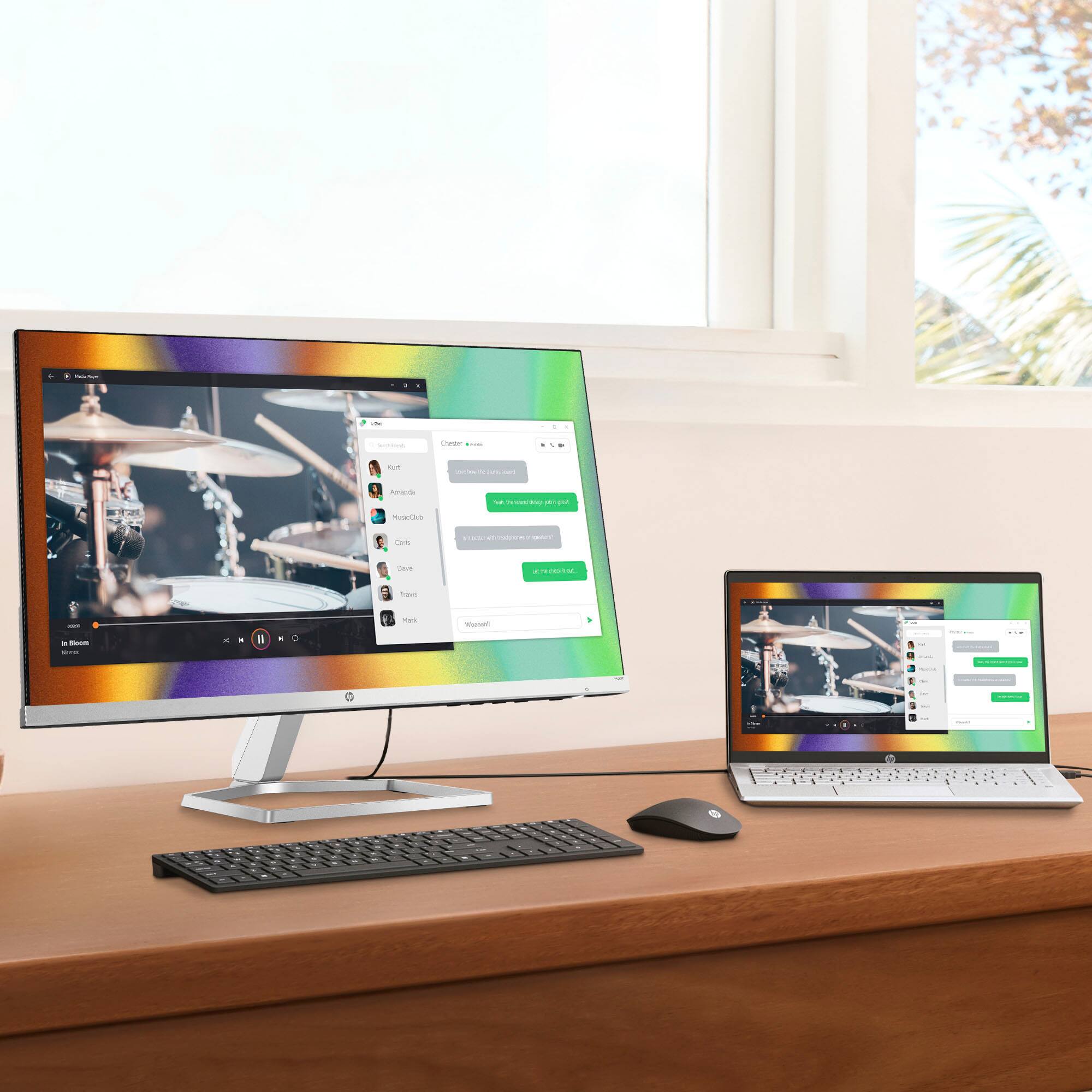
|Posted .This reviewer received promo considerations or sweepstakes entry for writing a review.I currently use this monitor as a tertiary screen for working on computers, messing with my Linux box, and other miscellaneous tasks. The size and weight of this monitor is fantastic for moving it around a room to work on different machines. It is surprisingly thin, and reminds me of the form factor of my OLED tv. Brightness and color is perfect for my needs, and the price seems to be spot on for the features and convenience you get. Freesync is included and runs at up to 75hz. While this is not a high refresh gaming panel, it does look crisp and clear for general use. It could also be a great entry into digital photo editing due to the color pallet this panel provides. This screen does not have displayport, but rather HDMI only. This will work for many of the machines I will be using with it, and I can always use an HDMI to DP adapter if needed. Overall very happy with this screen as a "do everything" spare monitor for me.
I would recommend this to a friend - Pros mentioned:Design, Screen size
Great monitor for small rooms
|Posted .This reviewer received promo considerations or sweepstakes entry for writing a review.The HP - 21.5" IPS LED Full HD FreeSync Monitor is great, especially for tight spaces. I really love HP's sleek design with their monitors and how thin and elegant they look. What I love most of the HP - 21.5" IPS LED Full HD FreeSync Monitor is its image quality and adjustability. I use my computer for school and gaming, and this monitor produces great video quality at just about any angle. You have the option to connect via the older VGA connection, or HDMI. I am so used to dual display monitors, so I will probably have to purchase a second monitor for my computer setup, as mixing this monitor with one of my other monitors would create a significant size difference that just wouldn't look right. Plus, the HP - 21.5" IPS LED Full HD FreeSync Monitor has a much brighter and sharper image than the others. Overall, I am very happy with the quality and looks of the HP - 21.5" IPS LED Full HD FreeSync Monitor.
I would recommend this to a friend - Pros mentioned:Screen size
Sleek, Attractive, Nice Image
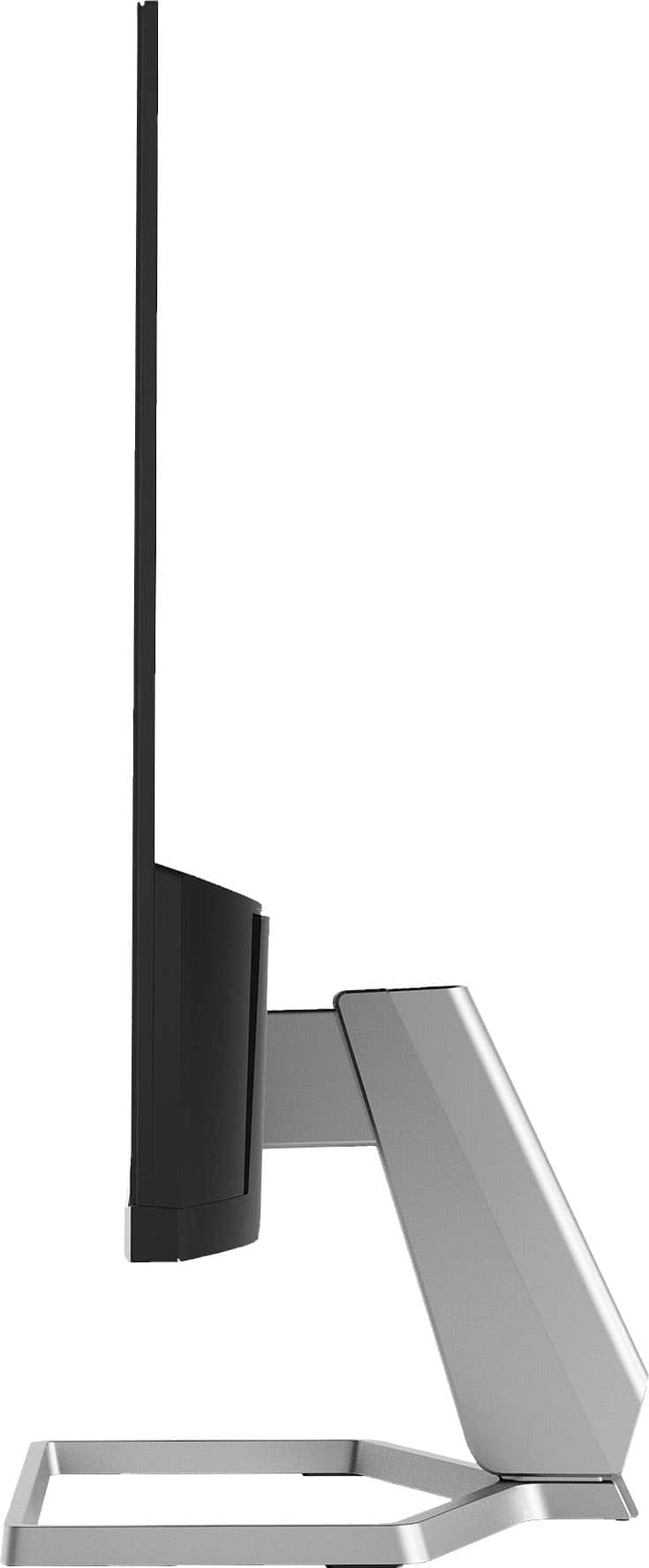
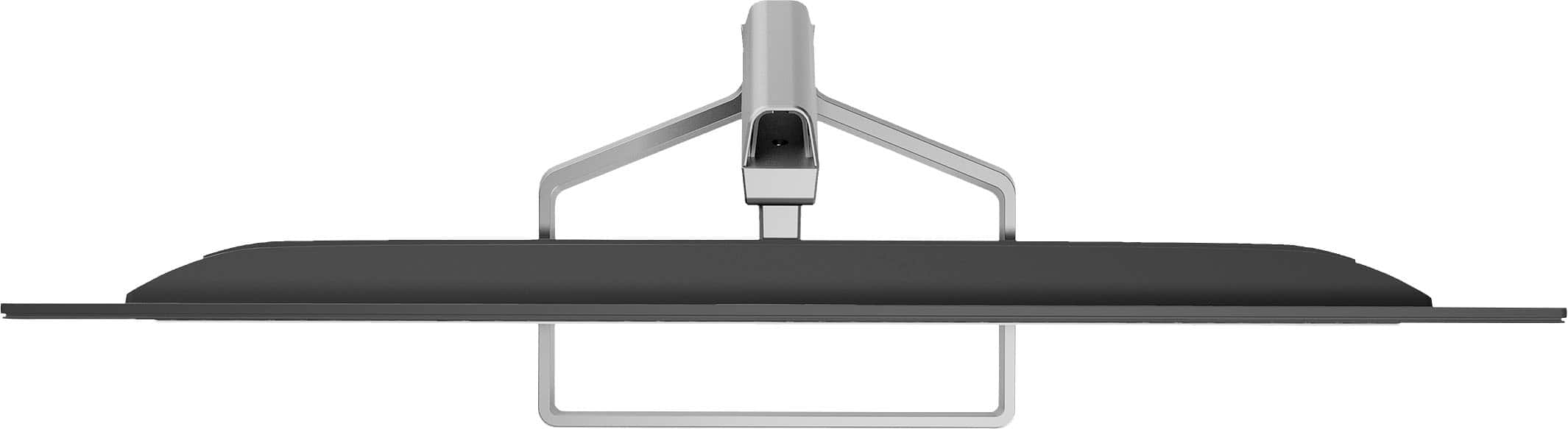
|Posted .This reviewer received promo considerations or sweepstakes entry for writing a review.This monitor has sleek looks and excellent video quality. The image extends out to about 5 mm from the edge on the tops and sides. It goes right to the bezel on the bottom. Cables are easily hidden in the stand for a really clean look on a desk. The body of the stand sits perpendicular to the monitor to give it a really thin appearance, and the base of the stand is basically just a loop. On-screen, I am really impressed with the refresh rate. I have the monitor connected to a computer with multiple monitors, all running on the same video card. Image clarity in still images is about the same, but this monitor seems to stand out when it comes to motion. Playing the same video on both monitors in the same video quality, I can see that this monitor does a much better job at keeping up with rapid movement. There is less blur at high speeds. Colors and still images are crisp, clear, and bold. I tried all of this both with and without FreeSync. It is important to note, as I learned, that FreeSync is only available through a compatible AMD video card via an HDMI connection. My card only has one HDMI port and it was clear that converting the signal from Display Port to HDMI did not allow the FreeSync to function. The monitor itself, still looked great. It just was not possible to enable FreeSync unless it was a direct HDMI connection to the card. This could be an important consideration for someone who uses multiple monitors (like me). I can only enable FreeSync on one of my monitors unless I add another video card. For that one connection, it still looks great! The only negative I have found so far is that this monitor is not VESA compatible. Third party adapters exist to mount the monitor to a proper mount. My hope would be that HP would produce an adjustable adapter. Many people, both at home and work, have monitor mounts nowadays in order to provide proper ergonomics. In my case, I have the monitor currently sitting on a pile of books to place it in line with my other monitors. This one detail is a huge negative for me. Even if I purchase the adapter to make it VESA compatible, the current adapters on the market are not adjustable. That makes it impossible to integrate it into my existing setup. Based on FreeSync limitations and lack of a good mounting option, I believe that this monitor is great if it is the only monitor a person uses. It is sleek, attractive, and has a beautiful image quality. But, it would not be useful in a multi-screen gaming setup or a commercial environment where ergonomics matter (unless third-party mounting adapters are purchased).
I would recommend this to a friend - Pros mentioned:Screen size
Great Appearance, Average Quality
|Posted .This reviewer received promo considerations or sweepstakes entry for writing a review.If you are looking for a second monitor for average daily use - this might fit the bill. Impressive? No. Functional? Yes. Look there isn’t anything mind blowing about this HP monitor, and there are improvements that could be made. But one must consider their individual use case, budget, and overall needs. I used this monitor with a Macbook Pro M1 and an HP Elitebook w/ Intel i5 running Windows 10. Unless otherwise stated, my comments pertain to both systems. Aesthetically this is one beautiful monitor. Incredibly thin bezels, sleek, modern design, and a pleasing form factor. The overall build quality is average to decent. It is lightweight and easy to move. The included stand also has a nice look, however you are stuck with this stand. You cannot attach this monitor to another mount. I think HP missed the mark on this. There is no height adjustment, which is another improvement that needs to be made. However there is a pretty stellar tilt adjustment, and the base attachment can be used to manage / hide cords and cables. That is a nice touch as it helps to keep the workspace tidy. For those who use VGA you’ll be happy to know that is one of the two methods you can use to connect. The other is HDMI. I did not utilize the VGA connection, only the HDMI. Setup was quick and both computers recognized the monitor and immediately mirrored my screen. Rendering was flawless and quick. Color quality and resolution were fine. I did not experience any wow factor here, but I also wouldn’t say anything negative about the quality. It’s does a nice job of reducing glare, and the viewing angles are above average. I found eye strain seemed to be a bit reduced. A drawback I found, which isn’t really advertised, is with the FreeSync capabilities. FreeSync is not compatible with all processors.AMD seems to be the only processor where FreeSync works. For many, having a dynamic refresh rate may not be an issue or concern. But for those who find this important, be sure to check your processor for compatibility. Overall this is a pretty decent monitor that is likely to meet many user’s needs. Taking all things into consideration, can I recommend this monitor? Maybe. Likely. General use cases such as web browsing, emails, general office work - yes, definitely. Gamers, graphic artists, and similar intense users - no. But for the audience HP seems to be targeting here, this should work just fine.
I would recommend this to a friend - Pros mentioned:Ease of use, Screen size
love this display!!!!
Posted .This reviewer received promo considerations or sweepstakes entry for writing a review.this was so easy to set up, and this is coming from someone who rarely deals with anything electronic. it’s perfect for my work-from-home setup and connects to my Macbook easily
I would recommend this to a friend - Pros mentioned:Screen size
Excellent Picture Quality, Minimal Freesync Value
|Posted .This reviewer received promo considerations or sweepstakes entry for writing a review.The HP M22F 21.5" monitor looks really sleek with a tiny bezel and wire frame style base. Picture quality is outstanding for a "non-professional" monitor - you get an excellent, sharp picture and what feels like a wide and accurate color gamut out of the box. I especially like that this monitor is capable of 75hz at native 1080p resolution, which really helps with eye strain from long days of working on code or spreadsheets. Like some other business oriented displays I've used recently, the M22f has a built in blue light filter mode which can help protect your eyes from long days staring at a screen. What sets this monitor apart from entry level displays and many other business displays I've used are the decent viewing angles (far better than the TN panels in budget displays) and the Freesync capability. The Freesync feature should have a big asterisk, though, since this monitor only supports HDMI 1.4 and does not support the more open standards based Freesync you get with HDMI 2.1. That means this monitor will only function as a Freesync display when connected to AMD graphics adapters, and not with any Intel or Nvidia chips which can take advantage of the newer version of adaptive sync (or variable refresh rate). I was able to test the Freesync capability using an AMD Ryzen 5 4500u laptop and I can attest to Freesync performing as promised - quality and input lag are greatly improved vs Vsync on and Vsync off. I'm just bummed out that this HP monitor doesn't support the higher HDMI standards and thus unable to work to its full potential with my desktop or my more gaming oriented laptop. Still, compared to many other 22" screens, the overall quality and 75hz refresh rate of the HP M22F make for a great display that's worth a look.
I would recommend this to a friend - Pros mentioned:Design, Screen size
Perfect monitor for home office
Posted .This reviewer received promo considerations or sweepstakes entry for writing a review.Excellent computer monitor, very light weight and perfect size for home office. Needed a monitor to connect lap top, sits on normal sized desk with plenty of space left over. Up to date display- Easy on the eyes, sleek looking. Good price for this purchase.
I would recommend this to a friend