Customer Ratings & Reviews






- Model:
- 910-006570
- SKU:
- 6516288
Rating by feature
- Value
Rating 4.6 out of 5 stars
- Quality
Rating 4.9 out of 5 stars
- Ease of Use
Rating 4.8 out of 5 stars
Customers are saying
Customers are pleased with the MX Master 3S for Mac, highlighting its excellent ergonomics, long battery life, and smooth scroll wheel functionality. Users also appreciate its overall performance with Macs, ease of use, and seamless compatibility with macOS gestures. Some customers have noted the mouse's larger size and weight, while others have reported concerns regarding the software and occasional lag.
This summary was generated by AI based on customer reviews.
- Pros mentioned:Battery lifeCons mentioned:Size

Great "Windows" Experience for the Mac Ecosystem
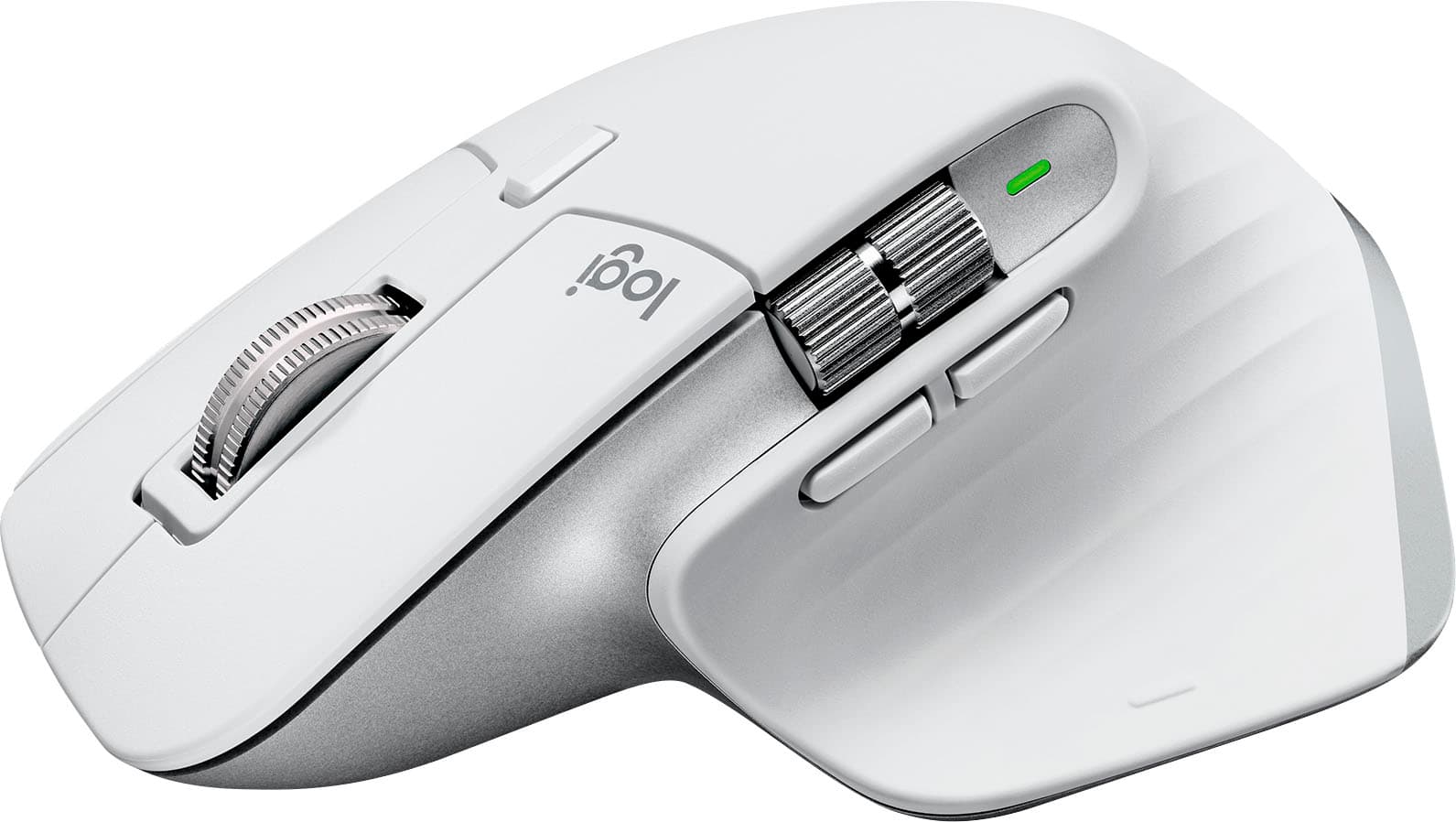
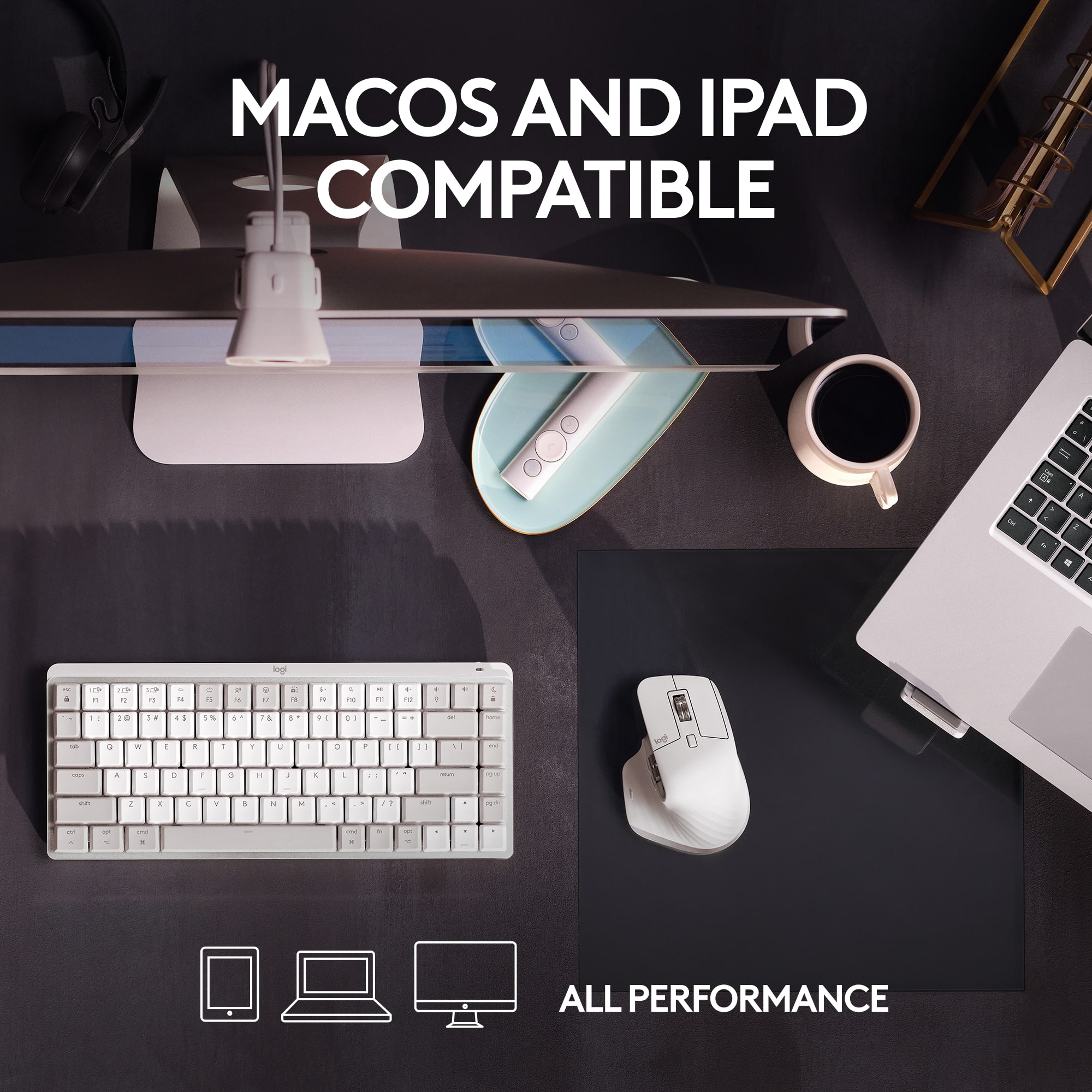
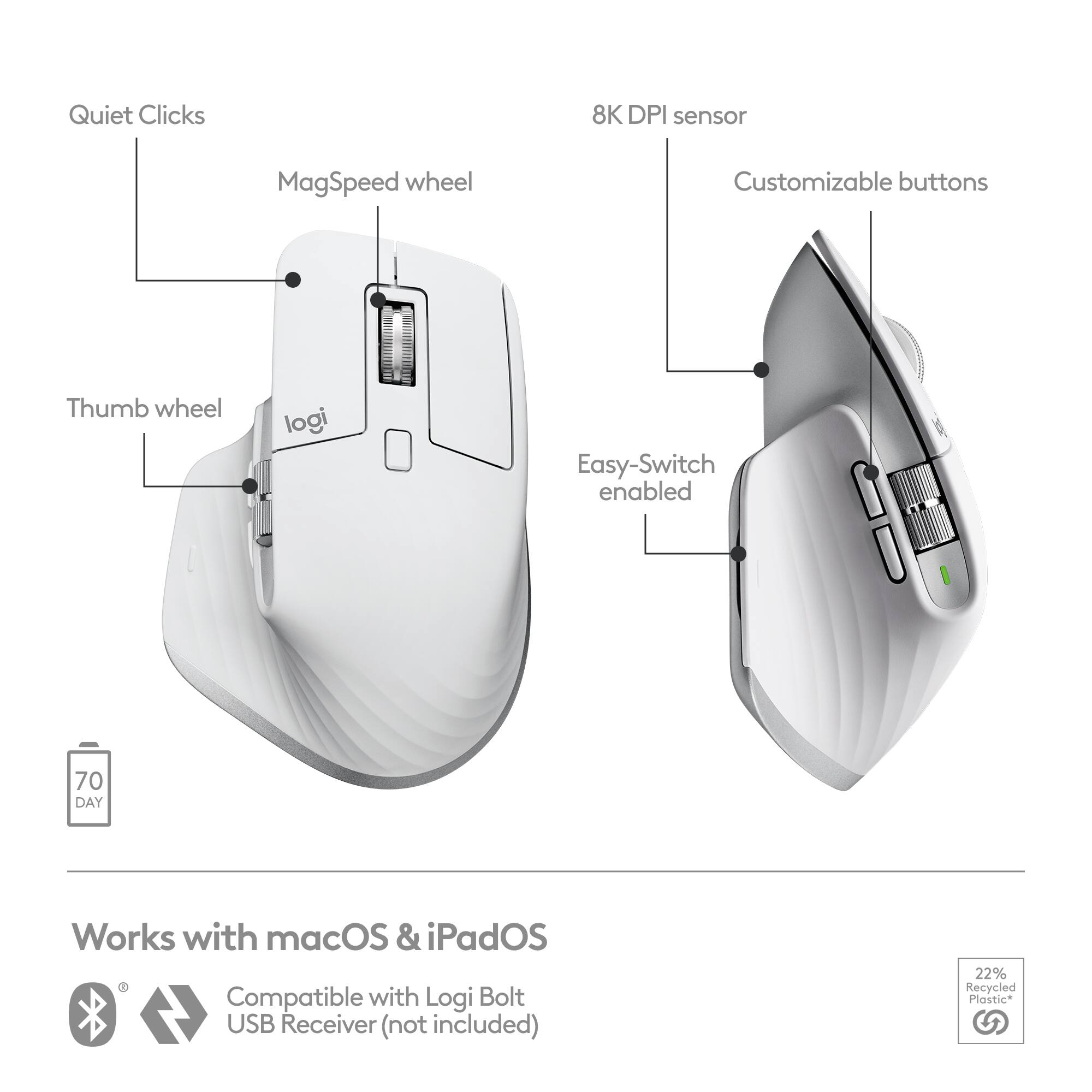
|Posted .This reviewer received promo considerations or sweepstakes entry for writing a review.If you have been a dual OS guy who switches between Windows and MacOS, you know that something is quite missing from your otherwise excellent MacOS experience, especially when you use your mac for video and photo editing. Mouse is much more common in the Windows ecosystem. The Logitech MX Master 3S gives you reliable conventional mouse experience for MacOS. This specific model is designed to work with MacOS so it’s important to get the model number right if you want to get a mouse that works with Windows. This is an ergonomic and comfortable mouse to use. The build quality feels great and durable. You connect the mouse to your Mac via Bluetooth LE. Battery life is also very good and will last for more than a month. I like the fact that it comes with built-in battery. Just 1 minute of charging, it can give you 3 hours of battery. The click sound is very quiet. If you want to pair it with external dongle, it will only work with the new Logi bolt dongle that you have to purchase separately. It will not pair with other Logitech dongle that comes with your older keyboard and mouse. It’s an accurate mouse with 8K DPI sensor, and it gives you a lot of buttons and scrolls that you can customize/ remap further. You have to install the Logitech software in order to scroll smoothly with the mouse; just enable the smooth scrolling feature. The main use for the mouse is office works and it’s also great for video editing and graphic design as it got horizontal scroll and you can remap the button. Logitech even made a big deal about its partnership with Adobe to give better experience for Creative Cloud users. This is not a mouse that you want to rely on if you do gaming competitively, well no one that I know of use would prefer to use Mac for competitive gaming anyway. This is a big mouse that you want to place it on your office desk and the mouse needs enough space to work effectively. It’s quite bulky so if you want to carry it around with your Macbook, you need to toss it to your backpack as it will not fit most laptop sleeves along with your laptop. Cool tip, this mouse works with iPads, too. So if you got an iPad Pro 12.9 with Bluetooth keyboard, this mouse will complete that setup very nicely. Overall, this is a great mouse for the Mac ecosystem.
I would recommend this to a friend Great but could be better
||Posted . Owned for 1 week when reviewed.This reviewer received promo considerations or sweepstakes entry for writing a review.Overall, I really like this mouse. The only thing I want is for the buttons to be fully customizable. You can customize by selecting from a drop down menu but the menu is limited and is not all inclusive.
I would recommend this to a friendCursor does not follow properly
||Posted . Owned for 2 weeks when reviewed.This reviewer received promo considerations or sweepstakes entry for writing a review.This mouse is not as premium as advertised. Although it has a lot of functionalities, the basic function of cursoring following does not work properly. The return period is only 14 days. Now I am stuck with this mouse. I advise you not to buy this product.
No, I would not recommend this to a friendBrand response from Logitech
Posted .We apologize for the cursor tracking issues you're experiencing with the Logitech MX Master 3S for Mac mouse. To address this issue, we recommend reaching out to our social care team via email at socialcare@logitech.com with your
- Name:
- Email Address:
- Country:
- Product Name:
- Brief description of issue:
Connection issue.
||Posted . Owned for 3 weeks when reviewed.This reviewer received promo considerations or sweepstakes entry for writing a review.Blu-tooth keep dropping out when connected to Mac mini. Return and purchase one with receiver for hassle free connection.
No, I would not recommend this to a friendBrand response from Logitech
Posted .We're sorry to hear you experienced Bluetooth connection drops with your mouse on your Mac mini, leading you to return it for a model with a receiver. We understand the frustration of intermittent connectivity and apologize for any inconvenience this issue caused.

MX3 Mouse
||Posted . Owned for 3 weeks when reviewed.This reviewer received promo considerations or sweepstakes entry for writing a review.Love it never thought it mouse would be so comfortable to use.
I would recommend this to a friendBest ergo mouse!
||Posted . Owned for 1 week when reviewed.This reviewer received promo considerations or sweepstakes entry for writing a review.I have the previous gen for 5 years! Upgrading to this one.
I would recommend this to a friend- Pros mentioned:Ergonomics, Scroll wheel
The Logitech MX Master 3s is the Master of Input
|Posted .This reviewer received promo considerations or sweepstakes entry for writing a review.The Logitech MX Master, Logitech MX Master 3, and the Logitech MX Master 3s including the Mac versions are superb office mice (and in my opinion very suitable for casual style gaming) belong to the same lineup. The Master 3s is the third updated version of the original and has a functional increase in usability along with retaining the existing superb human factors of interface design utilized in the design for the preceding two versions. Logi has retained the premium-feeling scroll wheels, the thumb rest and convenient scroll wheel and buttons. It connects wirelessly through Bluetooth or the included USB receiver and can pair with up to three devices simultaneously for easy switching between them. Note: Just for gamers, competitive people, and those needing a short escape from whatever – the 8000 dpi sensor of the 3s (better for casual gaming) – allows you to play a game now and then – you do don’t you? The added precision also allows for better more precise drawing. The much quieter key clicks (along with the same effort) for me equals less aural fatigue. The overall design ergonomics and construction provide a mouse that is a true pleasure to use that should be serviceable for many years. This mouse truly puts you on the fast-track.
I would recommend this to a friend - Pros mentioned:Battery life, Ergonomics
Awesome Mouse
|Posted .This reviewer received promo considerations or sweepstakes entry for writing a review.This is a very nice mouse. I am using it with my new MacBook Air. The black blends well with the color of the MacBook. I have to say this was the easiest mouse I have set up. There were no wires that needed to be connected, just connect via bluetooth. It took literally seconds. The mouse is very responsive. The roller ball on top works well. I was able to navigate on the web and other apps with ease. The shape of the mouse is very comfortable to grip. It has a space for your thumb to lay, making it extra comfortable. All of the buttons are easy to navigate. I do wish it at least came with a guide as to what the silver button does. Still trying to figure that out, along with the two buttons beneath it. Not a big deal. There is a cord included to charge the mouse. It is supposed to stay charged for a few days. It is also supposed to be able to work with some iPads, I will have to try that next, just to see, but I only plan to use this with my MacBooks. It takes seconds to pair to different devices. I am very pleased with this mouse. I highly recommend it.
I would recommend this to a friend - Pros mentioned:Battery life, Scroll wheel
Perfect Fitting - Best Quality
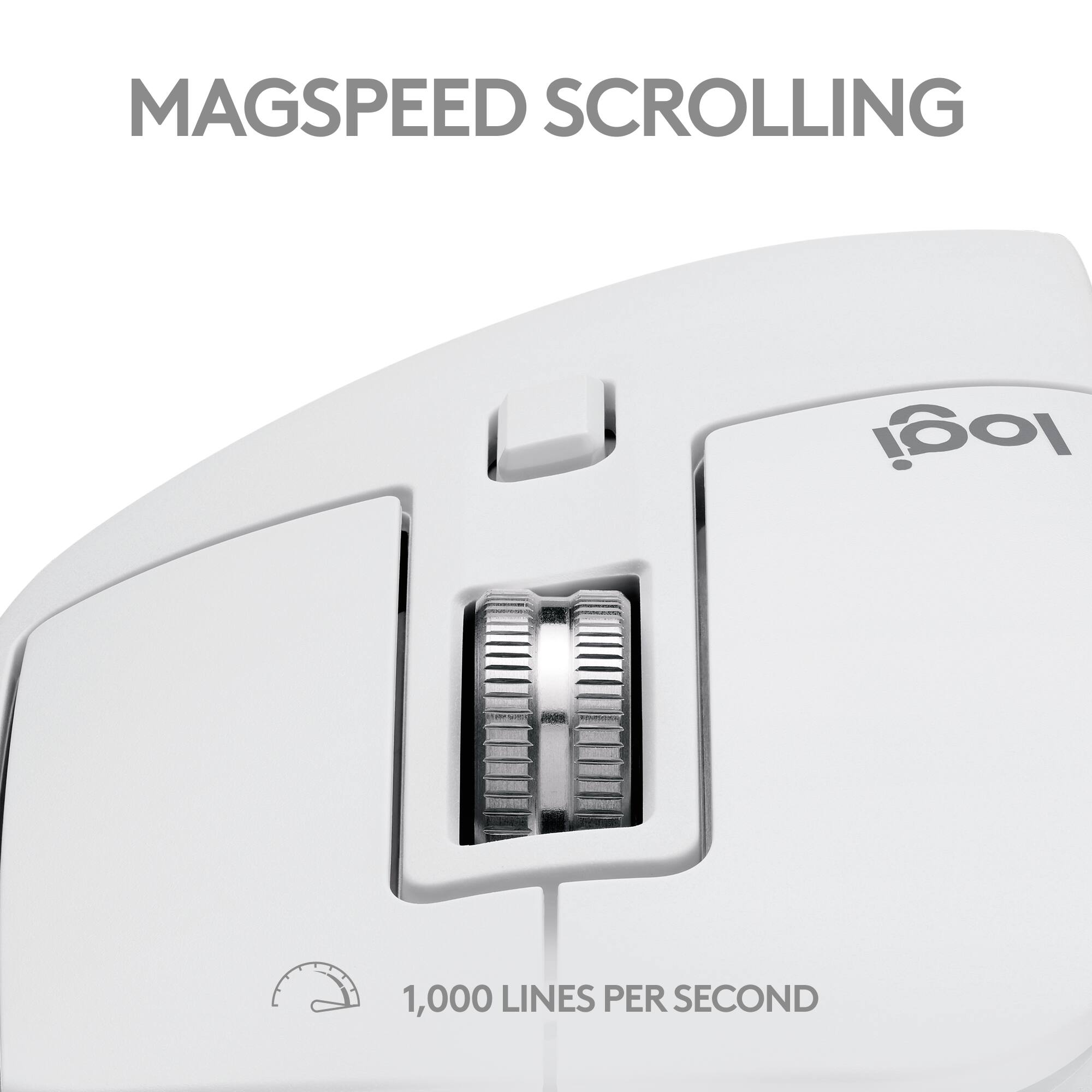
Posted .This reviewer received promo considerations or sweepstakes entry for writing a review.I recently purchased the Logitech MX Master 3S for Mac Bluetooth Laser Mouse in Space Gray, and I couldn't be more pleased with my decision. This mouse is truly a game-changer for anyone who spends a significant amount of time working on a computer. The first thing you'll notice about the MX Master 3S is its impeccable build quality. Logitech has crafted this mouse with premium materials that not only feel great in hand but also look sleek and professional on any desk setup. The Space Gray color perfectly complements my Mac, adding a touch of elegance to my workspace. One of the standout features of this mouse is its ergonomic design. The MX Master 3S is meticulously contoured to fit the natural shape of your hand. As someone who spends hours on end at the computer, having a mouse that supports my hand and wrist is crucial. The well-thought-out design allows my palm to rest comfortably, reducing strain and preventing fatigue even after prolonged use. The thumb rest is perfectly positioned, providing additional support and comfort. The ultrafast scrolling feature is another highlight. Whether I'm browsing through lengthy documents or scrolling through web pages, the precision and speed of the scroll wheel are unmatched. The MagSpeed Electromagnetic scrolling is incredibly smooth and silent, making the whole experience seamless and efficient. You can easily switch between ratchet and hyper-fast scrolling modes, which is a fantastic addition for different types of tasks. Connecting the MX Master 3S to my Mac was effortless. The Bluetooth connectivity is robust and reliable, with no lag or dropouts. The mouse's performance is top-notch, with accurate and responsive tracking on various surfaces. The laser sensor ensures precise movements, making it ideal for detailed graphic design work or gaming. The Logitech Options software allows for extensive customization, tailoring the mouse's buttons and functions to suit your workflow perfectly. Whether you need specific shortcuts for your applications or want to adjust the sensitivity, the software provides all the necessary tools to optimize your experience. Lastly, the battery life is exceptional. A full charge lasts for weeks, and even a quick charge can provide hours of use. This reliability means I don't have to worry about the mouse dying in the middle of an important task. In conclusion, the Logitech MX Master 3S for Mac is an outstanding investment for anyone seeking a high-quality, ergonomic, and versatile mouse. Its superior build, comfortable design, and advanced features make it a must-have accessory for Mac users. I highly recommend it to anyone looking to enhance their productivity and comfort!
No, I would not recommend this to a friendBrand response from Logitech
Posted .Hey there! We at Logitech are thrilled that you're loving your MX Master 3S for Mac! It sounds like it's become a key part of your productivity setup.
- Pros mentioned:Battery life
Excellent Mouse for Mac
|Posted .This reviewer received promo considerations or sweepstakes entry for writing a review.Logitech makes some of the best mice and keyboards and the MX Master 3S for Mac provides exceptional performance and accuracy. The mouse features USB-C charging and an LED light on the side of the mouse provides an indication of charging state of the mouse. On the underside of the mouse is a slide switch that turns the mouse on and off so you can save the battery while it is not in use. There is also another button that allows you to switch between one of three paired Macs. This is especially useful if you have a Mac desktop at home and a MacBook Pro/Air for use while on the move. The mouse is exceptionally comfortable to use in the hand, even for extended periods of time. I mentioned above that the mouse is highly accurate, this is in part due to the 8K DPI sensor. When using the mouse with applications such as Adobe Photoshop, Lightroom, Illustrator or Unity 3D, you'll appreciate this accuracy. The mouse is also compatible with iPadOS and so the third device you can pair this mouse with, could be an iPad.
I would recommend this to a friend - Pros mentioned:Battery life, Scroll wheel
Still the best mouse on the market.
|Posted .This reviewer received promo considerations or sweepstakes entry for writing a review.The Logitech MX Master series of mice is, in my opinion, host to some of the best productivity mice ever designed. They're comfortable, feature rich, durable, and work on just about any surface you might come across. The newest mac focused version carries on this tradition, opting to refine what works rather than reinvent the wheel. My first impression on getting the mouse out of the box were positive. Unlike a lot of Logitech's more gaming focused offerings this mouse puts a high priority on battery life, and it's reflected in the heavy (though not uncomfortable) feel in the hand. The shape is only subtly refined from the previous versions of the MX master, which were essentially identical to one another. They've lengthened and narrowed the body somewhat, which I'll admit I found to be slightly less comfortable to hold than the old form factor but my girlfriend (who has smaller hands than me) rather liked. You also get two machined metal wheels, one operated by your thumb and the other by the middle finger. The vertical wheel has an updated version of their smooth scroll tech which lets it dynamically switch between providing detents or just a smooth wheel depending on how fast you flick the wheel. While this seems like a very small detail I've found it invaluable for scrolling through code, documents, or web pages quickly. The rest of the buttons are springy and remarkably silent. While I wouldn't generally call Logitech mice loud they very much feel like it when compared to this one, which seems to talk exclusively in polite whispers. The only thing I found somewhat disappointing is the decision not to include a USB receiver like you get in the PC branded version, which in my experience generally offers more reliable performance than Bluetooth. Granted this isn't something that would work with a lot of modern macs, but it seems like it would be nice to have regardless. The Bluetooth pairing process is straightforward, and if that's all you want to do you can be ready to go in just a few seconds. Power users however will likely want to take the time to install the Logi Options+ utility, which allows for more detailed customization and unlocks a lot of the mouse's more flashy features including the ability to seamlessly move between multiple paired devices on the same network, per application control mapping, and adjusting the sensitivity on the optical sensor. Having dedicated buttons for undo/redo and using the side wheel to adjust the brush size in photoshop seems like it could have a huge impact on my overall workflow, though admittedly I suspect it will take me a while to retrain myself to reliably use them. And, in case anyone was wondering, it works just as well on PC. The only thing that left me somewhat confused is what exactly makes this a "Mac" mouse as opposed to just a standard MX Master 3S (which, it should be pointed out, also works with mac and has access to the same utilities.) From where I sit it kind of looks like they just decided to slap a new slip cover on the box rather than changing the design. That said I'm also not entirely sure that's a bad thing when the base product is already this good. As such even with the somewhat confusing branding, I have no issues recommending it to anyone looking for a high quality Bluetooth mouse, regardless of your platform of choice.
I would recommend this to a friend Awful on Mac
||Posted . Owned for 1 month when reviewed.This reviewer received promo considerations or sweepstakes entry for writing a review.It jitters like crazy when scrolling on a Mac. Have to download 3rd party software to alleviate it, but that doesn’t often work. Not remotely worth $100.
No, I would not recommend this to a friendBrand response from Logitech
Posted .Sounds troublesome and we apologize for the inconvenience. Your feedback is valued and will be shared accordingly. Please contact Logi Support for assistance with any product-related issues.
- Pros mentioned:Battery life
Fantastic for multi device apple users
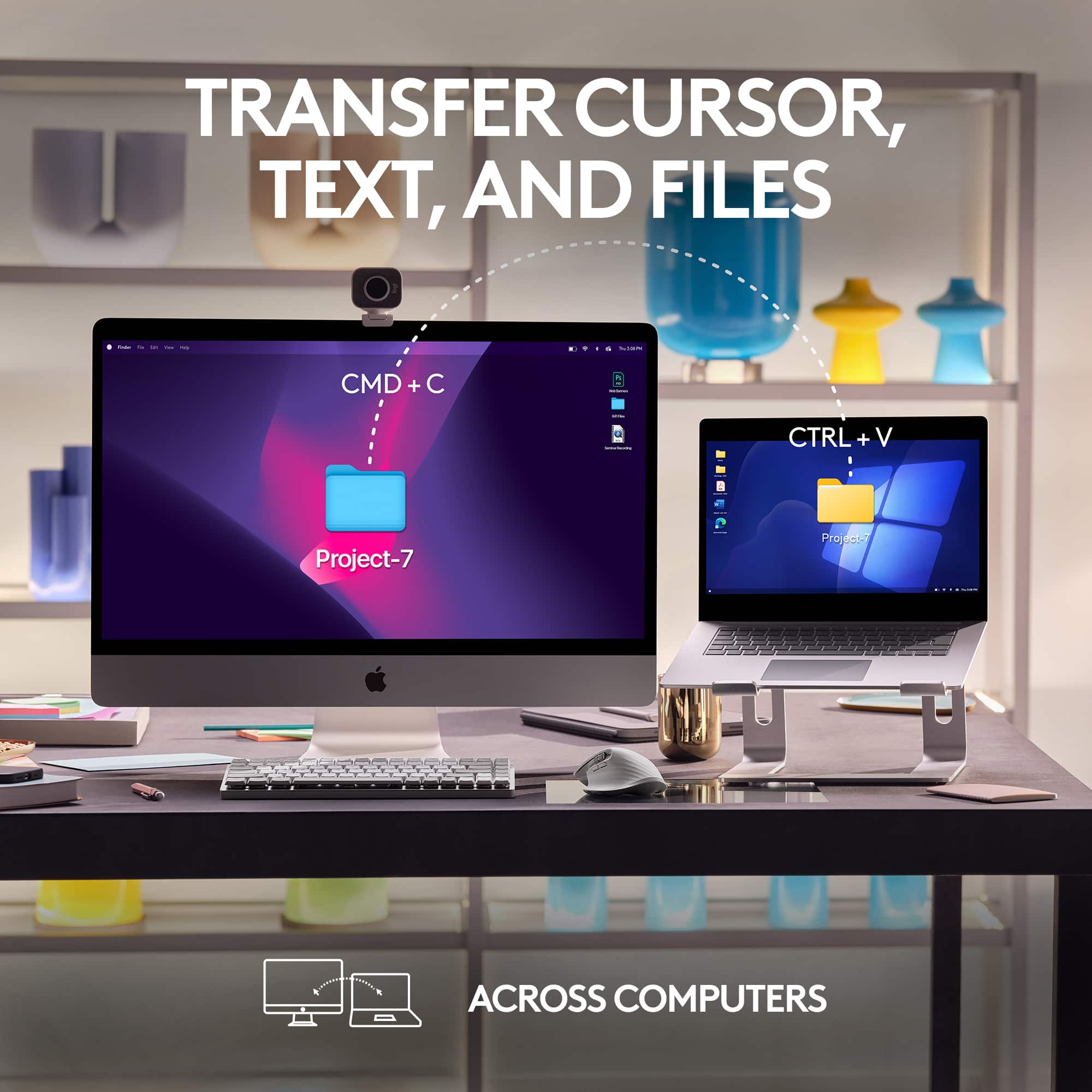
|Posted .This reviewer received promo considerations or sweepstakes entry for writing a review.The Logitech MX Master 3S is a fantastic mouse. I have had the PC Version of this mouse for some time now, and that one has been a stalwart device. Since I have an M1 Mac Mini I figured I would give my other one to my spouse and use this in its place. It does the same job I am accustomed to with extraordinary battery life, flawless tracking, and tons of buttons for mapping to different functions via the Logitech Options app. The biggest differences are that it has space grey accents instead of being totally black and does not support the old unifying receiver instead opting for primarily Bluetooth or the new bolt USB wireless receiver that it does not include. I stuck with the Bluetooth route which works great on my Mac. Syncing it is easy and with the Logi Options app available and supported on Mac everything is just as useable on Mac as on PC. Just like the PC counterpart it can be synced with 3 devices at once with a small button on the bottom as a toggle between devices. I was also able to sync it up with my iPad and it worked just as well there as on my Mac. Using a mouse on iPad is an experience that takes some getting used to, but it is a nice alternative especially if you have a keyboard for it as well. It is comfortable to use for long sessions, and I had no trouble with connectivity or tracking on tons of surfaces including a thick clear vinyl covering on my kitchen table. If you are an apple user and want a mouse that has far more functionality, battery life, and comfort than other options out there make this your first choice. It is by far my favorite mouse I have ever used alongside the PC version.
I would recommend this to a friend Not worth the money
||Posted . Owned for 2 weeks when reviewed.This reviewer received promo considerations or sweepstakes entry for writing a review.I paid a lot for this super fancy mouse and I have no idae how to use the moves i had in apple mouse.
No, I would not recommend this to a friendBrand response from Logitech
Posted .Do not worry. In order to help you effectively, please provide your information to our support team by emailing socialcare@logitech.com. Name – Email address – Country – Product name – Brief description of the issue –
- Pros mentioned:Battery life, Scroll wheel
my favorite mouse
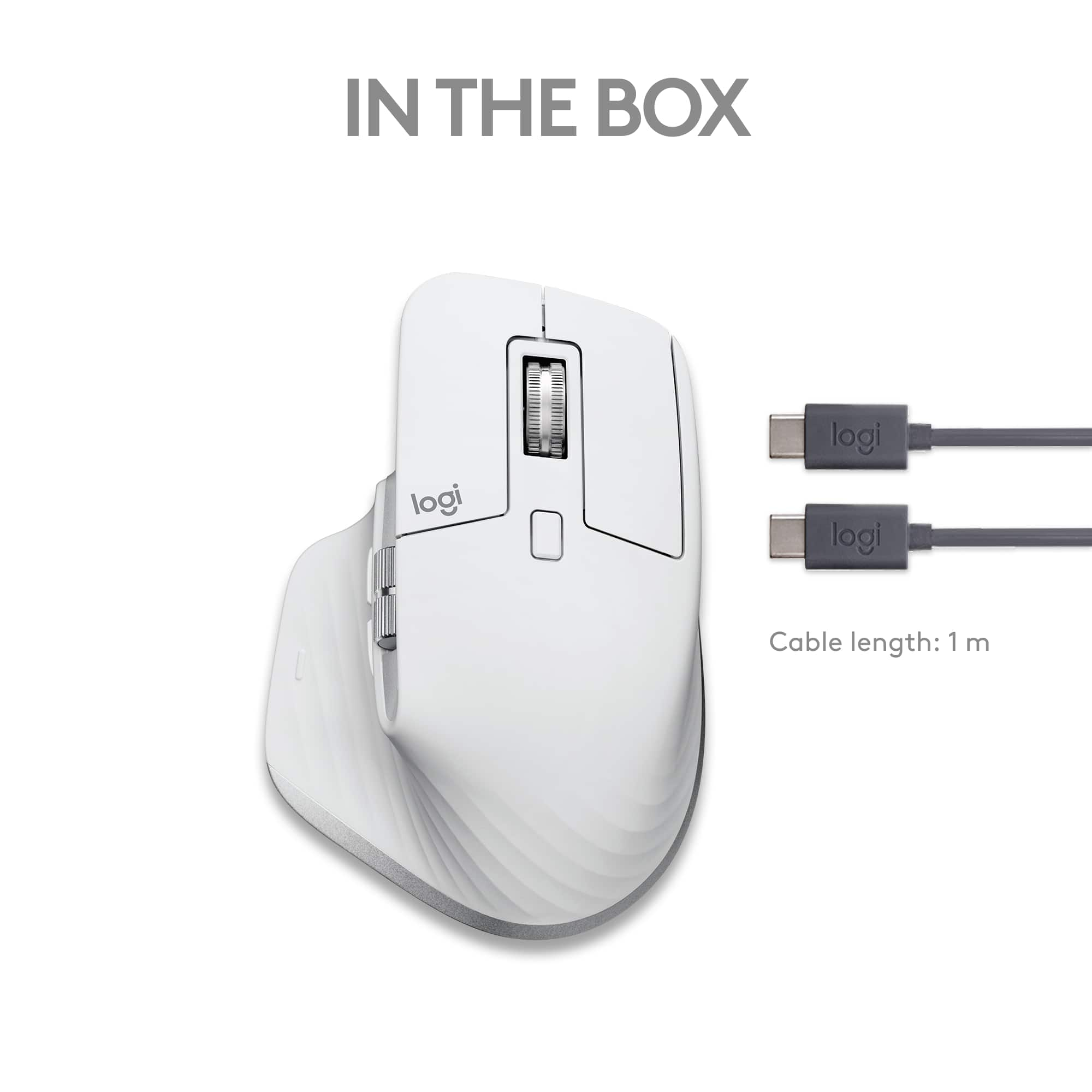
|Posted .This reviewer received promo considerations or sweepstakes entry for writing a review.I love this mouse. I also had its predecessor, which was my favorite until this one. What's in the box: the mouse itself, usb charging cable, receiver dongle. Setup: VERY easy. You can connect this mouse via bluetooth for basic setup, with no extra software needed. You can also install the Logitech software to unlock all of the features. You do NOT need to use the dongle, but can if your computer does not have the required bluetooth hardware. Windows and Mac OS will also automatically pop up with the link to download the Logitech software if you'd like. This mouse can connect to 3 separate devices, and you switch with a simple button click on the bottom of the mouse. Use: Again, I love this mouse. The grip is very comfortable, with a nice feel. The two scroll wheels are made out of metal, and the rest of the buttons are a nice feeling plastic. The main scroll wheel has a nice click to it, and has a user adjustable speed at which the click goes away and it free wheels. You can also push a button to make it always free wheeling. The side scroll wheel does a horizontal scroll, and next to that wheel has two buttons which are adjustable but I use them for forwards and backwards (web page browsing for example). This is a laser mouse, but somehow, via magic, is able to be used on glass. This updated version also has insanely quiet . Insanely. Overall: Get this mouse. battery life is amazing and the feeling is great.
I would recommend this to a friend - Pros mentioned:Scroll wheel
MX 3 series Mac are the best
|Posted .This reviewer received promo considerations or sweepstakes entry for writing a review.This mouse is one of the best mice I have used to date. I have like the MX series and this one exceeds the previous models I have used. They are always smooth and very comfortable to use. This mouse can be used on quite a few surfaces including glass. The mouse has 8,000 dpi tracking. It also has gestures mode if you download the Logitech Option plus software. The mouse comes with a usb-micro to usb-micro cord for charging. I have had this mouse for a few weeks and I have not had to charge the mouse so I have not checked on how many days it holds a charge. Setting up the mouse is very easy and loading the logitech software was easy. The operation of this mouse is very smooth due to the scroll wheel (vertical). In fact you can spin the wheel very fast but it also can be very precise. There is also a horizontal scroll wheel which also is smooth. The buttons do not have the usual clicking sound but the buttons feel almost like a mechanical keyboard click. There are forward and back buttons as well which also are quiet operation. I am purchasing another one for my pc for work.
I would recommend this to a friend - Pros mentioned:Battery life
Great, comfortable, multi-device Mac mouse
|Posted .This reviewer received promo considerations or sweepstakes entry for writing a review.Great mouse. I also have a "regular" MX Master 3 and MX Master 3S which are almost the same, and find it super comfortable in my hand. Even though this one says it is for Mac (maybe just a coloring difference?), I got it to also work fine on my Windows computer. Smooth and responsive on my Mac Mini, MacBook Air and Windows laptop, and I love the option for multiple devices (up to 3) via the USB dongle or bluetooth. Simply flip it over and tap the button. Super convenient since I have multiple computers connected to the same monitor and keyboard setup as well. The side thumb roller wheel is great for panning large Excel files or CAD drawings. Top roller wheel smooth as well. Great battery life, and easy to connect to a charge cord and still use like an "old-time" wired mouse. Definitely recommended.
I would recommend this to a friend It was okay
||Posted . Owned for 3 weeks when reviewed.This reviewer received promo considerations or sweepstakes entry for writing a review.It’s okay. It does have a lag in scrolling though.
No, I would not recommend this to a friend- Pros mentioned:Battery life
BEST MOUSE I'VE HAD IN A LONG TIME
|Posted .This reviewer received promo considerations or sweepstakes entry for writing a review.This mouse is awesome. So many great features that I just love about it. #1. BLUETOOTH CONNECTIVITY: doesn't require the little usb dongle, you can't lose that, it's better range, it's super smooth, it connects every time, you can connect to up to 3 devices and quickly switch between them all as needed. The only complaint one may have here is if you're device doesn't have bluetooth (some older laptops don't) but seriously if you don't have bluetooth it's time to upgrade. #2. SUPER SILENT!!: This mouse has the quietest clicks I've ever heard, or NOT heard. It is near absolute silent with clicks, scroll wheel, even the forward/back buttons. Really nice feature not to hear the constant click - especially if you're a gamer or constant click worker like me. #3. FULLY CUSTOMIZABLE: Remastered for Mac which it work tremendously well with but this mouse is also a flawless pair with ipad, iphone, windows pc's and tablets. This mouse really does it all and is incredibly easy to setup-customize and use. Setup was scary simple, I connected it to the laptop via bluetooth and then it downloaded, installed and opened the customization software all without me needing to do anything!!! I was the quickest and easiest mouse setup/customization I've ever done! #4. ERGONOMIC DESIGN: This has a nice ergonomic, well-contoured design. The curves and shapes are nice. Only complaint here is that it seems a little too large top to bottom for me. I'm average size male, hands aren't small but not huge and this just seems a little thick in my palm. Some may like this feel, some may not, just a personal preference I think and how much you like your wrist flexed or not. #5. USB-C CHARGE/QUICK CHARGE: Super speedy charge and awesome battery life. I love that the app shows charge level and updates as it charges so I know where battery life is at any given moment. The mouse came about 50% charged, took about an hour to top off to 100% and I've been using it about 2 weeks without need another charge yet so fantastic battery life as well. Overall this is just a superb specimen of a mouse for a mix of any usage. I've had a lot of them over the years and this one is about the best one I've had for all the reasons listed above. Just a really solid all-around great device.
I would recommend this to a friend Didn’t work well for me
||Posted . Owned for 3 weeks when reviewed.This reviewer received promo considerations or sweepstakes entry for writing a review.When first plug into both my iMac mini’s it worked with some spotty connection off/on. Tried in morning and wouldn’t connect on one and kept dropping off.
No, I would not recommend this to a friendBrand response from Logitech
Posted .We're sorry to hear about the experience. Ensure that your Logitech device is in close range of your computer. If the problem persists, feel free to reach out to our support team for further assistance.