Customer Ratings & Reviews

- Model:
- B09BZZ3MM7
- SKU:
- 6522377
Rating by feature
- Value
Rating 4.6 out of 5 stars
- Quality
Rating 4.7 out of 5 stars
- Ease of Use
Rating 4.7 out of 5 stars
Customers are saying
Customers regard the Fire TV Cube as a high-performing device, noting its speed and ease of use. Users appreciate its streaming capabilities, voice control, and ample storage space. While some concerns exist regarding the price, the device's overall performance and features like Wi-Fi 6 and the included remote are generally well-received.
This summary was generated by AI based on customer reviews.
Meh
||Posted . Owned for 3 weeks when reviewed.This reviewer received promo considerations or sweepstakes entry for writing a review.Like most things made by Amazon, it’s so so. All their stuff is cheaply made and only seems to work good for a week before bugs crashing and lagging occurs.
No, I would not recommend this to a friend- Pros mentioned:Ease of use
Love it
||Posted . Owned for 1 month when reviewed.This reviewer received promo considerations or sweepstakes entry for writing a review.Love. Use it to download my apps and watch all my favorite shows.
I would recommend this to a friend Fire TV Frustrations
||Posted . Owned for 3 weeks when reviewed.This reviewer received promo considerations or sweepstakes entry for writing a review.This fire TV will not work with a Klipsch soundbar
No, I would not recommend this to a friendBrand response from Amazon Devices Customer Support
Posted .Hi ChuckS,
Thank you for sharing your feedback about the Fire TV Cube. I'm sorry to hear you're experiencing compatibility issues with your Klipsch soundbar—that's definitely frustrating when you expect your devices to work together seamlessly.
The Fire TV Cube should be compatible with most soundbars, including Klipsch models, through HDMI-ARC/eARC or optical audio connections. Here are some troubleshooting steps that may help resolve the connection issue:
Check HDMI-ARC connection: Ensure the Fire TV Cube is connected to your TV's HDMI-ARC port, and that your Klipsch soundbar is also connected to the TV's HDMI-ARC port (or optical audio output)
Enable HDMI-CEC: Go to Settings > Display & Sounds > Audio > HDMI-CEC Device Control and make sure it's enabled on both your TV and Fire TV Cube
Adjust audio settings: Go to Settings > Display & Sounds > Audio and try different audio output options (Dolby Digital, Stereo, or Auto)
Update firmware: Ensure both your Fire TV Cube and Klipsch soundbar have the latest firmware updates installed
Try optical connection: If HDMI-ARC isn't working, connect your soundbar to the TV via optical cable instead
If these steps don't resolve the compatibility issue, I'd recommend contacting our support team at 1-888-280-4331 or through the Amazon app. They can help troubleshoot further and may have specific guidance for your Klipsch soundbar model. You might also want to reach out to Klipsch support to ensure your soundbar is configured correctly for external devices.
Your feedback about this compatibility challenge is valuable and helps us identify where additional support or documentation may be needed.
Fire cube
||Posted . Owned for 3 weeks when reviewed.This reviewer received promo considerations or sweepstakes entry for writing a review.Much improved over previous box. Great for tv and streaming.
I would recommend this to a friendNot all that special
||Posted . Owned for 3 weeks when reviewed.This reviewer received promo considerations or sweepstakes entry for writing a review.Thought this had some extra features that a regular firestick didnt have, unless Im using it wrong dont really see a difference. Just stick with a firestick.
No, I would not recommend this to a friendAmazon cube
||Posted . Owned for 1 month when reviewed.This reviewer received promo considerations or sweepstakes entry for writing a review.Needs to be able to process faster than 100mbps. Too much buffering
I would recommend this to a friendBrand response from Amazon Devices Customer Support
Posted .Hi MaryO, thank you for your feedback on the Fire TV Cube. I am sorry to see you are having issues with buffering. To resolve most streaming issues:
Restart your Fire TV Cube.
Clear app data for Fire TV Cube apps.
Restart your home network devices (for example, modems and routers).
Connect to Ethernet with the included Ethernet-adapter if possible.
Use a High-Speed HDMI cable for streaming titles in 4K Ultra HD.
I hope this information is helpful. Have a great day!
Best cube ever
||Posted . Owned for 1 month when reviewed.This reviewer received promo considerations or sweepstakes entry for writing a review.This is the best Amazon streaming device I’ve owned
I would recommend this to a friendAmazon Fire TV Cube
||Posted . Owned for 4 months when reviewed.This reviewer received promo considerations or sweepstakes entry for writing a review.Returned item to store - didn't need this product
No, I would not recommend this to a friendThe Cube?
||Posted . Owned for 2 months when reviewed.This reviewer received promo considerations or sweepstakes entry for writing a review.For some reason these do not work for me, think it's the TV but for now I'll just do without.
I would recommend this to a friend3gen cube vs 4gen cube
||Posted . Owned for 3 weeks when reviewed.This reviewer received promo considerations or sweepstakes entry for writing a review.More or less the same as the 3gen Vey disappointed of the out hdmi i only got sound no picture when i plug my nintendo switch
No, I would not recommend this to a friendGreat
||Posted . Owned for 2 months when reviewed.This reviewer received promo considerations or sweepstakes entry for writing a review.Great, but remote control didnt last long. Ended up having to purchase a new remote
I would recommend this to a friendAlexa not responding
||Posted .This reviewer received promo considerations or sweepstakes entry for writing a review.This product is not working with samsung neo qled 8k. I have connected through hdmi cable. My old fire stick was better than this expensive fire tv cube
No, I would not recommend this to a friendBrand response from Amazon Devices Customer Support
Posted .Hello Rakesh. Thank you for your review. I'm sorry to hear the Fire TV Cube 3rd Gen isn't working with your Samsung Neo QLED 8K TV. It's especially frustrating since your previous Fire Stick worked well, and I understand your disappointment. Some quick troubleshooting steps that might help: try using a different HDMI port on your TV, ensure you're using the HDMI cable that came with the Cube, check if both devices have the latest software updates, and make sure the Cube's power adapter is plugged directly into a wall outlet, not a surge protector. If you've already tried these steps, you may want to verify your TV's settings are configured for optimal compatibility with external devices. I hope that helps, and have a great day.
Lack of support for kids profile
||Posted . Owned for 8 months when reviewed.This reviewer received promo considerations or sweepstakes entry for writing a review.It does not support kids profile. It defeats the purpose of having a new better one.
No, I would not recommend this to a friendproduct purchased
||Posted . Owned for 1 month when reviewed.This reviewer received promo considerations or sweepstakes entry for writing a review.great customer service item just didnt work as the way i wanted it to
No, I would not recommend this to a friend- Pros mentioned:Overall performance
Cube Calm
||Posted . Owned for 1 week when reviewed.This reviewer received promo considerations or sweepstakes entry for writing a review.So far so good, provides clearer picture, less buffering than Firestick 4K.
I would recommend this to a friend Best Buy RIP-IFF
||Posted . Owned for 1 month when reviewed.This reviewer received promo considerations or sweepstakes entry for writing a review.Please be careful when you spend your money at Best Buy. They are a rip off. I purchased the wrong item. I sent it back after a month. They tell me I sent them an empty box after I kept asking where is my refund? Where is my refund? that’s the answer they gave me that I’ve mailed back an empty box never any proper customer service they brush you off and tell you you were receive a call in two days after trying for 10 times. It’s the same exact words each customer service representative tell you they have in front of them tell you how important you are and then they brush you off you never hear from them again I do not have $119 to throw away. Be careful, they all have a story and a game to play with our money
No, I would not recommend this to a friendTakes control of my TV source.
||Posted . Owned for 1 year when reviewed.This reviewer received promo considerations or sweepstakes entry for writing a review.Keeps taking control of my TV source when I don't want it to. I have it connected on an on off switch so I can turn it off when I don't use it so that it doesn't randomly take control. I know I can disable CEC but when I want to use it, I want it to take control of the video source.
No, I would not recommend this to a friendBrand response from Amazon Devices Customer Support
Posted .Hello Brad! Thank you so much for your feedback and review of your experience with your Fire TV Cube. I can see how your device taking control of your source when you don't want it to can be frustrating. You are correct that you can typically switch off access to your Fire TV Cube from being able to do this through the CEC function of your TV, but as you stated this would prevent you from being able to selectively take control without having to go back into the HDMI setting of your TV. One thing that could assist, is that this device has an HDMI pass through feature that allows you to plug in another source directly through it so that you could potentially not have to change sources for that device. This would limit you to only being able to do this with one additional device unless you were to get an HDMI hub but if you are using only one other device, this may be your best solution. I hope this helps some and that you are able to enjoy everything else about your Fire TV Cube! Thanks again for your feedback and time and I hope you have a great day!
Alexa service
||Posted . Owned for 3 weeks when reviewed.This reviewer received promo considerations or sweepstakes entry for writing a review.It is good decisions because is easy to use and have good service
I would recommend this to a friendFire cube
||Posted . Owned for 2 weeks when reviewed.This reviewer received promo considerations or sweepstakes entry for writing a review.You can download different apps and get lots of free tv channels. Same as firestick but more $$$$$ stick with firestick.
No, I would not recommend this to a friendBrand response from Amazon Devices Customer Support
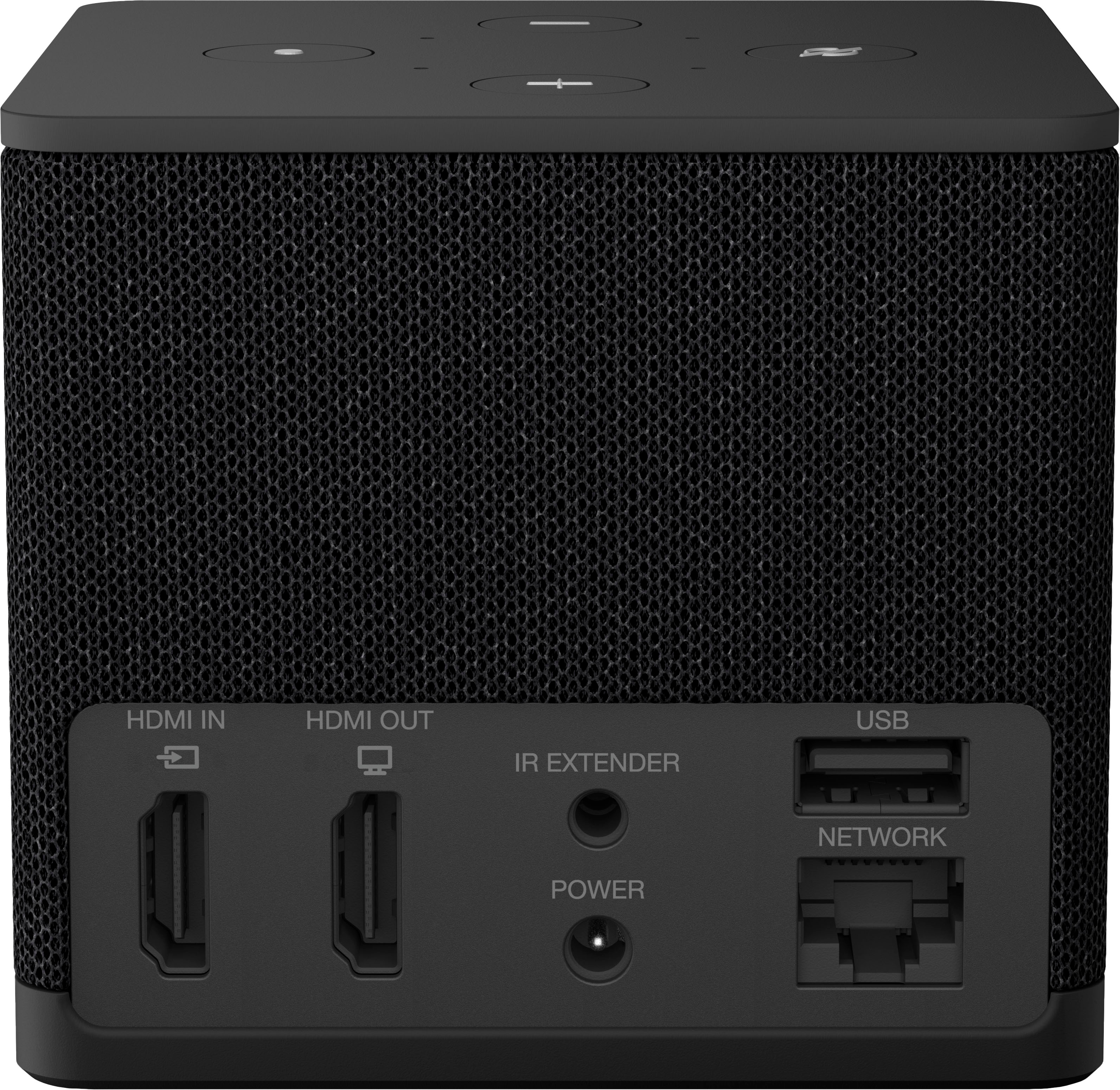
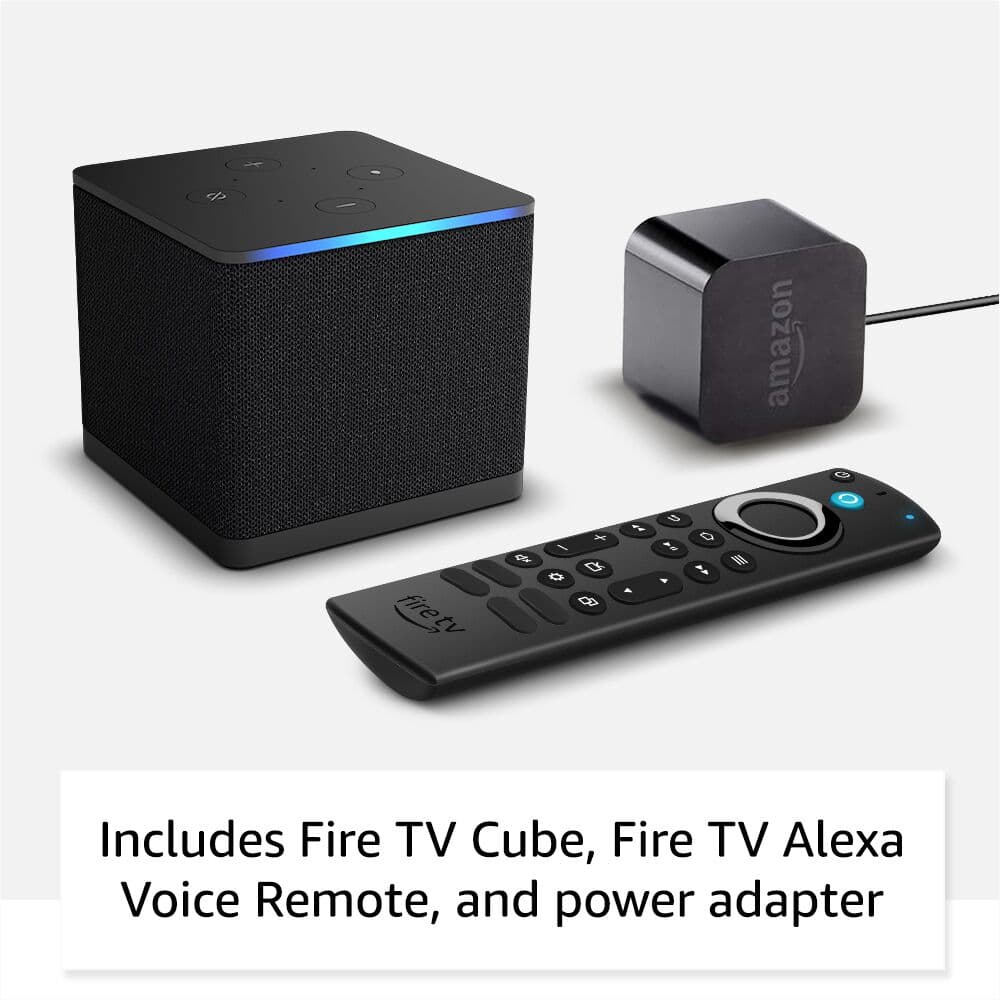
Posted .Hello, JaimeS. Thank you for taking the time to leave a review on the Fire TV Cube. The Fire TV Cube features hands-free Alexa with a built-in mic and speakers - control your compatible TV, soundbar, and receivers with your voice, even from across the room. The Fire TV Cube also features additional ports: an HDMI port so you can connect and control other entertainment devices with just your voice, USB-A 2.0 for added storage, and an Ethernet port 10/100 Mbps for wired access. If you have any questions about the device or need assistance, I recommend reaching out to Amazon Customer Support at 1-888-280-4331. Thank you for providing feedback; have a wonderful day!
It's k, but not great
||Posted . Owned for less than 1 week when reviewed.This reviewer received promo considerations or sweepstakes entry for writing a review.To be honest, my TV functions much faster with 120hz and 480 motion rate. I will Not recommend
No, I would not recommend this to a friend