Customer Ratings & Reviews






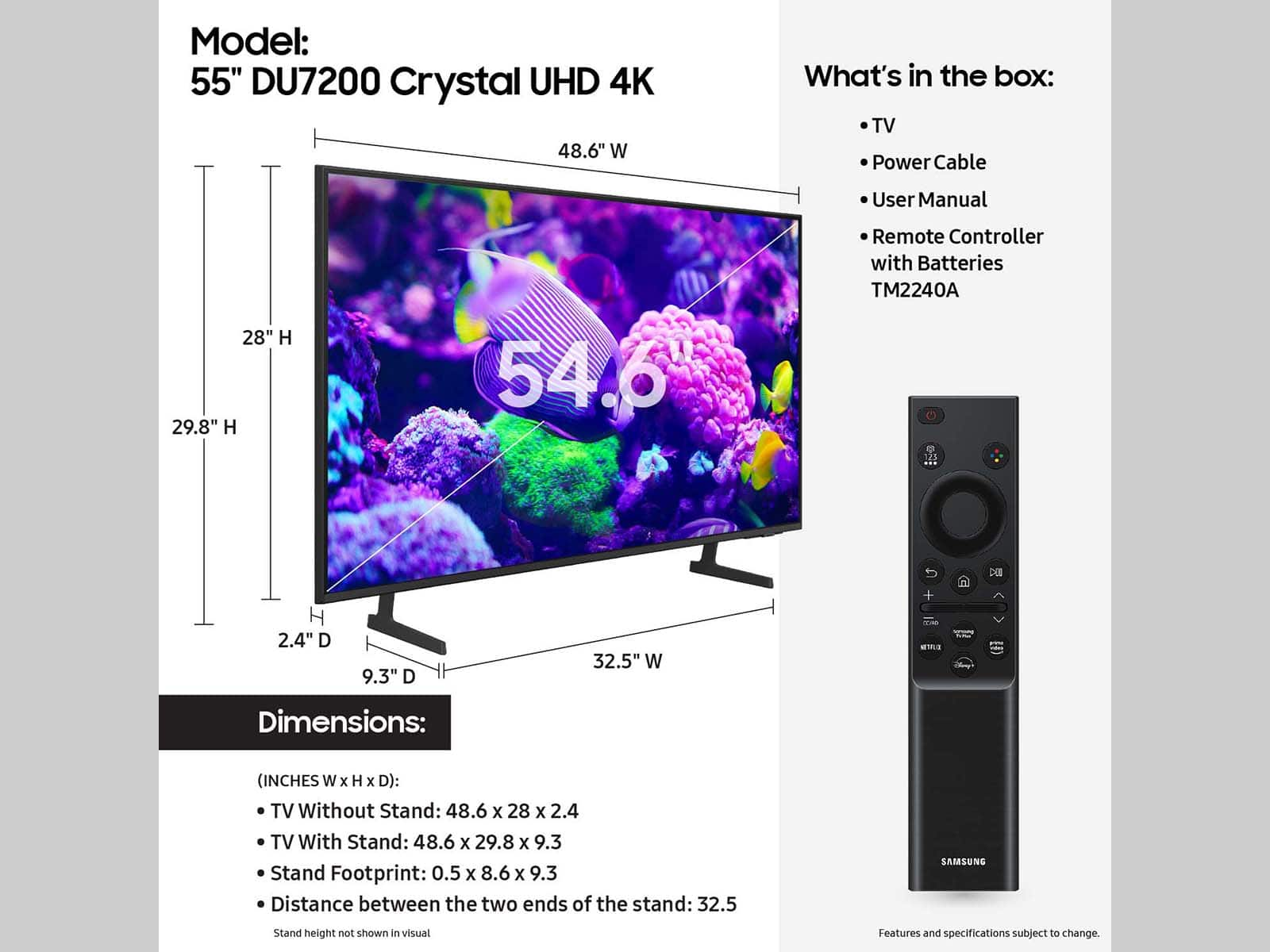




- Model:
- UN55DU7200FXZA
- SKU:
- 6575355
Rating by feature
- Picture Quality
Rating 4.8 out of 5 stars
- Sound Quality
Rating 4.6 out of 5 stars
- Brightness
Rating 4.7 out of 5 stars
Customers are saying
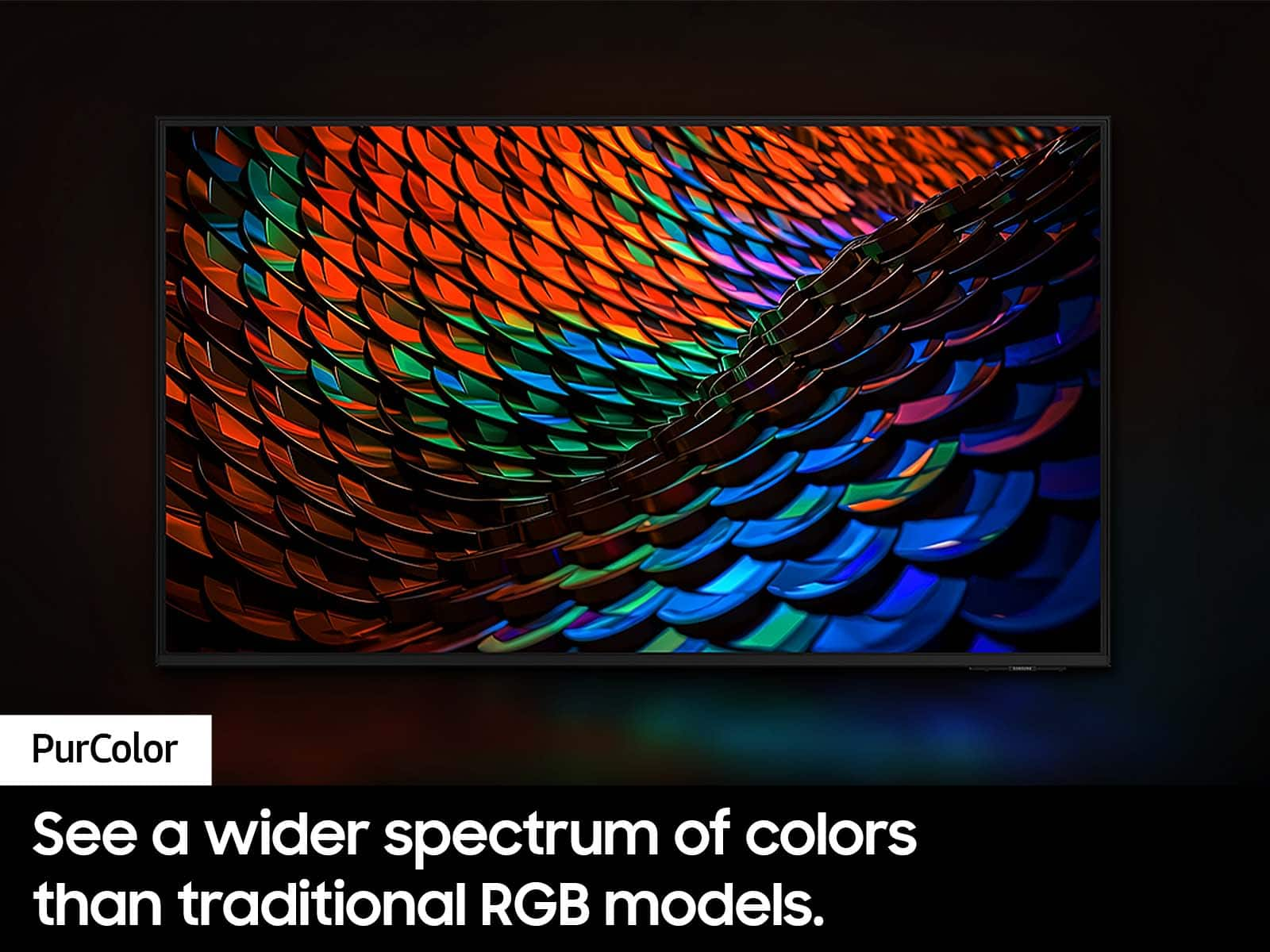
Customers appreciate the excellent picture quality, ease of use, and reasonable price of the 55” Class DU7200 Series Crystal UHD 4K Smart Tizen TV (2024). Many find the colors vibrant and setup straightforward, while also praising its convenient size and smart features. Some customers have noted issues with the remote control responsiveness and connectivity with certain devices. A few have also mentioned concerns regarding the port selection and user interface.
This summary was generated by AI based on customer reviews.
Samsung Junk!
||Posted . Owned for 1 week when reviewed.This reviewer received promo considerations or sweepstakes entry for writing a review.Bought this Samsung and it worked for 2 days....Samsung tech support jerked me around for 3 weeks. told me theuy'd get me a new TV and finally told me they'd come get the tv and send me a check. Ridiculous process and Best Buy is useless. Domn;t buy from Samsung...they are an awful company to deal with.
No, I would not recommend this to a friendBrand response from Samsung
Posted .Hi Neveragain,
We are very sorry you are experiencing issues with your DU7200 TV and appreciate your feedback about your experience with Customer Service. If you are still awaiting a refund or need help, please know we are here to help.
Should you wish to contact us directly with your ticket number, please call us at 1-800-SAMSUNG, 8AM - 12AM EST, 7 days a week. Our LiveChat agents are also available by clicking on the ‘Support’ link on our website.
~Samsung Advisor
Not worth the headache
||Posted . Owned for 3 months when reviewed.This reviewer received promo considerations or sweepstakes entry for writing a review.OS is already lagging and haven't had this tv no longer than 4 months. Its good for connecting your gaming console to and that's about it.
I would recommend this to a friendBrand response from Samsung
Posted .Hi Fanson45,
Thank you for sharing your experience with a laggy operating system on your DU7200 TV. First, let's ensure you are running the latest Firmware. Go to Settings> Support> Software Update. To ensure you do not miss any Firmware Updates, I recommend enabling Auto Updates. Go to Settings> Support> Software Update> then select Auto Update.
Next, let's try running a cold boot on your TV. To do so, hold down the Power button on the Samsung TV remote until the TV turns off and then on again. This should take about 5 seconds.
If you’re experiencing issues with the Wi-Fi connection, we suggest you try the following:
1. Use 5Ghz Wi-Fi if possible
2. Try wired LAN if available
3. Try repositioning the router so there are no obstacles between your TV and the router
I hope these tips help you enjoy your new product.
You can contact us for further help at 1-800-SAMSUNG, 8 AM - 12 AM EST, seven days a week. Our LiveChat agents are also available by clicking on the ‘Support’ link on our website.
~ Samsung Advisor
NO OPTICAL INPUT IS ANNOYING
||Posted . Owned for less than 1 week when reviewed.This reviewer received promo considerations or sweepstakes entry for writing a review.No optical input which is stupid since the Samsung soundbars have optical connections. I would take the tv back except I had to rent a truck to pick it up!
No, I would not recommend this to a friendBrand response from Samsung
Posted .Hi LatoraA,
Thank you for choosing the Samsung DU7200 TV and for taking the time to provide us with detailed feedback on your experience. Your opinion is important to us and will be shared with our internal product teams.
The DU72000F TV offers 3 HDMI ports and is Bluetooth and Wi-Fi capable, allowing a seamless connection across multiple devices at a time. If your external device requires an Optical port, we recommend utilizing an HDMI to Optical Converter. These can be found at your local electronics store. Please also keep in mind that an Optical port can be found on our DU8000F Series and above.
If you have any questions or would like any support with your audio experience or choosing a Samsung Soundbar to complement your viewing enjoyment, please reach out to us at 1-800-SAMSUNG, 8 AM - 12 AM EST, seven days a week. Our LiveChat agents are also available by clicking on the ‘Support’ link on our website.
~ Samsung Advisor
Open Box item
||Posted .This reviewer received promo considerations or sweepstakes entry for writing a review.It was open box item, I know that is not brand new, but delivering the item without power cord and remote control? those are basics, how do I turn on and program the TV without this items?
No, I would not recommend this to a friendBrand response from Samsung
Posted .Hi JoseluisC,
Thank you for your feedback on your open-box purchase. I recommend contacting Best Buy directly to assist you. If there’s anything we can assist with, please don’t hesitate to call us at 1-800-SAMSUNG, available daily from 8AM - 12AM EST. You can also visit the Samsung website and click on ‘Support’ for:
• Live Chat
• Manuals, Software, & Warranty Info
~ Samsung Advisor
Won’t shut up
||Posted . Owned for 1 month when reviewed.This reviewer received promo considerations or sweepstakes entry for writing a review.Has a feature where it talks to you. This is for the blind. It isn’t turned off easily and it is driving me nuts. Not easy to turn off. Went on line looking for help. Still trying to figure this out.
No, I would not recommend this to a friendBrand response from Samsung
Posted .Hi JoanQ,
If your TV is announcing everything you do, then Voice Guide is turned on. Voice Guide is an accessibility function to assist users who are visually impaired. It is possible that you have turned it on by accident by holding down the volume button on your TV remote.
To turn off Voice Guide, navigate to Home > Settings > All Settings> General > Accessibility > Voice Guide Settings > Voice Guide.
If you need more help, Samsung is here for you! Please call us at 1-800-SAMSUNG, 8 AM - 12 AM EST, seven days a week. Our LiveChat agents are also available by clicking on the ‘Support’ link on our website.
~ Samsung Advisor
No remote
||Posted .This reviewer received promo considerations or sweepstakes entry for writing a review.Didn't come with a remote they never told me i think they could have said that.
I would recommend this to a friendBrand response from Samsung
Posted .CarolF:
We appreciate your feedback regarding the remote missing from your DU7200 TV. If purchased brand-new and unopened, please contact Samsung Customer Support and a representative will gladly help you. If purchased in open-box condition, we recommend contacting Best Buy directly for assistance. We hope your issue is resolved in a timely manner.
If you need more help, Samsung is here for you. Please call us at 1-800-SAMSUNG, 8AM - 12AM EST, 7 days a week. Our LiveChat agents are also available by clicking on the ‘Support’ link on our website.
~ Samsung Ambassador
Tv review
||Posted .This reviewer received promo considerations or sweepstakes entry for writing a review.Returned due to missing parts and not cord to plug in..
No, I would not recommend this to a friendBrand response from Samsung
Posted .JasonB:
I am very sorry to see that you encountered issues with the Samsung DU7200 TV and have returned it. Your feedback is very important to us and will be shared with our product team.
Should you ever decide to give Samsung TVs another try and have questions or need help with settings, setup, or features, please know we’re here to help. Call us at 1-800-SAMSUNG, 8AM - 12AM EST, 7 days a week.
LiveChat with an agent as well as manuals, software, and warranty info can be found at the ‘Support’ link on our Samsung website.
We hope to regain you as a customer in the future.
~ Samsung Ambassador
Setups TV
||Posted . Owned for less than 1 week when reviewed.This reviewer received promo considerations or sweepstakes entry for writing a review.Have Trouble getting TV off Retail Mode call Best Buy Dewitt Store and call geek squad to self appointment for today was never showed up. Very frustrated.!
No, I would not recommend this to a friendBrand response from Samsung
Posted .Hi
Thank you for reaching out. To change into Home Mode, go to Home > Menu > Settings > All Settings > General & Privacy > System Manager > Usage Mode > Home Mode.
If you need more help, Samsung is here for you! Please call us at 1-800-SAMSUNG, 8 AM - 12 AM EST, seven days a week. Our LiveChat agents are also available by clicking on the ‘Support’ link on our website.
~ Samsung Advisor
Bad screen quality
||Posted . Owned for 2 months when reviewed.This reviewer received promo considerations or sweepstakes entry for writing a review.Mounted this tv and immedistely regreted it because tbe quality did not look 4k to me. Bought a hisense u7n 4k tv and the quality was much better.
No, I would not recommend this to a friendBrand response from Samsung
Posted .Hi sebastian,
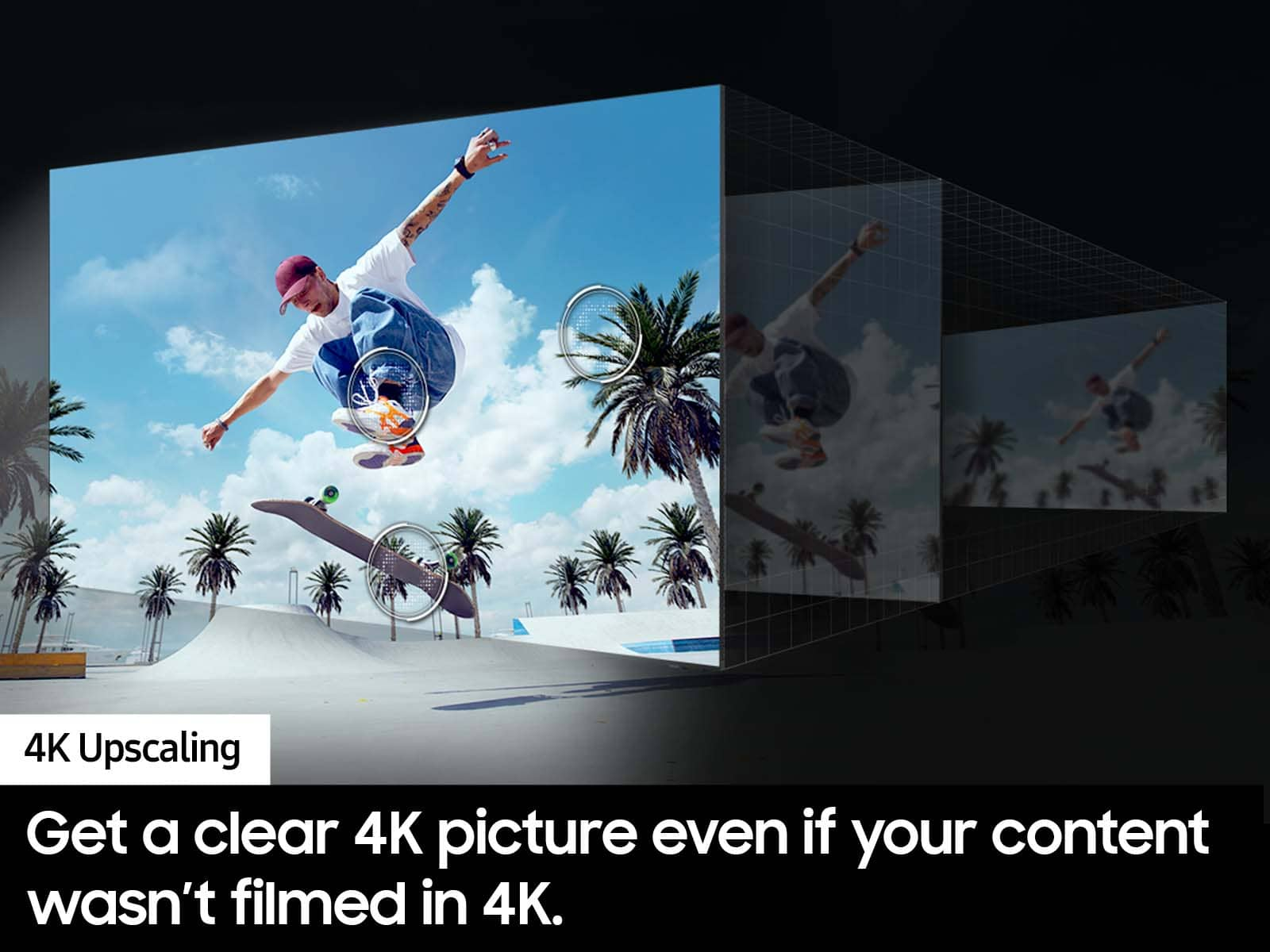
Thank you for sharing your thoughts on your DU7200 TV’s image quality. The TV will upscale any content sent to it as best as possible. The closer your content is to 4K, the better the image will look on the screen.
Here are some tips to help improve picture clarity:
1) HDMI cables are recommended for optimal HD viewing.
2) If you have an analog cable box or satellite box, upgrade to a digital cable box or satellite box.
3) Change the output resolution of your devices, such as digital broadcast receivers, IPTV, and set-top boxes, to UHD or HD.
4) You can further adjust your sharpness, brightness, contrast, color, and more by going to Settings > All Settings> Picture > Expert Settings
5) Choose a Picture Mode by going to Settings > All Settings> Picture > Picture Mode and choose from Dynamic, Standard, Natural, Movie, or Filmmaker Mode.
6) For optimal motion image performance, you may want to adjust the picture clarity setting by going to Settings > All Settings> Picture > Expert Settings > Picture Clarity Settings.
Should you ever have questions or need help with TV features, specs, or operations, we are here to help. You can call us at 1-800-SAMSUNG, 8 AM - 12 AM EST, seven days a week. Our LiveChat agents are also available by clicking on the ‘Support’ link on our website.
~ Samsung Advisor
Broken
||Posted . Owned for 3 weeks when reviewed.This reviewer received promo considerations or sweepstakes entry for writing a review.did not work packaged poorly I never got to see the picture. went back to exchange but they were out
No, I would not recommend this to a friendBrand response from Samsung
Posted .Hi Matt,
I'm sorry to hear you received a damaged TV and were unable to replace it with the same model. I recommend the Samsung U8000F TV, which is a similar but upgraded model that you can purchase at Best Buy.
If you need more help, Samsung is here for you! Please call us at 1-800-SAMSUNG, 8 AM - 12 AM EST, seven days a week. Our LiveChat agents are also available by clicking on the ‘Support’ link on our website.
~ Samsung Advisor
Very Disappointed
||Posted . Owned for 8 months when reviewed.This reviewer received promo considerations or sweepstakes entry for writing a review.This tv went off and never came back on. Tv picture blow without any warning ⚠️. This model is a lemon. Lasted only 6 months.
No, I would not recommend this to a friendBrand response from Samsung
Posted .Hi GilbertR,
Please know that we back this Samsung TV with a 1-year limited manufacturer's warranty, including authorized repair for manufacturer defect, if purchased brand-new directly from an authorized seller.
To schedule a warranty appointment, please get in touch with Samsung Customer Support at 1-800-SAMSUNG, 8 AM - 12 AM EST, seven days a week. Our LiveChat agents are also available by clicking on the ‘Support’ link on our website.
~Samsung Advisor
TV
||Posted . Owned for 3 months when reviewed.This reviewer received promo considerations or sweepstakes entry for writing a review.Lousy picture quality. !!!!!!!!!!!!!!!!!!!!!!!!!!!!!!
No, I would not recommend this to a friendBrand response from Samsung
Posted .Hi MaryS,
Thank you for sharing your thoughts on your DU7200 TV’s image quality. The TV will upscale any content sent to it as best as possible. The closer your content is to 4K, the better the image will look on the screen.
Here are some tips to help improve picture clarity:
1) HDMI cables are recommended for optimal HD viewing.
2) If you have an analog cable box or satellite box, upgrade to a digital cable box or satellite box.
3) Change the output resolution of your devices, such as digital broadcast receivers, IPTV, and set-top boxes, to UHD or HD.
4) You can further adjust your sharpness, brightness, contrast, color, and more by going to Settings > All Settings> Picture > Expert Settings
5) Choose a Picture Mode by going to Settings > All Settings> Picture > Picture Mode and choose from Dynamic, Standard, Natural, Movie, or Filmmaker Mode.
6) For optimal motion image performance, you may want to adjust the picture clarity setting by going to Settings > All Settings> Picture > Expert Settings > Picture Clarity Settings.
Should you ever have questions or need help with TV features, specs, or operations, we are here to help. You can call us at 1-800-SAMSUNG, 8 AM - 12 AM EST, seven days a week. Our LiveChat agents are also available by clicking on the ‘Support’ link on our website.
~ Samsung Advisor
:(
||Posted . Owned for 1 week when reviewed.This reviewer received promo considerations or sweepstakes entry for writing a review.Was promised certain promos with purchase which were never applied. I did however get the privilege of wasting time on the phone to get nothing resolved.
I would recommend this to a friendBrand response from Samsung
Posted .Hi JayB,
I'm very sorry that you had issues with your purchase at Best Buy. We appreciate all of your patience and your loyalty to Samsung. If you ever have questions or need help, Samsung is here for you! Give us a call at 1-800-SAMSUNG, 8 AM - 12 AM EST, seven days a week. Our LiveChat agents are also available by clicking on the ‘Support’ link on our website.
~Samsung Advisor
you got what you paid for
||Posted .This reviewer received promo considerations or sweepstakes entry for writing a review.Very weak sound and reflective screen .disappointment
No, I would not recommend this to a friendBrand response from Samsung
Posted .Hi user627602,
Thank you for sharing your experience with low volume. There are several volume features you can adjust, which may improve your audio experience.
1) Auto Volume automatically adjusts the sound to a certain level when changing channels or switching to another external input. Go to Settings > All Settings> Sound > Expert Settings > Auto Volume.
2) Adaptive Sound automatically adjusts to a specific volume level while watching TV. The TV analyzes your volume usage history by time period to automatically adjust the volume when you use an app or switch to an external input source. Go to Settings> All Settings> Sound> Sound Mode> Adaptive Sound.
3) Several Sound Modes are likewise available to meet your personal preferences: Home > Settings > All Settings> Sound > Sound Mode.
Also, some sources have their own volume control, which might need to be set higher. Please check the volume control of the external device (cable box or satellite box, DVD, Blu-ray, etc.) connected to your TV. Also, check the cable connection between an external device and the TV and then try the cable connection again.
If you’d like more help with settings, we are always happy to help! Call us at 1-800-SAMSUNG, 8 AM - 12 AM EST, seven days a week. Or visit us on the Samsung website and click on the ‘Support’ link for:
1) LiveChat
2) Manuals, Software, & Warranty Info
~ Samsung Advisor
Dont Purchase
||Posted . Owned for 1 month when reviewed.This reviewer received promo considerations or sweepstakes entry for writing a review.TV went black after 30 days. Didn't buy extended warranty, so dealing with Samsung to get it fixed.
No, I would not recommend this to a friendBrand response from Samsung
Posted .Hi DavidW,
Thank you for reaching out to us and sharing your experience. Your patience is appreciated while awaiting your service appointment. Should you wish to check the status of your case or need any further assistance, please get in touch with us again and reference your service ticket number. You can reach us at 1-800-SAMSUNG, 8AM - 12AM EST, 7 days a week. Our LiveChat agents are also available by clicking on the ‘Support’ link on our website.
~Samsung Advisor
- Pros mentioned:Picture quality
Perfect TV for the Living Room
Posted .This reviewer received promo considerations or sweepstakes entry for writing a review.I bought this TV for my living room and it looks amazing. The picture quality is vibrant and sharp, and the colors really stand out. The sound is great, the smart features work smoothly, and the size is perfect for the space. It has completely upgraded the look and feel of my living room. I’m extremely happy with this purchase!
I would recommend this to a friend Disappointed
||Posted . Owned for 3 weeks when reviewed.This reviewer received promo considerations or sweepstakes entry for writing a review.Returned. Doesn’t have a sharp picture. Would not recommend
No, I would not recommend this to a friendBrand response from Samsung
Posted .Hi MichaelS,
Thank you for your feedback on the DU7200 TV. We are sorry to hear that you were not satisfied with the sharpness of the picture on your screen. Please know there are many settings available that may have resolved this issue and we are always happy to help customers setup their new TV or with any questions.
Should you ever decide to give Samsung TVs another try and have questions or need help with settings, setup, or features, please know we’re here to help. Call us at 1-800-SAMSUNG, 8AM - 12AM EST, 7 days a week.
LiveChat with an agent as well as manuals, software, and warranty info can be found at the ‘Support’ link on our Samsung website.
We hope to regain you as a customer in the future.
~Samsung Advisor
- Pros mentioned:Picture quality
Worth its price!
Posted .This reviewer received promo considerations or sweepstakes entry for writing a review.This TV is too good for its price! The picture quality is amazing, it is very smooth, has wonderful color, it’s very sharp, and has a good amount of brightness. It is very lovely to watch sports in the TV, makes the matches more exciting! The sound quality is very good too! I don’t use any soundbars, but the sound quality of the TV speakers is fine enough for me. At first, I had some issues with the Nintendo Switch in this TV with some green dots appearing in the screen, but it somehow got fixed overtime when I switched RGB settings to Full on the Switch. So gaming in this TV is awesome as well! Overall, a TV too good for its price, very recommended!
I would recommend this to a friend - Pros mentioned:Ease of use, Picture quality
55" Samsung TV Opinion
Posted .This reviewer received promo considerations or sweepstakes entry for writing a review.I own tvs of this size made by other manufacturers, all of which cost significantly more than this Tv. This Samsung has a superb picture, great features, and was the easiest to set up. You wont beat this tv for the price!!
I would recommend this to a friend - Pros mentioned:Picture quality
Samsung quality with a terrible remote control
Posted .This reviewer received promo considerations or sweepstakes entry for writing a review.As you would expect a pretty good tv, very nice picture, with all the bells and whistles….sound is just ok, probably need a sound bar with it….but the reason for the 3 stars is the remote….it is the worst…cheap, no lights, hard to use…..I would not buy the unit for that reason only
No, I would not recommend this to a friend