Customer Ratings & Reviews




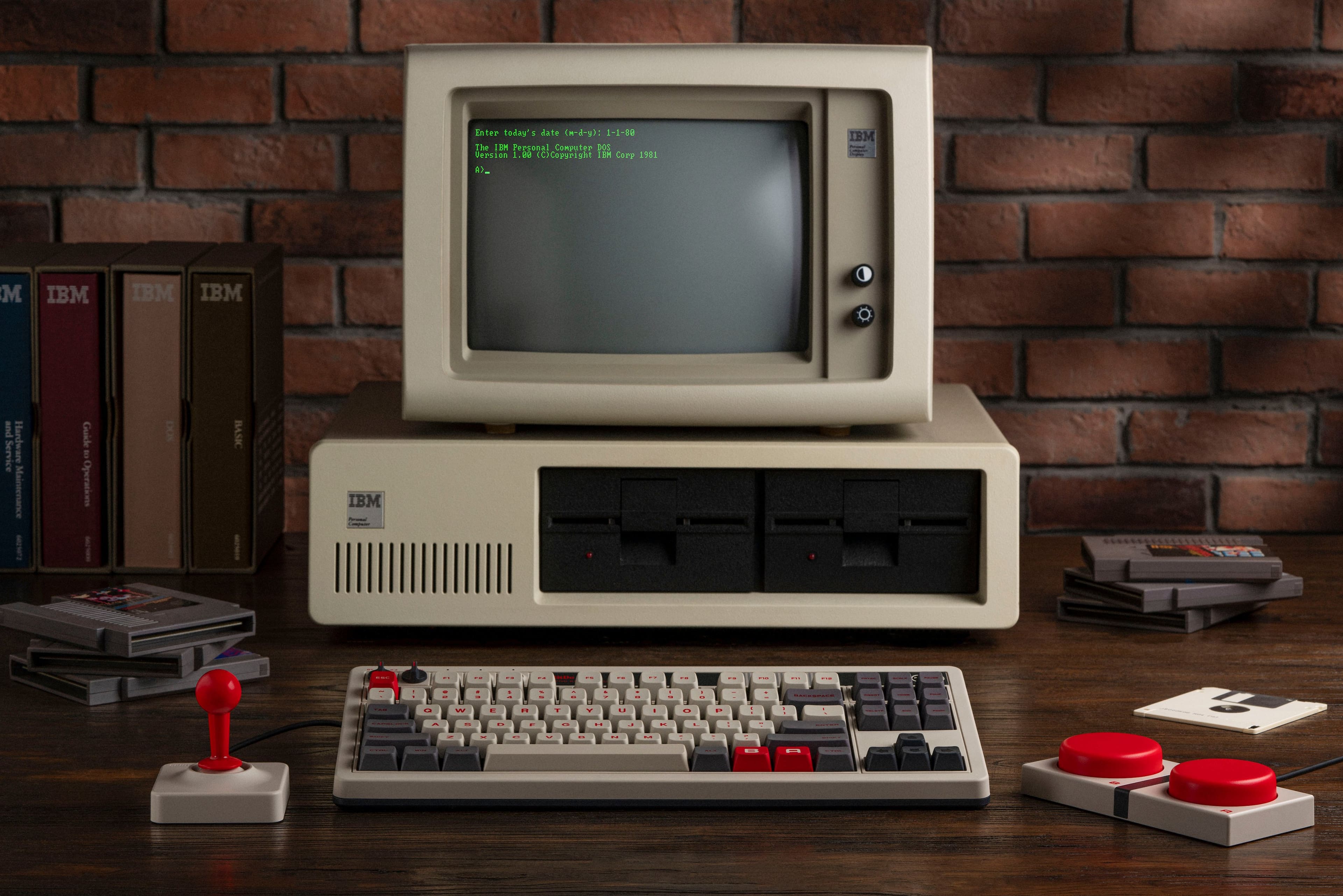
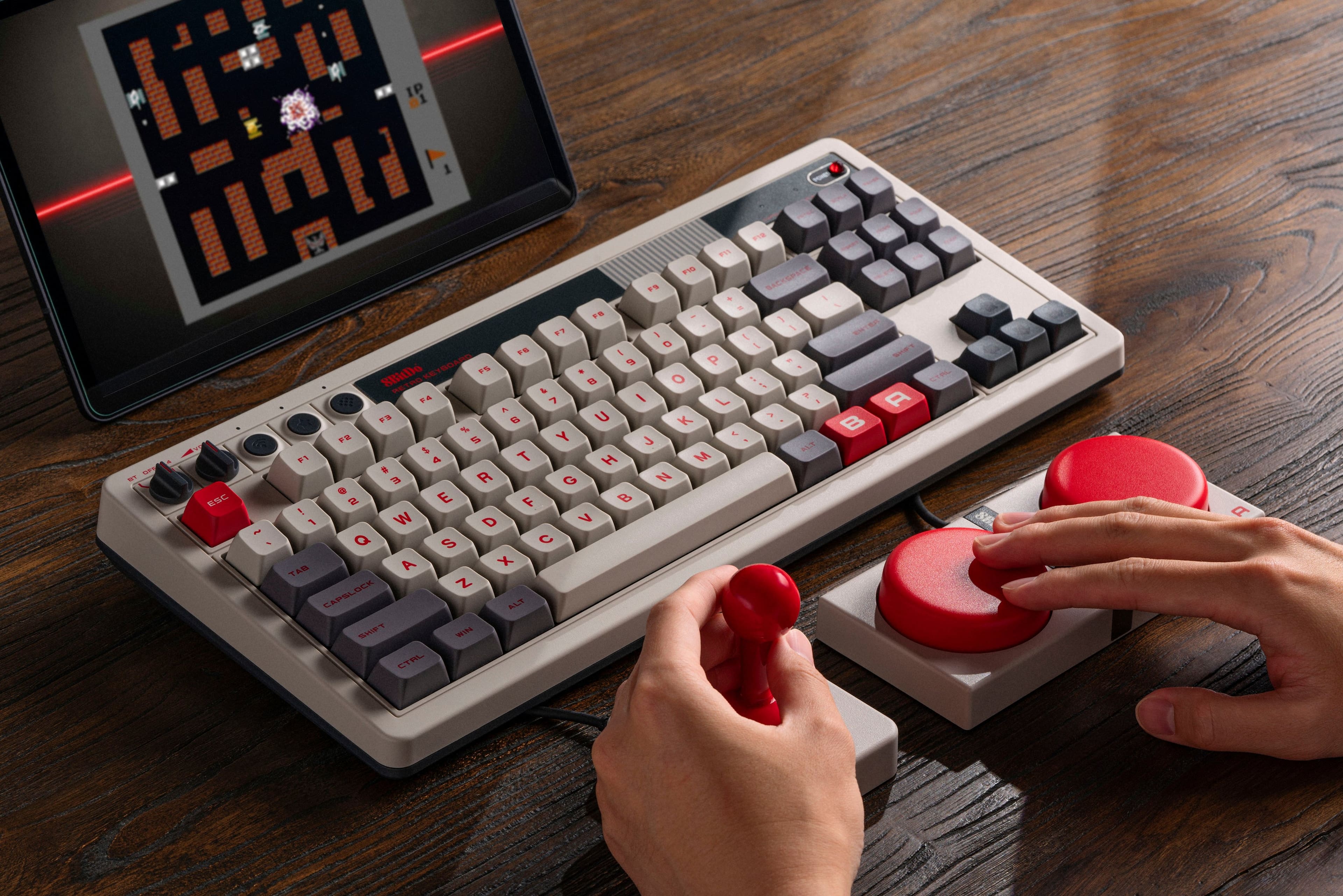
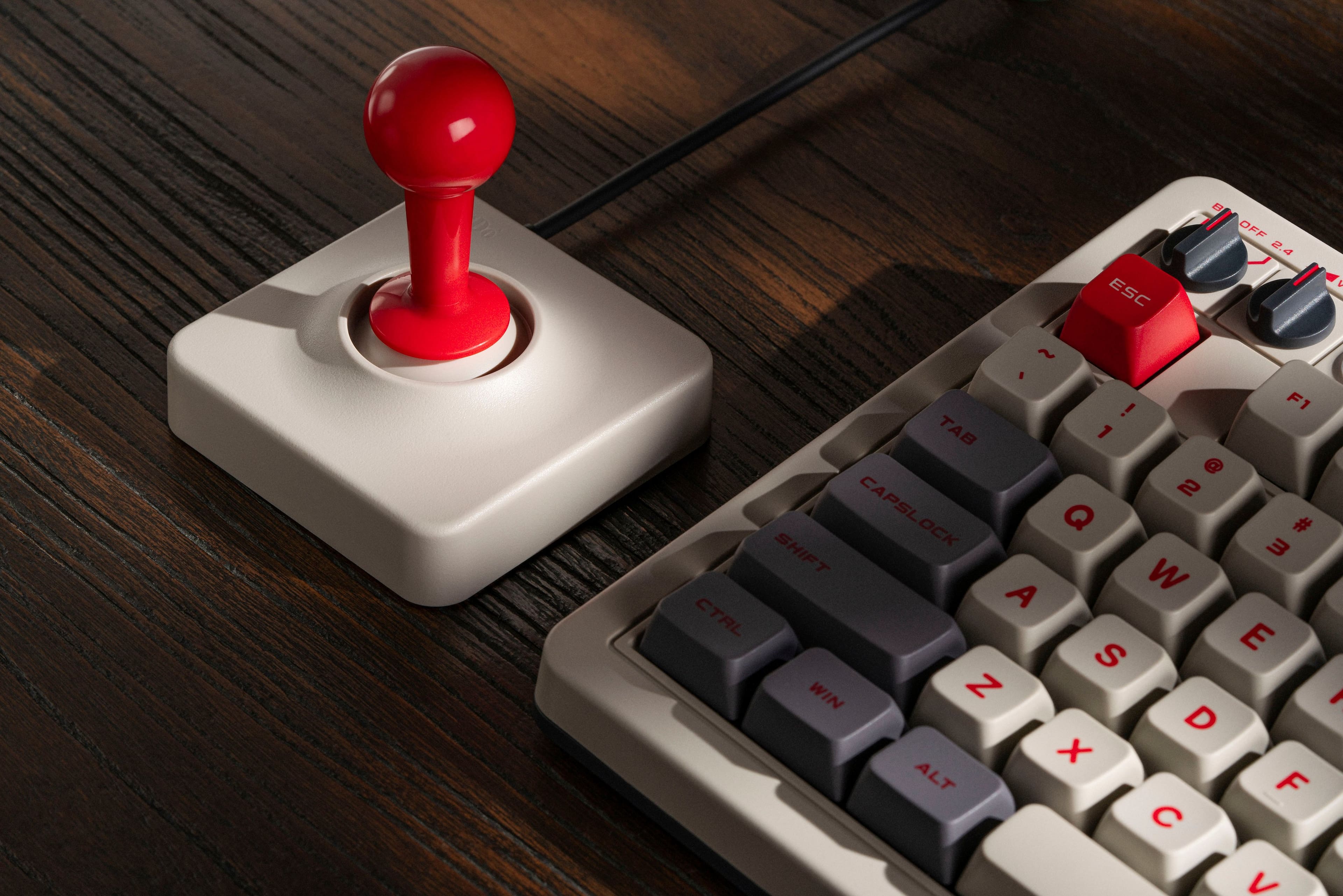
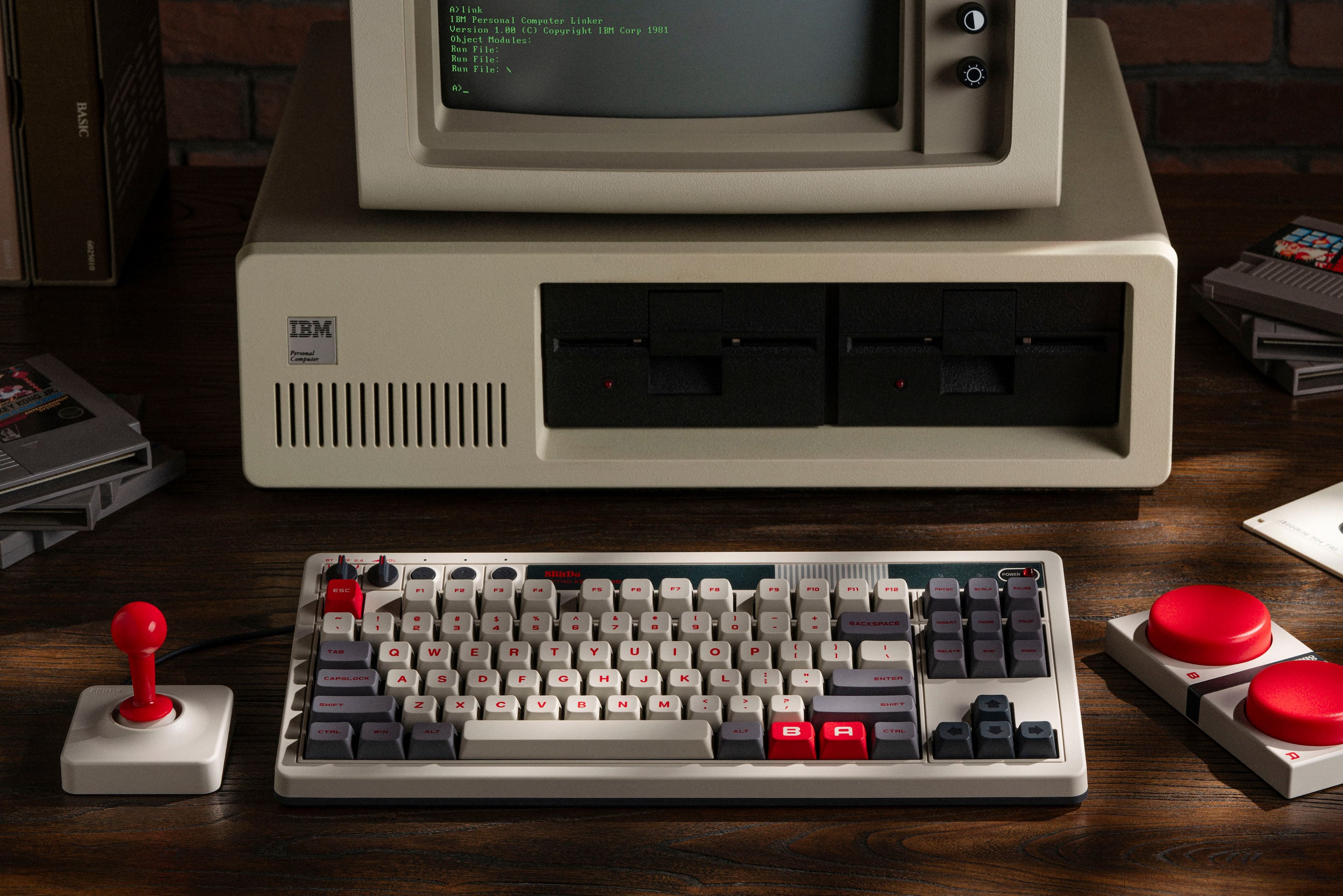
- Model:
- 85HA02J
- SKU:
- 6593606
Rating by feature
- Value
Rating 4.7 out of 5 stars
- Quality
Rating 4.8 out of 5 stars
- Ease of Use
Rating 4.7 out of 5 stars
Customers are saying
Customers admire the high-quality build, satisfying key feel, and attractive retro design of this mechanical keyboard. Positive feedback also highlights the versatile connectivity options and generally good battery life. However, some users express frustration with the software's performance and ease of use. The customizable switches are a point of contention for some, with opinions varying on their preferred feel.
This summary was generated by AI based on customer reviews.
Stiff
||Posted . Owned for 1 month when reviewed.This reviewer received promo considerations or sweepstakes entry for writing a review.The keyboard is a bit stiff. You have to press the keys a bit harder. No LED backlid. For some reason, the keyboard I got was not leveled. I had to put a folded piece of paper underneath it to level it. Overall, it’s still a good keyboard.
I would recommend this to a friend- Pros mentioned:Battery life, Connectivity, Keyboard quality

8BitDo Knows How to Retro
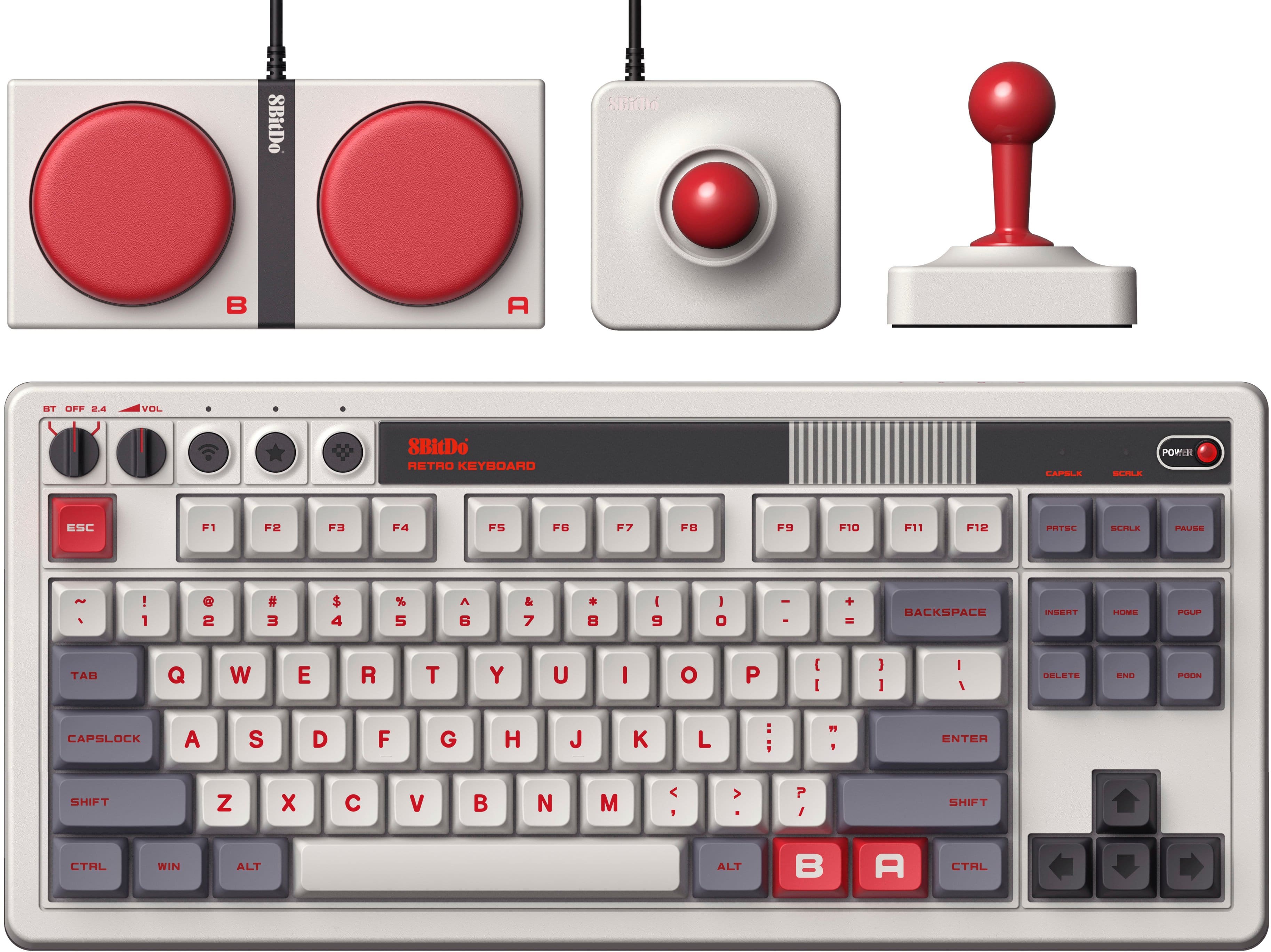
|Posted .This reviewer received promo considerations or sweepstakes entry for writing a review.I’ve been working on a small PC for retro gaming emulated games from the NES and GameBoy era. I was looking at the 8BitDo controllers to go with it as they are the go-to for authentic controllers that work on modern systems. That’s when I came across the 8BitDo Retro Mechanical Keyboard with Joystick and decided then and there I had to get it for this build. Pros: - Retro Look with Modern Feature. - Solid feeling for typing and gaming. - Connectivity Options. - Battery life is only 200 hours of use time per 4 hour charge. Cons: - Not spill resistant, so be careful with any drinks. Setup: With the flexibility to do wired or wireless, setup will depend on your preferred connection type. I’ll mainly have the keyboard wired in with the detachable USB C cable but will on occasion unplug it to use the wireless mode with the 2.4GHz wireless dongle. Switching between modes is as simple as turning the dial at the top left of the keyboard, and having the selected wireless mode connected. Though the wireless mode has a stated battery life of 200 hours for a 4-hour charge, which is amazing for a mechanical keyboard on just a 4-hour charge. The joystick and buttons plug in via 3.5 jack on the top of the keyboard. The button has an A or B plug that can be mapped differently, where the joystick uses an X and Y plug for directional control. In either case, key mapping must be setup for before they can be used, as by default they do not map to any keys. Additionally, make sure to activate your profile after you set up the mapping. This is simply done by pressing the “heart” button at the top of the keyboard. I missed this step initially and couldn’t figure out why the joystick and buttons were not responding. It took me a bit of reading before I realized my mistake. All the setups can be done without the software via the Fast Mapping, there is a little stock paper card included to explain how this works. This is amazing as if you don’t want to or cannot use the software, you have an easy way to map the buttons and joysticks. Software: Even though you can do it without the software, the 8BitDo Ultimate Software V2 is really simple, there’s almost no installation as it runs out of the folder you launch it from. Just create a Profile, then map via drop down lists, no complex interfaces or mapping. The big benefit that comes with the software is the ability to remap key functions and set macros to normal keys, not just the buttons. Feel: The keyboard feels solid and responsive. It very much reminds me of typing on an old keyboard with that tactile feel expected of a mechanical keyboard but with the hard plastic touch feel of those old keyboards. The biggest difference from those old keyboards is all the modern features and the weight, 8BitDo has made this keyboard much lighter even with a battery onboard the keyboard is just over ~2lbs. Who doesn’t want to press the Big Red Button? Seriously, I love the size and feel of the buttons. They are extremely responsive, which is exactly what you need for those old side scrollers. They have a nice, rubberized bottom that grips most surfaces, so you have no excuse for missing this button. The joystick also reminds me of the old joycons, to get that diagonal motion you want you need to find that perfect spot which takes time to hone. I actually like how authentic the joystick feels and plays, as it adds to the nostalgic feel. Added Features: 8BitDo didn’t just recreate but took current technology and recreated the retro feel. Included with the Retro Mechanical Keyboard are features you usually only find on keyboards well over $150! The switches are Hot Sawppable, incase you want to change to something with a different feel and sound. I already mentioned it but the flexibility to connect via wired, wireless dongle or bluetooth must be called out again as I only know a handful of mechanical keyboards that have these options. The only concern I had with the keyboard was the lack of spill resistance, with a wireless keyboard this is a constant concern for me. Especially with one that uses a plug-in button and joystick, I’m going to have to keep strict no drinks near the keyboard policy during gaming nights. Conclusion: If you want that authentic old school feel but with all the perks of a modern keyboard, 8BitDo’s Retro Keyboard is the way to go. It just fits right in on any retro setup while having features that I would expect for a much more expensive keyboard and that old school feel. The buttons and joysticks are solid, making this keyboard a must recommendation for anyone who likes the retro games.
I would recommend this to a friend - Pros mentioned:Connectivity, Key feel, Keyboard quality
Best keyboard out there!
|Posted .This reviewer received promo considerations or sweepstakes entry for writing a review.This keyboard is fun in every way! My son walked up and saw it and asked “Dad, why do you have an old Nintendo keyboard?” This made me smile and start a discussion about the good old days of gaming! A perfect keyboard! Setup: There is not much. Since there are multiple connectivity options including BT, 2.4Ghz and USB-C to USB-A, you will have no issue setting it up. I recommend you download the 8BitDo Ultimate Software so that you can update the firmware. Build quality: I am extremely impressed by this keyboard. It takes me back to my old x286 computer with extremely loud clicky keys on a device built like a tank. Every aspect of this device feels retro with volume dials, old fashioned LED indicators and ugly colors (I mean this in a good way). Use: I did a quick typing test after setting it up and got 82 WPM with 96% accuracy. To me I felt extremely inaccurate to start but once my fingers got their mechanical keyboard muscle memory back, things felt extremely smooth. I am typing this review on the keyboard right now and it feels extremely natural even though it is very loud as one might expect from a device like this. I do not recommend setting this up in a room if there are sleeping people nearby, but it is fine if it is in an isolated spot. Accessories & customization: It comes with two large buttons you can use to map to pretty much any key combination for modern games, or you can use it simply for old school games to jump and run. The joystick is very simple and relatively small, but it is good for various gaming needs, especially if you like older ones. The only improvement I can say here is that it would be nice if the accessories had a wireless option There are loads of stickers the device comes with you can toss on the large buttons or wherever you please. The keys are easy to remove and replace if desired. You can map pretty much anything you want to your keys. You can even map the accessory buttons (or the keyboard A B buttons) to your own macro using the quick mapping feature on the keyboard without having to go into the software. Last, the device has a button for profiles if you desire to set them up. The manual states you can also attach more accessories if you buy them from the website.
I would recommend this to a friend - Pros mentioned:Battery life, Key feel
Talk about a retro flashback!
|Posted .This reviewer received promo considerations or sweepstakes entry for writing a review.This keyboard gives me all the feels of my childhood retro gaming. The colors resemble the classic GameBoy and Nintendo Entertainment System. Just having it on my desk to look at gives my joy. As long as it’s plugged in, the Power button in the corner has a small, dim red-light, which also reminds me of the NES system back in the day, so this is a nice nostalgic touch. The keyboard itself is wonderful. It only took me about a day to get used to, it feels a bit more spaced out than my previous mechanical keyboard. I love the big, bold red letters identifying each key. The switches are very click and are a joy to type on. I use this as my main work keyboard where I’m typing most of the day. The click sounds and overall feel of the keyboard never grew tiring. The initial setup via wire USB was a breeze, I connected it to my Mac and was immediately prompted to press a couple keys to identify/register, then it was smooth sailing from there. I’ve disconnected it and connected to other computers and when connecting back to a previous machine I’ve already had it on, it remembers and no longer needs to go through the identification process. Bluetooth connectivity was about the same as the wired USB connection setup. As soon as the bluetooth button on the keyboard was turned on, a prompt appeared on my computer almost immediately asking if I wanted to connect it. It did so in about 3 seconds and I was good to type away. Battery life is outstanding. I’ve been using it 8-9 hours per day and used it for 3 days straight before it dropped out of 100%. This keyboard can easily be used for many weeks on a single charge. Overall it does look and feel just a little deeper than a normal keyboard, probably because of the extra knobs and switches along the top, but it’s worth it to me. Everything is clearly visible and labeled, also along the top it has a retro-looking Nintendo system decal that looks like it came right off the Nintendo itself. The joystick is fairly comfortable to use for arcade style games, and both the joystick and buttons magnetically connect to the keyboard (or each other) for some added stability. The A and B buttons are fun, if not comically large and impractical, but there's a dedicated A and B on the keyboard as an alternative to use instead. If you grew up with an old Nintendo system this is a great, practical piece of hardware to have on your desk. Whether you have a computer for work, a personal computer, or even a tablet, this keyboard performs fantastically and checks all the boxes.
I would recommend this to a friend - Pros mentioned:Battery life, Keyboard quality
Cool retro look and feel!
|Posted .This reviewer received promo considerations or sweepstakes entry for writing a review.Boy does this keyboard bring me back to the good old days. I am a 70’s baby and grew up with the start of video gaming, pc gaming and arcades. I’ve had pretty much every console ever made (in the US). This Nintendo style really looks great. I/m not huge on the clicky keyboards and prefer the silent type and mice but I have enjoyed clicking away on this keyboard. The 8BitDo keyboard has a great feel to it, and a nice hefty weight to it. I love the programmable buttons on the keyboard and the programmable super giant buttons. The joystick is also a nice touch to tie in the retro vibe. The button mapping is very simple, it comes with a sweet windows cheat sheet to help you out as well. My favorite feature of all is the simple volume knob, it has the old school step feel to it, very cool. The keyboard can be connected with Bluetooth, an included and built into the keyboard dongle, or wired, also included. Very cool to have all the possible options available. I have been using the keyboard for a week steady at work and have yet to kill the battery, that’s a plus. I’m thinking I will just charge it on the weekends, and it will stay juiced for the entire week, based on my workload of course. 8BitDo has a cool website with optional retro keycaps, super buttons, wrist rest, mouse etc. I’m ordering the 8BitDo retro 18 mechanical number pad to pair with this keyboard, as I like having a number pad. It’s pretty cool and thought out as well, can be used as a stand alone calculator or a number pad, also has a quick button for windows calculator. Pretty cool. To top it all off, you can download the 8BitDo software and it adds customization for the keyboard, multiple profiles, macros, mapping etc. I dig it and think anyone that’s a retro gamer will as well, the quality is great and well worth the price tag.
I would recommend this to a friend - Pros mentioned:Connectivity, Keyboard quality
Retro Geeky Awesomeness!
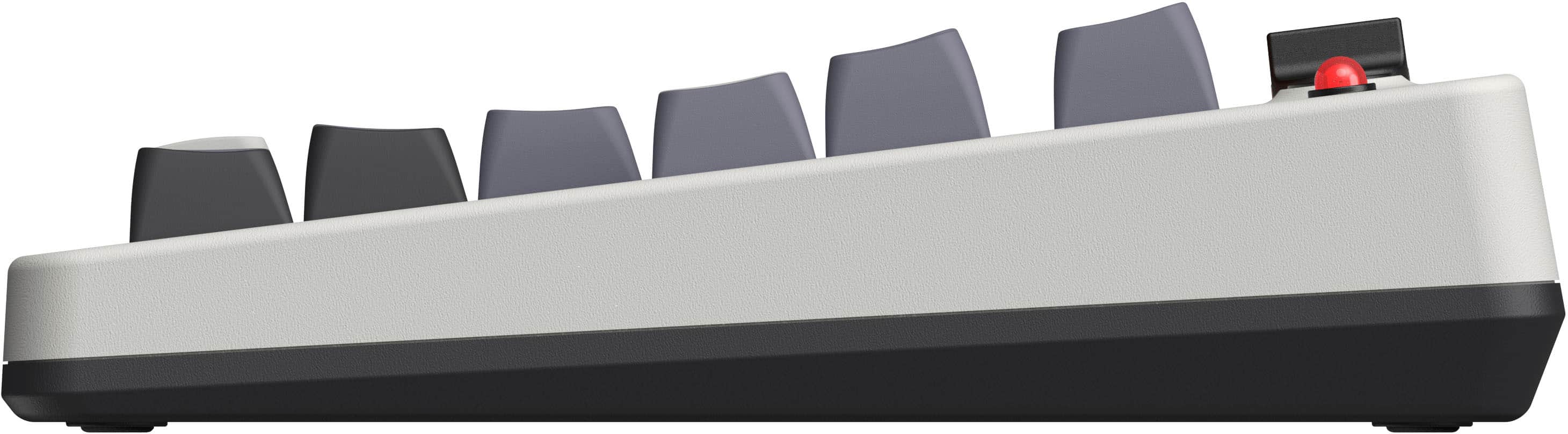
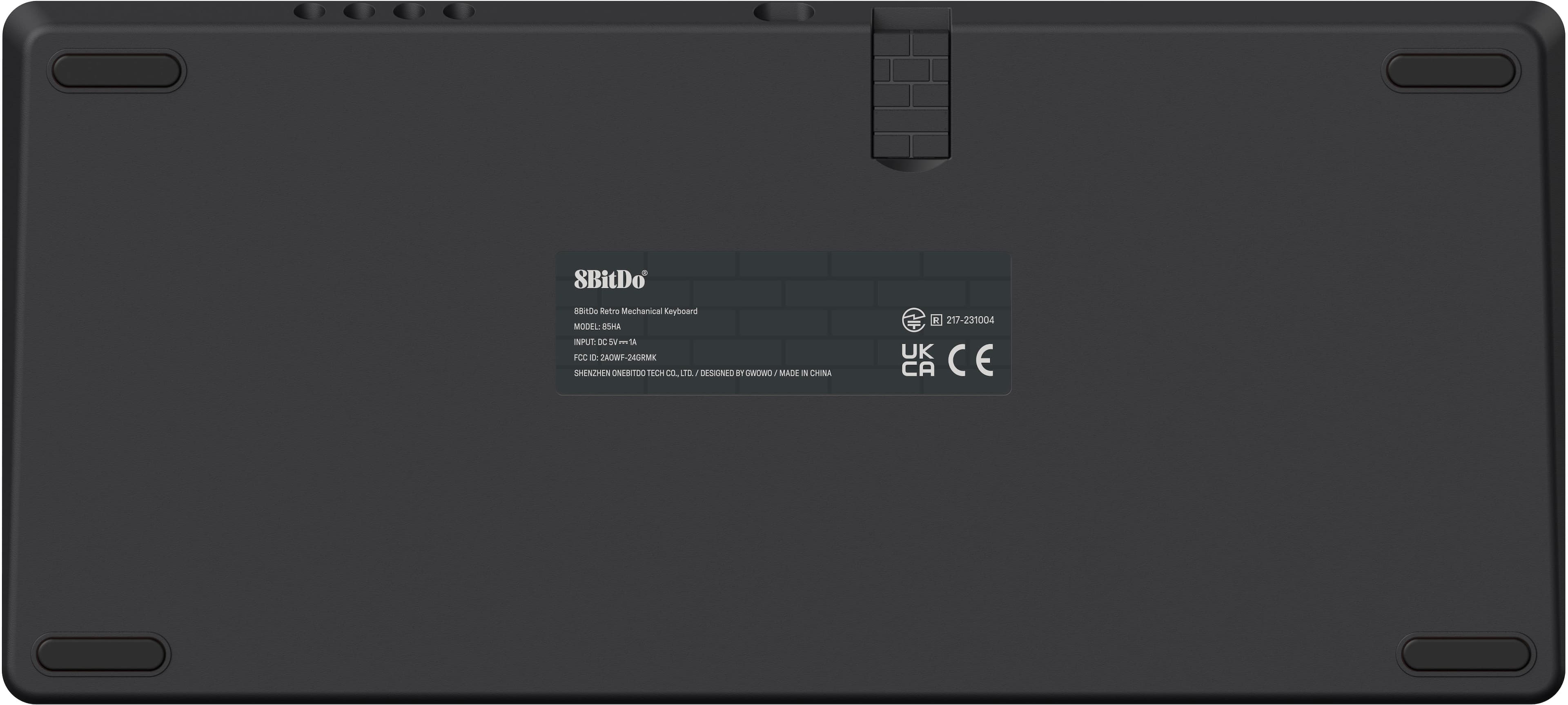
|Posted .This reviewer received promo considerations or sweepstakes entry for writing a review.This 8BitDo Retro Mechanical Keyboard with 'gaming style' peripherals is flat-out AWESOME! Just looking at it takes me back to many happy memories and the fun of gaming on a particular console this keyboard is reminiscent of. Pairing to my laptop was pretty straightforward. There is a USB 2.4 adapter "dongle" which seems inspired by iconic imagery from a popular retro game. The mini retro joystick is fun to play around with and can be used for joystick compatible games. Plus, there are super cool stickers included which you can affix to the Super Buttons or other gaming accessories. Overall, this 8BitDo keyboard is very, very well made. The 'rubberized' connection cords are nice and thick, and should be more than long enough depending on your desk setup. There are no "feet" on the bottom of the keyboard itself, but the shape is angled, at a degree of slope similar to what you'd usually expect from keyboards with fold-down feet. Of course, there's that familiar 'clickety-clack' of the keys, though not as loud as other mechanical gaming keyboards, but rather it's more muted yet still satisfying. Keys are nice and "chunky" feeling, letters/symbols easy to read at a glance, key presses are precise, and the arrow keys set off to the right are a must for gamers. There is downloadable 8BitDo software online for more customizations including key mapping, but you can use the keyboard without it. The included user manual gives you detailed instructions (with diagrams) for 'fast key mapping' of the Super Buttons. So far I'm loving my new retro-style keyboard. 8BitDo brought that nostalgia factor, along with functionality and build quality. And the price is just right, too. I most certainly do recommend!
I would recommend this to a friend - Pros mentioned:Connectivity, Design
Amazing Retro-look Keyboard for the Nintendo Fan.
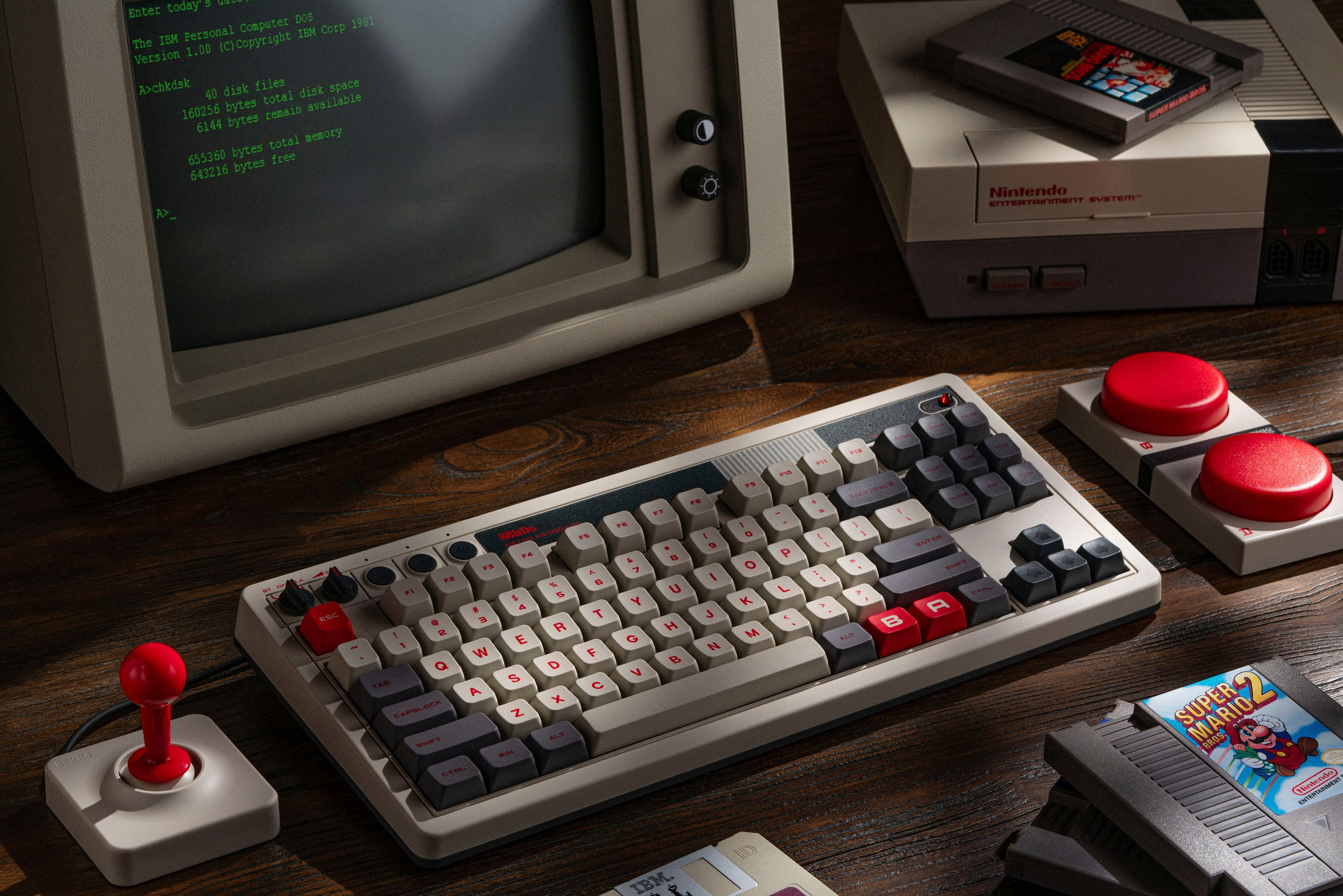
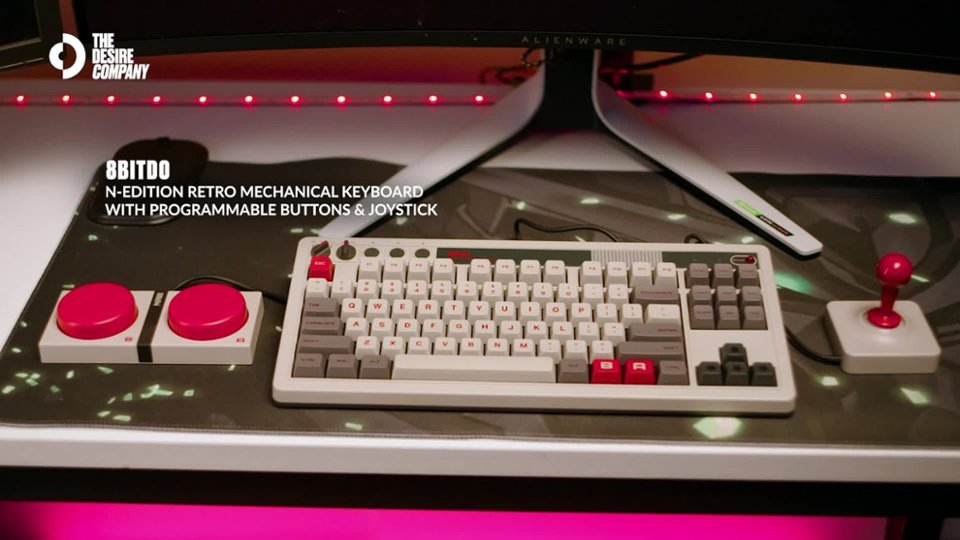
|Posted .This reviewer received promo considerations or sweepstakes entry for writing a review.The 8BitDO Retro Mechanical Keyboard is a beautiful retro-look keyboard. It's clear a lot of thought has gone into the look and design, including the giant A/B buttons and joystick. -= In the Box =- - 8 BitDo Retro N Edition Mechanical Keyboard - Joystick (assembly required) - Giant A/B Buttons - USB A to C Cable (for Keyboard) - USB A Dongle (hidden in Keyboard) -= First Impressions =- Opening the box gives serious Deja Vu vibes for anyone old enough to have owned an old Nintendo or Beige Computer. Even the box itself as you open it has a nice retro feel. Everything is wrapped in soft plastic, once you remove the 8BitDo and various accessories from the box, you get a wave of nostalgia - the textured plastic, the analog style switches to switch between BlueTooth vs Wired vs Wireless, even the rounding on the keys just gives off cool vibes. The accessories - the giant A/B buttons and joystick look great. The Joystick is actually just a mechanical key with a joystick. FYI. The box and default images of the product make it look like it comes with a trackball and joystick. But the trackball looking image is just a top down view of the joystick. -= Setup =- Setup is easy. The joystick and A/B buttons plug in using an audio-style connector. Out of the box, the 8BitDo Retro Mechanical is plug n play, but the free software unlocks the ability to customize all of the buttons and accessories (see screenshot). This customization is managed via profiles. -= What's Good =- As a Mechanical Keyboard the 8Bitdo Retro is fast, responsive, and everything you would want and expect from a mechanical keyboard. I found the angle good (it's not adjustable) and keyboard travel is great. Being able to pair wirelessly with a dongle or Bluetooth or wired is great. -= What's Not So Good =- In bright rooms, the power LED is not easy to see that the keyboard is on. Not a deal breaker, just something I noticed. The accessories are cool but honestly, I think they're really more a novelty. I'm not sure how I will use them long term and the joystick isn't as fun as I had hoped. I would be very happy with just the keyboard. -= Final Thoughts =- This may seem weird, but it's rare for a keyboard to make me genuinely happy. Like seeing it just makes me smile and happy - and that's what's cool about the 8BitDo Retro Keyboard, it's a great mechanical keyboard but also with nostalgic fun attached. I am very tempted to pick up one for my Dad, as I think the memories it would bring back coupled with the quality would make his day.
I would recommend this to a friend - Pros mentioned:Battery life
Very nice. It brings memories. Good keyboard.
|Posted .This reviewer received promo considerations or sweepstakes entry for writing a review.It is a retro Mechanical Keyboard that is also very practical to use for both work and gaming. The keys have a very nice travel with a good click. Don't be deceived by the classic look, this keyboard is very capable. The design reminds me a lot of my old computer keyboard. Also the weight. The key layout is a lot like it with nice distribution and classic knobs. Don't forget the power red LED which is kind of OVER done but still retro. The keyboard kit also came with 2 big red buttons and a joystick style controller.This 8BitDo-Retro Keyboard has internal battery with USB-C connector. it can be used wired and wireless connecting to PC, MAC, Phone, Tablet ... You have all the options.You can use the instructions in the manual to assign the A and B keys customization but you really need the 8BitDo software to assign the Joystick directions. There are some online instructions on how to assign letters to Joystick and then use it for gaming. I tried but I am honestly enjoying the Keyboard more. I'm assigning Copy & Paste to A and B just for work which can be done without the software installed. What is very good about 8BitDo Retro Mechanical Keyboard: - The design: Very stylish and very nice. Also, very retro and classic but also practical. - The keys are comfortable with good response: They provide a satisfying clicking sound. - Multi-connection: It can connect through USB (charge in the same time). It can also connect through the provided wireless adapter and BT. A nice knob can help you selecting. - Sound Volume control knob is also there. looking very nice and works very well. Rotating right to increase and left to decrease the sound volume. - Nice accessories: Big Red Buttons and Joystick that you can customize to use for games or anything else you like. Very easy to customize. - Stickers: 8BitDo offers stickers to be used on the red buttons. Nice from them. - Very strong build: The keyboard is very sturdy. Very well made with attention to all details. - Good range: Connected to TV Via BT, the range is very good.Typing on the TV from the couch. - Keyboard battery life is good. Used for 3 days on the first charge and it is still going. What not very good about it: - Loud key strokes: For some people it could be a bad thing. I honestly love it. But I need to let you know about it. - Bluetooth connection with my tablet (Android) wasn't very good. Quick typing could be a bit hard. Who may want to buy this? Any older computer user that wants to enjoy the 90's again. I believe it can be a nice gift or a good addition to your office setup with a classic flavor.
I would recommend this to a friend - Pros mentioned:Design
It looks good and works great, sides are magnetic
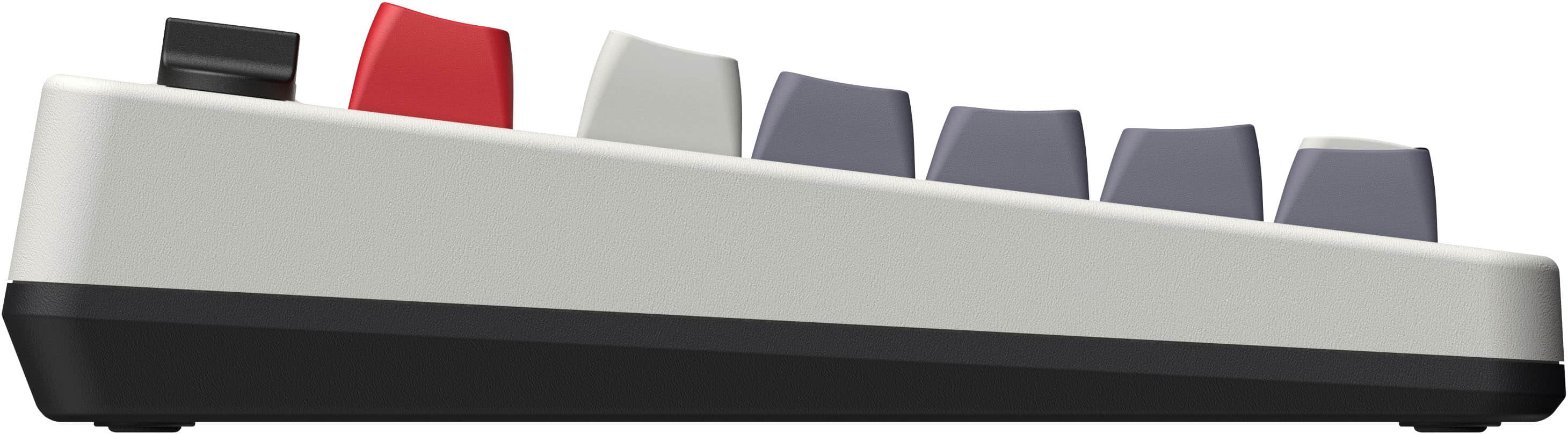
|Posted .This reviewer received promo considerations or sweepstakes entry for writing a review.8BitDo makes great products and this retro keyboard is no exception. Firstly, the design is great. It brings that Nintendo feeling. The keyboard can be connected with the included USB-C to USB-A cable, wireless dongle (which can be stored away in a slot behind the keyboard), or Bluetooth. There is a toggle switch to switch between the different connection type. There is also a volume switch that is retro styled. I love it. The keyboard itself feels good to type on. The key switch type is Kailh White. It feels really good with high actuation point. The sound it makes as you are typing is not too loud. I would say it is in between soft clicking sound to loud clacking sound. It has a rechargeable battery and can be charged using the included USB cable. It has a slight elevation, but it cannot be adjusted. I think it is fine. The AB buttons can be found on the keyboard and also comes with external versions. Large buttons. They connect to a 3.5mm jack on top of the keyboard. Those buttons feel good to press and seem fairly durable. The joystick is a nice touch and also plugs in to dual 3.5mm plugs. The sides are magnetic so they can be set next to each other. They are strong enough to stay “connected” unless you are rough at playing your games. The right side of the keyboard also has magnets. The joystick feels really good to use. It has a clicky sound as you move it around with small resistance. Feels just like the old Atari joystick. I recommend this keyboard.
I would recommend this to a friend Neat and nostalgic
|Posted .This reviewer received promo considerations or sweepstakes entry for writing a review.8BitDo does some pretty nice things with their controllers so I was intrigued about this nostalgic keyboard and joystick combo. I grew up in the 80's. I had an NES. The look and even feel of this whole unit brings me back. It seems like such a small thing, but one of the first things I noticed was the retro looking power LED. The switches might prevent this from being a daily driver for me, but even if I just break it out sometimes, it's a pretty nice decorative item for any desk. Setup was a breeze. You have a lot of options. I already had a wired keyboard with a detachable USB-C cable so it was as easy as unplugging that one and plugging the cable into this one. It "just works" like you'd expect any keyboard to. The external joystick and A/B buttons area also wired and plug into the back of the keyboard. I wish these were maybe bluetooth or something that allowed you to keep the cable clutter off of your desk but you can probably find a good way to route the cables and chances are they won't both be permanent fixtures on your desk (they definitely aren't going to be for me). There's even one additional input for another optional addon you can get from 8BitDo if you want to add more. You also have an option to connect the keyboard (just the keyboard) wirelessly via bluetooth or the included 2.4Ghz dongle (which is nicely etched like Mario bricks). All of the setup options are simple and explained in the short, multi-language instructions if you need any help. Then you can customize some buttons (and external buttons and joystick) straight from the keyboard. You can assign any key shortcut to any of the directions on the joystick or the external A/B buttons. Or there's A/B buttons on the keyboard itself where the right side menu and windows keys usually reside so you can set those as well. They call it "fast mapping" and I agree, it's quick and easy to do. A couple minuses for me. The shape and angle the keyboard sits at isn't my favorite. I would have liked another 10 degrees or so of tilt and this is one of the first keyboards I've use in a really long time that doesn't have retractable legs to change the angle (I know for a fact, because I JUST checked one more time because it feels bonkers to me). There's also no included wrist rest which I noticed immediately and had to grab one from my other keyboard just so it stopped hurting my wrist to bend (and lean on the sharp corner of the desk). Then there's the switches. I used silver speed switches for a very long time but was able to take to red switches pretty quickly. Probably because those are both linear switches. These white switches are a little harder to get used to for me. They're clicky. If you like that you might be right at home. I'm giving them a chance and seeing if I can get used to them and I'd say I like them a little better than the first time I typed on them but I still prefer my linear switches. Those are probably two of the reasons I'll have this as more of a decorative keyboard or break it out when I'm feeling like a change. The keybaord works great and really captures that old school look and feel but when I need to do a lot of typing, I'll probably break out the old red switches and hang this one up. If you can find some samples of the white switches that are used (Kailh Box White Switches V2), you can see how much you like them and make a decision if you're looking for a nice looking keyboard that you can use all the time. Everyone has their own preference for mechanical keyboard switches and mine just happens to not be this. It's not bad, it's just not my favorite. Also, consider getting a wrist rest. If those aren't dealbreakers for you, this could be a fun keyboard to complete your nostalgic Nintendo desktop.
I would recommend this to a friend- Cons mentioned:Software
Unique and Different, But Software Ruined It
|Posted .This reviewer received promo considerations or sweepstakes entry for writing a review.Mechanical keyboards are in abundance and there are a lot of options nowadays. Years ago, getting one meant having to spend top dollars. Now there’s a keyboard for a variety of market segments, be it budget, gaming, or mid-range. 8BitDo is a company that started out by making retro-styled game controllers. Now, they expand upon their product portfolio with their mechanical keyboards. And what we have is their Best Buy exclusive bundle set of keyboard and joystick. One of the bigger aspects of mechanical keyboards are the switches themselves. These are the switches that will determine half of how the keyboard will feel and sound. The other half is the internal build of the keyboard itself, whether they’re built simply with a circuit board and switches or built with gaskets and sound dampeners inside. The keyswitch used on this is the Kaihl white box switch v2. From what I gathered, it has characteristics similar to CherryMX’s Blue switches. That means it’ll have some clickiness to the overall typing experiences. The included Super Buttons, however, uses Gateron switches with a green color stem that I cannot identify. The biggest draw for this keyboard is in the visual aesthetic design. The colors scheme replicates a certain game company’s US console system that came out in 1985, bringing a nostalgic feel. It’s a shame the keyboard does not include any backlighting to illuminate the keys. But it’s a minor drawback to keep the visuals as close to the intended design as possible. The keyboard does not have a numpad and thus is a TKL design. There is no media control except for volume. The volume control knob is not linear but that is okay. The keyboard has a dedicated “A” and “B” key to use as a simple key-mapping function. Keyboard shortcuts such as Ctrl-C can be mapped to these keys or to a Super Button for quick and easy access. However, these keymappings are simple and will activate across any programs running in the foreground. For more customizations and controls, the “Ultimate Software” needs to be downloaded and running. The Ultimate Software companion app for the keyboard leaves a lot to be desired. There is no setup routine to install it and so I ended up running it from a folder on the desktop. Windows also flagged it as a potential dangerous program and thus displayed a warning before running. Attempting to dump the folder into Windows’ “Program Files” also resulted in errors (which may be due to requiring elevated privileges since it was trying to write to that folder). Using the software is also not the best. On a basic level, it does what you wanted it to do but the user interface and user experience is borderline bad. There is nothing in the way of documentation other than a video tutorial. And even that isn’t all that useful. My personal experience with the software was almost to the level where I’d rather not use it at all. The keyboard does not have any adjustment to the back feet and thus it cannot be angled higher. This is another drawback to the keyboard and something I wish they didn’t omit. The transceiver dongle is tucked away magnetically on the back underside of the keyboard. While one can use the keyboard in either bluetooth, wired via USB, or using its transceiver, having these options is always welcomed. Overall, this is a fun keyboard to use. The super buttons and joystick allow for some interesting keymapping to make some functions more easily accessible. But its sub-par software ruined the ability to have macros mapped to these add-ons. The ability to connect the keyboard via Bluetooth, USB, or its included transceiver is great for using it across a variety of devices and platforms. It’s too bad that the keyboard cannot be adjusted since it lacks the rear feet that many other keyboards have. So is it worth the asking price? At the time of drafting this review, the price is the same elsewhere. The difference is that this exclusive bundle comes with the joystick so that may have some influence. With these in mind, I rate it at 3 out of 5. If the software was better or not an issue, I would have rated it higher. But as it stands, I cannot give this a high score. The Good: Retro-style keyboard, mappable big buttons, switches can be swapped The Bad: no rear height adjustment, no key or switch puller included, badly designed software The Ugly: Add-ons are connected via wires Verdict: If you don’t need macros, buy. Otherwise, pass.
I would recommend this to a friend - Pros mentioned:Connectivity, Keyboard qualityCons mentioned:Software
Fantastic Keyboard
||Posted .This reviewer received promo considerations or sweepstakes entry for writing a review.I am blown away by this keyboard. The wireless works flawlessly, I like the sound more than my last keyboard, it's clicky but not overwhelmingly so. The extra buttons and joystick are honestly a bit of a novely and I'm not sure I would ever use them. They keyboard is worth the price alone. The only thing holding it back for me is that the color is way more of a faded, off-white than the bright white you see in the photo. It's not a big deal but it stands out among the more bright white components of my pc setup. Minor thing. Last tiny little negative is the free app you can download to setup profiles and map buttons is not great. The software is just not a smooth experience. I want to give this keyboard a 4.8 but unfortunately the stars don't allow for such nuance in scoring. So we'll go 4/5.
I would recommend this to a friend - Pros mentioned:Connectivity, Key feel, Keyboard quality
Nostalgic and Awesome!
||Posted . Owned for 2 weeks when reviewed.This reviewer received promo considerations or sweepstakes entry for writing a review.This is one of the coolest keyboards ever! Its so nostalgic and has such a fun aesthetic. Normally I'm not a fan of clicky keys but in this case, they match the vibe perfectly. The joystick and buttons are so much fun to program and I was able to play old NES games with them on my PC. They're easy to program and the magnetic aspect is really helpful to keep everything in place. As a stand alone keyboard its great quality, it sounds good, is a good size and weight, and offers wired, bluetooth, or wireless with a dongle. I would recommend this to anyone who has a soft spot for old games and technology. I love it!
I would recommend this to a friend - Pros mentioned:Connectivity, Key feel, Keyboard quality
Clicky Clacky Trip Down Memory Lane
||Posted . Owned for 2 weeks when reviewed.This reviewer received promo considerations or sweepstakes entry for writing a review.Keyboard connects easily and works well. The sound and feel of the keys is satisfying - the aesthetic is spot on and makes me feel like I should be heading to rescue a princess instead of answering emails. If there was a version that included a numpad it would be perfect.
I would recommend this to a friend The Perfect Dose of 80s Nostalgia That I Needed
|Posted .This reviewer received promo considerations or sweepstakes entry for writing a review.****** NOTE: When using the 8BitDo Ultimate Software V2, as of version V2_V1.07 when writing this review, make sure to use the knob to turn the keyboard to the "OFF" position while the keyboard is plugged in to your computer via USB-C. Otherwise, the 8BitDo Ultimate Software V2 won't recognize the keyboard. ****** I felt like I got transported to a Christmas in the 80s when opening the packaging of this retro mechanical keyboard by 8BitDo. It was all the nostalgia I needed to take me back to my childhood days of gaming on the most iconic video game console of all time. I must say, I am extremely impressed at the level of execution and quality of this retro keyboard and it's accessories; especially for the pricing segment that it's being offered at. In terms of the the overall theme and button layouts of the keyboard, 8BitDo absolute nailed it. I love the retro orange power button and the analog knobs that control the volume and toggle between bluetooth and 2.4 Ghz operation. They work flawlessly. In the upper left hand corner, you also get a pair button, a fast key mapping button, and a profile button. The keyboard includes a 2.4Ghz USB dongle that is cleverly themed like a brick from a very beloved video game that should be all too familiar. At first, I thought 8BitDo had forgot to include this USB dongle but it was neatly tucked away underneath the keyboard. I love how 8BitDo sparingly used the color red on their keycaps with only the escape key and the "B" and "A" keys being red. The keycaps themselves feel very premium. They are dye-sublimation PBT keycaps. While I will always prefer double shot keys to dye-sub, these keys feel very comparable. I also love the angled MDA-like height of the keycaps. The thing I was probably most surprised with is the phenomenal typing experience on the V2 Kailh box white switches! The feel and sound is incredible. They sort of remind me of Cherry MX browns, because of it's relatively lightweight and tactile feedback, but with a clicky audio component and slightly more push resistance. This slight push resistance is due to slightly heavier keys on the Kailh whites with an actuation force of 50 grams and a bottoming out force of 60g (5 grams more in both categories over browns). I love these slightly heavier switches as I find more satisfaction in the additional feedback while typing. One thing to note is that the dual super buttons do not seem to use the Kailh box white switches (see attached picture). I'm not sure which switches they're using but they feel decent enough for their intended purpose. Gaming on this keyboard was also flawless. I tested all modes (i.e. bluetooth, 2.4Ghz, wired) and I never had any issues with any type of disconnections or any noticeable latency. I've used this keyboard wirelessly for over a week now, for about 12-14 hours a day, and still haven't had the need to recharge it. This is thanks to the impressive 2000mAh li-on battery that lasts up to 200 hours. The joystick and super button accessories that this retro keyboard come with not only perfectly complement the theme, but are fully functional. You can either use the fast mapping button on the upper left hand corner to map a plethora of shortcut combinations, or you can download the 8BitDo Ultimate Software V2. As mentioned earlier, make sure the knob is set to the "OFF" position or the software won't detect the keyboard and will just stay stuck with the error prompt "Please connect the 8BitDo device via a USB Cable". Once installed, the Ultimate software is great! I love that you can configure multiple profiles and then quickly launch them via the profile button on the keyboard (i.e. the heart button). Another odd quirk I encountered was when mapping the joystick. I noticed that I could not properly map the "W", "S", "A", "D" keys when the joystick was plugged into the "XY" auxiliary ports on the keyboard. For whatever reason, the Ultimate V2 software does not detect the down and left motion on the "X" auxiliary port when mapping the directions on the joystick. You have to use auxiliary ports "AB" in order for the software to properly detect all directional motion on the joystick. I'm also on the current latest firmware (i.e. V1.77 keyboard firmware and V2_V1.07 ultra software version). As a result, I had to move my 2 super buttons from "AB" to "XY" and vice versa for the joystick. Not a big deal but make sure to connect them this way if you run into this issue. Once configured, the joystick and super buttons are a joy to use. I used the joystick to play several of my retro inspired 2D games on steam and mapped shortcuts to the super buttons (e.g. launching my favorite website on a browser). The best part about the super buttons is the macro mapping. Using the Ultimate Software, you can record a combination of keystrokes and then map them to the "A" and "B" super buttons. You can also do this with the "A" and "B" keycaps! I also love that the bases of the joystick and super buttons have magnets which allow both accessories to neatly stick together. This is also the case for the keyboard. As you can tell by my pictures, I separately purchased the 18 key numpad. Both the keyboard and numpad also have the magnets that allow them to seamlessly connect. Love these thoughtful touches by 8BitDo. If 8BitDo ever releases an updated version of this keyboard, I would love to see the joystick and dual super feature wireless support. While it's not a huge deal, the cables can create a bit of clutter on the desk. On the other hand, this is a retro inspired keyboard setup so maybe wires are just par for the course! Overall, I'm a massive fan of this retro keyboard package. The fun accessories are truly the cherry on top. I get excited every time I sit at my computer desk. If possible, I would have rated this product a 4.5/5 due to some of the minor software quirks and the lack of wireless support on the joystick and dual super buttons. However, it didn't seem fitting to deduct an entire star for these minor caveats. Hopefully these software quirks can be addressed in future software revisions. If you're a video game fan or you simply love the nostalgia of the 80s, and you want a high quality keyboard with some fun accessories, I can't recommend this 8BitDo keyboard enough!
I would recommend this to a friend- Pros mentioned:Connectivity, Keyboard quality
Exclusive Best Buy N Edition is a great value
||Posted . Owned for 1 week when reviewed.This reviewer received promo considerations or sweepstakes entry for writing a review.This 8BitDo Retro Keyboard N Edition is a Best Buy exclusive edition that comes with not just the big A & B buttons, but the joystick. So if you want the complete set, Best Buy is the only option for now. Even if you never grew up with the original Nintendo console, this is a beautifully designed keyboard with a classic look. The plastics feel high quality and the clicky switches have a satisfying thud and a responsive sharp sound every time its keys are pressed down. This is quite nice if you're a gamer and you work in an office alone. This is not a quiet keyboard so avoid it if you have co-workers or need to work in public. The pricing may seem high for a keyboard without a numpad, but this is a relatively affordable keyboard that punches above its price category. I was pleasantly surprised by its quality and I just can't stop using it. I love that you also have multiple connectivity options (Bluetooth, USB dongle). The keyboard is also weighty so be mindful of that if you'd like to use this as a portable keyboard. Pair this with the matching N Edition numpad if you find yourself in the mood for some Excel work! Note that 8BitDo will be releasing a variant of this keyboard (not N Edition) that's full sized (with numpad) in December 2024. Personally, I love the smaller form factor so I decided to grab this keyboard without waiting. It was absolutely worth the purchase and it's my first 8BitDo purchase. I'm a fan and I look forward to their future releases. Highly recommended for both keyboard enthusiasts and newcomers to the world of mechanical keyboards.
I would recommend this to a friend Brings back lots of memories!
|Posted .This reviewer received promo considerations or sweepstakes entry for writing a review.The 8BitDo keyboards are a throwback (of a sort) to the early days of computers and gaming consoles. I say "of a sort" because there never was a Nintendo keyboard that I recall! The idea of retro things has had a comeback recently and this fits the bill for those of us who were around in the early days. The aesthetics bring a lighthearted look to my desk. Despite being what appears to be just another gimmick, the 8BitDo devices really do work well. The key feel is really good and has that mechanical click and thump that I remember from old mechanical keyboards I have used in the "old days" of the huge IBM AT keyboards! I got the Nintendo style keyboard with the big buttons and the joystick and liked it so much I went back and bought the ten keypad to match. Connection is easy, you can choose between Bluetooth, wired or USB wireless connections. The joystick and big button pad both connect with wires to the main keyboard. I tried to get the keyboard and number pad to connect to the same USB dongle but it didn't seem to want to so I just used both. This does tie up an extra USB port but is not a big deal for my setup. I'll see how battery life is after a while, but the other controls are pretty nice. There are two regular size buttons that duplicate the big buttons, so I have them mapped to a couple of keystrokes I use often. The look and feel is really good, although a backlight might have been expected at this price. Between the two devices, I am now up to the price of a pretty good mechanical gaming keyboard that would have some other features as well. Since this is being used in a classroom setting, backlighting is not needed for me. I do like that the ten keypad has a button to switch it to a simple calculator, although the usefulness will be a bit limited without the extra functions of a regular calculator. So far, the feel of the keys and the build of the devices gives a great impression. I hope the quality lends itself to long life and many years of use. I'm typing this review using the keyboard and am settling back into the speed and accuracy I recall from all those years ago! I realize I should have not been using these squishy keyboards so many manufacturers have been giving us for so long!
I would recommend this to a friendPerfect for Retro Gaming Fans
||Posted . Owned for 1 year when reviewed.This reviewer received promo considerations or sweepstakes entry for writing a review.The 8BitDo Retro Mechanical Keyboard is one of the most unique keyboards I’ve used. The retro design looks amazing on my desk and brings back classic gaming memories while still feeling modern and premium. The mechanical switches are satisfying to type on, with a great balance between comfort and responsiveness. The included programmable buttons and joystick are a fun addition and work surprisingly well for shortcuts, gaming, and productivity tasks. Build quality feels excellent, the wireless connection is reliable, and battery life has been great. Setup was simple, and the keyboard works smoothly across different devices. If you’re a fan of retro gaming aesthetics but still want a high-quality mechanical keyboard for everyday use, this is an easy recommendation. Highly satisfied with the purchase. ⭐⭐⭐⭐⭐
I would recommend this to a friend- Pros mentioned:Key feelCons mentioned:Software
Clicky Keys for Deep Dish Fingers
||Posted . Owned for less than 1 week when reviewed.This reviewer received promo considerations or sweepstakes entry for writing a review.As others have pointed out, the software is terrible. Windows won't like it at first, and even when you get it running, it leaves much to be desired. I'm not exactly sure what this keyboard reminds me of, perhaps the old Apple IIe and Commodore keyboards of my youth? At any rate, the only thing this has going for it is probably the built-in shortcut mapping. Right out of the box, you will have up to eight macros available to use (Joystick directions, plus A and B keys, plus A and B buttons). On the plus side, they're easy to program even without the software, assuming you're not trying to map keys which don't exist ON THIS KEYBOARD (like, number pad arrows, which are used for MouseKeys, can't be mapped to the joystick as an example). It's an interesting experience, but this isn't something you would want for an office setting - these are satisfyingly clicky Kailh White keys, and the PBT caps are relatively thumpy. It will annoy everyone at work if you absolutely use this thing a lot. The joystick and buttons are kinda fun, but honestly I don't believe they're going to bring anything to your retro gaming experience. I would rather use the TRS interfaces to make my own inputs for this keyboard, but they are there if you insist. For MacOS, you're going to find a few things rather difficult. This has Windows "alt" keys which won't correspond to your normal Control, Option, and Command locations (Ctrl = Control, Win = Command, and Alt = Option). Also, this doesn't have the Function button, so F1-F12 do just that - F1-F12. No brightness, Spotlight Search, rewind, play/pause, etc. (but the volume knob works right out of the box). You might, however, appreciate having a forward-delete key if you, like me, are used to PC keyboards and miss having that option. Overall, it feels like a very solid toy. It's loud, not very practical, fun to use and it feels pretty robust. But I don't think I'd count on it as a daily driver, especially not without the numpad (a Bluetooth Numpad/Calculator is available to match, which I hope to get this Christmas) but IF you have a mini PC specifically for use with Nintendo emulation, I could see the appeal in that situation. I just don't trust the joystick as much as I thought I would. Oh one thing about the joystick - it uses TWO jacks in the back of the keyboard (each jack is a 2-bit 3.5mm TRS socket) so you would THINK that left and right would operate in the "X" jack, and up and down would operate in the "Y" jack. But nope. On my joystick, left and up are on one TRS plug, and down and right are on the other. Very weird. It won't affect your mapping, but it does seem like a little detail that should have been better thought out. I'm going to give it 3 stars for Value, but keep in mind I got mine on Black Friday and had an extra $25 credit to burn, which is why I bought it. Quality: Physically, it's a solid unit, but I still worry about the joystick even though it looks like it has physical limitations to prevent the switch from snapping. Ease of Use gets 4 stars - minus two for the software, but plus one for the built-in mapping. Would I recommend it? Depends on the use case. I wouldn't recommend it to a typist or programmer, but to someone who wants to play retro games, sure... it's a neat little thing to have.
I would recommend this to a friend - Pros mentioned:Design, Keyboard quality
Bring Back Good Memories
||Posted . Owned for 1 week when reviewed.This reviewer received promo considerations or sweepstakes entry for writing a review.This keyboard has been a fantastic addition to my work desk. It’s sleek and functional, and I get so many compliments! The typing experience is great—the keys have a nice, not too loud, sound. I haven’t run into any problems so far. The only thing I’d change is having a work mouse, but I love being able to customize its functions. I’m really happy with this purchase.
I would recommend this to a friend