Customer Ratings & Reviews
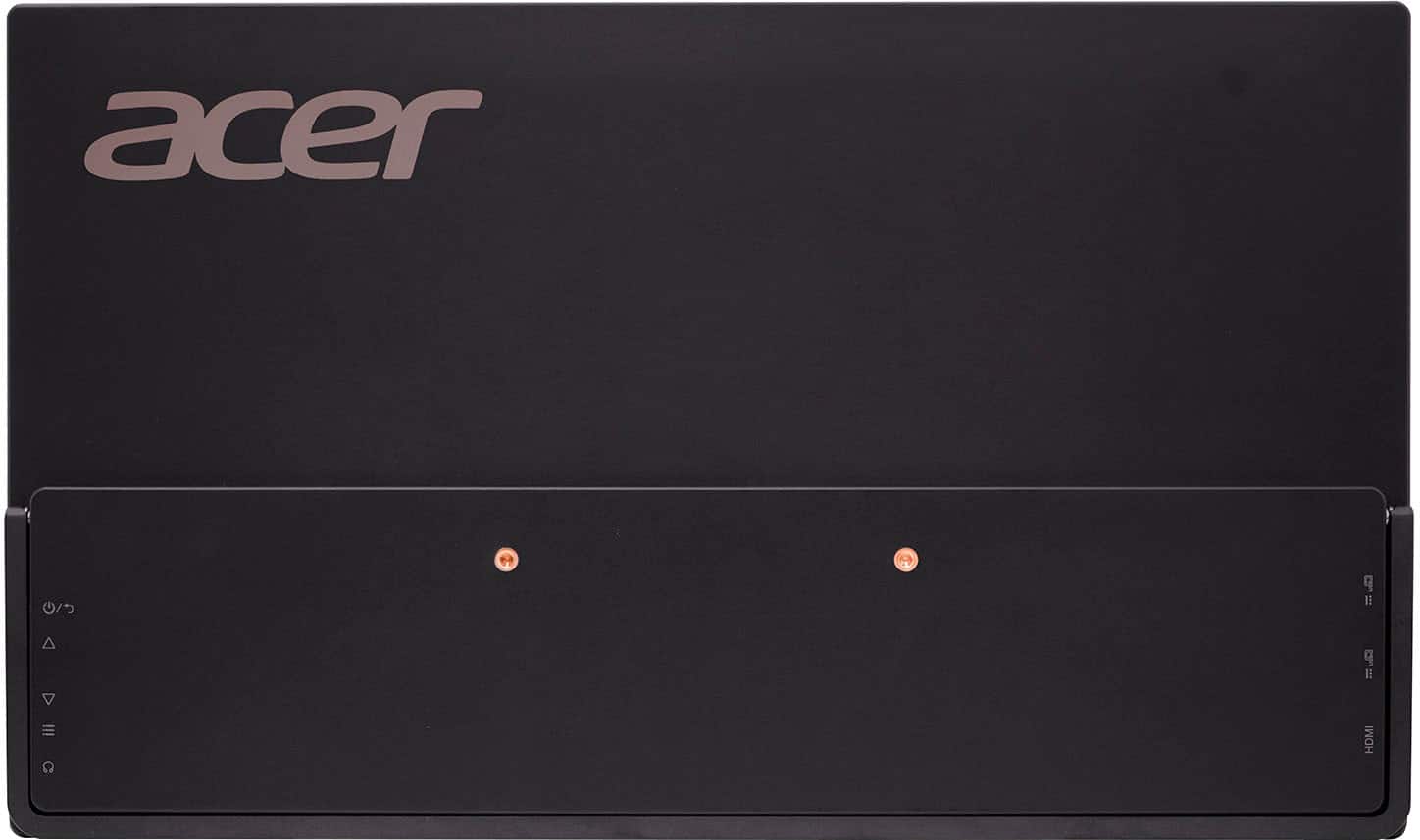
- Model:
- PM161W bmiuux
- SKU:
- 6617471
Rating by feature
- Display Quality
Rating 4.7 out of 5 stars
- Ease of Use
Rating 4.8 out of 5 stars
- Features
Rating 4.6 out of 5 stars
Customers are saying
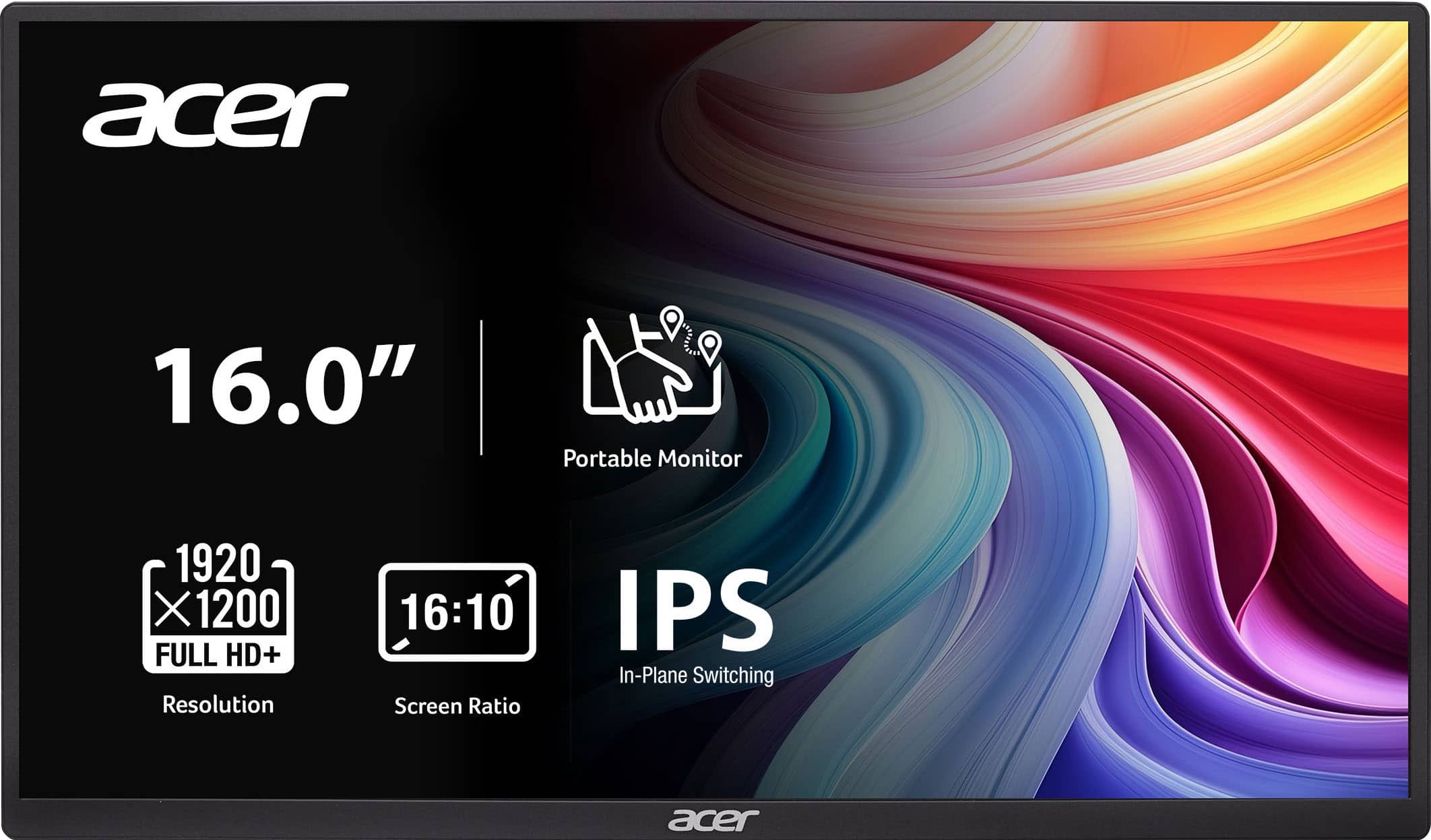
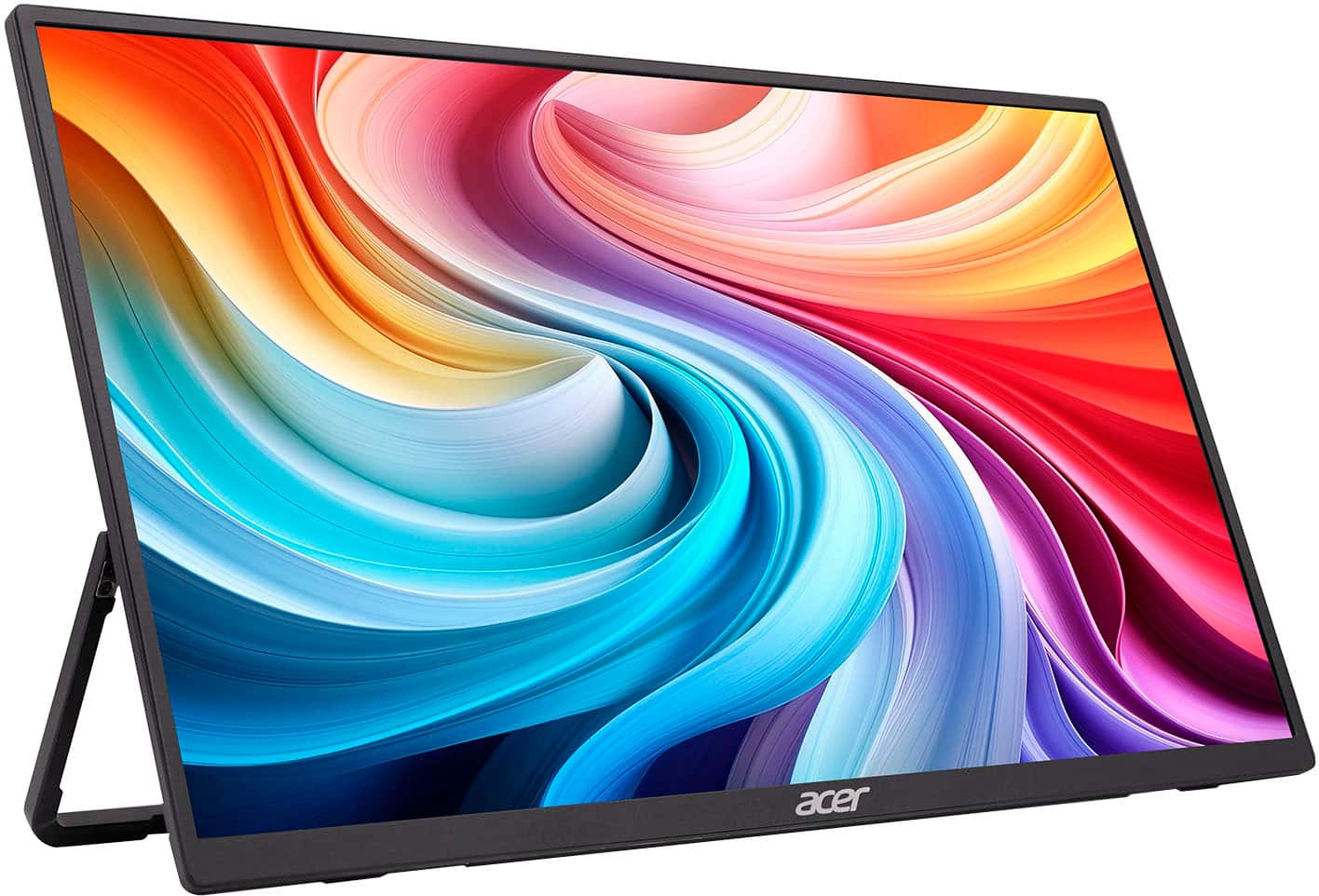
Customers value the product's exceptional portability, often highlighting its thin and lightweight design, as well as its great image quality and seamless connectivity. They also appreciate the excellent viewing angles. However, some customers have noted minor drawbacks, such as the absence of a protective cover, inconvenient port placement, and a recessed button design.
This summary was generated by AI based on customer reviews.
Great adition
||Posted . Owned for 2 weeks when reviewed.This reviewer received promo considerations or sweepstakes entry for writing a review.Great little monitor i have it as a side piece for my pc. Works great to have music or a movie without actually taking up work space
I would recommend this to a friendPortable
||Posted .This reviewer received promo considerations or sweepstakes entry for writing a review.Pretty decent monitors for what your getting . Resolution not bad ! Just wish the cables were a little longer that come inside the box
I would recommend this to a friendGood external monitor
||Posted .This reviewer received promo considerations or sweepstakes entry for writing a review.This is definitely an upgrade from what I had and it’s super lightweight, which is nice for traveling. Don’t expect anything special, but you get what you need.
I would recommend this to a friendNot reliable
||Posted . Owned for 3 months when reviewed.This reviewer received promo considerations or sweepstakes entry for writing a review.this died on me only after 4months of using called acer customer service for support and to explain but the rep was not very helpful.did not honor the warranty service and wanted me to try troubleshoot when i already explain to him i have tried everything on my end. its like they want me to jump through hoops before they will honor the warranty service
No, I would not recommend this to a friendBrand response from TeamAcer
Posted .Dear SikaS,
Thank you for taking the time to leave a review regarding the purchase of your Acer portable monitor. We are sorry to hear that the product did not meet your expectations, and we want to work with you to see how we can help improve this experience. If you will please call 1-866-658-2237 during business hours Mon-Fri, and reference your review, we can help address any problems you may be experiencing.
Regards,
Acer America
- Pros mentioned:Connectivity, Image qualityCons mentioned:Button design

Surprisingly capable monitor at rock-bottom price!
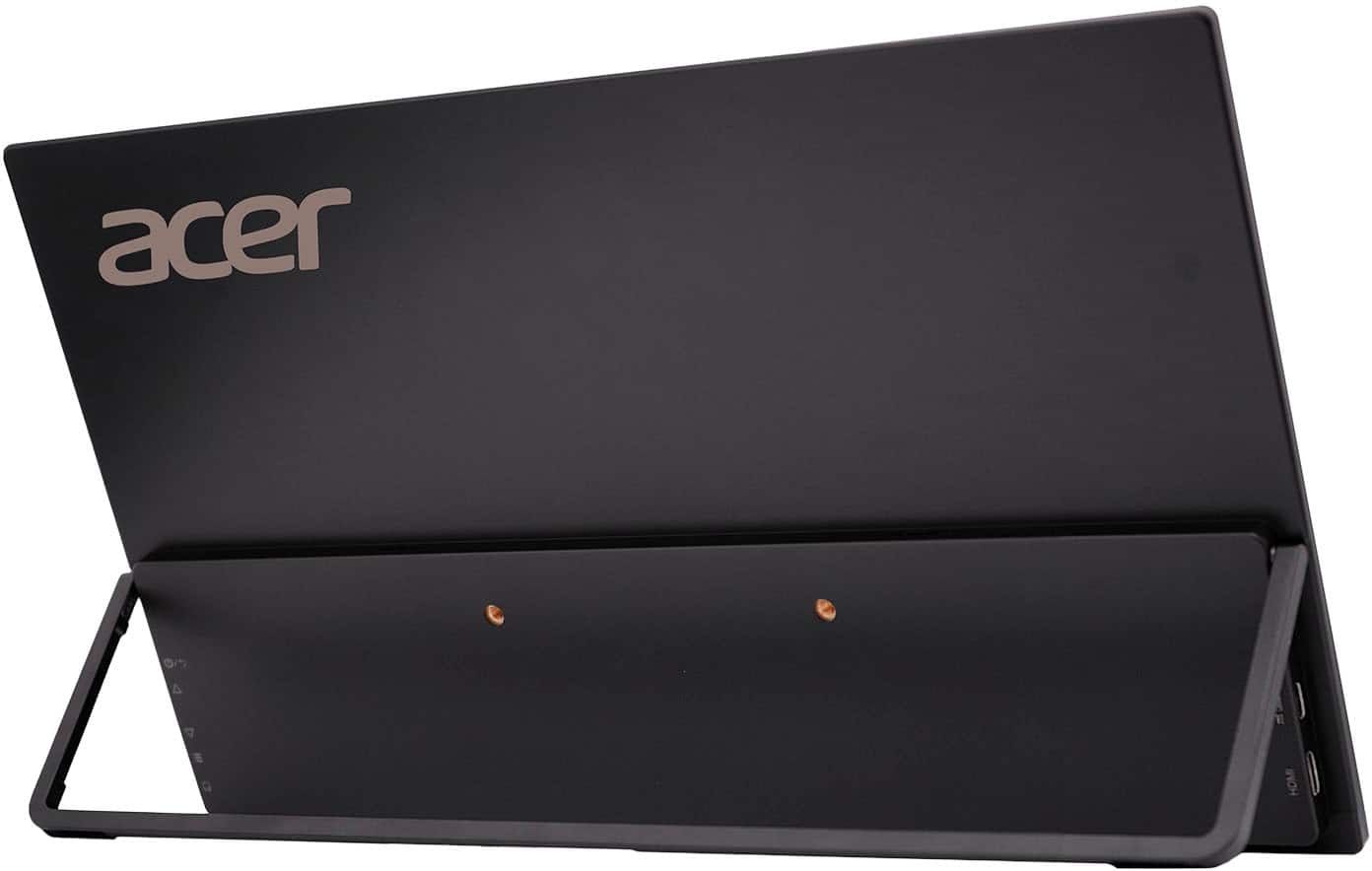
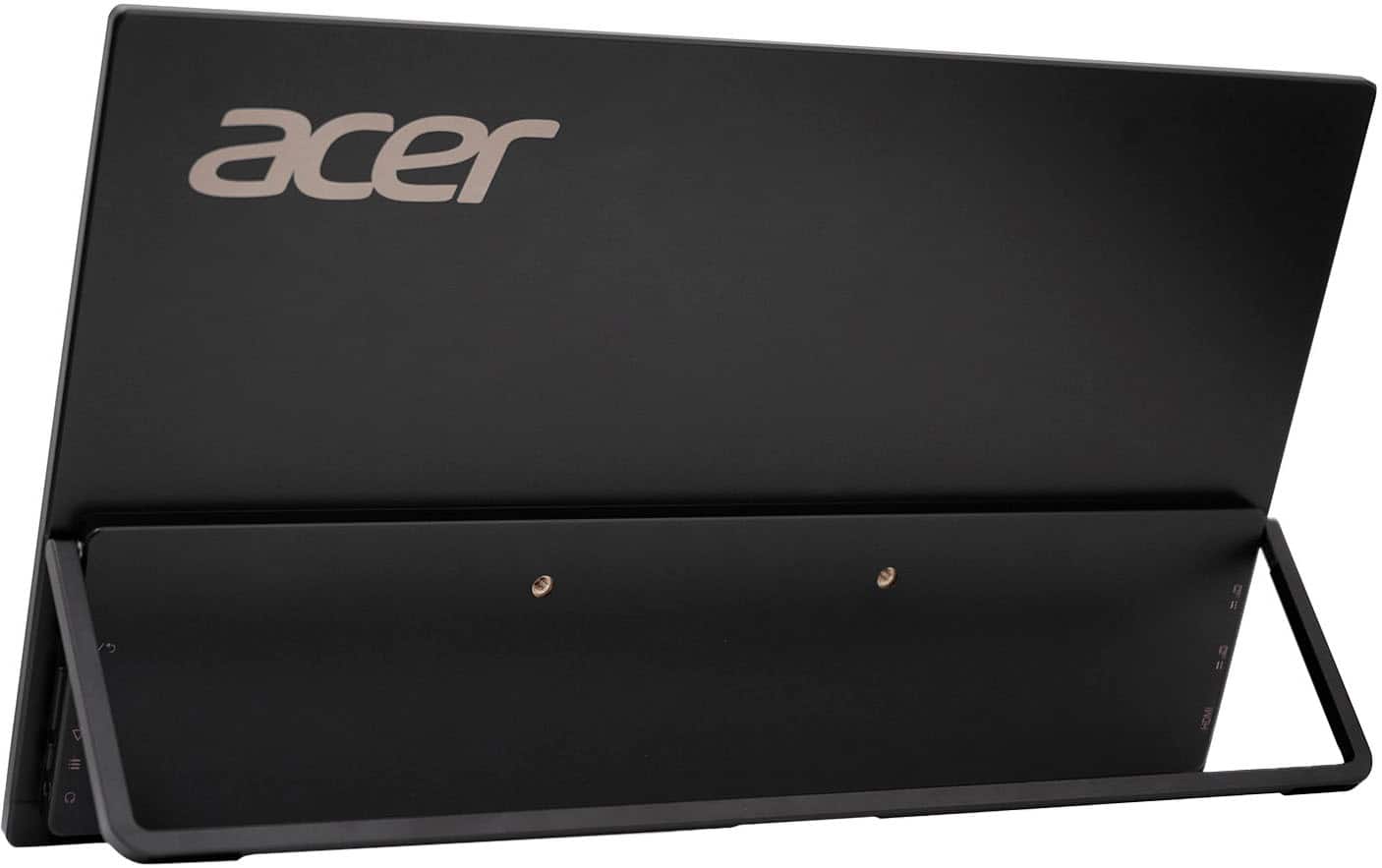
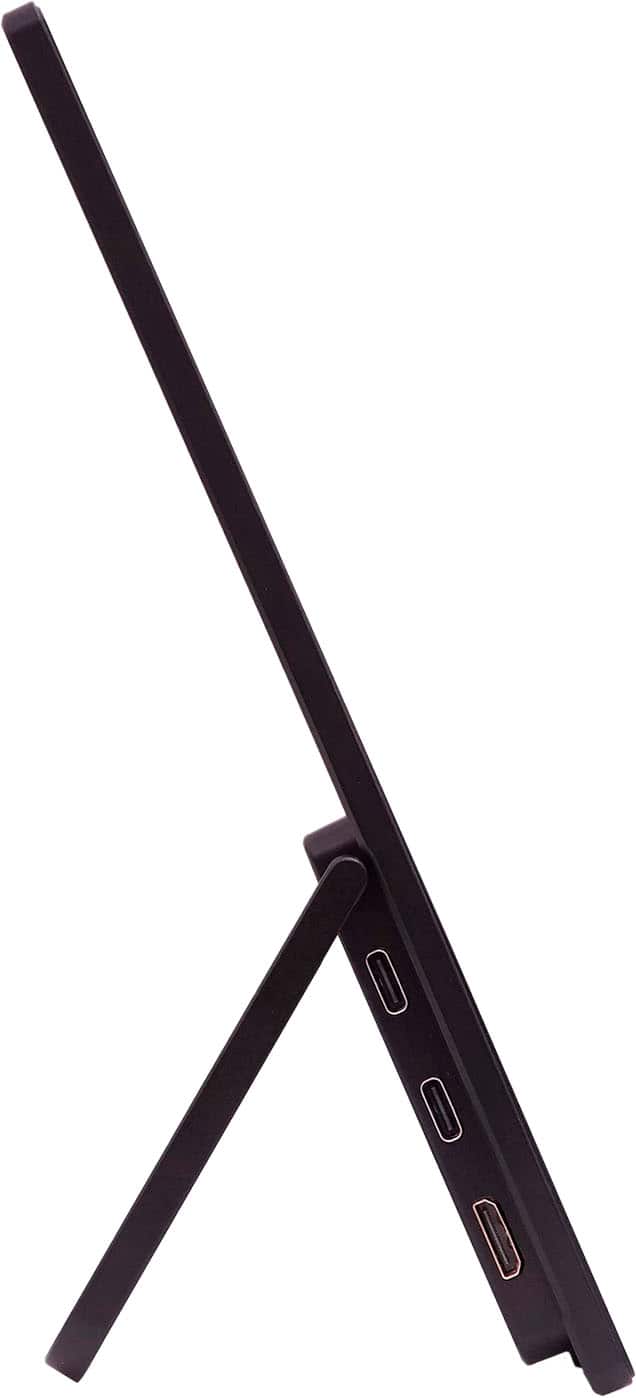
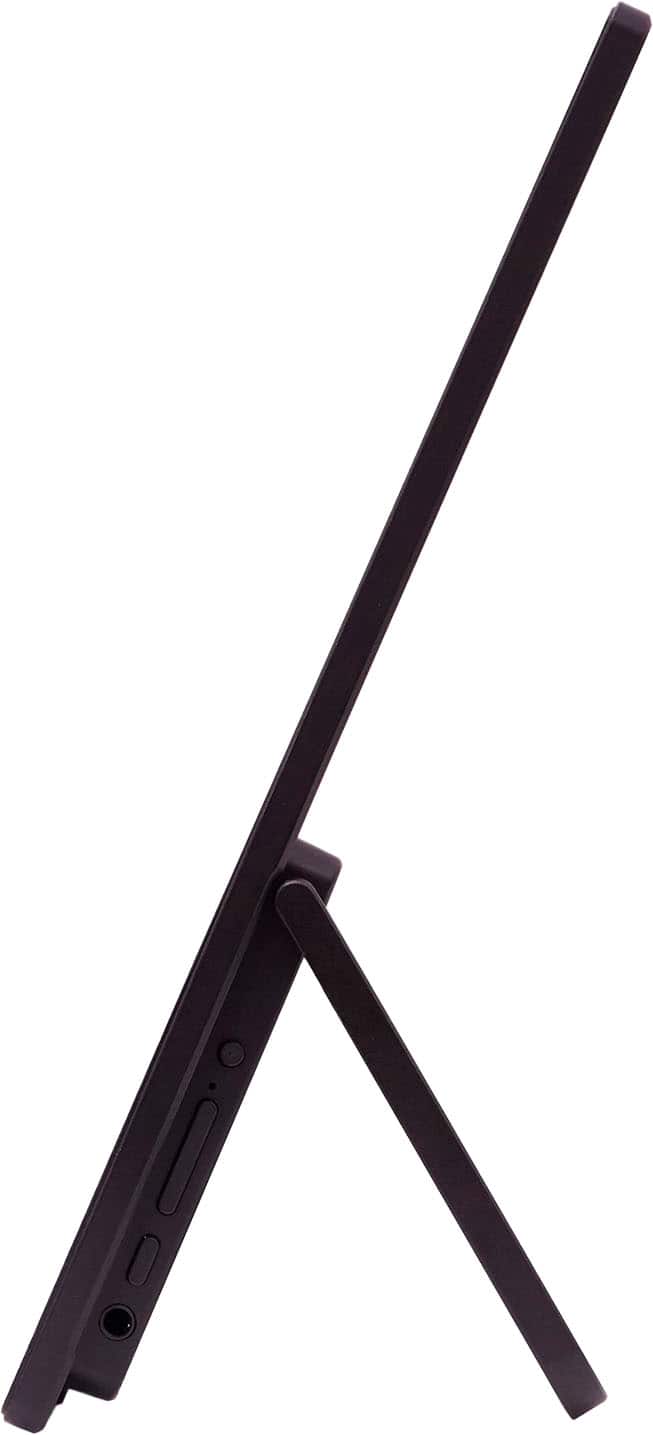
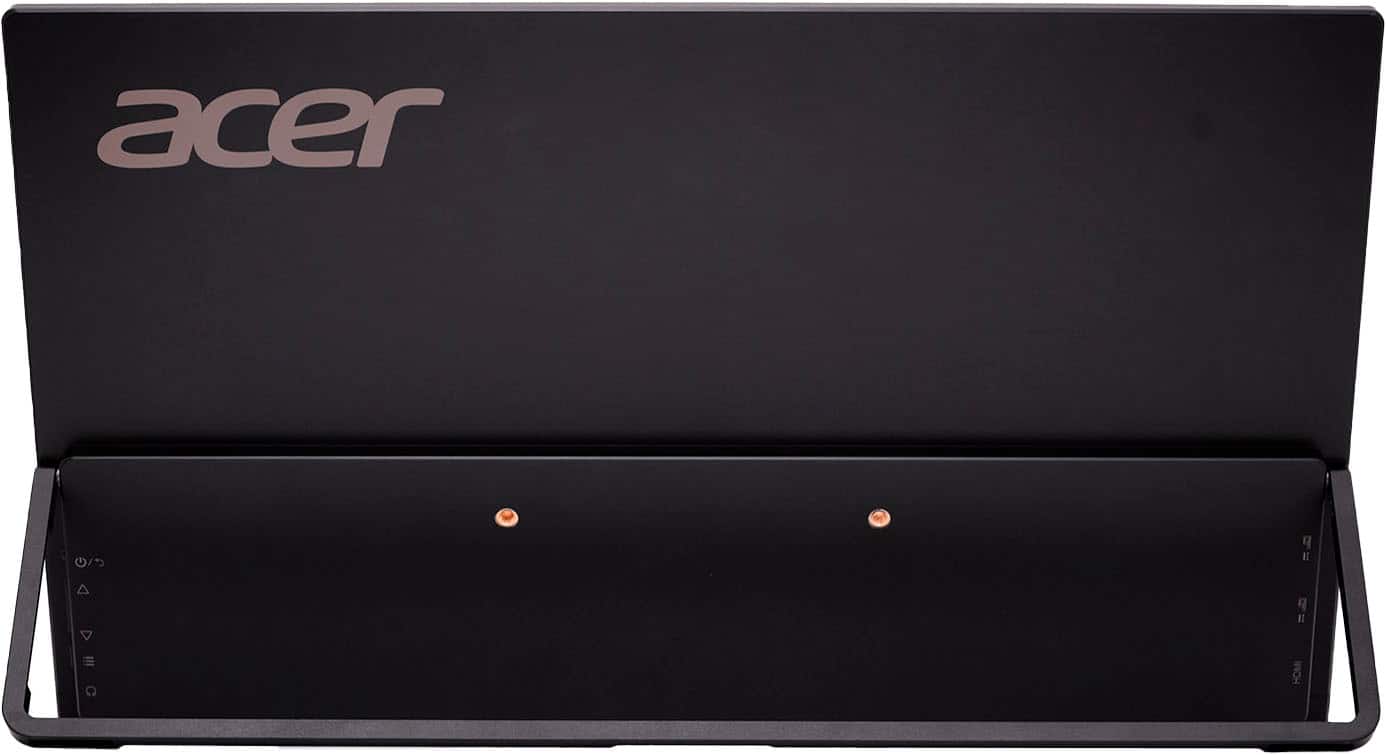
|Posted .This reviewer received promo considerations or sweepstakes entry for writing a review.I admit I’m impressed! For a “budget” travel monitor, the Acer PM161W has an awful lot going for it…and the few things it lacks you just might be able to forgive given the price and performance. Physically, the Acer PM161W looks like just about any other portable flatscreen monitor out there. The panel itself is svelte with a ¾ thin-bezel design that clocks in at just ¼” thick. Some additional electronics are housed in a rectangular enclosure that juts out another 1/3” or so from the bottom rear of the panel. A 180-degree fold-out kickstand runs the entire width of the monitor with a hinge that offers enough tension to keep it locked in place at pretty much any angle. The extra-wide kickstand is also helpful for ensuring maximum stability with rubber feet on the bottom of both the monitor’s frame and the kickstand itself. Sadly, there are no VESA mounting points on the back, though there are two threaded holes in the plastic back panel, but it is unclear what, if anything, they are there for. The kickstand also only supports the monitor in landscape orientation, which is unfortunate because using it in portrait mode would take up even less space on a small desk or tabletop…likely where a monitor like this would be used while on the go. Specs are pretty decent for a monitor with a price tag this reasonable: WUXGA (1920 x 1200) resolution, an HDR-capable wide-angle IPS panel with a matte screen finish to tame intrusive reflections, adaptive sync/FreeSync refresh rate control to smooth out gameplay (to some degree), a small pair of relatively anemic yet still functional speakers, and three independent video inputs. LCD panel performance can seem like a bit of a lottery at times, but Acer’s QC did a really good job on this monitor. My panel came with no stuck or dead pixels at all, and uniformity was uncommonly solid with just a tiny (and I mean nearly imperceptible) bit of backlight bleed at the very very bottom edge of the bezel. The left side of the panel is home to two USB-C ports (with DP video and PD input/output) and a mini-HDMI port; short USB-C to USB-C and HDMI to mini-HDMI cables are helpfully included in the box. Although the monitor will work with a single USB-C cable carrying a DP signal from a compatible source, you’ll get better performance if you plug another USB-C cable with a wall charger (or high-power battery) into the second USB-C port. Upon initial testing, I thought the picture was a bit dim when I was using a single-cable solution from my ROG GT14 gaming laptop to the PM161W, so I started cranking up the panel’s brightness. Around 30, a pop-up window featuring somewhat poorly translated text suggested that going any higher would likely require an external power supply. I gathered that the panel simply couldn’t draw enough juice from the USB-C port alone (or the DP/PD port on my laptop was being pushed past its own limits). Unfortunately, ASUS did not include a second USB-C cable or USB power adapter in the box, so you’ll have to supply your own if you want to get maximum brightness and performance—but trust me, it IS worth it (more on that in a bit). I can confirm that the monitor’s USB-C ports provided some pass-through power delivery (at least enough to start recharging a beefy flashlight battery), but your mileage will likely vary depending on the signal configuration and power specifications of the USB-C source/ports you are using. For office productivity, a single cable from your laptop or tablet will probably be more than sufficient, enough so that you can free up that second USB-C port for your phone or other low-power peripherals. For gaming, I found it best to go with an external power supply coupled with another USB-C DP or an HDMI connection. The right side of the panel features a 3.5mm headphone jack and 4 control buttons, one for power/menu exit, a rocker switch for up/down menu navigation and function adjustments, and a menu button. The buttons themselves are a bit small and jammed up against the back of the panel so it’s a little awkward to reach and use them from the front, but they do get the job done. Once you go spelunking into the menus themselves, there is an almost intimidating array of adjustments that can help you dial in and customize the monitor’s performance and color reproduction to achieve some pretty stellar results. Like many monitors these days, there are some video presets you can use to supposedly optimize color and brightness for various activities (reading, low-light use, graphics, movies, energy conservation, etc.). I personally tend to shy away from these presets as I usually find them to be either gimmicky or just TOO much in one direction or another for their purposes. But if you find there’s no preset to your liking, you also have control over a host of surprisingly extensive and sophisticated adjustments that you can make beyond just brightness and contrast. For example, you can adjust color temperature, gamma, individual RGB channel gain and bias (useful if you have a monitor colorimeter for achieving a really thorough and accurate calibration), blue light reduction levels, and variable black levels (usually for gaming to provide better visibility of darkened/shadowed areas). Additional toggles give you control over the ACM function (I assume this is an auto contrast mode), turn HDR color grading on/off, activate adaptive sync, and engage “Super Sharpness”--which absolutely lives up to its name in that it DOES make details dramatically sharper, though I found it to produce an excessive amount of ringing around small objects and text. It’s definitely useful if you have a hard time seeing/reading the screen, but a moderate setting would have been appreciated. Sadly, as of this writing, Acer has yet to publish anything beyond a “see-spot-run” style instruction sheet so some of the features in the PM161W are not entirely self-evident just from their labels in the menu. For instance, I know that “Over Drive” is typically the name of a function that allows you to over-clock your monitor for faster/higher refresh rates, but there is no indication what the “Normal” vs “Extreme” settings actually do relative to performance or refresh, especially as the on-screen refresh rate display never went above 60Hz anyway. Similarly, there is a “Quick Start Mode” that can be enabled in the menus though I’m unsure what it does in practice (bypass the power button if there’s an active video signal, maybe?). The “Hot Key” assignment was also not entirely self-evident, but I quickly learned that you could assign different functions to the rocker switch to make some adjustments without having to page through the menus to do so. For instance, mine was preset to adjust brightness, but you can change this so that the rocker will control volume, adjust contrast, or change gamma on the fly—actually a nice little feature if there is some particular function you tend to fiddle with a lot. At the very least, Acer would be wise to provide a QR code on the box or at least update their online support documentation to include explanations of all the monitor’s various functions and menu options because the range of available adjustments and capabilities is actually quite extensive. As I’ve hinted already, the PM161W provides surprisingly good video and image quality. Ignoring Windows’ own poor HDR implementation for its desktop color rendering, the panel’s HDR extension actually provides for a noticeable improvement in vibrancy and pop for those sources that can make use of it, but even SDR content looks quite compelling with the right settings dialed in. For a travel monitor, or a secondary monitor to expand your laptop or tablet’s workspace without eating up a ton of extra table/desktop real estate, the Acer PM161W is a shockingly good performer and an incredible value for the money. Only two issues gnaw at me just a bit and keep this monitor from achieving true budget greatness. First, the adaptive sync/FreeSync range is relatively small. With an upper limit of only 60Hz (unless the overdrive function really pushes the panel higher), the adaptive sync’s smoothing capabilities only extend down to 48Hz. As such, any gaming you intend to do needs to be rendered at 50-60 FPS or better; otherwise, the more rudimentary LFC (low framerate compensation) kicks in and what you see are simply multiple copies of the same frames to match the current refresh, rather than a dynamic adjustment to constantly match screen refresh with FPS. Using the PM161W with my ROG Ally X, I was struggling to keep high enough framerates in some titles at acceptable detail levels to really enjoy the smoothing effects of the panel’s FreeSync function. However, my far more powerful ROG GT14 laptop provided a nearly console-like gaming experience that consistently felt silky smooth at 60 FPS on the PM161W. Second, as I said right off the bat, this monitor is thin…almost worryingly thin. With no convenient handles or protective shell to grab, you’re likely to have to at least rest your fingers on the screen to stabilize it while moving, if not outright hold it by the panel/screen to keep it secure. Personally, I would not stow this monitor in the same travel bag as my laptop for fear of damaging the panel as the chances of inadvertent damage from even minor pressure/jostling seem high. Irritatingly, Acer chose not to include even a cheap fold-over screen protector with this monitor, so transportation is probably always going to be dicey at best. I realize the omission of a protective cover (and a separate power adapter) was probably made to keep the cost down to the bargain-basement price Acer is currently charging, but part of those savings are almost assuredly going to be consumed with at least the purchase of a separate protective sleeve or carrying pouch. Still, the PM161W is quite a remarkable value given its stellar video and image quality…definitely recommended for budget-conscious consumers!
I would recommend this to a friend - Pros mentioned:Connectivity, Viewing angleCons mentioned:Accessories, Button design
Average at Best with a Few Shortcomings
|Posted .This reviewer received promo considerations or sweepstakes entry for writing a review.I already own too many portable monitors, but couldn’t resist trying the latest 16” WUXGA offering from Acer. My review is focused on the pros and cons to assist in your decision making. Here are the things that I think Acer got right with this monitor. +A solidly constructed and sturdy fold-out stand: I have to be careful with my other portable monitors since they have such a flimsy stand that the slightest bump would knock them over. Not so with this Acer portable monitor, however. It can withstand accidental bumps and jostles and still remain evenly planted on my table. Moreover, you can adjust the stand angle as you desire, and not be limited to only a few predetermined positions. +Decent, matte display: It’s a matte, non-glossy, non-reflective 16” display that pairs well with 15.6” and 16” laptop screens. The wide 170 degree viewing angle is great for sharing content. It is well suited for indoor use, but the display just doesn’t get bright enough for outdoor viewing. + VESA Mountable: There are 100mm x 100mm holes for mounting. +Average color reproduction: Colors aren’t vibrant, but aren’t that washed out either. Colors appear lighter than what I am accustomed to. Please refer to one of the photographs I took comparing the portable monitor with my laptop monitor as an example. For the non-discriminating user who will mainly use this for office productivity work, browsing the web, and streaming videos, the color reproduction on this monitor be sufficient. Color reproduction is on par with my other portable monitors. +Plenty of on-screen menu controls to make adjustments. +Choice of connections: You can either connect via a usb-c to usb-c cable or a mini-hdmi to hdmi cable, both included. +Integrated speaker is surprisingly acceptable. I was expecting a tinny sounding speaker from the portable monitor, but it sounded a little better than some of my other portable monitors. It doesn’t get very loud even at maximum volume. Given the choice, I would stick to my laptop’s internal speakers. +Includes a 3.5mm audio jack because, hey, why not? I suppose this can be useful if your laptop doesn’t already have an integrated 3.5mm audio jack. And here’s where I thought Acer had some missteps. -The physical control buttons on the right edge are a bit recessed behind the monitor’s frame. This makes it hard to press the buttons with your fingers. I could barely get the tips of my finger to press those buttons. Acer needs to relocate them so they are easier to access and press. Once you’re able to get to the buttons to the on-screen menu, the on-screen arrows don’t line up with the physical buttons, so it makes it harder to navigate and the button selection isn’t intuitive. -Landscape Mode only. Unless the display is VESA mounted and turned 90 degrees to portrait, you can only use the Acer monitor in landscape mode with the built-in stand. My other portable monitors can be positioned in both landscape and portrait positions with the built-in stands. I find that the ability to place a secondary monitor in portrait mode is especially useful for reading long documents and displaying emails. So, this Acer monitor loses some points in my book. -Inability for pass-through power delivery. My other portable monitors allow the laptop power cable to be connected to the portable monitor’s usb-c port and then have another cable run from the monitor’s second usb-c port to the laptop, while still being able to charge the laptop. This is good for cable management so cables don’t get as cluttered. Unfortunately, the Acer portable monitor disappointingly does not support pass-through power delivery charging to the laptop. It loses a few more points. -Does not include a protective cover. Acer saved a few dollars here, but it is glaringly noticeable that it loses some portability value if the display isn’t protected during transit. Many other portable monitor manufacturers include a sleeve or case. So, plan to spend a few more dollars for one. Conclusion: Acer is a well known, reputable brand, but it should not rely on its branding alone, given that there are plenty of portable monitors in the market that have more features at a similar price or lower price point. I have many Acer products and think they are outstanding, but this offering from Acer fails to stand out from the competition. If you can live with the shortcomings that I have listed, then the monitor may be worthy of consideration. I give it 3 stars, average rating, with a lukewarm recommendation if you can find it for the right price.
I would recommend this to a friend - Pros mentioned:Connectivity, Portability, Viewing angleCons mentioned:Port placement
Performs well and very convenient.
|Posted .This reviewer received promo considerations or sweepstakes entry for writing a review.The Acer PM161W has been very useful and reliable for me every day. I had previously used a monitor that used magnets so you could attach it to your laptop screen. This Acer has a folding stand that keys you place it on a table. I have mixed feelings about this. I use my portable monitor exclusively with my work laptop. This makes me wish it had the ability to mount on the back of my laptop screen. If you plan on using this on different laptops, then you would likely prefer this free standing model. I also feel i need a large footprint to setup both my laptop and monitor. The screen performance is very good. The resolution is great and the side angle viewing is very good. I move it around and play with angles with no loss of resolution. You can connect the monitor with both USB C or an HDMI connector. There are 2 type C ports on the monitor so you can power it while connected via HDMI. If your computer supports display via type C, then you only connect the one type C cable. My other issue i found was that the folding stand blocks all ports. So you have to unplug everything in order to collapse the stand and put it away. If you are always running late like me, you will want to keep everything connected and toss in your bag. You cannot do that with this monitor. Overall, this portable monitor works great and is very convenient. It connects with no issues and is very light and slim.
I would recommend this to a friend - Pros mentioned:Connectivity, Image quality, Viewing angle
Multi-use (very) Portable Screen-Extending Monitor
|Posted .This reviewer received promo considerations or sweepstakes entry for writing a review.Acer - PM161W 16.0" WUXGA 60Hz FreeSync Compatible IPS Portable Monitor [PM161W]. I’ve been spending the last few days seeing what this nicely designed, lightweight, monitor will connect to and just how many ways I can use this monitor. I am going to start with a complaint about too many folded pages in those instructions for my limited patience, but it looks like ACER leaves the end user to explore and figure out for themselves what and how to connect to your various devices. The ports are shown in the diagrams, as are the various buttons, but it’s mostly guess work. SETUP: My specific efforts started with my Mac Laptop, which appears to offer the easiest and most control over display options. I used the INCLUDED USB-C cable and plugged it into one of two USB-C ports in the left side of the monitor. Plug the other end of the cable into the MAC. The Acer lights up and displays my screen. No, I didn’t forget anything; that’s all. We’re underway with the MAC’c DISPLAY SETTINGS in control. I didn’t need to do anything but drag my windows around and place APPS where I wanted them to reside. This is a real multiscreen experience, and I had three monitors operating at one time, with a baseball game assigned to the ACER, a basketball game on my larger separate display and my email and browser on my laptop. Great. And it does look very good. A second effort involved my wife’s 2 year old MAC iPAD Pro, using its USB-C port, the INCLUDED USB-C double-ended cable and finally the ACER PM161W. I was now able to mirror my iPAD using a new Control Panel feature called Stage Manager.But, that’s all I could do with this specific iPad Pro 11, 2021 (M1). Newer iPad versions will have more extensive external monitor capabilities. For example, I would love to be able to have different Apps on each screen and maybe have a few Apps on one screen. I’m not sure how WIN PCs or Chrome might interact with the Acer. For now, I have only mirroring, which is great for classroom or even tabletop instructional settings, and, of course, this is a bigger screen. Finally, I was interested in how, or if, the Acer would connect to my multi-camera security system which I have set up near a TV so I can monitor the cameras or review recordings. The HDMI output of the security DVR is connected via the also-INCLUDED HDMI-miniHDMI cable. This time the ACER did not immediately turn on because HDMI does not carry power. I also need to use the USB-C cable to plug into a power brick (not included) that I provided. My security system can now be set up anywhere I prefer, because I can either permanently, or only when needed, attach the ACER monitor. SUMMARY: The ACER PM161W offer a fairly bright and colorful image with decent sharpness. Viewing angles are sufficiently tall and wide enough so achieving a nice image is not fussy. The Acer PM161W will not outperform the screens included in high quality laptops or tablets because they often have higher resolution and more sophisticated technology. It does offer a larger image that provides satisfying detail, brightness, contrast and colorfulness. This is a monitor that will offer educators, salespeople, or any other presenters and multimedia enthusiasts a great tool that is easy to use and lightweight to carry around. Recommended.
I would recommend this to a friend - Pros mentioned:Image quality, Portability, Viewing angle
Thin and Light Portability
|Posted .This reviewer received promo considerations or sweepstakes entry for writing a review.This portable 16” monitor supports 1920x1200 resolution and with IPS technology, it wide viewing angles. A single USB-C can connect it to your laptop or similar device, or you can plug it in via HDMI and use USB-C just to power it while on-the-go. It’s thin and light to take with you but does not include a protective carrying case. Highlights: * Great WUXGA resolution with built-in speakers. * Wide view IPS. * Mini-HDMI and USB-C ports. * Single USB-C provides power, video and audio. * Thin and light. Room for Improvement: * No carrying case. * Have to open the stand to access ports, but it can open 180 degrees. * Buttons for device menus are hard to reach and navigate from front. Setup: There is a really sturdy folding stand on the back. The stand is the full width of the display for stability and its hinges allow for full flexibility with the stand fully closed (flat) to fully open (also flat) and anything in-between. When folded all the way closed (down), it covers all of the ports and buttons so you have to open the stand at least a little bit to access the ports. On the left side are the mini-HDMI port and two (2) USB-C ports. A mini-HDMI to regular-size HDMI cable and a USB-C to USB-C cable are both provided. If you’re connecting this monitor to a device that supports displays over USB-C such as most modern laptops, a single USB-C cable (supplied) is all it takes. If you’re instead connecting to a device that has an HDMI port, you’ll need to power the monitor with a USB-C cable and a power adapter or USB battery, too (neither supplied). For most uses, it’s plug-and-play to get a great image in the native 16x10 aspect ratio (1920x1200) which is wider than Full HD (FHD - 1920x1080). If you want to change settings on the monitor itself, there are 4 buttons on the right side; Menu, Up, Down and Power/Return. The buttons are all recessed and impossible to see unless you’re looking directly at the right edge of the display. They’re also difficult to find just by touch since once of the buttons is a wide double-ended button (up/down). Aside from initial setup, you probably won’t need to use those buttons and it’s nice having an on-unit menu system for adjustments even if it’s hard to use. I connected this monitor to my Surface Tablet as a second display when traveling and also to my Mac at home as an extended monitor for daily use. It’s really thin and light and with just that single cable connection, it’s great for travel use. While the display is superb once set up, it would have been nice to have a carrying case of some type when putting it in a bag for travel to keep the screen safe. Overall: This thin and light display has a wide viewing angle, a high 1920x1200 resolution and connectivity via a single USB-C cable for supported devices. The image is great and the built-in stand is flexible for just about any viewing angle you need. The on-screen menus are thorough but difficult to navigate, and a carrying case would have been nice, but those are trivial compared to the great image and flexibility.
I would recommend this to a friend - Pros mentioned:Connectivity, Image quality, Portability
Lightweight with a great picture
|Posted .This reviewer received promo considerations or sweepstakes entry for writing a review.For anyone who has to work or play from a laptop, no matter how large the screen is, you never seem to have enough real estate. You want more space but you also don't want to put one more item in your backpack or briefcase to weigh you down. The 16" Acer screen is really the answer to my problem. Starting with have a 16" viewing area, it is extremely light weight at just over a pound it weighs less that the power adapter for my laptop. The simplicity of this device is part of the beauty. There are two USB-C ports and one mini-HDMI port. If you plug the included USB-C cable into a compatible device, the panel comes on and is ready to go. If you use the mini HDMI connection you will need to provide power via the USB-C port and compatible USB-C ac plug. There is also a jack for headphone and sound is okay. Image quality and resolution is very good 60Hz and 1920x1200 resolution. Overall I am extremely happy with this monitor. If there was an area for improvement I would add a sleeve or case to put it in when transporting.
I would recommend this to a friend - Pros mentioned:Image quality, Portability
Small, Light, Portable and/or Extending Display
|Posted .This reviewer received promo considerations or sweepstakes entry for writing a review.I have been wanting a portable monitor that acts as a second screen for duplicating/extending for awhile. I came across this Acer 16 incher monitor and I thought I would make this my first ever pick for a portable monitor. This one caught my attention for being from a brand name I recognize, it's the same size as my laptop screen. I know I wouldn't have been happy if I had to get a smaller monitor because I have come to love working/gaming on my 16" laptop screen. Now I have two screens to be productive on that are the same size. I'm glad I chose this one. The screen is beautiful. It is soooo lightweight. It works great with my laptop, all I had to do was just plug in the included USB-C cable from the monitor to the laptop's USB-C port and it powers the monitor. Everything I needed to set this monitor up and use it was included in the box. The monitor has a kickstand on the back of it, with the kickstand extended out, it shows the (2) USB-C ports and the Mini HDMI port along with the buttons to navigate the menu settings. If you plan to use this monitor without using the kickstand extended out, you wont be able to access the ports (keep that in mind but who is going to use it without using the kickstand?) Colors seem good to me, its not no OLED by any means, its a IPS LED Panel but its good enough, the speakers are very low, even with the volume turned all the way up to 100 on the screen but with how lightweight the monitor is, I imagine not much power could be put into the speakers without having to go the route of having to use a power adapter which I rather not as I like the one USB-C solution of power and screen delivery as the same time. Overall, I would definitely recommend this as I plan to use this as a extended monitor with my laptop for a long time to come and its from Acer as a highly reputable brand thats been around for years and its cheap and durable.
I would recommend this to a friend - Pros mentioned:Connectivity, Image quality
Portable & Impressive Performance
|Posted .This reviewer received promo considerations or sweepstakes entry for writing a review.For as long as I can remember, I have had multiple monitors in just about every setup. When traveling for work or leisure, that tends to be a problem. You get so accustomed to having that secondary screen to compare, search, or whatever while you are doing something else. Well, enter the Acer PM161W 16” portable monitor to solve your dilemma. It won’t break the bank either. I’ve seen some other portable monitors and they serve the purpose, but come with some major flaws or lack quality. The Acer PM161W definitely has some quality behind it with some well thought out features. Some don’t come with a stand or have a flimsy folding piece of nonsense. This beaut comes with a stand built in that pulls out to the back. The stand also serves as a cover for your controls and inputs when not in use. As far as the inputs go, you have 2 USB-C and a mini HDMI. For the controls, you have a power button, a menu button, and rocker for volume (Yes, I said volume) and moving around in the menu area. There is also an audio out jack if you want to plug in some headphones. Now, let’s talk about performance. This is a portable monitor afterall. This isn’t a QHD or OLED gaming monitor, but it’s not bad at all. My first test was actually streaming some baseball on it. I was rather impressed with the WUXGA resolution and the FreeSync refresh rate. The innate refresh rate is listed as 60Hz, but I’ve seen standard monitors perform with less quality than this. I’ve also used this monitor to stream basketball, surf the web, look at Excel docs, and more. It’s definitely held its own. Now, let’s back up to the audio. I wasn’t ready for sound to come pouring out of this little gem, but there it was. I have to say that it was better than my laptop to some extent. It’s not going to rival your top setups, but it was crisp and clear. Overall, I am definitely impressed with the Acer PM161W 16” portable monitor. I will definitely be traveling with it for work and more. While the price is right, I would expect one more thing to be included…a cover. Even some of the lesser ones that you can find on the web have some sort of sleeve or cover to protect the screen. I will definitely be investing in that for this monitor. I want to keep it safe for all of the use I plan to get out of it.
I would recommend this to a friend - Pros mentioned:Portability, Viewing angle
A Lightweight Portable Monitor!
|Posted .This reviewer received promo considerations or sweepstakes entry for writing a review.This low-cost portable monitor by Acer is a great choice for those looking to get a bang for their buck. I work from home and travel for work, and occasionally, I do find myself wanting an extra monitor to create an easier workflow. After a couple of days of testing, I have found that this portable monitor is an excellent portable monitor for all your work needs. I was also able to use the monitor for entertainment purposes. (e.g., Movies, TV, Sports, etc.) In the box, you will get a 16” portable monitor, a mini-HDMI to HDMI cable, a USB-C to USB-C cable, and some documentation. You do get all the cables you need to connect this portable monitor to most or all of your devices. Unfortunately, there is one item missing that is stopping this portable monitor from being perfect. That is a protective sleeve or cover for the display. While you can get by placing the portable monitor into your bookbag, if you are someone like me who likes to carry random loose items in your bag, there is always the possibility of a random item scratching or damaging the display. I would’ve liked a cover/sleeve included, even if it adds about $10-$20 to the cost of this monitor. On the bright side, you can get a sleeve or a case on Amazon for less than $20. For this price, the portable monitor does have some great specs. You will get a vibrant and Full HD display with a 60Hz refresh rate. 60Hz is enough for most tasks, but if you plan to use this for gaming, be aware that 60Hz is not ideal for competitive gaming, but should be enough for the casual gamer. Movies, TV Shows, and sports all look great on this monitor. It does have a peak brightness of 250 nits, which makes pictures appear more vibrant. This Acer portable monitor also has an IPS display, which looks amazing at different angles. There is also a built-in speaker that does not get too loud and sounds decent. The OSD menu can be accessed with the buttons on the right side. The OSD menu on this portable monitor is like any OSD menu, where you can go in and tweak multiple settings, from brightness, contrast, color, etc. There are also different display modes available through the OSD menu, such as ECO, Graphics, Movie, Darkroom, etc. Overall, Acer hit a home run with this portable monitor. To start, this is a low-cost portable monitor with a wonderful display. Additionally, this is a great portable monitor for those who WFH or frequently travel due to the lightweight and slim design. I would have liked a case or front cover included to keep the monitor protected, but I understand the cost-saving decision that was made to keep the cost of this monitor low. This is an affordable portable monitor for what you are getting after all. Regardless, if you are looking for a portable monitor for your home or to take with you on the go, I certainly recommend you try this one out!
I would recommend this to a friend - Pros mentioned:Connectivity, Image quality, Portability
Very good portable monitor
||Posted . Owned for 3 weeks when reviewed.This reviewer received promo considerations or sweepstakes entry for writing a review.This is a portable monitor. I was surprised how easy is to connect to a phone, using just a cable, nothing else. Power comes from the phone's usb port, that's it. The quality is good, the monitor is really light and looks great. The only issue I found is that the speakers are not that good, and you have a limit, about 60% volume when connecting using just a cable. If you connect the other usb port to a power source, you can go up to 100% volume, but still not so good, especially if you are outdoors. Still, it's a good monitor for the price and the features.
I would recommend this to a friend - Pros mentioned:Connectivity, Image quality, Portability
Excellent
||Posted . Owned for 1 month when reviewed.This reviewer received promo considerations or sweepstakes entry for writing a review.This portable monitor exceeded my expectations. The screen is sharp, colors look great, and it’s incredibly easy to use right out of the box. I love that it works seamlessly over USB-C, making it perfect for travel or a dual-screen setup on the go. Lightweight, solid build quality, and no fuss with setup. Honestly, if I could give it 10 stars, I would. Highly recommend.
I would recommend this to a friend - Pros mentioned:Portability, Weight
Watch Games and movies on the go
||Posted . Owned for 5 months when reviewed.This reviewer received promo considerations or sweepstakes entry for writing a review.The Acer PM161W 16" portable monitor has been a great addition to my setup. Paired with the ROG Bulwark dock, it really helps turn the ROG Ally into a laptop-like experience at home, giving me a much more comfortable and flexible gaming setup. It’s also super easy to travel with, which makes it great for on-the-go use. I can quickly connect it to my iPhone for watching movies on a larger screen, or pair it with the ROG Ally for gaming anywhere. Overall, it’s versatile, lightweight, and fits perfectly into both my home and travel setups.
I would recommend this to a friend - Pros mentioned:Connectivity, Image quality, Portability
Great Portable Monitor for Work and Travel
||Posted . Owned for 2 weeks when reviewed.This reviewer received promo considerations or sweepstakes entry for writing a review.I really like this portable monitor. The screen is sharp and clear, with great color for an IPS panel. It’s lightweight and slim, which makes it easy to carry in a backpack for travel or working on the go. Setup is simple — just plug in via USB-C or HDMI and it works right away. The stand is sturdy enough for everyday use, and having multiple connection options (USB-C, HDMI, and audio out) makes it very versatile. It pairs perfectly with a laptop for dual-screen productivity or even with a game console for portable entertainment. Overall, a solid choice if you need an extra display that’s easy to use anywhere.
I would recommend this to a friend - Pros mentioned:Image quality, Portability
Excellent for Travel
||Posted . Owned for 1 month when reviewed.This reviewer received promo considerations or sweepstakes entry for writing a review.The Acer PM161W Portable Monitor has been a really solid portable monitor overall. It is lightweight, easy to carry around, and fits well into a backpack or travel setup without being bulky. The display looks great, and it has worked reliably whether using it for work, travel, or just having a second screen on the go. Setup is quick and simple, and the monitor has performed exactly how I hoped it would. If you need something portable that works well and is easy to take anywhere, this is definitely a good option.
I would recommend this to a friend - Pros mentioned:Portability
Great budget friendly portable display.
|Posted .This reviewer received promo considerations or sweepstakes entry for writing a review.The Acer PM1 portable monitor is a good option for a budget-friendly display. While the monitor isn’t the brightest or sharpest display I’ve used, it does have many cool features that make it stand out from others. Inside the box you get the 16” portable monitor, a USB-C cable and an HDMI-to-HDMI mini cable. The display is very thin, at just a ¼ of an inch thick you will have to be careful traveling with it as it offers no protection case. The Monitor has a built-in kick stand that can fold up against the screen in either direction. It can also be mounted with the 2 screw holes located in the back. The stand is very sturdy and doesn’t have any problem holding the display in place. The display is a 1080x1200p resolution with a 60hz refresh rate. There are also 8 different preset picture modes that are buried in the settings menu under color options. It would have been nice if Acer would have made a preset button to toggle them, instead of having to surf through the menu. The display also has built-in speakers, they do sound very flat due to the lack of any bass but it’s nice to know you have them as an option. As far as the functionality of the display is concerned, it works well. It’s all powered by the USB-C port and powers on as soon as you connect it to a port. If you choose to use the HDMI cable, you will still need to use the USB-C to power it. The 60hz displays really shows especially if your source monitor is that of a higher refresh rate. The colors are good, especially when watching videos. Other tasks, the colors can look a little washed out at times, but nothing too bad. I use this as a monitor for my security cameras, and it works great! Overall, I like the Acer PM1 I found to be a great portable monitor for my personal uses. The monitor is very energy efficient and projects almost no heat at all. The portability makes it easy to set up and take down when needed. The fact that it includes built-in speakers is a bonus, even if they don’t sound that great. My only complaint would be that there is no carrying case to protect it when travelling. Aside from that, I would recommend this to anyone looking for a portable monitor.
I would recommend this to a friend - Pros mentioned:Portability
Beautiful, lightweight display
|Posted .This reviewer received promo considerations or sweepstakes entry for writing a review.This Acer portable monitor has a surprisingly crisp display, and is ultra portable. This is the first portable monitor, but have always wanted one due to how much I travel for work. The size is perfect, because it’s big enough to match my laptop, but slim enough to still fit into my laptop bag. When I first unboxed this monitor, I was surprised to see a standard plug-in monitor cable. However, after playing around a bit, I realized that I could also power the monitor and send video with a single USB-C cable from my laptop,. Technically, you could also power this with a portable battery, but USB-C really is the way to go. My biggest gripe is that this comes with no protective sleeve. I really expected this would have a light piece of fabric to enclose it in, keeping the screen free from scratches while traveling, but it doesn’t. The placement of the ports in relation to the stand could be a little better too, but the stand is actually pretty clever The stand has 2 positions where It can sit flush against the monitor, with the top position likely being for mounting it flush against the wall. The colors on the display are actually way better than I expected. It’s a flat IPS display, which is perfect for traveling. I often spend hours in the airport lounges, which are always well lit, and I struggle with glare issues on my laptop because of the glossy finish. The monitor is also remarkably lightweight… so lightweight I almost feel like I’m going to break it. My son thought this was my tablet, and I heard him running through the house, giggling, because he thought he had snatched my tablet and was going to sneak some games. I tried to explain to him that it was a monitor when he brought it back, but he kept saying it didn’t weigh enough to be a monitor. Overall, it’s a killer monitor if you are on a budget. It’s exactly what I’ve been looking for when traveling, I just wish it had a protective sleeve!
I would recommend this to a friend