Customer Ratings & Reviews




- Model:
- PO5-640-UR11
- SKU:
- 6528225
Rating by feature
- Value
Rating 4.7 out of 5 stars
- Quality
Rating 4.8 out of 5 stars
- Ease of Use
Rating 4.8 out of 5 stars
Customers are saying
Customers find value in the Predator Orion 5000's high performance and powerful CPU, frequently praising its ability to handle demanding tasks. The included RTX 3080 graphics card and ample storage options also receive positive feedback. Many appreciate the system's upgradability, making it a worthwhile investment for future needs.
This summary was generated by AI based on customer reviews.
- Pros mentioned:Cpu, Graphics card, Performance

Neat Design, Great Specs for Gaming
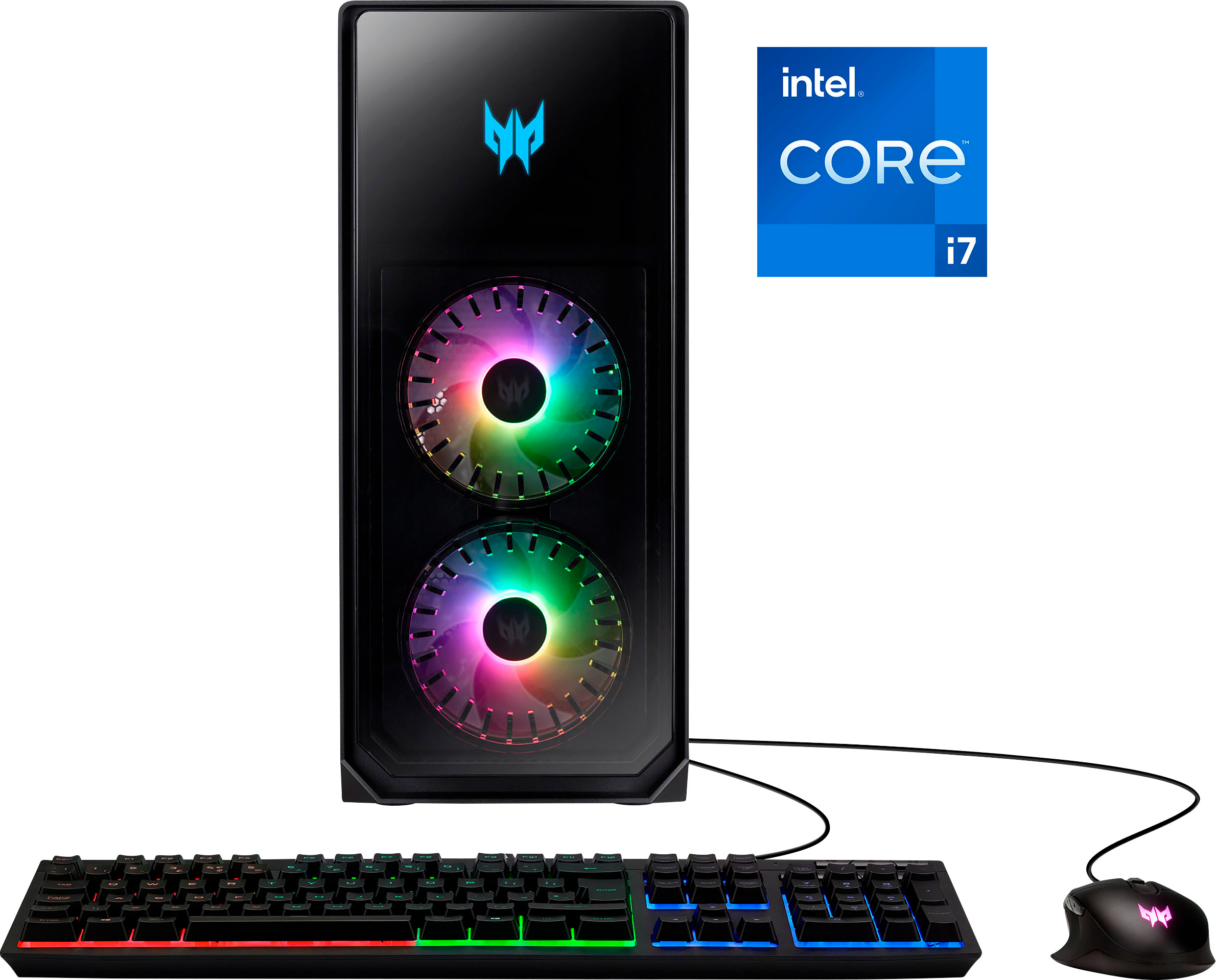
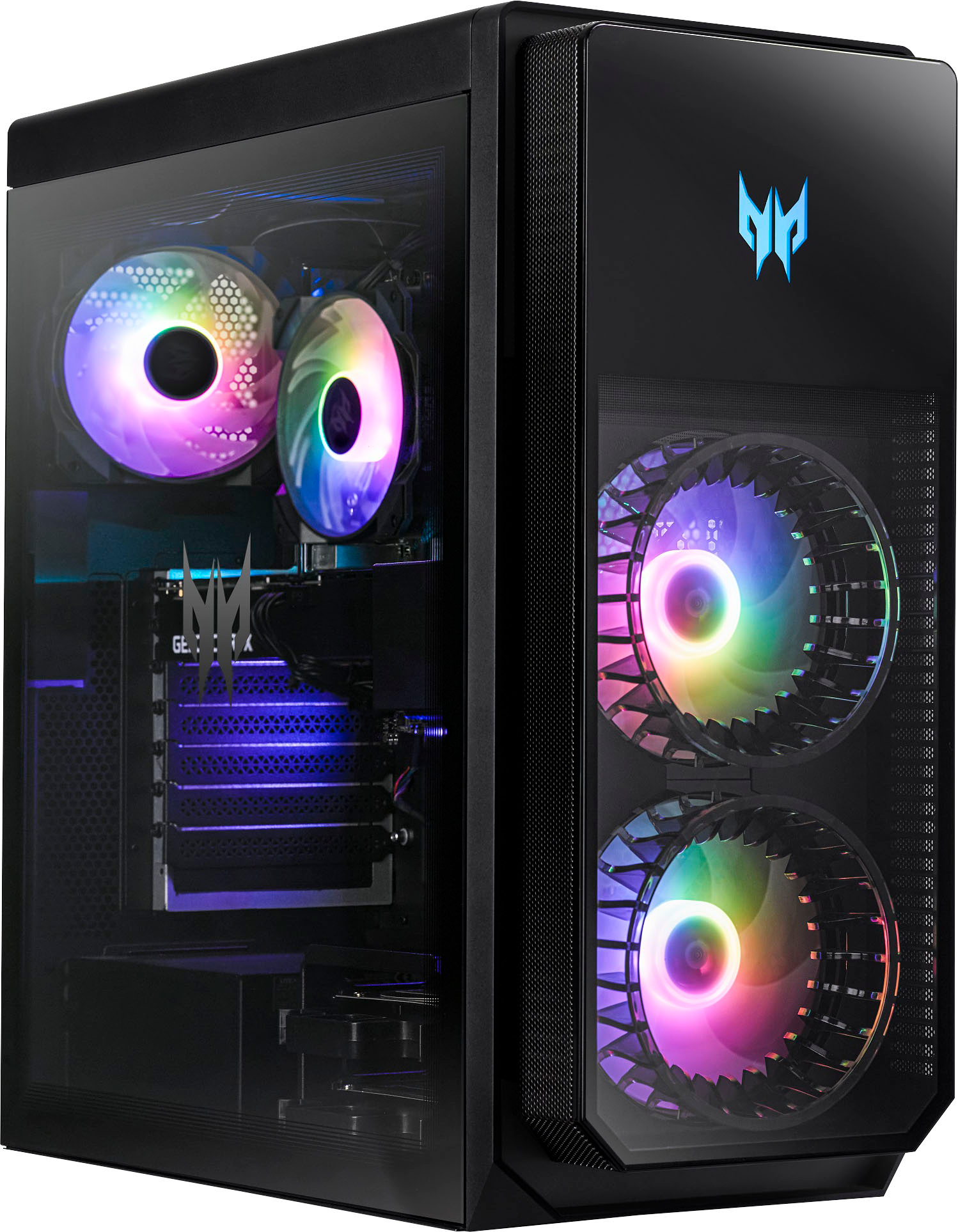
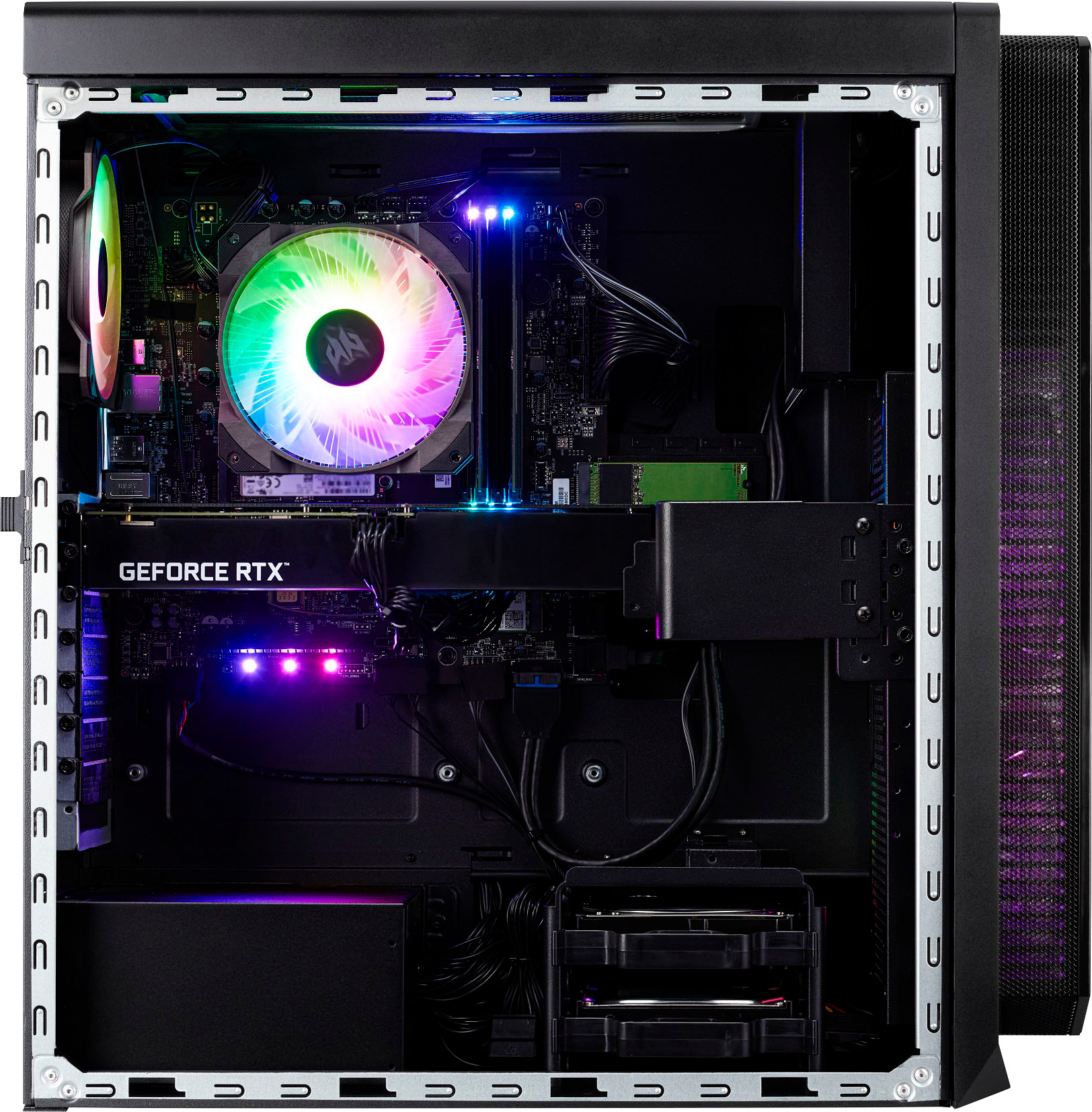
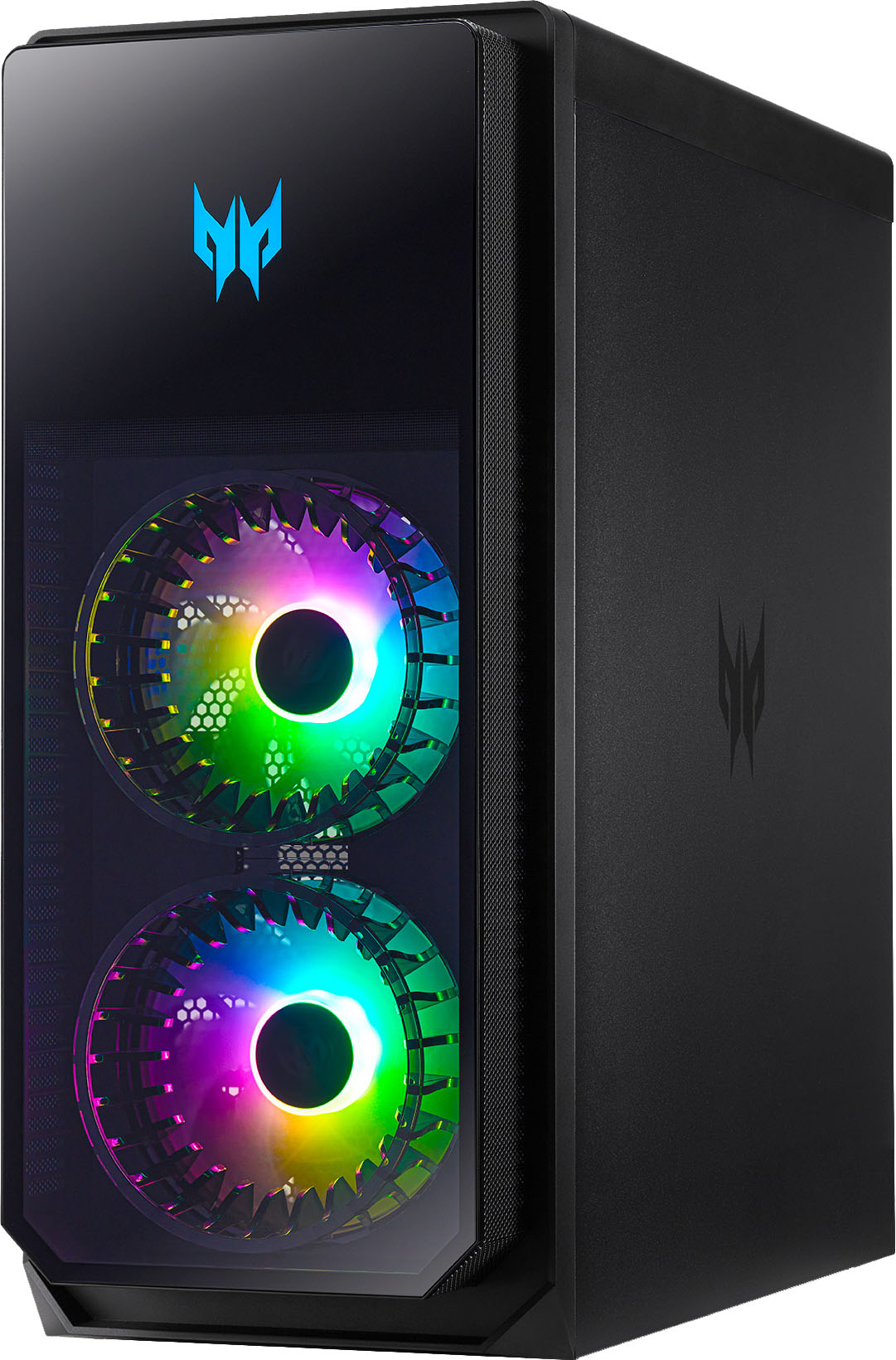
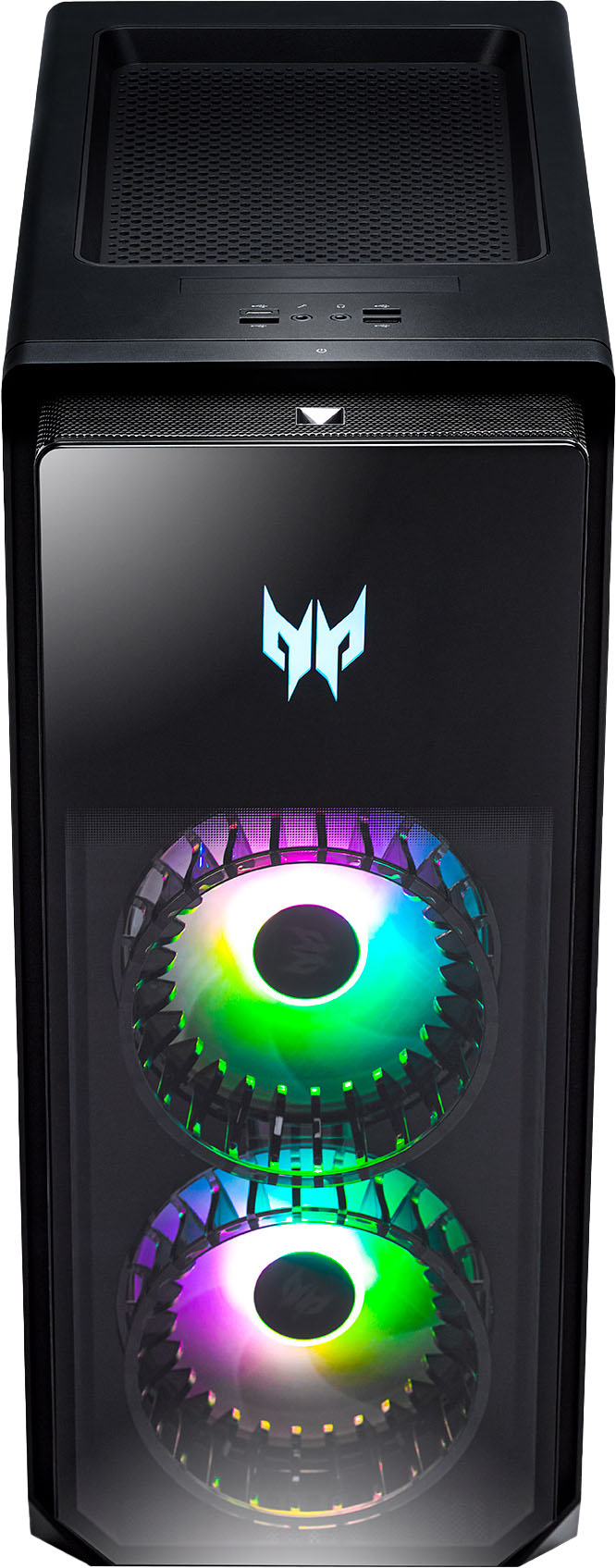
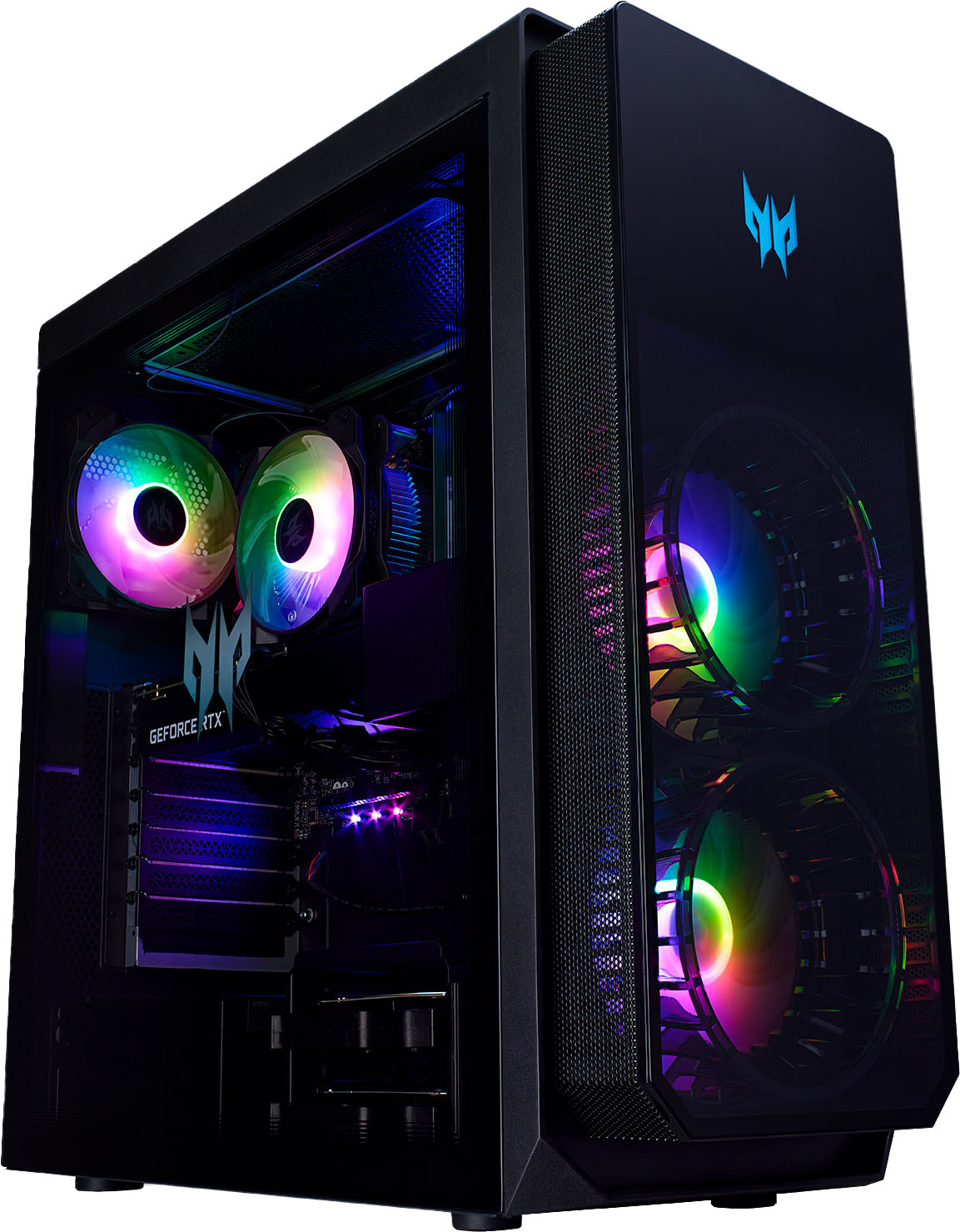
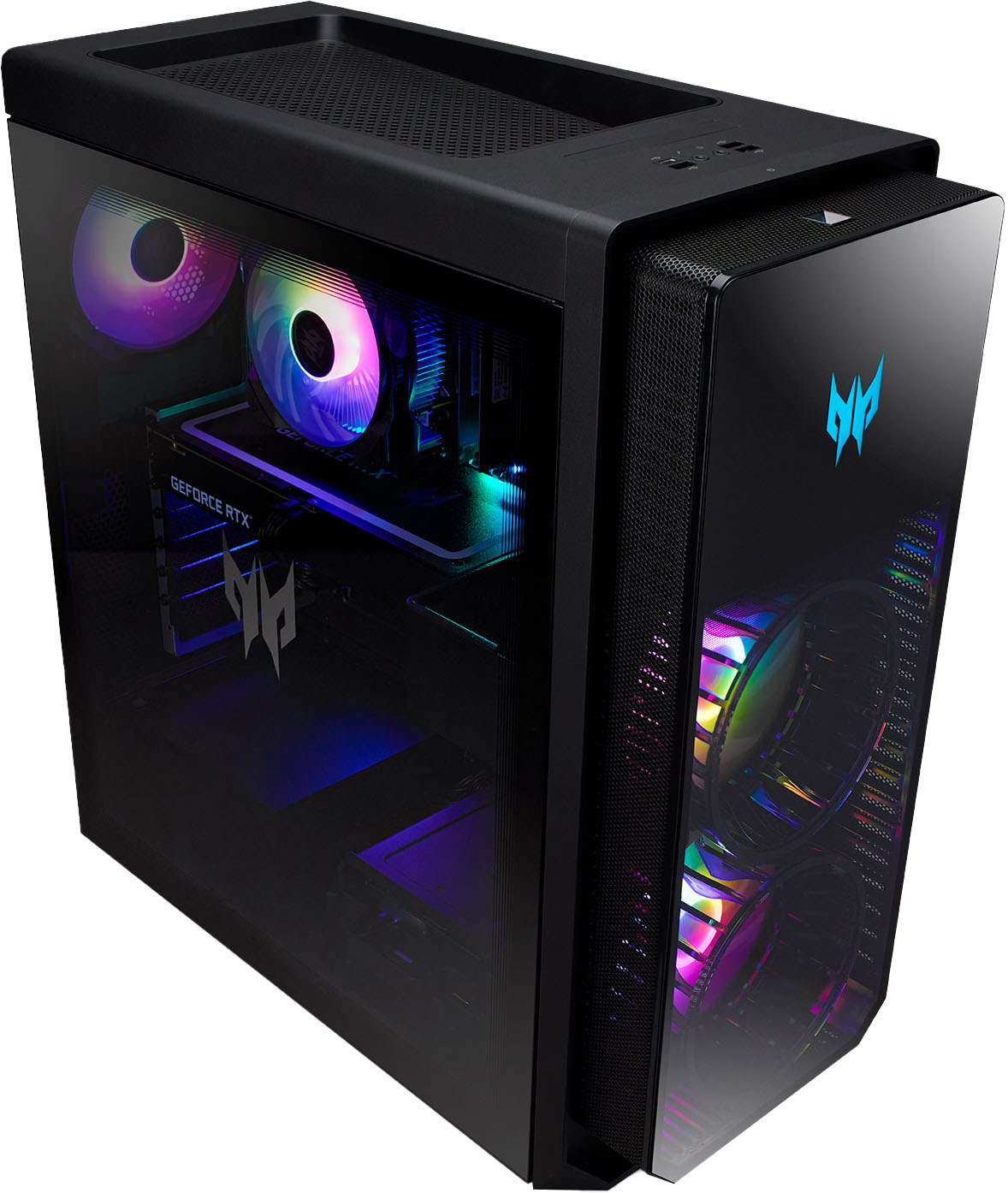
|Posted .This reviewer received promo considerations or sweepstakes entry for writing a review.The first thing I noticed when opening this out of the box was the design of the PC. The front and side panels are glass with the standard powder coated metal for the rest of the chassis. There’s a funnel design element for the fans in the front that give it a nice aesthetic. The fan on the CPU cooler is also RGB to illuminate from behind the glass panel, as well as the exhaust. The case front I/O has 3 USB type A ports and 1 USB type C port which is nice to quickly plug and unplug any accessories. There’s a recessed vent at the top which promotes throwing things like flash drives in but I wouldn’t recommend covering this up as it helps exhaust some of the heat. As for performance, I’ve been playing COD, Apex, and New World, all at max settings. COD averaged around 72 FPS at 4K on max settings. Although I was getting closer to 112 FPS at 2k max settings which is more ideal with a higher refresh rate monitor. New World, a game in my opinion you want the higher resolution for better visuals, averaged around 65-75 FPS at max settings at 4k resolution. I only saw frames drop when I was in town and there were a lot of other players on screen. You could probably tone down some of the settings and prevent this. Otherwise, out in the open world, it played great. I’m not a great Apex player but the story is the same, max settings, averaged around 110FPS. The 3080 in this system is where you’re going to see all of the gaming advantages. The card in this system has 3 fans which seems to carry the best cooling. I didn’t see temps above 73 degrees when playing games. There is a bit of headroom for overclocking if you’re into that, but I didn’t feel the need to. As for CPU performance, the 12700f checks the box. It’s not super powerful like the enthusiast grade CPUs that are out there, but the 1st generation E core and P core design outputs some impressive performance and remained cool the whole time doing it. I think this is a great balance if you’re main goal is gaming and don’t plan on doing any type of heavy video editing or CAD design. Although, I do think it’ll still handle those tasks, but you’ll have to be patient with it. Also worth noting it comes with the stock intel air cooler from what I can tell. Since there’s no overclocking this type of cooler is plenty enough. The system comes with 3 RGB case fans and a CPU fan. All of these can be controlled in the predator sense app. The main menu of the app offers a quick glance at temperatures, profile settings, and quick fan selection. You can then use the menu on the left to set custom profiles to lighting, cooling, as well as a system monitor to see system voltage, usage, as well as temperatures. Storage has a great balance of 1TB SDD and 2 TB HDD. You can put your steam library on the 2TB HDD and move you’re commonly played games onto the 1TB NVMe drive for a bit faster load times. RAM is 2 8 TB DDR5 sticks. The CAS latency comes in at 36 which is pretty good for DDR5 but 16GB is the bare minimum in my opinion for gaming, but it doesn’t diminish the experience. There’s a really neat hard drive dock that plugs the drives into a stationary SATA and molex so hot swapping the drives should be very easy to do. What makes it easy is you can quick release the glass side panel with a lever on the back to go in swap hard drives and upgrade components. Also I noticed a slot for another M.2 SSD if you have one to slot in. However, I didn’t see a hold down screw included, hopefully you’re drive came with one. It's easy to get to as well, located just off the side of the motherboard. I/O for the motherboard is pretty good. You get a 2.5 GB ethernet which is nice to see along with 5 type A and a type C USB ports. Also if you prefer to use Wi-Fi or in a part of your house where you can wire it to a router, it connects at 2.5gb if you’re router supports it. All together that’s 8 USB type A and 2 type C you can connect. Beyond that there’s not much else. I would have liked to have seen an optical audio out but by no means a deal breaker. There’s also a keyboard and mouse that comes with this system. They’re both wired and RGB. The mouse has two extra buttons on the left that can be used and a center button behind the scroll wheel that switches RGB color. I wouldn’t say there’s anything special about either but it’s nice to see them included. Really just a TV or monitor would be all that’s needed to get you gaming out of the box. I would say most people have a TV and an HDMI cable to get started, Acer will include the mouse and keyboard on their end. Overall I think this is a great gaming machine. It’s a nice replacement for what I had before and there’s a path of upgradability if you want a better processor, add RAM, or need to hot swap out hard drives. I’m happy to see it’s taken everything I’ve thrown at it and I look forward to using it as my daily driver for years to come.
I would recommend this to a friend - Pros mentioned:Cpu, Graphics card, Performance
Great machine with plenty of muscle
|Posted .This reviewer received promo considerations or sweepstakes entry for writing a review.I've played on gaming machines of all types and you can pretty much boil everything down to several different categories that will either make or break a good gaming assembly. Processor, graphics card, case and storage. The Predator Orion 5000 is a very worthy gaming machine. It has the muscle in the right places and while some might argue there's room for improvement, my opinion is, there's always room for improvement if money is no object. To offer a solid machine with quality components at a price that doesn't require a mortgage, is difficult to do, but it seems that Acer has found a way to do just that. For starters, you get a 12th generation Intel core i7-12700 processor. This is a solid choice and it's been around awhile now. I tend to favor the Intel line, but that's just personal preference. There are obviously other processors they could have chosen and if you go to the Acer web site, you can set up a machine like this with anything you like. But, why do that if they've done the work for you and offer a machine like this off the shelf? To compliment the processor, you get 16GB of DDR5 RAM. If you feel this is a little low, you can add up to 64GB of memory. 16 is adequate, but doubling that would have been a nice touch, but for the price, this is fine for most games and I didn't see any problems with any of the games I play. The case is where the Orion 5000 part of the name comes in. With it you get a lot of behind the scenes features that support the electronics as well as awesome lighting effects. You have two fans at the front that are installed in a well ventilated section of the case. These are FrostBlade fans and they offer design benefits like custom fan blades, anti-vibration padding and rifle bearings. This all translates into efficient, quiet fans. There's also a similar CPU fan and exhaust fan on the rear panel. The left side panel is dark tinted glass. The right side panel is EMI-compliant to help protect the internal components from interference. The case also houses the 800W power supply, which is pretty beefy by itself but it's also what the graphics card recommends using, so good to see they didn't cut corners here. There's a host of I/O ports included both on the rear panel and on the top. On the top you get 3 – USB-A ports and a USB-C port along with mic and audio out jacks. On the rear you have 4 more USB-A jacks and another USB-C jack. As a bonus you also get a red USB 3.2 port capable of 20Gbps transfer speeds. There's a 10/100/1000 Ethernet port as well as a wireless network connection. Plus the standard audio jacks. The case also comes with not only fantastic lighting effects, but also the app you need to customize the way they behave and the colors they emit. There are LEDs in all the fans as well as extra LEDs right on the motherboard to help light things up inside. Really nice that you can customize all the lighting. This is all done through the PredatorSense app which also monitors things like fan speeds and temperature. The case itself does not include liquid cooling for the processor, it's all air cooled, but I never noticed any excessive heat. The really bonus addition with this machine is the nvidia GeForce RTX 3080 graphics card. This is a beautiful card in itself and is able to do ray tracing effects as well. The card has 10GB of dedicated memory plus two integrated fans of it's own. No RGB lighting on it but the GeForce RTX label is beautifully large and lighted along the edge. This is a pretty serious card and I'm glad Acer has decided to bump things up to this level. Yes, yes, they could have gone a step further with the next generation 4000 series, but how much do you want to spend?? I found the 3080 to be a very competent graphics card. The ray tracing features alone are well worth it. I use a 34” Samsung curved monitor at 3440 x 1440 resolution, and all the games I played looked absolutely stunning. The machine was able to support playing any game I tried at this resolution with all the video adjustments fully topped out. Nvidia has taken these gaming features a step further by developing custom game drivers that are specific for the game you're playing. The cool thing was that I didn't have to tell it what games I had and then go look for the right drivers to install, it does it all for you through the GeForce Experience app. For the most part I played Doom Eternal, Shadow of the Tomb Raider and the nvidia remake of Quake 2 RTX. All of them made me want to go back through all my games just to see how they look with this card. Games like the newest Tomb Raider series are amazingly beautiful. The lighting and water effects are incredible and very noticeable. Honestly, I just take time to wander around in the game looking at everything. I've included some screen shots, but they don't do the card enough justice. You need to see it for yourself. I was a little worried that the only storage on the machine was the 1TB SSD M.2 drive but there's also a 2TB HDD as well, so you can store quite a bit of games on this portion and use the SSD for things that can really benefit from the super quick access times. I found this Predator Orion 5000 machine to be really well balanced as far as components. Everything is well matched and offers you a really great gaming experience. The case looks really cool and in addition to the internal lighting, the Predator logo lights up on the front. Acer also included a wired RGB keyboard and mouse. I did try them, and they are pretty nice but I already have the keyboard and mouse that I like to use so I stuck with them. Needless to say that if you want to run any apps beside games, you won't be disappointed with the performance. I also do a lot of graphical design and it was really a pleasure to work on this machine. My experience with it so far has been all positive. I think Acer has put together a really fantastic machine that at the same time, is affordable for a large number of gamers.
I would recommend this to a friend - Pros mentioned:Cpu, Graphics card, Storage
Incredible value in a pre-built gaming desktop
|Posted .This reviewer received promo considerations or sweepstakes entry for writing a review.Fantastic… Amazing… Incredible… Wonderful… God-Like… It is hard to overstate the feeling one gets while they gaze upon the wonder that is the Predator Orion 5000 (I’ll just call it the ‘5000’ after this), and utilize it to run some of the highest FPS games you’ve ever run. I’ve had plenty of gaming laptops, with their associated cooling problems and throttling, but never have I owned an actual gaming desktop, one with cooling fans out the wazoo and an excellent 4K compatible NVIDIA card that displays graphics with ease. Whether I watched movies streamed in 4K or played Halo Infinite in 4K, the 5000 had no issues. The only way I could tell that the PC was challenged was when the 4 built-in, LED backlit fans kicked into overdrive. The 5000 handled almost everything I threw at it. Resident Evil Village, 1080P, 60 FPS? No problem. Gameplay was exceptionally smooth. Shadow of the Tomb Raider, 4K, at 60 FPS? This one got the fans going a bit, but still provided an amazing, beautiful, visually stunning picture. I have had this game at lower frame rates and resolution absolutely overheat and throttle expensive gaming laptops. I finally found the Achilles heel of the 5000 when I tried to play Far Cry 6 in 4K. Even at lower frame rates, gameplay and motion was jittery. At 1080P and 60 FPS, no problem whatsoever. This game is a really good torture test for CPUs, and at the 4K resolution the 5000 finally gave up. Still, considering the pre-built nature of this product and the good price, one cannot be upset that it took an extremely demanding game to finally bog it down. I am super impressed with the 5000. It is beautiful, its acrylic side allowing you to look right in on the GE Force RTX 3080 graphics card in all its glory. An i7 processor, 16 gigs of memory, and 3 terabytes of storage (2 TB drive and 1 TB SS drive) make this an absolute beast. It is huge, gorgeous, capable, and upgradeable. You simply can’t ask for more without spending a lot more.
I would recommend this to a friend - Pros mentioned:Cpu, Graphics card, Performance
Great Gaming Rig
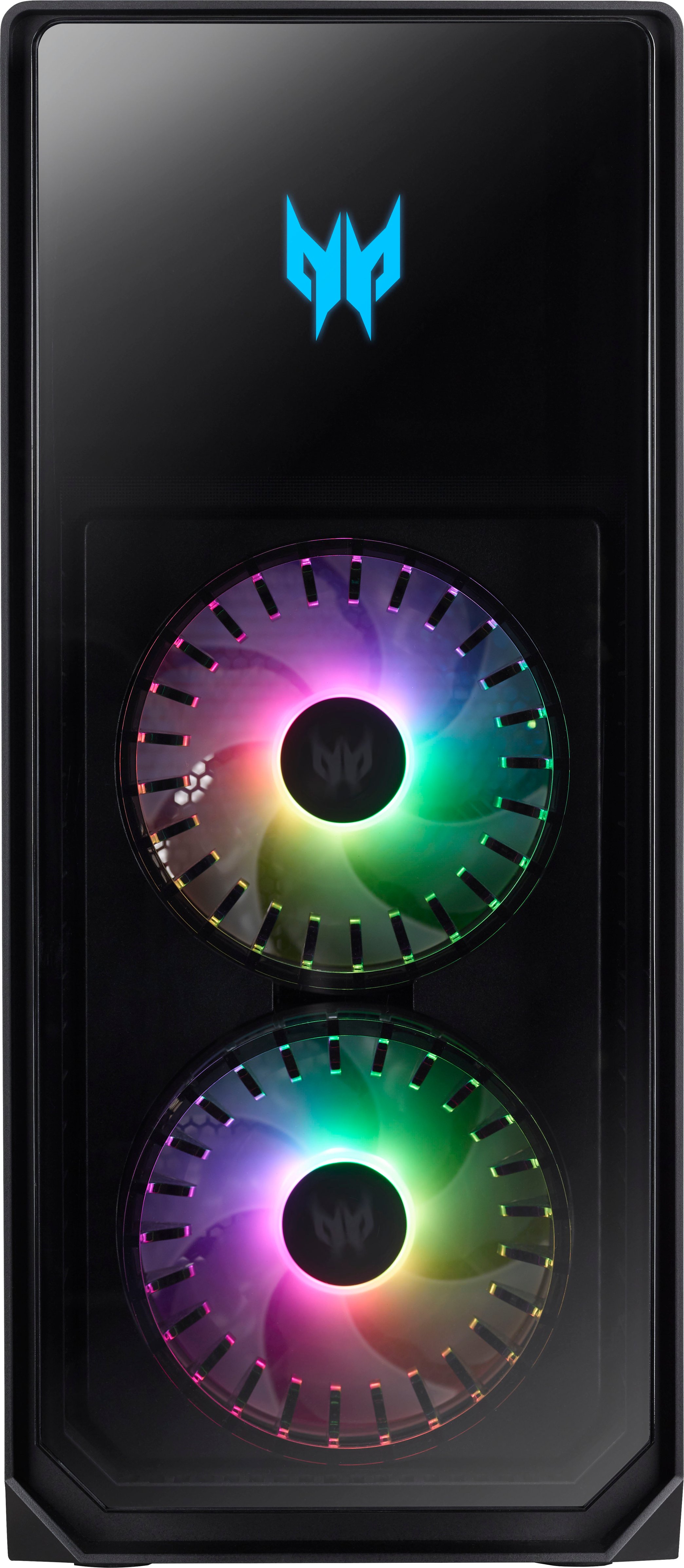
|Posted .This reviewer received promo considerations or sweepstakes entry for writing a review.The Acer Predator Orion 5000 is a very nice gaming desktop that finds the right point between function and cost. Out of the box, it came with the desktop, USB-A keyboard, USB-A mouse, power cord, quick instructions, and a bag of Predator stickers and warranty info. The desktop looks very sharp with clear glass on the front and one side. The back and other side is matte black. It measures 19 inches tall, 8.5 inches wide, and 20 inches deep. The front has a blue Acer Predator logo near the top with 2 large RGB fans beneath. There is one RGB fan in the back. The glass side allows a view of the back of the 2 front RGB fans and the 1 back RGB fan, 1 RGB fan that sits over the processor, motherboard LEDs, and the lit side of the GEFORCE RTX 3080. The top has a dust protector that can be removed and cleaned, the power button, 3 USB-A slots, 1 USB-C Slot, and 2 3.5mm inputs for the mic and headset. The back has the power cord input, the RJ-45 Ethernet in slot, 3 DisplayPort inputs, 1 HDMI input, 1 Audio In 3.5mm, 1 Audio Out 3.5mm, 1 Mic In 3.5mm, 5 USB-A slots, and 1 USB-C slot. There is no Digital Audio slot. If you're wondering about the protocols for the USB slots, it breaks down into 4 USB 2.0 ports, 3 USB 3.2 Gen 1 Type-A ports, 1 USB 3.2 Gen 2 Type-A port, 1 USB 3.2 Gen 2 Type-C Port, and 1 USB 3.2 Gen 2x2 Type-C port for a total of 10 USB ports. Inside it has a 800 W Power Supply powering an Intel Core 12th Gen i7-12700 12 core processor with a speed of 2.1 GHz, 16 GB of DDR5 SDRAM (2x8), an Nvidia GeForce RTX 3080 with 10 GB of VRAM, and 2 hard drives (1xSSD 1 TB, 1xHDD 2 TB). The max memory supported is 64 GB. There are 3 total expansion slots (1 PCIx1 slot, 2 PCIx16 slots) and 3 M.2 interfaces. Powering it up, the Orion 5000 was surprisingly quiet. It went through some updates for Windows 11 and then it was ready for me to download some driver updates for the graphics card. There was no obvious bloatware to delete which was a pleasant surprise. There are a couple useful Acer apps: PredatorSense and PredatorArc. PredatorSense provides temperature monitoring for the CPU, GPU, and System, RGB control for the fans, speed control for the fans, and detailed monitoring for the CPU, GPU, and System. There are also links to some audio profile presets for anything plugged into the 3.5mm headset jacks. PredatorArc allows limited button assignment for the mouse side buttons and RGB control for the mouse and keyboard. There is RGB sync for the fans, keyboard, and mouse. The keyboard has 3 RGB zones but keys are not individually lit. The keycaps are backlit by the zone lighting. The mouse has RGB under the scroll wheel and under the Predator logo near the palm. The mouse also has a button on top that can be clicked to cycle thru RGB colors. The keyboard has some basic volume and multimedia controls, and a dimmer for the RGB. While both the mouse and keyboard are average and will certainly do the job, I would recommend both a dedicated gaming keyboard and gaming mouse to get the functional customization that most gamers desire. When it comes to gaming performance with this combination of processor and GPU, this rig performs very well and will likely continue to perform well for quite some time. For new games, graphics can safely be turned up to High or Ultra. Keeping in mind that I have a 1440p monitor, Cyberpunk 2077 was benchmarking at 72 FPS with setting on Ultra including Ray Tracing being on. Star Wars Jedi Survivor was benchmarking at 70 FPS with settings on High including Ray Tracing. Destiny 2 looked absolutely gorgeous and ran incredibly smooth with FPS up near 100 with the graphics settings on High. Every game I played looked great and it didn't even seem to be taxing the system as the fans didn't need to spin up to high RPMs. My personal preference is always going to be an Intel processor and an Nvidia video card for stability and performance. I experienced no crashes or kicks to desktop no matter what I was playing. A person could find faster processors and higher level graphics cards in a gaming desktop of course, but the increase in performance largely would not be worth the increased price unless you are gaming or streaming professional. I do play multiplayer first person shooter games frequently, where FPS often make a huge difference in winning or losing, and I felt very comfortable knowing that my rig was better and faster than most of my competitors. As I mentioned, my only suggestion would be to have a gaming mouse for adjustable dpi and perhaps a gaming keyboard at the ready. Otherwise, the Acer Predator Orion 5000 would be perfect for almost any gamer, as it can handle the tough graphical demands of modern games and applications effortlessly, and I anticipate that it will continue to be an awesome setup for several years to come.
I would recommend this to a friend - Pros mentioned:Graphics card, Performance
Quality build
|Posted .This reviewer received promo considerations or sweepstakes entry for writing a review.This is a nice mid-level gaming desktop. It doesn’t have top of the line everything, but it couldn’t at this price point, and that’s ok. It seems like quality pre-built gaming desktops are becoming more common and companies like Acer keep working to improve their offerings. For the most part, they didn’t skimp on the hardware and performance is strong and reliable. In some cases, the hardware used is not the newest generation (processor and graphics card), but they are still good products and I’m sure helped control cost. However, I really didn’t notice any lag when playing and was satisfied with the setup. I’ve played on a lot of different gaming devices, from laptops to desktops. This Acer desktop is actually quite a nice setup without breaking the bank. It’s a beast that can handle pretty much anything you can throw at it. I think only more hardcore gamers would notice anything more, and let’s face it, this computer really wasn’t built for them. Despite the graphics card not being the absolute newest on the market, the GeForce RTX 3080 is not slouch. It has dedicated cooling and memory and makes the gaming experience pretty brilliant. You can set this up straight out of the box, but of course you do need to supply your own monitor and speakers (and/or headphones). I have the following recommendations on peripherals to accompany this desktop: 1) don’t skimp on a monitor, get a good gaming monitor that can handle the power of the computer 2) buy a new gaming keyboard and mouse – there are some really nice ones from well known brands that I think will make a better accompaniment to the computer and give you a better gaming experience. However, as far as the Acer desktop goes, this is a quality pre-built gaming computer that will withstand just about anything the average gamer can throw at it.
I would recommend this to a friend