Customer Ratings & Reviews
- Model:
- S271HL GBIDX
- SKU:
- 6051018
Rating by feature
- Ease of Use
Rating 4.7 out of 5 stars
- Value
Rating 4.7 out of 5 stars
- Quality
Rating 4.6 out of 5 stars
Customers are saying
Customers consistently note the S271HL 27" LED FHD Monitor's large screen size and its affordability as major pros. Positive feedback also highlights the monitor's resolution, ease of setup, and clear picture quality. However, some users point out the lack of built-in speakers and limitations with the stand's adjustability as drawbacks. A few customers also mentioned concerns about the refresh rate not meeting expectations.
This summary was generated by AI based on customer reviews.
Good image
||Posted . Owned for 1 month when reviewed.This reviewer received promo considerations or sweepstakes entry for writing a review.I would recommend, quality is great. We buy 10 a month
I would recommend this to a friendGood monitor for the price.
||Posted .This reviewer received promo considerations or sweepstakes entry for writing a review.The monitor is good for a 27 inch under $200. Would recommend!
I would recommend this to a friendIt is ok
||Posted .This reviewer received promo considerations or sweepstakes entry for writing a review.I like the size, I just would have liked the viewing to be clearer.
I would recommend this to a friendits ok
||Posted . Owned for 1 month when reviewed.This reviewer received promo considerations or sweepstakes entry for writing a review.picture is not bad but i thought it would be alot better
No, I would not recommend this to a friendit's a gift
||Posted .This reviewer received promo considerations or sweepstakes entry for writing a review.It's a gift. I have not given it out yet. So I have no opinion.
I would recommend this to a friendGood monitor for the price
||Posted .This reviewer received promo considerations or sweepstakes entry for writing a review.Monitor quality and colors are what I expected for the price.
I would recommend this to a friendWebsite Image
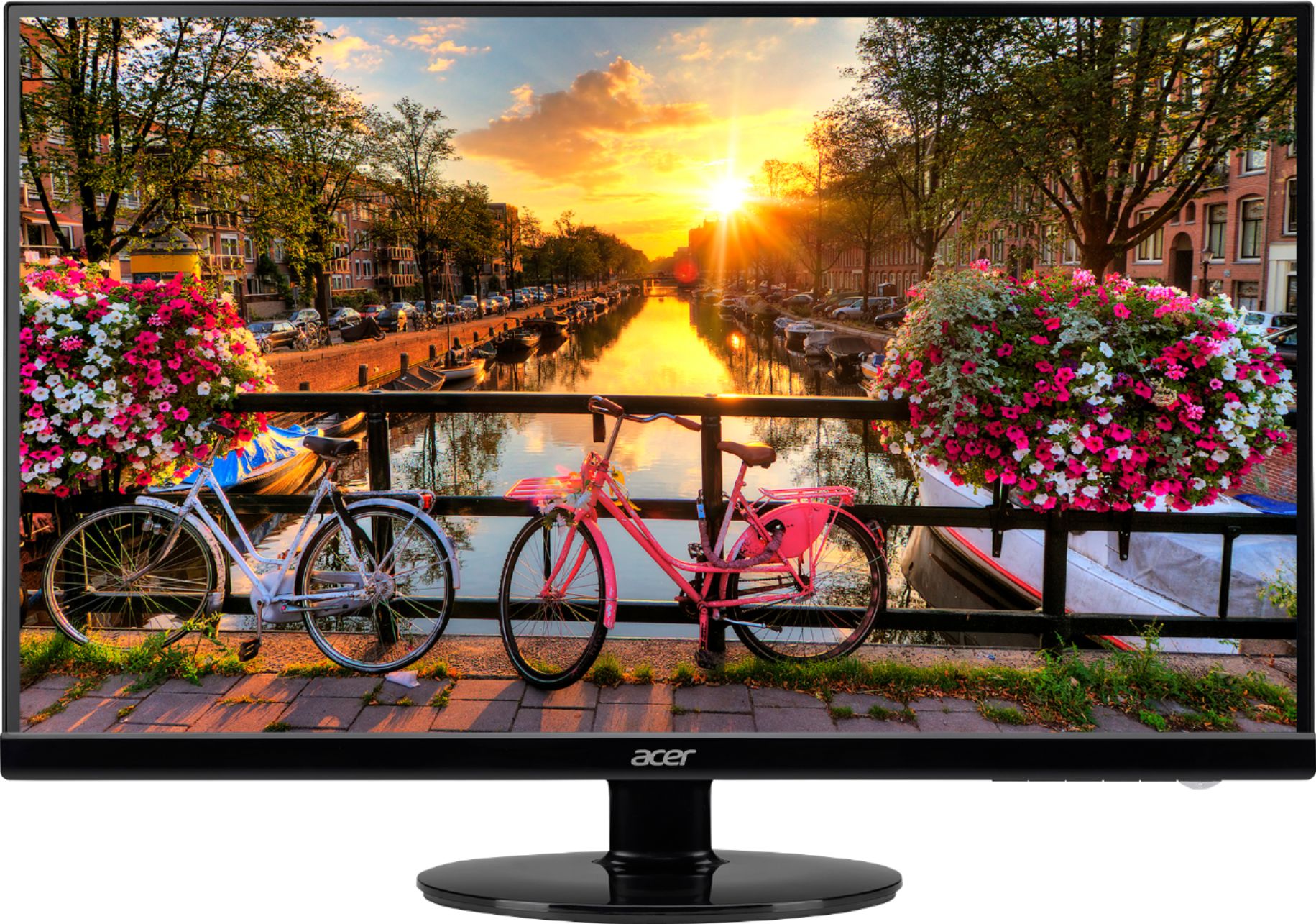
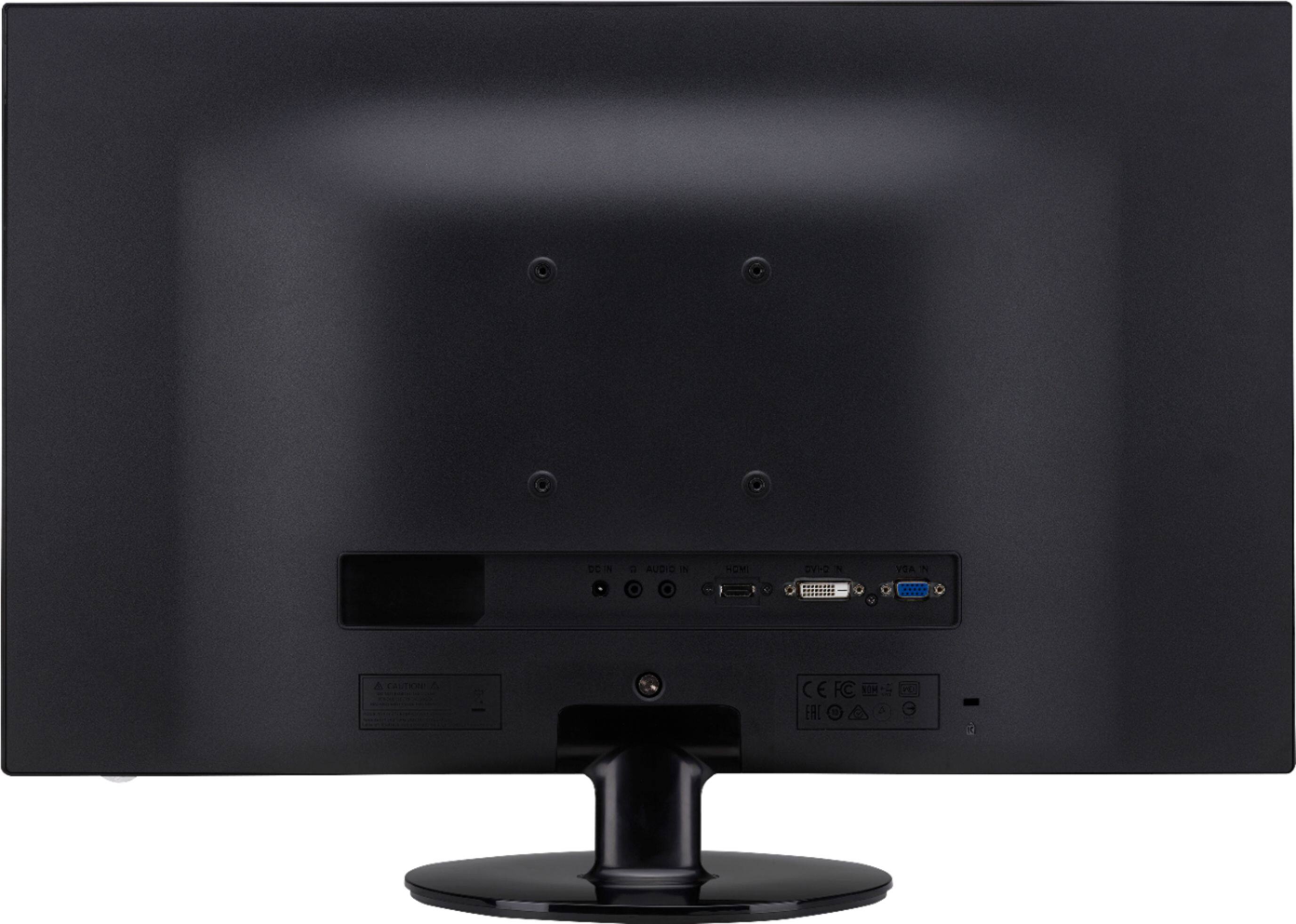
||Posted .This reviewer received promo considerations or sweepstakes entry for writing a review.The images for the monitor do not match the actual product. The images show that there are 3 types of connections (VGA, DVI and HDMI). It only has HDMI and VGA connections. I have seen other reviews stating the same thing. Is it too much to ask to have the images corrected?
No, I would not recommend this to a friendBrand response from TeamAcer
Posted .Dear Iphoneuser,
We are sorry to hear this and apologize for any inconvenience this has caused you. We have forwarded your concerns to the appropriate team so they can check into the product description on the resellers website. You can also check Acer's website www.acer.com for product information and also the Acer store can offer assistance and advise on the product specifications as well.
We appreciate you taking the time to write this review.
Thank you
Acer America
- Pros mentioned:Ease of use, Screen sizeCons mentioned:Tilt

Great Monitor, affordable pricing
|Posted .This reviewer received promo considerations or sweepstakes entry for writing a review.When I unboxed this monster, I instantly grinned. It's large, but has a small footprint. Fits well on a larger desk, and was easy to set up. The only reason I left off that 5th star was because there is no tilt option to accommodate flexibility of viewing angle. Overall, it is lightweight, has a great picture, and definitely looks good doing it's job. Worth the purchase!!
I would recommend this to a friend Yello lines on screen
||Posted .This reviewer received promo considerations or sweepstakes entry for writing a review.5 moths old and yellow lines on screen. Have to send monitor to Acer for repair and for at least 10 will be without a monitor and I have to pay to send it back for repair.
No, I would not recommend this to a friendBrand response from TeamAcer
Posted .Dear Macjam,
We are sorry to hear your Acer monitor required warranty repair for the LCD, and we understand this is frustrating for you. This is not the experience we want our customers to have and we want to work with you to see how we can help improve this experience.
If you are located in the US or Canada please fill out this form so that we can assist you:
http://csapps.acer.com/prompt/?key=47f9199c710b0a6581a4670645151233e8e40203
We appreciate you taking the time to write this review.
Thank you
Acer America
Blurry Text
||Posted . Owned for 9 months when reviewed.This reviewer received promo considerations or sweepstakes entry for writing a review.The screen is blurry and very bright/white. I have been search how to adjust the brightness, the instructions are terrible and I cannot find help online.
No, I would not recommend this to a friendBrand response from TeamAcer
Posted .Dear Doowey,
We are sorry to hear you are unhappy with the display on your Acer S series monitor. This is not the experience we want our customers to have and we would like to help you get this resolved. If you are located in the US or Canada, please fill out this form so that we can assist you:
http://csapps.acer.com/prompt/?key=e5421625692d5b0733a4dcfecc812b4ebbdf2a7f
We appreciate you taking the time to write this review.
Regards,
Acer America
Fair Picture Quality
||Posted . Owned for 2 months when reviewed.This reviewer received promo considerations or sweepstakes entry for writing a review.Wasn't happy with the picture quality, so I ended up returning for a Dell, which had s much crisper image.
No, I would not recommend this to a friendBrand response from TeamAcer
Posted .We are sorry to hear this; we understand you returned the Acer monitor but we would have been happy to provide support for you, to see if any settings would improve the picture quality. If in the future you need assistance with an Acer product, feel free to contact support from the info posted at http://www.acer.com/ac/en/US/content/service-contact
We appreciate you taking the time to write this review.
Best regards,
Acer America
Not happy with this monitor
||Posted .This reviewer received promo considerations or sweepstakes entry for writing a review.I cant give a good review on this monitor because it doesn't work. I will exchange it and then redo the review.
No, I would not recommend this to a friendBrand response from TeamAcer
Posted .Dear cb1angel,
We are sorry to hear this; we understand you returned the Acer monitor but we would have been happy to provide support for you. If in the future you need assistance with an Acer product, feel free to contact support from the info posted at http://www.acer.com/ac/en/US/content/service-contact
We appreciate you taking the time to write this review.
Best regards,
Acer America
- Pros mentioned:Screen size
In a Word: Amazing.
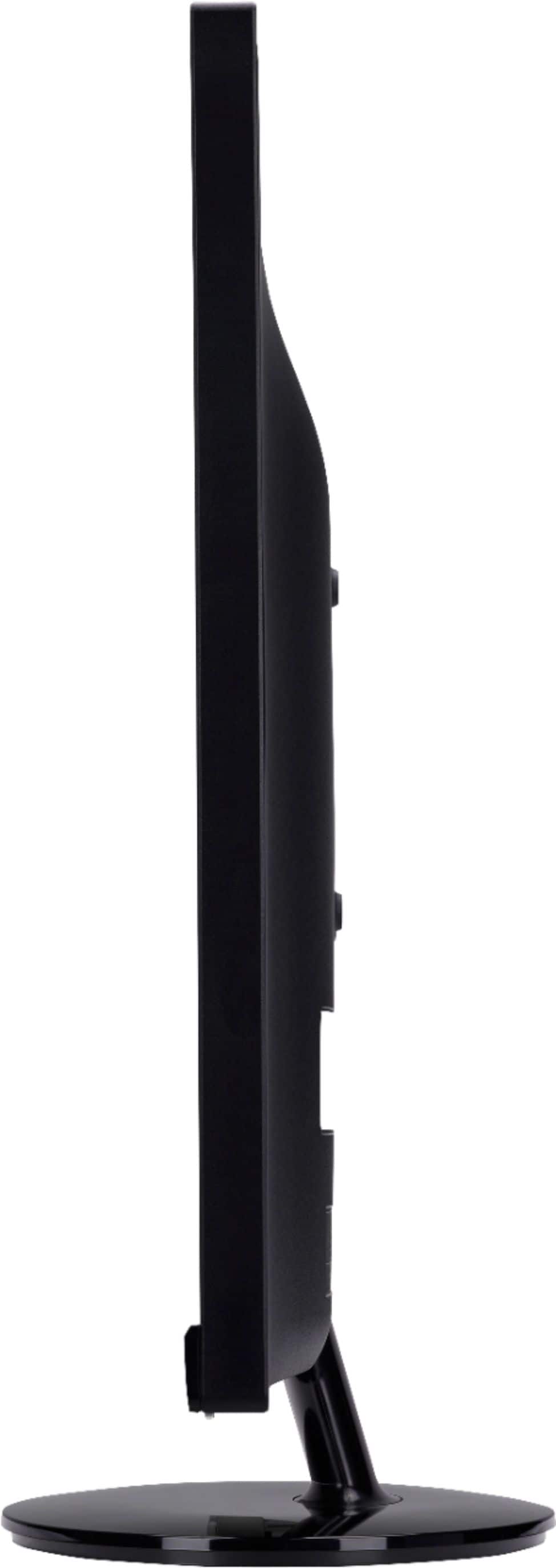
|Posted .This reviewer received promo considerations or sweepstakes entry for writing a review.This is a review of the Acer S271HL Gbidx 27" Monitor. This is a very attractive monitor. It's large size is very welcome making text much easier to read, and the lack of bezels gives it a very high end appearance. Read on to find out why I love it. I have never been one to feel it necessary to have a 4K / G-Sync monitor for my computer, and have always been content gaming at 1080p 60FPS. If you are interested in those more advanced (and expensive) features then you will need to look elsewhere. What you are getting here is an attractive high end 1080p monitor with EXCELLENT picture quality, and plenty of screen real estate. If that is what you are looking for then this is the monitor you NEED. I will start out by saying that for the last few years I have been using a 21.5" 1080p Dell touch screen monitor. Was it worth it for me to upgrade to the Acer 27" while losing touch screen capability? The answer is absolutely yes. My first task was to wall mount it on an articulating arm for freedom of movement. This was very easy to accomplish with the integrated 100x100 VESA mount on the back of the monitor. After plugging in the HDMI, and power it was time to take it for a spin! My first test was to fire up a movie. Picture quality is amazing here, and you can adjust it to your liking with several presets to choose from. Even letterboxed movies are very watchable due to the screen's large size. It was equally impressive while gaming. Maybe even more so. Some thoughts: PROS ⦁ Easy to set up ⦁ Attractive appearance ⦁ NO BEZELS ⦁ Excellent picture quality ⦁ VESA Mount ⦁ Light weight works well with articulating arm. CONS ⦁ If you want a resolution of greater than 1080p you will need to look elsewhere. ⦁ Nothing else I can think of! I am super impressed with this monitor. If you are on the fence I say give it a try and you won't be disappointed. I have no doubt that you will be impressed too. Thanks Acer!
I would recommend this to a friend read spec before purchase
||Posted .This reviewer received promo considerations or sweepstakes entry for writing a review.have not had any problems just wish it had audio had to by more equipment
I would recommend this to a friend- Pros mentioned:Screen size
Bigger and (a Little Bit) Better
|Posted .This reviewer received promo considerations or sweepstakes entry for writing a review.Writing from an original dual screen setup where I had a 22” and a 20” display. Now I have a 27” and a 20” and life is better. Not fantastic, but better now that this Acer has come along. What’s awesome: It’s big (yeah, really). 27” of screen and a mostly bezel-less design means this thing looks huge. Don’t get me wrong, there is a bezel to the screen. It’s about a ¼” on all sides but the bottom which has a ¾” bezel on it. Given that my other monitors had at least a ¾” bezel on all sides, I see nothing to complain about. I can talk about the features of this monitor until the cows come home. But the truth is, I still can’t get over just how vast the space is. One thing that Acer does for a number of their monitors that I’ve taken notice of; they have VESA mounts. I’ve recently moved to a monitor mount for my desk and have quickly discovered this is not a trend in the industry unless you buy office products. I think that the inclusion of this feature shows that Acer tries to find ways to add value to every product within a reasonable price point. Color reproduction looks ok to my untrained eye and the monitor comes with four preset modes that can be utilized in choosing what color temperature it should emit. I chose cool out of personal preference and warm felt like it wasn’t doing an accurate job to me. What’s not awesome: In the 90’s, people would buy larger and larger VGA displays. Oftentimes, the screens would get larger and larger, but the resolutions wouldn’t change. Now that we’re touching on 27” as a “normal” monitor size, I feel relatively confident stating that we’re starting to touch on that border now. My screen definitely feels larger, both in terms of content and physical size. As a result, this monitor could actually be the perfect size for people who have difficulties seeing and don’t want to run at a reduced resolution for other reasons. Additionally, the monitor has quite a few cryptic labels in the menu - “Wide mode” “DDC/CI”, “ACM”, “OD”, and “Super Sharpness” to name a few. To date, I’ve guessed a few of them: - ACM is something akin to automatic brightness control with respect to content displayed (so dark scenes can render near pure black levels) - Super Sharpness somehow messes with the sharpness enough that your text will look ghosted (not sure what the proper application is here) The problem here is that I’m still guessing what these features are. The only reason I found out what ACM was is that the advertising material talked about it explicitly on their page. The remaining functions? Not so much as a mention in the manual. Finally, despite it being an HD display, it comes with VGA cables. While it is the most common connector for most computers, it would be nice to see some DVI cables in the box. Whats meh: Doesn’t use a standard power cable - instead it uses a power adapter with a disney trademark character for the AC mains input. While the input has the advantage of having a half has heavy gauge cable to wire, it has the disadvantage of one being stuck a specific power adapter and a less common AC cable. Accessing the menu is a bit painful, but Acer has tried to make it easier on the consumer by putting the menu navigation options directly above where the button should appear on the panel itself. I can’t say I love the design, but it is a common one nowadays. Overall: It’s a good monitor with a few shortcomings. That said, I do think that we’re touching the edge of what is good in terms of size for 1920x1080 displays.
I would recommend this to a friend Worked for two weeks
||Posted .This reviewer received promo considerations or sweepstakes entry for writing a review.My daughter got it for Christmas. Worked fine until tonight and it won’t power on. Tried the cord in other outlets and nothing. Using the same HDMI cable, two different TVs worked as monitors. I know things don’t last forever these days, but less than three weeks? Don’t buy.
No, I would not recommend this to a friendBrand response from TeamAcer
Posted .Dear Mikescott299,
We are sorry to hear you are unhappy with your Acer S series monitor. This is not the experience we want our customers to have and we want to work with you to see how we can help
improve this experience. If you are located in the US or Canada please fill out this form so that we can assist you:
http://csapps.acer.com/prompt/?key=2075b3a572032202f4d79eda3a0b646e23fbe769
We appreciate you taking the time to write this review.
Thank you
Acer America
- Pros mentioned:Hdmi
Great Monitor
|Posted .This reviewer received promo considerations or sweepstakes entry for writing a review.This monitor looks very slick. The narrow bezel makes my other monitors look very dated. The display is very clear and bright, so much so that I had to turn down the brightness to 50%, as I use it in a fairly dark room. When I opened up the curtains the next day it is still bright enough to not need any adjustment. The colors are crisp and clear, but not much difference from what I'm used to. I personally don't like using monitors that rest on my desk, so I've mounted it to the wall, and having the flat back made the mount fit perfectly. It has one HDMI, one DVI, and one VGA connection that fit perpendicular to the monitor. I'm used to having connectors that are facing down and allow me to push the monitor back nearly all the way to the wall. Most mounts, like mine, hold the monitor away from the wall, anyway, though. Setup was simple and intuitive, and I really didn't need to use the included instructions, although reading through them after I completed setting it up, I could see that it was easy to follow. I really enjoy this monitor as it has updated my desk tremendously. Just so you know, this works perfectly with my mini "fruit-flavored" desktop computer.
I would recommend this to a friend - Pros mentioned:Screen size
Very nice monitor, but lots of work...
|Posted .This reviewer received promo considerations or sweepstakes entry for writing a review.I got the S271HL as an upgrade from an Acer 24" that worked seamlessly right out of the box several years ago. My experience with getting the S271 up and running was no where near as easy...definitely not plug and play. Using the enclosed VGA cable, the monitor showed my desktop picture and nothing else. Trying the HDMI, I got video and no audio. In the end, I spoke with an Acer upper tier agent to get some assistance. At first he said the problem was an issue with Win 10, but that was not the case. Using HDMI, I had to hook up external speakers, because the speakers built into the laptop I use at my desk apparently would not connect with the S271 as they with the 24". Then, trying the enclosed VGA cable and some trial and error, we were finally able to that to work also. Now that it's working, I really like the S271 . It's a very good monitor at a reasonable price. For its screen size, it's light weight and quite compact ....thin in depth and screen borders. For a non-gamer as I, the video quality and overall performance are quite good. The audio quality is really dependent on what ever you are hooking it up to. For audio and the HDMI hookup, I'm using Altec Lansing speakers, and that combination works just fine. Now that I have actually got it operational, thanks to Acer, I would recommend it to anyone wanting to move up in monitor size. It would be a good buy.
I would recommend this to a friend Poor
||Posted . Owned for more than 2 years when reviewed.This reviewer received promo considerations or sweepstakes entry for writing a review.Wouldn’t buy another item from this place. Tried to return an unneeded item completely seal in the original box, with a receipt and was rejected.
No, I would not recommend this to a friendperfect dead
||Posted . Owned for 1 year when reviewed.This reviewer received promo considerations or sweepstakes entry for writing a review.I only used the monitor for 16 months and now the monitor's screen does not work. just out 1 year warranty .
I would recommend this to a friendBrand response from TeamAcer
Posted .Dear Jerry,
We are sorry to hear your Acer monitor is no longer working. This monitor has a three year manufacturer's warranty against hardware defects, and we would like to help get this issue resolved. If you are located in the US or Canada, please fill out this form so that we can assist you: http://csapps.acer.com/prompt/?key=df646bd560cd0af63ff6813de8c63e62a0c79826
We appreciate you taking the time to write this review.
Regards,
Acer America