Customer Ratings & Reviews

- Model:
- SA230 BI
- SKU:
- 6051020
Rating by feature
- Ease of Use
Rating 4.7 out of 5 stars
- Value
Rating 4.7 out of 5 stars
- Quality
Rating 4.6 out of 5 stars
Customers are saying
Customers value the SA230 23" IPS LED FHD Monitor's excellent picture quality, affordable price, and ease of use. Many appreciate the vibrant colors and good size, along with the convenient HDMI connectivity. However, some find the stand to be lacking in adjustability and the absence of built-in speakers to be a drawback. A few users also noted limitations with the refresh rate and tilt functionality.
This summary was generated by AI based on customer reviews.
Works as promised
||Posted .This reviewer received promo considerations or sweepstakes entry for writing a review.No issues. Text is clear. Haven’t used it gaming or movies
I would recommend this to a friendGood for a beginner
||Posted .This reviewer received promo considerations or sweepstakes entry for writing a review.Bigger than I thought. Didn't come with hdmi cord.
I would recommend this to a friendfor the price..Acer is a good monitor
||Posted .This reviewer received promo considerations or sweepstakes entry for writing a review.of all products I have bought at best Buy, I am satisfied
I would recommend this to a friendAwesome!
||Posted .This reviewer received promo considerations or sweepstakes entry for writing a review.Loved this product. Would definitely recommend!!!!
I would recommend this to a friend- Pros mentioned:Picture quality
It’s ok for the price
||Posted .This reviewer received promo considerations or sweepstakes entry for writing a review.I don’t like that you can’t adjust the monitor. It feels like it’s facing down but I have it sitting on a platform so it works. It didn’t cost much so I won’t complain too much. It does the job & has a good picture.
I would recommend this to a friendBrand response from TeamAcer
Posted .Dear BizWoman,
We are sorry to hear you are unhappy with your Acer SA230 monitor. This is not the experience we want our customers to have and we would like to help you get this resolved. If you are located in the US or Canada please fill out this form so that we can assist you:
http://csapps.acer.com/prompt/?key=4815ea7d3e0a09d8ed3d353bb2b54eca53397e2d
We appreciate you taking the time to write this review.
Thank you
Acer America
Great Monitor
||Posted .This reviewer received promo considerations or sweepstakes entry for writing a review.The Acer monitor is great, performs well as described.
I would recommend this to a friendIts good
||Posted .This reviewer received promo considerations or sweepstakes entry for writing a review.I like it but the only thing is that its 4mms resp
I would recommend this to a friendYou get what you pay for
||Posted . Owned for 1.5 years when reviewed.This reviewer received promo considerations or sweepstakes entry for writing a review.I bought this monitor because it was on sale. It had some distortion of text and the display always seemed washed out. Ultimately ended up returning and buying a different display for use with my laptop.
No, I would not recommend this to a friendLooked clunky
||Posted .This reviewer received promo considerations or sweepstakes entry for writing a review.I had this out of the box and set up quickly but thought the base looked clunky. I had carefully saved all the packaging, so I re-boxed it and returned it with no hassles. One advantage of a big box store!
No, I would not recommend this to a friendVery good for console
||Posted . Owned for 1.5 years when reviewed.This reviewer received promo considerations or sweepstakes entry for writing a review.Very good if you’re using it for PS4 or Xbox 1, but any mid to high level PC isn’t going to get its full potential out of this.
I would recommend this to a friend- Pros mentioned:Picture qualityCons mentioned:Speakers, Stand

Good Looking Monitor
|Posted .This reviewer received promo considerations or sweepstakes entry for writing a review.The design Of this Monitor is great it looks fantastic. They market that this monitor is very thin and that is true the only issue is the stand is pretty wide which takes away from how thin the monitor is. in terms of picture quality I would say the monitor is very good. I would not quite put it at great, blacks are not quite as dark as I would like them to be. and their is not much you can do in terms of color management. Now this might be a small issue for some but I really do not like the placement of the power button it feels like it almost angled a bit and is sometimes hard to find when you are trying to turn on the screen. It does have speakers on it but I would recommend you buy a pair of speakers for your PC rather than use the ones on the screen. overall if you are looking for a good overall monitor I would recommend you buy this.
I would recommend this to a friend Average Monitor
||Posted .This reviewer received promo considerations or sweepstakes entry for writing a review.I purchased this so i could set up a work from home station. This is great for that, but if you were to play games, I think you would need monitors with better and sharper picture.
I would recommend this to a friendNot The Best Color For Gaming
||Posted .This reviewer received promo considerations or sweepstakes entry for writing a review.So I bought this monitor to game on because it had great reviews and offered 1080p LED HD. While i can tell it is somewhat 1080p, the color palette is awful and it feels like the brightness is at 50% when its fully up. My games looked way better on my 32 inch samsung TV. There are ASUS monitors on the market at the same price with wayyyy better picture quality and color palet. If you aren’t picky on how the game looks then it’s okay, but I returned this after playing for an hour.
No, I would not recommend this to a friendBrand response from TeamAcer
Posted .Dear Chaz10,
We are sorry to hear that you decided to return your newly purchased Acer monitor. Our support team is always available to assist with getting your new product set up and configured, or assist with any other troubles you may experience with your purchase. If you should change your mind and decide to keep your product and need assistance, please contact our support team via phone, chat or social media, and we will be glad to help.
We appreciate you taking the time to write this review.
Regards,
Acer America
the monitor is okay
||Posted .This reviewer received promo considerations or sweepstakes entry for writing a review.It's not what I was looking for but it will have to do for now until I can afford what I really wanted. I would recommend this monitor to anyone who is looking for a basic monitor.
I would recommend this to a friendCheap,Works, but no HDMI provided
||Posted .This reviewer received promo considerations or sweepstakes entry for writing a review.Cheapest available, but it came with a DVI cable, which was not compatible with the new computer I had just bought. Keep that in mind so you don't have to go back and get one like I did.
I would recommend this to a friendWhy only a VHS cable?
||Posted . Owned for 1 month when reviewed.This reviewer received promo considerations or sweepstakes entry for writing a review.Fewer and fewer towers come with VHS connections, so why is that the only cable supplied with this monitor? Surely HDMI cables are not that expensive!
I would recommend this to a friendWorked but Returned it
||Posted .This reviewer received promo considerations or sweepstakes entry for writing a review.The monitor connected to my MacBook Pro with no problems, but it was crooked and could not be straightened. I returned it for a model that has the ability to tilt, etc.
No, I would not recommend this to a friendGet warranty
||Posted .This reviewer received promo considerations or sweepstakes entry for writing a review.Bought 2. One went out within the first month. I did not get the warranty so now I am waiting on Acer. They have refurbs on Amazon. I am not taking that as a good sign.
No, I would not recommend this to a friend- Pros mentioned:Picture qualityCons mentioned:Tilt
really amazing picture
|Posted .This reviewer received promo considerations or sweepstakes entry for writing a review.I have a 2 monitor setup and I put this next to my Dell monitor and the picture is amazing. The colors are very good. nice bright picture ( I had to turn the brightness down). I played Galactic Civilization 3 as my first game on here and the difference between this and my older monitor are very apparent. The setup with HDMI was simple with a Windows 10 computer. Only a few cons: the monitor does not raise, just tilt the instructions (not the website) says there is audio on the monitor there is not. the power button is is an awful hidden spot
I would recommend this to a friend - Cons mentioned:Refresh rate, Stand
Great Monitor for General Office Type Applications
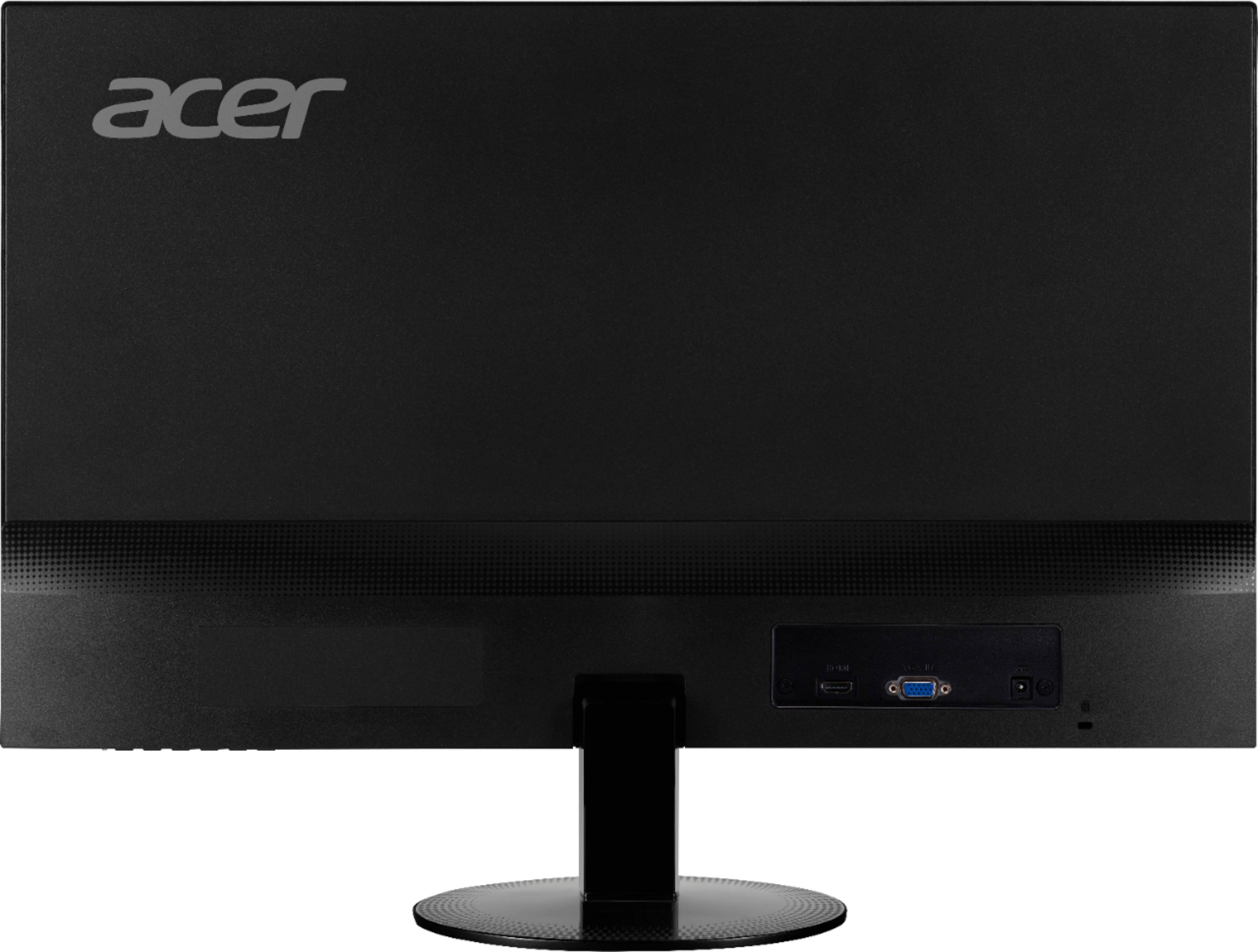
|Posted .This reviewer received promo considerations or sweepstakes entry for writing a review.I currently run multiple monitors for my computer setup. My primary monitor is a $400 gaming monitor that I purchased last year from Best Buy. My secondary monitor is 20” Acer LCD monitor from 2008. I mostly use the secondary monitor for Office applications, web surfing, and the occasional background movie for when I’m working on something on my primary monitor. I got the Acer SA230 to modernize my aging secondary monitor. My secondary goal was to increase the screen real-estate of the available to me. The more space I have, the more information I can display and manipulate between applications. First off, I did not get this monitor for gaming. The refresh of 60hz and the GTG (Gray to Gray) 4ms timing is too slow for the type of action games that I enjoy playing. However, strategy games would probably look great due to the monitor's bright screen and vibrant colors. The screen is too bright for the over abundant white space found on web pages and Office Applications. The On Screen display, monitor controls, do allow adjustments to the five preset modes. Options such as Blue Light filter are available through these controls. The Blue Light filter is tied directly to the Brightness controls. So, if the 50% blue light is too bright for the complete white screen of a MS Word applications, then you may want to use the separate Brightness controls instead. When I’m web surfing or working in Office, I have the brightness turned down to 20%. Otherwise, the screen can be like staring into a bright light bulb. The one thing I hate about the monitor controls is that the settings are not persistent. For example, there is one profile named User. If I change to one of the other pre-set profiles then the monitor automatically sets the User profile back to factory defaults. My gaming monitor does the same thing so, for whatever reason, this may be an industry norm. The monitor itself is super thin. Acer moved the power supply to an external power brick and moved all of the other components to the bottom third of the monitor. This saves on weight, makes the bottom of the monitor about two inches thick, and the top third of the screen is about ¼ inch thick. I am surprised by how light the monitor is. The bezel around the top and sides are also very thin. The bezel does not vanish but it is thin enough not to distract by what is on the screen. I may be hesitant on using multiple Acer SA230’s in a multi-monitor setup if the bezel size is important for your application. It may be too thick if they are side by side. I also believe Acer sells a version with a razor thin bezel that may work better for you. Otherwise, this monitor works great in a multi-monitor application. Outside of web surfing and Office application, I did watch a few Netflix videos. Action scenes were ok with little noticeable ghosting. I did watch one new show from Netflix named I-D0. There were a few scenes were panning across an action scene was noticeably jittery. But, I think this is an issue with the broadcast since I saw the same behavior on my gaming monitor and my 4k TV. Otherwise, everything I watched looked good. I cannot speak to the quality of the built in speakers. I did not use them nor will I ever use them. I have a solid audio setup for my computer so there is little reason to both with the built in sound. The good news is that if you don’t have a sound up then you can leverage the monitor. However, you will need to use the HDMI connection if you want sound. I did not see a stereo jack on the back of the monitor. The only other connection is a d-sub 15 pin VGA connection which does not carry audio signals. The stand does not telescope. The monitor does tilt about 30 degrees towards the ceiling which may be useful in some applications. If you need the monitor at eye level, you will want to place the monitor on some kind of stand. The static height may be annoying but not unexpected for a monitor at this price point. Overall, I do like this monitor. It is super thin, proves to be a good replacement for my 10yr old Acer monitor, bright, and gives me more graphical real-estate than I had. It will do the job of a day to day web surfing and office monitor. It will work for movies when I need a distraction while working on office type work. And most importantly, it fits my budget. It is not perfect but it will get the job done. I hope you found this review useful.
I would recommend this to a friend