Customer Ratings & Reviews





- Model:
- ADO951800F087
- SKU:
- 5983100
Rating by feature
- Ease of Use
Rating 4.3 out of 5 stars
Customers are saying
Customers enjoy the user-friendly interface and powerful photo editing capabilities of Photoshop Elements 2018 & Premiere Elements 2018. Many users find the software easy to use, even for beginners, and appreciate the new features and improved organizer. While some users mention a bit of a learning curve, overall, customers are pleased with the product's price and find it to be a great value for the features offered.
This summary was generated by AI based on customer reviews.
Adobe premier/photoshop elements
||Posted .This reviewer received promo considerations or sweepstakes entry for writing a review.My God I wish I understood how to use these darn programs. I’m sure the rating would be higher.
No, I would not recommend this to a friend- Pros mentioned:Features

Very good product
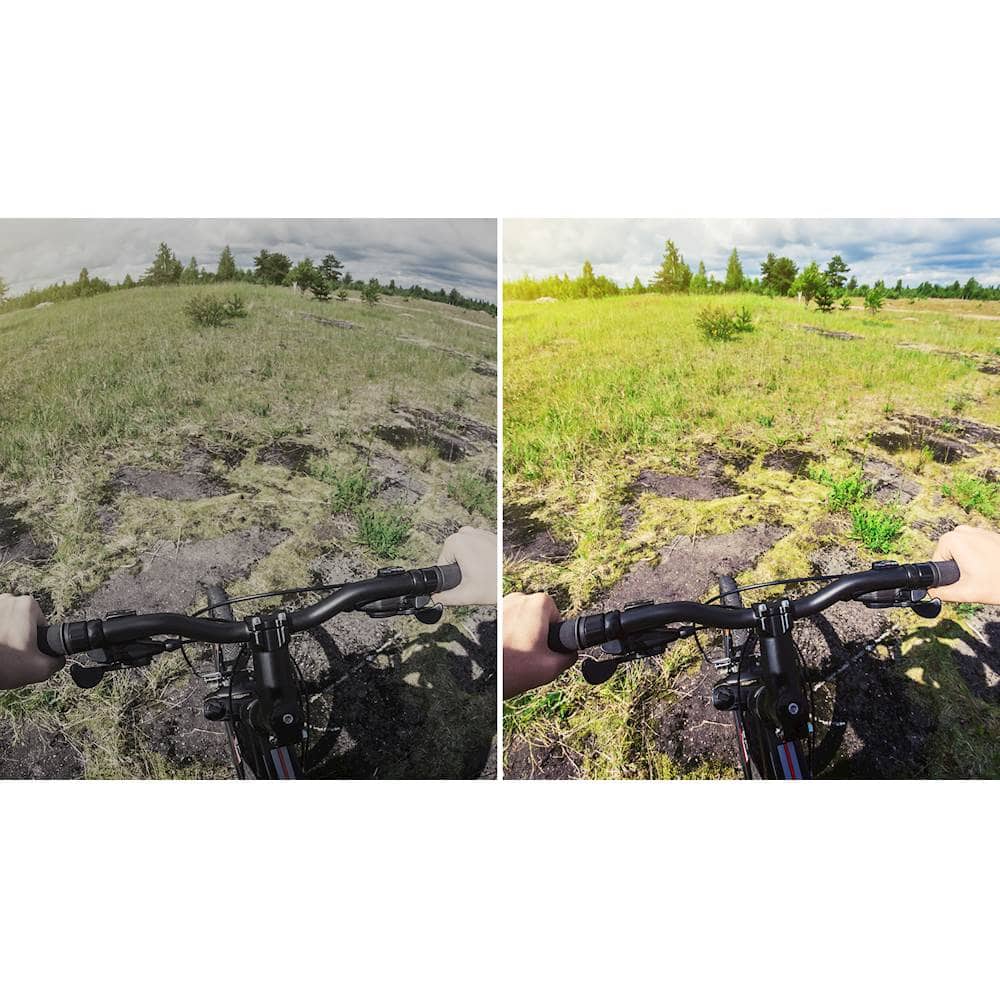
|Posted .This reviewer received promo considerations or sweepstakes entry for writing a review.I am a long time Photoshop user and have been pleased with this new version. I enjoy being able to rely on a familiar interface with new features seamlessly worked in. I suspect the new haze removal and improved auto-fix features will get plenty of use. I'm new to Premier, but found the interface user friendly and very intuitive. I will be finding a manual since, as with any Adobe product, this product is very feature dense. From what I have learned and experimented with so far, Premier seems very useful. Overall I'm very pleased with this Photoshop/Premier combo. The cost is a much better price than a monthly subscription and I like that the software will never go away. Installation was a breeze, and is available both by disc and by download, for both PC and Mac.
I would recommend this to a friend Great for 4K video but prefer Lightroom
||Posted .This reviewer received promo considerations or sweepstakes entry for writing a review.Lightroom I feel is more for me and my needs but for video that works wonderful.
No, I would not recommend this to a friend- Pros mentioned:Ease of use, Photo editing
Photos on a whole new level!
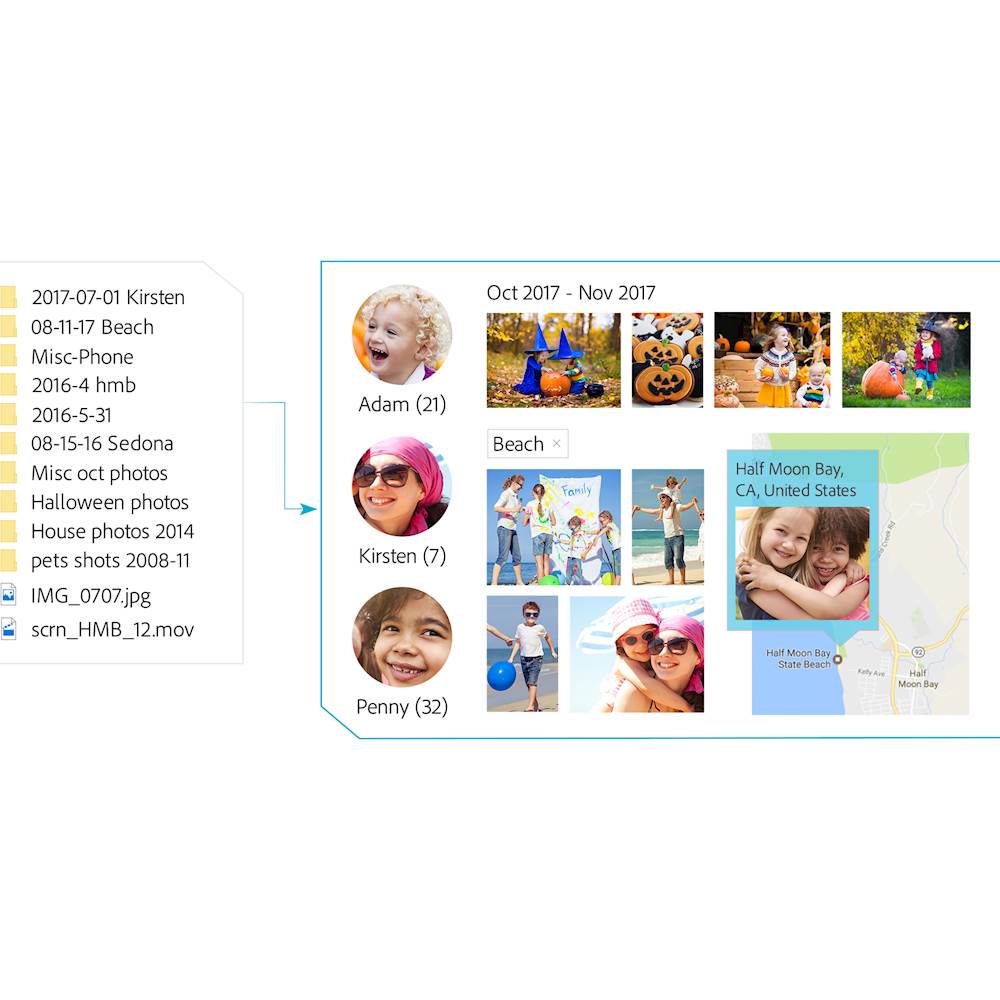
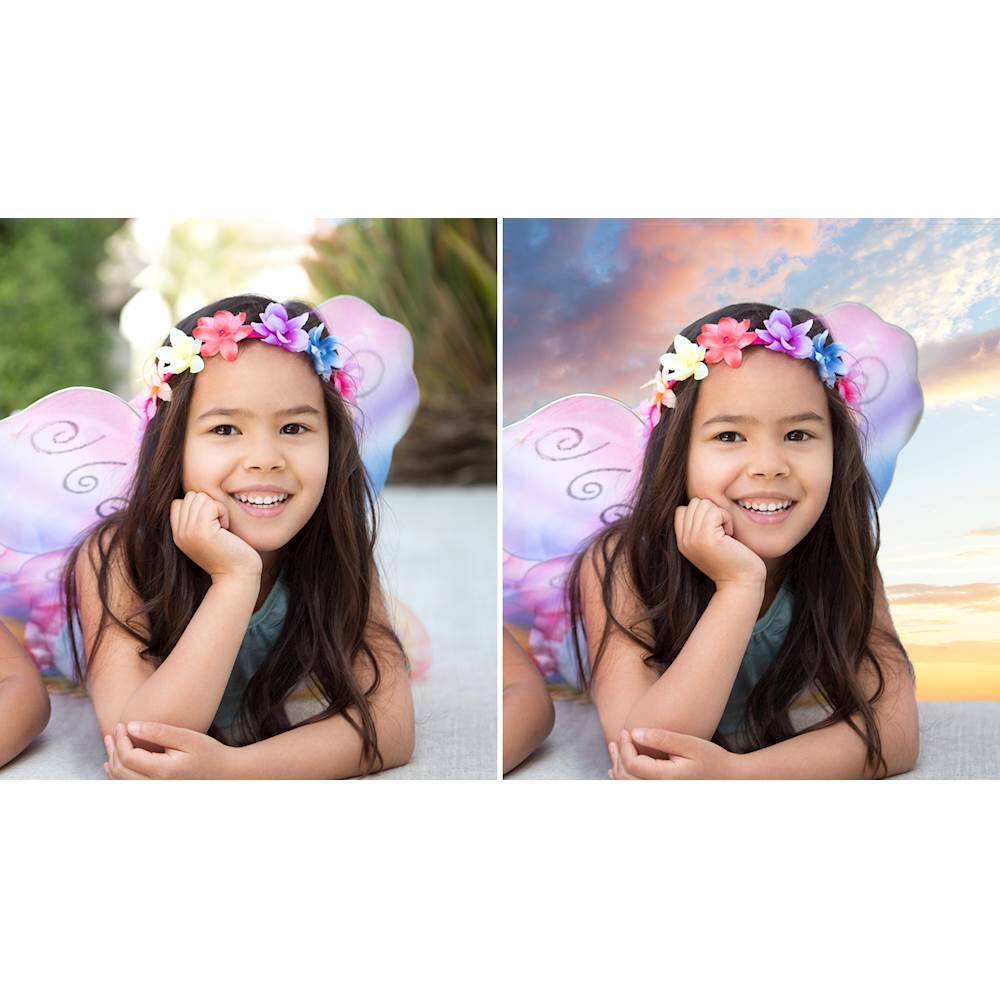
|Posted .This reviewer received promo considerations or sweepstakes entry for writing a review.Let me begin by saying I have only used photoshop in a very limited capacity in the past. This being through apps on the iPhone which had very limited options and the app itself did the majority of the editing. There were no advanced features and there were limited options. So stepping up to this is a very big difference for me. Editing: My wife loved the way she could edit the photos for placement on social media sites. The step by step tutorials allow you to get a very solid understanding of how to make edits, and it is fairly intuitive. There are edits such as changing the lighting, or even being able to adjust or change the background in a photo. I am still working on perfecting the latter, but we had a lot of fun making GIFs. By far is the unique ability to create photos with open eyes, when the subject in the photo has their eyes closed. That is so cool. Organization: I like the way my MAC organizes my photos, but I love the way it does it in this program. You can organize by date or person, and the photos are even geocorded so you can see where they were taken. I am sure they get that data from my phone, but I like that feature. My wife and I are starting to get into taking more photos since we have had kids, and this allows for us to create amazing images of our own, without having to pay for a photographer each time we want to make a memory. So far the process has been fairly simple, and as I said there are a few things I need to perfect in order to get the best quality image I can. But for the most part I think I am doing well with the program and I consider myself to be a complete novice in this. I recommend this to anyone that wants to go beyond the normal images they take with their phone or camera. You can truly take one of a kind photos and edit them in so many ways you will impress even yourself. Definitely worth the buy.
I would recommend this to a friend - Pros mentioned:Photo editing
Good photo/video editor organizer
|Posted .This reviewer received promo considerations or sweepstakes entry for writing a review.I have a lot more experience with Elements (photos) than with Premier (video). However both are very good with some great new features in 2018. The facial recognition is one of my favorite and most useful features which allows nearly automatic tagging of people and goes phenomenally better with each new release. Elements is actually made up of two programs. The Organizer does just that, it allows you to organize your photos and videos with numerous tag categories which can be automatic or manually configured. Also available is more conventional file organization. The combinations of all the above allows a specific photo to be located quickly. The other part is the Editor. While the editor is probably much more feature rich than most home users would ever need (layers?), it does offer different levels of photo editing from guided (beginners) to expert. The editing features are very extensive, the more expert ones requiring how to videos to learn to use. Premier is Editors sister for videos. Again the list of editing features are extensive allowing you to dissect videos, connect multiple videos together, and add soundtracks for starters. The entire bundle of both can be on the pricey side making me sometimes wish for a less expensive version of both with just basic features for a casual home user. My only real complaint is that the programs are quite large and I assume because of that can be slow at some tasks even on a fast computer. Probably also a result of the number of photos/videos (I have over 10,000 currently). Overall the most comprehensive photo/video software out there for the nonprofessional user in my opinion.
I would recommend this to a friend Great software to use
||Posted .This reviewer received promo considerations or sweepstakes entry for writing a review.The software overall was ok. Installation took a long time ,
I would recommend this to a friendOk
||Posted . Owned for 1 year when reviewed.This reviewer received promo considerations or sweepstakes entry for writing a review.This is somewhat clumsy to use compared to the professional programs I have used in the past. It works ok but the auto actions just aren't as precise Or advanced as those you'd get from Adobe Cloud
I would recommend this to a friendSecure codes were not accepted by Adobe.
||Posted .This reviewer received promo considerations or sweepstakes entry for writing a review.This sounded like a very easy program to work with. Unfortunately Adobe would not accept the access codes that were present in the box. I returned the product.
No, I would not recommend this to a friendUnable to burn a playable DVD
||Posted .This reviewer received promo considerations or sweepstakes entry for writing a review.Even though I used the right recordable DVDs, I'm unable to burn a playable disc for use on either on a DVD player and a Blu-ray player.
No, I would not recommend this to a friend- Pros mentioned:Ease of use, Photo editing
Great for beginners and everyday picture takers!
|Posted .This reviewer received promo considerations or sweepstakes entry for writing a review.This combo pack gives you everything you need to start enhancing your pictures and videos! Definitely a great set of tools to learn the art of Photoshop and for use at home. The combo pack comes with a DVD to install each program, the serial numbers also allow you to download them instead! This is especially important for those who do not have a DVD drive or wish to use on a windows tablet. This is not the option for professionals or those looking for the full suite of professional tools offered by higher tiers of Photoshop. I would highly recommend for this for the amateur photographers or those who enjoy editing photos and videos.
I would recommend this to a friend - Pros mentioned:Ease of use, Features
Another Photoshop Product WINNER
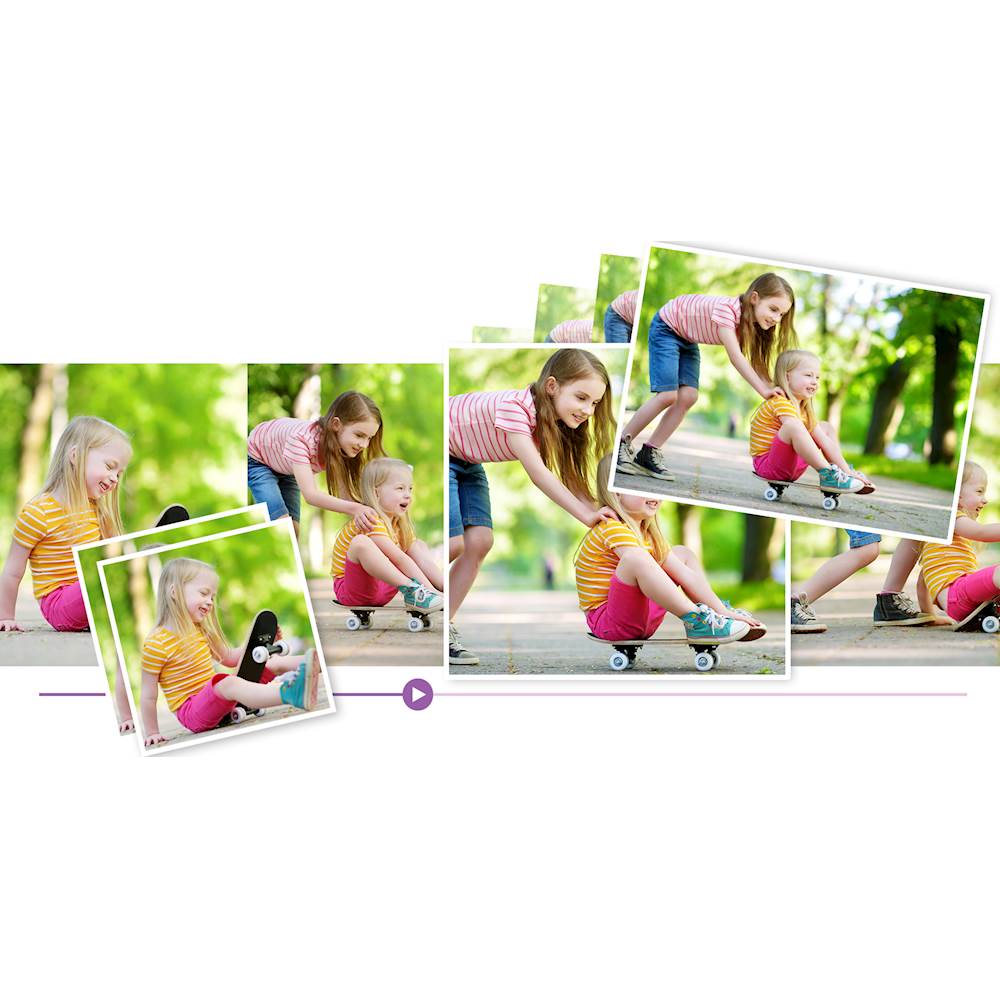
|Posted .This reviewer received promo considerations or sweepstakes entry for writing a review.I love Elements and Premiere Elements. Excellent, easy tools to refine, crop, enhance and manipulate photographs for use. They installed easily with Windows 10, but MAKE SURE YOU ARE THE ADMINISTRATOR BEFORE LOADING - otherwise it won't open. There are some nice additions to the Photoshop Elements Editor in the 2018 version, particularly a feature that removes haze. The auto fix also seems to render pictures a bit better than my old 2012 version. Create fun dynamic slideshows with curated photos and short clips. With one click, they automatically pick your best photos and bring them together with short video clips to create a stylish, animated slideshow that you can easily customize with different photos and clips as well as great-looking themes. Share via print, Facebook, YouTube, Vimeo, Twitter, HDTVs, discs, and more.
I would recommend this to a friend - Pros mentioned:Ease of use, Photo editing
Gets The Job Done
|Posted .This reviewer received promo considerations or sweepstakes entry for writing a review.If you're a hobbyist or do not want to spend the monthly outlay of cash for the Adobe Creative Suite then this combo product is going to be for you. As far as the Photoshop Elements side you get a lot of the features that come with the full version of Photoshop without the added cost. For basic, and a bit more advanced, photo editing this will do the trick. On the Premier Elements side of the product you get a nice, simple, and easy to use video editor. There's a bit of extra "fluff" designed for the social media generation but as far as basic photo editing with nifty transitions then this is for you. Bottom line, going with the Elements suite you'll get a lot of what most photographers and videoographers are looking for at a fraction of the price. An easy recommendation!
I would recommend this to a friend - Pros mentioned:Ease of use
VERY Worthy Successor to Adobe's Elements Software
|Posted .This reviewer received promo considerations or sweepstakes entry for writing a review.I’ll be honest…I have not yet had time, or the opportunity, to put both Adobe Premiere Elements 2018 & Photoshop Elements 2018 through all their paces. Taking that honesty one step further, I’ve barely scratched the surface in using Photoshop Elements 2018. This last bit is due to the fact that I primarily use Photoshop CS6 for image editing. However, this does not mean I haven’t started “treading the waters”, so-to-speak. Since I am less familiar with Photoshop Elements, I’ll start there. For those not familiar with Photoshop Elements, think of it as a watered-down version of the professional-level software. Put another way, think of it as having “elements” of Photoshop. It contains many of the core functions & features that Photoshop is known for, but making said features far easier to use (Photoshop Elements walks you through almost all of them). Of course, with the professional version (now known as Photoshop CC, part of Adobe’s “Creative Cloud” package), you have far greater control. One “extra” that Photoshop Elements includes (which Photoshop CC doesn’t) is its scrapbook…Photoshop Elements can automatic ally sort all your photos, as well as tag them to make them easier to find. Things such as replacing closed eyes with open eyes, or replacing the background, are easy to do with Photoshop Elements. While the results are better in Photoshop CC, they can also take considerably longer…sometimes many hours longer. Would you have “perfection”, sometimes taking hours to complete…or would you rather have “very, very good”, and only taking minutes (obviously, the newer the computer, the shorter the time it takes to complete, but you get the picture – no pun intended). Moving onto Premiere Elements, this is something I am considerably more familiar with, as I have been using Premiere Elements 15 for the past year, and have previously used Premiere Elements 13 & 14. With each updated version, Adobe not only adds more features/functions, but they also include more & more features/functions from the professional versions of Premiere (in addition to Premiere Elements 13-15, I also use Premiere CS6). Trimming video with Premiere Elements has always been easy…but more it’s easier, and quicker. There are so many new features/functions, from motion titles to animated GIFs, from fixing lens distortion in drone & action cam footage to the previously-mentioned Smart Trim. One of the best new features…and this applies to BOTH Photoshop Elements AND Premiere Elements 2018…is the addition of AI (if you don’t know what that is, what planet have you been living on for the past 15-20 years?). this is what allows the majority of the new features/functions to work, and is also connected to several of the improvements in features/functions that have been in previous versions of both programs. FINAL VERDICT If you’re new to image and/or video editing software, do yourself a favor, and pick up the latest versions of Adobe’s affordable applications…that would be Photoshop & Premiere Elements 2018. With earlier versions, I would have suggested getting the previous year’s version, and saving yourself some money (since most places discount the “old” versions when the “new” versions are released). However, with the 2018 version (notice have they’ve gotten rid of the previous numbering system), there have been more than enough improvements to warrant purchasing the latest version. As for those who are familiar with Adobe’s line of “Elements” applications and/or own versions prior to Elements 15, now IS the time to upgrade to the 2018 version(s). as for those running Elements 15, it’s six of one, and a half-dozen of the other – in other words, while you could continue using the previous (ie. Elements 15) version, and be completely happy doing so, should you decide to upgrade to Elements 2018, you’ll be even happier. Again, while I’m new to Photoshop Elements, I have used Premiere Elements 13 through 15, and the improvements in Premiere Elements 2018, alone, are worth the upgrade. Disclaimer: This product was provided free, or at reduced cost, for the purpose of reviewing the product. Nevertheless, the above review, be it positive, negative, or anywhere in-between, is a 100% honest review, and the price paid played absolutely no part in my review.
I would recommend this to a friend - Pros mentioned:Ease of use
Adobe Photoshop works perfectly
|Posted .This reviewer received promo considerations or sweepstakes entry for writing a review.This is the first time we have ever used photoshop elements & premiere elements and it has been excellent! The install went smoothly and creating an account and downloading the software was simple yet fast and completed both in less than a half hour. So not sure why so many other people are seeming to have problems besides that we installed it on a brand new hp dual purpose laptop/tablet and they are installing it on older systems with obvious issue's most likely caused by system errors, malware, or viruses. We have only used the photoshop elements so far and have been very pleased with the ease and results of editing photo's. It has plenty of help and tutorials explaining all the buttons and options making it very easy for new user's to do anything and everything you could want to do so my 22 year old daughter love's it and has been using it more than my wife and I. From the little amount of time I've had access when my daughter isn't playing with it, I have been just as impressed with it although I'm not as sure about the usefullness of the premiere elements side of this for us anyway since we don't have any video recorders besides what is on our phones that I beleive that if you are like us then buying this adobe suite of software is overkill and would be more than happy with just the photo editing software. With that said if you are into video editing as well as photo's then this would be a great addition for you and has the same help and tutorials as photoshop so it is just as easy to figure out for new comer's to the adobe photoshop elements and premiere elements 2018 version so before being scared away by all the bad review's I highly suggest downloading the trial software before going all in to decide for yourself if this suite will work for you or not as everyone has different tastes as well as learning curves and that way you can decide for yourself if it will work for you and wether your computer will have any of the issue's that other's have had as from what I have read the Adobe support seems to be lacking from other reviewer's but I personally cannot confirm either way since as I said above have had no reason to contact them as this suite has not had any issue's with any of the software we have installed including 3 different antivirus internet security suites, 2 different version's of office from 2010 to an upgraded version, several game's both older (like Skyrim) to the newest version of the Sims as well as sofware burning software to all the normal junk like facebook and twitter without any issue's arising in the Adobe Elements sofware suite. In closing after using this software for a month and a half and trying several ways to try and create the same problems that other's have written about I have not been able to duplicate any of them and with the ease of use of the included learning tools to teach or help new user's I have to give Adobe Photoshop Elements & Premiere Elements 2018 a 5 star rating and a high recommendation, but I still think that for most it's a bit of overkill so decide if you really need both before spending the money and also do yourself a favor by downloading and testing it out before buying and that way you can decide for yourself if this suite will work for you.
I would recommend this to a friend - Pros mentioned:Ease of use
Love the new updates
|Posted .This reviewer received promo considerations or sweepstakes entry for writing a review.I have not used Photoshop in many years, but I am really impressed with this version. Easy to install and very intuitive. Which is something we all wan tin software these days. There are some pretty cool features as well like the Open closed eyes in photos (copies open eyes from a photo of the same person to replace the closed eyes; replace background in seconds; add motion blur to create an action shot.... very nice additions. This works great even if you have simple edits to do, or want to take it to another level to complete advanced edits. Whatever your desire, you should be able to complete your project with this software package.
I would recommend this to a friend - Pros mentioned:Photo editing
love adobe photoshop/premier elements.
|Posted .This reviewer received promo considerations or sweepstakes entry for writing a review.I dont use photoshop as much as my wife. I mainly use premier elements for videos that I make. I would use windows movie maker but it was basic, and if I wanted to do more, It was a bit more to have to do. with adobe, It makes it easy to do a voice overlay or text overlay. I can play my video, and as I watch, I can easily set to add a voice over and it will have a screen pop up that I just push record and it will count down and then it will record as it plays the video so I can talk at spots. I enjoy gaming so this is helpful and easy for me to record gameplay, and then go back and explain. I can easily add in music as well. and even text. I also like that I can highlight spots, block out spots, or even magnify spots. makes editing my game videos that much better and that much easier. photoshop part, like I said I don't use as much. but I know my wife loves it. this is not the full version photo shop. which I believe allows you to draw and create pictures. this lets you take your picture and edit them. pretty nice to have if you have a person in the picture and want them gone. or to add etc. make teeth whiter etc. overall satisfied with this product. well worth having especially if you do lots of video or photo editing.
I would recommend this to a friend - Pros mentioned:Ease of use, Photo editing
Powerful and Simple Photo and Video Editing
|Posted .This reviewer received promo considerations or sweepstakes entry for writing a review.This is a really nice software bundle that offers some really powerful and intuitive photo and video editing tools. The box includes 2 DVDs, but Adobe also offers the option to download the software online if you don't have an optical drive both Photoshop and Premiere have some nice auto-adjustment options, but also let you get pretty granular with the settings if you want to. The effects and transitions are a lot of fun too. These are really nice for anybody who wants to do just a bit more than casual photo and video editing on their PC without going full bore into the Adobe Suite.
I would recommend this to a friend - Pros mentioned:Ease of use, Photo editing
Love Photoshop and Elements
|Posted .This reviewer received promo considerations or sweepstakes entry for writing a review.The software for both was easy to install and ready to use quickly. The photo editing features in Photoshop were easy to use and had a lot of options for editing. I especially like being able to edit a person or part of the scenery out of a photo. Elements is easy to do voiceovers or block out parts of the video. Elements made this easy and made my videos much more interesting. Overall, I am satisfied with the product.
I would recommend this to a friend Great prosumer photo and video editing suite
|Posted .This reviewer received promo considerations or sweepstakes entry for writing a review.I've been a user of Adobe Products for a while now, before CS Suite was a thing. Premiere wasn't my preferred video editing program, though it did some things better than its competitors. Photoshop, however, is a program that's in a class by itself when it comes to image editing. When the Elements series of programs came out years ago, I did obtain copies to see what was missing and what wasn't. At that point, Photoshop Elements was okay but Premiere Elements wasn't something I could recommend, especially for Mac users. Fast-forward to today, and I can recommend both Photoshop Elements 2018 and Premiere Elements 2018. Both programs no longer feel like cut-down versions of their CC suite counterparts, though some features are missing that professionals would miss (especially high bit-depth photo editing in PSElements). However, it more than makes up for this for the prosumer with automation, file organization, and a much more shallow learning curve. Two things I can recommend with this software, however: 1) RAM is your friend. Both programs can run with 4GB of RAM, but they're much more usable with 8GB (Mac) or 12GB (Windows 10). 2) Quality source material. Your phone likely has a good camera, but the stock camera app likely isn't great at handling things like ISO, white balance, and shutter speed. Find a camera app that allows you to fully control your camera. Or if you can afford a high-quality dedicated camera, go that route instead.
I would recommend this to a friend- Pros mentioned:Photo editing
Great for Sharing Better Pix/Videos
|Posted .This reviewer received promo considerations or sweepstakes entry for writing a review.I got a little worried with this before I even had the chance to install. When I got this package I had one laptop. Before I was able to install, my machine died. The issue... machine one had a DVD drive. Machine two didn't. Thankfully, you can download online if you don't have DVD drive. Each is a rather large download, about 2.5 GB each. Once downloaded, just follow the prompts and each installs easily. Serial numbers are on the back of one of the provided discs. There is a separate disc for Mac vs. PC downloads if you don't go the download route. Once installed, that's when the magic happens. I like using the tools to make my pictures and videos look better. In videos, don't like the first few seconds of something? Just chop it out. Want to voice over the audio track.... go right ahead. You can even speed up the playback of a video over the boring parts. For pictures, you can touch up your pictures before printing so they look better. Remove that sign in the background or cut out the ex. Lots of filters to sharpen the picture or change the color tones. There are a ton of features in these tools and you don't have to master them all at once to take advantage of the tools. Just learn as you go the parts you need. If you need help, you'll find plenty of helpful tips online from those willing to share. Cheapest to get the pair together. You'll find yourself using the video editing tool more than you ever thought.
I would recommend this to a friend