Customer Ratings & Reviews





- Model:
- ADO951800F087
- SKU:
- 5983100
Rating by feature
- Ease of Use
Rating 4.3 out of 5 stars
Customers are saying
Customers enjoy the user-friendly interface and powerful photo editing capabilities of Photoshop Elements 2018 & Premiere Elements 2018. Many users find the software easy to use, even for beginners, and appreciate the new features and improved organizer. While some users mention a bit of a learning curve, overall, customers are pleased with the product's price and find it to be a great value for the features offered.
This summary was generated by AI based on customer reviews.
- Pros mentioned:Ease of use

There are so many options
|Posted .This reviewer received promo considerations or sweepstakes entry for writing a review.There are so many options, that I was overwhelmed at first. I settled in on an image of my son's graduation. First, I went with the quick mode, which allowed me to fix color, saturation, balance, lighting and smart fix options. These options did a very nice job of making the coloring look great, but I ended up going into the expert mode to fix facial blemishes and eyes. All three subjects had some acne that I was easily able to fix with spot healing enhancement tool. This enabled me to easily brush away any spots and it did a fantastic job of matching the other facial color. One had his eyes mostly shut, and the eye tool allowed me to place a set of eyes that closely matched his eyes. A full review of this product would take hours and pages to complete. In addition to the photo editing options, there is also a video editing program included with the package. This is a must have for parents, grandparents and proud aunts and uncles with children involved in activities. Adobe products are top notch and easy to learn. It's fun and intuitive and one can product some very nice pictures and videos without a huge learning curve associated with the more professional products out there.
I would recommend this to a friend Don’t waste your money
||Posted .This reviewer received promo considerations or sweepstakes entry for writing a review.Will not download to my iMac at all. Was able to download to my PC laptop after about 5 attempts. Once was able to use was not impressed at all. Waste of money.
No, I would not recommend this to a friend- Pros mentioned:Ease of use
Expedites workflow with powerful editing tools
|Posted .This reviewer received promo considerations or sweepstakes entry for writing a review.I'm not a professional photographer, in the sense that I use photography to put food on my plate. That being said, I do shoot gigs here and there. I use Lightroom as my go-to, which, after the initial learning curve, has been like second nature, I was a bit skeptical about Elements. After having used the actual software, I must say, it's like Photoshop/Lightroom for the millennial generation. Vastly simplified workflow but still somehow providing more powerful editing tools than Lightroom. Stunning. If you've never learned to use Photoshop proper or Lightroom before, really, with Elements (for photos) and Premiere (for video editing) you can pull in files from practically any source and begin editing without any hiccups. Adobe was pushing their online suite for the better part of the last few years, but, being more traditional, I'd rather pay a one-time fee and know the software is mine, rather than having to basically pay rent every month and lose access if I choose not to subscribe for that month. Highly recommend for both seasoned and for people dipping their toes into photography.
I would recommend this to a friend Worthless
||Posted .This reviewer received promo considerations or sweepstakes entry for writing a review.I bought this to edit home DVDs. It is virtually impossible. You can't view the DVD content, so can't edit. This overpriced software is useless!
No, I would not recommend this to a friendFeature rich
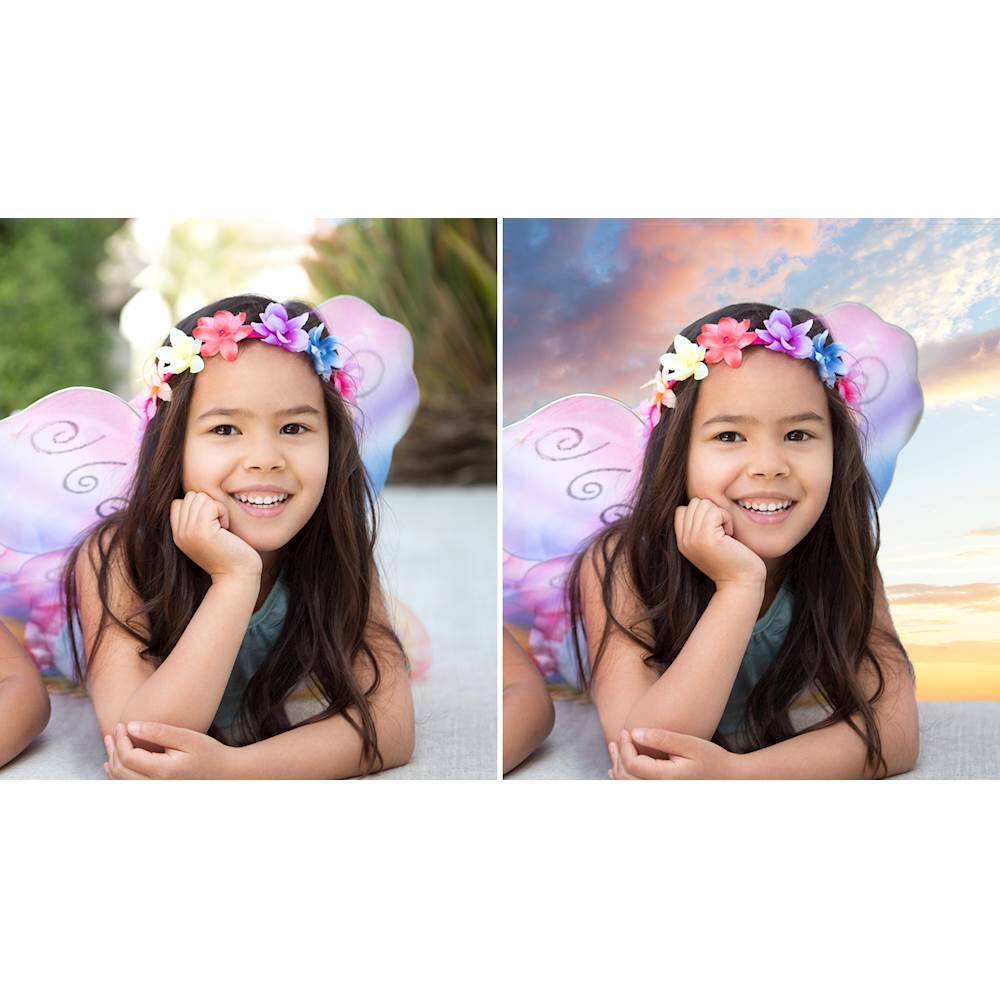
|Posted .This reviewer received promo considerations or sweepstakes entry for writing a review.If you’ve used Photoshop or Premiere’s previous version, this will feel familiar. The install was easy, just had to download a few updates before I was able to start using it. The auto selection tool is pretty amazing, if you’re looking to automagically select a person and remove or enhance backgrounds. You’ll find that the help section is lacking a bit in detail for some features, but after playing around for several hours, you’ll start feeling like a pro! This is a great bundle of software for anyone looking to do some edits or create content with ease. For some heavy video tasks, be prepared to wait a bit while things process. This is especially true if you’re using a minimum spec computer for the heavy tasks. I’d recommend using a machine with decent RAM and a good CPU. I’m using an Intel i7 processor, paired with 16 GB of RAM, and experienced minimal processing times for some video edits. Overall, this is an easy buy for those looking to find an easy to use software solution for your creative needs.
I would recommend this to a friend- Pros mentioned:Photo editing
This has it all!
|Posted .This reviewer received promo considerations or sweepstakes entry for writing a review.This is the absolute best. It organized my videos and pictures that were scattered all over my harddrive. It can also take them off my cell phone. You can add audio to your videos. These are just a few of my favorite things about this and I have just started. It took out a trash can that was in a picture I had and didn't want to share with anyone and made it perfect and shareable. I also love that it can take a video and you chose a spot that you like and it will make it into a picture. I have only scratched the surface of this amazing program. This is a photographers dream and there is a learning curve as with anything to make pictures perfect, but it is really pretty self explanatory and there are short videos within the program to explain things to you.
I would recommend this to a friend - Pros mentioned:Photo editing
Great software for the average photographer
|Posted .This reviewer received promo considerations or sweepstakes entry for writing a review.I use Photoshop CS6 because I don't want to buy subscription based software but I got this for my husband who is just getting into photography. I am used to Photoshop but I found this difficult initially because unless you use the expert mode many options are unavailable. After I figured that out I actually liked the way you can manipulate a photo with layers and such. I do not know if you can add 3rd party filters as in Photoshop but if so I think this is a great piece of reasonably priced software for photo editing. I don't do video so I can't evaluate Premiere
I would recommend this to a friend - Pros mentioned:Ease of use
Photoshop proves its worth yet again!
|Posted .This reviewer received promo considerations or sweepstakes entry for writing a review.I am a longtime Photoshop user but have been away from using the actual program for over a year now due to a job change and other responsibilities changing. Getting to dive back into the Photoshop program and test out the newest version is such a delight. I love the options available in Photoshop, and the install was quite simple. There are tons of features which I am still getting into. No complaints on the Photoshop side. For the Premiere side, it seems pretty basic for editing, but it still very user friendly and intuitive. I was a Video Editing expert in college and used alot of Final Cut pro to cut my video together, so in regards to that it seems basic, but is easy to use. Overall both programs are great and recommended for users of all ages with all experience levels.
I would recommend this to a friend Great 2 in 1 Photo & Video Editor
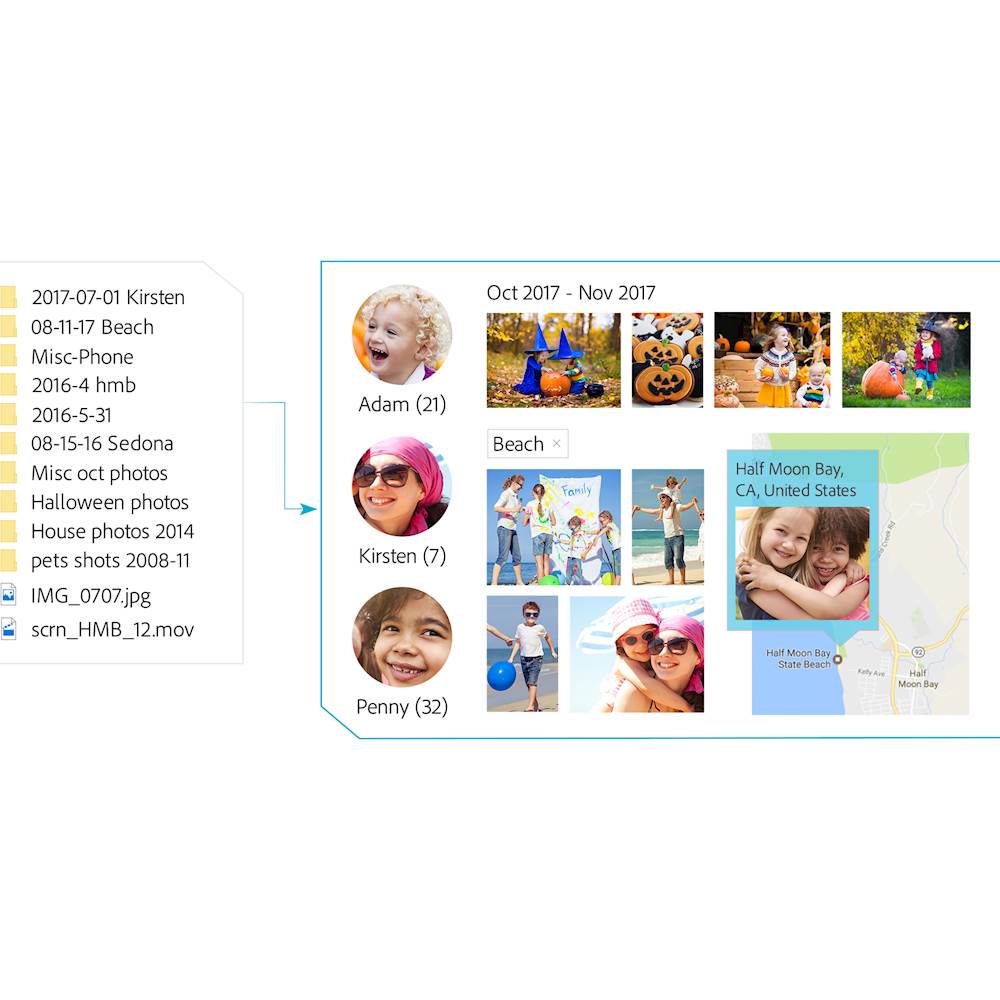
|Posted .This reviewer received promo considerations or sweepstakes entry for writing a review.What's in the box ----------------- Adobe Photoshop Elements 2018 & Premiere Elements 2018 2 CD (One for Windows & One for Mac) Installation ------------ I am sure 90% of the folks do not have DVD player on their laptop these days (I beleive most desktops do though). If you have a Laptop with no DVD drive, you will download the software from their website and use the key in the supplied CD box to install the software and provide the key. The software can be installed on 2 machines but you can use only one computer at a time running the software. Photoshop Elements ------------------- Although i take good amount of shots using my DSLR, i have never photoshopped (Verb here..) any of the pictures. Never had the time to do so. With this software, i had a unique experience. I went to JCP to take a shoot with family and since they only have about 15 minutes per session , in one of the pictures , my father shut his eyes. I was able to fix this issue with the software which i thought was pretty cool. Since we had taken multiple shots, the software copies and pastes the open eye from other picture on to this one (The closed one). You can use the software to create nice collages (my wife loves this feature) Love the "Auto Curated" feature to find the best shots. WHen i take pictures, i take multiple ones and i have to manually scan through and find the best, this is good amount of automation. The software also allows you to tag people so that you can search for them in your picture collection, nice! Premier Elements ---------------- This is the video editing software. you can add voice such as narration on the videos that you might have taken. The software also allows you to mix and match photos and videos for collages. One of the cool features i used is to add caption in my videos and create stills with captions. love that feature. Extracting photos from videos, have done a few of these, sometimes i take videos with my photo and wished i had captured a snap of that, now this software gives us better options I think this is a great 2 in 1 product
I would recommend this to a friendLow Cost, Simple Photo/Video Suite
|Posted .This reviewer received promo considerations or sweepstakes entry for writing a review.I’ve used Photoshop Elements many years ago and as operating systems changed over the years, I couldn’t use it any more so I started using iPhoto or various online photo editing websites. Of course, the websites are very limited in features and basically let you do simple edits, cropping, improve brightness or color and add simple filters. I didn’t want to subscribe to the Adobe Photoshop CC as I don’t do that much photo editing during the year just a few pictures after my summer vacation. Then I read about some of the new features available in the Adobe Photoshop Elements 2018 and was really intrigued. This program has the ability to open closed eyes on people by automatically substituting eyes from another photo of them or even from somebody else. Wow! You can now remove the background from a photo and substitute a different background very quickly using a tool that in the old days would have taken a lot longer to do manually. There’s all kinds of effects that can change the entire look and feel of the photo with just a few clicks. They’ve added an Auto Curate feature into the Organizer that goes through any group of photos and selects the best photo based on content, composition, lighting, etc. so you don’t have to struggle over deciding yourself. The second program in the package is the Adobe Premiere Elements 2018. Once again, I had used Premiere a long time ago and switched to iMovie which was basic enough for simple video editing. Over the years, iMovie got very convoluted with more features that I really didn’t need. There are a lot of features in Premiere Elements that improve the quality of the video production such as clearing the haze in a scene, automatically adjusting the length of the music to fit your production, and best of all this will let you edit 4K video that I shoot with my new iPhone X. All in all, for the one-time price, rather than a subscription, this software suite does the job for the average photographer/videographer.
I would recommend this to a friend- Pros mentioned:Ease of use
Love this software
|Posted .This reviewer received promo considerations or sweepstakes entry for writing a review.I've wanted to use Photoshop for years, but never found it that easy to figure out what I was trying to do. The guided screens and links to videos make this very easy to use and not as complicated as past versions. Everything is just simple. I was also happy that I was able to use it with my MacBook. Ive been using the Apple software bundle and it has more than its share of difficulties to use. With Photoshop in particular, I was finally able to get the muscles I've always wanted for my profile picture on Match and Tinder!! Now, if I could just Photoshop them on me in real life. Of course, i'm kidding, but I am really impressed with its ease of use. I plan on having a lot of fun with the software this holiday season.
I would recommend this to a friend - Pros mentioned:Ease of use
Make me a professional
|Posted .This reviewer received promo considerations or sweepstakes entry for writing a review.This comes with 2 discs. One for windows and the other for Mac. You can also download the program if you don’t have a disc drive which is very convenient. I’m a beginner in photo and video editing and was excited to get my hands on this program. It makes me feel like I’m an advanced photoshop editor. It guides you step by step on many of the features. I was able to edit a bunch of recent pictures of our new born and the wife was quite impressed! Theres still more I have to learn but for a beginner this program makes its easier.
I would recommend this to a friend - Pros mentioned:Ease of use
Easy to use.
|Posted .This reviewer received promo considerations or sweepstakes entry for writing a review.As I would expect, this installed easily into my machine. I haven't used image editing software and quite some time but the interface was very user-friendly. I print most of my pictures at my local big-box store and the image editing tools there are somewhat limited. With this I can manage everything from aspect ratio to color saturation, remove red eye, all the things that you would like to do with ease. I have not used the movie as a software yet for a project but poking around seems to be just as easy to use as the photo software. This really is a must have if you like to do more than just look at pictures on your phone.
I would recommend this to a friend Software is the same
||Posted .This reviewer received promo considerations or sweepstakes entry for writing a review.Your basically buying the same product twice!!!!!!
No, I would not recommend this to a friend- Pros mentioned:Ease of use
Adobe Continually Improves Photoshop Elements
|Posted .This reviewer received promo considerations or sweepstakes entry for writing a review.I've been a user of Adobe products for over 20 years. I believe they are best-in-class for creative software. I needed to get a new version of Photoshop Elements. I was impressed with the level of improvements they've put into the 2018 version. The icons for editing tools are arranged better and are more intuitive. Pulling new photos into the editing tool is also more efficient. If you haven't upgraded Photoshop Elements for a while, I recommend this version.
I would recommend this to a friend PSE 18 worth the upgrade
|Posted .This reviewer received promo considerations or sweepstakes entry for writing a review.I have used several different versions of PSE but do not upgrade unless I think the changes are of value to me. I still have poor skills and worse patience in selecting items/objects in a photo. PSE 18 has a new auto select tool and a guided feature with auto selection that seems to work very well for me. I was able to select a person and insert into a nice new background. The instructions are clear on how to do this, but it will become easier the more I use this feature. There are a lot of fun things to try and this version should keep me busy for a while. Four new Guided Edits have been added to assist in Replacing Background, artistic overlays like Shape Overlay, Double Exposure guides you through having one photo transposed semi-transparently over another photo, and applying a watercolor painting effect to your photo. There are now 67 step-by-step guided edits. One nice thing if you use the Guided Edit then switch to Expert editor the layers, etc are shown so you can learn how to do it and make further tweaks to your photos. The organizer is vastly improved making it much easier to find photos. I had a little problem importing some photos from a flash drive, so I copied the files to the computer and then the photos were imported into the organizer. The organizer is used by both programs so it is important to spend the time working with the organizer. My photos from PSE 14 were imported in the new format. I have a DVD drive so was able to pop in the dvd and install. There were no install instructions, so I installed PSE18, then restarted computer before I installed Premiere Elements 18. Not sure if it was necessary. I left PSE 14 installed, but will probably uninstall it as 18 workspace is not that different. The installation of both programs took a long time. If you don’t have a DVD drive you can download the programs from Adobe. This is my first Premiere elements program and there is a nice tutorial on getting started. I think it will be fairly easy to use. You can turn curated photos and video clips into a slide show with one click. So far I am happy that I upgraded to Version 18.
I would recommend this to a friend- Pros mentioned:Ease of use
Easy setup and packed with features
|Posted .This reviewer received promo considerations or sweepstakes entry for writing a review.Installation and setup of the software is super easy. Import of photos into the application is fast and the photo tools available allow almost limitless options. It will take a while to learn about all the features available, but most are easy or automatic. You have the option to remove red eye automatically as photos are imported. I have my original photos saved on a separate disc and the Photoshop copies on a another disc as a backup. Improve all your photos and modify anyway you like.
I would recommend this to a friend Awesome Product Even If You're New!!
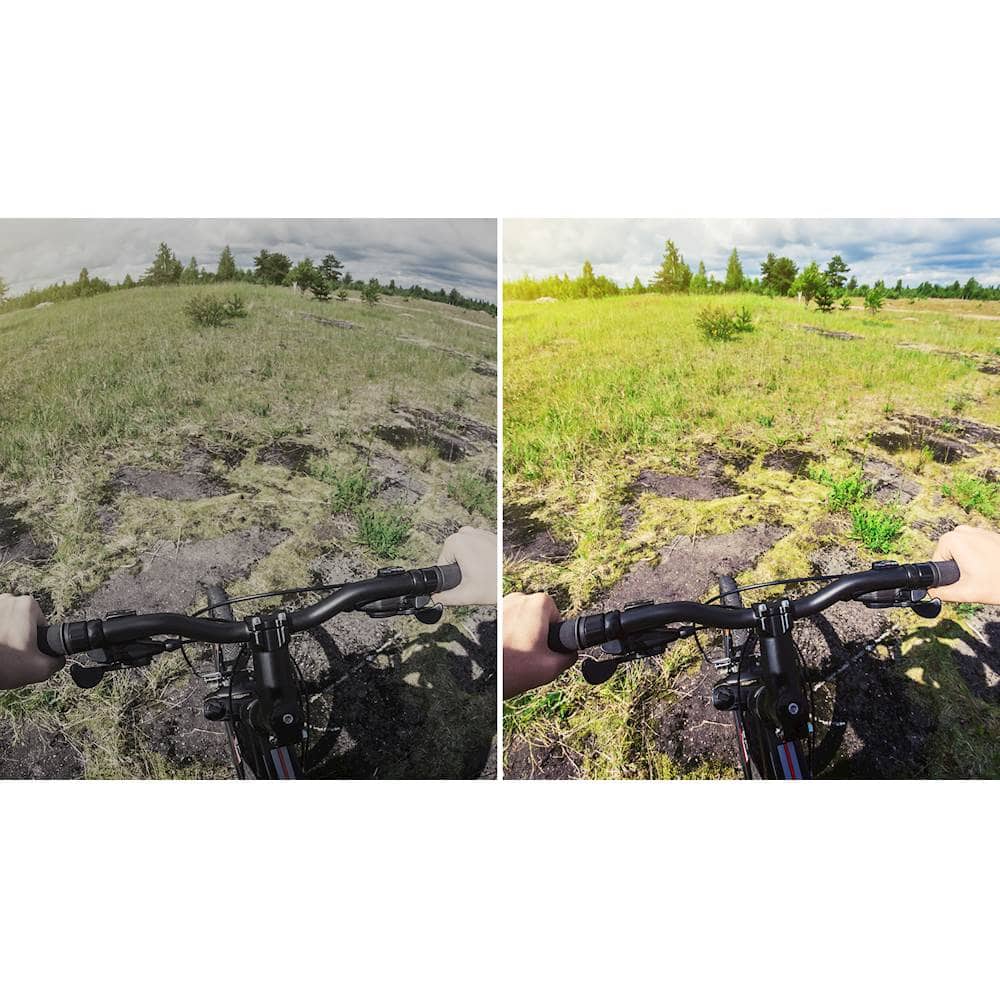
|Posted .This reviewer received promo considerations or sweepstakes entry for writing a review.I started using this product in an attempt to take normal videos and pictures and trying to add a bit of pop to them to make them more interesting and fun to view. I would like to start by saying I've never used any type of professional photo or video editing software. So I'm reviewing this as someone who may be a bit intimidated by a professional grade software. With that being said, these programs really make it simple for someone with no experience. Installation was effortless. You have to create an account which is nothing new with most software these days. Once the account was created I downloaded the software (my laptop does not have CD player). Once the program downloaded, I entered the key, and setup was a breeze. There are many suggested edits which you get live previews of. You can also use a "Before and After" mode to see how your changes are effecting the original in Photoshop. In Premiere, there is a smart setting that will automatically make cuts and edits to your video based on where the action is and who's talking. This worked out great for a video of my brother tubing on the lake. There are too many features to go in great detail of each one, but from a beginners perspective, they do a fantastic job of not making it overwhelming and you still feel like your making the best of your normal every day photos and videos!
I would recommend this to a friend- Pros mentioned:Ease of use
Phix Your Photos
|Posted .This reviewer received promo considerations or sweepstakes entry for writing a review.Vacation photos didn't turn out as good as you had hoped? This will help correct that, and more. Easier to use than many of the free software programs available for download. Multiple options from Beginner to Expert, allowing the user to let the software autocorrect or do it themselves. Have 2016 version and there are a few updates that make 2018 a good upgrade as it improves upon simplicity. Also a good base for someone who has never used Photoshop before.
I would recommend this to a friend I think I need the Idiot's Guide for this...
|Posted .This reviewer received promo considerations or sweepstakes entry for writing a review.Recently I found I needed more than Photoshop. You see, I found out my phone takes more than just pictures, it also takes videos. Yes, I know, grandma here takes a bit more time to learn about these newfangled contraptions you see. Just kidding, I knew it did, I usually just leave it up to the whippersnappers to take them as my hands shake too much. However, when said whippersnappers are who you are videoing, help might be needed. So, I got this program as I've always liked Photoshop and figured I'd be just as happy with Premier Elements. I'm not. I'd probably be happier if there was a handy-dandy help guide right at my fingertips Instead, I need to get online to get help, not just from a guide but also from a forum. Now I know I'd probably do better with a Premier Elements for Dummies book but I don't necessarily want "them" to know I need one. That's why this program lost a star, neither Photoshop nor Premiere Elements have a local guide, you have to be online to get help which is not always possible for people. While Guided Edit is a help, it is not necessarily enough of one. Photoshop Elements is still the great program I've known with a few more features thrown in. I haven't played with all that Guided Edits helps me to do but I'm enjoying myself so far. I'm getting better with Premiere Elements. I don't have anything to compare it to but since little by little I'm figuring it out, again with the help of Guided Edits, all I can really say is that it is delivering what it has promised to deliver. So, if you are a typical user, this program should meet your needs.
I would recommend this to a friend