Customer Ratings & Reviews





- Model:
- ADO951800F087
- SKU:
- 5983100
Rating by feature
- Ease of Use
Rating 4.3 out of 5 stars
Customers are saying
Customers enjoy the user-friendly interface and powerful photo editing capabilities of Photoshop Elements 2018 & Premiere Elements 2018. Many users find the software easy to use, even for beginners, and appreciate the new features and improved organizer. While some users mention a bit of a learning curve, overall, customers are pleased with the product's price and find it to be a great value for the features offered.
This summary was generated by AI based on customer reviews.
- Pros mentioned:Software
Excellent photo editor
||Posted .This reviewer received promo considerations or sweepstakes entry for writing a review.Still trying...but I love the options I have with this.
I would recommend this to a friend - Pros mentioned:Ease of use
Photoshop
||Posted .This reviewer received promo considerations or sweepstakes entry for writing a review.Another great adobe product. This one is easy to use.
I would recommend this to a friend - Pros mentioned:Ease of use
Great video editing software.
||Posted .This reviewer received promo considerations or sweepstakes entry for writing a review.This software is easy to use and I enjoy using it.
I would recommend this to a friend Meh
||Posted .This reviewer received promo considerations or sweepstakes entry for writing a review.Adobe does lots of things well but even this product still has some very basic issues doing simple things like importing photos. It so hosed this simple function it make finding a photo by date pointless since it appears to have randomly dropped photos from different years in the wrong folder for the date.
No, I would not recommend this to a friend- Pros mentioned:Ease of use, Photo editing

Perfect Photo/Movie Editor for Home User
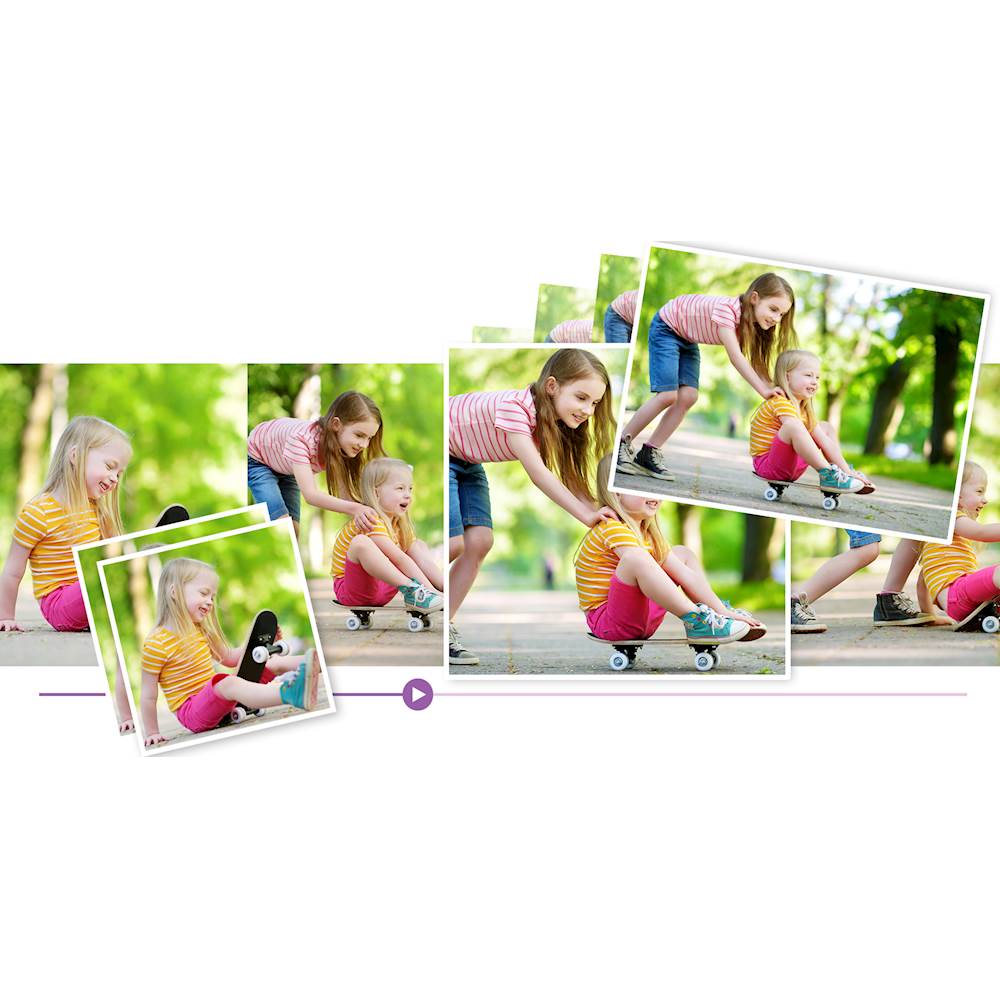
|Posted .This reviewer received promo considerations or sweepstakes entry for writing a review.I think this is the correct level of program for most users. PhotoShop Elements handles photos and Premier Elements handles movie making. They install separately from the same DVD or you can download them. Once installed though you can open either program and it will give you access to either application and also the Organizer (which you do want to use). I have found these programs are invaluable if you want to have fun and actually do something nice while editing your photos and videos. Adobe has three types of usage: Quick, Guided and Expert. You will find that as you use the features you will eventually use the Expert process which gives you full control over your editing. It isn’t apparent but you can install your purchase on 2 different PC ‘s. In my case I installed Photoshop Elements on one PC, then installed Premier Elements on another PC; I installed both on a third PC and they installed fine – a total of 2 installs of both applications. You do need to create an account on Adobe. Editing photos is very easy yet you will find powerful options to modify photos using the automated methods or adjusting the various parameters. There are numerous videos to help you develop expertise easily. Just to give you a couple neat things to try: use the spot healing brush, try the guided black/white color pop and new in Elements 18 is the ability to open closed eyes in a photo – wow; and it works. As you make changes you can see the photo modifications occurring – very cool. The Organizer can be used to manage all media files on your computer (not just those for your editing projects). The Organizer comes with a very strong search function so you can mark and tag things and easily find them later. You will be ahead if you do use the Organizer, it’s great. This statement is somewhat subjective but having used a few other Photo Editors, this program was not only more powerful in function but also ran faster. It instantly moves what you want it to move and adds or takes away what you want taken away in a blink. Sometimes other programs will sit and spin a while to complete a function. You can upload your finished movies to YouTube, Facebook, Vimeo, or your own website, burn to DVD discs using standard burners as well as share movies in high-quality 4K or AVCHD format. There are quite a few new function in Elements 2018, so you will be ahead by buying this latest version. Premiere Elements comes with a range of presets to get video that looks really great on whatever device you use, from iPads, iPods, smart phones to big-screen 4K and HD TVs. You do need to watch a tutorial I think to get into video editing but it is not hard and Adobe makes it easy to do things like create a video collage with a mix of photos or speed up, time-lapse, slow down, add sound etc. You have the ability to isolate image components so that you can edit each independently. It’s just an easy and great system because the software is doing the work for you. I did find these two videos useful to learn quickly. One is on using layering which is essential to really getting into photo editing and the other is a quick one on movie editing, including adding sound and where to find sound/music files to integrate with your video. Also Adobe supplies lots of tutorials. https://www.youtube.com/watch?v=m75SySWX7L4 https://www.youtube.com/watch?v=EHIsnYX3LYA These programs seem aimed at the home user with ease of use highest in the priorities; but you do have remarkable functions in the Expert modes. I recommend this photo and movie editing suite highly.
I would recommend this to a friend - Pros mentioned:Ease of use, Organizer
Easy to use and does a great job
|Posted .This reviewer received promo considerations or sweepstakes entry for writing a review.When you open Photoshop Elements, the main screen shows 3 categories to choose from: (1) Photo Editor, (2) Organizer, and (3) Video Editor. There are several reviews on-line that go through each feature separately as well as several videos that can help you learn more about how to use this amazing program, so I was happy to be able to find so many resources to help me use this program to its full capability. (Although it is very user friendly without having to use any outside resources.) Photoshop Elements lets you work with photos and Premier Elements lets you work with video. When you install both programs, you can go into either program to get you to all 3 categories (Photo Editor, Organizer, and Video Editor.) (1) In the Photo Editor, you can use 1 or more of 3 different levels of editing. a. In addition, there is an eLive tab which will take to you a page that will help you with ideas and techniques and includes many tutorials. b. Quick: The Quick tab, brings you to a page that will help you with the most common basic adjustments such as Exposure, Lighting, Color, Balance, and Sharpen. It also has a Smart Fix function that will give you 9 choices as well as an “Auto” button to auto-enhance your photo. c. Guided: If you want a little bit more control, you can use the Guided tab. The choices there are Brightness and Control, Correct Skin Tone, Crop Photo, Levels (shadows, mid-tones, and highlights), Lighten and Darken, Resize Your Photo, Rotate and Straighten, Sharpen, and Vignette Effect. The Levels section brings up a histogram which includes a quick tutorial on how to use this section. I was amazed at how well this section worked in correcting my photos. I took a photo of a covered bridge in Maine on a bright day. The sky and background was so bright that the inside of the bridge looked almost black. By using this adjustment, I was able to decrease the shadows and decrease the highlights so that the sky was still beautiful, but you could see the wooden beams inside the bridge. d. Expert: For complete control, I like to use the Expert tab. There are so many different things you can do in this tab. All of the areas that are in the other 2 tabs are also in this tab, but you have precise control over each one. There are several other tools available here too. One of my favorites is the Spot Healing Brush. You can choose your brush size and brush over an area that you want to remove and the program picks out the pixels in the photos to clone over the area you brushed and removes it. During my Maine trip, I got a lot of dust inside my camera when I changed lenses and although I tried to clean it, many of my sky photos had small darkish dots that needed to be removed. I used Lightroom which did a good job but was still difficult and time consuming. I was able to quickly click on the dots using this program with excellent results. Another feature that you may like is the Eye Tool. If you have a couple of photos of a group of people and one person has their eyes closed in one of the photos, you can click on that tool and it will find another set of open eyes from your photos and lets you try to see if they work. This also happened on that same trip to Maine. The best photo of everyone in our group had one person with closed eyes. A quick click on this and the program found the other photos and let me click on the open eyes. Instant fix! (2) Organizer Section: At first I thought I wouldn’t use this because I keep my photos very well organized using a file folder system. For example, they are organized by Year and then by month. Each final folder is labeled to say what is in the folder, so if I want to find a photo of my dog, Maggie, I can type Maggie in the search window and bring up every instance of “Maggie” photos. What I like about this organize feature is that you can put key words on each photo and then search using the key words. This eliminates the problem that I had using folder labels. If I had 20 people in a photo, it was inconvenient to label the photo’s file name or folder with all 20 of those names. Using this feature allows me to organize my photos in such a way that I can find the one I want within seconds. The feature doesn’t make copies of your photos, it just adds the information to a catalog. If you need to move a photo, just move it using the program and it will keep track of which folder you moved it to. However, if you forget and move it using File Explorer, you can click the “Reconnect” button to fix any unconnected photos. (3) Clicking on the Video Editor will open up Adobe Premier Elements. This program lets you create movies from photos or videos. You can add media to the program, add audio files (such as background music), and add narration to your movie. This program also has the eLive, Quick, Guided, and Expert tabs. a. eLive: Of course the eLive section brings you to tutorials and ideas. b. Quick: The Quick Section includes categories such as Add Media, Create a template based movie, Tell your story using titles, and Learn video editing. c. Guided: The Guided Section includes categories such as Getting Started, Trim and Split Clips, Add transitions between Clips, and Add, Animate, and edit Titles to Liven up your movie. d. Expert: The Expert Section has the same categories as the Quick Section but with more control. In the Tools tab of this program, you will find Freeze Frame, Candid Moments, Movie Menu, Narration, Pan and Zoom, Smart Mix, Time Remapping, Smart Trim, and Motion Tracking. You can use the Freeze Frame tool to capture a still image from your video. I used this program to make a promotional DVD that included mostly still images with a few movie clips placed in specific spots. Then I played the movie while recording the narration. After the narration was complete, I added some soft background music ending up with a very professional looking video that was easy to make.
I would recommend this to a friend - Cons mentioned:Learning curve
Not intuitive
||Posted .This reviewer received promo considerations or sweepstakes entry for writing a review.I bought this product under the advice of best buy assistants. The price was not bad but the learning curve is not that great. I am very technological based but this program had me stumped.
No, I would not recommend this to a friend Stable product, excellent price
||Posted .This reviewer received promo considerations or sweepstakes entry for writing a review.I have purchased previous editions of this software from Best Buy and always found it to be powerful and user friendly. Purchased this time because of excellent price (50% discount). Highly recommended.
I would recommend this to a friendPowerful Platform
||Posted .This reviewer received promo considerations or sweepstakes entry for writing a review.There is a lot of things that the software can do. However it isn't a simple click and go type software. You will have to watch how to videos and spend some time getting familiar with the different options.
I would recommend this to a friendGreat
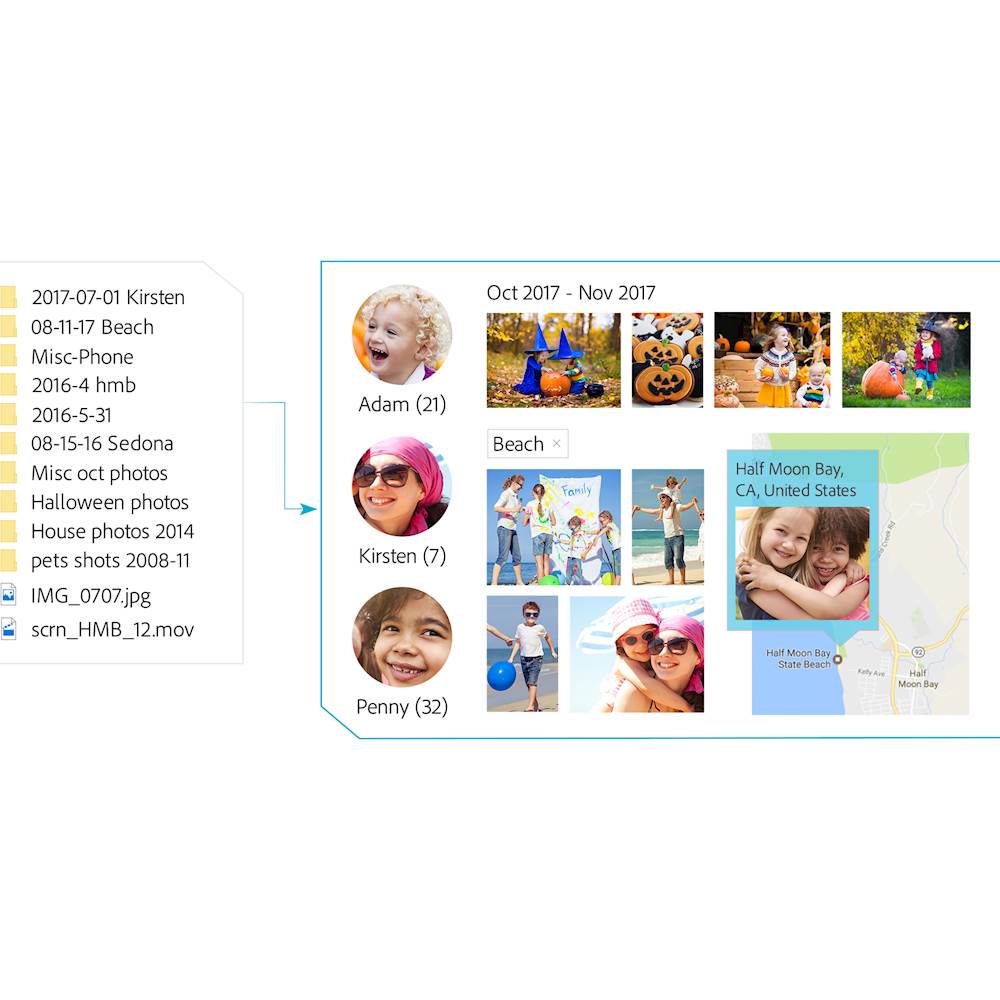
||Posted .This reviewer received promo considerations or sweepstakes entry for writing a review.Automatically go from hundreds of mystery folders to a visual view in the photo and video Organizer. See your best photos thanks to auto-curation. Effortlessly extract candid photos from your raw
I would recommend this to a friendgreat for the average joe
||Posted . Owned for 10 months when reviewed.This reviewer received promo considerations or sweepstakes entry for writing a review.this program will do everything the average person has to do. And the good part is, you own it, it will not cost you a arm and some other body part, and is a good video editor also.
I would recommend this to a friendUp to advanced
||Posted .This reviewer received promo considerations or sweepstakes entry for writing a review.Great software for beginners as well as advanced editors. Got a bundle deal and with the other purchases, got more off as well. Comes with sample software to teach you the initial steps as well.
I would recommend this to a friendGood not the Best
||Posted .This reviewer received promo considerations or sweepstakes entry for writing a review.Bought this trying to avoid Adobe Premier Pro monthly fees but it fell short.. I would recommend at this price point to get Filmora better.
No, I would not recommend this to a friendReliable photo and video software
||Posted .This reviewer received promo considerations or sweepstakes entry for writing a review.I used Adobe software and other software vendors, so far I trust Adobe software. It seems to be very reliable and never crashed like any other software vendors.
I would recommend this to a friendWell thought out application
||Posted . Owned for more than 2 years when reviewed.This reviewer received promo considerations or sweepstakes entry for writing a review.This application was well thought out. Looks like Adobe asked the end users what they wanted and then put it in the application. Very useful application
I would recommend this to a friendA steal at the price...
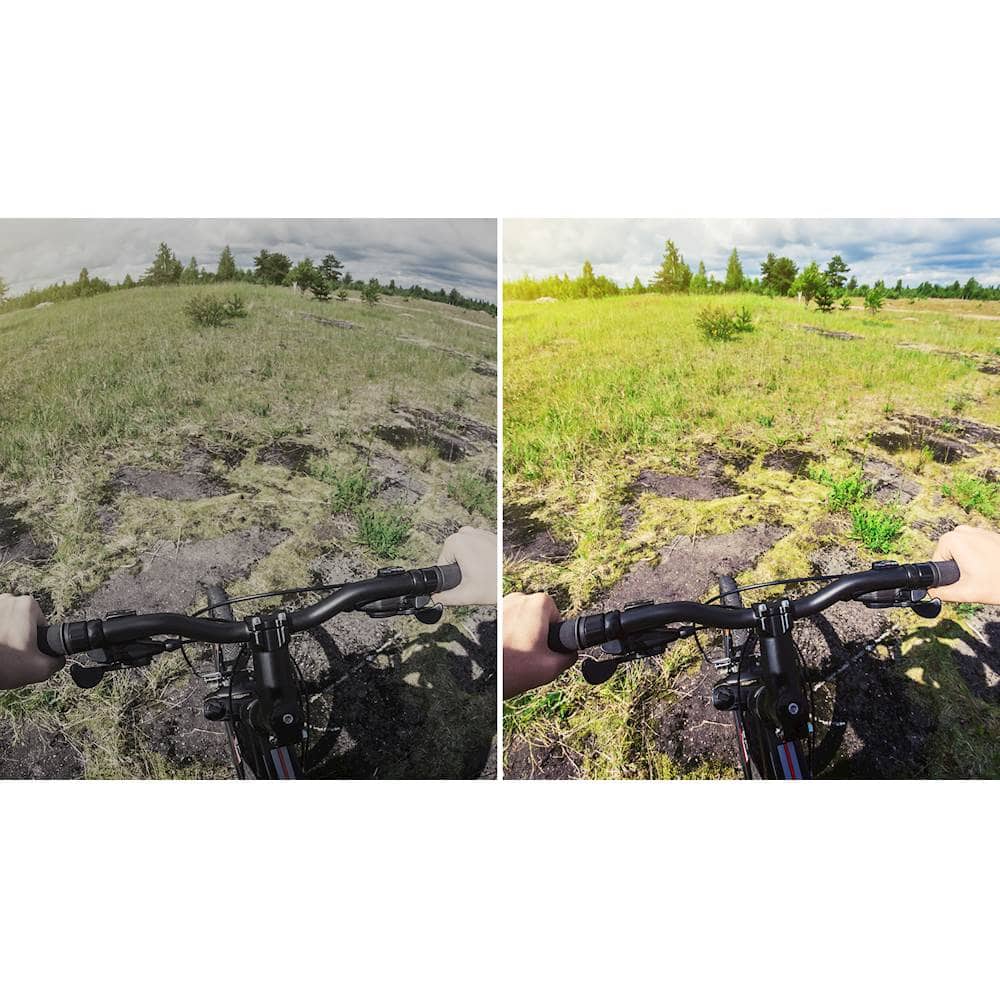
||Posted .This reviewer received promo considerations or sweepstakes entry for writing a review.I went on a trip and a number of pictures were not perfect. This program allowed me to level the pictures out, correct colors and remove haze from the photos. A great deal.
I would recommend this to a friendDigital download hinders a 5
||Posted .This reviewer received promo considerations or sweepstakes entry for writing a review.The software is great, but after entering my redemption code it was not clear how to get the software downloaded resulting in an hour of messing around with it.
I would recommend this to a friend- Pros mentioned:Ease of use, Organizer, Photo editing
A highly powerful suite of photo tools
|Posted .This reviewer received promo considerations or sweepstakes entry for writing a review.I am highly pleased with the Adobe Photoshop Elements and Premiere Elements 2018 suite of tools that make managing your catalog of photos and videos a breeze. The first thing that really impressed me was how simple it was for me to quickly import all my photos into the library and eliminate in the process literally thousands of duplicate files! I had accumulated many gigabytes of photo images in my library and over the years had duplicated most of the best pictures by copying them to folders to help me see what I had placed on one digital frame, posted to social media, shared with friends and family and so on. Over the years I've also tried to sort my photos into folders arranged by family, friends, trips, date taken - a host of different ways in an attempt to be able to organize and access them easily. In one short action, by importing all those folders into the Adobe suite, I was instantly gifted a single location where all my photos - and NO DUPLICATES - were available for me to manage. The ORGANIZER feature is perhaps one of my very favorite. It provides a one stop shop to view my entire catalog of photos by people, place and event. It also provides the ability to tag faces and quickly examine potential matches so that once you've completed and reviewed them all, you can literally view all the pictures you have in your library for any individual with one click - a real time saver when you're looking for a pic to share. The photo and video editing capabilities are best in breed as you'd expect from Adobe - I'm sure I'll be learning more and more about all those features as I continue to use these applications for years to come. I am extremely delighted with this suite of tools and highly recommend them!
I would recommend this to a friend Prefer elements 8
||Posted .This reviewer received promo considerations or sweepstakes entry for writing a review.Difficult to deal, sort or label with tags. Prefer elements 8 for this. Maybe because used for long time and need to get used to this version.
I would recommend this to a friendGreat Software
||Posted .This reviewer received promo considerations or sweepstakes entry for writing a review.I have used adobe products for many years and this newest version is very user friendly, fun and productive for me. Definitely recommend.
I would recommend this to a friend