Customer Ratings & Reviews

















- Model:
- ADO951800F114
- SKU:
- 6288072
to a friend
Customers are saying
Customers are delighted by the ease of use and video editing capabilities of Photoshop Elements 2019 & Premiere Elements 2019. Many appreciate the software's intuitive interface and the range of features available, finding it to be good value for the price. While some users experienced occasional performance issues, the overall positive feedback highlights the software's accessibility and effectiveness for photo and video editing.
This summary was generated by AI based on customer reviews.
Great product
||Posted .This reviewer received promo considerations or sweepstakes entry for writing a review.It's a very good product. I strongly recommend it.
I would recommend this to a friend- Pros mentioned:Ease of use, Video editing

Great for Part-timers and Hobbyists
|Posted .This reviewer received promo considerations or sweepstakes entry for writing a review.I have used some version of Photoshop and Elements through the years whether it was in college, personal or professional use. Although I would not call myself an expert I do think I can navigate my way around the GUI without much hesitation. That being said this 2019 version does not miss a mark, especially in my case where I have not used a newer version since 2015 so at first I was a tad nervous I might have to rediscover tools and general editing all over again! Not the case thankfully, I had a couple trial photos up and edited from my phone within a short period of time. I downloaded and installed the software using a Win10 HP computer. It is a newer laptop with 512gb SSD, 16g of RAM, NVidia MX150 and an Intel i7. It is also nice because it has a touch screen with stylus and a 4K display so no lack of power and image resolution for any media I am currently editing. Installation was painless although on first attempt I was informed that my installer package was corrupt and I needed to re-download – minor frustration but no big deal. On the second pass there were no issues and I was on my way importing media. I have a relatively small amount of media to work with so using the organizer to import and start categorizing was painless for me. It was really nice to finally spend time to get all of files collected in the last few years into one spot. From the organizer everything else is fairly straightforward with either guided edits or straight expert mode for those he can handle it. I’m sure anyone can appreciate the ease of use when it comes to not only altering photos but creating something you can add your own personal touch to, then bundle it up and post, email or print it for friends and family to see. I think that really is the goal behind this software, as so many people want to use an app on their phone that might have some capabilities for cool effects but doesn’t pack all the punch you get in this Premiere and Elements package. Using Premiere posed a learning curve for me as I had not used video-editing software in any serious extent for a while, and with a new drone added to my media arsenal I really wanted to start stringing the 4K videos I had been shooting over the last couple months together. Once I had a few videos imported I was up trimming each and cycling through some included background music without breaking a sweat. I really enjoyed the music function since the drone does not capture audio, so it helps give some depth to the shots. I am really happy now because I can really take advantage of the shots I took using the drone over the summer instead of just flying it around as far as possible like a wannabe fighter pilot. Overall I am pleased with the price and features packed into this bundle. If you have ever considered taking the time to really make a picture “pop” or wanted to put some old family videos together – look no further. Adobe Photoshop and Premiere Elements will give you the tools you need for any project!
I would recommend this to a friend Great fixing alot of my pictures
||Posted .This reviewer received promo considerations or sweepstakes entry for writing a review.Easy to fix and remove blemishes from my photos...
I would recommend this to a friendGreat product
||Posted .This reviewer received promo considerations or sweepstakes entry for writing a review.love it just have to finish learning my new product
I would recommend this to a friend- Pros mentioned:Ease of use, Video editingCons mentioned:Performance
Perfect Solution for all levels!
|Posted .This reviewer received promo considerations or sweepstakes entry for writing a review.Part of my job is to create before and after pictures for a plastic surgery practice. I have been using different versions of Adobe Photoshop for the past 18 years now. Photoshop Elements is a great software that lets you decide how you want to use it, you have the simple mode (MS Paint on steroids), and then the guided mode which has some fun projects and effects you can use to create memorable pictures, and then the expert mode which has everything an experienced photoshoper needs. retouching photos was a breeze. a huge step up from the last version is the load time, and the guided editing. both are far better then version 18. I love this software. I am also a Drone hobbyist, and the Premiere Elements 19 is by far the easiest video editing software i have used to date when editing videos created by my 4K drone, and when adding sound tracks to it. it is simple, and lets you do the work of a professional with ease, and without a super load on your computer as long as you have decent specs.
I would recommend this to a friend not as good as expected
||Posted .This reviewer received promo considerations or sweepstakes entry for writing a review.Good program, but if you have a Hero 7 does not want to convert the video because of a missing codec. Get something else before this
No, I would not recommend this to a friend- Pros mentioned:Ease of use, Video editing
Great Essential Photo and Video Editing Software!
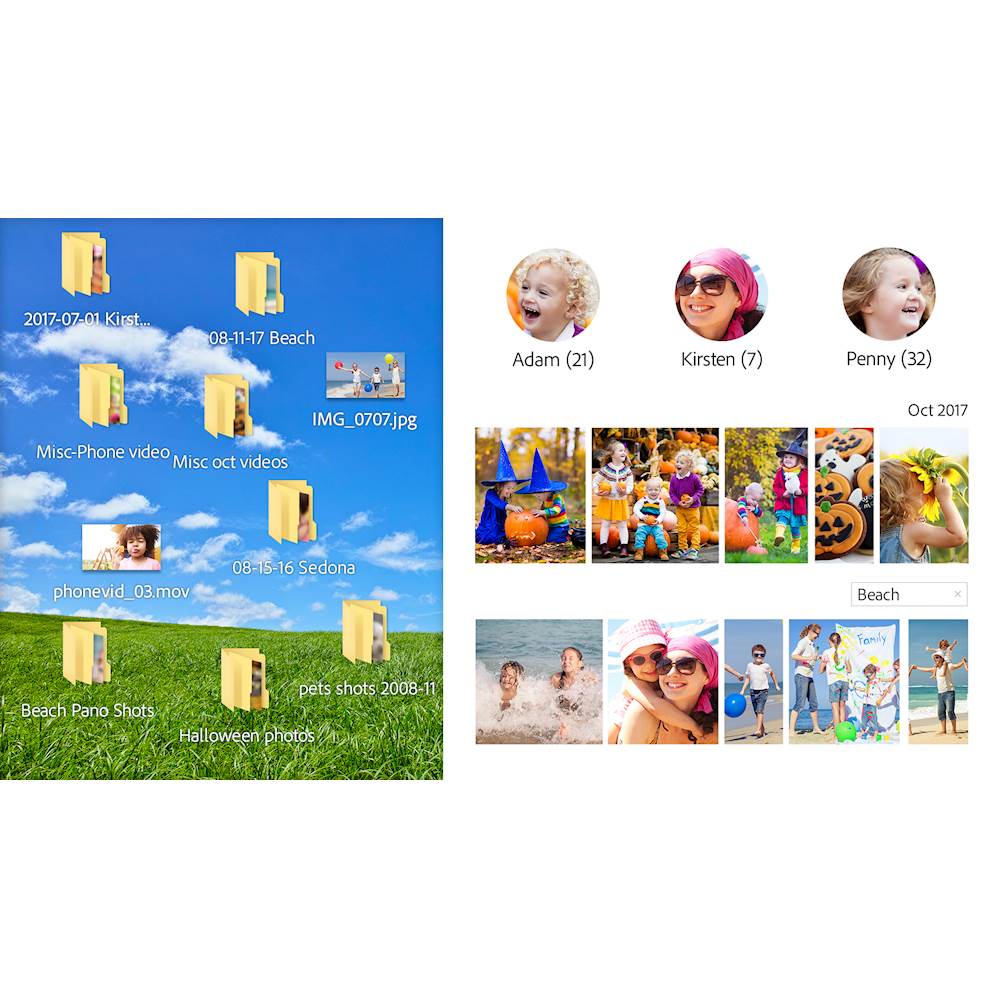
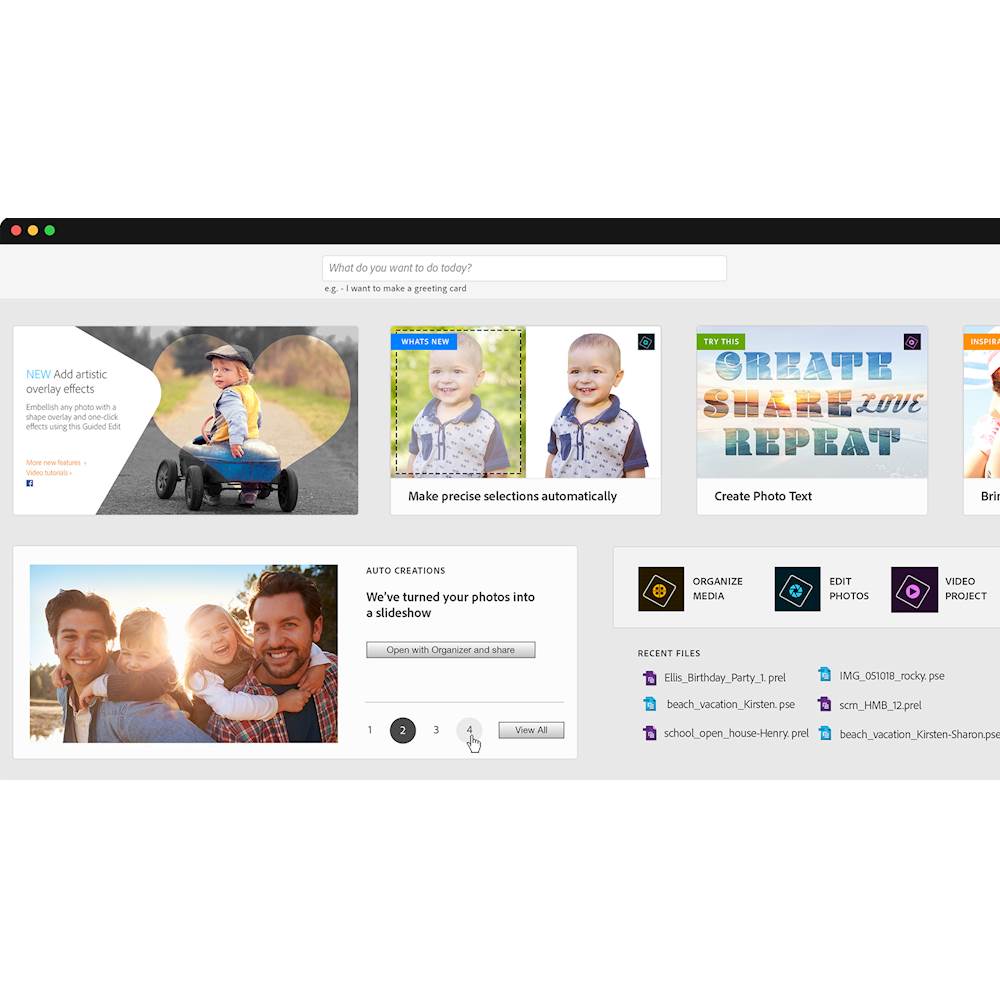
|Posted .This reviewer received promo considerations or sweepstakes entry for writing a review.For anyone wondering if you need to or should upgrade to Photoshop or Premier Elements 2019, I would say that it is definitely worth it as it will enable you to work with the newer types of media that some smart phones use (HEIF, HEVC formats) and there are definitely some fixes that make the software faster and a lot more stable than previous versions. In addition, there are some new features that use the software AI to help make what Adobe calls Auto Creations which I have to say is pretty cool and time saving. Adobe has clearly taken some time to improve the installer and the stability of the software along with the opening screen to help you get familiar with using the software based on the last version you used - pretty cool if you haven't upgraded in a while! If this is your first time using Photoshop Elements or Premier Elements or if you're wondering if it's worth it, I'd say it's essential if you are looking for a great way to organize your media (Photos and Video) and a way to edit photos without having to be an expert, though it does have an expert mode so you can use the software the way that suits you best. For Premier, I had no trouble editing 4K video from my iPhone XS Max, and authoring/creating a new video with the effects/transitions. In addition, it makes creating a slide show from photos a snap. The AI also makes this easy if you want something that will just put it together for you! There are also other what I'd call essential features that enable you to create photo calendars, CD's, greeting cards and more as well without having to get more software. It also lets you publish straight to Youtube, Flickr, Twitter, etc. as well. Last if you're new to photo or video editing software, I would say Adobe has done a nice job to make the software easier to use. From the opening screen, you can type in what you're looking to create and it pulls up pages on how to go through the steps. For example, if you were looking for how to create a calendar, you simply type that in and pull up the page that walks through it step by step. In all, I think this version is much better than the last couple versions and is an essential software package for photo organization, editing and authoring of video in Premier. I would recommend it for anyone who has an older version or to anyone new to Photo/Video editing. Granted, you can do some of the basic stuff in other software but Adobe makes this easy and provides the best filters/transitions and tools to help make your creations look their best.
I would recommend this to a friend - Pros mentioned:Ease of use, User interface
This is can't miss for any level
|Posted .This reviewer received promo considerations or sweepstakes entry for writing a review.With the way smart phones have advanced, nearly everyone is walking around producing some form of reusable or sharable media. I remember the days of using video and photo editing software to create personal and professional productions. In the past, editing media required the user to be a technically savvy to pull off a decent production. Well, times have changed, and Adobe has evolved as well with its newest versions of Photoshop Elements and Premiere Elements. Once installed and started, the first thing that stands out in both is the clean, refined look of the software. No clutter or perceived complexity, and I view this as an awesome decision by Adobe. The next thing, and mind you both have this distinction, there are 3 modes: Quick, Guided, and Expert. This instantly makes the user feel at home in the software. If you are technically challenged, the combination of the clean look and the user-friendly modes feel inviting and comforting. Adobe has also done a good job of bringing the user’s media library together in a very efficient, user friendly interface. Your media library can be combined and displayed right in Elements, offering you the ability to filter and group items in a snap. Adobe also seems to have borrowed a page from the book of a couple of smartphones: there is an auto creation tool that takes photos based on criteria (date, location) and creates a neat, little slide show. Add to this a very useful landing page, quick tips, and a strong guide and you have a very user-friendly media editing suite. Photoshop is pretty self-explanatory. It is just as the name implies: a shop to fix up your photos. You can clean, adjust, sharpen, filter, layer, add effects … You name it, you can just about do it. Is it Lightroom or the full Photoshop version? No, but it is VERY good and more than adequate to give any decent photo a professional look. Plus, as stated earlier, the Quick and Guided modes offer the ability for even the most green user to produce a respectable final photo. Premiere is a better than expected video editing software, offering all the tools and controls you would expect from solutions more than twice the cost. It offers the standard timeline approach. Video editing vets should feel very familiar with this software, while the rookie users will enjoy the excellent Guided mode. The Guided mode for Premiere is one of the strongest points of the software. It is very informative and detailed, teaching the user to become an Expert mode user. There are many preset effects in Premiere allowing users to quickly add an effect to produce great movies quickly. It is very viable solution even for those that have a bit more experience. I can’t help but recommend this suite to anyone interested in content editing. For the price, this is a very user-friendly, but powerful software that allows user to produce professional results quickly.
I would recommend this to a friend Not easy to edit video
||Posted . Owned for 3 weeks when reviewed.This reviewer received promo considerations or sweepstakes entry for writing a review.Photo and video editing is not easy to make. A lot of time consuming, basic special effects.
No, I would not recommend this to a friend- Pros mentioned:Ease of use
Good editor for those photos not on your phone
|Posted .This reviewer received promo considerations or sweepstakes entry for writing a review.I am somewhat familiar with Adobe Photoshop when I used to work at the Printing department for an Office Supply store. I had to be able to use Photoshop in editing photos, documents and resizing for prints. Most of my recent photos (since I've been using a smart phone for 10 years), I have been doing most of my photo editing on that phone (cropping, coloring, etc.) With Photoshop Elements 2019, I can finally do the same sort of editing to the photos on my computer that are not on my phone. Once you open up the program, you are introduced to the new home screen which introduces you to the various kinds of editing options. With each option, there is an accompanying tutorial for those who are not familiar with editing. I appreciate that very much since I consider myself a novice and want to make really good touch ups or enhancements. Even something like making a Memes is an option (a sign for the times). Another example is Partial Sketch, where you can create special effects of a drawing on the photo with choices of: pencil, colored pencil, old paper, and old photo. You can select these effects and introduce them to your photo. I have a 2-in-1 laptop at home and am using the Bamboo Stylus to work on my images, and it makes it easier to use instead of a mouse. I also downloaded this program on my Surface Go and have had no issues with. Overall, very happy with this product since I do most of my editing of recent photos on my phone. But for all of those older photos that fill my hard drive, I now have an option to edit with this program. Pros: -easy set up. Takes a few minutes to download and set up (depending on your WiFi) -Tutorials. Helps you navigate which sort of editing you want to do. -Options: several different options are available for you to use. -Stylus: makes it easier to use and edit with (sold separately) Cons: -None so far.
I would recommend this to a friend It’s a like complicated to use
||Posted . Owned for 9 months when reviewed.This reviewer received promo considerations or sweepstakes entry for writing a review.They’ve change it so much that I’m lost when using it.
I would recommend this to a friendOk product
||Posted .This reviewer received promo considerations or sweepstakes entry for writing a review.This software is ok. Wife is trying to get used to it.
I would recommend this to a friend- Pros mentioned:Ease of use
Improvement Over Premiere Elements 15
|Posted .This reviewer received promo considerations or sweepstakes entry for writing a review.As stated above, I currently have the 2015 version of this product and so I will be talking about the improvements to this version over the older version. This is a review of the Windows version only. Photoshop Elements 2019 & Premiere Elements 2019 The new and improved home screen is awesome. Is more user-friendly in terms of access to Photo and Video editing as well as a source organizer right there on the home screen. There are all the same basics just a more user-friendly interface to the program. More point and click friendly if I can say in laymen terms. The New AI Sensei technology is new and super easy to use. Well, I guess that's the point. Easy Automatic creating tool for your Video and Photo sources. There are more editing guides in this program to give you a greater number of creative choices for formatting your work. Both programs work faster, download faster, upload faster and easier to upload to social media. My daughter will be using this for her blogging edits, I will be using it for my Photography and Drone video edits. This is just an awesome program that pays for itself over and over again. I would recommend this to all my friends in a heartbeat.
I would recommend this to a friend - Pros mentioned:User interface, Video editing
Create Professional Amazing Movies with Ease
|Posted .This reviewer received promo considerations or sweepstakes entry for writing a review.The Photoshop Elements 2019 & Premiere Elements 2019 suite allows you to create outstanding digital content easily with a very intuitive user interface. The Photoshop/Premiere software is a powerful application suite that takes full advantage of optimized rendering functions and image production. In addition to the simple usability of the application, the Photoshop/Premiere suite is fast and responsive. There is no latency as you navigate the menus or make adjustments to you video/images. Also, I noticed that my system is never constrained for resources (memory/CPU) while running the applications. Even if I'm running both at the same time for editing an image that I will import into my video edit. The Quick Edit mode is a nice feature for creating videos quickly without engaging in the full details of the video editing process. Saving and retrieving video projects in Photoshop/Premiere is fluid, and the suite works well with external/cloud storage. I create a lot of large video files since I'm always recording with various devices (drones, action cameras, etc.) and it's nice to have a reliable professional-level editing suite that can import all the various file formats and render them in a codec that makes editing smooth and fluid as I review the edits in real time.
I would recommend this to a friend Premier it is not
||Posted .This reviewer received promo considerations or sweepstakes entry for writing a review.Premier doesn’t allow you to do basic editing. Can’t just bring the sides in of a video clip. You have to use the crop tool and it keeps aspect ratio so all sides shrink..
No, I would not recommend this to a friend- Pros mentioned:Ease of use
Great organizer and editing software!
|Posted .This reviewer received promo considerations or sweepstakes entry for writing a review.This are a great pair of software that can make your life easier when it comes to organizing and editing your media, be it pictures or movies. At first I had trouble running them in my 64 bit Windows 10 PC. They kept throwing an "error 16" when trying to launch the programs. I looked at Adobe's website for a fix. They describe a lengthy process where you have to edit properties of folders. I tried that process but nothing happened, I kept having the same error. Finally, I was able to fix them by just running the software as an administrator (right click, run as admin. Or if you want it permanently, right click, properties, and you will find a compatibility tab to enable the shortcut/executable to always run as admin). After that, everything was buttery smooth. You can create a free Adobe cloud account and sign in with that and then you enter your serial numbers and the software is fully activated. They both come with an organizer, that right of the bat detected I have google photos and Onedrive and asked me if I wanted to add my photos from both, I said yes and it downloaded all my media. (I don't know how it knew it had both, but my guess is because I had google drive and Onedrive apps installed on my pc already). After that, I could use elements to edit and bump up any pictures I had. They give you options to do so the easy way (wizard) or the manually. The easy way already gives you examples of what you can do (like turn pictures into black and white ones, add 3d effects, or even improve an old pic from a fill that you may have scanned). Premiere is more for videos, but as above, has an "easy" way, and in example you can turn pics into animated gifs, or a video frame by frame. Its really nice and I'm using it mostly to add nice effects to share with my family or media posts. Both complement each other and is an easy way for anyone at home to soup up their pics and videos for keeping and sharing. Highly recommend it for the home user! If you want something more "professional", well Adobe has software like that too you can buy, for content creators in example.
I would recommend this to a friend - Pros mentioned:Ease of use
Another Great Product From Adobe
|Posted .This reviewer received promo considerations or sweepstakes entry for writing a review.This years versions of photoshop is the best and easiest to use thus far. Adobe has made plenty of updates to help anyone from the amateur to seasoned photographer better at editing their photos.The program provides you with plenty of help and guidance with their Adobe Sensei AI technology and they have step by step tutorials to assist you with any editing features that you may need help with. I have a 1 year old that me and my wife are constantly taking pictures of, he's our first child so I'm sure you parents know how many pictures we take of him and Photoshop makes it super easy to organize all of the photos. I can easily access the photos that I need because they are organized. Besides photos Adobe also has great video editing software that is easy to use. I myself am not a pro but this program helps very much. This is perfect for the upcoming holiday season as we will have tons of family pictures to edit and share and I intend to have the best looking photos of us all and thanks to Adobe Photoshop I will.
I would recommend this to a friend - Pros mentioned:Video editing
Decent Photo and Video Editing Bundle
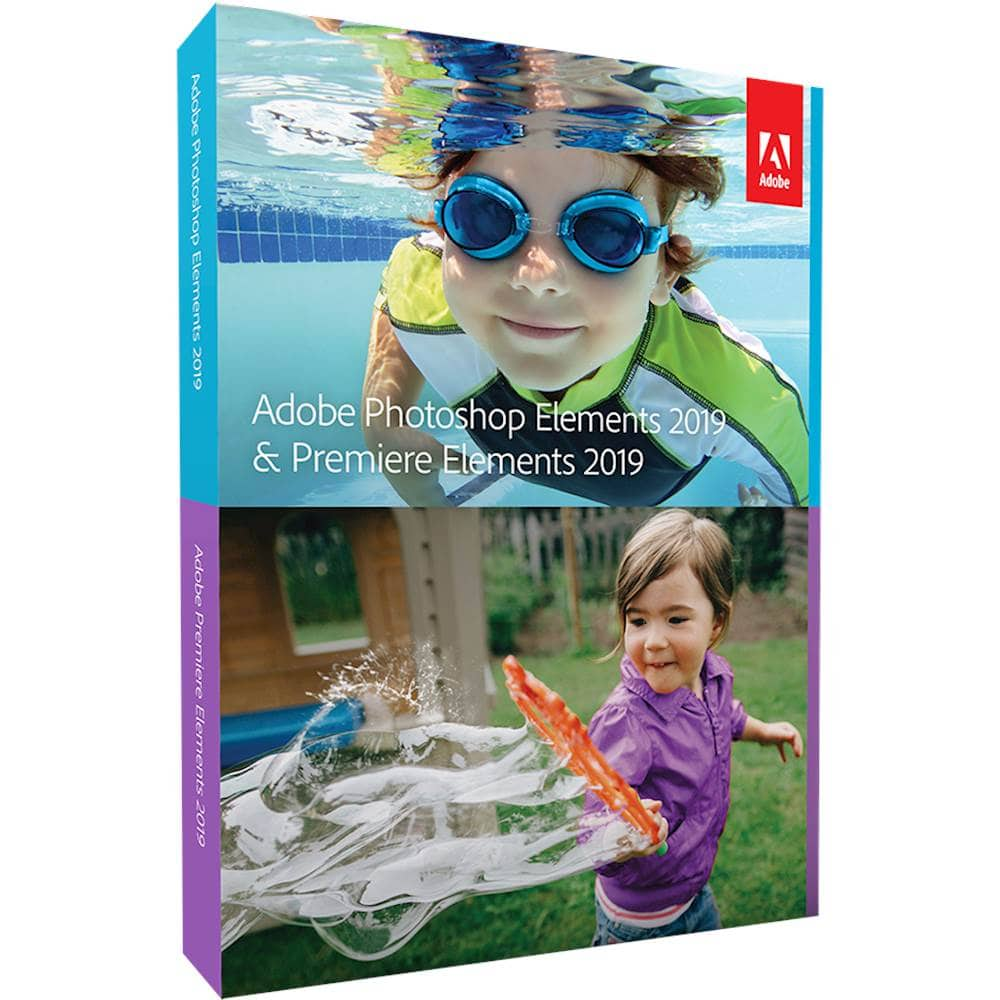
|Posted .This reviewer received promo considerations or sweepstakes entry for writing a review.What's in the box ----------------- Adobe Photoshop Elements 2019 & Premiere Elements 2019 Pros ---- 1. For 2019, instead of the CD its a direct download and a key. 2. Very User friendly, all the easy menus horizontally arranged Auto creation of collages and slide shows 3. Neatly arranged Quick, Guided and Expert modes 4. I think the new arrangement will help novices do video and photo editing faster Cons ---- 1. Is it worth more than the prior version? not sure The Review ---------- Setup ----- Easy, download the software from the website and enter your key and vol-ah, you are up and running Photoshop Elements ------------------ Photoshop elements is for photo editing.This is my first time with Photoshop and never used any photo editing software in my life. I have a DSLR but the pictures are never edited. So it was a good segue into photo editing for me. I have tried the apps on the phone but i liked the unedited pictures better than the phone app edited. So a computer software for photo editing was worth trying. There are 3 menus, Quick, Expert and Guided. Under the guided, you have basic, color, black and white, fun edit an special edits. Being a novice, i tried the guided editing mode. Some of the basic ones are text and border adding a custom text and border for your pictures, changing background, skin tones , brightness & contrast etc. you can also combine pictures into one, make your own collages for Instagram posts and face book cover photos. Its also that time of the year wherein you want to create photo calendars, using quick, guided or expert modes. I also like the multi-photo text, i had one printed out for my son to put it up on his door. I also loved the fact that the photo shop elements auto creates collages for me. These auto creations are also customizeable unlike the ones that google creates for you. Premiere elements -------------------------- This is your video editing software. This also has the quick, guided and expert view. I am a very basic user and i used the quick view. i have a Sony handy cam and i was able to stitch together different clips, add some music to the videos and also add some text on the video. I had an opportunity to film my wife doing some cooking. Since i had to take multiple takes, i was able to select which clips i wanted to use for the video and add text to the video and music. This is very useful for folks who want to start a you tube channel as a hobby or earn money on clicks! Overall , i like the bundle, i think it is a tad expensive though , is it worth or not, depending on your usage!
No, I would not recommend this to a friend - Pros mentioned:User interface
Great Software. Easy to Use. Outstanding Value.
|Posted .This reviewer received promo considerations or sweepstakes entry for writing a review.Adobe is more or less the standard when it comes to creation and editing in the digital world. Photoshop and Premiere are the foundation of their diverse product line. This package, with “non-pro” versions of both programs, without the need for a monthly subscription, is exactly what I was looking for. As someone who takes a ton of pictures, and some, albeit a smaller number of videos, I am always snapping, cropping, editing, sending, sorting and posting them both…somewhere. As a long time user of a very, very old version of Photoshop for many years, and a more recent version of Photoshop Elements more recently, I am pleased with what this version has to offer. The user interface is easy to follow, as well as intuitive, and in many cases, Adobe is there to help or guide you through whatever you are trying to do with a photo or project. You also have the option to delve deeper into their tool set and take more of a hands-on approach if need be or if you are familiar with how to get from point A to point B. I appreciate this flexibility. With regards to Premiere, here, I am a little less experienced, and a lot of the “wizards” and guided help have been quite helpful. I have shied away from playing with a lot of video as I never had good software to work with. No longer. While it will take some time for me to become fluent with the software, I already feel comfortable with the workflow as well as tackling some content. I wish I had done so sooner. Ultimately, I really like what Adobe offers here. For a lot of people, their suite/pro monthly subscription options are too costly. While they may offer some added functionality, a lot of it is overkill for most people. Here, you can get two best in class pieces of software for a one-time price (cheaper than buying them separately) and get everything you need. The software is feature-rich, easy to use, performs well, comes from a reputable company, at a great price and is an outstanding value. If you need digital creation software, you should definitely give it a look.
I would recommend this to a friend - Pros mentioned:Ease of use, Video editing
Does the Job
|Posted .This reviewer received promo considerations or sweepstakes entry for writing a review.We have the Photoshop and Premier Elements 2018 and, for what we use it for, I'm not finding many differences between 2018 and 2019. Then again, we don't have a lot of pictures the way others do but when we do take them, we want them to be the best they can be as they get sent to family and friends and Photoshop 2019 does this. It works great with pictures I've needed to scan in for my job and cleans them up well. My teen loves Premiere Elements and said video editing is easier on this and she loves the extras for making memes. It really comes down to what you want to use it for and how current your software is. I am glad we got both elements rather than just getting one or the other as all the family finds a use for them.
I would recommend this to a friend