Customer Ratings & Reviews











- Model:
- ADO951800F144
- SKU:
- 6366175
to a friend
Customers are saying
Customers recognize Photoshop Elements 2020 as being easy to use and having powerful photo editing tools. Many appreciate the numerous features, particularly the object removal and skin smoothing capabilities, while some note a learning curve for new users. The software's interface and performance are also generally well-received, with positive comments on its price point.
This summary was generated by AI based on customer reviews.
- Pros mentioned:Ease of use, Photo editing

Great organizer and photo editor
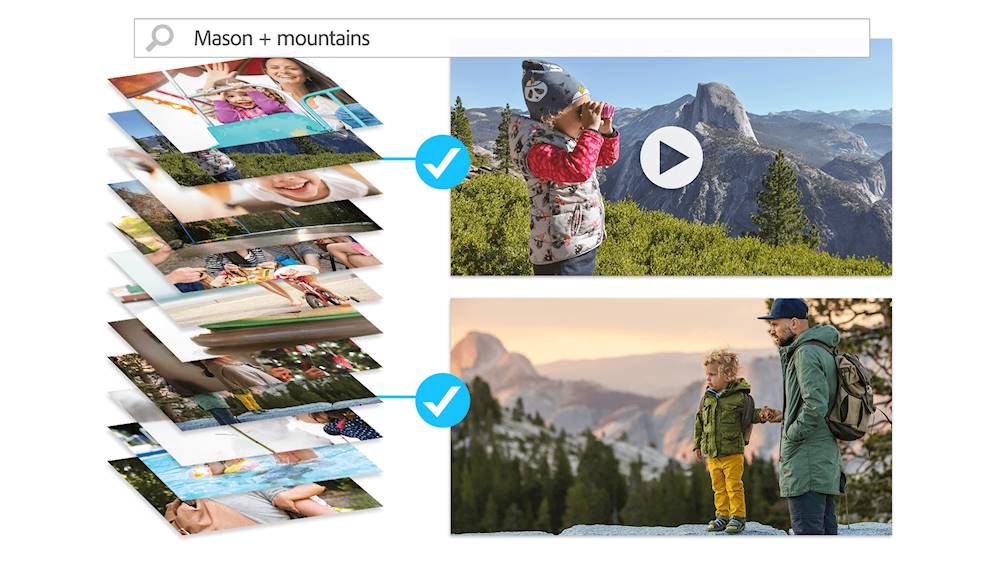
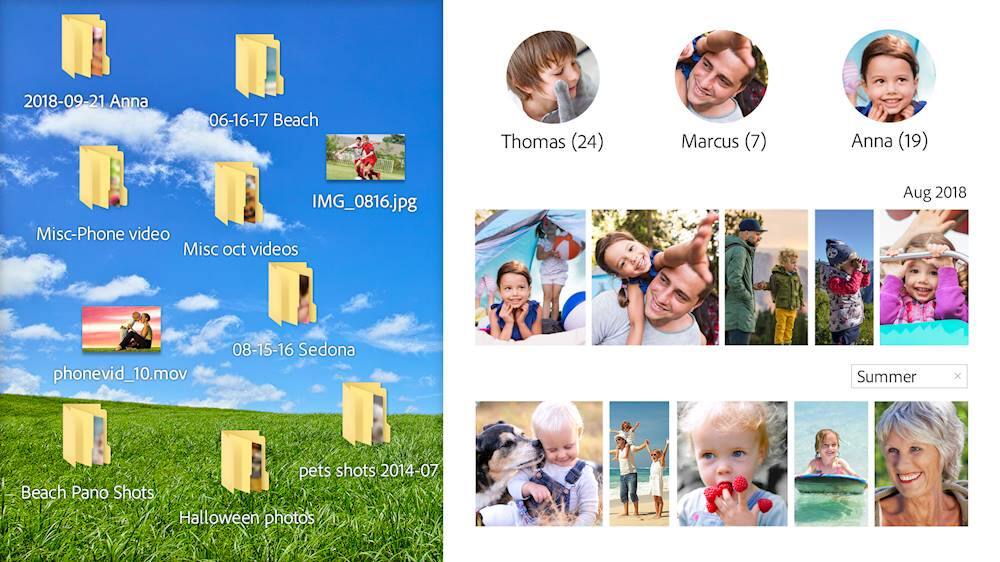
|Posted .This reviewer received promo considerations or sweepstakes entry for writing a review.I've been using a Google Picasa a number of years and loved the way I could organize my photos and other graphic files and do some image editing. Since it was abandoned by Google I've been looking for an adequate replacement and Photoshop Elements seems to fit the void perfectly. It's extremely easy to organize your photo/image collection into albums and import new photos/images into existing albums or even import into new albums. There is a more than adequate photo editor included which will allow you specific effect editing or you can let Photoshop Elements do it automatically with Smart Fix but what I really like about editing is it shows you 9 samples of your image with varying settings of the edit. When you start Photoshop Elements the dashboard gives you options of selecting some of the more popular editing functions. I you can add a speed effect, make watercolor like photos, create slideshows, etc. Once you are done importing and editing you can order prints or share with Instagram, Twitter, or Flickr. I'm still in the process of tweaking my old digital photo libraries but I can see this as a great replacement for what I had been using in the past.
I would recommend this to a friend - Pros mentioned:Ease of use
Easy to use with great results
|Posted .This reviewer received promo considerations or sweepstakes entry for writing a review.Most of the time, when people hear the term “photoshop”, they immediately tend to think of professional level photo editing software that most serious photographers and media editing professionals use. We all desire the results of professional media editors when we edit our own photos, but how many of us are confident in using the more sophisticated tools? Elements brings users a solution that’s geared more toward the casual photo editing enthusiast. Installation is very simple, and the interface is basic at its root. You essentially have a quick mode, a wizard or tutorial mode, and expert mode. The beauty here is that you can achieve great results in quick mode. The tutorial mode serves as more of a teacher than anything else, and expert mode is geared toward those that have a bit of experience in photo editing – effects, layering, filtering, etc. The interface is very user friendly and easy to use, and the results are fantastic. I highly recommend Photoshop Elements. It’s flexible, making it a useful solution to both the casual user and those that are a tad more advanced, and it produces terrific results.
I would recommend this to a friend Boo Hiss
||Posted . Owned for 5 months when reviewed.This reviewer received promo considerations or sweepstakes entry for writing a review.Won't work and I had to wait to install, so it's too late to return. Very unhappy.
No, I would not recommend this to a friend- Pros mentioned:Ease of use
Can't imagine not having this anymore
|Posted .This reviewer received promo considerations or sweepstakes entry for writing a review.Photoshop 2020 is well worth the upgrade. I have used an older Photoshop for years and the newer edition is much easier, quicker and more intuitive. I went on a trip abroad earlier this year and this program made many of the photos usable that we didn't like because of someone standing the background or slightly blurry. The good photos it made even better sharpening or focusing on the point that we wanted. It's amazing what Photoshop can do. The color adjustment is so easy and makes everything look much better. That was my major complaint with my cell phone photos is the color is never just quite right, no longer a problem. Also adjusting high res photos is even better. My phone can capture RAW images and the program handles them incredibly. They are so easy to just put over the top by adjusting little settings so they look amazing. I can't imagine not having this program to put all my pictures over the top.
I would recommend this to a friend Difficult to use
||Posted . Owned for 3 weeks when reviewed.This reviewer received promo considerations or sweepstakes entry for writing a review.Difficult to merge with other programs . Tried to migrate with photos on a mac not successful
No, I would not recommend this to a friendunable to use
||Posted . Owned for less than 1 week when reviewed.This reviewer received promo considerations or sweepstakes entry for writing a review.I purchased this on line, but there was no serial number with the product. I have spent many hours on the phone and many hours on hold and I still have not been able to get the serial number. I have spent $80.00 for a product and still can not use it, what do I have to do?
No, I would not recommend this to a friendSerial number didn’t work. Purchase cost refunded.
||Posted .This reviewer received promo considerations or sweepstakes entry for writing a review.After over two hours on the phone with Adobe and Best Buy, hoping to find the serial number that would allow this product to download to my Mac, I gave up. Best Buy did give me a refund. Adobe apparently will not support this CD’s download. I think they want you to subscribe to Photoshop in the Cloud on a monthly basis instead.
No, I would not recommend this to a friend- Pros mentioned:Ease of use
Works great on Mac
|Posted .This reviewer received promo considerations or sweepstakes entry for writing a review.This is my first time using any Photoshop software, and it is different then what I was expecting. On first launch, the experience is very welcoming to the average user, with handy guides to teach you how to do different photo effects. It allows you to edit photos quickly without any extra tools that you don't need. For the "Expert" user, there's a different tab that features precise controls and tools. Running on a 2017 MacBook Pro with macOS Catalina, I haven't had any performance issues or crashing. This is great software for both portable and desktop users.
I would recommend this to a friend - Pros mentioned:Ease of use
An awesome teaching tool for photo editing
|Posted .This reviewer received promo considerations or sweepstakes entry for writing a review.I'm always a fan of any app that doesn't just allow me to do the things I know how to do, but also is willing to teach me step by step on the things I've never even tried befoure. PS Elements 2020 is a great example of how much more you can do with photos if you have the right hand guiding you. My first project was to take the focus area of one image and superimpose it onto another background. I have a business where I have multiple vehicles and I wanted the ability to have all of them on the same background, even though their photos were taken in different places. I am by no means an expert at Photoshop, so I figured this would be some sort of daunting task. I was able to go into the Guided toolbar, Special Edits, and Replace background. The app intelligently identified the main focus area (my vehilce) and asks you to load the image that has the background you want. I was able to put the one car over top of the other, than carefully blur out the edges a bit so it looked more natural. Overall the whole process took me 2 minutes for something I figured would take many steps. From there I was pretty hooked and spent a lot of time just pulling pictures up and doing different things with them. I can say with certainty there are enough functions and filters to keep both novice and expert photo editors content for a long time, and I look forward to seeing how I can use this tool effectively in other aspects of my business.
I would recommend this to a friend - Pros mentioned:Object removal
Great image editing program for novice or expert
|Posted .This reviewer received promo considerations or sweepstakes entry for writing a review.I believe most people will spend their time in the Quick and Guided areas as it allows for quick changes to photos without needing anything more than just an opinion on how the photo should look. The Quick adjustments make it easy to fix issues with lighting, color, or clarity. If you want to go deeper, you can probably play in the Enhance menu for hours. Guided does the same thing, but easy previews that the change would normally do and step you through it. The Object removal is cool though it doesn't always work as you'd expect. I dropped the score 1 star due to this, as it seems to be a point of emphasis for this version. I was able to remove a soccer ball from a picture and I'd never know it had been there, but in that case the soccer ball was on top of the general background. Removing items attached to other items you want to get rid off, like say a ref behind the soccer players, leaves weird artifacts where the two meet. You may get better results using the Spot Healing Brush Tool. Fortunately it's easy enough to undo and go back before your change OR check out Adobe's extensive Help which pulls some information from Lynda.com . Play around with the different Filter options to get some neat effects rather than your standard photos. You can also pull in a slew of available graphics to use with your existing photos (there really are a lot here, so much that I don't think you'll have to hit Google images at all).
I would recommend this to a friend - Pros mentioned:Photo editing
Solid update to a great photo editor and organizer
|Posted .This reviewer received promo considerations or sweepstakes entry for writing a review.Recommend creating an Adobe account so the software is tied to an email your familiar with and use that as your Adobe ID and remember this information for future use. Download for macOS is 3.1GB Download for Windows 64-bit is 3.4GB Download file is in zip format. Extract the file to a location you remember Installation takes about 5 minutes. My machine isn’t the newest but isn’t slow by any means. You are greeted with a guided tour like interface (Interface is setup to guide you through several scenarios) at first start instead of just jumping right into the Elements software. Choice of Organizer, Photo Editor or Video Editor. Photo editor is basic compared to the full blown Photoshop. You’re also greeted with a Quick, Guided or Expert option when in the photo editor. There are still plenty and I mean plenty of options to enhance or edit photos and videos. Organizer is self-explanatory, it allows you to import your photos from several locations for easy access. System requirements For both Windows and macOS 4GB of RAM (8GB recommended) Intel Core i7 and 16GB RAM required for XAVC-S (4K editing) 1280x800 display resolution (at 100% scale factor) DVD-ROM drive (for installation from DVD) Internet connection required for product activation and content download
I would recommend this to a friend Can't afford Photoshop -this is pretty close to it
|Posted .This reviewer received promo considerations or sweepstakes entry for writing a review.Many of the useful features within Photoshop are also available within Photoshop Elements. If you are used to working in Photoshop be sure the use the Expert level of Photoshop Elements. There are buttons at the top show the 3 different levels. The layout and tool locations are slightly different within Elements – but it is quick to find them, and they work the same as Photoshop. You can make layers and apply the various modifications to the layers from dissolve to luminosity. The opacity of a layer can also be changed. The layers can be grouped and the same as in Photoshop – move one item in the group or the whole group at one time. Masking is the same as Photoshop and the painting brushes have all the regular features. Elements does not have the ability to make or modify smart layers – which is the ability to keep vector objects as vector graphic elements. This would also affect the way it deals with text since text uses this concept. There are a wide array of photo editing features with Elements which would make it a good choice for people who like photography, changing exposure, modifying colors, changing skin tones, sharping and blurring features. Photoshop Elements is a good basic program with many of the commonly used features of Photoshop.
I would recommend this to a friendIts not what I was told the product would be
||Posted . Owned for 1 month when reviewed.This reviewer received promo considerations or sweepstakes entry for writing a review.I was told that I can use this product to make a business logo and business cards. The older versions have these options but not this version.
No, I would not recommend this to a friend- Pros mentioned:Ease of use
Good software for PC, but redundant on a Mac?
|Posted .This reviewer received promo considerations or sweepstakes entry for writing a review.I consider myself a typical casual user. I like to be able to easily access my photos, make some minor edits, and create a few special collages or prints. Photoshop Elements is nice entry-level editing software, but it is not a robust powerhouse. It's easy to adjust photos, customize their appearance and make some really cool collages. It came in handy for a recent ceremony (slide show and creating a collage for the program). So it's great for special uses. However, on a Mac, it is rather redundant with the new Catalina Photos app. While I appreciate the additional touches and guided edits, I just don't see myself moving my photo library over to Adobe Organizer (part of Elements). Rather, I export photos out of Apple Photos and import them into PS Elements. I have not found a seamless way to do this yet, as PS Elements cannot seem to read the iPhoto library. So on my Mac, PS Elements is a supplement. Now I could see that on a Windows PC it may be more useful since you do not have a Photos program embedded with the OS. This could be an economical photo editor, but if your library gets to be very large, then you might have to move over to Adobe Lightroom to manage the library. Elements is a good entry-level program, but some users may find themselves graduating to Adobe Photo Creative Cloud pretty quickly.
I would recommend this to a friend - Pros mentioned:Ease of use
Still The Best
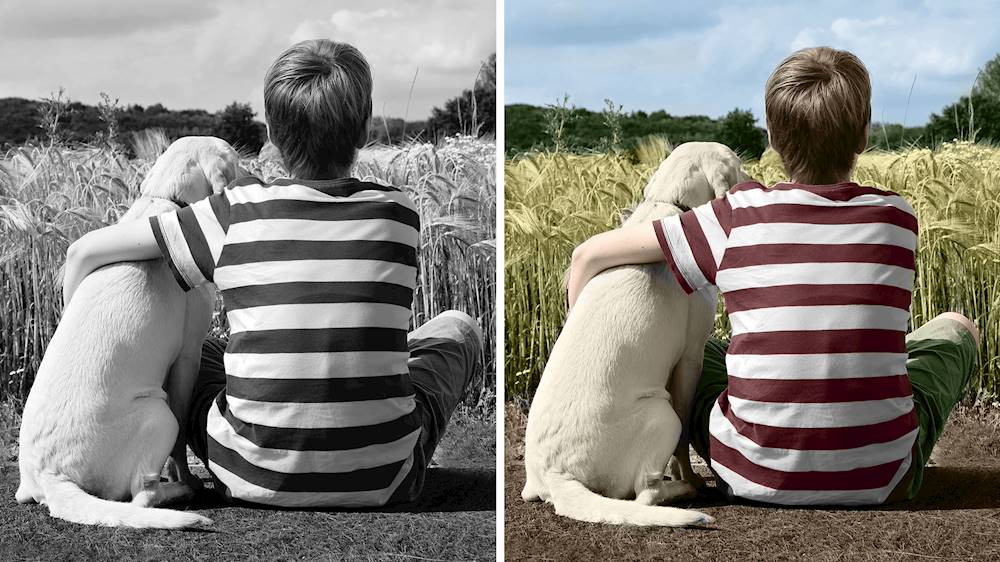
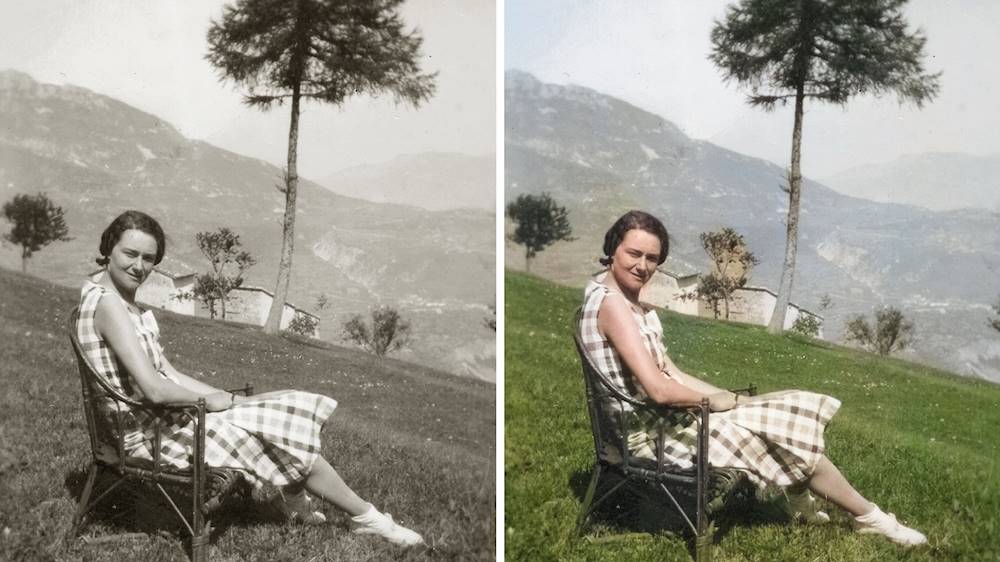
|Posted .This reviewer received promo considerations or sweepstakes entry for writing a review.Of all the photo editors I have used, Adobe is the most well rounded for either a amateur or an expert at photo editing. You can get as much out of a photo as effort you want to put in. The three modes are quick, guided and expert. The quick has enough auto adjustments you can tweak to your hearts desire until you feel comfortable with it and work towards expert mode. It really trains you to know what you want out of your photos. The guided will help you build your confidence and give a newbie to the program the ability to work their way to becoming an expert. It all depends on how much time you want to spend making the perfect photo better. I have been using this to restore photos from the early 1900's of my great grandparents and my grandparents as children. Seeing how well this can restore even the most damaged photo makes the purchase worth it alone. Adobe has brought back some long gone relatives for my children and someday their children to see.
I would recommend this to a friend Helps non-creative types easily edit and share
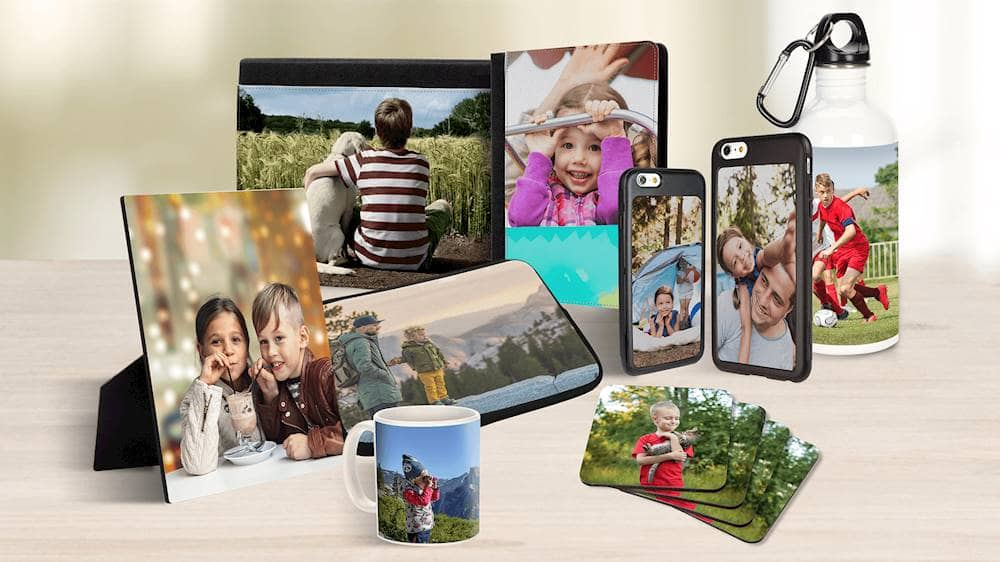
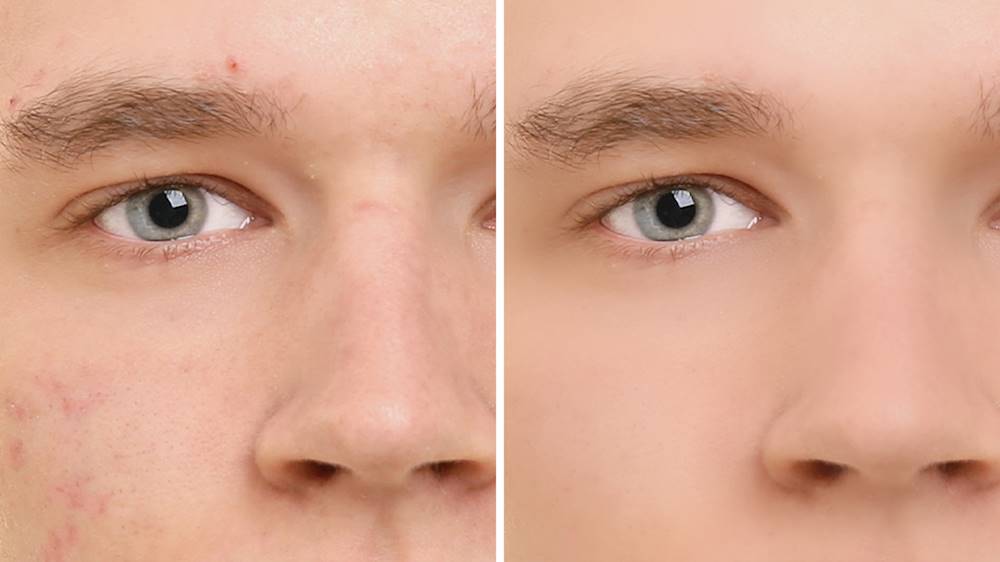
|Posted .This reviewer received promo considerations or sweepstakes entry for writing a review.I like that Photoshop Elements is NOT subscriptionware like most of Adobe products. This is probably the best feature for a casual user like me that simply can’t justify ongoing subscription costs. Enhanced Auto Creations that you preview right in the home screen are fun. B&W Selection, Pattern Brush, Painterly and Depth of Field. I keep some of them. Some look silly, but they are worth a laugh before deleting. Clicking the open button will take you into Elements Editor in Expert mode where you can continue to edit then save the creation. You can also switch to Guided mode. Some of the Auto Creations like B&W Selection might miss small patches of background showing between people in a shot but it is easy enough to touch up. They have added the ability to order prints and gifts right from Elements (U.S. only). I probably won’t use this feature, but I know people that would. The new features powered by Adobe Sensei are great for users like me. I’m not a creative type but the automated tasks let me create things I never would have attempted in regular Photoshop. Automatic skin smoothing works very well. It provides a slider so you can determine the level of smoothing. Applying full strength doesn’t make it look “airbrushed” but sometimes you don’t need that much so it is nice you have control. Object Removal works like magic. I picked objects in photos I knew would be difficult to remove from a photo. Wow, I’m impressed. The new one-click subject selection works very well. This makes it extremely easy to replace the background or paste the subject into another creation. Automatic photo colorization is great. Another automated feature that I simply wouldn’t attempt in regular photoshop. The new pattern brush feature is handy. You can manually paint the patterns into the photo with sliders to control the size, scatter and opacity or you can automatically fill the background with a slider for opacity. Either way, you have an option to protect the subject and you can use the eraser to fine tune the pattern. There are also optional controls to blur the background and control how much and where the effect is applied. I’m having a lot of fun with this new version of Elements. I keep a browser window open with Adobe’s web page full of video examples of all the edits for inspiration. I sit down to do a couple minor “serious” edits and before I know it, I’m making all kinds of crazy fun edits that make me laugh. Swapping people’s eyes, combining people and pets, inserting subjects from different photos and changing backgrounds. It is all so much easier for me using Elements.
I would recommend this to a friend- Pros mentioned:Photo editing
Great capabilities, lots of fun
|Posted .This reviewer received promo considerations or sweepstakes entry for writing a review.The installation and setup process was smooth and easy. The main dashboard window that opens up can't be maximized and that's slightly frustrating. But, when you open the Organizer or Photo Editor, it can be full screen. The Adobe PhotoShop Elements has some great features such as one-click adjustments for exposure, color, balance, sharpness, etc. These are in one of three modes - the Quick mode. There is also a Guided mode, which has a lot of auto fix features. The Expert mode allows you to do just about anything to the image and will take a little time to learn about all the capabilities. I wish there was a large undo button on the toolbar (there is an undo in the Edit menu). It also seems difficult to move elements and I wish there was a remove background feature similar to PowerPoint. Overall though this photo editor is great and will save time on improving and resizing photos once I learn how to do everything.
I would recommend this to a friend - Pros mentioned:Ease of use
Great Photo Editor
|Posted .This reviewer received promo considerations or sweepstakes entry for writing a review.I have used Photoshop in the past for a job that I had. I wouldn't say that I was a power user and I was really self taught. It was always way too much for me. I feel like the Adobe Photoshop Elements is more my speed for editing photos. It has three different modes to use from beginner to advanced (Quick, Guided and Expert). The Quick mode can fix the common things like red eye, whiten teeth, straighten the photo, cropping, spot healing and more. The Guided mode has editing techniques that are a bit more complex such as removing an object, cloning or inserting a pattern stamp. The expert mode has some things that are similar to full blown photoshop. I can't wait to play with some more photos!
I would recommend this to a friend - Pros mentioned:Ease of use
Perfect for Hobbyists
|Posted .This reviewer received promo considerations or sweepstakes entry for writing a review.This is the Photoshop you need if you don't need Photoshop. The essential functions to color correct, crop, and edit your photos are all there and easily accessible without wading through tools you'll never use. You can also use auto tools selected for your experience level. The new select tool is a game changer for me. Inaddition to some great creative editing tools, you can organize and tag your pictures. There is a slight learning curve, but its not steep. This is a step up from the free editing apps online while being much more user friendly.
I would recommend this to a friend Great for beginner to become more than beginner
|Posted .This reviewer received promo considerations or sweepstakes entry for writing a review.At first I was not expecting much of a change in the Adobe Photoshop 2020 program as much of the time it is minor advancements and not much changes over the years. However, if you are a beginner and self teaching and learning how to utilize photo editing software, this is definitely worth the purchase. It has have 3 main different starting points when first signed on (Quick, Guided, Expert). I tried the quick mode but was not satisfied totally with what I was able to do. Yes, it helped with editing the photos to make them beautiful, but I have a slight OCD when tweaking photos. I did actually enjoy the guided portion of the software. It is perfect for a beginner and helpful for someone who just wants a quick but detailed editing session of photos. There are guided videos if you wish to take the time to watch them, but why do that when on the editing page of your photo there are guided instructions/steps along the way. You can go step by step following the guided instructions, or you can just skip to what you really want to do. I am not an expert or a total beginner but love this added feature of the guided steps. It is actually teaching me things I never used before. Also there is the awesome feature that you can click and view a side by side of before and after of your photo edits. Perfect for the OCD in me and anyone else to visually see the differences in your edits in real time. The expert mode in my opinion is not much different from previous versions but I'm sure there are things that are advantageous for the expert or inspiring photographer editor. I am totally happy with the guided steps for now until I become more knowledgeable about total photo editing which is why I got this software in the first place. To learn and experiment at my own pace in photo editing.
I would recommend this to a friend