Customer Ratings & Reviews
















- Model:
- ADO951800F144
- SKU:
- 6366175
to a friend
Customers are saying
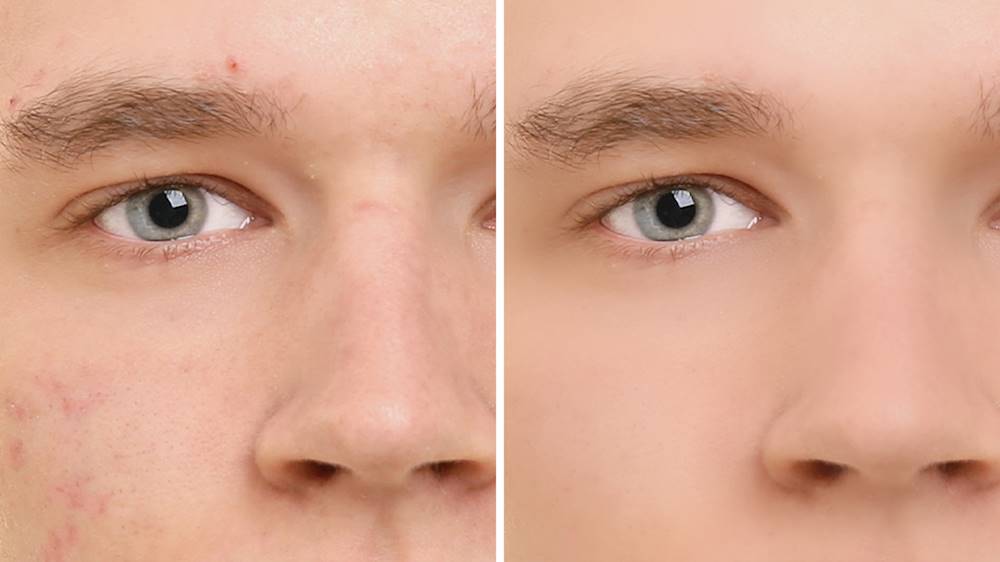
Customers recognize Photoshop Elements 2020 as being easy to use and having powerful photo editing tools. Many appreciate the numerous features, particularly the object removal and skin smoothing capabilities, while some note a learning curve for new users. The software's interface and performance are also generally well-received, with positive comments on its price point.
This summary was generated by AI based on customer reviews.
- Pros mentioned:Photo editing

I love editing my photos with this program
|Posted .This reviewer received promo considerations or sweepstakes entry for writing a review.This is a really awesome program. You can do so much editing and changes to your photos with this program. I don't even think I have fully done all that you can with it, but so far I am loving it. I love how you can change your photos into sketches and print it on vinyl to put on a shirt or sticker, etc. You can remove people in the background which is pretty awesome. There are so many ways to edit a photo, I'm amazed. You can make a slideshow using this program, which is great! I would def recommend.
I would recommend this to a friend - Pros mentioned:Ease of use
Great Photo Editing Software
|Posted .This reviewer received promo considerations or sweepstakes entry for writing a review.This software may not have all of the professional tools as Photoshop, but it's plenty for the average user. Quite a few effects, layers, and editing tools. I have it installed on my Mac running Catalina. With the addition of Sidecar in Catalina, I'm able to move the app over to my iPad and use my Apple Pencil to draw or fine tune with the brush. This makes if much easier than using a standard computer mouse or trackpad. Overall, it's a good app for editing photos.
I would recommend this to a friend Nice Upgrades From The Previous Version.
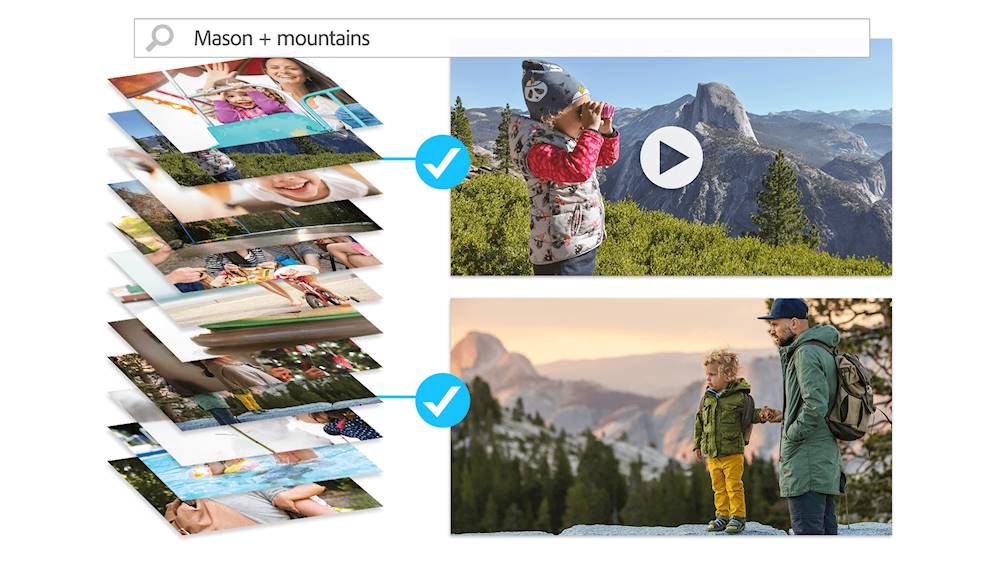
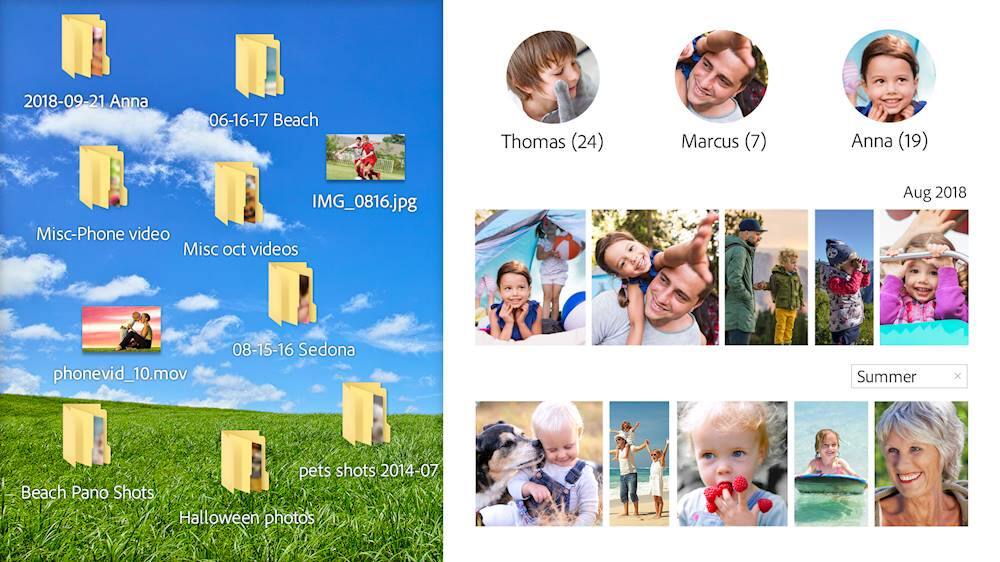
|Posted .This reviewer received promo considerations or sweepstakes entry for writing a review.Photoshop Elements is a power demanding program, but if you have a fairly beefy computer its the best program to have. We have been Photoshop users for years and this is the best one yet. There are several new or enhanced features now powered by the Adobe Sensi which is their Artificial Intelligence learning machine to learn how you use and want to use the software and help you do it even more automatically and personally than ever before. This version is even faster than previous versions which ends frustrations waiting on a function to complete and speed productivity when being used on a more professional level. But you can select between a guided or expert mode, so dont worry about Photoshop being overwhelming for a beginner or not enough for an experienced photo editor. Some of the NEW or ENHANCED features that Sensi powers in this version are: The Home Screen itself has been enhanced to help you navigate to your desired function or location. HEIF and HEVC support for Windows is a New Feature. Smart Tags and People Recognition has been enhanced. New Automatic Skin Smoothing. New Object Removal Automatic Photo Colorization and Once Click Object selection is new and intuitive. The ability to order Prints and Gifts Right From Photoshop Elements has been added as well as a creative Automatic Creation section of tools. Its a powerful and affordable Photo Editing and Creative tool for nearly everone
I would recommend this to a friendGets better each year... Photos made easy!
|Posted .This reviewer received promo considerations or sweepstakes entry for writing a review.The Adobe Photoshop Elements 2020 - Mac|Windows is a great advance in the ongoing line of Adobe Photoshop software. While not the full Photoshop experience, Elements is a perfect jumping-on software for entry-level photo editors to professional RAW photographers. I recently purchased a semi-pro DSLR camera and found that to get the best out my pictures myself looking for a quality photo editing and organizer software. I have been using Elements since the 2015 edition and found that Element 20 still met all my needs and offered far more than I knew I needed! It was a great experience editing my RAW files and it helps organize my photos as well! PROS - Adobe's brand and quality - Cost-effective for entry or professional photo editing - Robust features and options make this a great option - AI-driven intuitive photo organization and editing - Ability to edit multiple file extension including RAW files from several camera companies CONS - There is still a learning curve as there is with most Adobe software. It can be a bit frustrating at first while you learn so back your files before you edit or you may inadvertanty ruin/lose the perfect picture to the learning curve.
I would recommend this to a friendExcellent program once I got it installed
|Posted .This reviewer received promo considerations or sweepstakes entry for writing a review.I have used Photoshop Elements in the past (2014) addition. This time I had an extremely hard time getting it to load on my computer. I will say I sent a note to Adobe about my difficulties and received a response very quickly. After getting it loaded I did find some new edits that I really like and are much easier to use than in the past additions. This program has a lot of capabilities that allow you to make a cruddy picture into a work of art. As with a lot of software repetition is the best trainer. There are 3 different ways you can edit photos. I find that the best way to learn a new procedure is to use the "guided" processes. These make the 1st time much easier and allow you to gain a little confidence in continuing on. If you select the "expert" program enhancements without using the guided processes first you can get frustrated very easily. I have also used the Corel Paintshop program and got very frustrated with trying to do something and gave up on it. The other nice thing about photoshop is that it's popularity has led to a lot of how to videos being offered on YouTube that are very informational. Overall I am very satisfied with the program and would encourage others to purchase it. Just keep in mind that practice makes perfect and you will create some beautiful photos.
I would recommend this to a friendPhotoshop, Not just for the experts
|Posted .This reviewer received promo considerations or sweepstakes entry for writing a review.Now days photos are taken with phones instead of cameras and although they do a great job at taking pictures they are horrible at editing them.. This is why you need Photo Editing software. For the last week, I have been testing the 2020 version of Adobe Photoshop Elements and I have to say I love it. Downloading was really simple although the installer was 3 1/2 Gigabytes. (if you have slow internet connection...good luck.) Aside from the large download, the installation was really simple. Its just a few clicks, add your licence and you are ready to rock. As for the software, it was also really simple. It has 3 modes; Quick, which has all the simple corrections such as crop or red eye reduction. Guided, which automates a ton of edits such as adjusting light, contrast, creating collages and greeting cards, stitching photos, removing objects and so much more. This is the mode where I am most comfortable. Then there is expert, for those that are advanced and don't need automated edits. Regardless of your skill level, this version of Photoshop has something for everyone and will take your photos to the next level. I highly recommend
I would recommend this to a friendEasy To Use Photo Editor
|Posted .This reviewer received promo considerations or sweepstakes entry for writing a review.I was impressed by the simplistic features of Adobe Photoshop Elements 2020. I have used the full version of Adobe Photoshop and also Adobe Lightroom to edit photos in the past and I can say Photoshop Elements is by far, the easiest to use. The overall look of the program is much different from Photoshop 2019 or Lightroom but it still contains some tools used in both programs. Elements 2020 has 3 easy modes in which you can edit, which are Quick, Guided, and Expert. Quick is the easiest to use, in which you can choose preset settings to help make your photos better in the "quickest" way possible to upload to social media right away. In the Guided mode, you can find tutorials that help you get certain effects or adjustments on your edits. Expert is the fullest variety of tools and presets available to edit your photos to your liking. In any mode, preset settings you can click and unclick easily are the best way of editing your work. I was able to edit one of my favorite photos in less than 10 mins using expert mode. I highly recommend this program for anyone just wanting a good program for basic editing or creating.
I would recommend this to a friendThe Guided mode is a great start
|Posted .This reviewer received promo considerations or sweepstakes entry for writing a review.For macOS users, Apple Photos is the default photo experience. For those looking to move beyond the basics that Apple Photos offers, Adobe Elements for macOS offers the training wheels necessary to begin to learn how to edit photos. The "Quick/Guided/Expert" Editor in Lightoom does a good job highlighting common use cases for photo correction or fun effects. The categories with simple names like "Fun Edits" or "Special Edits" makes one feel like they are using Instagram filters instead of an editing tool. Overall Elements feels closer to Microsoft Publisher than Photoshop which is great when you don't have time to learn or tinker around in Photoshop. As a 15 year user of Photoshop though, it was just painful to attempt to navigate around the training wheels. I kept asking myself: If I didn't know how to use Photoshop and I was looking at Adobe products to solve my photo editing needs, why would I use Elements over Lightroom? And I could never come up with an answer that satisfied me. Lightroom won in every comparison. If you're on a Windows Platform I could see where many of these features liked Organizer would be helpful, but Adobe Bridge offers so much more in the way of "organizing." Ultimately I just couldn't pull myself out of Photoshop long enough to appreciate Elements.
No, I would not recommend this to a friend