Customer Ratings & Reviews

- Model:
- ADJP3S
- |
- SKU:
- 4303008
Customer reviews
Rating 4.2 out of 5 stars with 30 reviews
(30 customer reviews)to a friend
Customers are saying
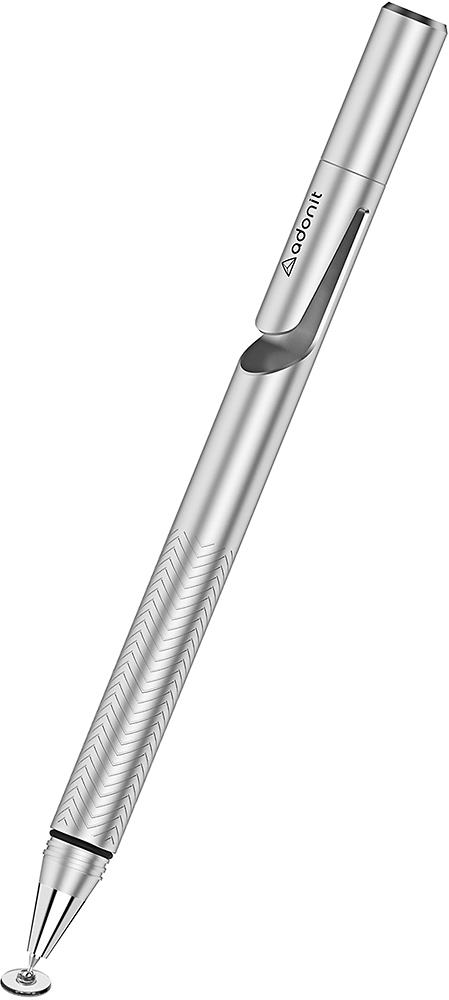
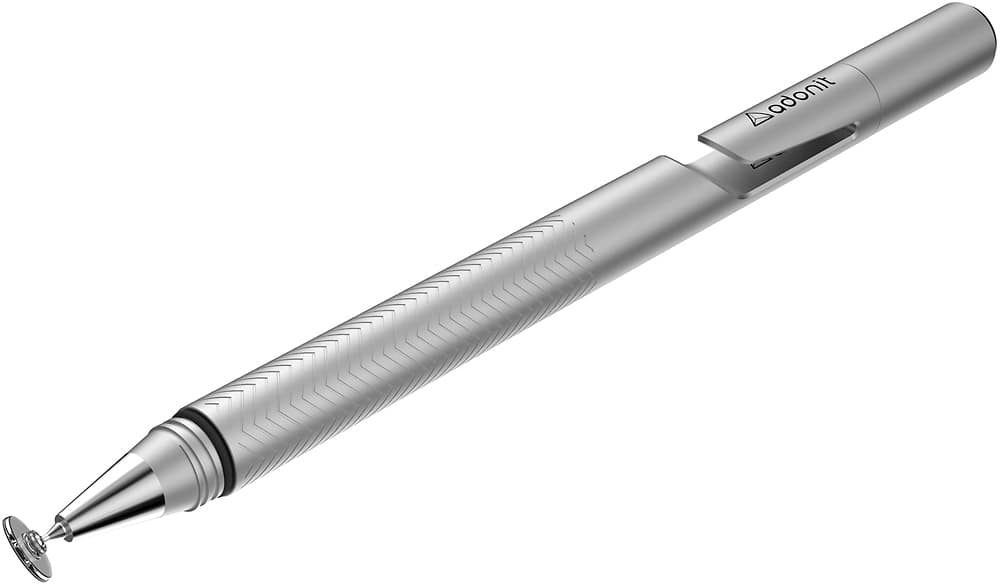
Customers admire the Jot Pro Fine-Point Stylus for its precision and accuracy in writing and drawing applications. Many appreciate the comfortable feel and smooth writing experience. However, some users noted concerns about the tip design and potential for scratching screens, particularly those with screen protectors. It's recommended to remove screen protectors before use to avoid this issue.
This summary was generated by AI based on customer reviews.
- Pros mentioned:Precision
Rated 4 out of 5 stars
Works well
||Posted .This reviewer received promo considerations or sweepstakes entry for writing a review.Allows nice fine line. Good response and accuracy. Disc at end is a little awkward and unnatural. Not really use to it yet. I worry a bit about what happens when the disc breaks, or if that disc will scratch my iPad over time. I use it to write meeting note in my hand writing using Noteshelf app.
This review is from Adonit - Jot Pro Fine-Point Stylus - Black
I would recommend this to a friend - Pros mentioned:PrecisionCons mentioned:Tip
Rated 4 out of 5 stars
Accurate stylus
||Posted .This reviewer received promo considerations or sweepstakes entry for writing a review.I was really concerned with finding a stylus that would work with my PC monitor and be accurate in Adobe design programs. I am pleased with the accuracy of this stylus. The only thing I was not fond of, was the clear circle tip. I would rather have a fine-point end that resembles a regular pen, but overall I like the product.
This review is from Adonit - Jot Pro Fine-Point Stylus - Gold
I would recommend this to a friend - Pros mentioned:Precision
Rated 5 out of 5 stars
For Precise Notes This is It
||Posted .This reviewer received promo considerations or sweepstakes entry for writing a review.Nothing else I've tried writes as precisely on my Lenovo Yoga 2 Pro with the Drawboard PDF app. Hopefully the slight clicking of plastic contact won't bug me or I'll switch to cursive notes to minimize lifting the stylus, but the sound is pretty minimal and a trade off I'm willing to make. I look forward to erasing and undoing a lot less because I can actually form the letters I want to properly
This review is from Adonit - Jot Pro Fine-Point Stylus - Black
I would recommend this to a friend - Pros mentioned:Precision
Rated 4 out of 5 stars
It does what it's supposed to do
||Posted .This reviewer received promo considerations or sweepstakes entry for writing a review.I read multiple reviews on various sites for this stylus. To put it simply - it works. Within a week, I also purchased the Bamboo Fineline 2 stylus, because one of the primary reasons for purchasing an iPad was for work productivity and note-taking. I really needed the palm rejection feature of a smart stylus. The pro to this stylus over a smart stylus is that you don't have to worry about it being charged and "connected" or not. It's definitely very precise, and the clear disc on the end isn't bothersome at all. It's nice to have a stylus that looks and feels like a pen, but having to keep my hand off the screen makes for some sloppy handwriting at times, unfortunately.
I would recommend this to a friend Rated 5 out of 5 stars
Great fine point smooth tip
||Posted .This reviewer received promo considerations or sweepstakes entry for writing a review.It has a fine point, so it's easy to use on the iPhone, but it's not sharp because of the round disc on the end!
I would recommend this to a friendRated 5 out of 5 stars
Feels and looks great
||Posted .This reviewer received promo considerations or sweepstakes entry for writing a review.This stylus has a very premium aesthetic to it, being that it is metal. It feels great using it on electronic devices.
I would recommend this to a friend- Pros mentioned:Precision
Rated 3 out of 5 stars
Not bad
||Posted .This reviewer received promo considerations or sweepstakes entry for writing a review.This stylus isn't too bad. I like the precision, but have a little gripe with the responsiveness. But by far the best stylus I've ever used for a normal touchscreen phone.
I would recommend this to a friend - Pros mentioned:Precision
Rated 4 out of 5 stars
Best stylus for iPad and Windows 10
||Posted .This reviewer received promo considerations or sweepstakes entry for writing a review.This styles works well with iPad and Windows 10. It's as close to 100% accurate if you're using a drawing program and/or writing notes.
I would recommend this to a friend - Cons mentioned:Tip
Rated 5 out of 5 stars
Excellent pen for any tablet or phone
||Posted .This reviewer received promo considerations or sweepstakes entry for writing a review.I needed to find a stylus to draw with on my Galaxy S6 Edge, since my Note 7 needed to be returned. I was hesitant about this pen because of the flat end that connected to the tip. But this stylus has been nothing but perfect. Just don’t lose it.
This review is from Adonit - Jot Pro Fine-Point Stylus - Gold
I would recommend this to a friend Rated 5 out of 5 stars
Great stylus
||Posted .This reviewer received promo considerations or sweepstakes entry for writing a review.I didn't realize that there was a circle on the end of the tip, and at first I didn't think I'd like it because I bought it for it's fine point tip, but I actually like the circle. It prevents the fine tip from breaking and surprisingly it still acts like a fine tip, the circle doesn't make the tip big, and it's really easy to use.
I would recommend this to a friend- Pros mentioned:Stylus
Rated 5 out of 5 stars
Great Item To Have
||Posted .This reviewer received promo considerations or sweepstakes entry for writing a review.This Stylus Pencil Is Top Notch. I Use It For Customer's To Sign Documents On IPad, And They Perfer It Over Any Stylus Pen.
I would recommend this to a friend Rated 5 out of 5 stars
Using on iPad Mini 4
||Posted .This reviewer received promo considerations or sweepstakes entry for writing a review.I've always liked this brand of stylus and this stylus feels better than any of the others I've used in the past. I'm using it on an iPad mini 4. The display doesn't have the most DPI out there and it was never meant to be used with a stylus, so I'm delighted that I can write pretty smoothly on my device with this stylus. I normally draw figures for class and hand-write comments next to them in Notes.
I would recommend this to a friendRated 5 out of 5 stars
This is awesome!
||Posted .This reviewer received promo considerations or sweepstakes entry for writing a review.I have a Galaxy Note 5, and love using my stylus. I also have a Galaxy Tab S, and missed using a stylus. This fixed the problem! Now I can jot notes on my tablet. No special program was needed, it just started working with my projects!
This review is from Adonit - Jot Pro Fine-Point Stylus - Gold
I would recommend this to a friendRated 2 out of 5 stars
Not pro precision
||Posted .This reviewer received promo considerations or sweepstakes entry for writing a review.I purchased this device to use with my iPad and iPhone. I was under the assumption that I could use it for writing. I was wrong. I couldn't even use it on my android devices for writing. I wasted time and money. I was unable to return if as I took a few days to pick it up after it arrived. I am not sure what this pen can/should be used for.
No, I would not recommend this to a friendRated 5 out of 5 stars
Best Stylus yet
||Posted .This reviewer received promo considerations or sweepstakes entry for writing a review.I have had several - the Bamboo stylus was my favorite until I tried a friends Adonit. Don't think twice - it is quite sensitive so there is a small learning curve.
This review is from Adonit - Jot Pro Fine-Point Stylus - Black
I would recommend this to a friendRated 3 out of 5 stars
Good for general use
||Posted .This reviewer received promo considerations or sweepstakes entry for writing a review.The stylus works well just has a problem skipping if you write to fast.
This review is from Adonit - Jot Pro Fine-Point Stylus - Rose Gold
I would recommend this to a friendRated 5 out of 5 stars
Best Stylus!
||Posted .This reviewer received promo considerations or sweepstakes entry for writing a review.I ordered this because I lost my previous stylus. This one to me is the best for highlighting and it's just like a pen.
I would recommend this to a friendRated 5 out of 5 stars
Drawing tool
||Posted .This reviewer received promo considerations or sweepstakes entry for writing a review.I will be using it for Illustration, and Graphic Design
This review is from Adonit - Jot Pro Fine-Point Stylus - Black
I would recommend this to a friendRated 5 out of 5 stars
Excellent
||Posted .This reviewer received promo considerations or sweepstakes entry for writing a review.Awesome tool, for less than 1/2 apples price!! Works great for blocking unwanteds out of pictures!!
This review is from Adonit - Jot Pro Fine-Point Stylus - Rose Gold
I would recommend this to a friendRated 5 out of 5 stars
Excellent Windows 10 Touch Stylus
||Posted .This reviewer received promo considerations or sweepstakes entry for writing a review.Stylus recommended by Best Buy associate. Excellent!. Works great.
This review is from Adonit - Jot Pro Fine-Point Stylus - Gold
I would recommend this to a friend