Customer Ratings & Reviews


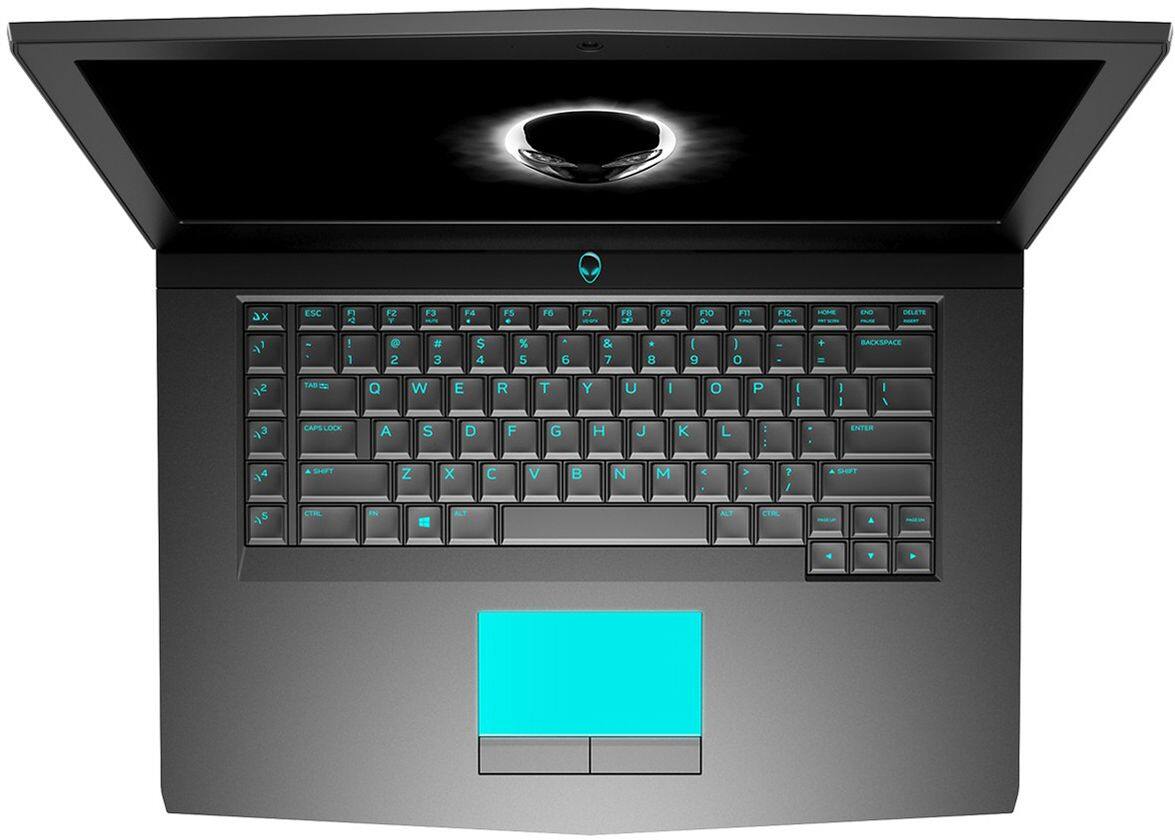
- Model:
- AW15R4-7620BLK-PUS
- SKU:
- 6239219
to a friend
Customers are saying
Customers admire the laptop's performance, solid-state drive speed, and impressive graphics capabilities, making it a great value for the price. However, some find the laptop's weight and size to be cumbersome, and battery life and heat generation are also mentioned as areas for improvement. The large screen and powerful components make it suitable as a desktop replacement, but its portability is somewhat limited.
This summary was generated by AI based on customer reviews.
Fast
||Posted .This reviewer received promo considerations or sweepstakes entry for writing a review.Easy to set up, runs my programs FAST! Even my video editing programs!
I would recommend this to a friendA little disappointing for the price.
||Posted .This reviewer received promo considerations or sweepstakes entry for writing a review.The video card struggles to play video in PowerPoint. I have an old MacBook that runs windows and it plays the PowerPoint better. I did a full update and it is still sluggish.
I would recommend this to a friendBrand response from YourDellTeam
Posted .Isam,
If your computer is running a little slower than you had hoped it would, you can try uninstalling some programs that may be slowing your computer down. We'd recommend looking through your programs that may have been pre-installed and see if you plan to use all of them. If there are programs that you'd like to remove you can follow these steps:
Uninstalling or removing software or applications that you do not use or do not need from your PC can help speed up your PC. Applications may include background processes, system services, context menu entries and other things that can slow down your PC.
Uninstall applications you no longer need using Programs and Features (previously called Add/Remove Programs). Unnecessary applications occupy space on your hard disk drive.
1. Press the Windows logo key + R on the keyboard.
2. In the Run dialog box, type appwiz.cpl and press the Enter key.
3. In the list, select a program and click Uninstall.
You can read the full article here - http://dell.to/2tSulGV.
Best,
Bryan
1-800-624-9896
Awesome Gaming laptop!
||Posted .This reviewer received promo considerations or sweepstakes entry for writing a review.I bought this gaming laptop as a surprise for my husband...
I would recommend this to a friendGood
||Posted .This reviewer received promo considerations or sweepstakes entry for writing a review.Good computer. And it's easy to use it. I really love it.
I would recommend this to a friendAverage Computer
||Posted .This reviewer received promo considerations or sweepstakes entry for writing a review.I purchased an open boxed computer and it crashes a lot! Works ok when it is running.
I would recommend this to a friendBrand response from YourDellTeam
Posted .KisasMom,
Thanks for your review. We're sorry to hear that your computer keeps crashing on you. Here are some steps to find out what may be causing it to crash:
1. At the desktop, click the Search the web and Windows box and type "problem reports".
2. Select View all problem reports to view a list of errors that have occurred on your computer and possible solutions for them, such as updating drivers, flashing your system BIOS, or checking for updates to the software.
3. Under the Source column, look for Windows and under Summary, look for Shut down unexpectedly.
4. Right-click the line item and select Check for a solution.
We'd also suggest checking to make sure that your software and drivers are up to date on Dell's Product Page - https://dell.to/2M8akmz.
You can read the full article here - http://dell.to/2u98Cct.
We hope this helps your computer perform better for you.
Best,
Bryan
1-800-624-9896
Not as fast as I thought it would be
||Posted .This reviewer received promo considerations or sweepstakes entry for writing a review.Not as fast as I thought it would be, doesn't process video very fast
No, I would not recommend this to a friendPicked up a lemon.
||Posted .This reviewer received promo considerations or sweepstakes entry for writing a review.The keyboard on the laptop failed after 2 Weeks, forced me to exchange it for another.
No, I would not recommend this to a friendExcellent Build
Posted .This reviewer received promo considerations or sweepstakes entry for writing a review.This has reestablished Alienware as a name in the gaming community for me. Outside of having to undervolt the CPU and some snafus with Windows update this machine has exceeded my expectations. Runs all of my games maxed out (Though I do not play many newer titles) without getting too hot (after the undervolt). The black color does smudge easier than the silver but it looks much nicer. Overall a really solid machine that should last a few years.
I would recommend this to a friendDell
Posted .This reviewer received promo considerations or sweepstakes entry for writing a review.Excellent product for gamin with good battery life.
I would recommend this to a friend- Pros mentioned:Performance
Laptop stopped working after 3 months
Posted .This reviewer received promo considerations or sweepstakes entry for writing a review.I bought this computer because I needed a powerful laptop for my Masters in Data Science degree, analyzing large datasets. For those going through a masters, I don't need to tell you how much you need to study to keep up. This computer worked fine for about 3 months, and then started to crash. The BSOD then started to appear randomly every hour, rendering the laptop completely unusable for any work. I called support 2 times already, and both times, the same tests were run with no real solution besides "Reinstall Windows". If you haven't done this, it takes hours to do, then I have to spend the better part of 2 days hunting down and installing all the software and files I need to get operational, with no telling if this laptop is actually fixed. At this point, I would like just like to return this computer. I simply cannot afford to waste time trying to troubleshoot someone else's hardware problems.
No, I would not recommend this to a friendBrand response from YourDellTeam
Posted .Hello ShonTM,
We're sorry to hear about the Blue Screen Errors that you'd been experiencing. We'd recommend diagnosing these crashes by following these steps:
1. At the desktop, click the Search the web and Windows box and type "problem reports".
2. Select View all problem reports to view a list of errors that have occurred on your computer and possible solutions for them, such as updating drivers, flashing your system BIOS, or checking for updates to the software.
3. Under the Source column, look for Windows and under Summary, look for Shut down unexpectedly.
4. Right-click the line item and select Check for a solution.
We'd also suggest checking to make sure that your software and drivers are up to date on Dell's Product Page - https://dell.to/2M8akmz.
You can read the full article here - http://dell.to/2u98Cct.
If you need help rebuilding your computer and drivers after a Windows reinstall we'd recommend running the Dell Support Assist app. This will help you with setting up your computer and ensure that you have all of the most up to date software and drivers.
Lastly, if you'd like to reach out to our Alienware team directly via Email you can reach them here - awsocialmedia@dell.com. Please use your username from this review as the subject line of your Email. We hope that your problems and concerns will be resolved soon for you.
Best,
Bryan
1-800-624-9896
Dell Support - Power issues
Posted .This reviewer received promo considerations or sweepstakes entry for writing a review.Go online and look for the power issues this pc has. I have had mine for almost 2 years and it's been a roller coaster. Some days it is absolutely fine but others it is a headache and for this price that is not acceptable. Issues: 1. Dell support - out of warranty doesn't help with known power problems. 2. The power brick is broken and this is a known fact - Dell will not replace and will only sell another one to you for 150 bucks. 3. VOIP never worked with computer well. Tested on a ROG asus with no problem on the same network side by side. 4. Spacing issues with the GPU and CPU - Factory mistake - lookup on youtube how to fix stuttering in the r4 17 5. Again for the premium price you get a premium headache. I am almost 2 years in on a 2200 purchase and it is being retired for a new PC. This is just a cheap made dell with an alien head on it....
No, I would not recommend this to a friendOk but not portable and for the price, I'd go 17
Posted .This reviewer received promo considerations or sweepstakes entry for writing a review.For the same price as the 17 but without the numeric keypad, I would say go 17 if your not going to move the device. However I was encountering problems with my 15 and returned
No, I would not recommend this to a friendAwesome laptop
Posted .This reviewer received promo considerations or sweepstakes entry for writing a review.Alienware laptops are a forced to be reckoned with
I would recommend this to a friendOverheating Day 1
Posted .This reviewer received promo considerations or sweepstakes entry for writing a review.Very poorly designed laptop by DELL (who owns Alienware.) On day 1 out of the box, the CPU hit 100c playing games. Google 'Alienware thermals' or 'Alienware repaste' to find out more. It is a huge problem, and most people who send their laptop in for service don't see any real improvement. Buy another brand.
No, I would not recommend this to a friendBrand response from YourDellTeam
Posted .Hello Game Dude,
Thanks for your review. We're sorry to hear that your new Alienware laptop is overheating for you. We'd recommend the following tips to help reduce the temperature of your laptop -
Tips for Proper Usage:
1. Dell does not recommend placing portable systems directly on your lap. Due to reductions in the thickness of modern portable systems, heat transfer can be an issue.
2. Using a portable system (Laptop) on a hard, flat, non-cloth surface will increase airflow and reduce heat from underneath and inside the system.
Using the portable system on a blanket, pillow, or other types of cloth will cover up the fan cause the computer to overheat and can cause permanent damage.
3. It is recommended to use the portable system in a Room temperature of 0°C to 35°C (32°F to 95°F) with a Humidity level no greater than 90%.
4. Use compressed air to clean the vents on a regular basis.
5. Using a cooling pad can decrease heat and increase performance.
6. If you want to know the temperature limitations for your system, go to the Dell Support Website, look up your system model then open the user guide under the manuals link.
You can read the full article here - http://dell.to/2uJ8AdG.
If you'd like to reach out to our Alienware Support Team via Email you can contact them here - awsocialmedia@dell.com. Please just use your username from this review as the subject to your Email.
We hope that these tips will help your computer run better for you.
Best,
Bryan
1-800-624-9896