Customer Ratings & Reviews
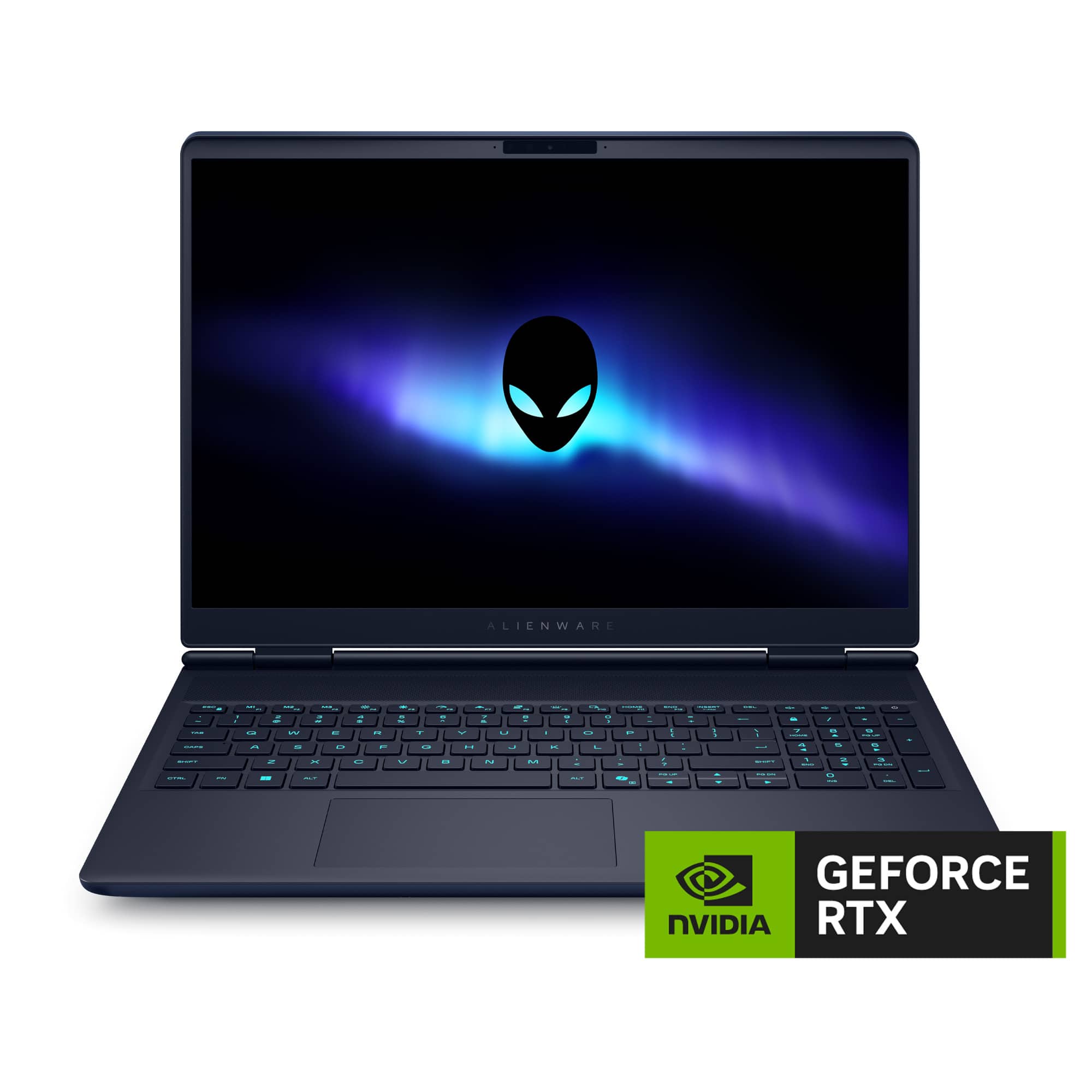
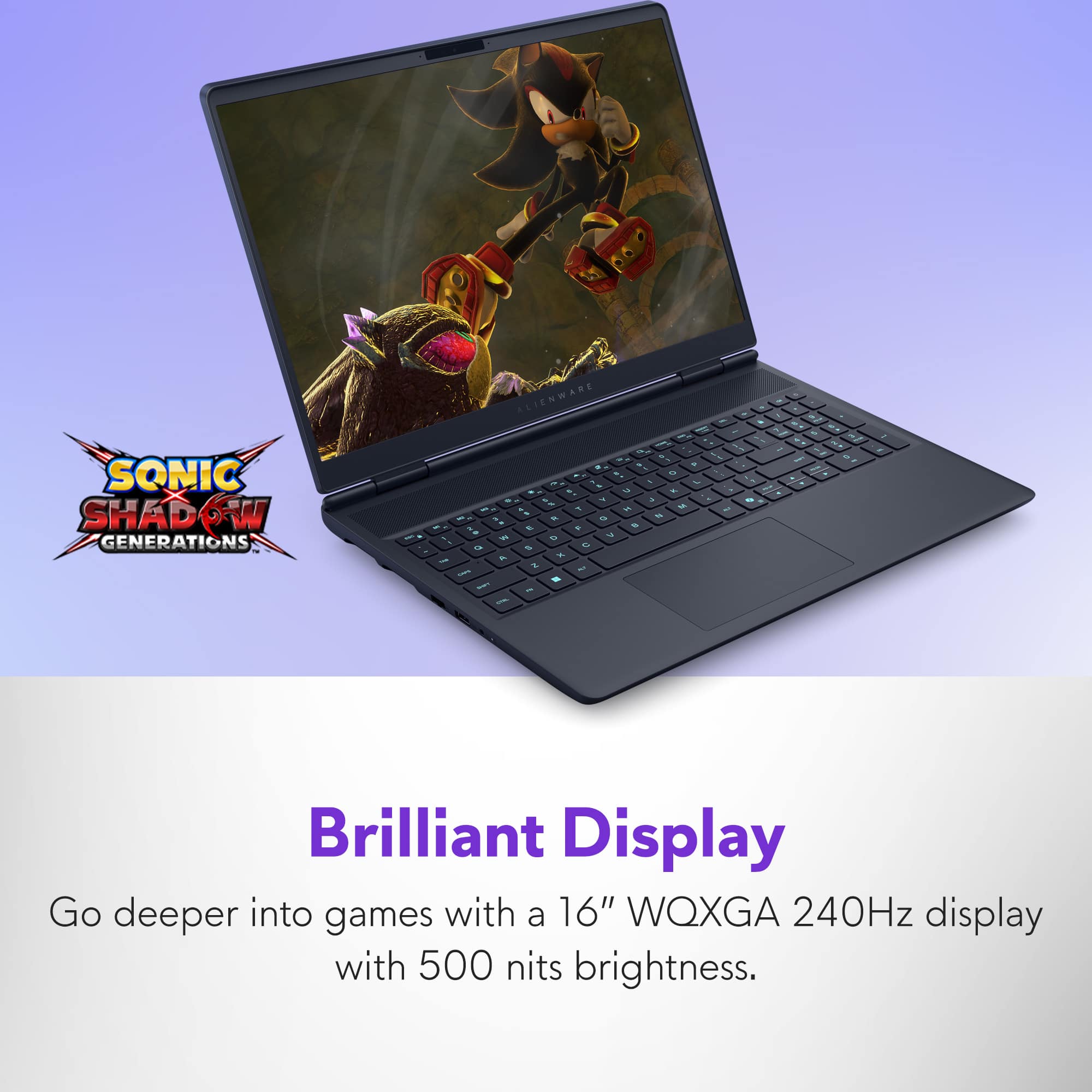
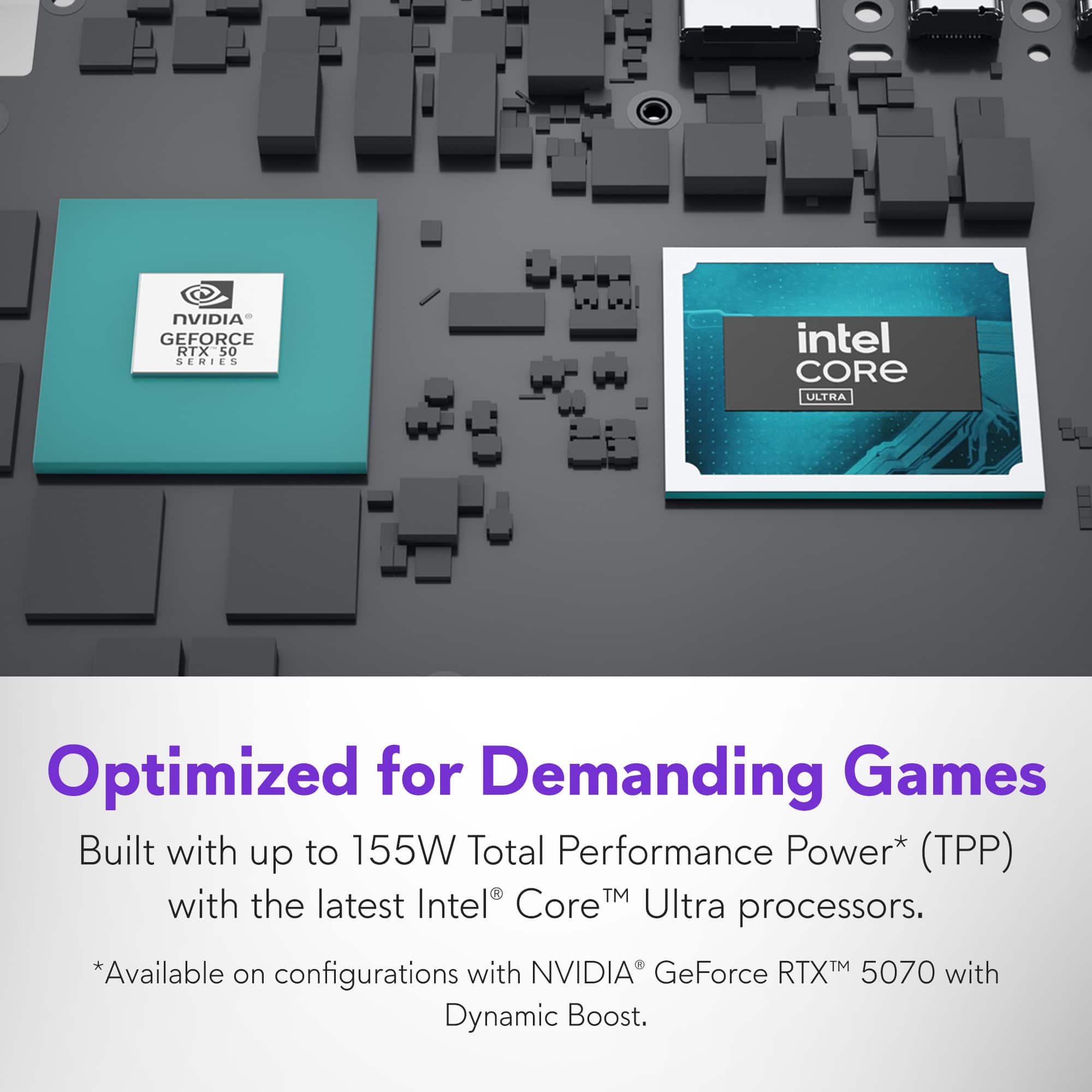












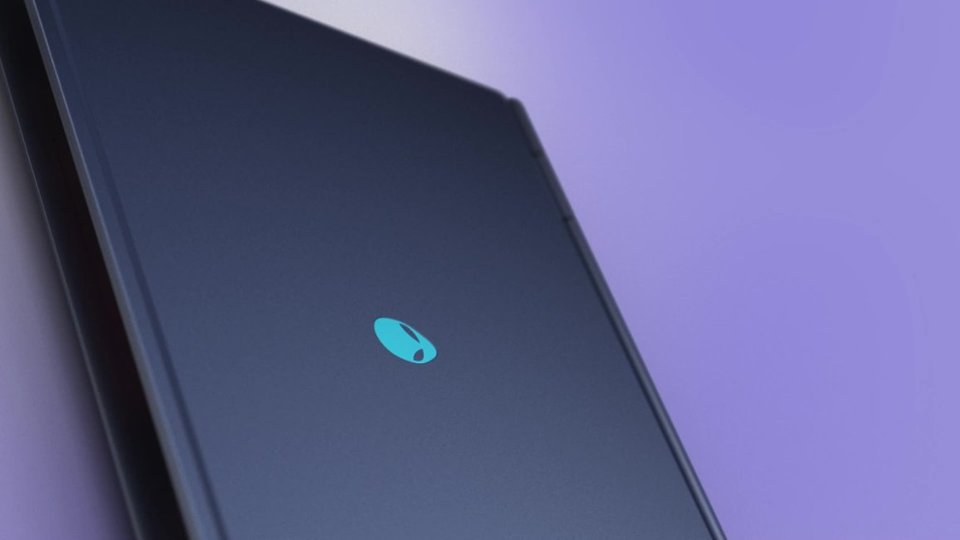
- Model:
- LAC16251-9599BLU-PUS
- SKU:
- 6630638
Rating by feature
- Battery Life
Rating 4.4 out of 5 stars
- Speed
Rating 4.8 out of 5 stars
- Display
Rating 4.9 out of 5 stars
Customers are saying
Customers value the 16X Aurora gaming laptop for its overall performance and fast processor speed. The laptop's battery life and portability are also appreciated by users who need mobility. However, some customers have noted that the laptop can get hot, the fan noise is noticeable, and the weight can be a factor.
This summary was generated by AI based on customer reviews.
Best computer ever!!!
||Posted . Owned for 1 week when reviewed.This reviewer received promo considerations or sweepstakes entry for writing a review.Excellent graphics, great cpu and gpu, and great performance.
I would recommend this to a friend- Pros mentioned:Overall performance
alienware kills it again
||Posted .This reviewer received promo considerations or sweepstakes entry for writing a review.amazing for gaming and trading great speed for both love it
I would recommend this to a friend - Pros mentioned:Overall performance
Stable laptop
||Posted .This reviewer received promo considerations or sweepstakes entry for writing a review.Good laptop perfect for gaming and for video editing
I would recommend this to a friend - Pros mentioned:Overall performance
Great value
||Posted . Owned for 3 weeks when reviewed.This reviewer received promo considerations or sweepstakes entry for writing a review.My son absolutely loves his laptop. Does everything we need it to do. Not just games.
I would recommend this to a friend - Pros mentioned:Overall performance
Review
||Posted . Owned for 3 weeks when reviewed.This reviewer received promo considerations or sweepstakes entry for writing a review.Works great. This is my first gaming laptop I’ve had and it runs everything great so far.
I would recommend this to a friend - Pros mentioned:Overall performance
Beautiful alien
||Posted .This reviewer received promo considerations or sweepstakes entry for writing a review.The product is great, and very beautiful. I recommend it to everyone.
I would recommend this to a friend - Pros mentioned:Overall performance
Everything looks so good
||Posted .This reviewer received promo considerations or sweepstakes entry for writing a review.everything at first glance looks extremely good, arrived earlier than estimated
I would recommend this to a friend Performance
||Posted . Owned for 4 months when reviewed.This reviewer received promo considerations or sweepstakes entry for writing a review.Fast performance , great for gaming and rendering,
I would recommend this to a friendAlienware Aurora
||Posted . Owned for 2 weeks when reviewed.This reviewer received promo considerations or sweepstakes entry for writing a review.Great specs, solid build quality for the price. Best choice in this price range.
I would recommend this to a friend- Pros mentioned:Overall performance
Support fail and not worth the cheap material
||Posted . Owned for 2 months when reviewed.This reviewer received promo considerations or sweepstakes entry for writing a review.works well but started to show a gap on keyboard. also started to warp on the case outward. Dell support wont do anything about it they say it is damaged and not covered.. only 2 months old.
No, I would not recommend this to a friend Great laptop great price
||Posted .This reviewer received promo considerations or sweepstakes entry for writing a review.I loved the laptop and the price was perfect. I will buy again
I would recommend this to a friend- Pros mentioned:Design, Overall performance, PortabilityCons mentioned:Fan noise

Great Laptop, Hindered By A Weird Keyboard Layout
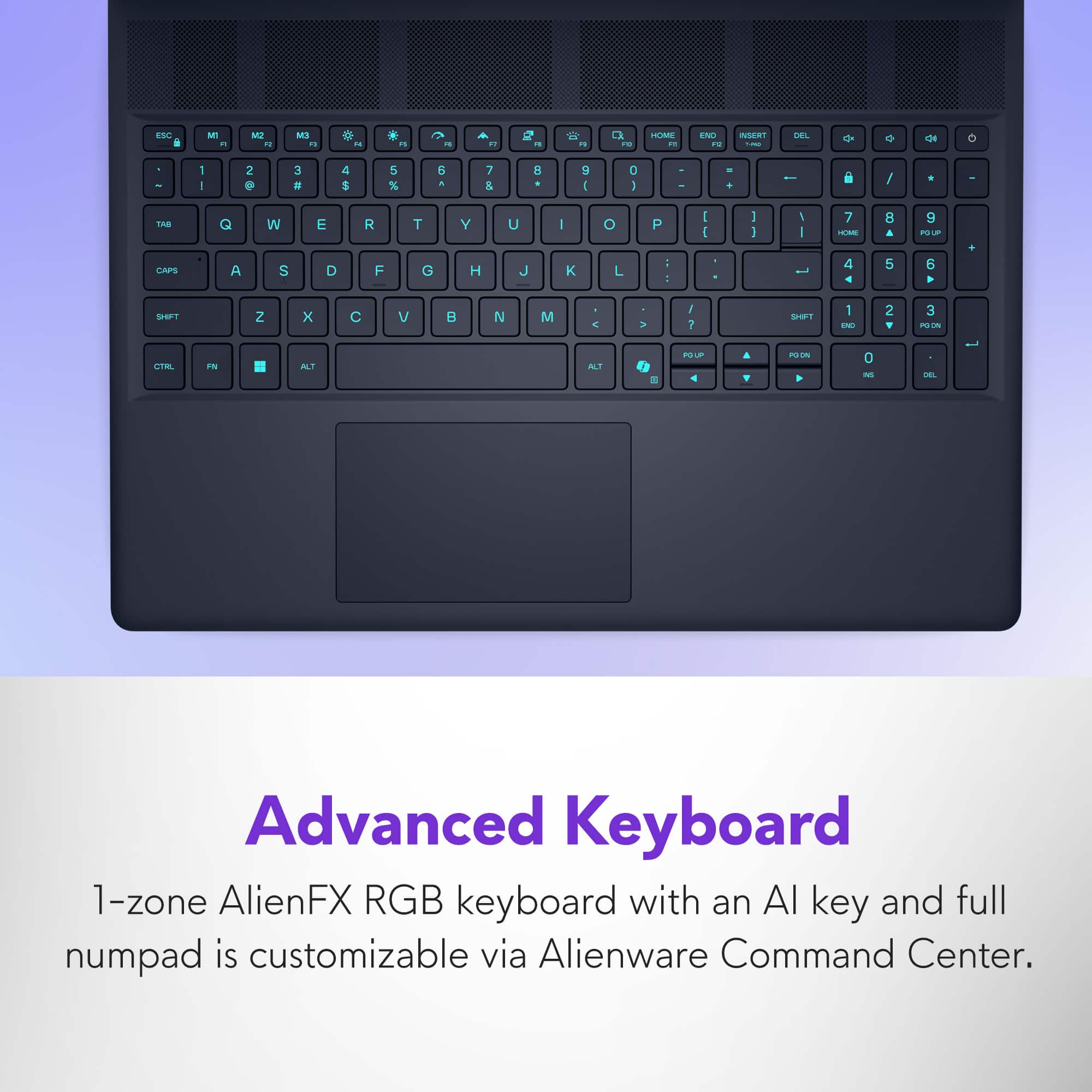
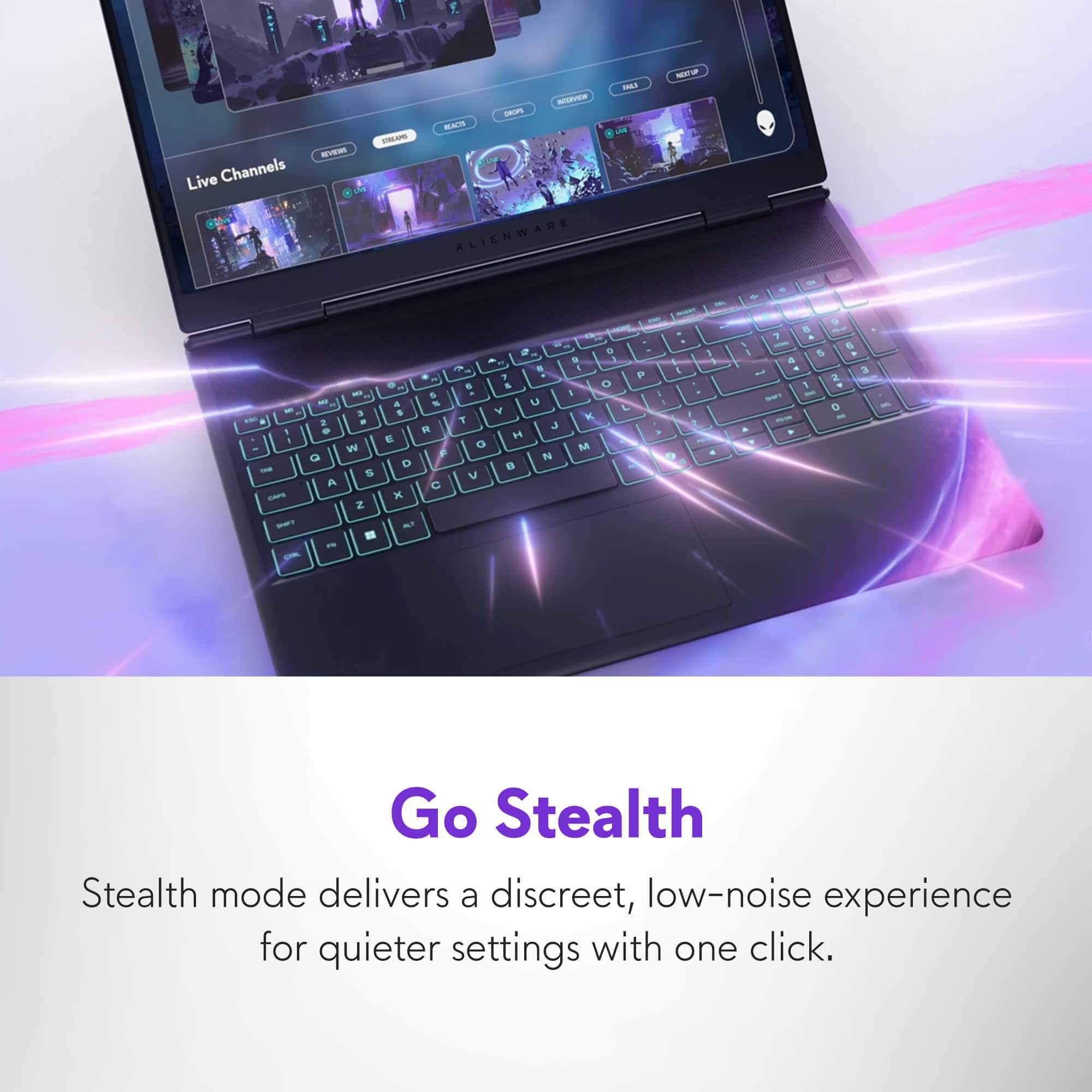
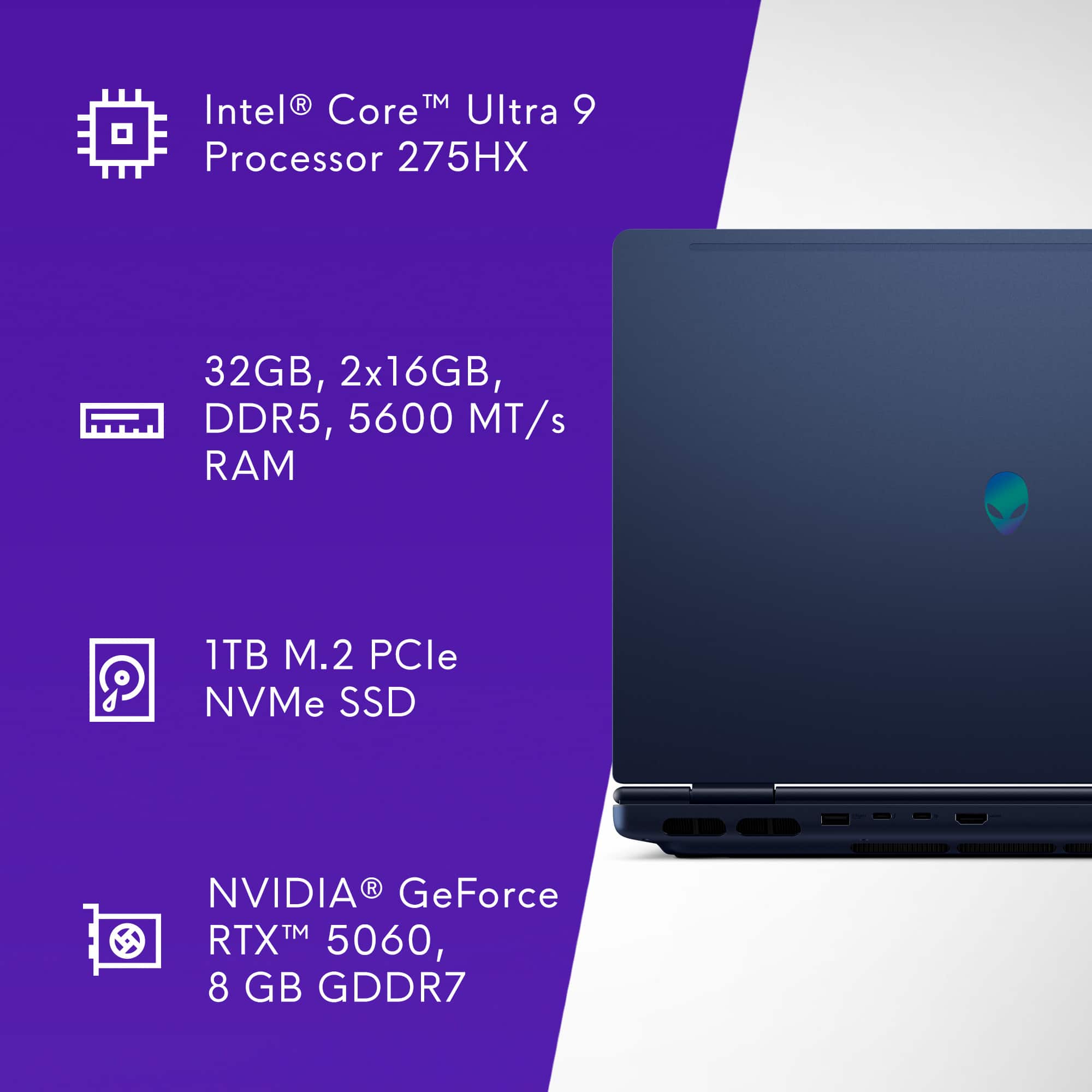
|Posted .This reviewer received promo considerations or sweepstakes entry for writing a review.Alienware 16X Aurora Review I’ve become a more casual gamer over the years, but I still game quite a bit and am always looking for a great gaming experience and new ways to play my ever-growing collection of games. The Alienware 16X Aurora is a departure from Alienware’s older “shelf” cooling design, so I was really excited to give it a test drive. I’ll start with a TLDR version for those who don’t want to read the book I’m about to write. TLDR The Alienware 16X Aurora is an excellent substitute for a desktop gaming setup, capable of satisfying most gamers except the most demanding enthusiasts. It features a 16-inch 1440p G-Sync display, an 8GB NVIDIA GeForce RTX 5060, and a 24-core Intel Core Ultra 9 275HX, which together deliver strong performance for most games at medium to high settings. Despite its powerful components, the laptop maintains a surprisingly portable design, making it more suitable for home use rather than extensive travel. I don’t like the keyboard and the inclusion of a number pad on a gaming laptop, so I can’t give this laptop 5 stars. However, if you’re okay with the keyboard layout, then you may just fall in love with this mid-range gaming laptop that you could use for spreadsheets as well. Design/Build Quality The 16X Aurora is a hefty laptop, but this new design by Alienware makes it feel less bulky than older models. The laptop feels substantial and solid while staying reasonably lightweight for its size at about 6 lbs. I don’t really like the keyboard, as it has a numpad, which seems to crowd the keys you’ll actually use when gaming. I believe the keys could have been bigger if the numpad wasn’t included. Also, typing on the keys feels acceptable, but not great. Everything is shifted to the left, including the trackpad, which makes typing a little odd. The trackpad feels solid and is pleasant to use, and I like that Alienware removed the “shelf” that was on most of its gaming laptops underneath the unit. This makes for a more cohesive design in my opinion and lets the display hinge sit at the very back of the unit, which I find more visually pleasing. There isn’t a lot of RGB here, a departure from the usual AlienwareFX craziness, but it does include one zone for the keyboard that you can adjust with the Alienware Command Center. I feel like the lack of RGB and the more subtle design, along with the toned-down blue color, make for a more mature-looking laptop, which I like as an older gamer. Gaming Performance Let’s get to the gaming, shall we? The 16X Aurora is a powerful midrange gaming laptop that packs a lot of features for its price. Its 24-core Intel Core Ultra 9 275HX, NVIDIA GeForce RTX 5060, 1TB M.2 PCIe NVMe SSD, and 32GB DDR5 memory paired with a 2560x1600 16-inch 240Hz G-Sync screen chewed up just about everything I threw at it. The RTX 5060 NVIDIA card includes DLSS 4 and Frame Generation, which are game-changers for gaming at higher resolutions. I tested this laptop with a bunch of games and wasn’t disappointed in the results. I used DLSS 4 on all of these tests on its Quality preset and Frame Generation when available. I know some people have issues with these technologies, but I don’t notice any real visual degradation in most games when I turn them on, so I use them when I can. Here are just a few of the games and how they performed: Cyberpunk 2077: 70FPS+ with ray tracing and DLSS 4.0 Doom: The Dark Ages: 140FPS+ with DLSS and Frame Generation Borderlands 3: 110FPS+ Assassin’s Creed Shadows: 80FPS+ with DLSS 4.0 Baldur’s Gate 3: 95FPS+ Forza Horizon 5: 120FPS+ with DLSS You’ll have access to the Alienware Command Center, where you can change overclocking profiles, lighting preferences, and a few other laptop functions and features. I stress-tested the 16X for hours using 3DMark on the highest performance setting with no issues. That means that even overclocked, this laptop stays cool to the touch and stable, but it does get very loud. Stealth mode is a pretty cool feature that you can activate with a button press. It’ll turn off all the overclocking and silence the fans in case you’re in a quiet setting or want to get more battery life out of it. The 16-inch 240Hz screen is crisp and clear, although viewing angles tend to suffer at an angle since I believe the panel is based on IPS technology to achieve this high refresh rate. If you’re looking for OLED black levels with this unit, you’re going to be disappointed, but I believe most people will be happy with the display. Usability/Features/Battery Life The 16X Aurora comes with plenty of USB-C and USB-A ports (including 1 USB 3.2 Gen 2 Type-C and 1 Thunderbolt 4 port). It also packs an HDMI 2.1 port, which is nice, but you won’t find a DisplayPort here unless you connect through the Thunderbolt port with an adapter. You get WiFi 7 and Bluetooth 5.3, and a 6-cell battery that yields enough battery life to maybe play a game for a bit, but honestly, you’re going to be plugging this in. Funny enough, it comes with an RJ-45 port for a hardwired Ethernet connection, which is awesome for gamers or even people who might use this for work. The cooling on the 16X Aurora is effective and keeps the top of the laptop just warm to the touch under heavy load. Sure, the fans can get loud when you switch to performance mode, but that’s to be expected. The Alienware Command Center is a step up from the past, and I didn’t mind using it to adjust the settings I needed.
I would recommend this to a friend - Pros mentioned:Battery life, Processor speedCons mentioned:Weight
Alienware Aurora 16X - Raw power
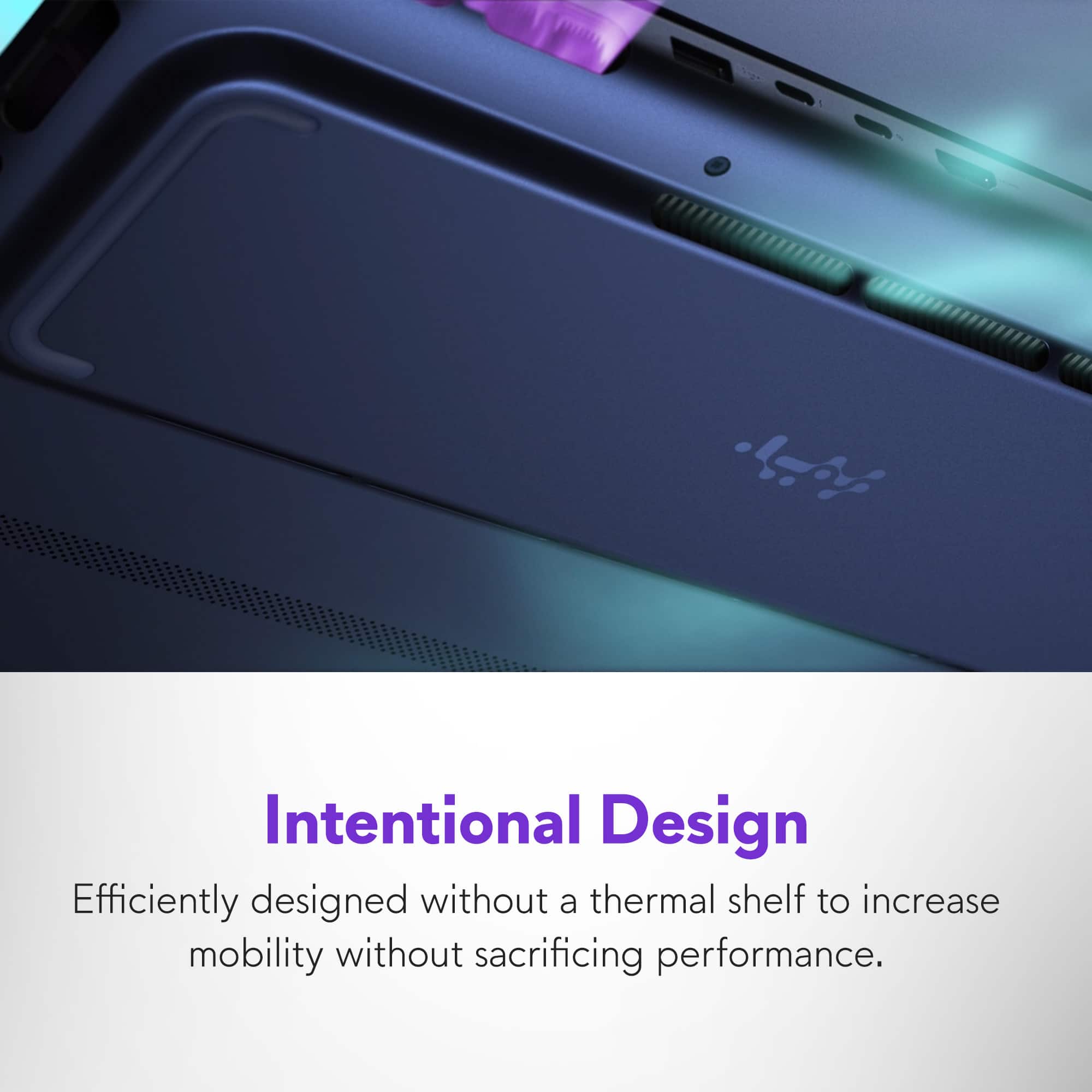
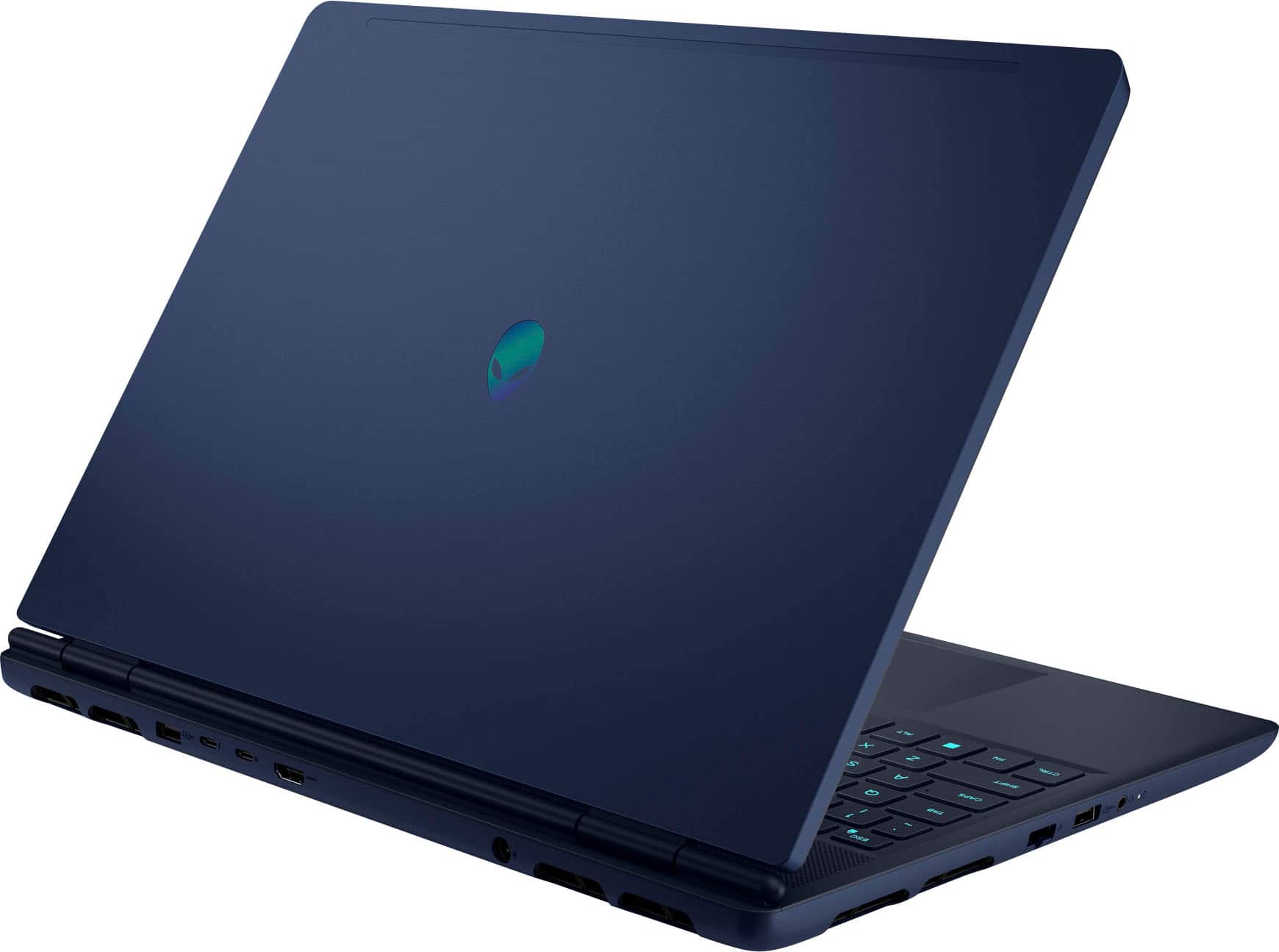
|Posted .This reviewer received promo considerations or sweepstakes entry for writing a review.When Dell purchased the high-end PC maker Alienware, it was in order to compete with emerging and existing power players. And what a great addition it was as Dell kept the brand's quality, design and power that users had come to expect from Alienware. It's 2025 and here is a brand-new line of Aurora 16 gaming laptops which are much more affordable than before. But did they cut corners? Is the quality on par with what you'd expect? Let's find out! The Aurora 16X is a beauty. I had the chance to snatch a blue version of it and it's gorgeous. The blue changes colors and alters between a black and dark blue depending on the light hitting it. It's relatively light compared to other gaming laptops, it's very well designed with plenty of air intake and release (note the little bulge on the bottom which helps boost the cooling). The connectors are spread out between the back and the left side of the laptop, which is almost a perfect layout, as you won't be fighting cables and USB dongles. The power brick is quite hefty, but fits neatly in a laptop bag or sleeve. The keyboard is comfortable to use and features back lighting for those long gaming sessions in the dark. In order to paint a quaint little picture of the Aurora 16X, I will break this down and go over the most important components, design and quality. CPU - This is perhaps one of the biggest highlight of this laptop. It sports a massive Intel Core 9 Ultra 275HX with 12 cores and 24 threads, which includes an internal iGPU as well. To be honest, this is almost overkill for gaming, but it does open opportunities to use it for content creation and more. It's blazing fast and powerful. GPU - You will be able to pick between the iGPU (integrated within the CPU) or a dedicated RTX 5060 laptop GPU. Focusing on the RTX as this is a gaming laptop, I was pleasantly surprised at how well it handled itself with all sorts of games. One big oddity is the choice of the 8 gigs of VRAM: it's genuine GDDR7 and not GDDR6. The reason this is odd is that the desktop versions of the 5060 do not run on GDDR7 but on the slower GDDR6. That being said, it's a boon for anyone who'll pick this laptop up. On the downside, the bus is limited to a meager 128bit. But I was able to leverage the RTX features such as multiple frame generation and other AI tools to speed up the rendering without sacrificing too much on the quality. You'll be able to run most games on medium or high settings depending on the game. Personally, I would have preferred a 5060Ti which would have probably enabled the Aurora to push a little more, but it would have raised the price quite a bit. RAM - That's another aspect of the Aurora 16X I liked a lot. It packs 32 gigs of memory, which is perfect for gaming. I believe we're now done with 16 gigs and don't get me started on gaming rigs flashing a pitiful 8 gigs of RAM. The memory is made by SK Hynix, which is amongst the best memory makers. This is more than enough for almost every task. SSD - This is where scratched my head a bit. The internal SSD/Nvme can only hold 1 TB. Why pack so much RAM into this beast and restrict it on the amount of software you can install without adding another storage device on? Games have become bigger and bigger and there are many that require 200+ gigs or more of storage *each*. You won't be able to store more than a handful of games on this SSD. I would recommend an upgrade down the road to 2 or even 4 TB. Screen - I won't beat around the bush on this one: It's great. With up to 240Hz refresh rate and a vivid 16" diagonal WQXGA, it's comfortable to use in any lighting condition. It's not an OLED screen by any means, but for this price, it's a great screen. Ports - There's plenty of ports, USB-A gen 3.x, Type C, HDMI, audio... you name it, it's there. And the layout is close to flawless. Everything else: The keyboard is great, the trackpad is very responsive and have a nice feel to it. The sound is surprisingly great as Alienware has lodged the speakers below the screen and above the keyboard. The battery life is solid as long as you switch between different power profiles. On battery, you won't be able to play for hours, but, it charges quite fast. The web-cam is nothing to write home about, it's there and functional, but nothing mind-blowing. So the question is: for this price, is it a sound purchase? I would argue that it is actually extremely affordable considering the quality and power. It's a premium gaming laptop at a mid-range price. What's not to love about that? Maybe the underwhelming RTX 5060 Laptop GPU which is not as powerful as it should be, especially looking at the remaining components. But at this price point, to get all this packed in a gorgeous package is a no-brainer. Buy it!
I would recommend this to a friend - Pros mentioned:Battery life, PortabilityCons mentioned:Fan noise
Redefining Your Expectations
|Posted .This reviewer received promo considerations or sweepstakes entry for writing a review.Right out of the box, the new Alienware Aurora 16X instantly caught my attention. With its deep indigo-blue finish and sculpted design, it's easily the most striking laptop that's ever graced my desktop. Features that resonated upon opening were the keyboard, an excellent layout, exacting feel and feedback. Features include Num Keys, perfect backlighting (easily programable), CoPilot+ key, and my favorite, the Stealth key. Two other standout upgrades include relocating the volume controls to the right of the function keys and integrating three dedicated macro keys. The Stealth Key is a genuine game changer. Whether you’re deep in battle or immersed in creative work - and your phone suddenly rings amid swirling fans, one tap shifts everything into Stealth Mode. Fans drop to a whisper, the keyboard glows white, and performance dials back to quiet efficiency. It’s an instant, one-touch override for complete calm. Alienware Command Center, your tool for optimizing and customizing gaming experience. Its intuitive, engaging interface lets you tweak lighting effects, create and switch between game profiles, and fine tune system performance, easily the best ‘alien’ dashboard I’ve encountered. Gaming load times are desktop quick, with an Intel Core Ultra 9 Series 2 processor and NVIDIA GeForce RTX 5060 “NVIDIA Blackwell and AI powered GPU” the Aurora 16X effortlessly sustains ‘60–80 FPS’ on Ultra settings. No matter what I threw at it, the system never skipped a beat. Its brutal performance, crisp QHD+ resolution, and silky-smooth 240 Hz panel make it a winner across the board. Notes: - Intel Core Ultra 9 275HX processor with an integrated NPU - NVIDIA GeForce RTX 5060 - Memory Hynix 5600Mhz DDR5 32GB HMCG78AGBSA095N - upgradable to 64GB - SSD: Micron 2650 1024GB - 9th-generation NAND PCIe Gen4 x4 - Excellent SSD - Screen: 16″ WQXGA (2560×1600) display with 240 Hz refresh rate and 500 nits - HDMI 2.1 port supports up to 4K - Thunderbolt 4.0 (40 Gbps) Display Port/power delivery - USB 3.2 Gen2 (10 Gbps) Display Port - Two USB 3.2 Gen 1 (5 Gbps) - RJ-45 (1 Gbps) - “Alienware Cryo-tech” cooling system - A Favorite is their Full-on User Manual that covers the Aurora from a-z. Thanks I’ve never seen battery life like this on a gaming laptop, my previous rigs drained in no time, but the Aurora 16X easily runs for hours on a single charge, even in balanced performance mode. Its charging brick is incredibly compact, about half the size and weight of the adapter from my last gaming 16″ Core i7 laptop. Thanks to its flexible performance modes and outstanding battery longevity, the Alienware Aurora 16X is the only high-end gaming machine I've ever genuinely enjoyed using as both a daily driver and a gaming platform. Dell's brilliant engineering truly shines in its power management technology. The Aurora 16X ditches the bulky rear “thermal shelf,” relocating its cooler to the underside, shaving an inch from front to back and a quarter inch from side. Significantly reducing the total footprint. This setup channels fresh air in from beneath the chassis and expels heat through vents at the back and sides. Providing remarkable cooling efficiency and tilting the laptop to a perfect angle. Kudos. Alienware always impresses with its meticulous attention to detail and industry leading technologies. I especially appreciate the precision of its engineering design, which makes upgrading memory and storage ‘truly effortless’. Beyond the ease of upgrading your computer memory modules or SDDs, ‘Service Mode’ lets you cut power without disconnecting the battery cable from the system board before upgrades. A clever feature that isolates power safely from components with a simple key command, no need to unplug or reattach the motherboard battery. Results of Bench Marking the Aurora 16X can be found in my attached pictures. 3Dmark Bench Marking: - “Speed Way Ray tracing benchmark for high-end gaming PCs” - “Storage Benchmark SSD performance test for gamers” Conclusion: Having owned and worked with countless laptops throughout my career as a Director of IT, the Alienware Aurora 16X stands above the rest as my Top Pick. With its effortless style, cutting-edge technology, and exceptional design, both inside and out the Aurora 16X doesn’t just meet expectations, it redefines them.
I would recommend this to a friend - Pros mentioned:Battery life, Overall performanceCons mentioned:Weight
A very powerful gaming laptop well worth the price
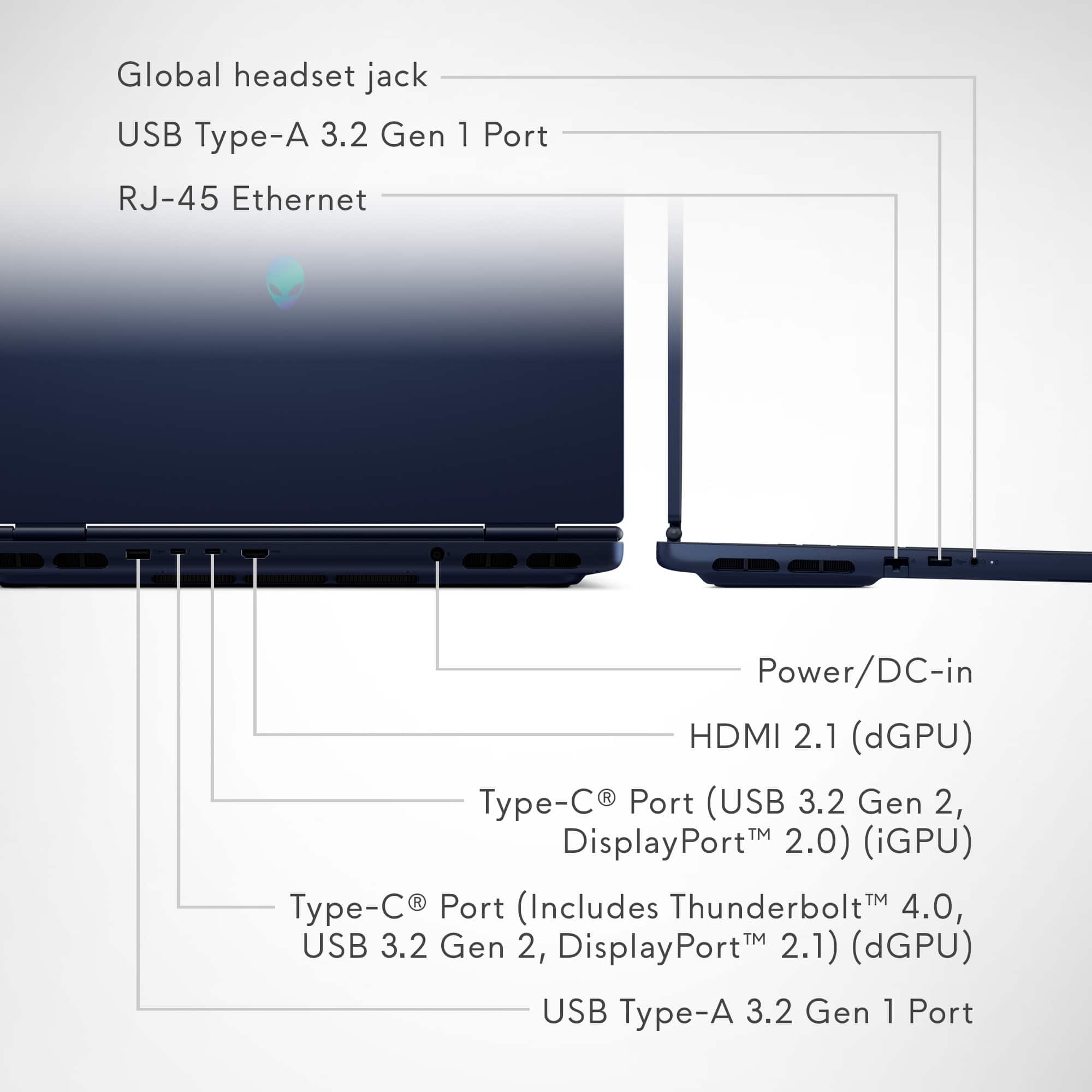
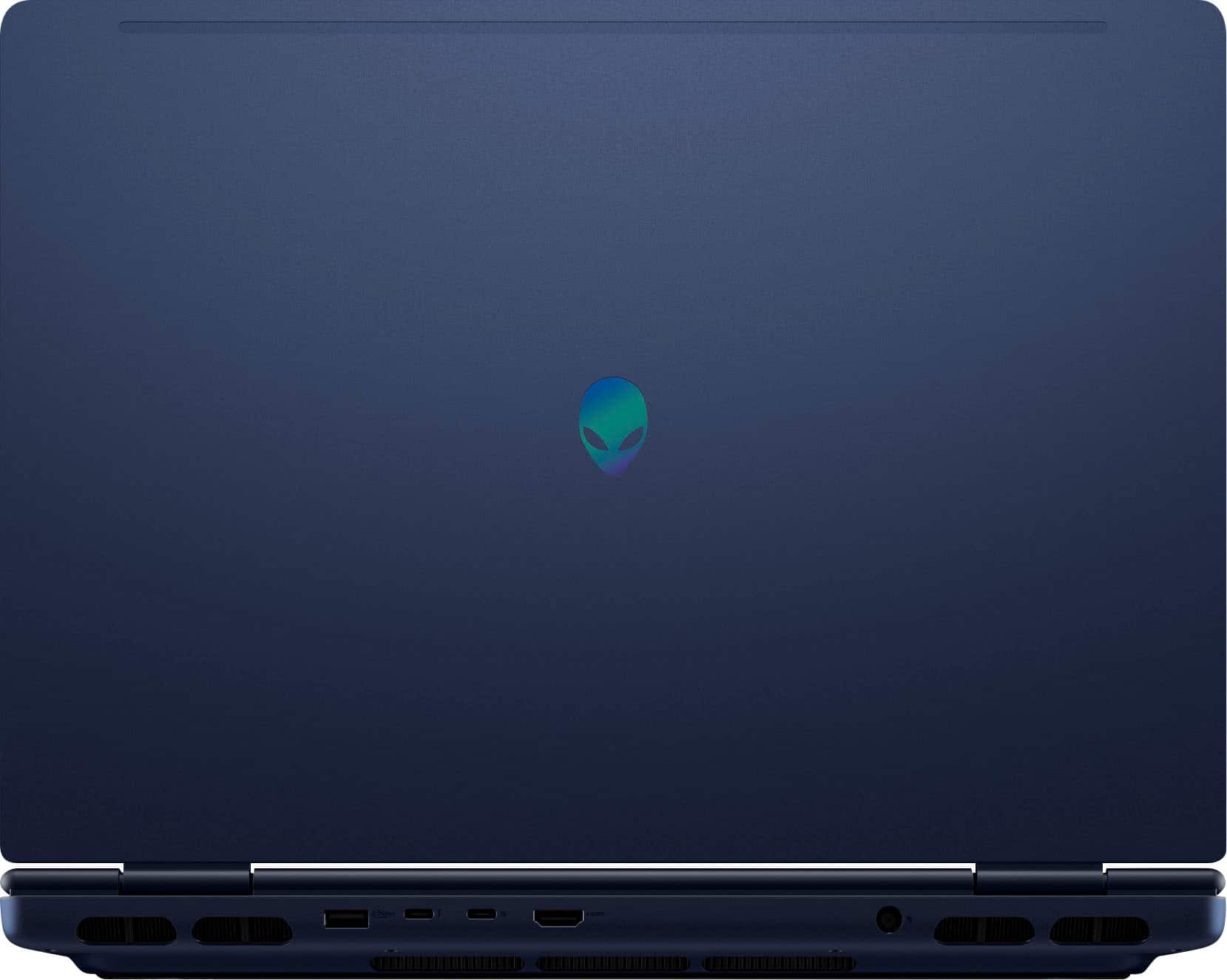
|Posted .This reviewer received promo considerations or sweepstakes entry for writing a review.The Alienware (by Dell) 16X Aurora 16” laptop is a powerful computer for gamers and those needing a lot of power for games as well as certain types of work, such as serious videography. So I’ll start out by saying that if you just need something for general school, office, or personal use, this machine will be overkill for basic needs. This is for people who need power that the average laptop doesn’t give you. That said, If you do need the power, the Alienware 16X Aurora dishes it out. First thing you’ll notice when unpacking it though is the weight. With power comes weight, and this machine is nearly 6 pounds, not including the very large (and also heavy) 180 watt charging brick and proprietary power plug. This is after all designed for gamers who most likely will keep it at home or not tote it around a lot, and while it can be put in a larger backpack, you won’t want to do it frequently. With the weight though, comes a really nice, bright and colorful, 240Hz, 16 inch screen with a sharp resolution of 2560 x 1600. You are combining this with an Intel Core i9 series 2 processor, 32 gigs of RAM, a dedicated NVIDIA RTX graphics card with 8 gigs of dedicated video RAM in itself, along with a 1 terabyte SSD drive for storage, So again, a very powerful system. Setup was a little frustrating. The initial setup takes a while as the Aurora needs to download updates, but make note – after all is said and done, if you manually go into the Updates area in settings, it will find a number of additional updates to install, including firmware which takes quite a while. So, expect full setup to take quite a bit of time. After the firmware update, it erased by initial face recognized login and PIN I had set up, and I had to redo both. So maybe expect a little frustration as well. You’ll get plenty of ports with the 16X Aurora. Many of them are on the back (my preference) so they’re out of the way. On the back you have your power port, a HDMI 2.1 port, Two USB-C ports (one being thunderbolt 4.0) and a USB-A port. The left side has your headset jack, another USB-A port, and an Ethernet port should you wish to hardwire instead of using Wi-Fi. A new what they call “Cryo-Chamber” cooling system exhausts hot hair from the back and sides, and does seem to work really well. I can feel very warm hair being pushed out during processor-heavy activities and it works well as the machine doesn’t feel hot to the touch. A stealth mode quiets things down a bit while bumping the power down a notch, but even when the fans are in use more, they just sound like air and to me, are not disturbing (no odd whines or noises). The keyboard feels good. Not quite the best I’ve used, but comfortable. You still get a dedicated numeric and F-set of keys. A nice blue-purple light under the keys has a couple of brightness settings. The trackpad has a good give to it and works as it should. A 1080p web cam is good in medium to good light and offers all normal settings including background blur now, although it does not have a physical privacy shutter, which would have been nice. The speakers are loud and clear and I’d say good overall, though a lot of people will most likely be using headsets when gaming, and the headset jack works great. Overall, the entire physical setup is very good with no serious complaints. As is now the norm for new PCs, you have a dedicated Microsoft Copilot key so you can interact with the Copilot AI for help with a variety of projects, pictures, and questions. Works as it should, though use it as a tool, and don’t let it do your work for you! The combination of the i9 processor, RAM, and NVIDIA card in the 16X Aurora lets you use the most common intensive software. I have had no issues at all with the Adobe suite, even with heavy layer photo projects or video editing. I have tested an older Microsoft video encoder that was notorious for eating processing power, and while it kicked the fans on full blast, it was still no problem for this machine, and within a minute the fans went back to normal. Good stuff! High demand games like Avowed, Creed, and Cyberpunk have worked fine. There have been only a couple of frame skips, but that is most likely due more to the speed fluxes of my internet connection and I don’t believe them to be any issue with the computer hardware. I’ve had no issues with the Wi-Fi 7 or Bluetooth connectivity. Battery life is typically never great on a gaming laptop due to the higher power needs they have. The 16X Aurora is pretty typical. If you are actually gaming or doing video editing, you definitely want to have your power brick handy, especially if you are taking the laptop out and about, and again, factor in the total weight of the laptop and the large brick when having to do so. If you are using it for simple day-to-day tasks, the battery life is actually pretty good and I haven’t had any issues getting through a day with some to spare. Aside from a couple of minor frustrations during the initial setup, I would still definitely recommend the Alienware 16X Aurora to people who need the hardware and features it offers for those specific uses. It has a great screen, lots of processing power, and it's not loud. It’s certainly not a light, portable, everyday-use computer, but is again for people who need the power those everyday laptops don’t offer. And for those who need it, is to me, well worth the asking price.
I would recommend this to a friend High end costly LEMON
||Posted . Owned for 2 weeks when reviewed.This reviewer received promo considerations or sweepstakes entry for writing a review.Multiple crashes, mouse freezes at random times, takes over a minute to startup, and BestBuy will not fix it. Laptop was fully reset to original software and continues to have issues. A brand new lemon that BestBuy refuses to fix.
No, I would not recommend this to a friend- Pros mentioned:Portability, Processor speedCons mentioned:Fan noise
A Powerful Mid Range Gaming Laptop
|Posted .This reviewer received promo considerations or sweepstakes entry for writing a review.Alienware’s new 16x Aurora gamin laptop line has many options to suite an array of budgets. From Core Ultra 7 processors to Core Ultra 9 and a few choices of GPUs in the RTX 50 series, games can find what works within a budget. Performance The 16X Aurora replaced a laptop that had a Core i7 CPU and an RTX 4060 GPU. This change to the 16X feels like it’s more than a single gen upgrade. The CPU is much faster than what I had and the RTX 5060 handles higher frame rates with ease in games such as Battlefield 2042 and Call Of Duty. The 5060 GPU is able to drive my 49” 5120 x 1440 monitor in those games at high frame rates without it getting laggy. My strategy and driving simulation games work well with it. The HDMI 2.1 port, which is what is connected to my 49” monitor, is driven by the 5060. There isn’t any kind of odd switching I have to do to make sure the integrated GPU isn’t trying to run a game. The laptop display running at 240Hz is amazing. Everything is so smooth. It also helps that it is a 16” display. The increase in size over my previous gaming laptop’s 15” display is noticeably better. It’s more screen real estate without the laptop becoming too cumbersome. A larger screen with the same portability as a 15” laptop and without it weighing a ton. This is definitely worth the upgrade to the 16X for me. It was good that Alienware added in a Thunderbolt 4 port that supports Display Port 2.1 Software The 16X comes with the Alienware Control Center software which allows me to set various settings. The LED keyboard light setting is set in the Control Center. There I can choose a to create multiple presets on a per game basis or set it to always show the LED setting regardless of what game I’m playing. There are also profiles for games which allow a per game profile or I can set it to use whatever power setting I have set for all games. The Control Center is also where I can monitor CPU and GPU fan speeds and temperatures. I can also turn on a game overlay using shortcut keys. The Control Center also found what games I have installed so I can launch them from within Control Center. It simplifies things to be able to launch the game from Alienware Control Center and have my profile of the game loaded. Size/Weight/Construction The body of the 16X is well made and solid. It’s what I would expect of an Alienware laptop. There’s no LED lighting on the lid, just the Alienware alien badge. There is a lot of air that moves into and out of the laptop when set to performance or overdrive. The fans kick up speed and you can definitely hear the fans working. Alienware’s design seems to be a good design as it does keep the down when I was playing a first person shooter which taxes a GPU more than any other type of game that I play. Weight is good. I have a couple of gaming laptops that are older that weigh much more than the 16X, so I’m happy with the weight. The keyboard is comfortable to type on. It doesn’t have multi-zone lighting, but the lighting looks good and covers the whole keyboard. You can also change the color in the Alienware Command Center software. The palm rest on the laptop is somewhat slip resistant. The touchpad is very responsive. I had no issues with it. The is well made and doesn’t flex if you lifting the lid up with one hand on one side of it. The two hinges for it are smooth and hold the lid/screen in the position that I want. Specs The specs for the model I have are a 16” 240Hz WQXGA display, Core Ultra 9 275HX CPU, 32GB DDR5 RAM, GeForce RTX 5060 GPU with 8GB of GDDR RAM(plus the integrated GPU), 1TB M.2 PCIe NVMe SSD, WiFi 7 802.11be wireless NIC, 1GB wired NIC, 2 USB-A 3.2 Gen1 ports, 1 USB-C 3.2 Gen2 port, 1 Thunderbolt 4 port that supports DisplayPort 2.1, 1 HDMI 2.1 Port, 3.5mm audio jack, and a 1080p 30 frame per sec HDR webcam built into lid just above the screen. For the price range, this isn’t bad. I would have liked to have seen at least a 2.5Gbps wired NIC in it and at least a camera that would work at 60fps or 4K 30fps, but 1080 is high enough resolution for me when overlay the camera over my game footage, render it, then upload to YouTube. 4K would have given me enough room to play a little with the overlay. Final Thoughts Overall I’m very happy with the Alienware 16X Aurora 16” laptop. I have a larger screen without increasing weight. This laptop is lighter than the one it replaced. The RTX 5060 runs much better the the 4060 I was previously using. I can also run two monitors off of it if I choose to do so. One via the HDMI port driven by the 5060 and one via the Thunderbolt 4 port that is driven by the integrated GPU. I’m also impressed with the heat dissipation while gaming. I expected it to get incredibly hot, but it didn’t. A good design by Alienware. If you are looking for a good gaming laptop in the mid range that is reasonably priced, then consider the 16X Aurora. Stepping up to high end gaming laptop will double the price, so I’m glad to see that Alienware has a mid range option for all of us.
I would recommend this to a friend - Pros mentioned:Battery life, Overall performance, Portability
Perfect Balance
|Posted .This reviewer received promo considerations or sweepstakes entry for writing a review.The Alienware Aurora 16X with the Intel Core 9 Ultra paired with the Nvidia GeForce RTX 5060 is the perfect balance between gaming laptop, and productivity powerhouse. I love the giant screen that is so beautiful to look at with the 240hz refresh rate, this makes for an easy day of spreadsheets and an even easier night of gaming! I have enjoyed many hours of gaming on this laptop and I have to say that it definitely delivers! I have had no issue running any mainstream modern games, and they have all ran flawlessly! I have also really enjoyed using this laptop in bed to watch movies, where it continues to shine! The battery life is amazing for this machines level of performance, and I will definitely be taking this laptop with me on vacations and business trips. If you are looking for a desktop replacement, I would highly recommend this device as well, the USB C port on the rear of the device offers a rock solid connection to a compatible USB C dock, which I currently use. This allows me to plug this into my desk setup and have all of my monitors and peripherals connected instantly, which just adds even more to the allure of this device!
I would recommend this to a friend - Pros mentioned:DesignCons mentioned:Heat dissipation
Great Entry Lv Gaming, Mind the Temps
|Posted .This reviewer received promo considerations or sweepstakes entry for writing a review.I wanted to throw a Halo Lan party but needed one more computer, so I decided I’d grab a gaming laptop that would be an upgrade to my aging Alienware m16 R1. I saw that Alienware had the 16X Aurora on sale, so I grabbed one to get ready for some FPS fun! Pros: - Good CPU, GPU, and RAM size for entry level gaming. - Bright LED Screen with high Refresh Rate! - Sleek & Modern Design. Cons: - Runs hot, hits thermal limits easily underload. Works best with cooling pad. Out-of-the-Box: Included in the box is the laptop, wrapped in a nice paper cloth, and 180-Watt laptop charger. One change I liked was the standard slim charger being included with the gaming laptop instead of the giant brick of prior models. It’s a lot easier to fit the laptop and charger in a bag with the smaller charger. Alienware doesn’t change much about the standard windows setup for the 16X Aurora, including only branded logo here and there. I had no issues during initial setup. Specs & Considerations: The Alienware 16X Aurora is build with a 16in LED display with a resolution of 2560x1600 and a high frame rate of 240Hz. The big plus with this screen is the brightness of 500 nits, whereas normally a laptop screen is between 350-400 for LED displays. This is perfect for playing a Shooter game like Halo or Fortnite. With the paired RTX 5060 8GB dedicated GPU, you should be able to take advantage of the screens full 240Hz refresh rate when running games at low to medium settings or adjusting the Resolution down. This is a good entry level configuration, though if you want to take full advantage and push the 16X Aurora to the limit, you might want to consider picking up the RTX 5070 model, but a much higher price tag. The 16X Aurora includes an Intel Core Ultra 9 275HX CPU, a 24 core CPU with 8 Performance and 16 Efficiency cores. The big thing to look at here is the Processor Base Power of 55 W, with a Max Turbo Power of 160W!! That’s crazy amounts of power for a laptop CPU to have, which also means a ton of extra heat. Luckily, I’ve got a powerful laptop cooler I can use with it, but if you don’t have one you might want to consider it or at least prop up the back to provide a little more airflow. I’m happy to see the 16X Aurora come with 32GB of DDR5 RAM, though I would have liked to see RAM Speeds of 6000-6400 MT/s being used. At least the RAM can be upgraded post purchase to a larger size such as 64GB. Additionally, there are 2 M.2 drive slots, with only 1 being populated in this model. The owner’s manual state up to 2TB’s, but I’d suspect 4TB & 8TB drives should work just fine. The big benefit here is each slot is PCIe Gen 4, with up to 64 Gbps! Case: I like what Alienware has done with the case design of the Aurora laptops, the new Sleek and Modern simple brushed aluminum back of the display and hard plastic elsewhere look gives off a subtle gamer vibe but could pass for a professional laptop. Overall build is sturdy, the screen hinges are solid and only wabble a little. This is a gaming laptop, with a weight of 5.86lbs it is heavy buy on the lighter side compared to other 16in models. The case also measures in a little smaller at 0.92in in height, ~14in wide, and ~10.5in deep. Connectivity: The 16X Aurora has ports on the Left and Back side of the laptop. On the Left side there is Combo 3.5mm Jack, USB-A 3.2 Gen 1, and Compact Ethernet port. One the Back side are the Power, HDMI 2.1, USB-C Thunderbolt 4 with DisplayPort 2.1, USB-C 3.2 Gen 2 with Power Delivery, and another USB-A 3.2 Gen 1. Port wise, this is plenty but would have been nice to have a DisplayPort or another USB-A port. Wireless connectivity is support with the new WiFi 7 standard and Bluetooth 5.4 on a wireless card that is replaceable. Having a replaceable wireless card is a huge plus for future upgrades and potential repairs. Look & Feel: I mentioned it before, but the Sleek and Modern look of the 16X Aurora is an appreciated change in design that looks more polished and professional than older gaming models. I wish the brushed aluminum was used throughout the case, as it just gives a little more premium feel and works better for cooling the laptop, but I can understand that would increase the price as well. The plastic parts do feel good, and don’t retain fingerprints or smudges as much as the brushed aluminum. The additional screen brightness is a huge plus, making colors look more vibrant and helping see detail even in bright or direct sunlight. The only better panels I’ve seen are OLED or Mini-LED, which usually come with a steep increase in price. The 240Hz frame rate helped keep games and videos running smoothly, I was able to keep a 200+ framerate on Fortnite with low to med settings and Nvidia DLSS on, I didn’t notice any major negative impacts like latency or artificing. Again, depending on your preference, if you want to use Ray Tracing or other demanding features, I’d suggest getting the RTX 5070 model, but if you just need light gaming or coming from a console, the RTX 5060 is plenty for most games. The keyboard feels very solid and comfortable to type on, one of the little things I look forward to on gaming laptops. The keys are slightly tactile but quiet, perfect for gaming on the go. I was not a huge fan of the trackpad, but that is mostly due to preferring a mouse over the trackpad. If you’re going to be gaming, I’d assume you’d attach a mouse or gamepad instead of using the trackpad. Performance: Overall, I found the performance was good for entry level gaming, mainly 1080 with Medium to High or 2K with Low to Med settings without Ray Tracing on. If you enable Ray Tracing, you will have to drop down the other settings to achieve 60FPS or rely heavily on DLSS to stay above 60FPS. For most common titles, this shouldn’t be an issue, but for newer games or unoptimized ones, you might be better off disabling Ray Tracing. Having 32GB of RAM really helps make this configuration work, providing enough RAM to game while having the background tasks running like a web browser, music, or discord. For games that heavily rely on the CPU, you should have plenty of power with the Intel Core Ultra 9 275HX, but you might run into overheating issues quickly. I found I could easily hit the thermal limits playing games or running CPU intensive tasks. But this was easy to solve with an external cooling pad, even just adding a little more height to the back of the laptop to increase airflow under the laptop made a huge difference. If you’re planning to use this for long gaming sessions, I would highly recommend investing in a good cooling pad, even one specifically for gaming laptops to get the most out of the laptop. Conclusion: If you’re looking for a good entry level gaming or content creator laptop, the Alienware 16X Aurora is a solid consideration with the only downside being the overheating concern due to insanely powerful Intel Core Ultra 9 275HX within. But that can easily be solved with a laptop cooling pad or a little elevation off the surface. If you’re just coming over to PC Gaming or mostly play games that are 5 years or older, this is a perfectly capable gaming laptop with enough power and future upgrades to keep you gaming for years to come! I’ll be replacing my older Alienware m16 with this 16X Aurora!
I would recommend this to a friend Kernel error immediateky after buying
||Posted . Owned for 3 weeks when reviewed.This reviewer received promo considerations or sweepstakes entry for writing a review.Computer had serious issues immdiateky after purchase; seems to happen only with dell computers. Im not ourchasing computers from best buy. This is the second computer where this happens .. screen of death and or kernel security check failure
No, I would not recommend this to a friend