Customer Ratings & Reviews


- Model:
- AWM17-7219SLV-PUS
- SKU:
- 6320424
Rating by feature
- Value
Rating 4.2 out of 5 stars
- Quality
Rating 4.5 out of 5 stars
- Ease of Use
Rating 4.6 out of 5 stars
Customers are saying
Customers value the high performance and impressive graphics capabilities of this 17.3" gaming laptop, frequently praising its large screen size and solid build quality. However, some users experienced issues with heat generation, battery life, and fan noise, while others found the refresh rate and touchpad less than ideal. Despite these drawbacks, many appreciate the laptop's speed and storage capacity, along with its competitive price point.
This summary was generated by AI based on customer reviews.
Didn't last long
||Posted . Owned for 2 months when reviewed.This reviewer received promo considerations or sweepstakes entry for writing a review.I have only had this for a little less than 3 months and I'm having to take it in for maintenance for the second time now I'm hoping I just got a bad egg but I wouldn't count on it.
No, I would not recommend this to a friendBrand response from YourDellTeam
Posted .Caleb,
Thanks for your review. We're sorry that your computer has given you issues so far. We hope that they are resolved when you take it to be fixed this time. If you have additional questions about your computer you can check our Product Support Page here: https://dell.to/2X3ywzY.
Best,
Bryan
1-800-624-9896
worst there is
||Posted . Owned for 1 year when reviewed.This reviewer received promo considerations or sweepstakes entry for writing a review.been the worst computer i ever owned , new hard drive replaced and now other issues
No, I would not recommend this to a friend
Beast of a Gaming Rig!
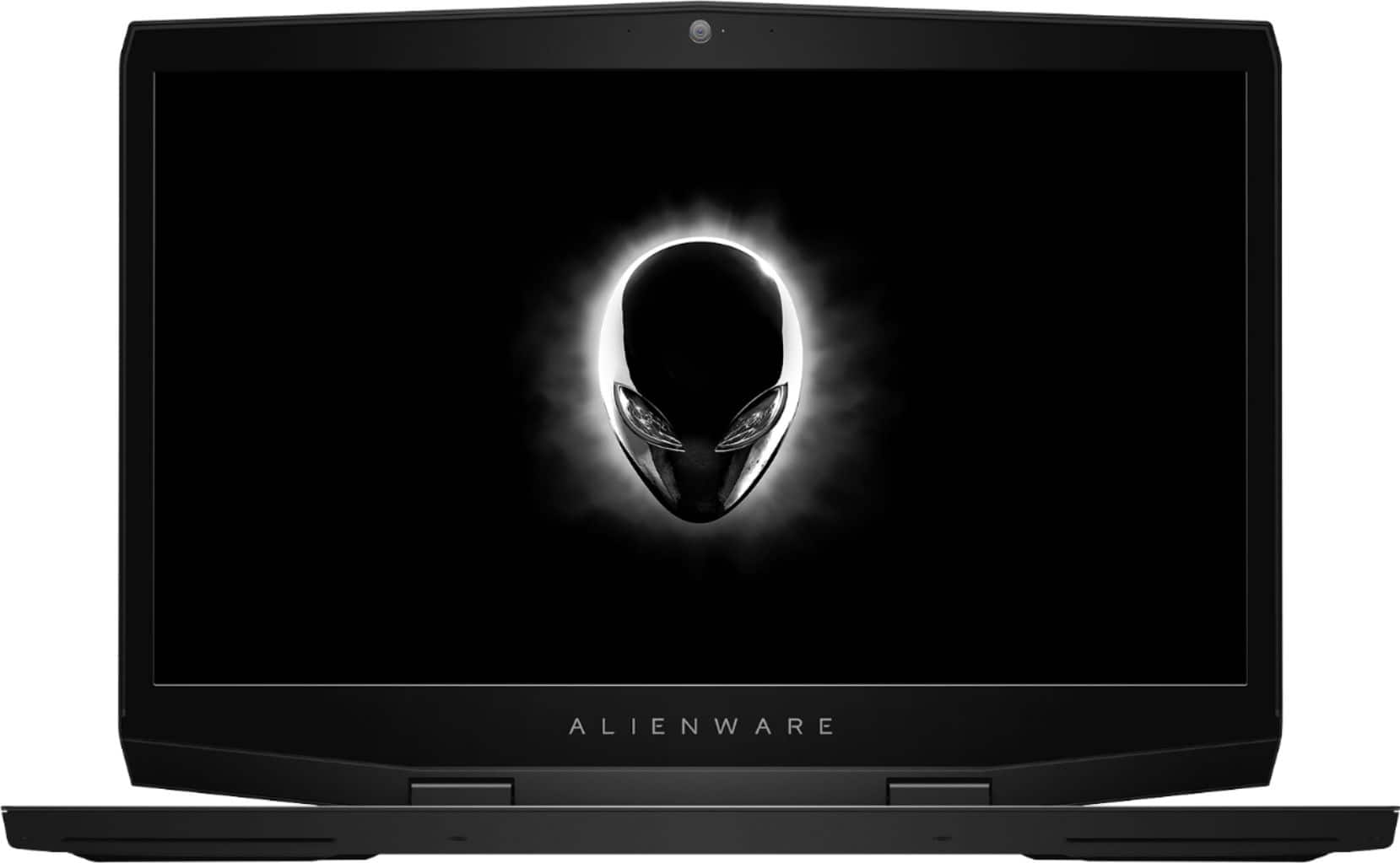
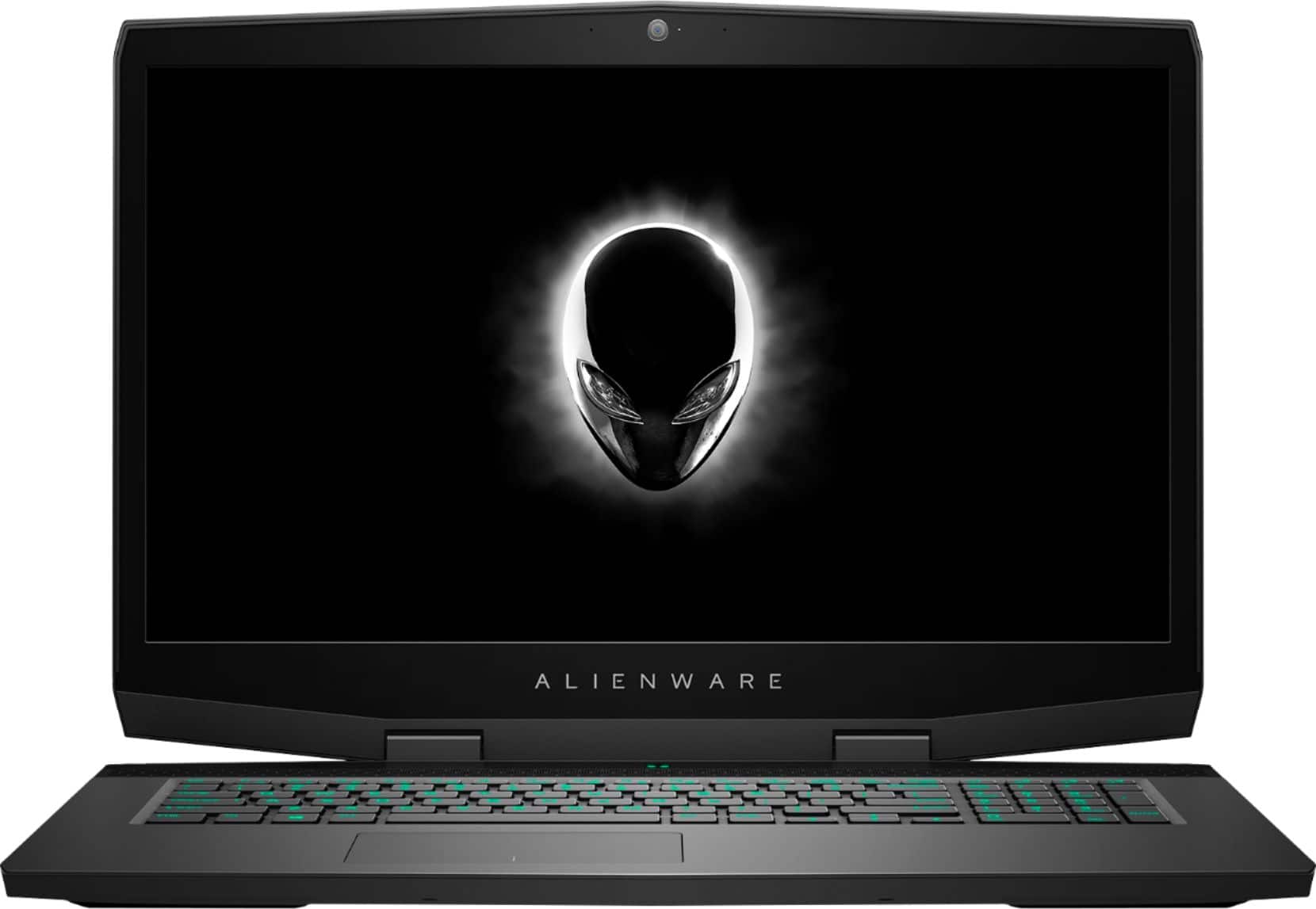
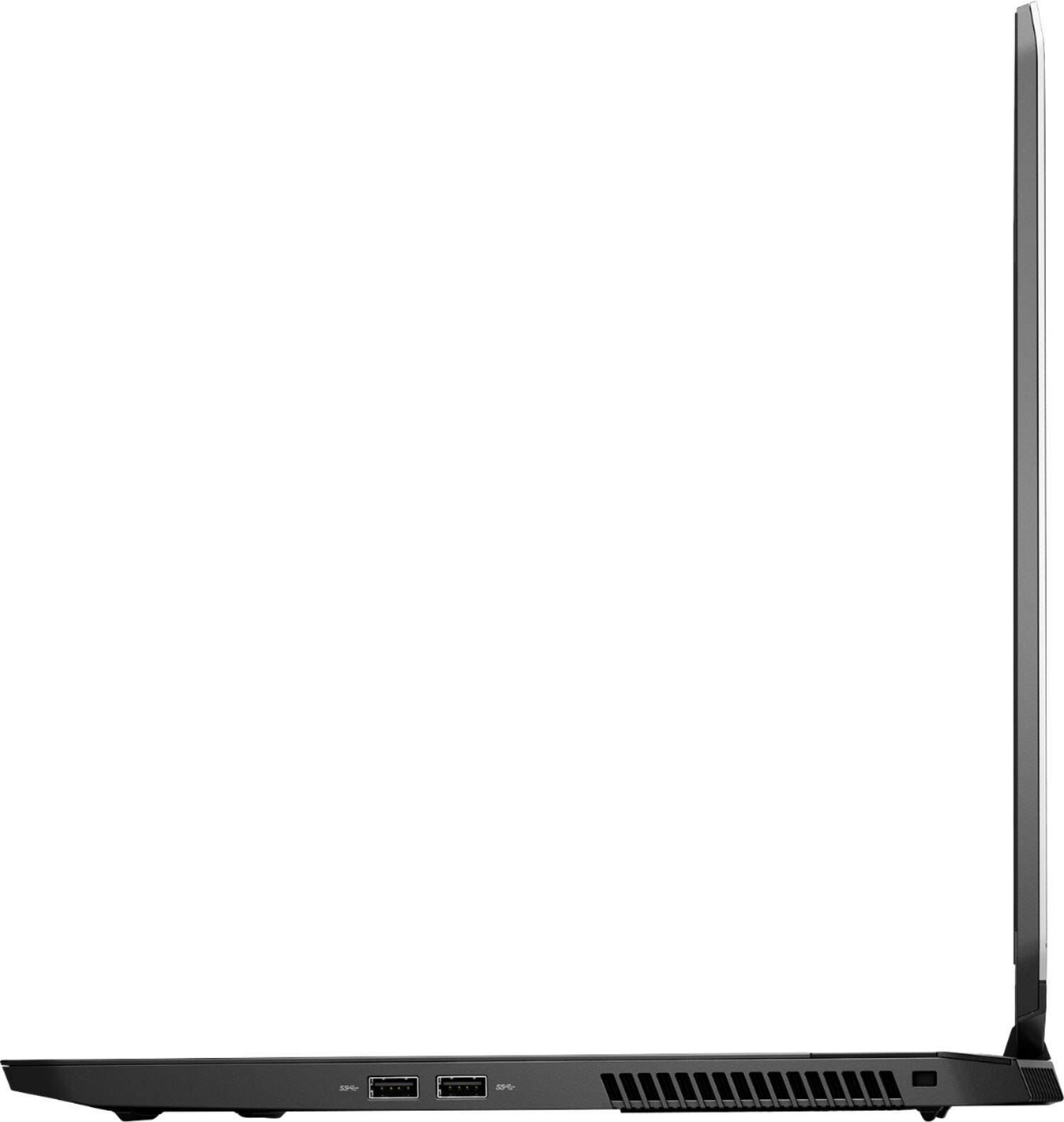
|Posted .This reviewer received promo considerations or sweepstakes entry for writing a review.I haven’t had a 17” laptop in a very long time due to the weight and impracticality of them as portable machines. I was not even interested in the previous gen Alienware for this reason. However, their new rig is only 5.8 pounds and has been slimmed up significantly. I feel this laptop is just on the edge of being portable enough to be used as an everyday laptop. Any heavier, thicker, or wider and I wouldn’t want to take it with me places. But so far I’ve had no issues stuffing it into my bag and using it as my work laptop a few days out of the week. It also gave me the chance to enjoy the jealous looks on my coworkers faces. Somehow Alienware has made their thinnest and lightest 17” ever and still maintained that gaudy and signature look. I absolutely love it. Some may miss the extra LEDs on the sides and touchpad seen on last year’s model but there is no mistaking this for anything other than an Alienware. While the display’s bezels on the side are pretty narrow the top and bottom are exaggeratingly large. If you are seeking the smallest footprint possible for a 17” look elsewhere. Other reviewers have criticized the use of glossy plastic around the display but I don’t mind it at all. The soft touch material used on the keyboard deck feels very premium. While not mechanical, the quad zone RGB lit keyboard is comfortable to type on and works just fine for gaming as well. If there was one thing to knock about the hardware it would be the trackpad. Despite being Windows precision drivers it is quite small when compared to the rest of the laptop. The display itself is a beautiful 1080p panel that has this uncanny ability to allow me to get sucked right into a game. Seriously, I thought playing on a 15” screen was good enough but now I’m spoiled with these two more inches. The colors are great and I don’t see as much uneven backlighting that I do on other manufacturer’s panel (although that may just be good luck on this particular unit). The speakers are bottom firing but are positioned towards the very front of the laptop and angled towards you ever so slightly. They are surprisingly loud for laptop speakers. That said, during gaming or other heavy duty work the fans do get pretty loud as well and you will hear them even over the speakers. The tall bezels leave plenty of space for the webcam in the traditional location above the screen. It includes an LED active indicator as well as two microphones on either side. Battery life has been about what I expected. With such a large screen, beefy components, and only a 60 wh battery I’m seeing around 4-5 hours with general use. Of course, like any gaming machine all bets on battery are off when you are actually gaming. The large power brick is a bit disappointing especially when I have other machines with similar wattage power supplies that are significantly smaller. Not a deal breaker but I believe Alienware could do a much better job in slimming it up. On the bright side the power that it provides is enough to keep the system fully charged even during intense gaming sessions. Performance wise this thing is a beast. The i7 8750H is plenty of CPU for a gaming machine and the RTX 2070 MQ is one of the top end cards from Nvidia in 2019. I played almost 8 hours of Cities: Skylines in my lap one day and while the fans were loud and I could feel the hot air it never was too hot that I felt I needed to place it on a table. Pros: 17” beast yet under 6lbs Rugged and tough build quality Core i7 8750H 6 core RTX 2070 MQ 8GB GDDR6 Excellent Keyboard 16GB of DDR4 2666 RAM Killer 1550 wifi and gigabit ethernet Intel Bluetooth 5.0 Excellent expandability options Cons: Oversized Charging Brick Only a 60hz Display Small trackpad No Windows Hello No SD slot Overall, if you're primary goal when shopping for a new laptop is gaming I do not think you can go wrong with this one. I have several gaming laptops and this is now my favorite for gaming on the go.
I would recommend this to a friendFast machine for professional graphics software
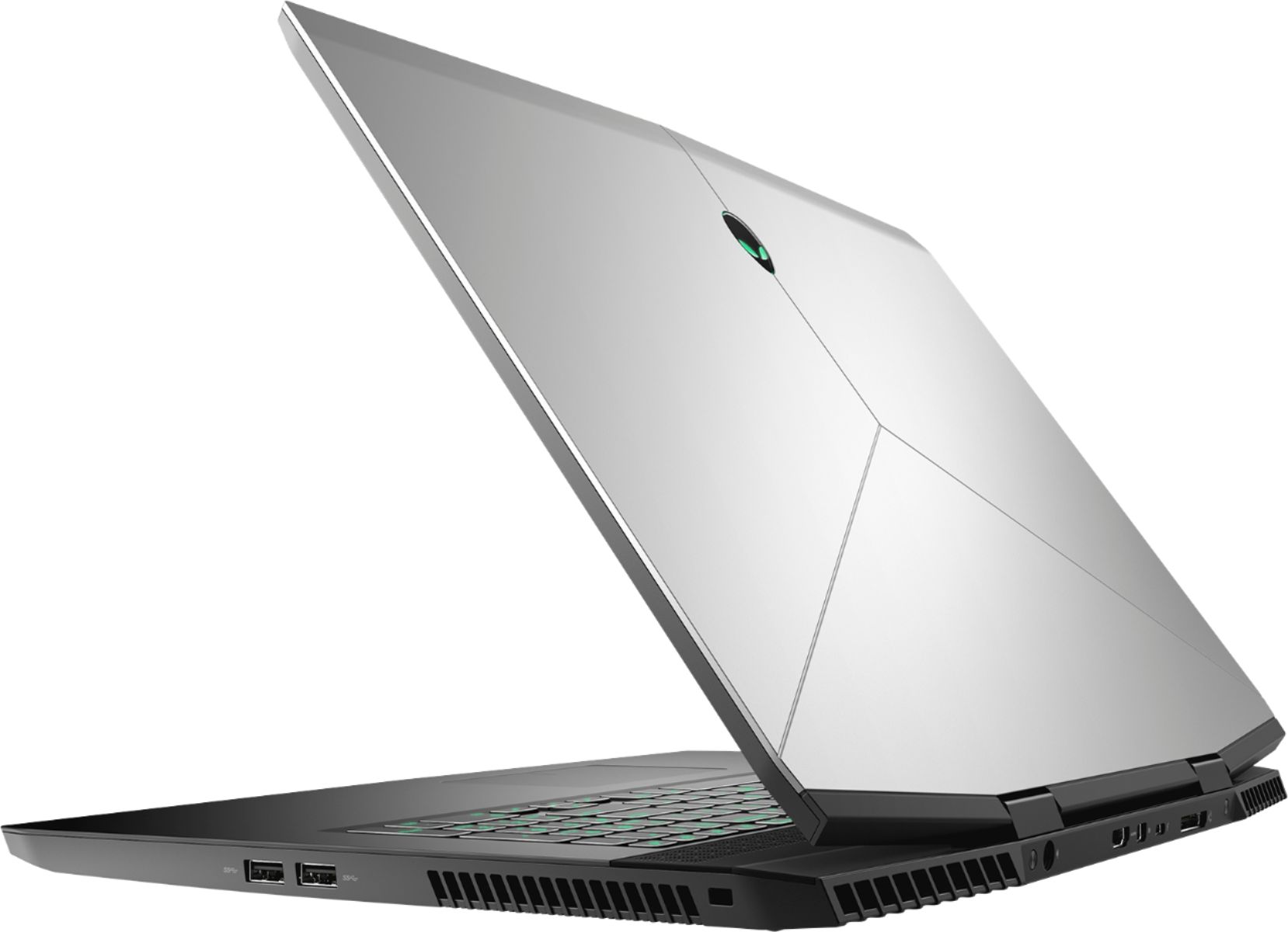
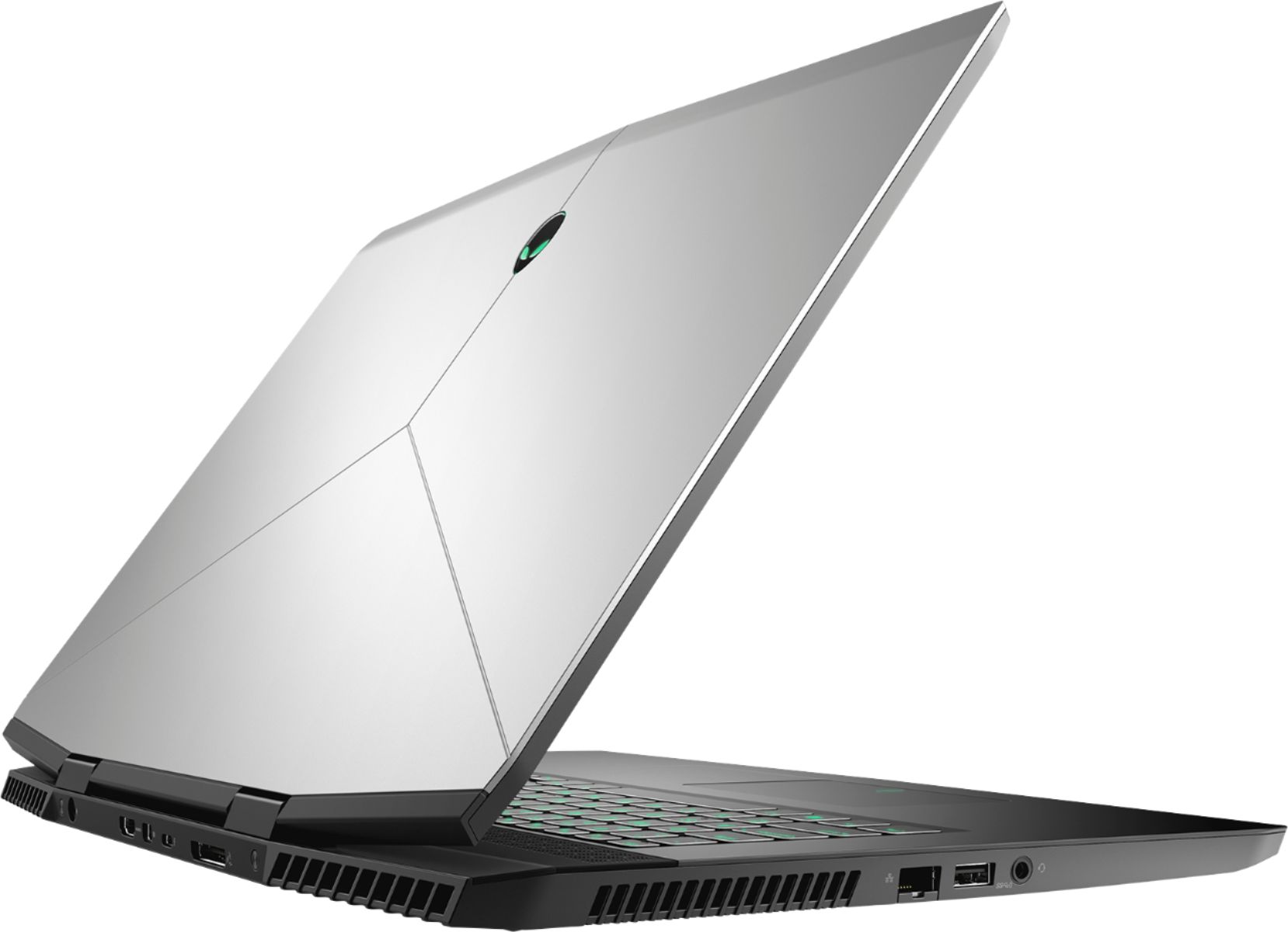
|Posted .This reviewer received promo considerations or sweepstakes entry for writing a review.This is the fastest laptop I have ever used. The specs are out the roof, Intel Corei7, 16GB Memory, 512GB SSD and 1TB of hybrid hard drive. The graphics could have had more of a “wow” factor for the price, but this machine flies. It's technically a “gaming” machine (god I hate that phrase), and if you like to play a lot of intense graphics games I can't comment on it's abilities or shortcomings. I have played Diablo 3 on it at the highest speeds and graphics settings and it had no trouble at all looking and sounding superb. For anyone else who actually wants to use this machine for real work, it's fantastic. The Core i7 works great at allowing you to open several programs at once and keep them open while surfing and checking email at the same time. A 4k display might have been nice but the screen and HD resolution are adequate. I use this machine for graphic development and simulation and it performs flawlessly. I'm able to go from one program to another without the slightest delay. It's nice to not have to wait for a machine to catch up with me for a change. The overall build is really nice looking and solid. Medium gray outside with a black keyboard area and screen bezel. The keyboard is back lit and you can change the color of the back lighting (and even the front and back alien heads). It would have been nice if the touch pad also lit up, it tends to blend into keyboard deck just a little too much without it. The touch pad feels good and solid and the buttons have a audible click to them. The keys are responsive and feel good although not stellar. Sound is very good and has really nice depth to it. It sounds good at all the volume levels I tried. Jacks are adequate for pretty much anything you want to plug into it and include a thunderbolt port, an HDMI port and three USB 3.0 ports. Plus it has the options we've all come to expect on any new machine like wireless AC connectivity and a built in web cam. The look of the entire machine is really cool and it has a well designed, and professional feel. Really a pleasure to use.
I would recommend this to a friend- Pros mentioned:Screen size
Desktop replacement made mobile.
|Posted .This reviewer received promo considerations or sweepstakes entry for writing a review.This is a very solid "gaming" laptop with a expensive price tag. Though, similar specs laptop are around the same price range. Very fast boot up with a great amount of storage space. Delicate GPU is amazing when connecting to an external monitor with high res via Thunderbolt or HDMI which are located on the back-end of the laptop (very nice touch). The screen is a 1080p 60hz that is very sharp and capable. While this is portable, it does carry some weigh to it. Good battery life (3-4 moderate gaming, 4-5 general use) and does run a bit on the warmer side. I can see this as a desktop replacement gaming computer if you're looking for that portability to travel with, but purchase when it's on sale. It's a hefty price tag but worth it. Thanks.
I would recommend this to a friendBrand response from YourDellTeam
Posted .drklbc,
We appreciate your positive feedback for this Alienware model. We noticed that you mentioned that your computer can run a little warm at times. We wanted to make sure that we are aware that this system can run a little hotter than you are used to but the Alienware Command Center allows you to control the system temperature.
• To tune your system, go to Alienware Command Center and select out of 4 different thermal profiles that will help you manage system temperatures as well as performance output to your preference. These include Cool, Quiet, Balanced, and Performance thermal profiles.
• Our Alienware also m15 follows 8th and 9th generation Intel performance design guidelines, which can lead CPU temperatures to reach 100°C to output top in-game performance.
• We fully warrant the product under these conditions. If you see CPU temperatures rising beyond 100°C on Alienware Command Center, please contact support and they will take care of your issue - https://dell.to/2Inbc8F.
You can view additional information on this site: https://dell.to/2IIhqjJ.
Best,
Bryan
1-800-624-9896
Exc. gaming laptop with the latest and greatest!
|Posted .This reviewer received promo considerations or sweepstakes entry for writing a review.Overview: When you open the box, the first thing you may notice is the clean, bold design. The vents are angular and made from metal, sort of reminds me of a tank, it feels solid! The Alien logo on the cover lights up and the color can be changed with the “Alien Command Center” software. At almost 6 lbs, this is not the laptop you want to lug around unless you plan to be gaming! The packaging is very simple, you get a laptop and a charger. The charger is quite large, it measures 8”x4”. This is by far the largest charger I’ve had for any laptop! Since the corners of the screen (where the hinges are located) are angled, when you open the lid, you get this sort of weird triangle seam on the corner. My son didn’t like it, I wasn’t bothered by it, it is unique as other laptops are usually a straight line. I thought it was fine. Performance: This laptop is a beast, it features the Nvidia Geforce RTX2070 GPU with 8GB video memory, Intel i7-8750 processor and and 16GB of DDR4 RAM, I didn’t expect any lag or other issues with the games I play. Admittingly, the games my kids and I play are not “AAA” games, they include Fortnite, Overwatch, Battlefront and Call of Duty WWll. Even with the settings for Fortnite on “Epic”, the laptop performed great, no lagging at 56-60FPS and 6.7ms. The laptop gets very warm, the fan stays fairly quiet, even at high speeds, it’s not very loud or obvious. The 17” display is an IPS panel at 1080P with a refresh rate of 60Hz. The colors and viewing angles are great, no issues. There is a good selection of I/O ports, HDMI 2.0, Mini display port, USB-C, 3xUSB 3.1. I was able to output this to 65” TV with no issues. Note: There is no CD/DVD drive. I guess these are becoming obsolete, but every once in a while, they come in handy. The keyboard is backlit, you can also change the color and lighting pattern on it. It feels, well, plain. Not much different from any other laptop I have. Speakers: I found the sound quality to be very good, there is no mention of speaker brand used. For gaming, you would be using a headset anyway, but it’s nice to know if you stream music or watch a movie, the speakers are quite loud and clear. The 60WHR battery, depending what you’re doing on the laptop, can run out quickly. If you’re playing games, you’ll want it plugged in. Conclusion: Overall, this is a beautiful laptop, if you want a gaming laptop with all the bells and whistles, this is the one you want! However, if you don’t need the latest graphics and processor, you can find a similar Alienware 17” for much less.
I would recommend this to a friendKept shutting down by itself. Returned.
||Posted .This reviewer received promo considerations or sweepstakes entry for writing a review.Would not recommend. Kept on switching itself off every few minutes.
No, I would not recommend this to a friendGreat build quality, 60 FPS on AAA Titles
|Posted .This reviewer received promo considerations or sweepstakes entry for writing a review.Design: Alienware is known for making laptops that immediately stand out as gaming laptops. The M17 doesn’t look like a business notebook, but it doesn’t scream the Alienware “Look at me” that you might be used to seeing. Construction seems very solid. Very little flex in the monitor and the keypad seems very solid. I’m not even mad that the RGB on the keyboard is 4 zones, but for some who want the subtle, “yeah, it does that” factor, it’s there. The keyboard has chiclet keys and seem well enough for typing. The dedicated macro keys are a nice touch. The track pad has an OK feel to it but I wouldn’t say it’s anything special. Performance: The i7-8750H is a 6 core powerhouse for mobile processing. With the new Cinebench-20 score of 2482, it holds it’s own against some of last years desktop processors. This benchmark, though, was performed at the cost of keeping thermals down. Using the Alienware Command Center, I ran the benchmark using the “Balanced” setting for thermals which caps the output at 60 watts. Using the “Performance” setting is where you get the most output all around – 90 watts and high temperatures. Graphics: RTX 2070 Max-Q? No problem. Mind you this is a 1080p display, I didn’t have any hiccups running Apex or Anthem on this at 60fps at max settings. Display: Here is where I may differ from a lot of folks. I don’t mind the 1080p 60hz on a thin and light. It’s not the new hotness 144hz refresh rates but it doesn’t need to be in this form factor, although, it could be. What is an eyesore is the glossy, thick bezel. They thinned it up on the sides a bit, and probably did thick top and bottom to help re-enforce the large lid, but glossy bezels was someone’s design choice, and a poor one. A nice firm matt finish would have been perfectly fine. Sound: I got what I expected. Sound on laptops haven’t been super impressive. Honestly, I Bluetooth my favorite headphones and use them in lieu of the built-in ones. Not that they’re bad, and the Alienware Command Center does a pretty good job with their preset EQ settings, but there’s better solutions. I/O and Whatnot: USB-C thunderbolt 3, 3x USB-A 3 ports, Ethernet, HDMI, Mini DP, and Alienware’s proprietary gaming amplifier port, headphone jack. Other Thoughts: I did a lot of reading on this laptop and the one thing you’ll constantly come across is thermals. I find that the computer performs just fine with the “cool” profile setting in the Alienware Command Center and an under volt using XTU. Now, this shouldn’t have to be the solution, but it’s been a perfectly fine solution for me and under these conditions, I still get the gaming performance mentioned above. Conclusion: Most would say a 17” laptop would end up as a desktop replacement, but I’ve punched up this whole review from my lap in one setting. I think if you’re looking for a large screen, small form factor, but can still game some of the newest AAA titles at 60fps, then you should consider the M17. It’s large enough to get that full screen gaming experience on the go but thin enough to not feel like your lugging around a block of aluminum.
I would recommend this to a friendLightweight gaming laptop, 1080p at 60hz
|Posted .This reviewer received promo considerations or sweepstakes entry for writing a review.This 17.3" Alienware Gaming Laptop is a great balance between lightweight/portable computing with the hardware that makes this a powerful gaming laptop. With the NVIDIA GeForce RTX 2070 I was able to tackle numerous games with great ease. Those games included, but not limited to: Tom Clancy's The Division 2, Satisfactory, Apex Legends, and Grand Theft Auto 5. Every single game (with minor tweaking) was able to run flawlessly on this laptop. After running a few benchmarks to see how everything functions together, I was happy to see it was on par for what I expect a laptop of this caliber would perform. The power of the Intel i7-8750H, the 16GB of DDR4 RAM, the NVIDIA GeForce RTX 2070, and the 1TB hybrid hard drive and 512GB PCIe solid-state drive (SSD) work very well together especially when using all of this hardware together to play various video games. Using the keyboard is satisfying and you know when a key has been depressed properly or not. Not a super loud keyboard which makes playing your games or performing work related tasks simple a relatively noise free. I/O is great on this laptop, you get 3x USB 3.1 Type A ports, 1x HDMI 2.0 port, 1x Mini DisplayPort 1.3 port, 1x Killer Networks E1550 Gigabit Ethernet port, 1x Thunderbolt 3 port, 1x Audio Out 1/8" port, and the Alienware Graphics Amplifier Port for connecting additional hardware and an external GPU. This 17.3" Alienware Gaming Laptop weighs a whopping 5.79 pounds, making it rather easy to put into a slim 17.3 carrying bag or laptop backpack, which I have been doing so for the last few weeks with next to no annoyance at all. --------------- As with almost every other product out there, there was a few things that I noticed that I wish could be improved. The screen bezel loves to attract small specks of dust and fingerprints very easily, so you will find yourself cleaning the bezel more often than you should. The trackpad can only handle one click at a time, so if you are playing a game that requires you to aim and shoot at the same time, the trackpad physically cannot allow both buttons to be pressed at the same time. You will need an external mouse to play any game that requires the ability to aim and fire. The onboard RGB lighting for the keyboard is limited. You cannot assign to a specific key on the keyboard, but what you can do is either assign colors or a color theme to sections of the keyboard. Those sections are the far left, the middle, the far right of the keyboard, and the numpad. When playing a video game on high settings, the laptop will become hot in a short period of time (luckily the palm rest areas of the laptop are not affected by this). Make sure to place the laptop onto a surface that can help dissipate the heat. Otherwise, things can become uncomfortable very very quickly. Everytime I would try to play a game without the charger plugged in, I noticed that certain games will take a little longer than usual to respond. Looks like the laptop will throttle itself if it is not connected to the charger. Which makes sense, if I enable a power management setting for that to happen. I should have the ability to control this if I want to play for an hour on high settings when I do not have a power outlet available. --------------- Overall, this laptop will get the job done for many of the major games out there and allow you to have fun while you're on the go. Just make sure to have a power outlet available every so often and something to help keep the laptop cool during those intense gaming sessions.
I would recommend this to a friendBrand response from YourDellTeam
Posted .BravoMan,
Thank you for your four star review of your new Alienware laptop. Since you review mentions the hot temperatures of your laptop we thought it was important to mention that these temperatures can be managed with the Alienware Control Center Software on your computer:
• To tune your system, go to Alienware Command Center and select out of 4 different thermal profiles that will help you manage system temperatures as well as performance output to your preference. These include Cool, Quiet, Balanced, and Performance thermal profiles.
• Our Alienware also m17 follows 8th and 9th generation Intel performance design guidelines, which can lead CPU temperatures to reach 100°C to output top in-game performance.
• We fully warrant the product under these conditions. If you see CPU temperatures rising beyond 100°C on Alienware Command Center, please contact support and they will take care of your issue - https://dell.to/2Inbc8F.
Best,
Bryan
1-800-624-9896
- Pros mentioned:Build quality, PerformanceCons mentioned:Refresh rate
Would have been 5 stars except for....
Posted .This reviewer received promo considerations or sweepstakes entry for writing a review.The 2019 Alienware 17 is missing a few important features that keep it from a higher rating. The screen is only 60hz, which is well behind other laptops in this class. The really puzzling omission however is a lack of Gsync for this year's model. Why? This is actually a downgrade from last year. Otherwise, the build quality is excellent and the form factor is a huge improvement. This device actually fits in my backpack. Other than that, this model is missing the side lighting, the Alienware name is no longer lit on the lower bezel, and the track pad does not light up. In my opinion, these are improvements that give the laptop a more dignified appearance. Also lagging behind other manufacturers, you will notice the keyboard only features four zones for lighting. The dedicated macro keys from last year's model have also been left out on this one. Note that the track pad is now flush with the chassis, and the right and left clicks are now integrated instead of being separate buttons. Performance is fabulous, with the RTX 2070 MaxQ performing well. This is a snappy, responsive gaming laptop that takes a few steps forward on design, while taking a few steps backward with keyboard features and a lacking screen.
No, I would not recommend this to a friendBrand response from YourDellTeam
Posted .Seanessey,
Thanks for your valuable feedback. We will definitely make a note of your suggestions and share them with our team. If you do have questions about your computer you can check our Product Support Page here: https://dell.to/2NvSR92.
Best,
Bryan
1-800-624-9896
Fast, clear screen and sound...Very respectable
|Posted .This reviewer received promo considerations or sweepstakes entry for writing a review.I admit that I was a bit leery about this machine as I am not a gamer and do not need ALL the bells and whistles, but I am certainly glad I put that aside and got this. Very fast to boot because of the SSD main drive, with plenty of storage space for apps (main drive) and personal data (secondary drive). Sound is more than adequate for laptop speakers and can almost be overwhelming through good headphones. Crisp and clear with little distortion. Screen is large for a laptop (17") but is the size that I prefer to view. Standard HD display, that I thought was a little off for the price of the unit. NVidia card in this unit can support 4K screens. Maybe the next iteration of this laptop will have it. All in all, a very respectable machine at a price point that would be good IF the screen was 4K. At current build level, a price drop to the $1,995 - $2,100 range would make this a 5-star laptop.
I would recommend this to a friend- Pros mentioned:Performance
Still perfect
Posted .This reviewer received promo considerations or sweepstakes entry for writing a review.Still runs as it is brand new with no issues.. One of the best purchases ever
I would recommend this to a friend - Pros mentioned:PerformanceCons mentioned:Heat
Thin and powerful
Posted .This reviewer received promo considerations or sweepstakes entry for writing a review.I am in love with this laptop so far. Beats out the MSI stealth GS75 by a long shot in my opinion. I can run Divisin 2 on ultra at 75-80 FPS and run BF5 on ultra at 60 FPS. It does run hot but the internals are below temps that could damage it.
I would recommend this to a friendBrand response from YourDellTeam
Posted .James,
Thanks for your review. Here are some tips about helping to control the operating temperatures of your Alienware system:
• To tune your system, go to Alienware Command Center and select out of 4 different thermal profiles that will help you manage system temperatures as well as performance output to your preference. These include Cool, Quiet, Balanced, and Performance thermal profiles.
• Our Alienware also m17 follows 8th and 9th generation Intel performance design guidelines, which can lead CPU temperatures to reach 100°C to output top in-game performance.
• We fully warrant the product under these conditions. If you see CPU temperatures rising beyond 100°C on Alienware Command Center, please contact support and they will take care of your issue - https://dell.to/2Inbc8F.
Best,
Bryan
1-800-624-9896
- Cons mentioned:Fan noise, Heat
Decent for everyday use.
Posted .This reviewer received promo considerations or sweepstakes entry for writing a review.Had to replace fan shortly after purchase due to overheating and loud noise. Not a very good gaming laptop.
No, I would not recommend this to a friend 3 years of owning this product
Posted .This reviewer received promo considerations or sweepstakes entry for writing a review.Having this product for almost 3 years now this has shown great use and reliability. I am very pleased with ownings this, but on my 3rd year of owning this I've had to make some maintence changes to keep it up to speed and keep it working as it should.
I would recommend this to a friendUnity C# developer
Posted .This reviewer received promo considerations or sweepstakes entry for writing a review.Hey I’m going to keep this short. I got this computer to develop apps using Unity and C# while on the go. Additionally I use a VR headset called a Vive. This computer gets the job done! If you’re doing game/app development and/or VR but still need to be portable then you’ve found what you need.
I would recommend this to a friendGets too Hot
Posted .This reviewer received promo considerations or sweepstakes entry for writing a review.This laptop runs amazing, however it runs hot. By Hot I mean the bezel above the keyboard gets up to 140 degrees. I used my infrared thermometer to test it. Its so hot you could fry an egg on it if you wanted to.
No, I would not recommend this to a friendBrand response from YourDellTeam
Posted .Mattbob,
Thanks so much for your review. The temperature of your laptop is something that can be controlled through the Alienware Control Center.
Here are some steps that you can follow:
• To tune your system, go to Alienware Command Center and select out of 4 different thermal profiles that will help you manage system temperatures as well as performance output to your preference. These include Cool, Quiet, Balanced, and Performance thermal profiles.
• Our Alienware also m17 follows 8th and 9th generation Intel performance design guidelines, which can lead CPU temperatures to reach 100°C to output top in-game performance.
• We fully warrant the product under these conditions. If you see CPU temperatures rising beyond 100°C on Alienware Command Center, please contact support and they will take care of your issue - https://dell.to/2Inbc8F.
We hope that having control over your system's temperature will make it easier for you to use.
Best,
Bryan
1-800-624-9896
Low performance, Cheap build
Posted .This reviewer received promo considerations or sweepstakes entry for writing a review.I was a huge fan of all the RGB LEDs but it performs TERRIBLY. Even Minecraft gets crappy FPS with all the settings turned down, at 720p!! And, no I didn't turn down the FPS limit (a feature in Minecraft's video settings). Number 2. The trackpad is very small, less than half the size of my MacBook Airs trackpad. Not to mention that the Mac has a smooth metal trackpad. I also noticed that my bezel is getting scratched up and there is one big deep scratch that came from my fingernail. Yes, my FINGERNAIL when I was literally taking a look at the machine. None of these complaints stack up to this one though, and that is the 60Hz display. I literally found one with a 144Hz display for like $1,000 less.
No, I would not recommend this to a friendBrand response from YourDellTeam
Posted .Jason,
We're sorry to hear that you're not happy with the quality of your new Alienware laptop. If you'd like to reach out to Alienware's Team via Email with any of your concerns, you can reach them here - [email protected]. Please just use your username from this review as the subject line of your Email.
If you have any technical questions that you'd like to research more, you can visit our Product Support Page here: https://dell.to/2X3ywzY.
Best,
Bryan
1-800-624-9896