Customer Ratings & Reviews










- Model:
- LAA18250 -9444BLU-PUS
- SKU:
- 6628371
Rating by feature
- Battery Life
Rating 4.4 out of 5 stars
- Speed
Rating 5.0 out of 5 stars
- Display
Rating 4.8 out of 5 stars
Customers are saying
Customers are impressed with the product's strong performance, excellent build quality, and efficient cooling system, which contributes to quiet operation. They also appreciate the generous screen size. However, some users find the device to be heavy, impacting its portability. Additionally, concerns have been raised regarding its battery life and the placement of its ports.
This summary was generated by AI based on customer reviews.
- Pros mentioned:Cooling system, Fan noise, PerformanceCons mentioned:Port placement, Portability, Weight
Great Laptop Good Price but Weight :)
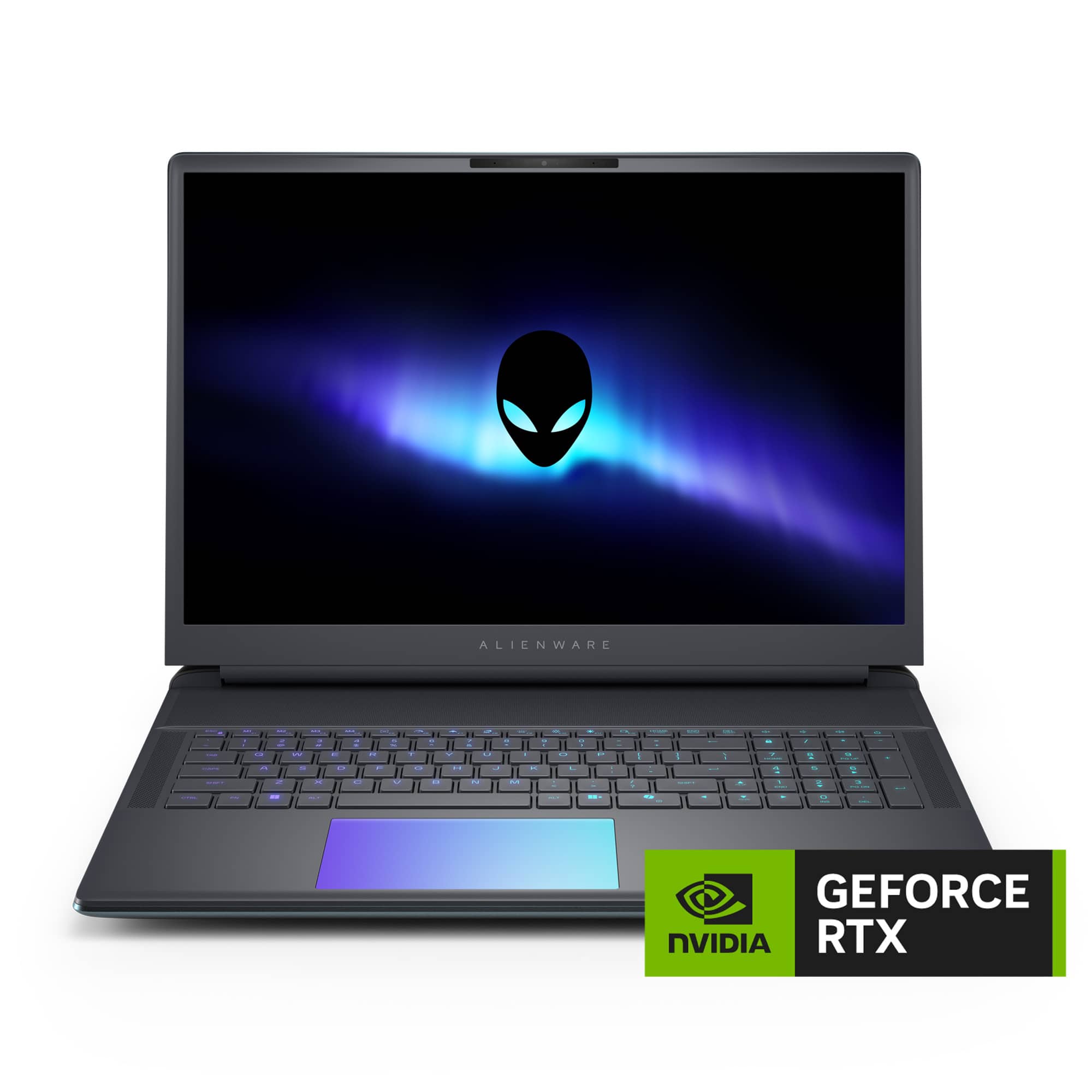
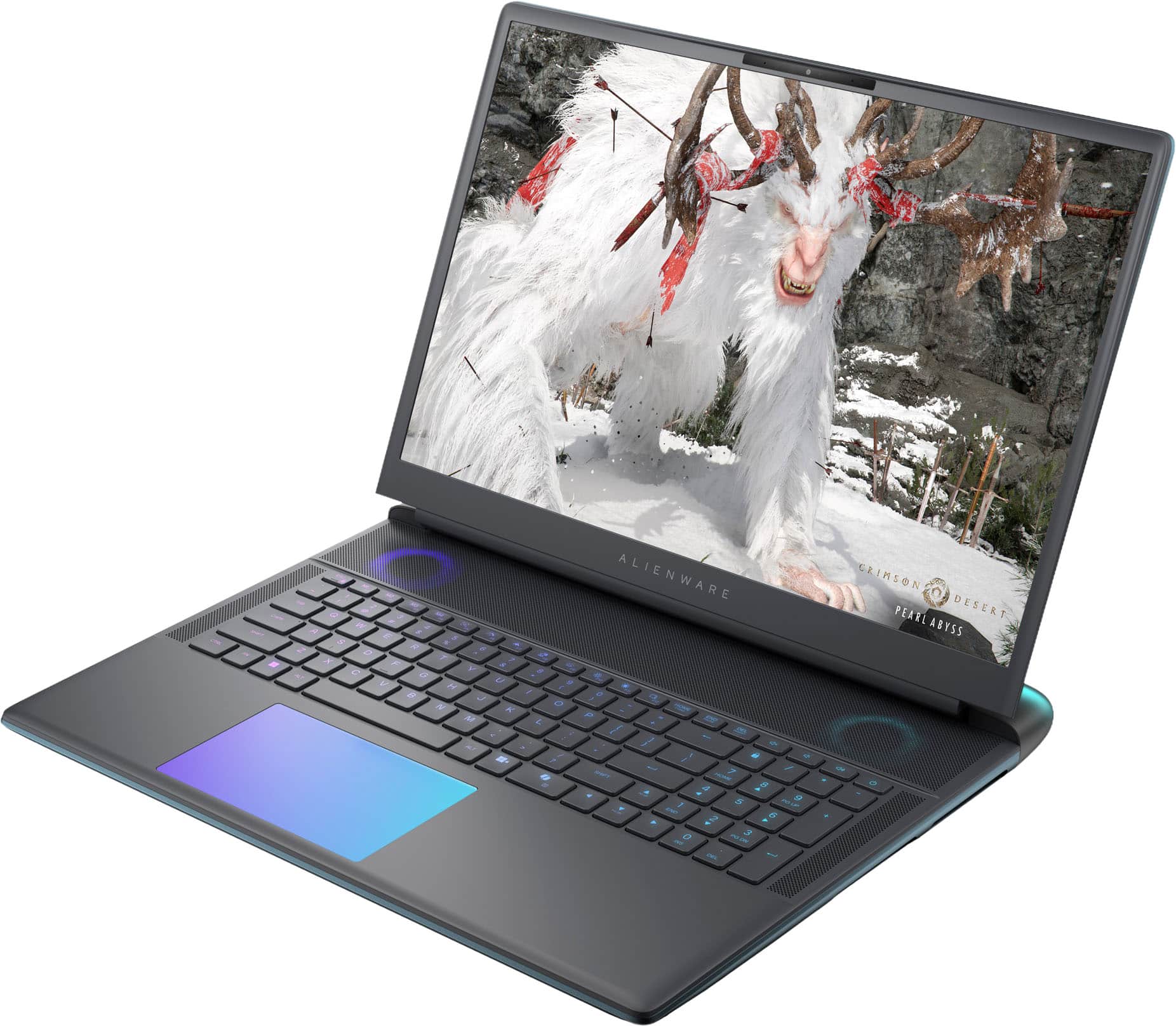
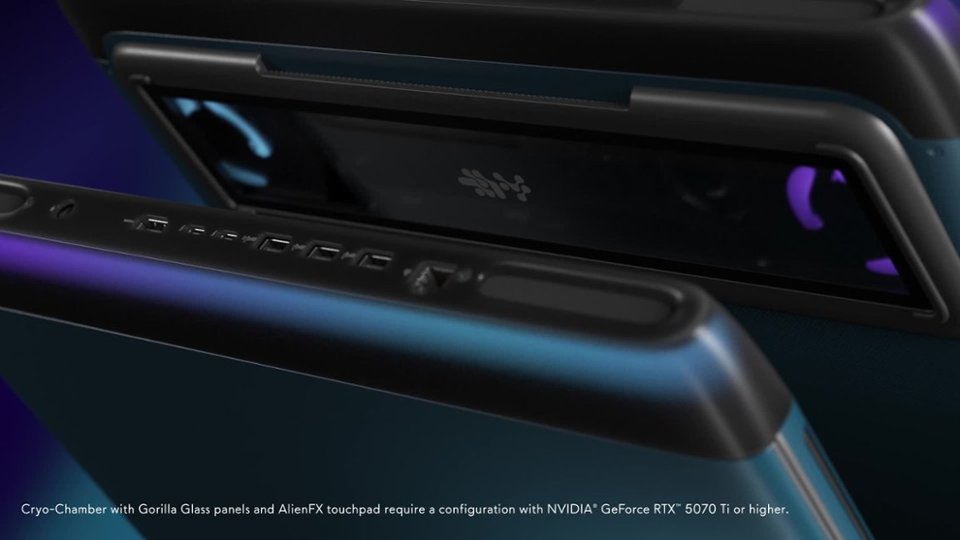
||Posted . Owned for 2 weeks when reviewed.This reviewer received promo considerations or sweepstakes entry for writing a review.If You want a true desktop replacement this is a great laptop. Runs cooler and quieter than most. However it is the heaviest laptop I have ever owned. Due to the weight I would have liked a grippier bottom. Not sure the purpose of the window on the bottom but it is fancy. Minor annoyance all the ports are in the back. Adding 2 more on a side would have been nice.
I would recommend this to a friend - Pros mentioned:Build quality, PerformanceCons mentioned:Portability
These laptops are amazing.
||Posted . Owned for 3 weeks when reviewed.This reviewer received promo considerations or sweepstakes entry for writing a review.This is an excellent, super-fast laptop that is physically very beautiful. It is a bit heavy, but that isn't of much importance; I recommend it to anyone—it is a high-end laptop.
I would recommend this to a friend - Pros mentioned:PerformanceCons mentioned:Weight
The Best!
||Posted . Owned for 1 month when reviewed.This reviewer received promo considerations or sweepstakes entry for writing a review.The best Alienware ever!The weight?I don t care!5070 ti for me is great and i had paid 2500usd with tax so i m happy that i did a great deal.
I would recommend this to a friend - Pros mentioned:Build quality, Fan noise, PerformanceCons mentioned:Battery life, Portability, Weight

Heavy, but great for gaming
|Posted .This reviewer received promo considerations or sweepstakes entry for writing a review.Very impressed with the performance and build quality of this laptop. I have had other gaming laptops by other brands and while they worked well the build quality left a lot to be desired. This Alienware feels top notch! The hinges for the screen seem strong and keep the monitor in place but is still easy to open. The overall design of this laptop is very nice and looks pretty streamlined. The laptop seemed well protected in the box that it was shipped in so no damage could happen. The box and laptop are heavy, I thought this was just because of the box and packaging, but the laptop itself its very heavy and you need two hands to pick it up. With a gaming laptop you give up the light weight of a traditional laptop. I would not recommend getting this if you plan to run around a college campus with it as it weighs too much and would be difficult to lug around. If you need to occasionally need to bring it with you then it will be totally fine. The size of this laptop is great for gaming. I was able to setup the laptop on my coffee table and sit on the couch and play games. The screen is large enough to see everything (screen clarity is fantastic and bright), and playing games from the comfort of my couch was very nice. You will need to bring the charging brick if gaming as the battery only lasted about an hour before power was severely reduced making the game glitch. When plugged in games ran fantastic and I had absolutely no issues running games for hours on end. The fans did spool up and did run at full speed, while they were louder than a regular laptop, I was impressed with how quiet they actually where. With my other gaming laptop, when the fans spooled up you could hear it from the other room. This Alienware provided sufficient cooling while still being quiet and I could still hear the game from the built in speakers. While I'm not blown away by the built in speakers, they do work well, and everything is clear and easy to hear. They just do not provide booming sound but for casual gaming they will be fine, but headphones would be better. The keyboard is easy to type on with even if you have larger fingers, and the mouse pad is also good to use. I really like that the mouse pad lights up and can mimic the lighting affect that is on the keyboard. You can adjust all of the lighting from the keyboard/mouse pad, fans, Alienware logo, and even the thermal shelf can be adjusted. I like lighting so it's fun to be able to customize the colors to my liking. Battery life is fine for everyday use and I'm getting about 3 hours with normal use. I did not adjust any settings, but I'm sure you could make it a little longer by reducing screen brightness, disabling the lighting effects, etc. If you plan to play games on battery, think again. I was able to get about an hour of game play before power management reduced everything down as the battery was at 20%. This laptop uses a lot of power because of the graphics card, screen, processer, etc. While I was hoping for a little longer on battery while gaming, I'm not going to fault it for only lasting an hour. So, carrying the power brick around is a must, thankfully it isn't super heavy and is slim to fit into a bag easily. Overall, I really do like this laptop and that it plays all my games with ease! The built in Alienware software works perfectly and is actually useful.
I would recommend this to a friend - Pros mentioned:Build quality, Cooling systemCons mentioned:Port placement, Portability, Weight
Mighty (and Massive) Laptop
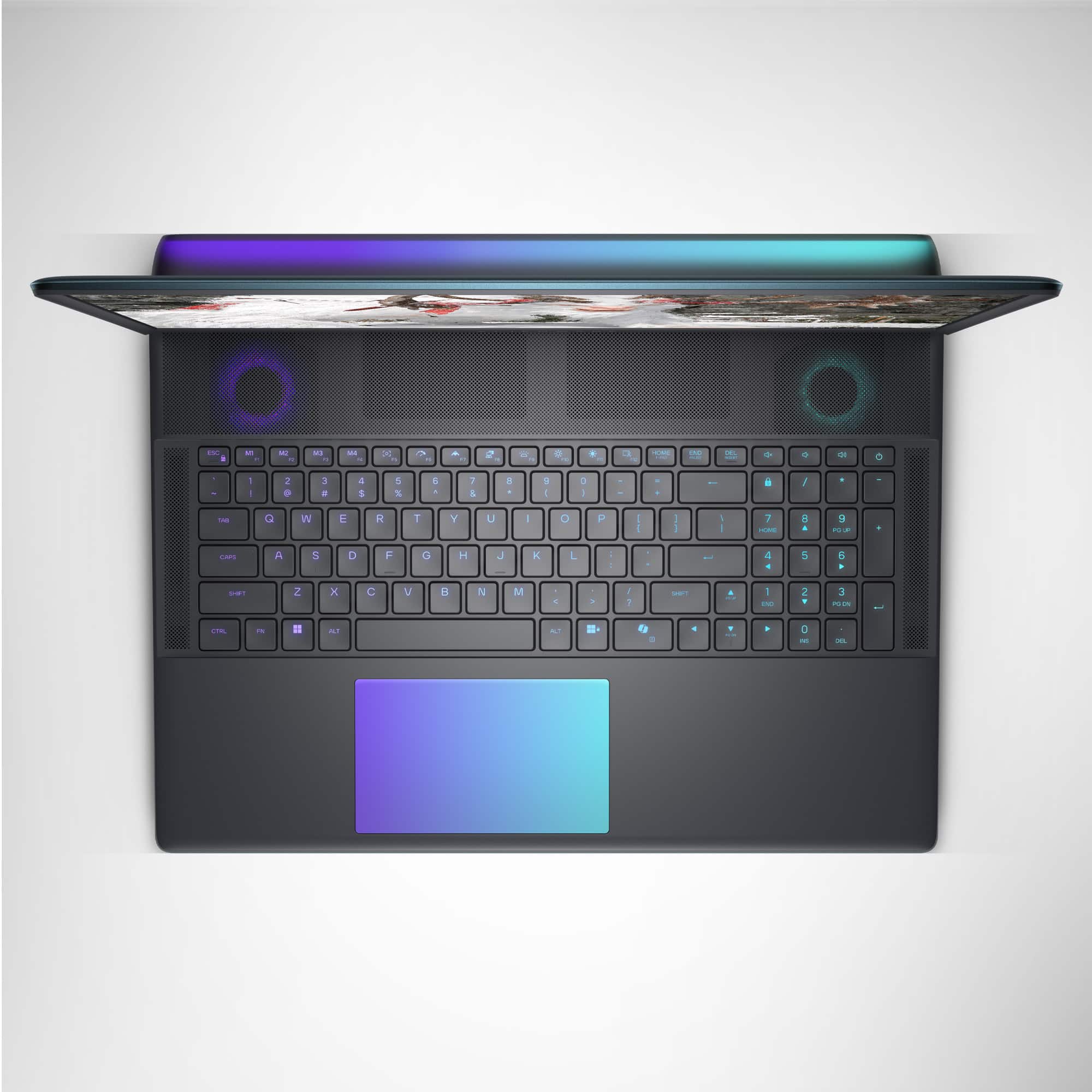
|Posted .This reviewer received promo considerations or sweepstakes entry for writing a review.The Alienware Area-51 laptop is a powerhouse in both size and performance, delivering the experience of a desktop - though in some areas it slightly feels like it falls a bit short. Given its weight of almost 10 lbs, the Area-51 presents itself as a beautiful, hefty device that looks ready to handle whatever is thrown at it. It has lights for the back, underside, keyboard keys and trackpad, which give off a soft glow that isn’t distracting and can be customized in Alienware Command Center. The trackpad is smooth to the touch and a good size in my opinion - it also clicks similarly to a mouse. As for the keyboard there is a numpad and dedicated volume buttons which is always a plus for me. The 300Hz display with the 5070 Ti is incredible when it comes to shooter games like Call of Duty and Overwatch 2, and at 18 inches, the matte screen feels perfectly sized - more immersive than smaller gaming laptops when it comes to games like RDR2, Armored Core VI, and Indiana Jones (all of which run beautifully with max or relatively high settings). However, the viewing experience overall feels less sharp than other displays I’ve come across - not sure if it’s just me or if it’s due to the Area-51’s combination of screen size, resolution, and matte finish. After using laptops that feel like they’re ready to cook my next meal following a long gaming session, the Area-51’s cooling capabilities come as a nice surprise. The bottom of the laptop only feels a little warm, and the keyboard also barely gets warm - it does an amazing job overall. I do have to note that the fans run loudly at times though, loud enough to cover game audio if I’m not using a headset. Speaking of audio, for the space that the speakers appear to occupy, the speaker sound is pretty tinny, even with Dolby Audio enhancements on. Thankfully the 3.5mm audio jack is close to the corner of the laptop, making it easily accessible for plugging in headphones. That being said, when it comes to convenience there are a few things worth noting. As mentioned earlier the Area-51 is about 10 lbs and its 360W power adapter weighs a little over 2 lbs. To me, even moving it from room to room in the house feels inconvenient - I can’t really imagine choosing to take this with me when it’s time to travel. The other thing is that all of its ports (besides the headphone jack) are on the back of the laptop, which makes plugging things in a bit more difficult than most other laptops which have ports on the sides. To me, it feels like Alienware intended this laptop as a set-it-and-forget-it type of device so it could potentially replace a desktop especially for space saving situations like a college dorm room table for example - where it’s possible to move it around if it comes to it. In the end, the Area-51 delivers excellent performance, especially for gaming and multitasking. The 2TB SSD is also great for large game libraries and recorded clips. However, its considerable size and weight can limit portability compared to other gaming laptops with similar specifications and pricing. For those prioritizing mobility, lighter alternatives might be worth exploring - but as a stationary powerhouse, the Alienware Area-51 is still a solid choice.
I would recommend this to a friend - Pros mentioned:Build quality, Cooling system, PerformanceCons mentioned:Weight
A work of art!
|Posted .This reviewer received promo considerations or sweepstakes entry for writing a review.This is my first actual Alienware machine. I’ve had other Alienware products in the past like monitors and such but never a pre-built machine by Alienware. I'm very impressed with the design, the features, the quality, and the craftsmanship in their machines. The Alienware 18” Area-51 Laptop is a work of art. I will say this laptop is very large. I've never owned anything larger than a 16” laptop and I have to say, it is definitely a lot bigger than I anticipated. Now whether that is a good or a bad thing I think depends on what you are using it for and your intent when you purchased it. At 18”, I love the large screen and I think it is much more of an immersive experience, especially when gaming. Not only is it large, it is also pretty heavy for a “laptop” coming in around 9.5 lbs. I did find that if I try to use this on my lap, say, laying in bed, it does tend to become a little too heavy over time. I would much prefer to use this sitting on a counter or desk. I think knowing this is an 18” machine, the weight expectations are on par with what I was expecting. The aesthetics and RGB implementation on this machine are absolutely stunning as is the Liquid Teal color of the unit itself. The see-through cooling chamber on the bottom is a nice and welcomed touch as well. I find the key placement, touchpad placement and size are great and comfortable to use. I also find that when gaming, the laptop doesn't get super hot like some of the previous performance gaming laptops I’ve used. I really think Alienware paid a lot of attention to the design of the cooling system and they did a great job because it works very well. The hardware in this unit was carefully picked to enhance the gaming experience with the following: 24-core Intel Ultra 9 275HX - CPU NVIDIA GeForce RTX 5070 Ti (12GB) - GPU 32GB DDR5-6400 - RAM 2TB Gen 4 NVMe - SSD 18” WQXGA 300Hz G-Sync - Display WiFi 7 The hardware packs a punch and it shows when gaming. Game play is smooth. Frame rates are high and the laptop stays surprisingly cool. You could argue that for the price you don't get a 4k display, but to be honest, I don't find it to be a problem. I feel like with a 4k display, the gaming experience would not be as good as it is with the WQXGA display. I really really enjoy playing on this laptop which is different from previous gaming laptops because they were smaller and hotter which contributed negatively to the overall gaming experience. I think the one thing that impresses me the most on this machine IS the large screen size that immerses you in the gameplay. I have both a gaming PC as well as this gaming laptop and I enjoy gaming on each one of them equally. I am very happy to add this to my gaming arsenal (and programming). If you are in the market for a LARGE gaming laptop, I would highly recommend the Alienware 18” Area-51 unit. It’s superb and performs extremely well while keeping temperatures under control and the large display fully immerses you in your game.
I would recommend this to a friend - Pros mentioned:Build quality, Cooling system, PerformanceCons mentioned:Weight
A Beast of a Machine – A Gamer’s Delight
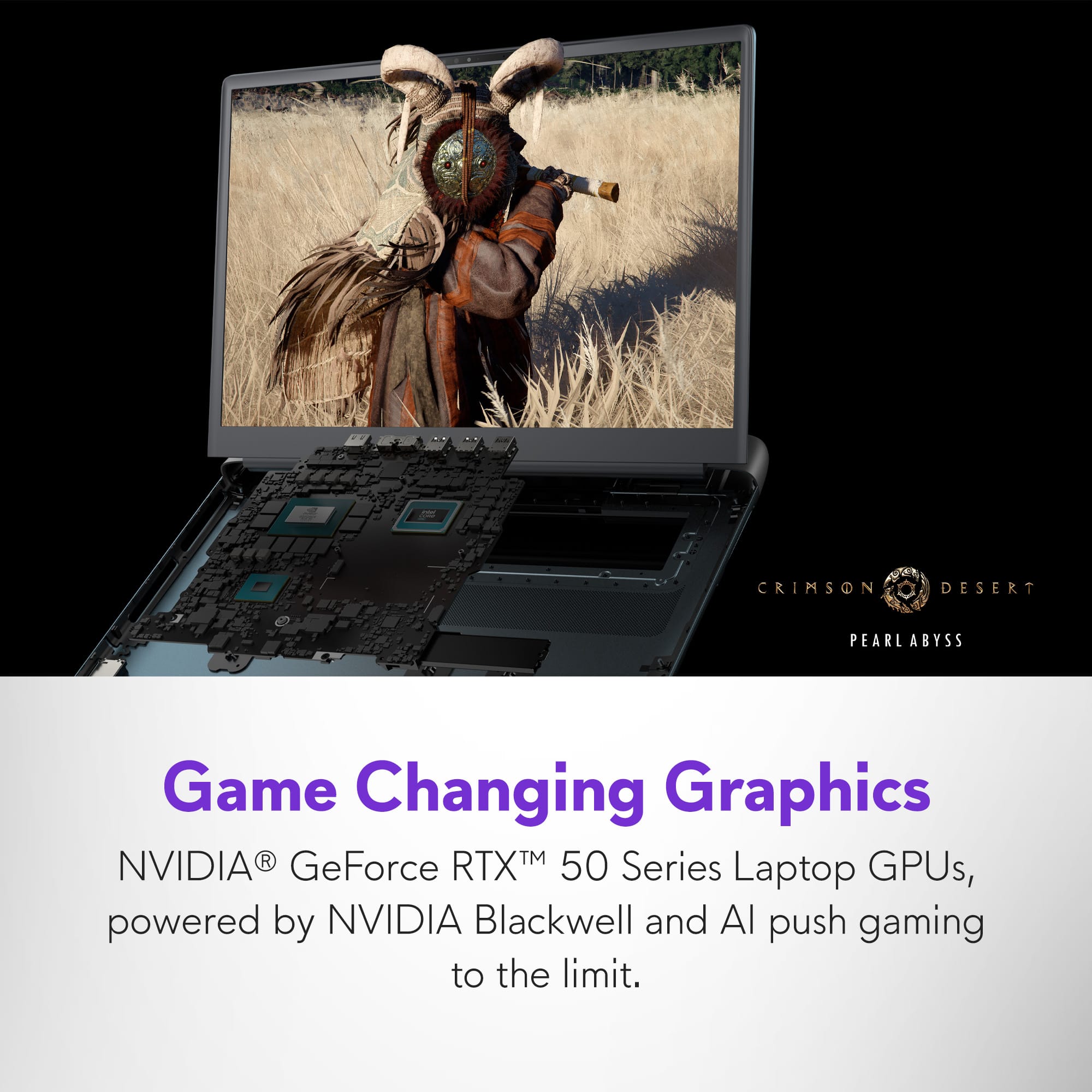
|Posted .This reviewer received promo considerations or sweepstakes entry for writing a review.The Alienware Area 51 model line screams premium everything: premium design, premium build quality, premium components, premium cooling, and premium aesthetics. I have used many different gaming laptops over the years, and Alienware is always my favorite. But with the re-release of the Area 51 line, this new model is the best one yet. Aside from the futuristic looks, what I love the most about this laptop is its gaming power. Every game I tested looked amazing while maintaining excellent FPS (frames per second). This is accomplished by a robust cooling system built into the chassis. The trade off is a larger footprint and heavier laptop (about 9 pounds), but this is what I want in a desktop replacement. If I’m going to use a laptop as my primary computer, I want it to be as powerful as possible. Who plays Fortnite? I do. I couldn’t believe the frame rate I was able to accomplish with this system. As you can see in the picture, I was getting over 300 frames per second while playing Battle Royal. Of course I brought the graphic settings down to a basic level, but this is typical for a first-person shooter such as this. On the other end of the spectrum, this laptop produced stunning visuals in the graphics intensive Indiana Jones and the Great Circle action-adventure game. As seen in the picture, I was maintaining a reliable FPS of around 70 using the “Very Ultra” graphics setting with Full Ray-Tracing enabled, and in the native screen resolution of 2560x1600 pixels. To accomplish this, I took advantage of a couple of settings supported by the latest NVIDIA RTX 5070 TI graphics card. As seen in the same picture posted with this review, I cranked up DLSS frame generation to 4 times, enabled DLSS Ray Reconstruction, and set DLSS Super Resolution to “Ultra Performance.” This beast of a laptop did not have any issues with running this and other AAA games. Another benefit of this laptop is its ability to be overclocked a little. This can be accomplished in Dell’s Alienware Command Center (ACC) software. If you’re interested in doing so, I included a couple of images that show the overclocking process. To do so, you’ll need to go to the performance tab and toggle the little switch at the bottom center of the screen from Thermal to Performance. Then click the Custom button at the top to bring up the Advanced View tabs for both the CPU and GPU. Here, you can adjust the frequency for both chips. Be sure, however, to increase these settings in small increments to see if your particular silicon can handle the increase in power. This process is sometimes referred to as winning the silicon lottery. If your computer’s CPU and GPU can handle higher overclocking settings, then you were lucky and won the silicon lottery. Please remember, however, that every silicon chip is different, and overclocking is done at your own risk. Regardless, you’ll know if your adjustments are stable by clicking the Test button. If successful, it will let you save that setting. You then can test further while playing any of your games. If the games run fine and do not crash, then your adjustments are working. If you do encounter problems, the best way to reset everything is to reboot your PC and open the ACC software and make adjustments to your settings. Or, if overclocking with fine tuned adjustments isn’t your thing, you can use the preset Performance or Override options in ACC. They do a really good job adjusting power and fan speed while gaming. One thing to consider with this laptop is the screen. Please know that it is an LED screen and not an OLED screen. I have laptops with both types of screens. And while I enjoy the inky blacks and vibrant colors of the OLED screens, I still prefer the brightness of a regular LED screen. This laptop’s screen can get as bright as 500 nits. This level of brightness helps in games when I’m in a dark scene or area on the map. OLED screens usually don’t get as bright. It’s just the nature of OLED technology at this time. And one more thing about this display, it does not support High Dynamic Range (HDR). This may or may not matter to some, especially if you’re connecting your laptop to an external monitor that does support HDR. Overall, I couldn’t be happier with this gaming laptop. No joke, I keep on thinking to myself that this is my dream laptop. From screen size to looks to performance, this laptop has it all.
I would recommend this to a friend - Pros mentioned:Build quality, Fan noise, Processor speedCons mentioned:Weight
Stunning performance and specs in a monster laptop
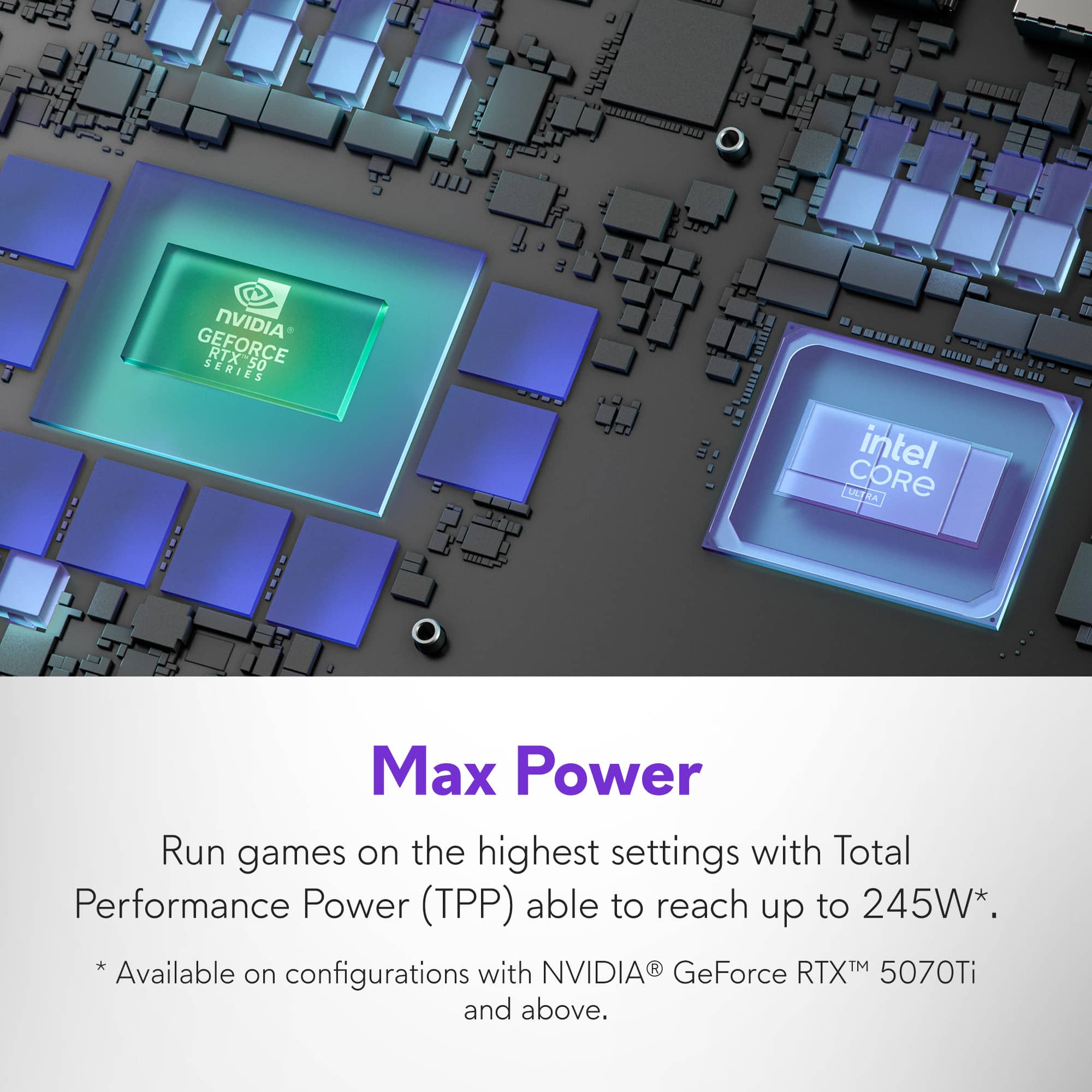
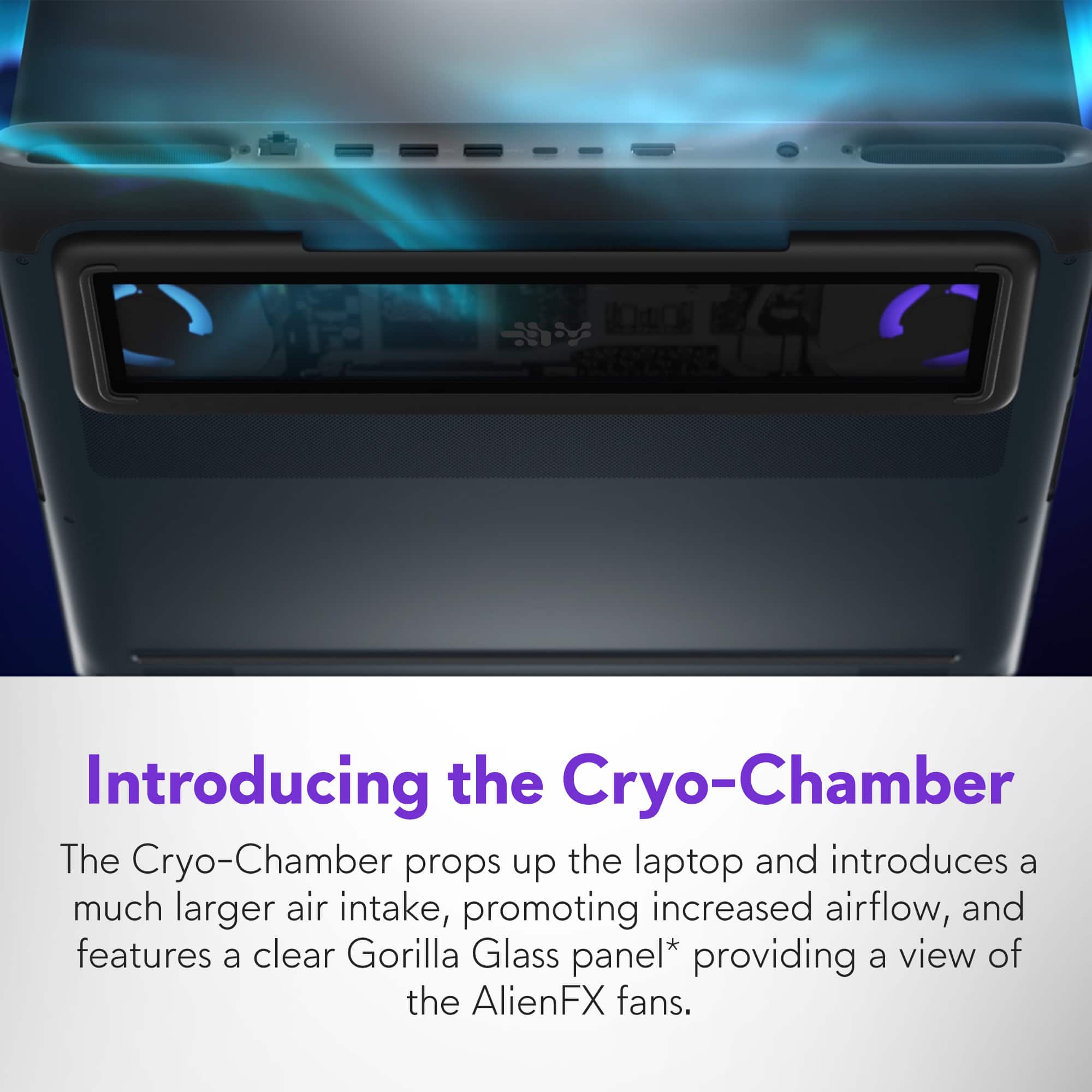
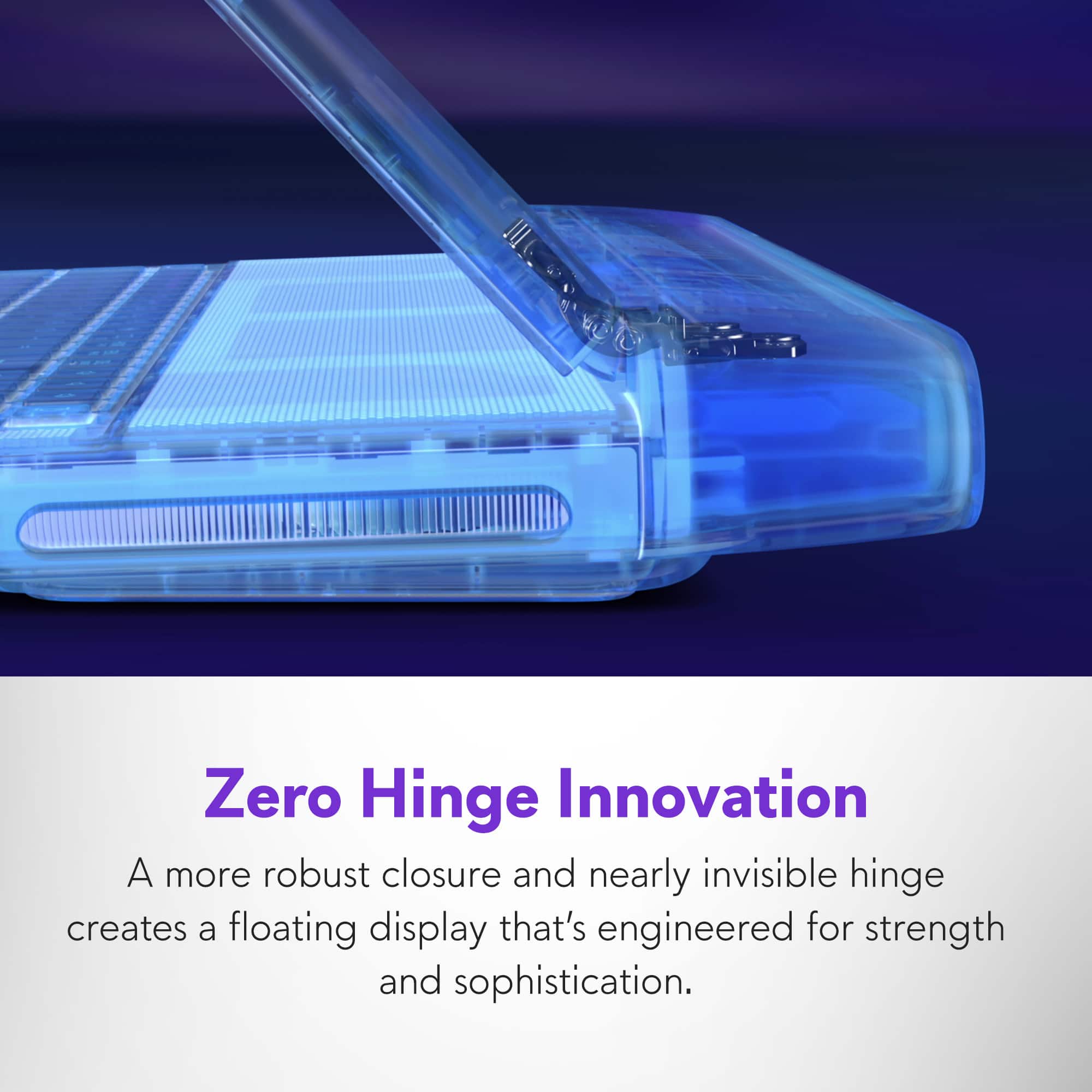
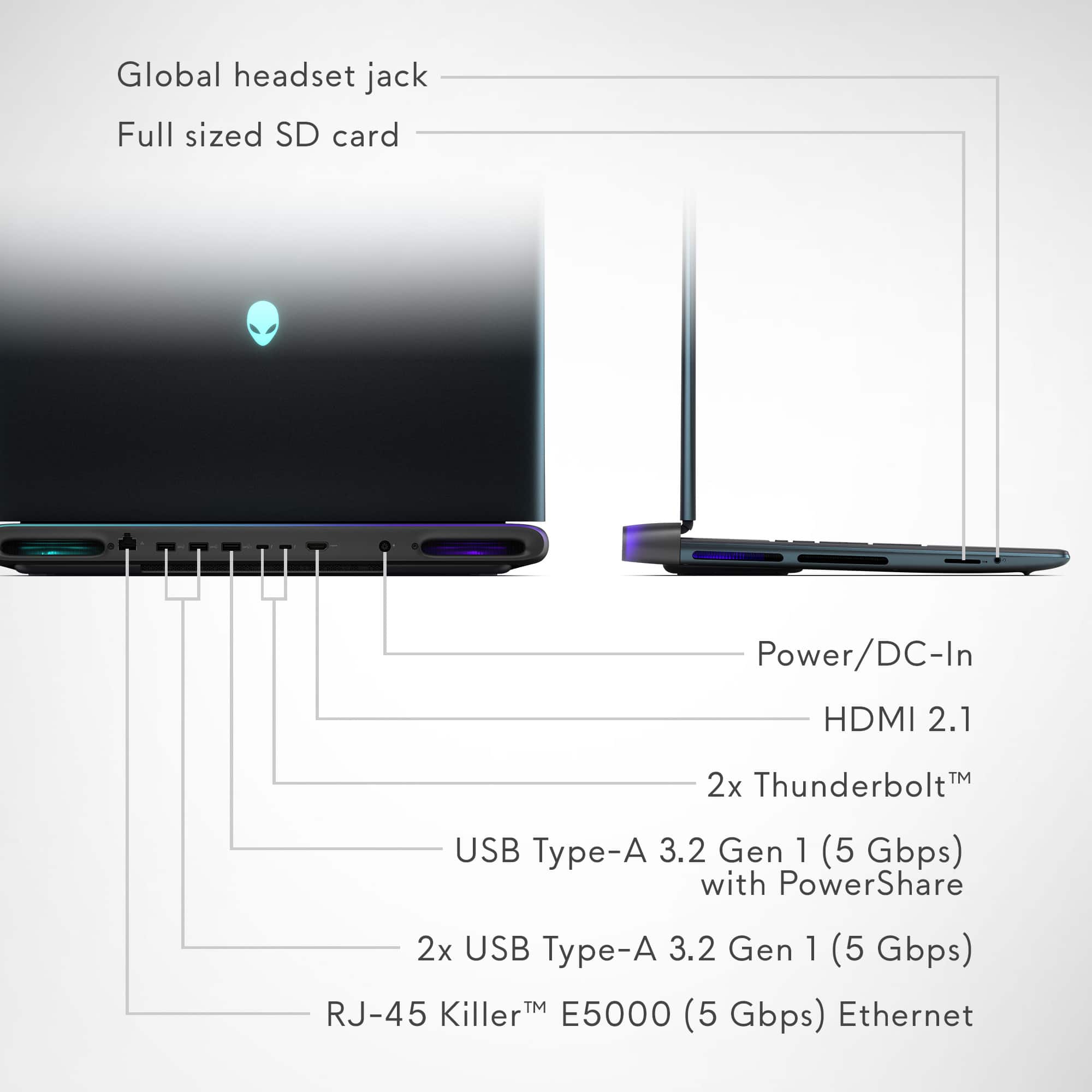
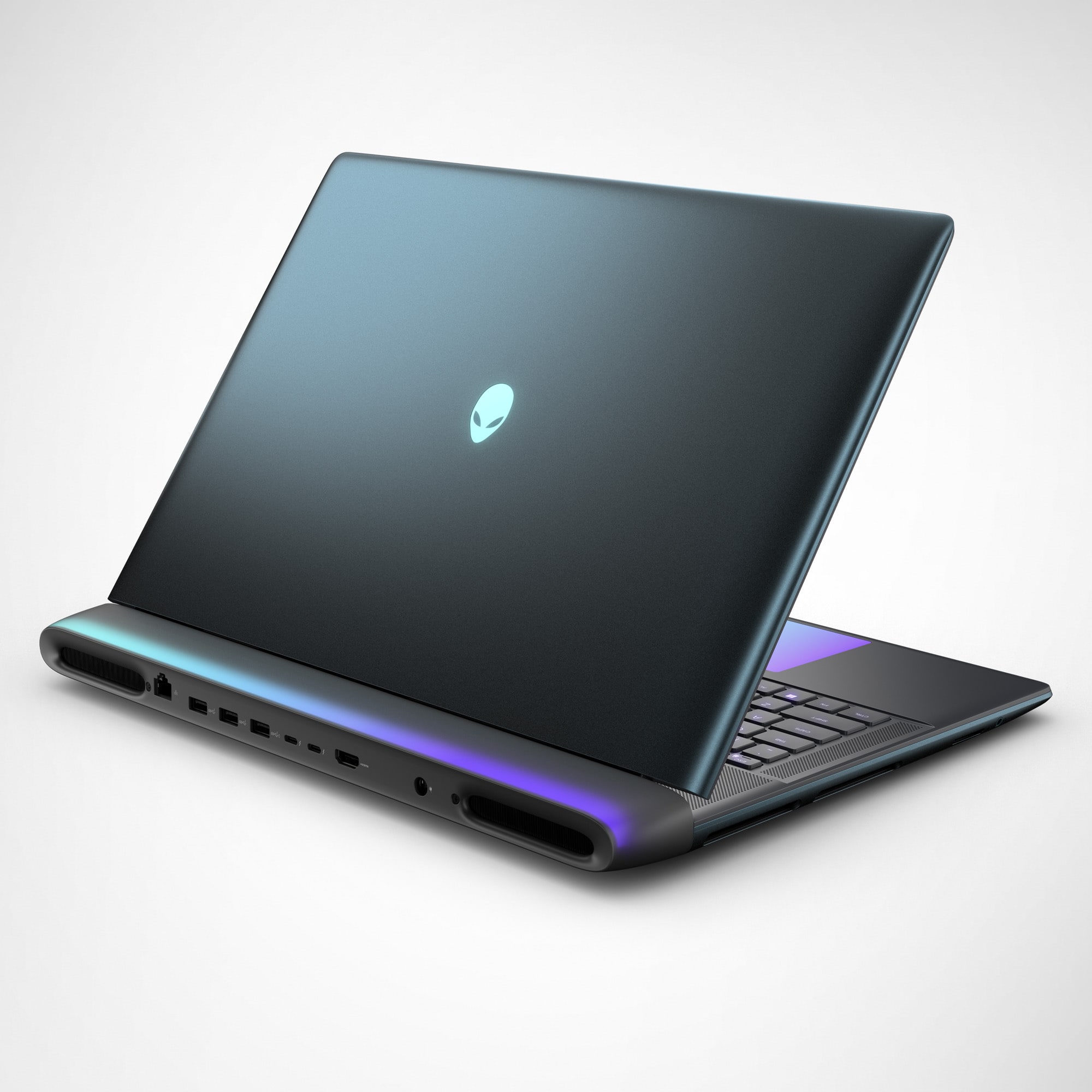
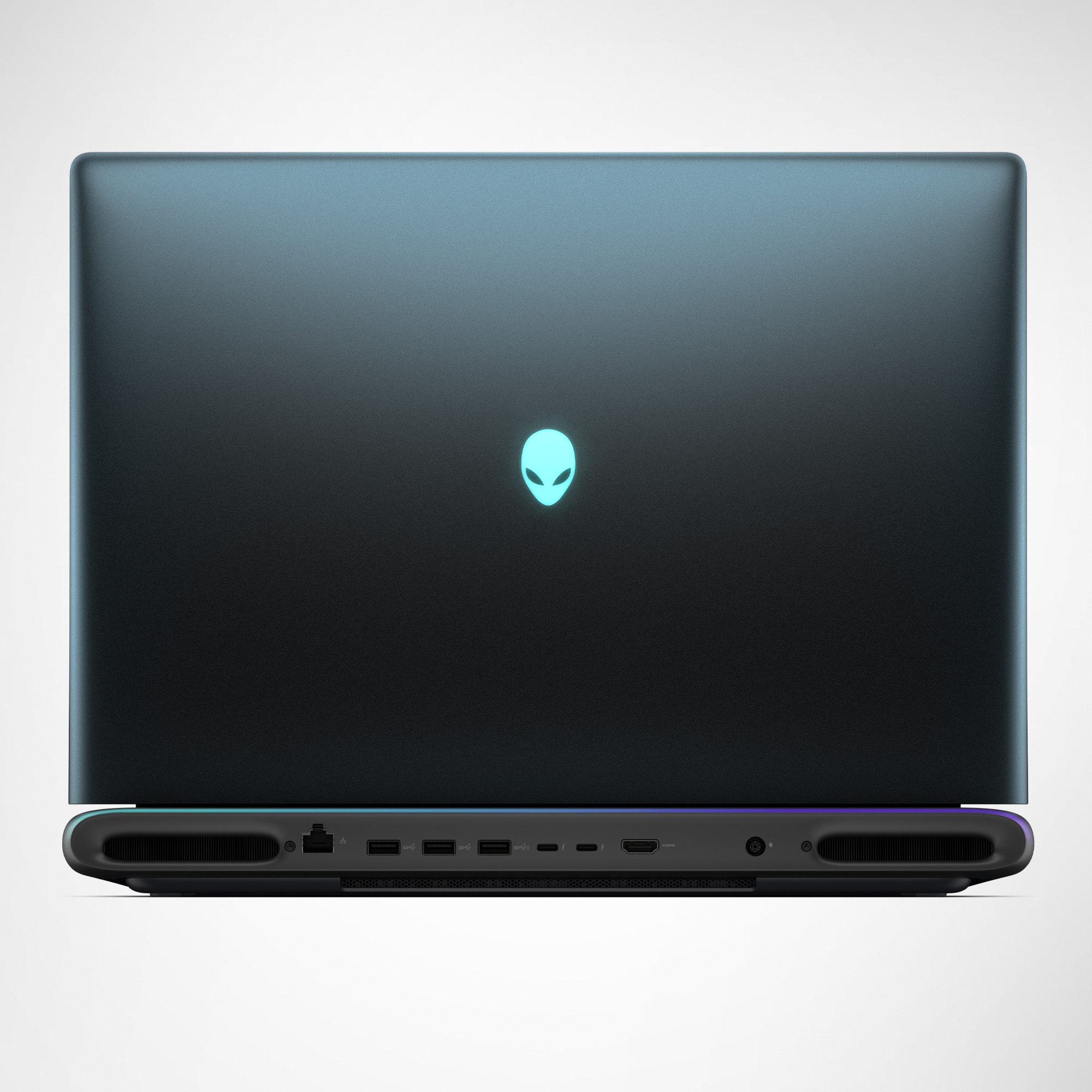
|Posted .This reviewer received promo considerations or sweepstakes entry for writing a review.Having decades of PC and laptop gaming experience, there are a few companies that have been around as long and carry as much weight as Dell’s Alienware line of gaming hardware and peripherals. Alienware’s Area 51 legacy line of laptops is considered their flagship line and has always set the bar in the ever expanding gaming industry and, to many, could be considered what other competitive gaming manufacturers look to for inspiration. Their latest addition arrives with the new Alienware Area 51 18” gaming laptop promising break-neck speed, stunning visuals, and a design that may look familiar until you open the hood. The lid sports a subtle liquid teal finish with the signature light-up Alienware logo, as you would expect, which you can customize to match the other RGB lighting that surround this beast including the keyboard, mouse trackpad, fans and bezel around the ports on the back. The Area 51 combines the latest high performance Intel Core Ultra 9 275HX 24-core 5.4 gigahertz processor, NVIDIA Geforce RTX 5070 Ti graphics card, 2 TB SSD with two additional SSD expansion slots and 32 GB of 6400 MHz DDR5 RAM that come together in unison to provide some of the highest performance I have ever seen in a factory setup. Considering all the hardware stuffed insider the chassis, this Area 51 is quite heavy, weighing at just under ten pounds so it’s not exactly as easily portable as other, smaller, gaming laptops. Obviously there’s a reason for all the weight, not only because of the hardware, but also because of the larger, stunning, 18” 300 Hz LED display with 2560 x 1600 resolution, the AlienFX fans located behind the transparent Gorilla Glass Cryo-Chamber panel on the bottom of the rig quietly pumping out the heat this beast can produce, a full size keyboard with a number pad (which I always miss having on smaller laptops), a large 6-cell 96.0 Wh battery amongst a plethora of other hardware; you would sacrifice many of these features going with a smaller laptop. The chassis, wrapped in a dark liquid teal color, feels very solid and the zero hinge design for the display also feels sturdy. This Area 51 laptop is equipped with the Intel Core Ultra 9 275HX, a 24-core, 24-thread processor capable of boosting up to 5.4 gigahertz able to multitask with ease and handle any amount of work you can throw at it. This is paired with 32 GB of 6400 megahertz DDR5 RAM making the system super responsive when multitasking and ultra-fast load times. Although not their highest model, the NVIDIA Geforce RTX 5070 Ti is still very impressive, delivering desktop-class graphics performance in a portable package. Ray tracing and AI-driven graphics enhancements elevate supported games to cinematic heights, while DLSS 4.0 ensures smooth gameplay even in native QHD+ resolutions. In the benchmarks I ran, the notebook consistently posts frame rates well above 200 fps in popular esports titles and maintains over 100 fps in the latest AAA releases at max settings. In comparison, it also rated higher than many desktop gaming PCs hence why I will be swapping out my PC tower with this rig. After already gaming on it for hours, I’m still taken back by the stunning and smooth graphics it produces without overheating and is surprisingly very quiet in comparison to some gaming laptops I have used in the past. The Area 51 has numerous ports including two USB-C Thunderbolt ports, 3 USB Type-A 3.2 Gen 1 ports (one with PowerShare), one HDMI 2.1 output, a RJ-45 Killer E5000 ethernet port on the back side and a full-size SD card slot and headset jack on the side of the rig. Wireless connectivity is top-tier, with the integrated Wi-Fi 7 card providing low-latency connections even in crowded networks, and Bluetooth 5.3 ensuring compatibility with a range of peripherals. It is also compatible with the latest Wi-Fi 7 technology. One thing I would like to mention is how loud and crisp the speakers are considering they are built into the laptop. They have Dolby Atmos support capable of delivering immersive sound with crisp highs, punchy mids, and surprisingly robust bass. Whether gaming, watching movies, or listening to music, the experience is rich and room-filling. The built-in microphone array and 1080p IR webcam provide excellent clarity for streaming and video conferencing, complete with noise cancellation and Windows Hello facial recognition for added security and convenience. The Area 51 comes preinstalled with the Alienware Command Center software that remains the central hub for system management, letting users tune performance, lighting and more with intuitive controls. Fortunately, the bloatware is minimal can be easily uninstalled if you prefer. This Alienware Area 51 18” 300 Hz gaming notebook still stands atop as one of their flagship models for portable gaming combining some of the best hardware and tech capable of delivering unrelenting performance suited for both gamers and content creators. If you demand the best and want to make a hefty investment that should still keep up with the latest technology for a few years, this just might be the machine for you.
I would recommend this to a friend - Pros mentioned:Build quality, Fan noise, PerformanceCons mentioned:Port placement
Alienware at its finest. Phenomenally well built.
|Posted .This reviewer received promo considerations or sweepstakes entry for writing a review.I've been a long time user of Alienware laptops and quite frankly laptops in general. I have always preferred very large desktop replacement caliber laptops with the biggest screens and keyboards you can get. Since my first mALX (pre Dell), I've used the M15x, M17x, M17x r2, M18x, M18x r2 and then an Alienware 18. Somewhere along the line, I felt that other makers were improving their products in leaps and bounds while Alienware was slipping. Guess who's back? The Good: Excellent craftsmanship and build quality Phenomenal cooling Runs very quiet Outstanding performance Beautiful QHD 2560x1600 500nit display Large, spacious keyboard Very responsive trackpad Excellent CPU and GPU performance All the ports in the rear Full power 175w 5070ti CPU can draw up to ~170w as needed Comes with 32GB of memory and a 2TB SSD Excellent performance mode selection balancing in Alienware Command Center Minimal bloatware The Bad: Heavier than all my other 18" laptops Overdrive mode lets you know the fans can be loud and only helps CPU performance Gen4 NVMe SSD Speakers are average at best The Ugly: Missing at least just a single USB-A port on the side Overdrive mode sacrifices GPU power for CPU power Very pricey for only a 5070ti Memory latency is 108.4ns Zero flexibility in the BIOS to adjust CPU/memory settings to optimize performance Arriving in a large and surprisingly heavy Alienware box with a cloth like handle, inside you will find your Alienware laptop, 360w power brick, power cord and some literature. Standard fare years ago, but gone now is all the extra pack-ins and tchotchkes that heightened the unboxing experience but you still do get some stickers. What I can say is the clean lines and boxing and product presentation is excellent and notch above everyone else except maybe Asus which just runs you over with a surplus of ROG/gamer addons in box in the best way. After removing the Alienware from the slick packaging, I was immediately struck by the craftsmanship of the laptop. Sleek with rounded corners and just the right hint of that classic Alienware design, it oozes quality. It is heavy and it is built like a tank. It is easily one of the most 'solid' feeling laptops I've held in a long time. I love the design and if you flip it over, it has a slick plexiglass window on the bottom for peering inside their new 2025 model. Turning it on, the keyboard is set to match the teal exterior of the laptop. Even the boot splash screen shows nice little touches with the Alienware logo lighting up in a beautiful way. Once you get into Windows, go right to Windows Updates and go do something else for an hour or so as the list of software, BIOS and firmware updates is pretty substantial. Once everything was finished, off into Windows I went. Equipped with basically the top of the line Intel Ultra 9 processor (285hx is the same as the 275hx just clocked a bit higher, but under load they score basically identical) and Nvidia's RTX 5070ti, you have plenty of power for games. Cinebench R23 clocked in at ~37k right out of the box and the 5070ti was hitting ~18k in Timespy. In short, plenty of power. Equipped with 32GB of DDR5 6400 memory (2x16GB) and a Kioxia 2TB SSD, speeds were good if not exceptional as it appears to be a Gen4x4 NVMe but more than enough to get the job done. I tried all the power modes and balanced is the way to go. Overdrive does give the CPU a bit more punch pushing R23 from 37197 to 38368 (~3% gain), but at the cost of much higher noise and capping the 5070ti from 175w down to 140w. At least in particular CPU heavy scenarios you have the ability to pump up the CPU as much as possible. Even in Overdrive mode the CPU did not throttle at all pulling 170w which is amazing. Aesthetics and ergonomics? The palm rest is excellent and the standard keyboard is a joy to use. Keys are large and spaced wide and I had no problems getting around the keyboard with my ginormous hands. The trackpad lights up beautifully when in use and I had no problems as a lefty using it with its placement and feedback. My MSI Raider 18 actually has a Steel Series mechanical keyboard in it and I prefer the Alienware standard keyboard. The large 18" display is beautiful and with a rating up to 500nits, it is plenty bright making my MSI Raider 18 display seem dull. It is IPS, so there is a little bit of ghosting in some of the corners but that is just how IPS works. It isn't a matter of if, but how much. It has the least amount of ghosting compared to the other 18" IPS equipped models I've used, owned and tested over the years. One area of importance is fan noise. The bane of gaming laptops is they run hot and as such they must move a lot of hot air to keep them cool. Having used numerous laptops over the last few years for reviews, testing, personal usage and family and friend setups, the Alienware is one of the quietest laptops I've used. The only one that is even close while gaming would be the Asus Strix 18 13th gen I owned and the Alienware handily bests it in Balanced mode. Even overdrive mode with fans to max isn't nearly as bad as a few Acers I've tested at medium. The pitch and harmonics are some of the best out there. The rest are noticeably much louder when gaming when compared to the Alienware. What Dell has done under the hood allowing you to extract almost maximum performance and keep it this quiet and cool running is remarkable. I found myself collecting temperature data while benchmarking and asking myself, "is this right?" and then running them again and again to verify the results. I finally fired up World of Warcraft and Fallout 76 and as expected gaming at 2560x1600 was a joy. I expect it as playing on my old Asus Scar 18 with a 4080 scored almost identical in Timespy and it too was an absolute joy. For modern games and the 5000 series, you have full access to DLSS and FG to further enhance your game play if it is supported. World of Warcraft especially popped on screen with the enhanced brightness levels. So after several days of testing and playing with the Alienware, what can I say? It is a winner. Is it perfect? No, but it is firing on all cylinders where it needs to. Screen and keyboard are fantastic. Fit and finish is top notch. Performance is fantastic and lastly, the CPU and GPU purr along at great temps and noise levels. The only real valid complaint that stands out is maybe the price considering you can get 275hx + 5070ti laptops for less, but this truly is a case of "you get what you pay for." For the extra, you get those components wrapped in what could be the best 18" laptop I've ever used. I rarely leave 5 star reviews for laptops, but this is one of those rare occasions.
I would recommend this to a friend - Pros mentioned:Build quality, Cooling system, Fan noise
Great performance, aesthetics, and build quality
|Posted .This reviewer received promo considerations or sweepstakes entry for writing a review.The Alienware 18" Area-51 is the gaming laptop to get in 2025. It features the best cooling I’ve seen in any gaming laptop, which maximizes the performance of both the CPU and GPU. Its aesthetic design is top-notch, and it has great build quality. [ Performance ] The Intel Core Ultra 9 275HX is a beast of a CPU that improves noticeably over the previous-gen i9-14900HX in multi-core use. The RTX 5070 Ti GPU is a good value proposition as long as you know what to expect from it. The ‘5070 is the new 4090’ hype from a certain CEO is not something to take seriously. I say this as the owner of a gaming laptop with RTX 4090, having used it for countless hours of high-end gaming. This comparison between models is based almost exclusively on the increased AI-powered frame generation capabilities of the 50 series, with a bit of upscaling magic added in. The frame-gen technology is impressive, but it comes at the cost of frame output latency and introduces visual artifacts. The more frames generated, the worse the latency and artifacts. Being able to match framerates is not the same as matching performance. This is mostly useful in casual/single-player games where raw performance is of less importance. Where performance matters, spending the extra money for the 5080 or 5090 would be worthwhile. The boost from 12GB (in 5070 Ti) to 16GB (in 5080/5090) of VRAM can be quite significant in some games. Both the 5080 and 5090 use the more performant GB203 cores instead of the GB205 that the 5070 Ti uses. The differences in both benchmarking and real-world experience are very significant. Basically, you get what you pay for here, regardless of marketing hype. Over five days of gaming, this laptop’s performance has been extremely solid, thanks largely to its impressive cooling. The side and rear exhaust with bottom intake are now a common formula, but this laptop manages it better than any other I’ve used. The overall performance can be managed in the Alienware Command Center app, with the default ‘balanced’ profile maximizing non-overclocked performance. The default fan curves manage the thermals well enough to prevent reaching the point of CPU thermal junction throttling in Time Spy benchmarking, which is already something many competing laptops fail to accomplish. This laptop manages this feat without the fans getting particularly loud. They did get significantly louder with the ‘overdrive’ profile, which performs overclocking, but the fans never reached an obnoxious level and refrained from high-pitched whining. So, preventing thermal throttling, check. Overhead for overclocking, check. Good cooling to noise ratio, check check check. This is cooling done right in a field where most disappoint. I achieved a 3DMark Time Spy score of 18,019; Graphics 18,215; CPU 16,989 with the ‘balanced’ (non-overlocked) profile. The display is bright, vibrant, responsive, and large enough that I didn’t feel compelled to use an external display, though I will be hooking one up later. While IPS display technology is getting a bit long in the tooth for high-end gaming, this display didn’t disappoint. [ Aesthetics & Design ] They nailed the aesthetics and design of this laptop, and it all comes together brilliantly. The soft-touch coating on the palm rest feels nice. The touchpad is glass-smooth and very responsive. The keyboard has decent tactile responsiveness and a great key layout. I particularly appreciate the independent volume/mute buttons, rather than being shuffled into the function keys as Fn-key combo alternate functions. Good port availability with USB, HDMI, and Ethernet ports all located in the rear, which I dare say they should be (but often aren’t in other gaming laptops). The display frame has an angled lip that makes it easy to pull up the display from the front or sides. The display has strong hinges that greatly resist screen wobbling. This laptop is a wet dream for those fond of RGB lighting. What may not be clear from some of the product images available is that the trackpad backlighting and ‘thermal shelf’ (the area behind the display hinges) lighting are multi-zone, allowing for cool lighting effects. I’ve attached two images showing the rainbow effect on both to highlight this. What I couldn’t manage to capture well on camera is that the lighting tapers off into the thermal shelf over a gradient, which looks quite slick. The fan lighting is visible from the bottom through the glass window, or when looking down directly over the laptop, but the grating makes it invisible from other viewing angles. [ Misc. ] The audio was standard fare: good max volume, low bass, and a bit hollow-sounding, but nothing unexpected or unusual for a laptop. The webcam in this model/configuration is only 1080 FHD (a UHD with HDR variant is available) with mediocre quality, losing significant detail even in decent indoor lighting. There is more system stutter than I expected when switching between integrated and discrete graphics (such as when launching a game). I experienced some issues with the Alienware Command Center software.
I would recommend this to a friend - Pros mentioned:Build quality, Processor speedCons mentioned:Portability, Weight
Beautiful, powerful, amazing!
|Posted .This reviewer received promo considerations or sweepstakes entry for writing a review.I’ve been using the Alienware 18” Area-51 gaming laptop for about four days now, and I can confidently say it’s the best laptop I’ve ever owned or gamed on. From the moment I took it out of the box, I was impressed. The design is absolutely stunning—the greenish-blue color is unique and really stands out in the best way. It has a premium, futuristic look without being too flashy, and the build quality feels just as good as it looks. It’s solid, sturdy, and well put together. Performance-wise, this laptop is incredible. It’s fast, smooth, and can handle everything I’ve thrown at it so far. Games load quickly, and there haven’t been any issues with lag or slowdown, even with more demanding titles. The speed and power are noticeable right away, and it runs surprisingly cool and quiet for something this powerful. After a few long gaming sessions, it still stayed cool and didn’t get loud or uncomfortable to use. The 18” screen really changes the experience. The size gives you plenty of space, and the picture quality is sharp and vibrant. Colors are rich and everything looks really clear, whether I’m gaming, watching videos, or just browsing. The refresh rate is also great—everything feels fluid and responsive. The keyboard feels really solid and responsive too. It’s comfortable to type and game on, and it’s not overly loud. The lighting is fully customizable and adds a nice touch to the overall look. I’ve also been using the Alienware Command Center to mess around with the settings and lighting zones, and it’s easy to use with a lot of options to make the laptop feel more personal. The built-in speakers were a nice surprise. The sound quality is better than expected—clear and full, with decent volume and just enough bass. I usually use a headset, but when I don’t, it still sounds really good. Setup was quick and easy. It powered on fast and didn’t come overloaded with unnecessary software. I was able to get everything up and running right away, and the system handled everything smoothly right from the start. Battery life has been decent so far. For something this powerful, I didn’t expect all-day unplugged use, but it’s been more than enough for everyday tasks when not gaming. For the heavier stuff, I just keep it plugged in. That works fine for me since I use it mostly at a desk setup. The only thing to keep in mind is the size and weight. It’s a big laptop, so it’s probably not ideal for carrying around everywhere. But it feels more like a portable desktop than something meant for travel, which is exactly what I wanted. It’s big, powerful, and really well made. This laptop checks every box: fast, beautiful, durable, and extremely customizable. Every time I use it, I notice something else that impresses me. The design alone turns heads, but the performance and features really take it to the next level. After just a few days of using it, it’s clear this one was built with gamers in mind.
I would recommend this to a friend - Pros mentioned:Build quality, Cooling system, Performance
The Ultimate Gaming Experience
|Posted .This reviewer received promo considerations or sweepstakes entry for writing a review.I've spent some quality time with this Alienware Area-51 18" gaming laptop, and it's impressive. First, the display is stunning. That 18-inch WQXGA screen with a 300Hz refresh rate is incredible for gaming. Everything looks smooth and vibrant, whether I'm in a fast-paced shooter or exploring a detailed open world. The size really draws you into the experience, making it feel more immersive than smaller laptops. Inside, the Intel Core Ultra 9 275HX processor teamed with 32GB of memory handles everything effortlessly. Multitasking is easy, and demanding applications launch almost instantly. Gaming performance is where it excels, thanks to the NVIDIA GeForce RTX 5070 Ti. I've run the latest titles at maximum settings, and the frame rates are consistently high and stable. There's no stuttering or lag—just pure performance. In terms of storage, the 2TB SSD is a game-changer. Installation times are nearly non-existent, and loading screens zip by. It’s great to have so much space for a large game library without worrying about running out of room. The design, especially in Liquid Teal, is eye-catching. It stands out without being overly flashy. The build quality feels solid and premium, as you'd expect from an Alienware. Even with all that power, the cooling system manages heat well during intense gaming sessions, which is crucial for a high-performance laptop. This laptop delivers an outstanding gaming experience. It's a powerhouse that brings games to life with its amazing display and top-notch components.
I would recommend this to a friend - Pros mentioned:Build quality, Cooling system, Performance
A True Powerhouse - Be More Alien!
|Posted .This reviewer received promo considerations or sweepstakes entry for writing a review.If you're looking for a gaming laptop that combines extreme performance with stunning visuals and a sleek design, the Alienware Area-51 18" is the real deal. Dell is one of the leading juggernauts in the industry and their Alienware laptops have made serious strides to be among the best on the market. This Area 51 is built with the new generation in mind; from esports gamers, to content creators, and anyone who demands top-tier performance. Performance: Let’s talk about raw power. Whether you're gaming at ultra settings, streaming, or working with resource-heavy apps, it doesn't matter what you throw at it, you'll be impressed. Boasting a RTX 5070 Ti, this gpu is seriously tuned for top notch speed without sacrificing fidelity. While on battery it's already amazing, once the ac adapter is connected, you truly feel the full potential of what gaming laptops can provide. I haven't had any issues pushing the limits of the full 12 gb vram budget. With the pack in suite of Alienware command center, there are five pre set performance specs, including overdrive mode, or you may take full advantage of individual game tuning, to make every game experience tailored just for your needs. Display: This 18" panel is absolutely perfect in my opinion, it's the sweet spot for size and display. The 300Hz refresh rate makes every game feel incredibly smooth, though it's not available out of the box. you have to either go into ACC and manually switch mux to dgpu mode or open nvidia control panel and select nvidia gpu only. Hdr streaming is breathtaking and whether you're gaming, viewing or working, the colors are vibrant, and the resolution is gorgeous. It’s a huge step up from typical Full HD displays, and not having an OLED panel is a matter of personal preference. Design & Audio: Alienware is known for its iconic, futuristic design, and the Liquid Teal color really sets this laptop apart. It’s bold, but not overly flashy and my favorite color to boot. Despite the large screen, it’s surprisingly well-built and doesn’t feel overly heavy, but if you plan on being mobile with it then it's not light either. For me, I intend to keep it plugged in as a traditional PC, so this doesn't bother me. The keyboard is spacious and includes a numbered keypad with the standard RGB lighting. The cooling system is quiet but efficient, keeping things chill even when you're putting the laptop through its paces. And I love the transparent glass on the bottom, it's just cool looking. I was pleasantly surprised that this 18" model also included an ethernet port, something omitted from the 16". The speakers sound incredible and are the best I've heard yet. Even while gaming for long periods my hands stayed cool and I never felt like i was getting hot air thrown at me thanks to the included cryo-chamber. Storage & Memory: With 32GB of RAM, multitasking is a breeze. I’ve had no issues running demanding programs or having multiple apps open at once. And the 2TB SSD is a welcome addition compared to the usual 1TB seen on most stock options. You’ll notice your games and programs load up in the blink of an eye, and with that much storage, I won’t be stressing about space anytime soon. Battery Life: While battery life in gaming laptops usually aren't the best, this one does hold its own. When you're doing light tasks, it can last a several hours, but if you’re gaming at full performance mode, expect it to drain faster. It’s not a deal-breaker, but it’s something to keep in mind if you plan on gaming unplugged for long periods. Final Thoughts: The Alienware Area-51 is one of those laptops that feels like it was built specifically for gaming enthusiasts who want the absolute best. This work horse checks all the boxes. It's on the pricier side but if that doesn't intimidate you, its definitely worth it. If you've been waiting to upgrade your current rig or deciding on your first gaming laptop, I say be more alien indeed.
I would recommend this to a friend - Pros mentioned:Build quality, PerformanceCons mentioned:Portability
I need a bigger backpack....
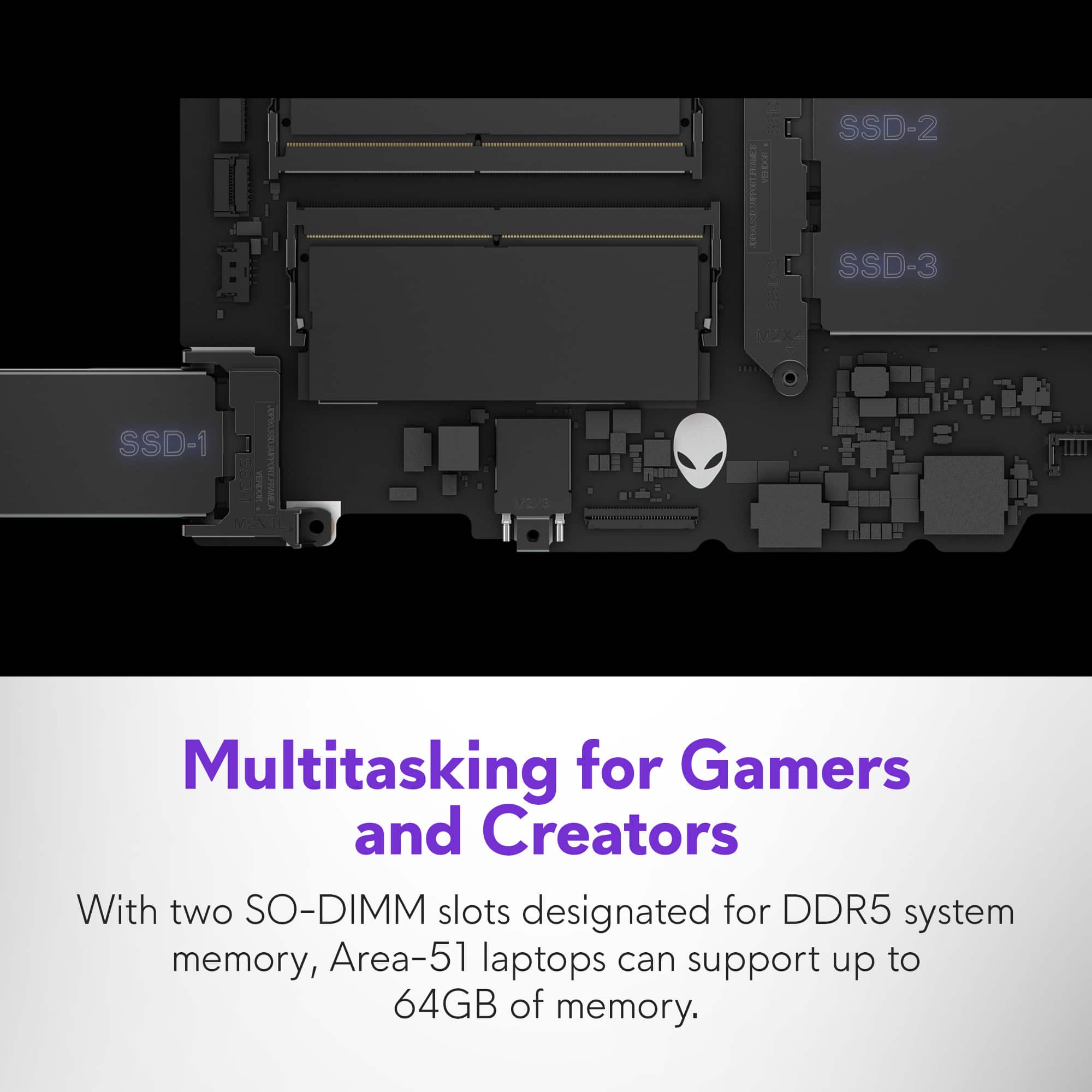
|Posted .This reviewer received promo considerations or sweepstakes entry for writing a review.Alienware still has that big gaming appeal. The new Area-51 doesn't remove itself from that brand image, though with this generation they have opted for a much more sleek and refined appearance. That said, this thing is massive. Huge. Absolute Chungus. Comically large. Size aside, performance is what we truly care about in a machine like this. On that front the Core Ultra 9 and RTX5070Ti are given plenty of space to breath with its total power budget giving them ample wattage to really perform. The provided keyboard is a typical laptop dome switch keyboard, but it's comfortable to type on with plenty of deck space to rest your wrists. The full number pad is a nice to have for those who use it often enough, and therre are plenty of built in shortcuts on the function row for controlling lighting, performance, and even some programmable macro functionality. Of note to me are the High Performance toggle, so you can set the performance mode to balanced, or energy saver for general use, and with one button press kick the whole machine into high gear for when it's time to game. A stealth button that kills the 'gamer' lighting and sets the keyboard lighting to a clean and simple white that is great when using the machine in a more professional setting, or while in class, so your unicorn vomit lighting settings don't distract others, or ruin the professional look you may have been going for. And my personal favorite dedicated hotkey is tied to the windows snipping tool. Something I use quite often in my day to day life. The overall lighting options on the laptop are good, with some presets out of the box for different tastes. Color wave, spectrum cycling, etc. And each key is individually lit on the keyboard, and fully customizable. On top of that, the trackpad itself has lighting and can be customized, though it does not appear to allow you to set the individual LEDs in its lighting area, and only treat it as a single zone for custom color choice. Though the color wave pattern does show the individual lights on different colors. Finally, the Alienware Alien head logo is backlit and the laptops fans and back cooling vent shroud has lighting as well with the semi transparent dark plastic diffusing the LED lighting strip nicely along the back, something you may not see often yourself, but does look pretty nice. The overall build quality, fit and finish of the laptop feels premium as it should and I've had no real issues in my testing. The additional NVME slots and upgradable ram is a welcome feature, and the glass window on the bottom is an interesting if strange design decision that I feel just ads weight and no real value to the overall package. However access to these additional SSD bays and the RAM only requires removing the bottom panel, and nothing else, so it's really easy to add storage or increase the ram down the line. The lowest point on this laptop would be its 2MP webcam, it's fine, nothing to write home about. It gets the job done. But it could be and should be better. They have an option for a 4k webcam, and I dont think that's particularly needed, but a good middle ground should have been found for this, it's not enough for me to take points off but, do better. In the end, as the performance, both from the CPU and GPU both outclass my aging desktop significantly, I have rearranged my desk and decided to use it as a desktop replacement machine, as much as I enjoy the capabilities and the wonderful size of it's display, the overall size and heft of this absolute unit is more than any of my backpacks or travel bags can manage to carry. It just does not fit into any of the bags I own, and after looking around, I am unwilling to put such a machine in a cheap bag that may fail and cause a drop, so I'll be holding off on bringing this with me to classes for now. On the positive note, when I do decide to get a bag this can fit in, I don't think I will have to worry too much about someone stealing it, the sheer weight alone will slow them down enough for even someone of my athletically challenged build should be able to catch them with ease.
I would recommend this to a friend - Pros mentioned:Build qualityCons mentioned:Battery life
My favorite gaming computer yet.
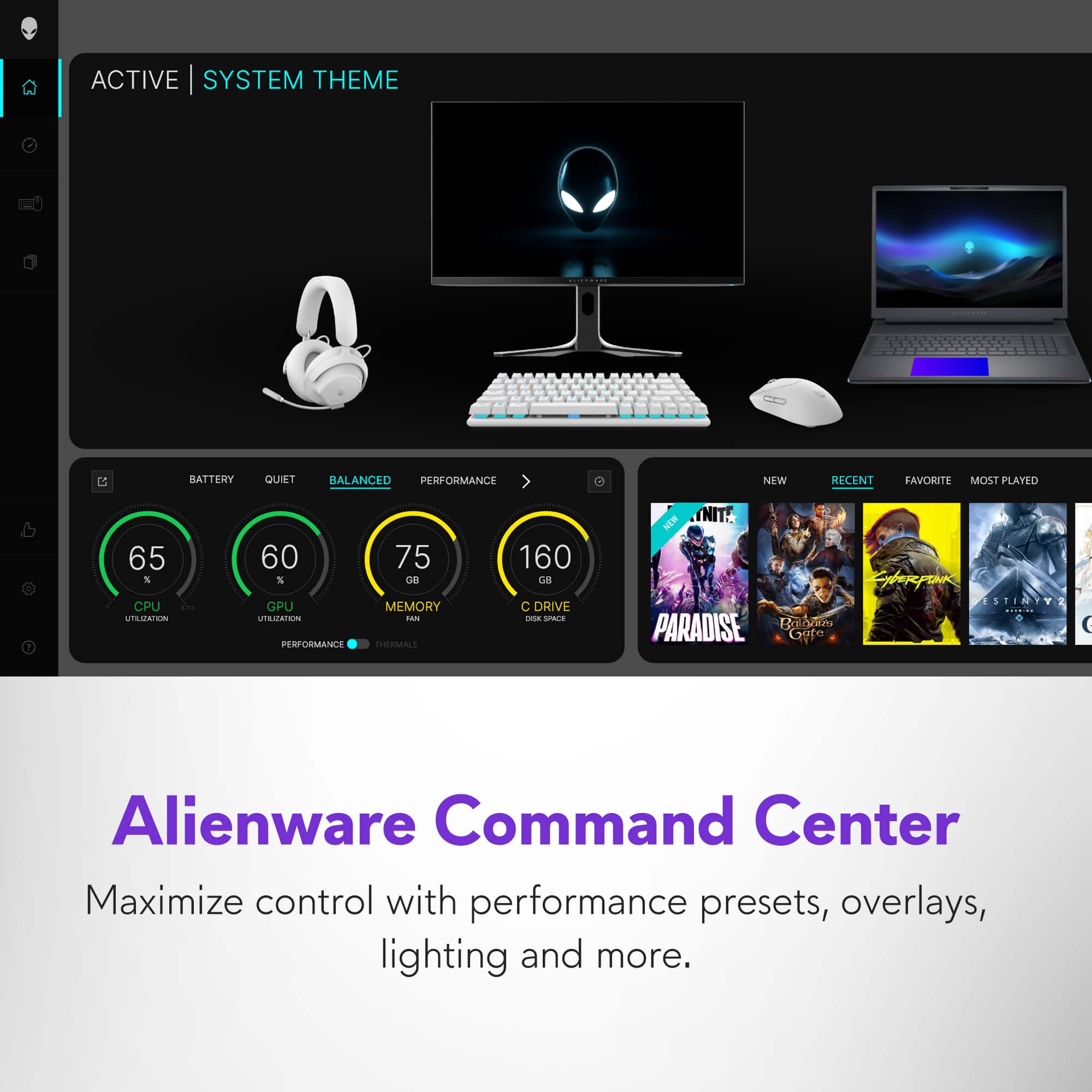
|Posted .This reviewer received promo considerations or sweepstakes entry for writing a review.This Alienware Area 51 Laptop is quite the beast with its build specs. I have been having a blast using it. Lets get into what makes this thing tick. Unboxing- A very minimal design. Just the laptop, power brick and cord, and some documentation. Laptop comes covered in plastic bag and there is a nice felt sheet between the monitor and keyboard. Survived fedex shipping ok. First thing you notice is how big and heavy it is once it is out of the box. The realization of an 18" screen on a laptop takes a minute to get used to. The power brick is sleeker and with the rounded edges, makes it feel not as big as a rectangular brick. Design and features- The first thing I noticed when opening the laptop screen is that the screen feels very solid and sturdy. The opening resistance is a bit tough, but I can see the need for it with such a big screen. There is a lot of room on the keyboard side. The top almost 2 inches above the keyboard is purely cooling fan intake. It makes the keyboard surface feel very spacious and the full keyboard with number pad just fits very well. Peripherals are not too bad. On the left side, there is a full size SD card slot and a microphone jack. The right side has no peripherals at all. On the back is the AC plug in, 2 USB-C ports, 3 USB ports, and an ethernet port. Seems to be in line with what a lot of other manufactures offer. On the top of the lid, there is the alienware logo, which does light up. The camera and the microphone are at the top of the screen and the total bezel size is pretty thick for the screen, but I can just figure that is needed for the best rigidity. Overall very pleased with the build quality. Setup and updates- Besides the standard Windows setup that must be done, once the computer is booted into Windows, There was about 18 new updates waiting for me in Windows Updater. Getting through that was painless, and one of the wonderful things with this laptop is absolutely no bloatware. Alienware kept a very simple windows install and felt great to setup windows and not have pop ups every other minute for bloatware registration. The only thing really pre installed is Microsoft's Solitaire and casual games app. They did such a great job keeping the install clean, that they forgot to pin their own Alienware command center app to the taskbar, and you wouldn't even know it existed if you weren't already familiar with their app. Alienware Command Center- This is the main control panel for custom settings on the laptop. Here you are able to adjust the system performance based on your needs and provides 6 different options. Battery, Quiet, Balanced, Performance, and Overdrive, and Custom. It lets you optimize your games, gives all the stats on your cpu, gpu, fans. You are able to adjust some of the performance settings from here as well as far as overclocking but it overall pretty limited. This is also the place to adjust all of your lighting with AlienFx. You can adjust colors and effects for the alienware logo, the back of the computer, the fans, the touchpad, and of course the keyboard. The customization is pretty cool. I have not seen a lighted touchpad before. You can also access the Dolby settings for the sound through here as well. Keyboard and Touchpad- I love this keyboard. The keys have such a nice button press to them. They feel a bit weighted and solid. I hate feeling like the keys are flimsy and about to fall off, so this feels great. It has a full numpad and the power button is at the top of that. It stays lighted while the computer is on. The top row of keys are all the dual function keys. Some of the highlights are a stealth mode, which turns off all the lighting except the keyboard basic backlight. It also reduced the fan speed for the computer to be more quiet. It also has a high performance button that lights up solid when pressed and the computer switches to its performance mode. The numlock key lights up as well when turned on. There is also separate keys for screen brightness up and down. I love the overall layout of the keyboard. The touchpad has a good feel to it and the clicks feel very solid. It is very responsive. Performance- The brain and heart of this laptop is the Intel Core Ultra 9 275hx (24 cores up to 5.4GHZ) and the Nvidia Geforce RTX 5070ti (12GB). These two paired together makes quite the powerhouse! The downside is that the BIOS is very basic and does not give a lot of options for overclocking, which they want you to handle from in the Alienware command center, but that does not offer a whole lot either. When put up to the test on Cinebench on performance mode (which they consider overclocking), It performed extremely well, but with all 24 cores maxed, it would only push the CPU up to 4.5GHZ. No matter the settings I adjusted, I could not get it to boost over 5GHZ. I am sure I am just missing something, but turning on overclocking in the BIOS, and running it through the command center yielded those results. There may be a mistake in Windows. I noticed that you can adjust power settings in the settings menu, and go to power and battery, and it is set to Best Performance when plugged in, although, If you go to the control panel and go to power options, It shows that the power plan is locked into balanced. This system also has 32GB of Ram running at 6400 MT/s, so this can handle quite a few tasks at once. Running in games, the RTX 5070ti really shines. Displayed on the 300hz, 18" screen; games look gorgeous. I am able to run max settings with optimization off on Doom: The Dark Ages, Cyberpunk,Ready or Not, Forza Motorsport, all with over 100fps. The games run so smooth with no jutter or lag. That is even with 8x aliasing. Battery life- Honestly, this machine is really meant to stay plugged in and I hate to say that for a laptop. The whole purpose is gaming on the go. You can do that, when you move all your setting to medium or low, you can get an hour to 2 hours of gaming time in. It does help having the quick function keys on the keyboard for that, and that is where game optimization comes in handy, as it can adjust all of those specs for you to get you playing the longest with what you have. If you just have the laptop with you for internet browsing, music, youtube, etc., then it is good for 3-5 hours. It does have charging settings so if you leave it plugged in most of the time, it won't cook the battery and wear it down. A quirk- What ever they coated the lid with attracts dust like crazy. I have to wipe off the lid every single day in that it has a layer already on it, and I don't live in a filthy environment. It doesn't really deter my outcome at all because I like to keep things clean anyways. Overall, this is a fantastic computer. It has some quirks. It's not a deal breaker for any of them. I love the minimalist approach for this laptop and the complete lack of bloatware! Thank you!
I would recommend this to a friend - Pros mentioned:Build qualityCons mentioned:Weight
Alienware Delivers another Win
|Posted .This reviewer received promo considerations or sweepstakes entry for writing a review.I've owned more laptops than I can count and even a few Alienware laptops in the past. It's easy to see the difference in quality of an Alienware versus most other brands, but lets get into it. To start: Packaging, I would say, is actually a step down from previous Alienware laptops that I've owned. While it came in this kinda cool padded sleeve thing, it lacked the wow factor of some of the previous Alienware boxes that I've opened, although if they are spending less on packaging, hopefully they are putting that money into the build quality, and as my review will show, I see no issues with that. As far as packaging, it's straightforward, power cable, limited documentation and the laptop in the strange padded sleeve. Setup: Basically in-line with most Windows machines these days, login with your Microsoft account credentials, accept some EULA stuff, the Alienware EULA and support stuff and in you get. There's very little in the way of bloatware installed which is the trend these days and very welcome. The first thing I did after install was load in Chrome and install Steam so I can get my games installed. Build Quality: The build quality is a cut above. I've owned Alienware machines in the past and they are always a step above even other premium gaming machines, but this seems to take it a step further. The entire machine with the exception of the keyboard, screen and the window on the back appears to be made out of metal. According to Dell's website it is made out of copper, magnesium alloy (which is common in previous Alienware machines), steel and aluminum. The machine is not light, but really this is a desktop replacement, it's not designed to be portable and I wouldn't want to give up the quality for more portability. Aesthetics: Along with an Alienware machine comes Alienware styling, which I am personally a fan of and this iteration is no different, in fact there's some fairly cool things I've never seen before in any machine, most notably how the trackpad lights up (see pictures). The keyboard is of course backlit and the Alien head on the lid lights, there's also a halo glow around the IO ports in the back which is pretty cool and not something I've seen before. It's all manageable in the Alienware Command Center. There's a very cool see-through window on the bottom of the laptop that allows you to see the fans and some additional lighting as well. The body of the machine while gorgeous is a fingerprint magnet. I have traditionally very dry hands and my fingerprints still show up on it unfortunately (also visible in the pictures). Performance: Here's the fun part. The laptop screams. It's incredibly fast both in gaming and in general workloads. I installed 3Dmark and got better than average performance across all tests. Interestingly the NVidia drivers it shipped with were slightly faster than the drivers I upgraded to, although 3DMark did not have them as an approved set of drivers, not entirely sure why (see attached screenshots). The SSD is not quite as fast as I'd hoped, it is a PCI-E Gen4 drive so the speeds top out around 6.19GB/s write and 6.60GB/s read, which is nothing to scoff at, but not Gen5 speeds. The laptop can be custom built with a Gen5 SSD so if you choose to upgrade it yourself for those higher speeds, it is possible, just be aware it ships with a Gen4, although I'll say for basically everyone that's more than fast enough. When running Apex Legends, The First Descendant, Beam.ng Drive and any other game I'm able to max out those graphics settings and it still offers a silky smooth experience. The display being 300Hz definitely contributes to that experience with NVidia Gsync offering that additional smoothness. I will say the aspect ratio of the display is an odd one for me. I've not owned a 16:10 aspect ratio machine before and while I know it's not supposed to be dramatically different than 16:9, to me it looks almost as square as the old 4:3 displays did. Be aware of this because while it's fine for most games, it'll create 'bars' when watching media, and there will be some older titles that may not support 16:10 resolutions, which might result in either weird stretching, or bars in games as well. Overall: It's a gorgeous laptop, extremely well made, blazing fast and looks good. If you're in the market for a premium gaming experience, this is the ticket.
I would recommend this to a friend - Pros mentioned:Build quality, Fan noise, Performance
ALIENWARE 18’ AREA 51
||Posted . Owned for 3 months when reviewed.This reviewer received promo considerations or sweepstakes entry for writing a review.Awesome Specs, very enjoying gaming experience! Graphics are almost real, including a software to optimize gaming experience with no lag, no glitches, no problems whatsoever. The laptop has great material and provides with cool LEDS all around, feature can be disabled with a cool “stealth mode” feature that also disables the sound of the fan which is pretty cool! 18’ inch screen which is awesome for watching Movies, Videos, Work and even playing video games. Travel compatible!
I would recommend this to a friend - Pros mentioned:Build quality
Unreal Power in a Gaming Laptop!
|Posted .This reviewer received promo considerations or sweepstakes entry for writing a review.Alienware is really a cool gaming brand as the computer gaming community has grown, and they continue to impress with laptops. Their new Area 51 line is taking it to a whole other level though! PROS: - Unboxing this is a treat, there is a really nice premium feel to it including its “liquid teal” color accent which really is a nice color and makes it feel luxurious. Of course another really cool look is the clear bottom plate that lets you see inside the laptop while also being functional for cooling purposes. - Since I mentioned the cooling, this laptop has a ton of high end specs and performance so it takes a lot to make this thing run, and the cooling area ones a really nice job making the laptop quiet and not overheat. - Back to the performance, this truly is the most powerful laptop I have ever used. It has an insane amount of power! The Intel Core Ultra processor along with the dedicated graphics card make this so powerful, but it backs it up by being able to process all my applications and games in blazing speed. No lag whatsoever, no overheating, this thing is just made to handle it all at the same time. - Along those lines, this screen is unreal too! 300Hz on a laptop screen is basically unheard of but it translates to buttery smooth motion when gaming, viewing content, or making content. Specifically with gaming, it really gives you that advantage when you have such a fast response time along with the really powerful processors on this. - Adding to the specs, the 18” screen is also beautiful as well. It’s a huge immersive screen that is comfortable to use on the go while providing one of the biggest screens you could get in a laptop. - I also really like the build of this too. The keyboard is smooth and silky to type on, and even the hinge of the laptop screen is really strong but the hinge look like it hides away when it is closed. - Really too, for being a bigger laptop it does not feel overly heavy. There is some tradeoff when having a bigger screen laptop, but with all the specs and power this thing has I really am impressed for how it feels to carry around or even have in your lap. - The ports on the back are nice too. You have an Ethernet port, an HDMI 2.1 port which is nice and future proof, 2 thunderbolt / USB-C ports, and 3 USB A ports with one of them being a PowerShare port. CONS: - Really nothing I can think of that this does not deliver on. If anything, it would be nice to see a few more ports on the back since they have the space for it. BOTTOM LINE: - When you are serious about your gaming and content creation, you want the best of the best. And the Alienware Area 51 is immediately top of that list. It has insane specs including a fantastic processor, dedicated graphics card, SSD, next gen cooling, a huge 18 inch screen with a 300Hz refresh rate, and a whole lot of other perks including utilizing AI to make your experience as best as possible. Alienware continues to be an elite brand for gaming and this laptop showcases that.
I would recommend this to a friend - Pros mentioned:Build quality, Fan noise, Performance
Absolutely Incredible Gaming Beast!
||Posted . Owned for 2 months when reviewed.This reviewer received promo considerations or sweepstakes entry for writing a review.Amazing laptop! Super fast, quiet, and handles everything I throw at it from gaming to work stuff. The screen looks awesome and the build feels solid. It runs smooth even with multiple things open. Definitely one of the best purchases I’ve made in a while.
I would recommend this to a friend - Pros mentioned:Processor speedCons mentioned:Weight
Awesome Computer
||Posted .This reviewer received promo considerations or sweepstakes entry for writing a review.This machine is everything I thought it would be. It's very heavy so I would not recommend it for a travel type laptop, but I move between two homes and it's perfect for that when I'm setting up between each place for a substantial amount of time. Graphics are super clear. One older monitor I had the video does not fill the screen due to the graphics card being much higher than the older monitor will handle. The screen is big enough to use alone. Processing is FAST. All around a great purchase and everything I thought it would be. Not top of the line but close enough.
I would recommend this to a friend