Customer Ratings & Reviews
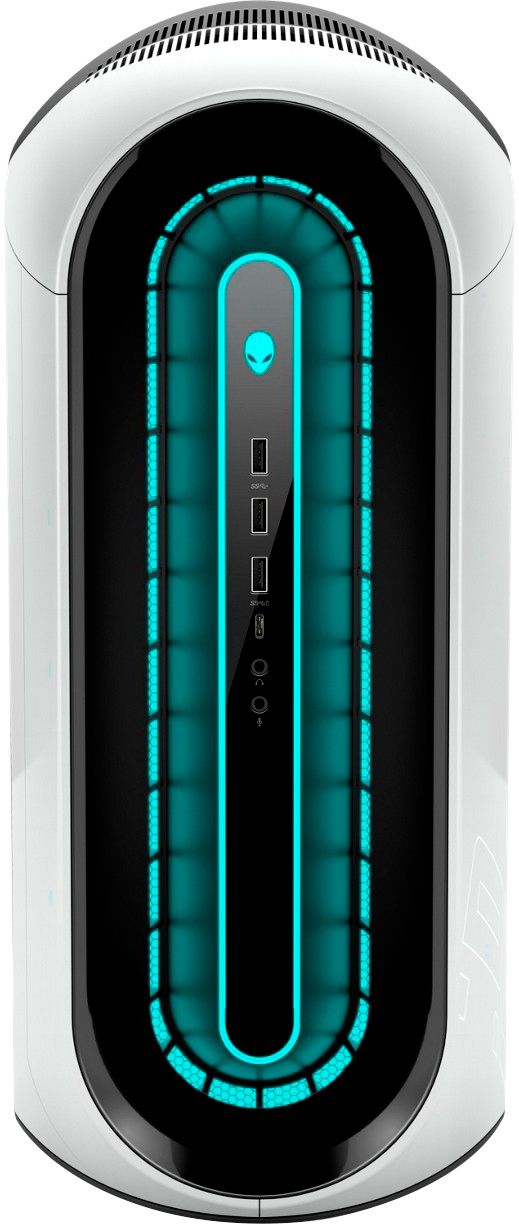
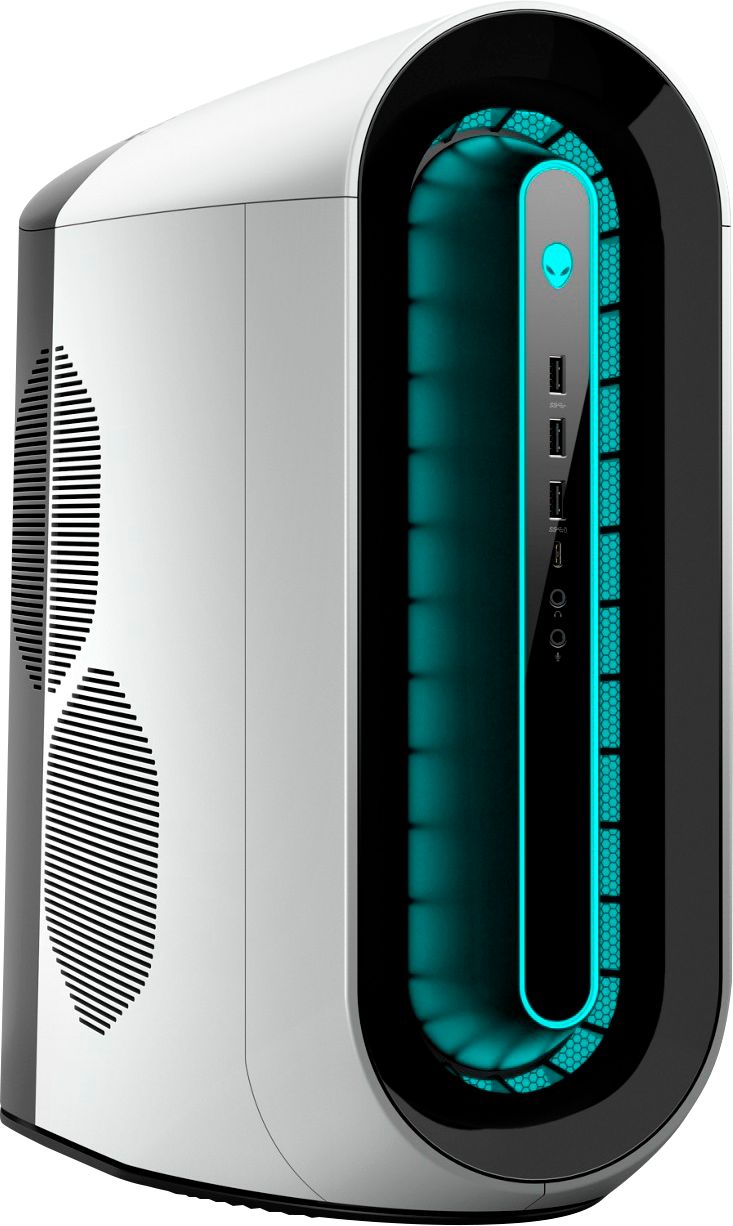
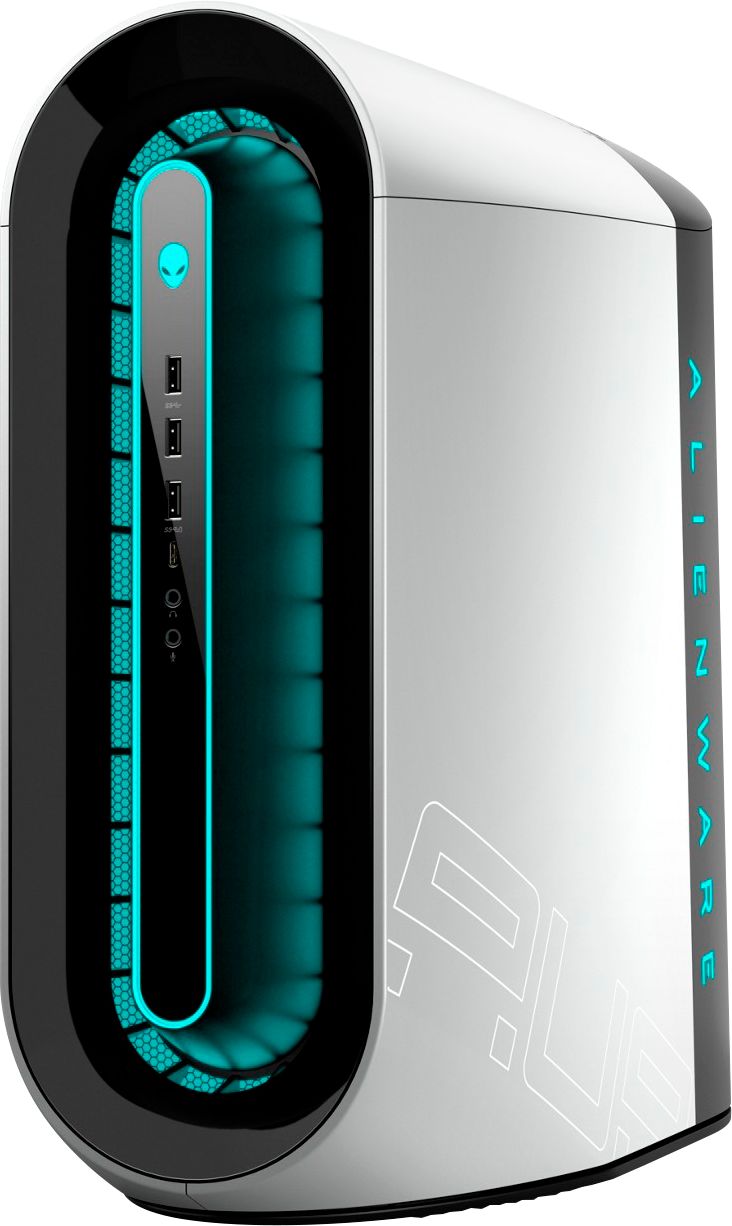
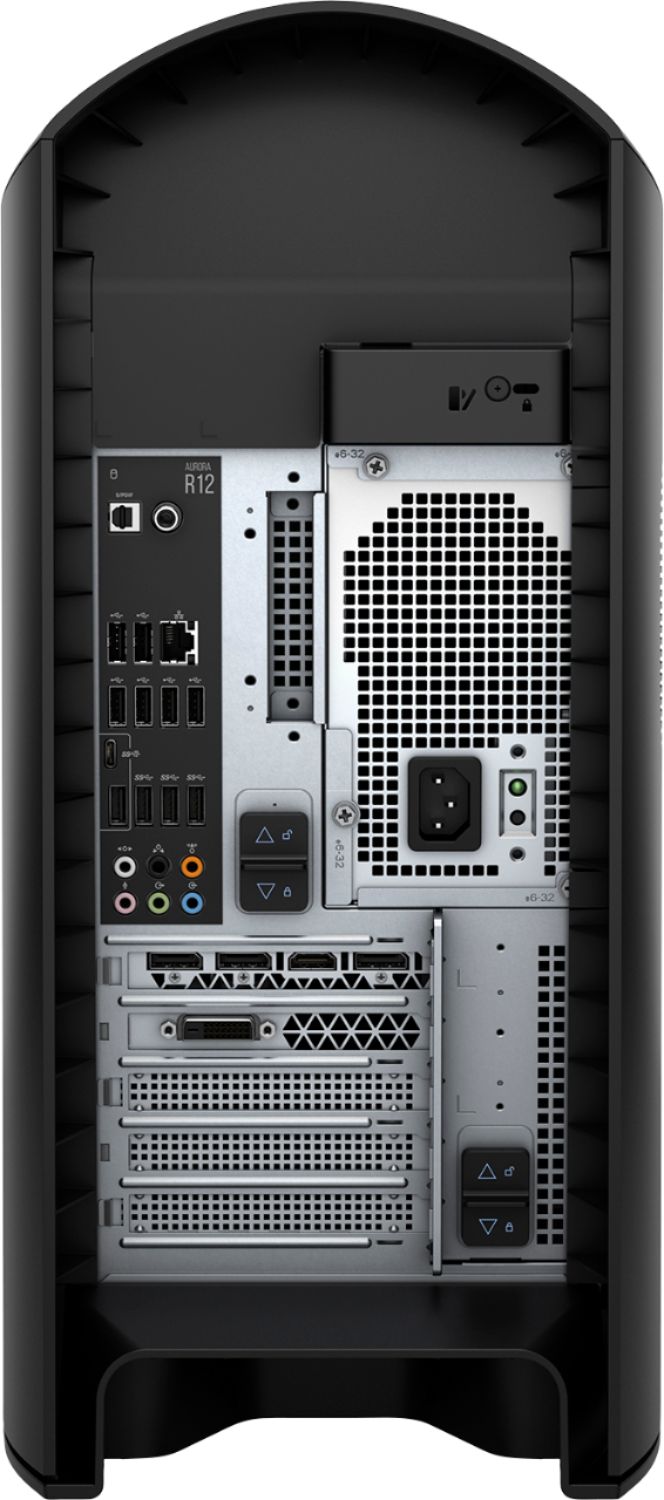
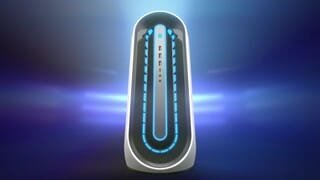

- Model:
- AWAUR12-7006WHT-PUS
- SKU:
- 6455825
Rating by feature
- Value
Rating 3.1 out of 5 stars
- Quality
Rating 2.9 out of 5 stars
- Ease of Use
Rating 3.6 out of 5 stars
Customers are saying
Customers are pleased with the Aurora R12's GPU and overall performance, frequently citing its ability to run games flawlessly. However, many customers express concerns regarding the system's cooling capabilities and the noise levels produced by its fans. The single-channel RAM configuration also receives criticism, along with some negative feedback on the case design and value for the price.
This summary was generated by AI based on customer reviews.
- Cons mentioned:Ram
3080 is too hot
||Posted . Owned for less than 1 week when reviewed.This reviewer received promo considerations or sweepstakes entry for writing a review.Considering the crazy video card market, this is not a bad deal. However, the video card is too hot to run as expected. The ram can easily achieve more than 100degC, not sure how long it can last. Will consider return if no good simple way to reduce ram temperature of video card. There seems to be a way by adding thermal pad somewhere, but i am afraid of losing warranty if diy the cooler.
No, I would not recommend this to a friendBrand response from YourDellTeam
Posted .Hello Amazinghit,
Thank you for your review. We are sorry to hear that your Alienware is running a little warmer than you would like. Your feedback is sincerely appreciated. We would recommend checking to ensure that the latest BIOS is installed on your system. There was a BIOS update for this series and you can download the update here - https://dell.to/3tAQ4PI. We hope this helps with any overheating issues that you are experiencing.
Best regards,
Wendy C.
For further assistance, you can contact Dell directly with the information below Chat or Call:
https://bit.ly/DellSupportTeam.
Phone number to Dell: 1-800-264-9896.
- Cons mentioned:Ram
Major RAM issue, dell has no solution to it
||Posted . Owned for 1 week when reviewed.This reviewer received promo considerations or sweepstakes entry for writing a review.Just got this last week. Ran a benchmark and realize there is a huge issue with the RAM. I know it’s single channel, but the read/write speed is about 2666mhz. The latency is really bad, a 1333mhz speed equivalent. Played a few games and the result was expected. Less fps or same was my upgrade from computer 7700k w/1080ti. What a disappointment. Google about the R12 and saw everyone saying the same on dell forum and Reddit. RAM is bottlenecking the cpu and GPU. I then updated the 1.1.1 bios. Benchmark got 10% better. Then I updated to 1.1.2 bios, benchmark got 5% worst. But still 25% underperforming as it should. This is a Dell bios motherboard issue. I just bought a 2nd stick of 16GB of ram and let see if that will help. But I recommend don’t buy this until ram issue is fixed. Or spend extra $500 on a new motherboard, case and extra RAM. When you call dell they said they are looking into it. And tell you to wait for the next bios update. If you buy it, just expect its 25% underperforming the specs you are buying.
No, I would not recommend this to a friendBrand response from YourDellTeam
Posted .Hello,
Thank you for sharing your experience. We're sorry about the trouble you have encountered with the RAM and gaming performance of your Alienware. Your feedback is sincerely appreciated and will surely be taken into consideration when designing future products. To make sure we can help in the future, below is a link that can be used to maximize your gaming experience. We hope this helps and if you have any questions, please visit the Support Page of your product.
Here is the link to the full article to assist with your gaming performance issue:
https://dell.to/3nNAT46.
Best regards,
Wendy C.
https://bit.ly/DellSupportTeam.
Phone number to Dell: 1-800-264-9896.
- Pros mentioned:Rtx 3080Cons mentioned:Cooling
It's ok
||Posted .This reviewer received promo considerations or sweepstakes entry for writing a review.Cooling is not very good, especially stock cpu cooler. Will prop need a new case. Rtx 3080 works well
No, I would not recommend this to a friendBrand response from YourDellTeam
Posted .Hello,
Thank you for taking a moment to share your input and review. We are sorry to hear that your laptop is running a little warmer than you would like and greatly appreciate your feedback on the cooling system. If system thermals are of concern, you can prioritize cooling by opening the Alienware Command Center application and select the 'Cool' thermal profile.
We would recommend checking to ensure that the latest BIOS is installed on your system. An out-of-date BIOS can cause thermal's issues. You can download the update here - https://dell.to/3CRasBs.
We recommend following the instructions above to resolve your thermals' issue. If the issue persists, please contact our support team here: https://bit.ly/DellSupportTeam.
Best,
Wendy C.
https://bit.ly/DellSupportTeam.
Phone number to Dell: 1-800-264-9896.
- Cons mentioned:Cooling
What a disappointment.
||Posted .This reviewer received promo considerations or sweepstakes entry for writing a review.I have to agree with everyone else and say that this machine is only good for the RTX 3080. The cpu easily and frequently hits 100C during gaming, causing it to thermal throttle. This also causes the machine to run loud, since the cpu is hitting max temps and causing the fans to run at high speeds. It has single channel memory, which can greatly hinder performance. I did try upgrading to a Corsair H60 AIO, but once installed, the BIOS gives cpu fan errors every reboot since it's not detecting the factory cpu fan. It's crazy to think Dell actually coded a fan to a motherboard, but they definitely did. Even when replacing the top and front fans, it gives fan errors, because those as well are coded to the motherboard. Overall, I cannot recommend this computer to anyone, even someone that wants to fix the temperature problems. It thermal throttles, has single channel memory, and cannot be upgraded or tinkered with to a usable level. Please avoid this computer.
No, I would not recommend this to a friendBrand response from YourDellTeam
Posted .Hello zector45,
Thank you for your review. We're sorry about the trouble you have encountered with the performance and overheating of your Alienware. We really do appreciate your feedback. We would recommend checking to ensure that the latest BIOS is installed on your system. There was a BIOS update for this series and you can download the update here - https://dell.to/3tAQ4PI. We hope this helps with any overheating performance issues that you are experiencing.
Best regards,
Wendy C.
For further assistance, you can contact Dell directly with the information below Chat or Call:
https://bit.ly/DellSupportTeam.
Phone number to Dell: 1-800-264-9896.
- Cons mentioned:Cooling
Its meh. It works but there are better options.
||Posted . Owned for 2 months when reviewed.This reviewer received promo considerations or sweepstakes entry for writing a review.Product is form over function. As nice as the desktop tower looks its cooling is subpar and has a bunch of wasted space to allow for the curved design of the case. I purchased it for the 3080. It's not a horrible pc but you definitely should consider other options or building your own unless you really like the aesthetics of the build.
No, I would not recommend this to a friendBrand response from YourDellTeam
Posted .Hello FoxMcCloud,
Thank you for your feedback. Sharing your experience is sincerely appreciated and will surely be taken into consideration when designing future products. If you have any other questions, feel free to visit the support page for your Alienware.
Best,
Wendy C.
https://bit.ly/DellSupportTeam.
Phone number to Dell: 1-800-264-9896.
- Pros mentioned:Rtx 3080Cons mentioned:Cooling, Ram
Worst pre-built
||Posted . Owned for 1 week when reviewed.This reviewer received promo considerations or sweepstakes entry for writing a review.Horrible cpu cooler, loud. Only 1 ram stick. I returned this and got asus pre-built for $1999.99. Only thing good about Alienware is the rtx 3080. The cpu runs at like 3.7 ghz Because cooling makes it throttle. Has the smallest crappie air cooler ever
No, I would not recommend this to a friendBrand response from YourDellTeam
Posted .Hello Alin,
Thank you for your feedback and review. We are sorry to hear that your Aurora R12 has not met all your expectations. We apologize for the experience you have had with your system overheating. We can understand how frustrating this can be. If thermals are of concern, you can always navigate to the fusion tab within the Alienware Command Center to prioritize cooling. One option to help with the overheating concern is to update the BIOS. There was a BIOS update for this series released this week and you can download the update here - https://dell.to/3h23Zts. We hope this helps with any overheating issues that you are experiencing.
Best,
Wendy C.
For further assistance, you can contact Dell directly with the information below Chat or Call:
https://bit.ly/DellSupportTeam.
Phone number to Dell: 1-800-264-9896.
- Pros mentioned:GpuCons mentioned:Ram
Overheats
||Posted . Owned for 2 weeks when reviewed.This reviewer received promo considerations or sweepstakes entry for writing a review.Cpu overheats basically just by turning the computer on. Terrible design. If it wasn’t for the gpu i would definitely return this. Needs a lot of upgrades in order to function how you would want.
No, I would not recommend this to a friendBrand response from YourDellTeam
Posted .Hello Skeet,
We apologize for the overheating issue you came across with your Alienware. Your feedback is sincerely appreciated. We would recommend checking to ensure that the latest BIOS is installed on your system. There was a BIOS update for this series released earlier last week and you can download the update here - https://dell.to/2Rv3AXC. We hope this helps with any overheating issues that you are experiencing.
Best regards,
Wendy C.
For further assistance, you can contact Dell directly with the information below Chat or Call:
https://bit.ly/DellSupportTeam.
Phone number to Dell: 1-800-264-9896.
- Pros mentioned:Gpu
How to get a NVIDIA RTX 3080
||Posted . Owned for 2 weeks when reviewed.This reviewer received promo considerations or sweepstakes entry for writing a review.This is how you're going to get that RTX 3080 that you're after. The graphics card is unbelievable. The rest of the parts in this unit are sub par, but out of the box it will function well and will look great on your desktop. Some things to note, the Dell OEM 3080's run hot, the GPU temps will be at 60 while the VRAM temps are well into the 110's when overclocked. That's OK, Dell says that is the within the design parameters of these 3080's. The GPU card is also remarkably small, in some cases much shorter than most 3060's. That's a plus if you want to move it to another machine. If you intent to overclock this GPU IT thermal throttle at some point and the fix is adding thermal pads and/or high quality thermal paste. Once that's done you'll enjoy 120FPS of Minecraft and a mind blowing 100MH/s down in the cypto mines.
I would recommend this to a friend - Cons mentioned:Case design
Hot Mess
||Posted .This reviewer received promo considerations or sweepstakes entry for writing a review.The phrase “hot mess” is apropos. Purchased this unit in a frenzy at the prospect of landing a 3080 variant. Euphoria was short lived as I “fired” up the steaming pile. Reminiscent of a prolonged session on the porcelain idol, the experience was loud, hot, and painful. Supremely lack luster case design with copious amounts of misfitted plastic and an internal metal cage monstrosity that would make the likes of Faraday blush. OEM integration of otherwise ubiquitous computer parts makes enhancements a nonstarter. If Sudoko is your gaming passion then this pc is your huckleberry, otherwise move along, nothing to see here. If my comments have in any way been unclear let me summarize: I do not recommend this unit and I will be returning it. ATB, urbaNinja
No, I would not recommend this to a friendBrand response from YourDellTeam
Posted .Hello urbaNinja,
Thank you for your review. We are sorry to hear that your Alienware is running a little warmer than you would like. We really do appreciate your feedback and will use it to help improve our current and future products. We would recommend checking to ensure that the latest BIOS is installed on your system. There was a BIOS update for this series and you can download the update here - https://dell.to/3tAQ4PI. We hope this helps with any overheating issues that you are experiencing.
Best regards,
Wendy C.
For further assistance, you can contact Dell directly with the information below Chat or Call:
https://bit.ly/DellSupportTeam.
Phone number to Dell: 1-800-264-9896.
- Pros mentioned:GpuCons mentioned:Cooling
Good system except for cooling
||Posted . Owned for 1 month when reviewed.This reviewer received promo considerations or sweepstakes entry for writing a review.The case of the PC looks big but the internal space is limited due to the PSU. The RTX3080 in this system becomes really hot. I have replaced the CPU cooler with Corsair Hydro Series H60 and added Thermalright Thermal Pad (0.5mm) around the GPU core. Then the system became cooler (GPU VRAM temp from 106C to 90C). One caveat, the place of the 3.5 inch HDD is terrible. I had repeatedly open and close the case, the enclosure interfered with the SATA cable of the HDD, and finally, the connector of the SATA cable on the HDD was destroyed. (The HDD was no more recognized by PC.)
I would recommend this to a friendBrand response from YourDellTeam
Posted .Hello Bond,
Thank you for your thorough review on our Aurora R12. We are sorry to hear about your desktop getting hot. We can understand how frustrating an overheating computer can be. Your feedback on the design is incredibly valuable as we build current and future products. if system thermals are of concern, we would recommend checking to ensure that the latest BIOS is installed on your system. There was a BIOS update for this series released last week and you can download the update here - https://dell.to/3y6irY7. We hope this helps with any overheating issues that you are experiencing.
Best regards,
Wendy C.
For further assistance, you can contact Dell directly with the information below Chat or Call:
https://bit.ly/DellSupportTeam.
Phone number to Dell: 1-800-264-9896.
- Pros mentioned:Gpu, PerformanceCons mentioned:Price, Ram
Pc
Posted .This reviewer received promo considerations or sweepstakes entry for writing a review.The Alienware systems featuring the NVIDIA GeForce RTX 3080 are generally well-regarded for their performance, especially when it comes to gaming and resource-intensive tasks. However, as you’ve noted, there are a couple of key criticisms: 1. High Cost: Alienware is known for its premium pricing, often due to the brand, design, and the higher-end components used. While the performance is top-tier, the cost can be significantly higher compared to other pre-built PCs with similar specifications. This can make it less appealing to budget-conscious users. 2. 11th Gen Intel CPUs: Some Alienware models with the RTX 3080 use Intel’s 11th-generation CPUs, which, while still powerful, are a generation behind the latest at the time, which would be the 12th-generation (or even newer now). The 12th-gen Intel CPUs introduced significant architectural changes, including the hybrid core design (performance and efficiency cores), which can offer better multitasking and improved performance in certain workloads. For buyers focused on future-proofing or getting the latest tech, the use of 11th-gen CPUs might feel like a drawback, especially when paying a premium price. However, if the price drops on those models or if gaming is your primary concern (since GPU performance often outweighs CPU in gaming), they can still be very solid machines.
No, I would not recommend this to a friend - Cons mentioned:Cooling
Compact and good if you know how to fix
||Posted .This reviewer received promo considerations or sweepstakes entry for writing a review.Pros: pretty compact case, looks great, good support from Dell, very powerful. Cons: poor cooling for both the case and graphic card (fixable if you know how to apply thermal paste to the GPU and swap in a liquid cooler. thermal became OK after the fix). Non-standard PSU (finding the right cable can be a problem) and tight room inside the case. Single ram stick (good if you plan to expand to 32G).
I would recommend this to a friend - Cons mentioned:Cooling, Ram
Misleading and disappointing
||Posted . Owned for less than 1 week when reviewed.This reviewer received promo considerations or sweepstakes entry for writing a review.I can’t recommend getting this computer, the Best Buy variant of the r12 comes with LOADS of problems such as single channel ram, cooling issues and bios problems that Alienware refuse to address. I’m returning this computer, it was a $2300 disappointment. It ran csgo out of the box only at 200fps. Other reviewers and myself have left 1 star reviews for a reason, TO SAVE TOU THE TROUBLE OF RETURNING THIS.
No, I would not recommend this to a friendBrand response from YourDellTeam
Posted .Hello Voorhees59,
Thank you for your review. We're sorry about the trouble you have encountered with the performance of your Alienware. We really do appreciate your feedback and will use it to help improve our current and future products. To make sure we can help in the future with improving performance overall, we would recommend checking to ensure that the latest BIOS is installed on your system. There was a BIOS update for this series and you can download the update here - https://dell.to/3tAQ4PI.
If you come across any further questions, issues or concerns, please visit the Support Page of the product.
Best regards,
Wendy C.
For further assistance, you can contact Dell directly with the information below Chat or Call:
https://bit.ly/DellSupportTeam.
Phone number to Dell: 1-800-264-9896.
- Pros mentioned:Gpu
Great graphics card, terrible airflow and thermals
||Posted . Owned for 3 weeks when reviewed.This reviewer received promo considerations or sweepstakes entry for writing a review.I bought this because I wanted a 3080 at MSRP. It was actually cheaper getting this than building a PC like I was planning thanks to the chip shortage. I'm happy with the GPU and I guess the aesthetics but man, the thermals in this thing are terrible. 10mm clearance between the PSU and CPU, only one intake and exhaust fan, no VRM heatsinks and an awful CPU fan, plus less than ideal amounts of thermal paste on the GPU. All relatively easy and cheap fixes if you know how to fiddle with parts, but it kind of defeats the purpose of of buying a prebuilt, right?
No, I would not recommend this to a friendBrand response from YourDellTeam
Posted .Hello Jolly,
Thanks for your review and we're sorry to hear that your computer is not meeting all of your needs. If you'd like help with the overheating that you're experiencing on your new computer we'd recommend the following article: https://dell.to/3ua9rAv.
Best,
Bryan@Dell
If you require further assistance, you can contact Dell directly with the information below
Chat or Call:
https://bit.ly/DellSupportTeam
Phone number to Dell: 1-800-624-9896
- Cons mentioned:Cooling
GREAT CUSTOMER SERVICE THROUGH DELL
||Posted . Owned for 3 weeks when reviewed.This reviewer received promo considerations or sweepstakes entry for writing a review.Computer had an issue out of the box, very minimal cooling. Additjonally unit wouldn't power on. Luckily dell has decent Customer service, and will be sending a tech to fix it under warranty.
I would recommend this to a friendBrand response from YourDellTeam
Posted .Hello ANTHONYHIDALGO,
Thank you for sharing your experience. We are sorry to hear that your Aurora R12 was experiencing some heating issues and had stopped working so abruptly. We're glad to learn that you contacted Dell Support and a technician will come to your place to get this issue out of sight. Below, we have provided steps that can be used to troubleshoot this concern.
1. If the computer is displaying the Dell logo and does not move past that point, it has probably failed POST.
2. If the power indicator lights up and it is amber or orange, this is usually an indicator that it has failed POST.
3. If you see text on a black screen, the computer is currently performing the POST. If the computer stays in that condition and does not move past it, it has probably failed POST.
4. If the video screen displayed anything at all during the startup process but is now black, this probably indicates that the computer failed POST.
5. If the computer is beeping or if Caps/Num/Scroll Locks are flashing, note if there is a particular pattern in which it beeps or flashes.
6. If the computer is not beeping and caps/num/scroll locks are not flashing, unplug all connections and remove all media communication devices (e.g. external monitors); reconnect one at a time and check if the computer functions.
7. For a notebook, press and hold the Fn key and then press the power button. This starts the pre-boot testing and will launch ePSA. In case you have a Desktop at the Dell logo screen tap the F12 key to enter One Time Boot Menu and use the arrow keys to highlight Diagnostics and press enter.
8. You can read the full article here - http://dell.to/2uj1Sby.
If needed in the future, there was a BIOS update for this series last week and you can download the update here - https://dell.to/2TeMluE.We hope this helps with the overheating issues.
Best,
Wendy C.
If you come across any other questions, issues, or concerns, you can contact Dell directly with the information below Chat or Call:
https://bit.ly/DellSupportTeam.
Phone number to Dell: 1-800-264-9896.
- Pros mentioned:Rtx 3080Cons mentioned:Cooling
Not worth the cost
||Posted . Owned for 1 month when reviewed.This reviewer received promo considerations or sweepstakes entry for writing a review.Purchased this since parts have been difficult to procure nowadays. Normally I would have built the rig myself. Unfortunately it did not live up to my expectations. Overheating issues and eventually a blue screen of death loop. Therefore I ended up returning the item as I did not want to did with the headache. The component that was decent was the RTX 3080.
I would recommend this to a friendBrand response from YourDellTeam
Posted .Hello,
Thank you for your feedback and response. We apologize for your experience and have provided steps below that can assist with your blue screen and thermals issues if needed in the future.
1. Click the Search the web and Windows box and type ""problem reports"".
2. Select View all problem reports to view a list of errors that have occurred on your computer and possible solutions for them, such as updating drivers, flashing your system BIOS, or checking for updates to the software.
3. Under the Source column, look for Windows and under Summary, look for Shut down unexpectedly.
4. Right-click the line item and select Check for a solution.
5. We'd also suggest checking to make sure that your software and drivers are up to date on Dell's Product Page - https://dell.to/374rFZw. With the latest firmware installed, you should expect the most stable up-to-date experience.
This article contains more detail in regard to blue screen and performance issues - http://dell.to/2u98Cct. If you come across any further questions, or concerns, please visit the Support Page of your Alienware.
Sincerely,
Wendy C.
https://bit.ly/DellSupportTeam.
Phone number to Dell: 1-800-264-9896.
- Cons mentioned:Cooling
Alienware with a loud muffler
||Posted . Owned for 3 months when reviewed.This reviewer received promo considerations or sweepstakes entry for writing a review.Good computer but has loud fans and bad cooling. The 3080 thermal paste needs to be reapplied with good amount to keep it cool.
I would recommend this to a friendBrand response from YourDellTeam
Posted .Hello,
Thanks for taking the time to share your review. We apologize for the issues you have with fan noise and the cooling system. If system thermals are of concern, you can prioritize cooling by opening the Alienware Command Center application and select the 'Cool' thermal profile. One option to help with the overheating concern is to update the BIOS. Please ensure that your system is running the latest software and drivers. You can download the latest update here: https://dell.to/374rFZw. If the issues continue after updating the software and drivers, you are more than welcome to contact Dell support for further assistance at 1-800-264-9896.
Best,
Wendy C.
https://bit.ly/DellSupportTeam.
Phone number to Dell: 1-800-264-9896.
- Pros mentioned:GpuCons mentioned:Noise
Nice Designe
||Posted . Owned for 1 week when reviewed.This reviewer received promo considerations or sweepstakes entry for writing a review.Its Desent GPU 3080. But a lot of noise from Coolers
I would recommend this to a friend - Cons mentioned:Cooling
Hotter than ur Mom
||Posted . Owned for 5 months when reviewed.This reviewer received promo considerations or sweepstakes entry for writing a review.This thing runs hotter than a pokey in the Montana summer.
I would recommend this to a friendBrand response from YourDellTeam
Posted .Hello,
Thank you for taking the time to share your review. We apologize for the overheating issue you're experiencing with your Alienware and we would like to assist you as soon as possible. Below, we have provider some tips that can assist with your overheating:
Here are the recommended steps for troubleshooting overheating:
1. Ensure that you're running the latest BIOS. An out-of-date BIOS can cause thermal's issues. You can download the update here - https://dell.to/3h23Zts
2. Prioritize cooling by opening the Alienware Command Center application and select the 'Cool' thermal profile.
We recommend following the steps above to resolve your overheating issue. If the issue continues, please contact Dell Support Team at your earliest convenience at 1-800-264-9896.
Sincerely,
Wendy C.
https://bit.ly/DellSupportTeam.
Phone number to Dell: 1-800-264-9896.
- Pros mentioned:Rtx 3080
A really nice computer!
||Posted . Owned for 1 week when reviewed.This reviewer received promo considerations or sweepstakes entry for writing a review.I have had this computer for a couple weeks now. I drove 66 miles to get the last one in stock at a Best Buy in the Bay Area! Very stylish and I am in love with the custom lights and Alienware FX. The price is good and the 3080 is great. I haven’t had a desktop since I built one when I was 13 for my Birthday. Lol. I got a aio Corsair cpu cooler and swapped out the fans as recommended for just about any prebuilt gaming computer. I haven’t had any issues. Also Dell oem 3080 has sn strips on the graphics card that I would recommend removing and applying thermal paste to the area above the vram. There’s lots of videos on YouTube to help in this matter. If this comes back in stock I wouldn’t hesitate to get it. Also got the 3420 Alienware monitor and mouse and keyboard. It’s awesome.
I would recommend this to a friend